
Social media publishing for agencies is the process of planning, approving, scheduling, and publishing content across multiple client accounts from a centralized workflow. In 2026, successful agencies rely on publishing systems.
Managing social media for one brand is challenging enough. Managing it for 10, 20, or even 50 clients is a completely different game.
In this guide, you’ll learn what social media content publishing in 2026 looks like. Why agencies need a structured publishing process, and what to look for in a social media publishing tool for agencies.
Why Social Media Publishing Is Different for Agencies?
Agencies operate in a completely different environment. A local business owner may only need to publish five posts per week. An agency could be responsible for publishing hundreds of posts every month across dozens of client accounts.
Each client has:
- Different brand guidelines
- Different content goals
- Different approval processes
- Different publishing schedules
- Different reporting requirements
This is where social media management tools for agencies become less about posting content and more about building repeatable systems.
The Hidden Problem Most Agencies Face
Many agencies think they have a content problem. In reality, they have a workflow problem.
According to research, marketers spend around 63% of their time on manual tasks like content creation, approvals, and reporting that could be automated. This is why workflow efficiency has become a major focus for agencies.
As agencies grow, small delays start creating bigger problems. Deadlines get missed. Client communication becomes harder to manage. That’s why multi-client social media management is such a big focus for agencies in 2026.
What to Look for in a Social Media Publishing Tool for Agencies?
Not all publishing tools are built for agencies. What seems affordable and simple at first can quickly become frustrating when your team grows.
Before comparing tools, it’s important to understand which features actually matter for social media publishing tools for agencies.
Can it manage multiple clients efficiently?
One of the biggest challenges for agencies is keeping client accounts organized. The right platform should make it easy to switch between brands, manage separate content libraries, and maintain clear publishing schedules.
Does it include a visual content calendar?
As client volume increases, spreadsheets become difficult to manage. A centralized content calendar helps teams plan campaigns, monitor upcoming posts, and stay aligned on deadlines across all accounts.
Are client approval workflows built in?
Publishing delays often happen during the review process. Look for tools that allow clients to review, comment on, and approve content directly within the platform.
Does it support team collaboration?
Publishing is rarely a one-person task. Writers, designers, account managers, and clients all play a role in the process. Collaboration features help teams assign responsibilities, share feedback, and keep projects moving smoothly.
Can you schedule content in bulk?
Manually scheduling dozens or even hundreds of posts each month consumes valuable time. Bulk scheduling features help agencies manage high-volume publishing and reduce repetitive work.
Does it offer AI-powered publishing assistance?
AI can fasten content workflows by generating captions, creating post variations, repurposing content, and suggesting optimal publishing times. The best tools use AI to support human strategy rather than replace it.
Does it provide meaningful analytics and reporting?
Publishing content is only part of the job. Clients want to understand results. Look for reporting capabilities that connect publishing activity to engagement, reach, and overall performance.
In the next section, we’ll compare the top 5 social media publishing platforms for agencies and look at where each one excels.

Quick Comparison of the Best Social Media Publishing Tools for Agencies
Tool | Pricing | Key Strength |
SocialBu | $19 /month | Scheduling and Automation |
Sprout Social | $199 per seat/month | Reporting and analytics |
Sendible | $35 /month | White-label reporting |
Loomly | $65 /month | Approval workflows |
Agorapulse | $99 per user /month | Unified inbox |
Top 5 Social Media Publishing Tools for Agencies in 2026
The best publishing tool isn’t necessarily the one with the most features. It’s the one that fits your workflow.
The tools below are the strongest options for social media publishing for agencies in 2026. They help teams manage multiple clients and track social media publishing performance.
SocialBu
Best for affordable scheduling and social listening
- Free trial available
- Starts at $19/month
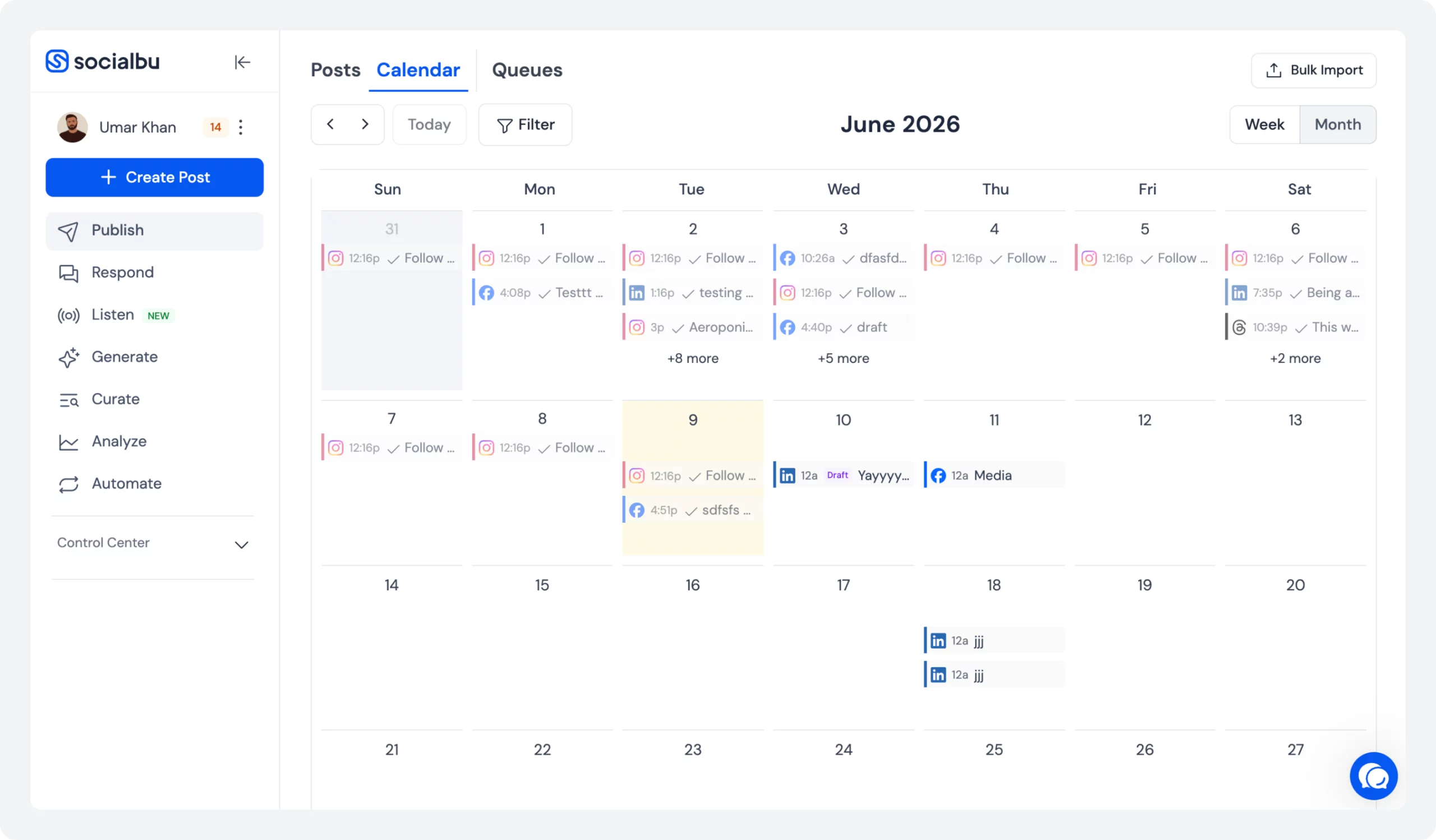
SocialBu has evolved from a scheduling tool into a complete platform for agencies that want to streamline content planning, publishing, engagement, and client management from one place.
What makes SocialBu stand out is its focus on helping teams manage the entire publishing workflow, not just scheduling posts.
Beyond content scheduling, SocialBu includes tools that support planning, collaboration, automation, and audience engagement.
Why SocialBu Is a Good Choice for Agencies
Agencies often struggle with divided workflows.
Content ideas live in one tool. Scheduling happens in another. Social monitoring requires a third platform. SocialBu brings many of these tasks together.
SocialBu Key Product Metrics
Scheduling
50-55K posts/week
96.2% create-to-publish conversion
Active Users
700-760 weekly users
Consistent publishing activity
Collaboration
300-700 approvals/week
95%+ approval rate
AI Features
334 peak uses
48 users at peak activity
Automation
25-55 workflows/week
Active experimentation and setup testing
1. Social Media Scheduling System:
It supports publishing across multiple platforms while maintaining an organized content calendar.
“The scheduling workflow is performing very well, with 96.2% of created posts being successfully published.”
This means that almost every post users create goes live, indicating that the publishing process is smooth and reliable.
2. Curate Feature:
SocialBu’s content curation is particularly useful for agencies that need to keep client accounts active with relevant industry content. Instead of manually searching for articles and trends, teams can discover content opportunities and add them to their publishing workflow more efficiently.
3. Snippets:
Agencies frequently reuse common responses, promotional messages, campaign hashtags, and brand-specific phrases. Snippets allow teams to save and quickly reuse this content, reducing repetitive work while helping maintain brand voice consistency across clients.
4. Social Listening:
SocialBu’s social listening allows agencies to monitor conversations, keywords, brand mentions, and audience discussions without relying on separate tools. For agencies managing reputation, engagement, or community growth, this creates a more complete workflow.
5. AI-powered Features:
The AI features help agencies speed up content creation and optimization. Teams can generate post variations, improve captions, and adapt messaging for different platforms.
“We analyzed SocialBu’s data and AI adoption showed strong interest, peaking at 334 uses across 48 users.”
Features such as post generation and the Instagram Caption Generator were the most popular.
6. Team Collaboration:
This feature makes it easier for agencies to work across departments. This is one of the platform’s most successful features.
“SocialBu insights show that teams are regularly being created and joined, and between 300 and 700 posts are approved each week. More than 95% of submitted posts have been approved.”
SocialBu’s team collaboration feature is clearly helping agency teams collaborate and manage content for multiple clients.
7. Automation:
Social media automation helps agencies save time by handling repetitive tasks automatically. Users can publish content from RSS feeds, repost content, schedule recurring posts, and perform other actions.
“According to SocialBu insights, around 25-55 automation workflows created each week.”
This suggests that users are testing different automations.
8. Analytics and Reporting:
It helps agencies track performance across all client accounts in one place. Instead of manually collecting data from multiple platforms, teams can analyze social media insights like engagement, reach, and content performance directly.
9. Webhooks:
Webhook integrations help agencies connect SocialBu with other tools and systems they already use. They can automatically send or receive data when specific events happen, such as publishing a post, receiving a message, or triggering an automation workflow.
Potential Limitation
Larger enterprise agencies with highly specialized workflows may require deeper enterprise-level customization.
Pricing
Plan | Monthly Price | Social Accounts | Posts | Best For |
Free | Free | 3 | 10 lifetime posts | Testing the platform |
Standard | $19/mo | 12 | 800/month | Solo founders & startups |
Super | $59/mo | 30 | Unlimited Monthly Posts | Growing SaaS teams |
Supreme | $199/mo | 150 | Unlimited Monthly Posts | Agencies & large teams |
Our Take:
If you want an affordable all-in-one platform that combines publishing, content discovery, social listening, automation, and collaboration. SocialBu offers the strongest value for growing agencies.
Sprout Social
Best for agencies prioritizing reporting and analytics
- Free trial available
- Starts at $199 per seat/month
- Rating:⭐⭐⭐⭐ 4.4/5
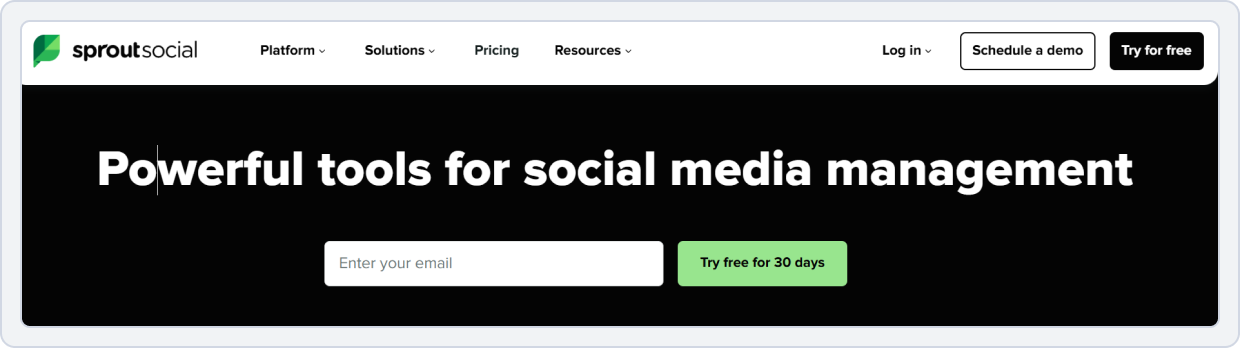
Sprout Social is one of the most established names in social media management. It is known for its reporting capabilities, team collaboration features, and customer relationship management tools.
The platform is designed for organizations that need detailed visibility into content performance and audience engagement.
Why Sprout Social Is a Good Choice for Agencies
Sprout Social is a powerful agency-focused social media management platform that streamlines client collaboration, reporting, and multi-account management from a single dashboard. It offers:
- Collaboration tools also make it easier for multiple team members to review, approve, and manage content before publication.
- Social media workflow improves structured collaboration features to support internal content reviews, approval workflows, task assignments, and version tracking.
- Multi-client social media management allows teams to manage multiple brands from a single dashboard. This improves operational efficiency and supports agency productivity tools that scale with client growth.
- The reporting system reduces manual effort in building client reports. Agencies can generate detailed social media analytics reports for clients, including performance insights.
- Strong engagement management features help teams respond to messages and comments efficiently.
- AI-powered social media publishing is becoming essential. Sprout Social helps streamline content workflows, optimize posting times, and support data-driven publishing decisions.
When combined with scheduling, analytics, and collaboration tools, it becomes a complete social media publishing platform that agencies can rely on to scale operations.
Potential Limitation
Pricing can increase as agencies add more users and client accounts.
Pricing
Plan | Monthly Price | Social Profiles |
Standard | $199 per seat/month | 5 |
Professional | $299 per seat/month | Unlimited |
Advanced | $399 per seat/month | Unlimited |
Enterprise | Custom | Unlimited |
Our Take:
Choose Sprout Social if advanced analytics, reporting, and performance insights are your top priorities. It’s powerful but can become expensive as your agency scales.
Sendible
Best for agencies focused on branded client reporting
- Free trial available
- Starts at $35/month
- Rating: ⭐⭐⭐⭐ 4.5/5
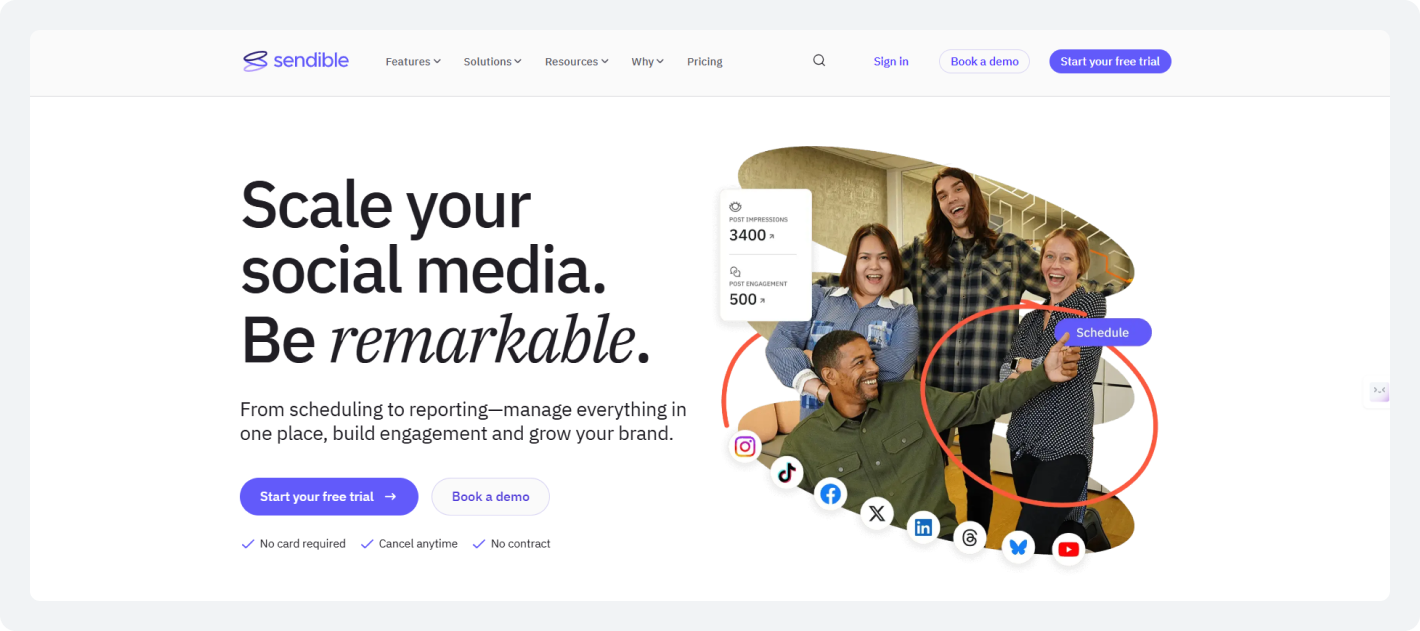
Sendible is a popular social media publishing tool for agencies because it combines scheduling, collaboration, reporting, and branding features on a single platform.
Why Sendible Is a Good Choice for Agencies
Sendible is a social media management platform designed for agencies, offering efficient client management, content scheduling, collaboration tools, and customizable reporting to handle multiple brands at scale.
- Multi-account social media management lets you manage multiple client profiles from a single dashboard instead of switching between accounts. This improves multi-client social media management and helps teams stay organized.
- White-label social media publishing helps you customize reports and dashboards with your own branding. This creates a more professional experience for clients and helps agencies strengthen their brand identity.
- Social media scheduling for agencies involves scheduling posts in advance and managing campaigns through a centralized content calendar for agencies. This helps agencies maintain a consistent posting schedule across multiple brands.
- Client approval workflow allows you to manage the content before it is published. Team members and clients can review posts, suggest edits, and approve content in one place.
- Sendible provides team collaboration social media features that allow users to assign tasks, share feedback, and manage projects together.
- Agencies can manage publishing across multiple platforms without using separate tools. Content can be scheduled and published to different social networks from a single dashboard.
- Sendible offers detailed social media analytics reporting for clients. Agencies can track engagement, audience growth, and campaign performance through customizable reports.
Potential Limitation
Some users may find the interface less intuitive compared to newer platforms.
Pricing
Plan | Pricing | What's Included |
Creator | $29/month | 1 user, 6 social profiles |
Traction | $89/month | 4 users, 24 profiles |
Scale | $199/month | Larger agency teams |
Our Take:
Sendible is a strong choice for agencies that prioritize white-label reporting and client-facing professionalism. It works best for teams that regularly share branded reports with clients.
Loomly
Best for content approval workflows
- Free trial available
- Starts at $65/month
- Rating: ⭐⭐⭐⭐4.6/5
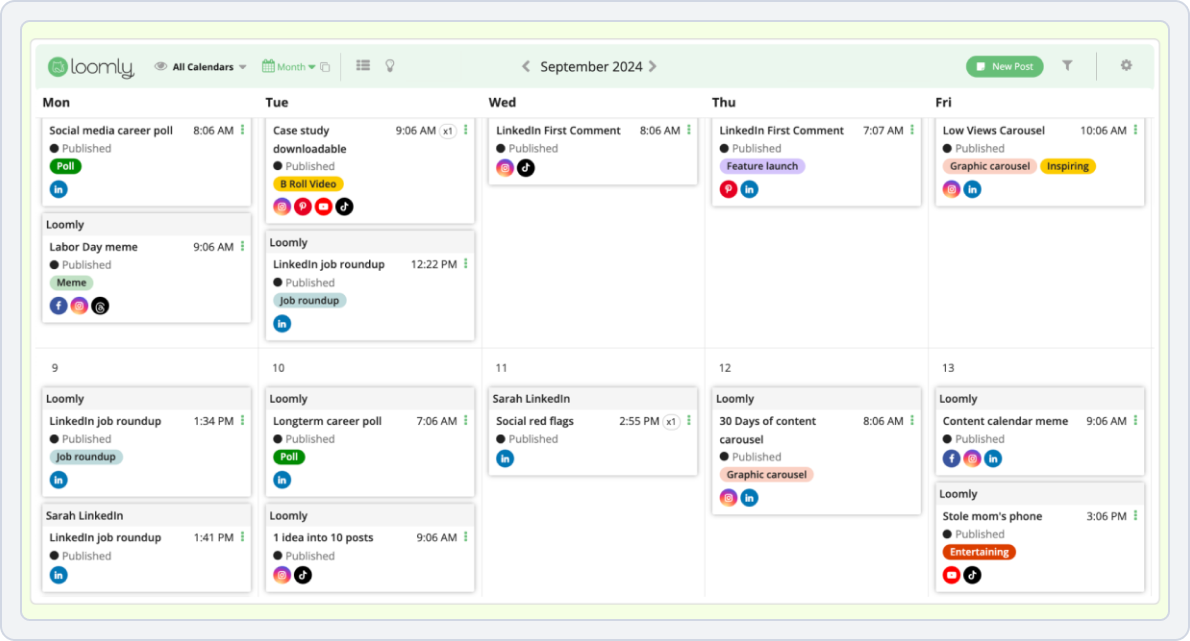
Loomly focuses heavily on content planning and publishing workflows. It is especially useful for teams that need a structured process for creating, reviewing, and publishing content.
Why Loomly Is a Good Choice for Agencies
Loomly is a great choice for agencies because it makes it easy to plan content, work with teams, get client approvals, and manage multiple social media accounts in one place.
- Loomly uses a calendar-first approach. Teams can view all upcoming posts and campaigns through a visual social media content calendar 2026.
- The platform provides content ideas and post suggestions to support content creation. This helps agencies keep their publishing schedule active and discover new content opportunities.
- It includes a built-in client approval workflow that allows teams and clients to review content before it goes live.
- Strong team collaboration and social media tools help agencies work more efficiently. Team members can leave feedback, assign tasks, and track progress within the platform.
- Loomly supports social media scheduling for agencies, with tools to plan and post across multiple networks.
Potential Limitation
It may lack some of the advanced monitoring and engagement capabilities available in other platforms.
Pricing
Plan | Pricing | What’s Included |
Standard | $99 per user /month | 10 social profiles |
Professional | $149 per user /month | 10 social profiles |
Advanced | $199 per user /month | 10 social profiles |
Our Take:
Loomly is ideal for agencies with approval-heavy workflows that need a structured content planning process. It’s best suited for teams focused on organization and content collaboration.
Agorapulse
Best for unified social inbox and team collaboration
- Free trial available
- Starts at $99 per user /month
- Rating: ⭐⭐⭐⭐ 4.5/5

Agorapulse is a popular social media publishing tool for agencies because it helps teams manage content, engagement, and reporting from one platform. It is designed to make social media publishing for agencies and support a smoother agency social media workflow.
Why Agorapulse Is a Good Choice for Agencies
Agorapulse is a good choice for agencies because it helps manage multiple client accounts, schedule posts, track messages, and create clear reports from one easy-to-use platform.
- One of Agorapulse’s biggest strengths is its unified social inbox. Instead of checking comments, messages, and mentions on different social networks separately, agencies can view everything in one place.
- The platform also offers powerful social media scheduling for agencies. Teams can plan, schedule, and publish content across multiple platforms using a centralized content calendar for agencies.
- Another useful feature is the built-in client approval workflow. Agencies often need feedback from both team members and clients before content goes live.
- Strong team collaboration also makes Agorapulse a good fit for growing agencies. Team members can assign tasks, leave internal notes, track content progress, and manage projects together.
- Reporting is another area where Agorapulse stands out. Agencies can access detailed social media analytics reporting for clients without spending hours collecting data manually.
- The platform also supports social media automation for agencies by reducing repetitive tasks. Automation features help teams manage publishing schedules, organize inbox messages, and maintain consistency across social media accounts for agencies.
Potential Limitation
Some advanced publishing and customization features may be less flexible compared to certain competitors.
Pricing
Plan | Pricing | What’s Included |
Standard | $99 per user /month | 10 social profiles |
Professional | $149 per user /month | 10 social profiles |
Advanced | $199 per user /month | 10 social profiles |
Our Take:
Agorapulse is a great fit for agencies that manage high volumes of client engagement and community interactions. Its unified inbox helps teams stay responsive without adding complexity.
Simple Social Media Publishing Checklist for Agencies
Before choosing a platform, ask yourself a simple question:
Can this tool help us manage more clients without creating more manual work?
Look for a platform that supports:
- Multi-client account management
- Content calendars
- Approval workflows
- Team collaboration
- Bulk scheduling
- Social media automation for agencies
- Analytics and reporting
- Publishing across multiple platforms
- AI-powered publishing support
If a tool checks most of those boxes, it will likely support your growth much better than a basic scheduler.
Grow Your Agency Without the Extra Manual Work
SocialBu brings scheduling, approvals, automation, AI, and analytics together in one platform. Trusted to publish 50K+ posts every week.
Conclusion
The biggest mistake agencies make is treating publishing as a scheduling problem.
In reality, it’s a workflow problem.
As client rosters grow, agencies need systems that support planning, collaboration, approvals, automation, and reporting. That’s why modern social media publishing for agencies is about much more than getting posts live.
The right platform helps your team work faster, stay organized, and maintain consistency across every client account.
If you’re looking for tools in 2026, focus less on feature counts and more on workflow efficiency.
FAQs
Q: What is Social Media Posting?
Social media posting refers to publishing content directly on social media platforms. This can be done spontaneously or by scheduling posts in advance to be automatically published on a specific date and time.
Q: How to Publish on Social Media?
To publish on social media, plan your content (text, images, videos) to target the right audience on the right platforms. Then, use social media tools to schedule posts for peak times to save time. After that, track your results to adapt your strategy for maximum impact.
Q: What is a Social Media Publisher?
A social media publisher can be an individual or a tool that creates and distributes content on social media platforms. They strategically plan and schedule posts to reach their target audience.
Q: What are the 3 Top Social Media Platforms?
Due to their large user bases and diverse content formats, the top 3 popular platforms include;
- Facebook (3.07 billion users)
- YouTube (2.53 billion users)
- Instagram (2 billion users)
Q: Is Posting on Social Media Publishing?
Posting is a component of social media publishing. But actual publishing involves strategic planning, scheduling, and analysis, not just random posts.
Q: Which Four Types are Social Publishing Sites?
Common types include:
- Micro-sharing sites
- Media sharing sites
- Social bookmarking
- News sites
Q: What is Content Approval?
Content approval is the process of reviewing and authorizing content before it’s published. It ensures quality, consistency, and compliance with brand guidelines.
Q: What is Society Publishing?
Society publishing refers to the publication of journals, newsletters, or other materials by professional or academic societies. It promotes research and information among members.
Q: What are the Three Types of Publication?
The three main types of publication are traditional print publications, digital online publications, and self-publishing.
Q: What is an Example of Publishing?
An example of publishing is a company (like SocialBu) releasing a blog post on its website or bulk-scheduling social media updates for a product launch.
Q: What are the 4 Zones of Social Media?
The four social media zones are:
- Zone 1: Social Communities
- Zone 2: Social Publishing
- Zone 3: Social Entertainment
- Zone 4: Social Commerce
Q: What are the Three Main Types of Social Media Publishing?
The three main types of social media publishing, or the ‘3 Cs,’ are;
- Curated content
- User-generated content (UGC)
- Created content