
Nearly half of marketing clients say they’re unhappy with the reports their agency sends them, and much of that frustration traces back to the underlying scheduling tool, not the strategy on top.
That’s the real stakes behind the Buffer vs. SocialBu question. It’s not just which app has a nicer calendar view. It’s whether your tool’s pricing model and approval process can actually keep up as your client list grows.
This guide breaks the decision into seven clear rounds: pricing, approvals, multi-client switching, reporting, automation, team access, and platform coverage, each backed by real numbers.
Quick Answer
If your agency runs more than a handful of client accounts, SocialBu is the strongest pick. It prices per account instead of per channel, bundles client approval workflow and role-based permissions into its core plans, and treats workflow automation as a built-in feature rather than a top-tier add-on.
Buffer is still the better call for a two- or three-client shop that just wants a clean interface and doesn’t need a formal review chain.

What Does the Buffer vs SocialBu Debate Matter for Agencies?
Nobody types a branded comparison like “Buffer vs SocialBu” into Google unless they’re actively deciding where to move the budget.
That’s a different kind of search than “best social media scheduler for agencies,” and it deserves a more specific answer than a listicle.
Most of what already ranks for this exact match is either a buffer alternatives roundup with SocialBu buried at option six of thirteen.
Nothing is written for a person who actually has to onboard fifteen clients, chase seven approvals a day, and explain an invoice to a finance lead.
So this piece narrows the lens to one question: when the job is client social management at scale, which tool actually holds up under that weight?
We compared pricing structure, agency workflow, and the depth of automation on both platforms, using each vendor’s own published pricing and independent review data as of July 2026.

Round 1: Which Pricing Model Actually Costs Less: Per Channel or Per Account?
This is where most Buffer pricing conversations start, and for good reason: it’s the single biggest lever on an agency’s monthly bill.
How much does Buffer actually cost per channel?
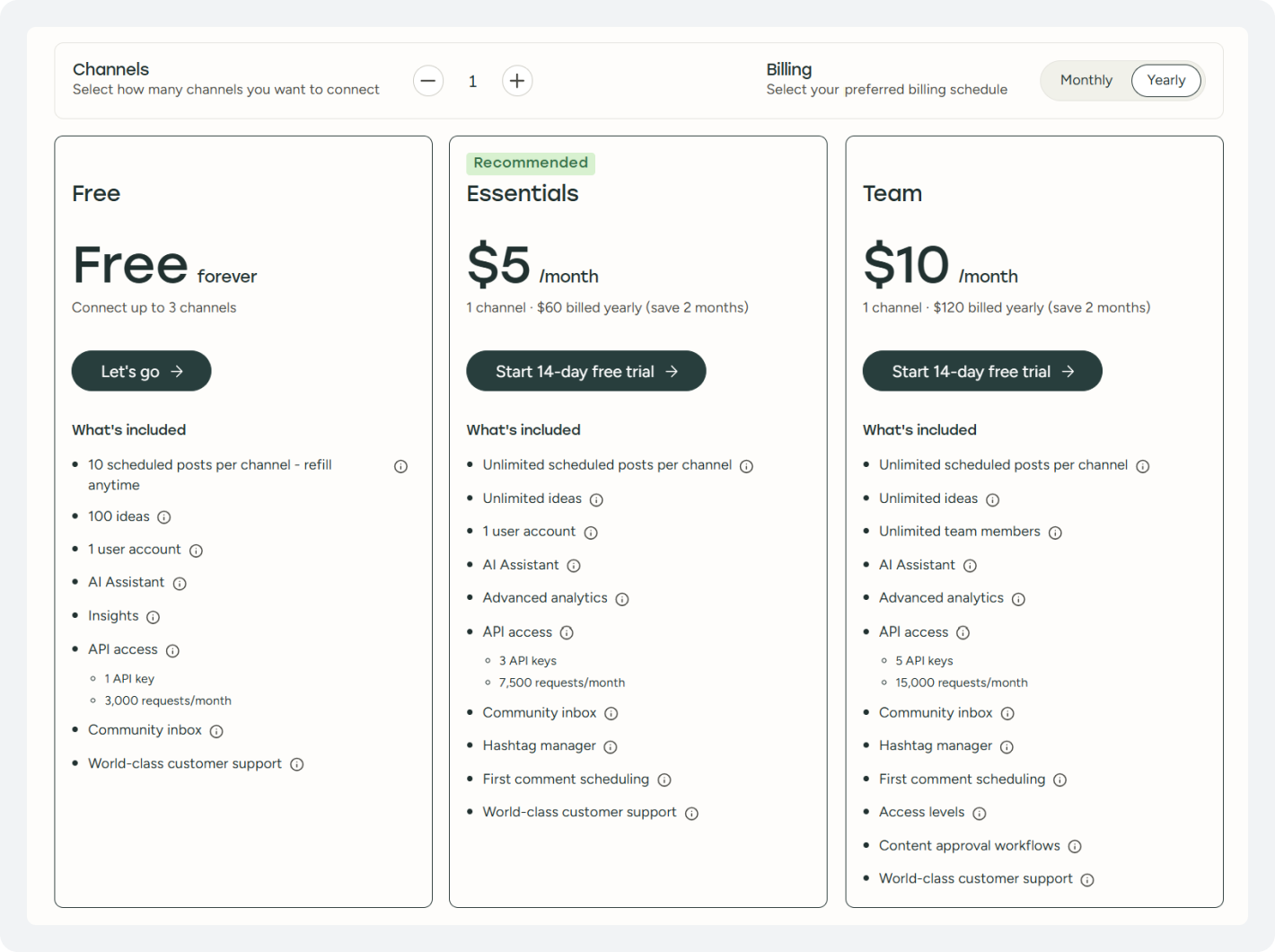
Buffer charges based on the number of connected channels. Here’s a breakdown of Buffer pricing:
- Essentials: $6/month per channel, or $5/month per channel when billed annually.
- Team: $12/month per channel, or $10/month per channel when billed annually.
- A channel is a single connected social media account, for example, an Instagram account, a Facebook Page, or a LinkedIn account.
- A portfolio of 30 social media accounts costs the same whether it belongs to one brand or 15 clients, because Buffer charges the same rate for each channel regardless of who owns it.
- This pricing model can work well for a small agency managing one or two clients. However, costs can add up quickly as the number of clients and channels grows.
Buffer also requires all channels within an account to use the same plan. So, if just one client needs approval workflows, the entire portfolio may need to move to the more expensive Team plan.
You can get to know more about Buffer pricing in our guide.
What does SocialBu’s per-account pricing actually look like?
SocialBu prices by account tier rather than by channel or seat. Plans start at $29/month for Starter, moving up through Growth and Agency.
For an agency running 10, 15, or 25 accounts across several clients, that’s a materially different cost curve, and it doesn’t force the whole portfolio onto a pricier plan the moment one client needs a review step.
Real cost comparison: an 8-client agency, 24 channels
Run the math on a mid-size shop: eight clients, averaging three platforms each, is 24 channels. On Buffer’s Team plan at standard monthly billing, that’s $288 a month before a single seat, report template, or automation is added.
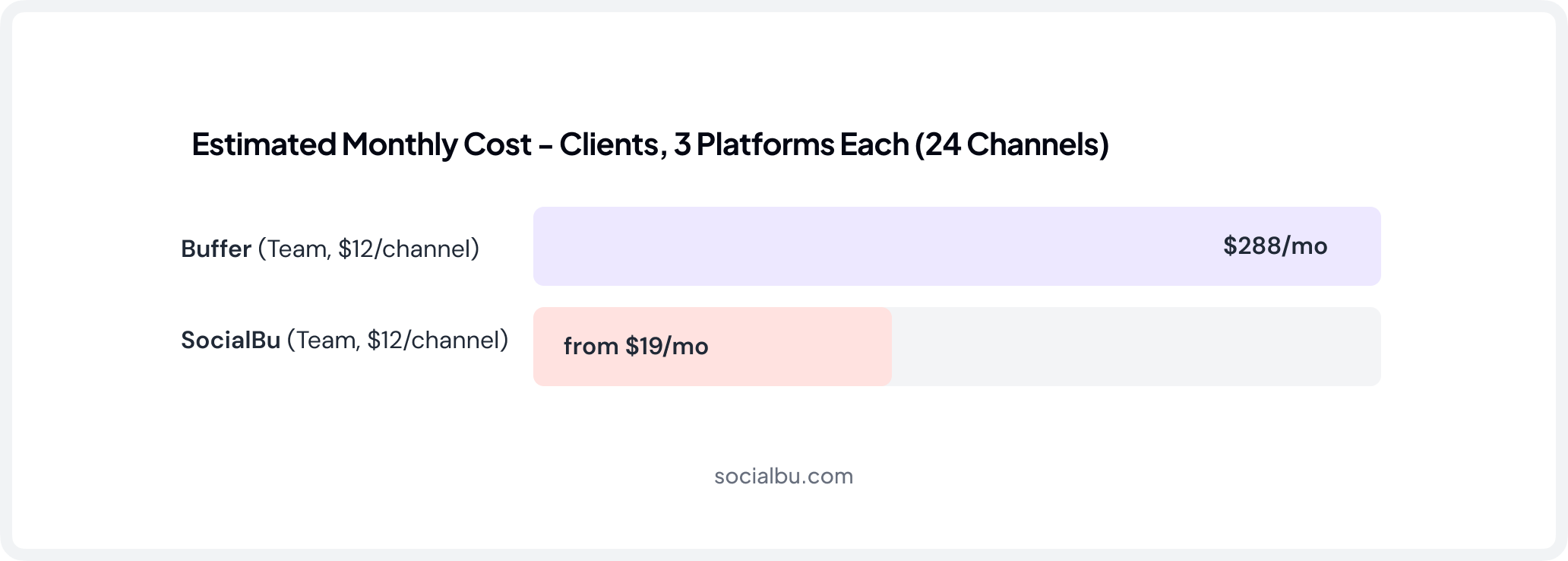
This is the exact pain point that shows up across independent Buffer pricing breakdowns: the model rewards a handful of deep accounts and punishes breadth, which is precisely the shape of most agency books of business.
|
$288
Estimated monthly cost for an 8-client agency (24 channels) on Buffer’s Team plan, standard billing, before seats, reports, or automation.
Based on Buffer’s current pricing, July 2026
|
$29
SocialBu’s entry price point for account-based plans, with basic analytics, 6 social accounts, and 250 monthly posts.
Based on SocialBu’s published pricing.
|
None of this makes Buffer a bad tool. Its per-channel model is honestly disclosed and easy to reason about at small scale.
But “how much does Buffer cost” and “per-channel pricing vs. per-account pricing” are two different questions, and an agency’s answer should always be run against its actual client count, not the marketing page’s entry price.

If you’re also weighing Buffer vs Hootsuite, the per-seat and per-channel math tells a similar story; see the full Buffer vs Hootsuite pricing breakdown for that comparison.
Stop Calculating Per-Channel Costs.
See what your actual client portfolio costs on account-based pricing instead of per-channel billing.
Round 2: Which Tool Handles Client Approval Workflow Better?
Nothing damages an agency-client relationship faster than a post going live before the client has actually seen it. A content approval workflow exists to prevent exactly that: a draft moves from writer to reviewer to client sign-off before it ever touches a live account.
Here is a breakdown of Buffer vs. SocialBu for client approval workflow.
How Buffer’s approval workflow works
Buffer added approval steps to its Team plan, and reviewers on Capterra generally describe the feature as functional once configured.
The catch is structural: the approval workflow is available only on the Team tier, which costs twice the Essentials rate per channel.
An agency that wants sign-off on even one client’s content has to move its entire portfolio onto the pricier plan, since Buffer doesn’t allow mixed plans across channels on one account.
How SocialBu builds client approval workflow
SocialBu treats content approval workflow as a core piece of its agency positioning.
Drafts move through review before publish, with role-based visibility so a client only sees what’s meant for them, not the agency’s internal draft chatter.
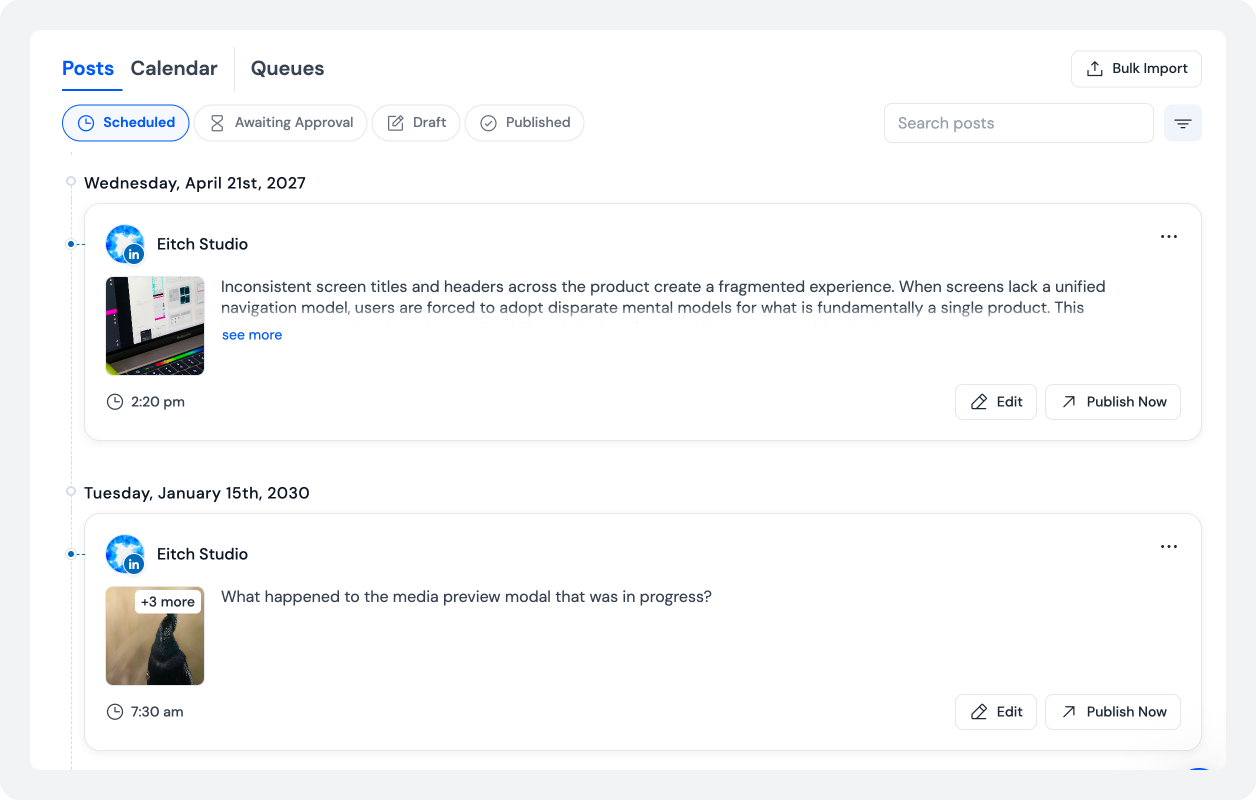
Paired with private team notes, which let an editor leave a brief or context note attached to a post without spawning a scattered email thread, the approval loop stays inside one dashboard.
Why the approval step affects client retention, not just workflow tidiness
|
73%
Of clients who leave an agency cite poor communication or a lack of proactive updates as the primary reason.
Source: AgencyDashboard
|
~18%
Annual client churn for retainer-based agencies, much of it tracking back to communication breakdowns rather than campaign performance.
Source: FocusDigital
|
A missed or skipped approval step is a common trigger for exactly that kind of breakdown.
If your team is trying to fix this at the process level rather than the tool level, our guide on automating your client’s entire social media workflow walks through the full approval-to-publish pipeline.
Round 3: Which Platform Makes Multi-Account Management Actually Easy?
The number one operational headache for any agency: how do you move between twenty client accounts without logging in and out, without mixing up which brand voice belongs to which client, and without a teammate accidentally posting to the wrong page?
Buffer’s channel-based structure
Buffer connects channels into a single dashboard and lets a team draft, schedule, and review together, which covers the basics.
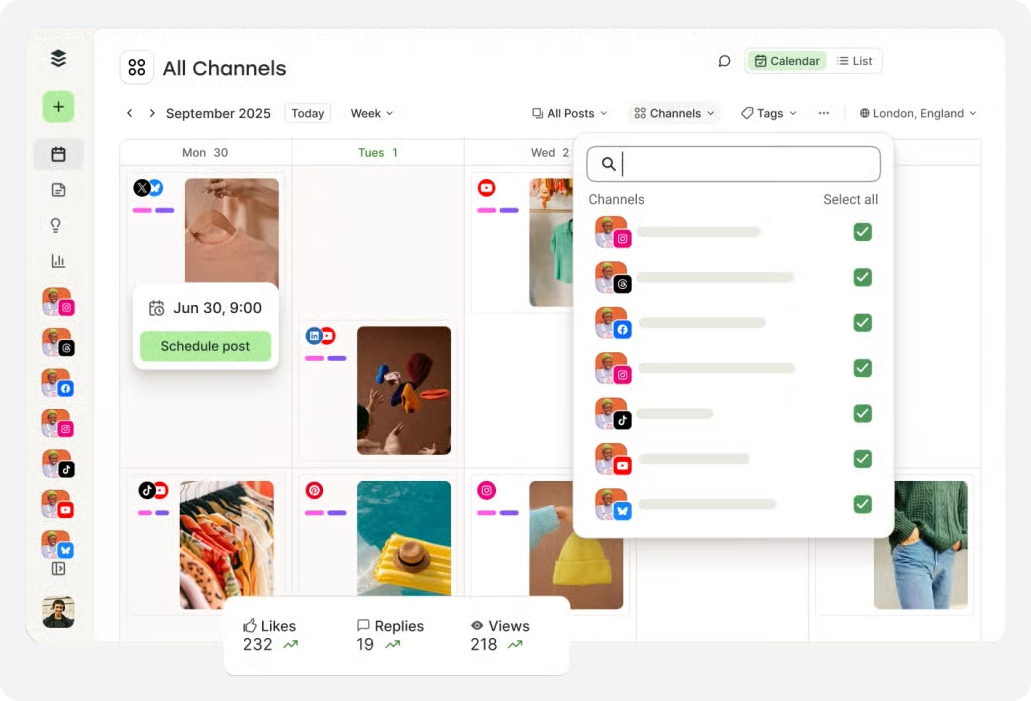
But its structure is built around channels within a single account rather than distinct client workspaces; there’s no native separation that mirrors “this is Client A’s world, this is Client B’s,” which becomes noticeable once headcount and client count both climb.
SocialBu’s multi-brand dashboard and workspace model
SocialBu’s multi-account management model is built around the opposite assumption: that an agency’s real unit of work is the client, not the channel.
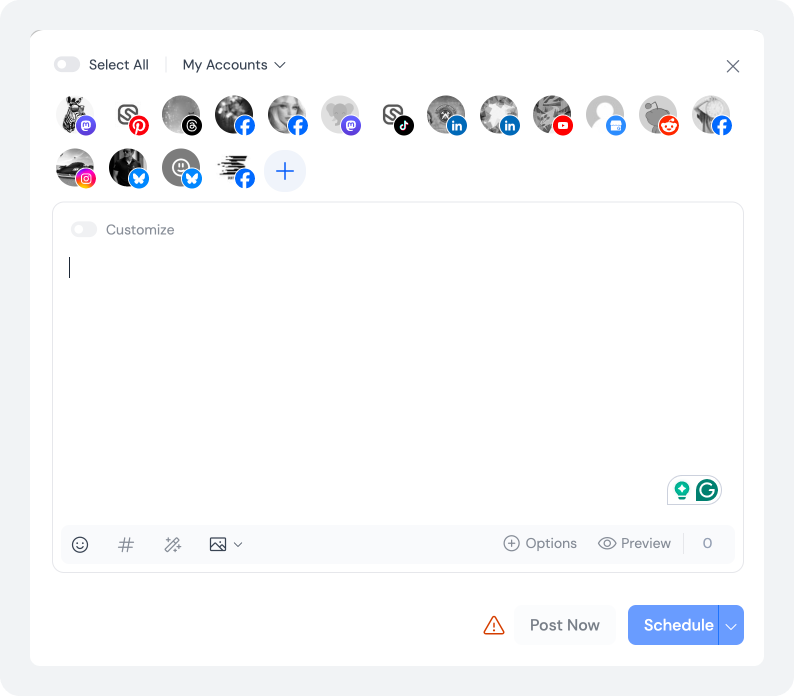
Switching between client accounts happens without re-authenticating.
Password-free team access means a freelancer or new hire can be granted scoped access to exactly the clients they’re working on, without ever seeing or being handed a login credential.
Why password-free access matters for agency onboarding
Combined with role-based permissions, this closes a security gap that many agencies quietly tolerate: shared logins passed around in a spreadsheet, with no way to revoke a departing contractor’s access without resetting everyone’s password.
Sick of Shared Logins?
SocialBu gives every teammate scoped, password-free access to exactly the clients they need; nothing more.
Round 4: Which Tool Delivers Reporting Clients Will Actually Read?
Every agency eventually gets the question every account manager dreads: “What did we actually get for our money this month?”
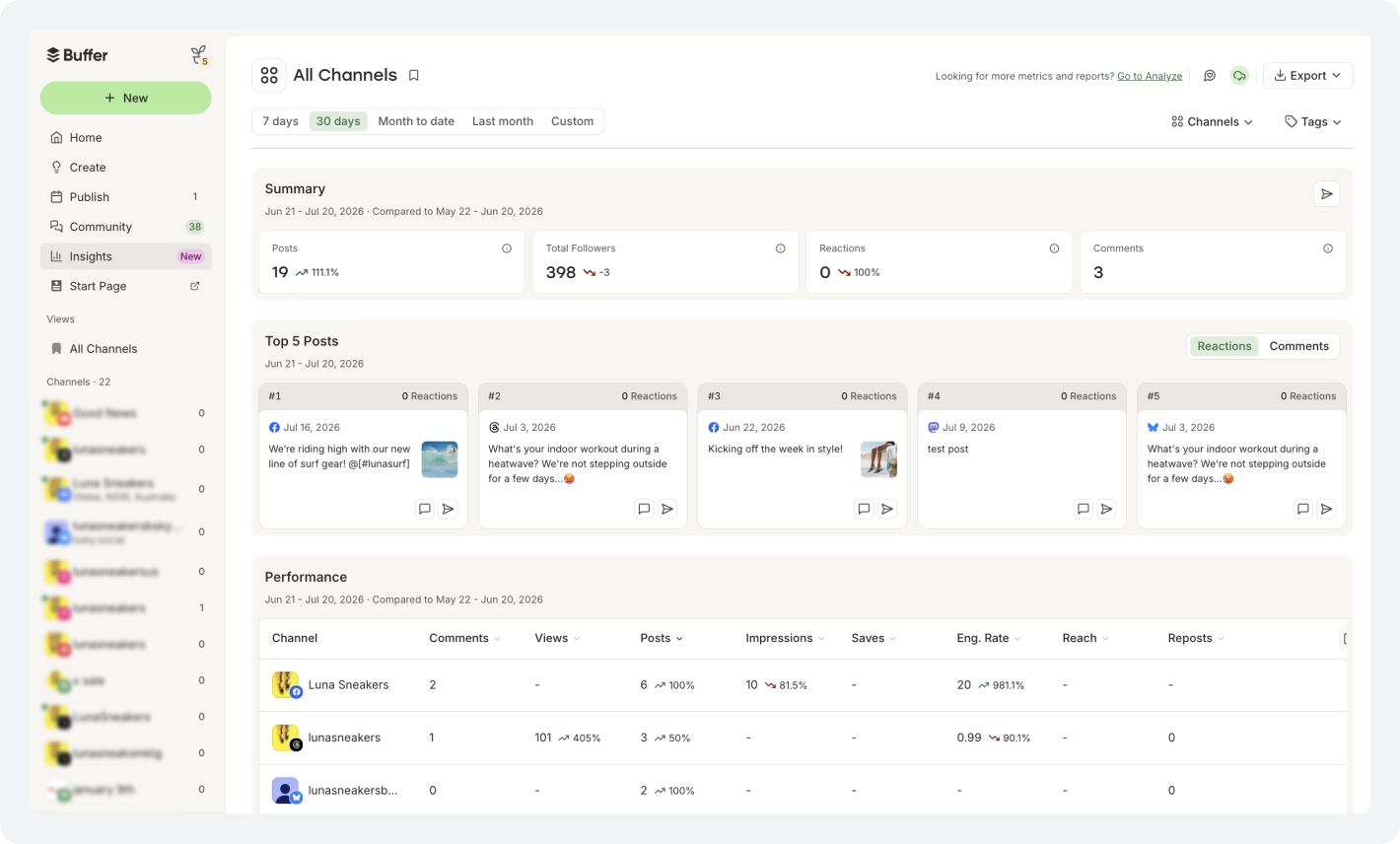
Both tools, i.e., Buffer vs. SocialBu, offer an analytics dashboard covering per-post performance, network breakdowns, and growth tracking, so on baseline reporting they’re closer than the pricing gap would suggest.
Where the two diverge: White-label reporting
Buffer’s Team plan adds a branded cover page and logo to reports, but doesn’t ship a fully white-label social media scheduler client portal; a sharp-eyed client can still tell it came from a scheduling tool.
SocialBu’s reporting falls into a similar category: strong analytics and exportable reports are available, but a dedicated, fully brandable client portal isn’t a mature part of either platform today.
What to actually optimize for
Agencies that specifically need pixel-perfect white-label delivery often pair either tool with a dedicated reporting layer for that one piece, rather than expecting it natively.
The honest takeaway: don’t pick your scheduler on reporting polish alone.
Pick it on whether the underlying data: engagement, reach, best-performing content, follower growth, is accurate and exportable, then decide separately whether you need a specialist layered on top.
|
43%
Of digital marketing clients report being unsatisfied with the reports their agency sends them — nearly half.
Cited in Swydo’s agency reporting research, referencing a Vendasta survey.
|
Round 5: Which Tool Wins on Automation, AI, and the Unified Inbox?
This is the round where the two tools stop looking like variations of the same product and start looking like different software categories in this Buffer vs. SocialBu comparison guide.
Buffer’s AI Assistant vs. SocialBu’s Automation Engine
Buffer is, by its own description, a scheduler that helps you write.
Its AI Assistant handles rewrites and caption drafts well, but it doesn’t generate images, doesn’t run rules-based workflow automation natively beyond a handful of first-party integrations, and doesn’t offer a built-in social inbox on every tier.
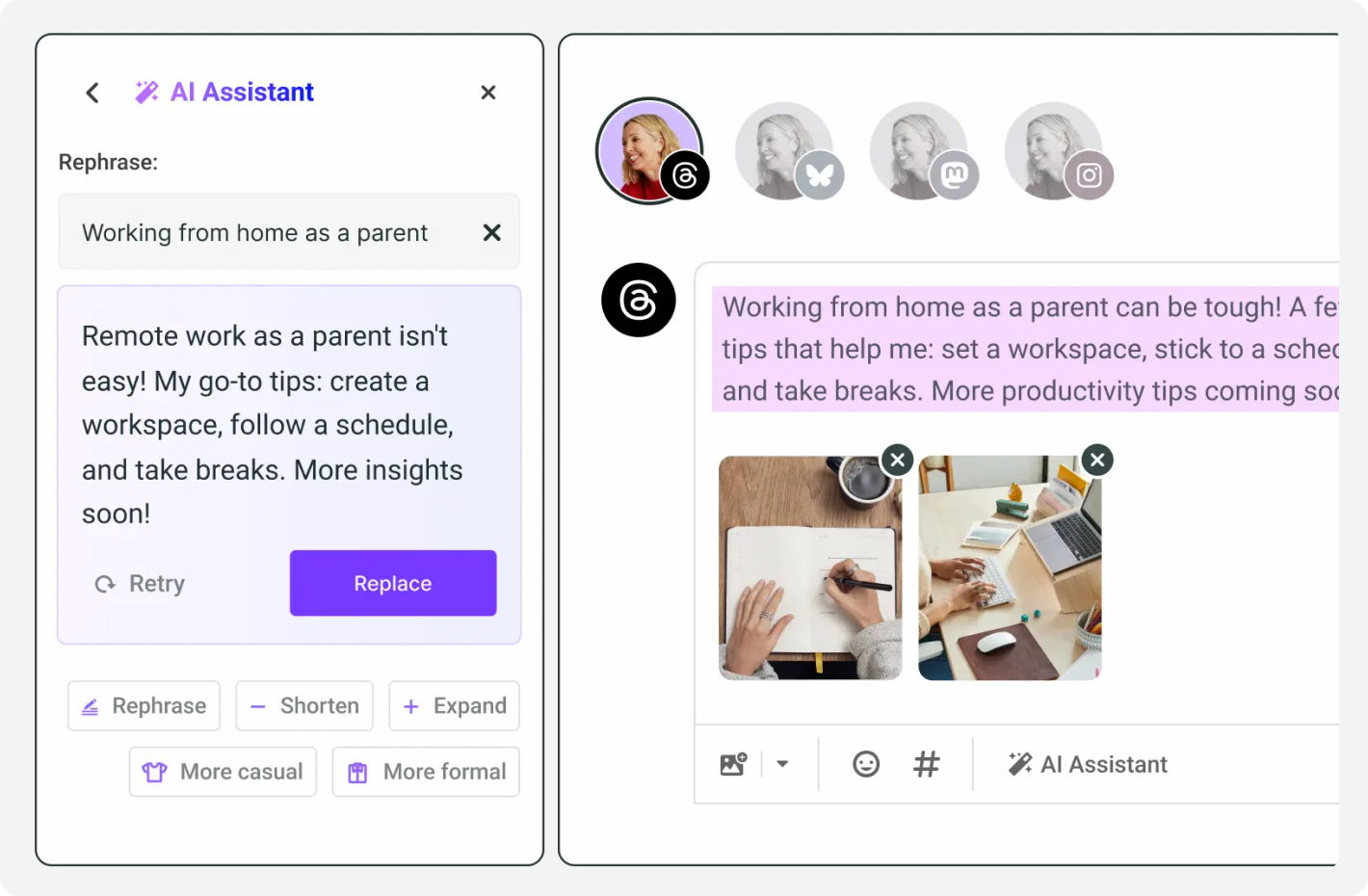
SocialBu treats social media automation as a core layer, not an add-on:
- RSS feeds turn a client’s new blog post into a scheduled social post automatically, useful for content-heavy clients who publish on a blog and expect that content distributed everywhere without a manual repost.
- Post recycling keeps evergreen content circulating without a team member having to re-queue the same five posts every month.
- Webhooks let an agency wire SocialBu into whatever else its tech stack already runs on.
- A unified inbox pulls comments, DMs, and mentions from every connected client account into one stream. Buffer still lacks a truly unified inbox across all plans, according to several independent Buffer-vs-alternative reviews.
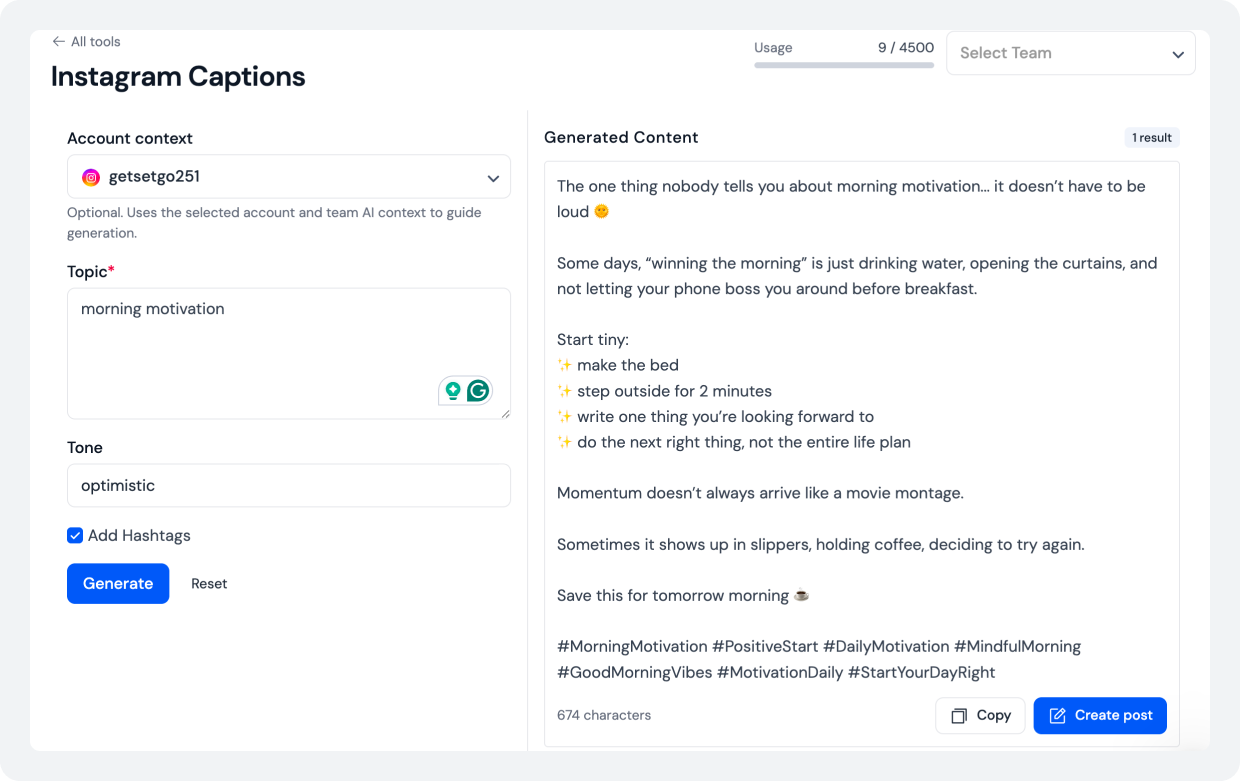
The SocialBu MCP Server: Automation from inside your AI assistant
SocialBu also ships an MCP Server that connects directly to Claude, ChatGPT, and other MCP-compatible AI assistants, letting an agency draft, review, and manage posts using natural language from inside the AI tool they already have open.
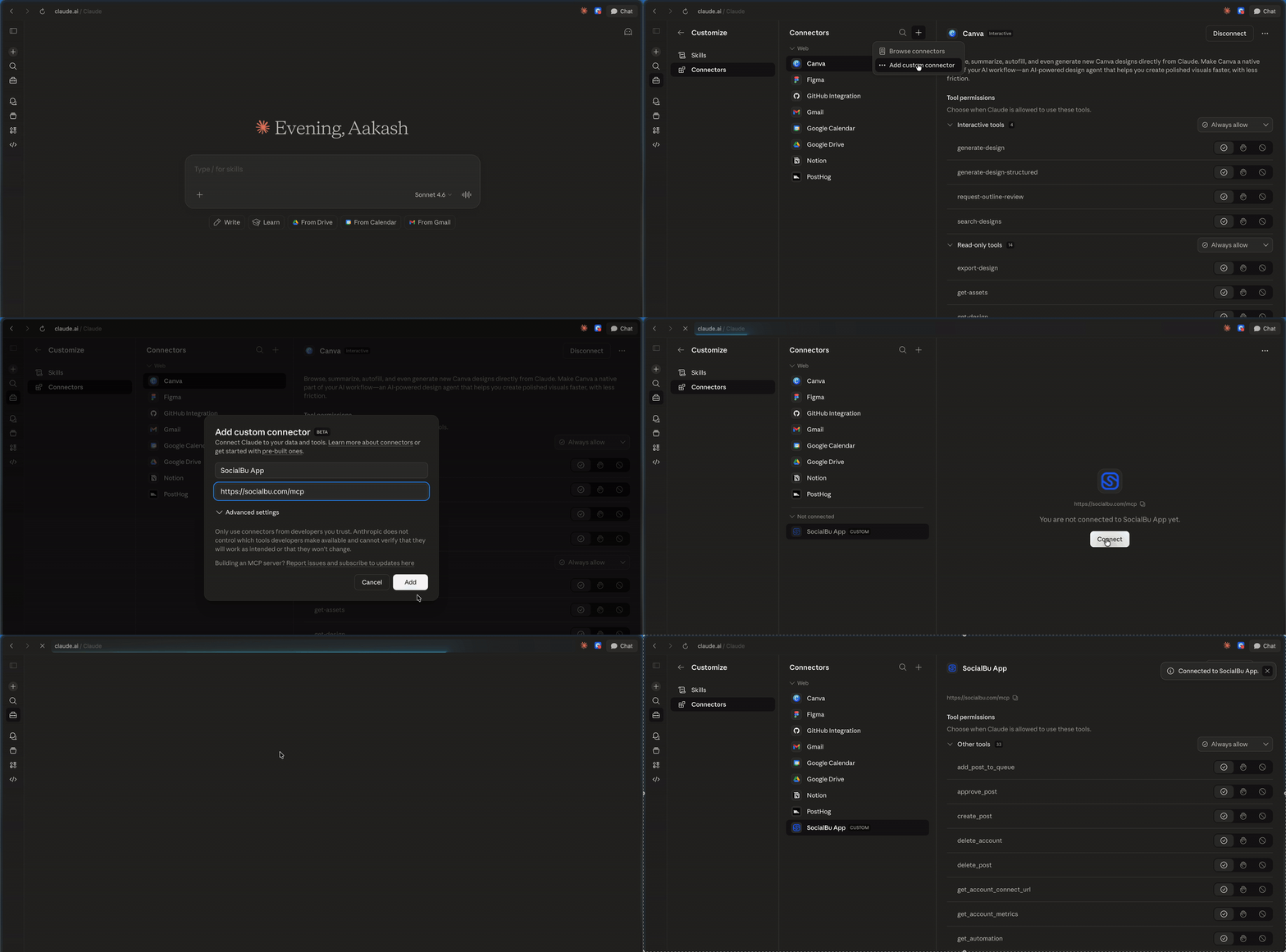
It’s a genuinely uncommon capability in this category right now, and tech-forward agencies have started treating it as a real differentiator rather than a gimmick.
Turn One Blog Into Ten Client Updates.
Connect a client’s RSS feed once, and SocialBu keeps every platform fed with a manual repost.
Round 6: Which Platform Gives Teams Better Access and Permissions?
Team collaboration and user roles sound like a checkbox feature until an agency actually tries to onboard a new freelancer mid-retainer. Here’s how Buffer and SocialBu compare on this front.
Buffer’s Team plan gate
Buffer’s Team plan does support unlimited team members and draft approval, a real improvement over Essentials, but again, it’s locked to the higher-priced, per-channel tier.
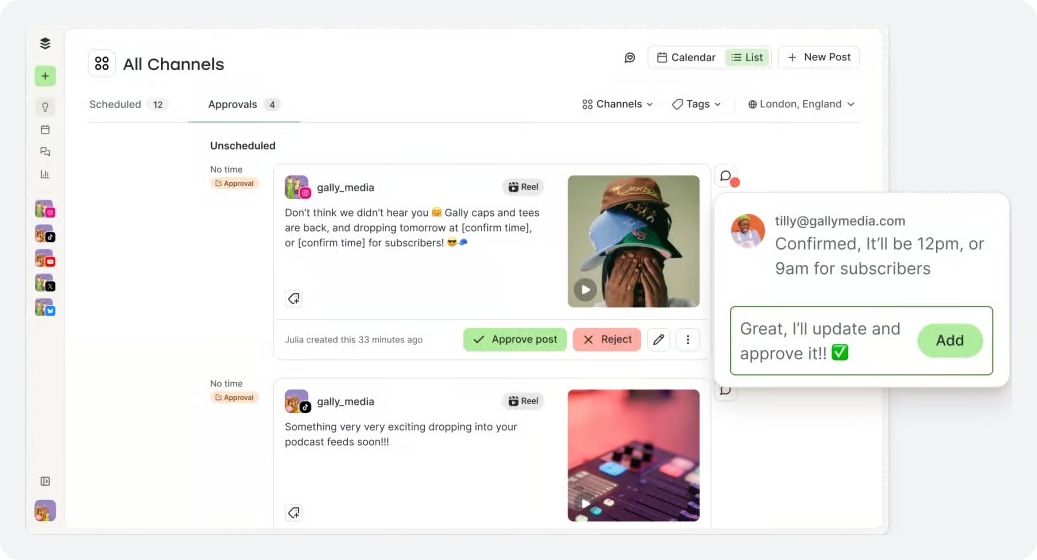
So a small agency testing whether collaboration is worth the jump has to commit to the full portfolio cost first.
SocialBu’s Built-in Role-Based Permissions
SocialBu bundles role-based permissions, password-free team access, and a shared workspace into its core plans rather than gating them behind the top tier.
That matters most during onboarding: bringing on a new account manager or a contractor for a single client shouldn’t require handing over a shared password or upgrading the entire account.
Scoped, revocable access is the difference between a five-minute onboarding and a security conversation nobody wants to have after someone leaves the team.
Round 7: Which Tool Covers More Social Platforms
Buffer supports the core set most brands need: Facebook, Instagram, LinkedIn, TikTok, YouTube, Google Business Profile, Pinterest, and Bluesky, per its own product pages. That’s a solid, well-maintained list.
SocialBu covers a similar core set and adds a few platforms Buffer doesn’t.
That is Reddit scheduling, which matters disproportionately to SaaS clients and tech-forward startups, and any agency running community-led accounts where those two platforms carry real weight.
Platform | Buffer | SocialBu |
Instagram, Facebook, X, LinkedIn, TikTok, YouTube, GBP, Pinterest, Bluesky | Yes | Yes |
No | Yes |
It’s worth checking platform coverage against your specific client roster before committing either way; this is exactly the kind of detail a generic listicle skips and a real evaluation shouldn’t.
What Does the Scorecard Say?
Laid out plainly, here’s how the seven rounds land for a mid-size-to-large agency evaluating social media scheduling tools for agencies.
Feature | Tool |
Pricing model - per-channel vs. per account | SocialBu |
Client approval workflow | SocialBu |
Multi-account management | SocialBu |
Client reporting | Split |
Automation & AI | SocialBu |
Team access & permissions | SocialBu |
Platform coverage | SocialBu |
|
6
Rounds — SocialBu
|
0
Rounds — Buffer
|
Where Buffer wins outright is a scenario this scorecard can’t fully capture. A one- or two-client shop that never needs approval workflow or a unified inbox, and simply wants the cleanest possible interface for scheduling.
On raw ease of use, Buffer’s reputation is earned. Past that point, though, the math and the workflow both start pointing in the opposite direction.
Buffer wins here | SocialBu wins here |
1-3 clients, low platform complexity per client | 10+ client accounts across multiple platforms |
Team wants the simplest possible interface, minimal learning curve | Client sign-off is a contractual or practical requirement |
No need for a formal client approval step | Freelancers and contractors rotate in and out regularly |
Budget-conscious at very small scale | Team wants RSS automation, an AI assistant, and unified inbox in one place |
If you want to know how Buffer performs compared to other tools, our guide on Planoly vs. Buffer.
Conclusion
There’s no single universal answer here for Buffer vs. SocialBu. Any article that claims otherwise is skipping the part where your client roster matters more than a star rating.
Buffer built a genuinely excellent tool for simplicity at small scale.
But its per-channel billing and its gating of approval workflow behind the priciest tier both work against the exact shape of agency growth: more clients, more platforms per client, more people needing scoped access.
SocialBu was built closer to the daily reality of running client accounts.
An agency social media management tool that treats approval workflow, multi-client switching, and automation as standard rather than premium add-ons, and is priced in a way that doesn’t punish an agency for winning new business.
See Your Agency Inside SocialBu!
Connect your client accounts and run your first automation before you decide anything.
FAQs
Q: Is Buffer or SocialBu better for agencies managing multiple accounts?
For agencies with roughly 8-10 client accounts, SocialBu is generally the better fit. It’s because its pricing scales per account rather than per channel. Its approval workflow, role permissions, and automation are designed to support managing many client accounts at once.
Buffer remains a strong pick for agencies with just a couple of low-complexity clients.
Q: Does Buffer support client-approval workflows?
Yes, but only on Buffer’s Team plan, which is priced per channel at the higher of its two paid tiers. Because Buffer requires every connected channel on an account to sit on the same plan, needing approval for even one client moves the whole portfolio onto that pricier tier.
Q: Can SocialBu manage unlimited clients on one plan?
SocialBu’s plans are structured around account and profile tiers rather than a hard per-client cap. The practical ceiling is the number of connected social profiles your plan tier supports, not a “per client” restriction.
Q: How does Buffer’s per-channel pricing compare to SocialBu’s per-account pricing for agencies?
Buffer charges $6-$12 per connected channel per month depending on plan and billing frequency. So, cost rises directly with the number of accounts connected regardless of which client they belong to.
SocialBu charges by account tier. This tends to be cheaper once an agency is managing double-digit client accounts across multiple platforms.
Q: Can you switch between client accounts easily in Buffer vs. SocialBu?
SocialBu is built around separate client workspaces and a multi-brand dashboard designed for switching between accounts without re-authenticating. Buffer manages channels within one account structure, which works well but doesn’t offer the same client-level separation.
Q: Does Buffer have a unified inbox for managing multiple client accounts?
Not natively across all plans in the way SocialBu does. SocialBu’s unified inbox consolidates comments, DMs, and mentions from every connected client account into a single stream.
Q: Is SocialBu cheaper than Buffer for agencies managing 10+ social accounts?
In most cases, yes. Because Buffer bills per channel, 10+ connected accounts on the Team plan can run well past $100/month before other costs. On the contrary, SocialBu’s tiered account pricing is generally flatter as account count grows.
Q: Does Buffer offer client-specific user permissions?
Buffer’s Team plan includes custom access levels for channels. But permissions structures are less granular than SocialBu’s role-based system. This is built specifically around separating what agency staff, contractors, and clients can each see and do.
Q: What social platforms does SocialBu support that Buffer doesn’t?
SocialBu supports Reddit and Mastodon scheduling, which Buffer does not currently offer. Both tools cover the core set of Facebook, Instagram, X, LinkedIn, TikTok, YouTube, and Google Business Profile.