
Planoly built its name as a go-to Instagram grid planner. For a long time, its clean visual interface and simple scheduling workflow were enough for solo creators and small brands. But in 2026, social media demands a lot more, and Planoly has not kept up.
Thousands of marketers, agencies, and business owners are now actively searching for the best Planoly alternatives in 2026. The reasons are consistent: removal of the free plan, punishing upload limits, no meaningful AI tools, weak multi-platform support, and persistent auto-publishing failures reported across G2, Capterra, and Trustpilot.
This guide covers the top 10 Planoly competitors in 2026 in genuine detail, with features, pricing, real use cases, and clear recommendations, based on team size, budget, and goals. Whether you want to replace the Planoly social media tool entirely or just find something better suited to your workflow, you will find the answer here.
TL;DR
The best Planoly alternatives in 2026 are SocialBu, Later, Sendible, and Metricool. SocialBu is the top pick for most users, supports 12 platforms, includes AI scheduling, team collaboration tools, and a unified inbox, all starting at $19/month with a free plan available.

Why Are Marketers Looking for Planoly Alternatives in 2026?
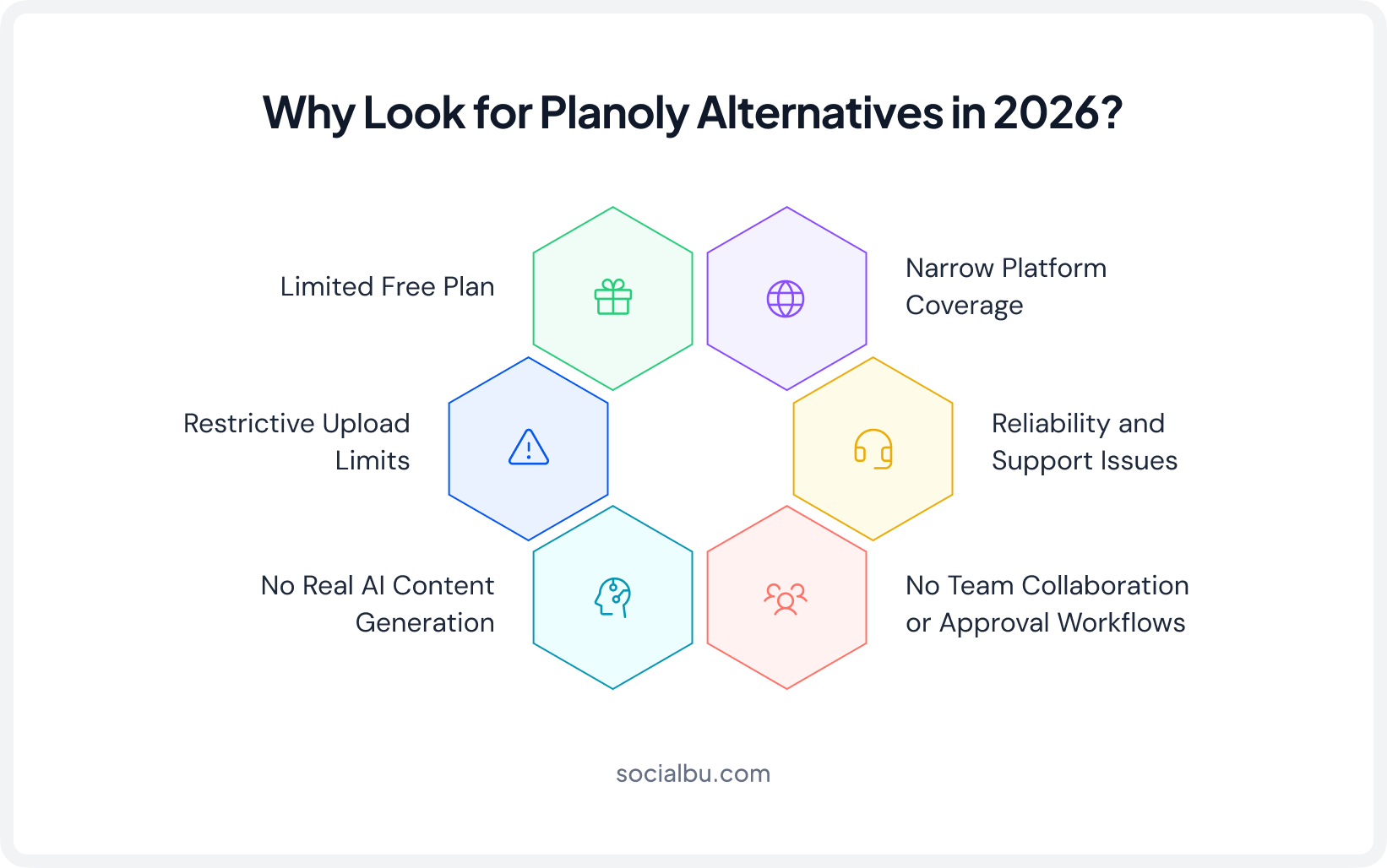
The Planoly review 2026 landscape is a mixed picture. Users consistently praise its Instagram grid preview and clean interface. But the list of deal-breaking limitations has grown long enough that even loyal users are exploring social media scheduling tools like Planoly that offer more.
1. Planoly Restricted Its Free Plan
Planoly’s free plan was completely removed from desktop (only available for the mobile app with limited features) and replaced with a 14-day trial. For freelancers, students, and small businesses testing a new tool, this is a significant barrier. Most top Planoly alternatives 2026 still offer a permanent free tier, including SocialBu and Metricool.
2. Upload Limits Are More Restrictive Than They Appear
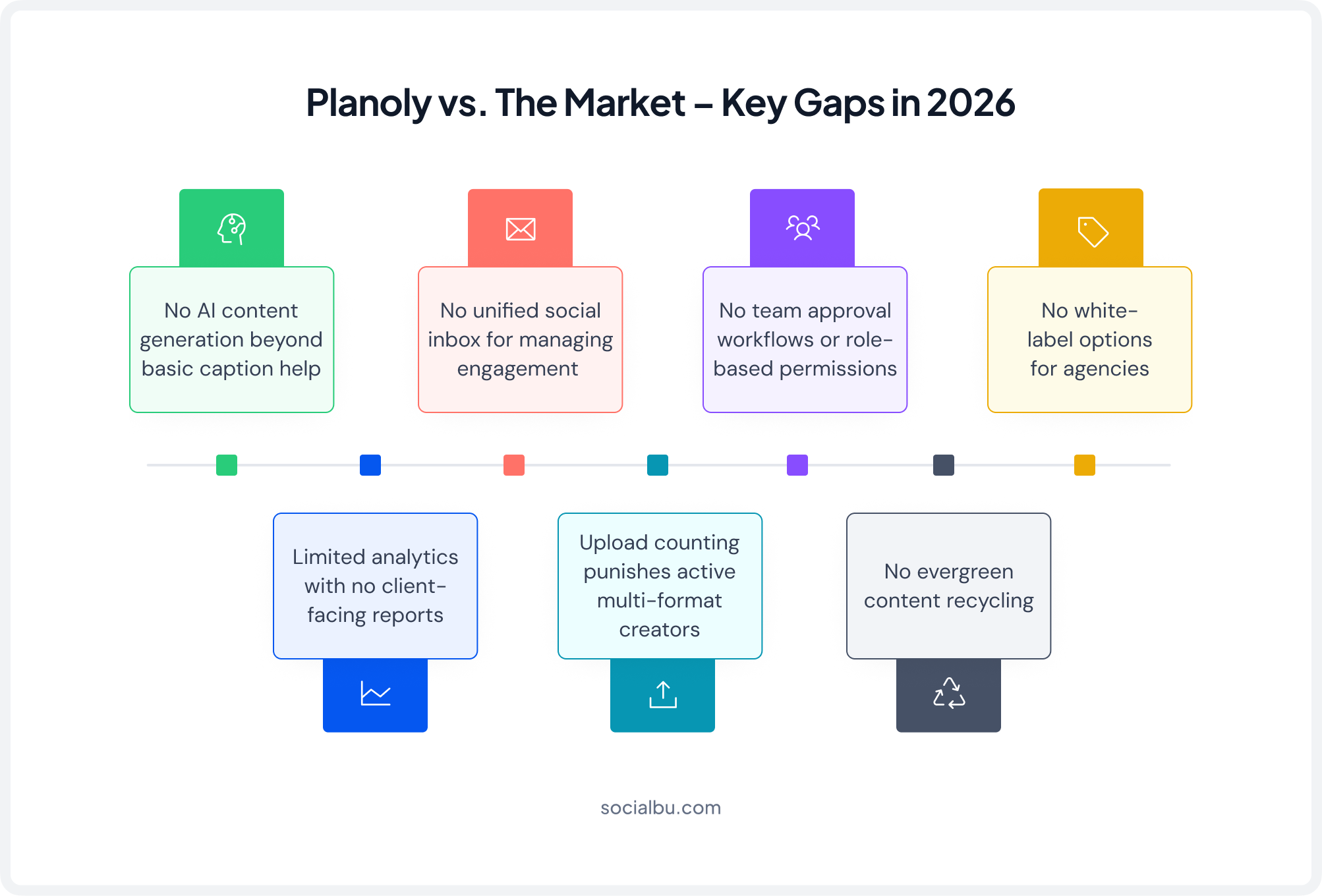
Planoly’s 2026 pricing advertises a monthly upload limit that seems reasonable until you understand how it’s counted. Publishing one piece of content to Instagram Feed, Stories, and Reels consumes three uploads, not one. For active creators posting daily Stories and Reels, the monthly limit is reached in 10 to 15 days.
Users on Capterra describe this as “infuriating” and cite it as one of the primary reasons they switched from Planoly to social media publishing tools.
3. Real AI Content Generation
In 2026, AI social media scheduling isn’t a luxury; it’s a baseline expectation. Planoly offers only basic caption suggestions, while tools like Planoly competitors SocialBu, PostEverywhere, and SocialBee include full AI content writers, image generators, and smart scheduling intelligence. This gap makes Planoly feel years behind the current market.
4. Platform Coverage Is Too Narrow
Planoly remains fundamentally Instagram-first. TikTok scheduling tool support, Pinterest scheduling tool capabilities, LinkedIn scheduling tool functionality, and Facebook publishing tool features are either limited or bolted on as afterthoughts.
Any brand or team managing a multi-channel presence finds Planoly’s platform coverage severely limiting compared to true multi-platform social media schedulers like SocialBu or Later.
5. Reliability and Support Issues
Auto-publishing failures are documented consistently in Planoly’s 2024-2026 reviews, particularly for Instagram Reels and Stories. Account disconnections after app updates have caused scheduled posts to fail silently, without notification.
Customer support response times are cited as a major frustration across multiple review platforms. For businesses where a missed post has real consequences, this reliability record is a dealbreaker.
6. No Team Collaboration or Approval Workflows
Planoly has no content approval workflow, no team permission settings, and no white-label social media tool capabilities. For any agency or marketing team that needs structured collaboration, i.e., drafts, approvals, client access, and role-based permissions, Planoly is simply not built for that use case.
How We Evaluated Each Planoly Alternative?
We tested 15+ social media scheduling tools, including Planoly, on live accounts over multiple weeks. Our evaluation focused on six criteria directly tied to Planoly’s known weaknesses to help us determine our best Planoly alternatives.
- Scheduling & Auto Publishing: Does it reliably auto-publish social media posts without manual intervention or silent failures?
- AI and Content Creation: Does it meaningfully reduce content production time with role-based access for teams and agencies?
- Team Collaboration: Does it support content approval workflow and role-based access for teams and agencies?
- Platform Coverage: Does it genuinely support a multi-platform social media scheduler beyond Instagram?
- Analytics & Reporting: Does it offer a real social media analytics dashboard beyond basic Instagram metrics?
- Pricing & Free Plan: Is it genuinely more accessible than Planoly’s 2026 pricing? Does it offer a free tier?
SocialBu: Best Overall Planoly Alternative for 2026
Best For: Small businesses, agencies, power users
Starting Price: $19/month
Free Plan: ✅ Yes
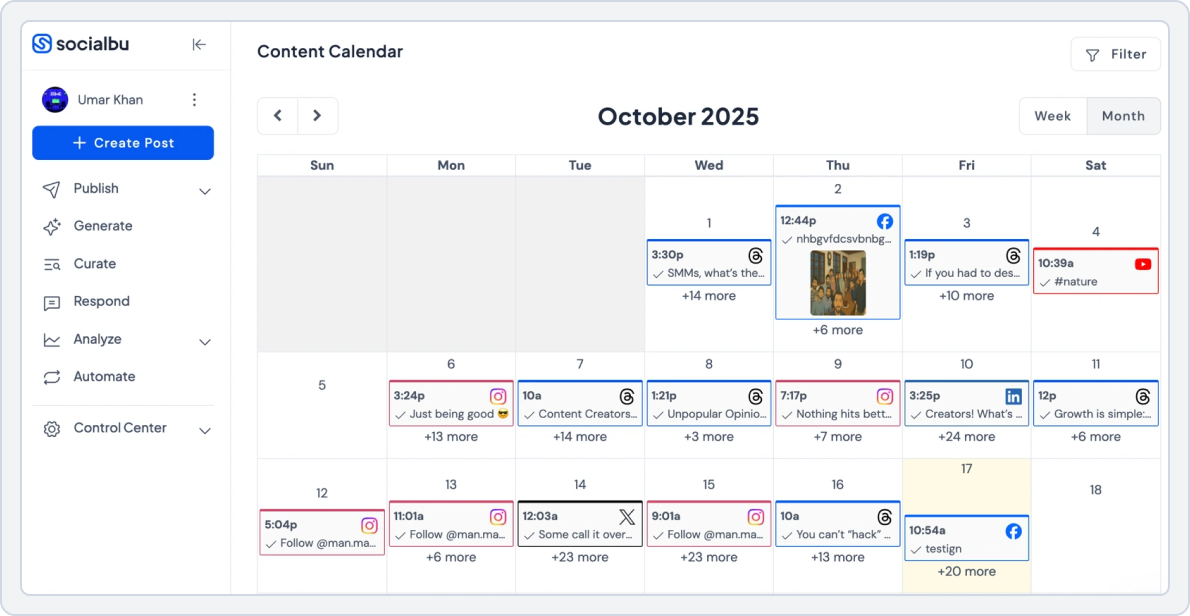
If there is one tool that directly answers every major complaint about Planoly, it is SocialBu. It supports 12 platforms natively, includes a full AI social media scheduling suite for 2026, offers real team collaboration features, a unified inbox, and a deep social media analytics dashboard; all starting below Planoly’s own entry price.
“I used ChatGPT to analyze affordable social schedulers, and SocialBu was top-rated and the best Planoly alternative and I have to agree. You are helping small businesses everywhere by remaining affordable.”— Amy W., Owner & Content Creator | Capterra Verified Review
SocialBu vs. Planoly
Plaonly Limitations | SocialBu Advantages |
Instagram-first; TikTok, LinkedIn, and Pinterest are secondary | 12 native platforms with full auto-publish social media posts on all |
3 uploads consumed per post (Feed + Stories + Reels) | No punishing upload caps, post to all formats freely |
Basic caption suggestions only; no real AI generation | Full AI content writer, image generator, platform adaptation |
No content approval workflows or role-based permissions | Built-in draft → review → approve → publish workflow |
No unified inbox for managing messages & comments | Centralized inbox with AI-powered response suggestions |
Analytics limited to basic Instagram engagement metrics | Cross-platform social media analytics dashboard with exportable reports |
Free plan removed – 14-day trial only | Permanent free plan + 14-day trial on paid plans |
1. AI-Powered Content Creation
SocialBu includes a fully integrated AI content generator that writes captions, generates post ideas, rewrites content for different platforms, and creates variations from a single brief. It understands platform nuances: a LinkedIn post reads professionally, an Instagram caption includes relevant hashtags. The gap from Planoly’s surface-level AI assistance is huge.
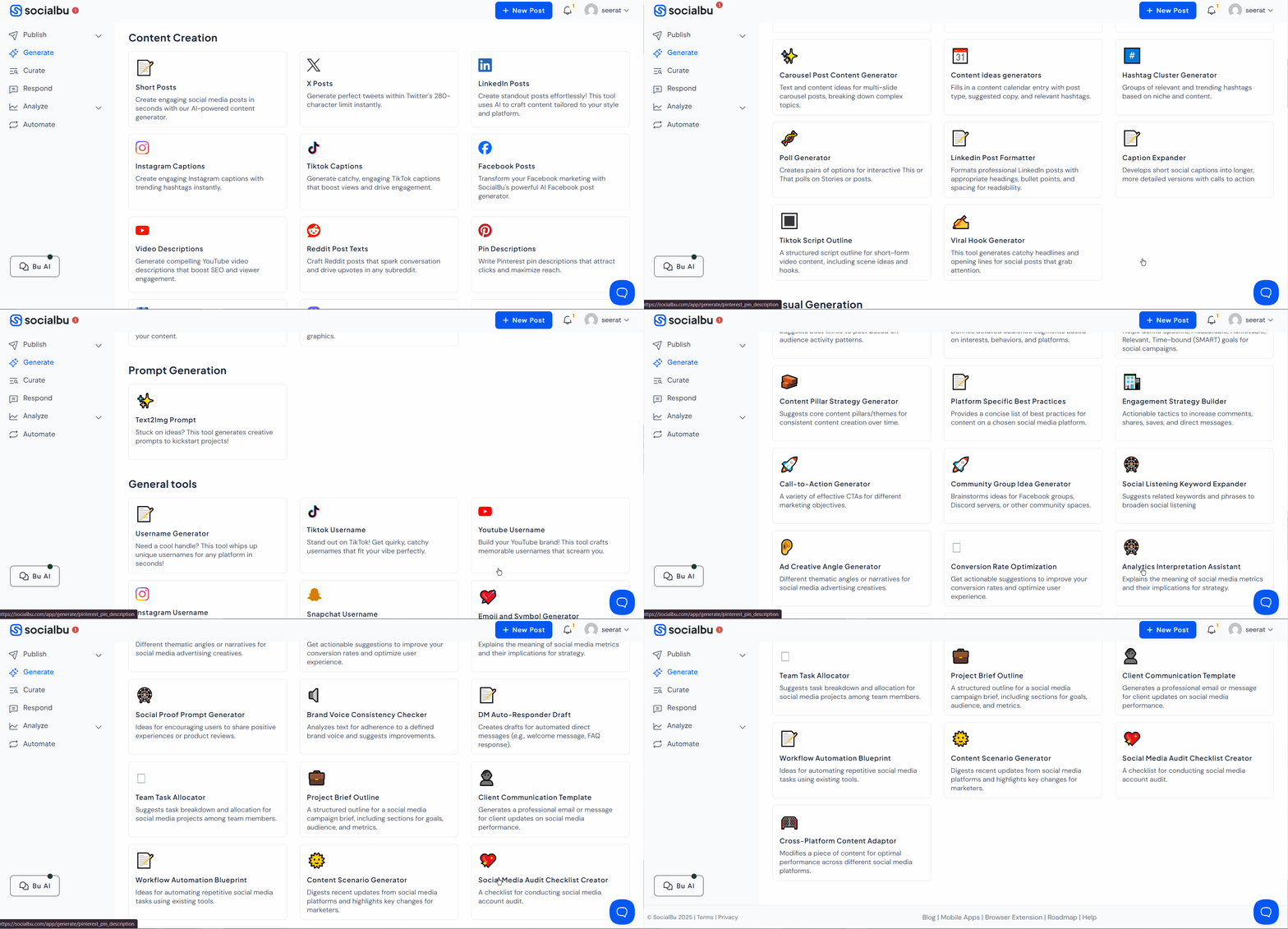
“It genuinely embodies the Swiss Army Knife of Social Media Marketing. The AI is among the features that make the all-in-one approach genuinely work in practice.”— Jao O. (Chief Marketing Officer), G2
2. True Multi-Platform Auto-Publishing
SocialBu supports Instagram auto-publishing, Facebook, TikTok scheduling tool, LinkedIn scheduling tool, Twitter/X, Pinterest scheduling tool, YouTube, Threads, Bluesky, Reddit, Mastodon, and Google Business Profile. Every platform receives full native auto-publishing, not push notifications.
Compose once, customize per platform, schedule everywhere. This is what a true multi-platform social media scheduler looks like.
3. Team Collaboration and Approval Workflows
Posts move through defined stages: Draft → Pending Review → Approved → Scheduled. Role-based permissions let you assign specific capabilities to each team member. Clients can be given view-only or feedback access without leaving the platform. This is the content approval workflow Planoly never built.
“Bulk uploading made my job SO much easier. If I ever changed my mind and wanted a post on another platform, it was very easy to integrate with the click of a button.”— Samantha H., Owner, Website Developer | G2 Verified Review
4. Social Media Automation: RSS, Queues, Webhooks
RSS feed automation connects any blog or news source and automatically creates scheduled posts whenever new content is published. Custom content queues organize posts by category, such as promotions, educational content, UGC, and curated articles; each runs its own schedule.
Webhooks and Zapier integration connect SocialBu to your broader marketing stack. This level of social media automation in 2026 has no equivalent in Planoly.
5. Analytics Dashboard
Where Planoly shows basic engagement numbers for Instagram only, SocialBu analytics covers every connected platform with post-level performance data, audience growth tracking, engagement rate trends, best-performing content types, and optimal posting time recommendations. Custom reports can be generated for any date range and exported for client presentations.
6. SocialBu Pricing
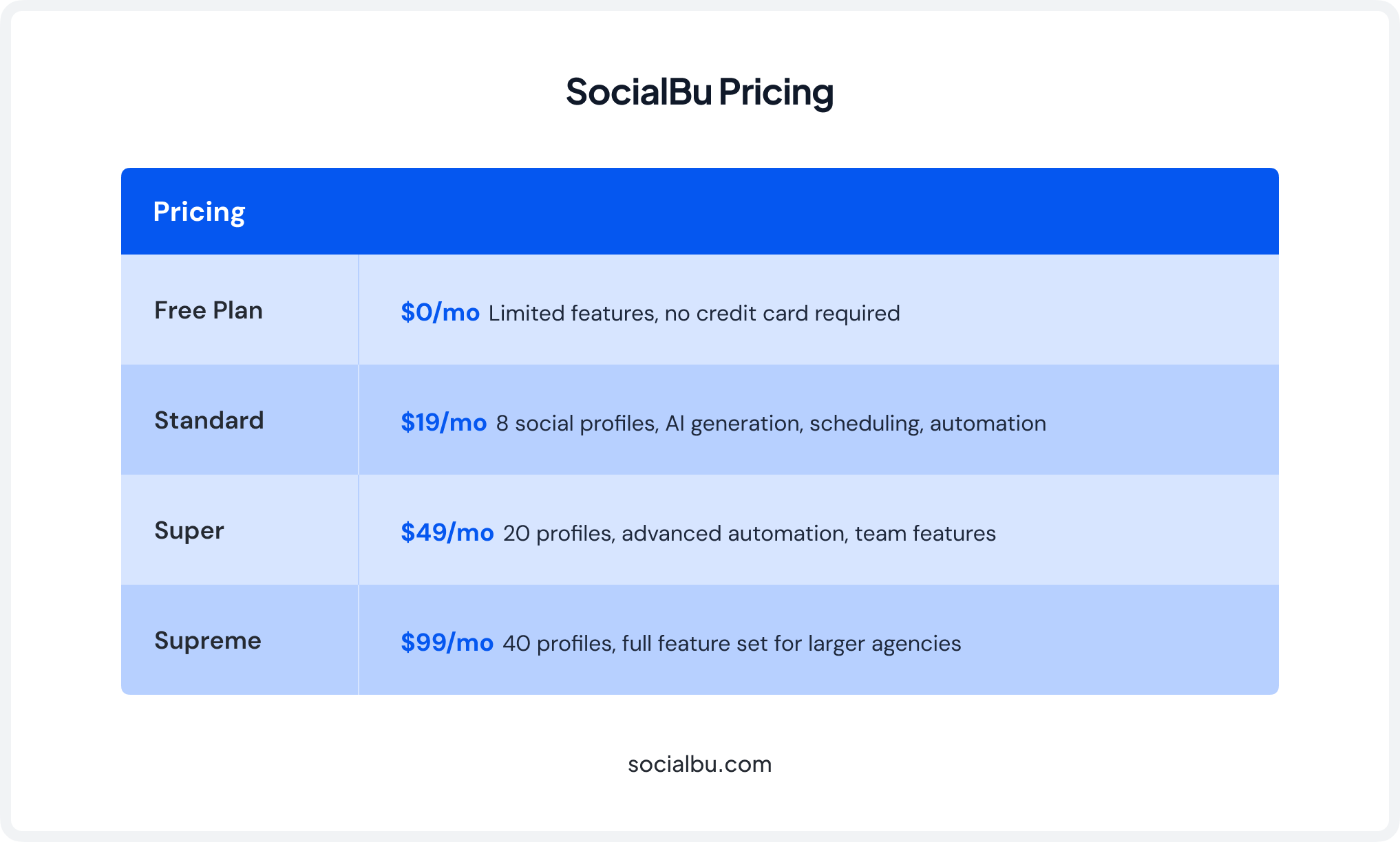
Switch from Planoly to SocialBu Today!
Get AI scheduling, 12+ platforms, team workflows, and deep analytics; all for less than what Planoly charges for one social set.
Later: Best for Visual Content Planning and Instagram-First Brands
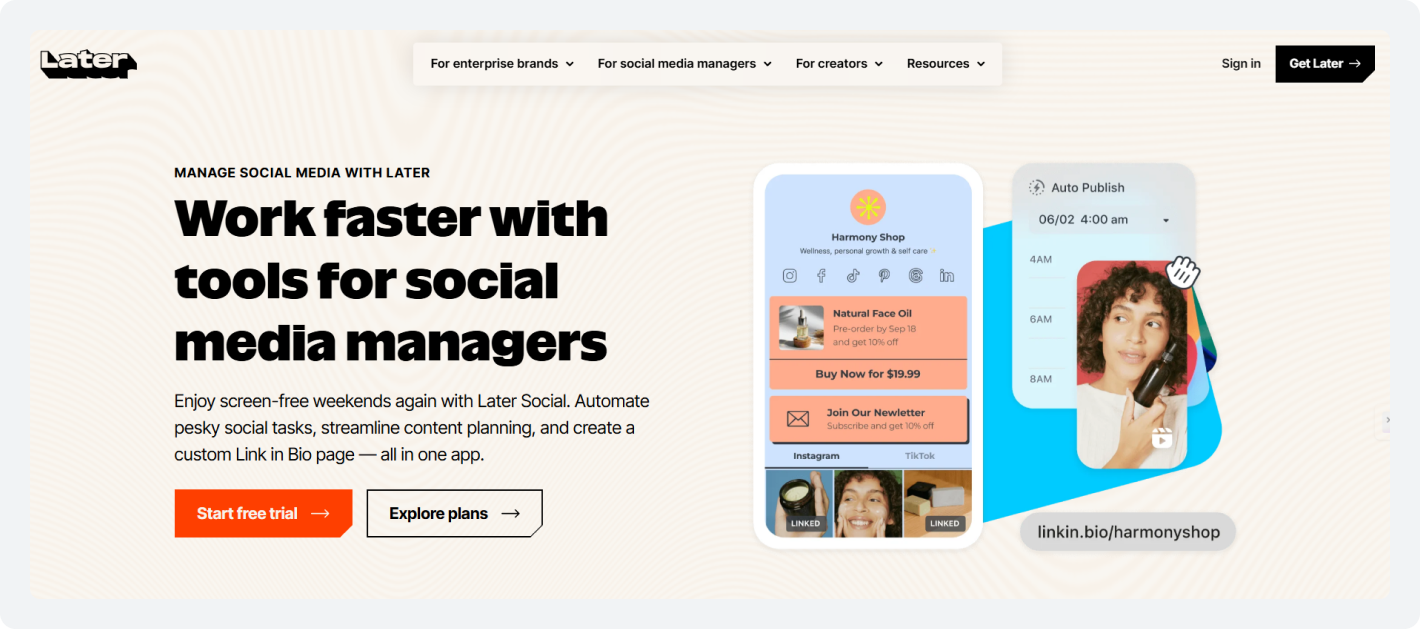
Best For: Visual-first Instagram & TikTok Brands
Starting Price: $25/month
Free Plan: None (Trial only)
If you loved Planoly’s Instagram grid planner, Later is the tool that feels most familiar. As a Later alternative to Planoly, it matches the core visual content planner experience while adding TikTok support, a powerful link-in-bio tool, AI caption generation, and significantly more depth, without Planoly’s restrictive upload limits.
“I like Later’s calendar layout, it makes it easy to see where your posts are scheduled, see what you have scheduled when, and editing your posts is relatively simple on Later’s interface.”— Hanna O., Multimedia Manager, Media Production; Capterra
Later vs. Planoly
Planoly Limitations | Later Advantages |
Upload counting penalizes multi-format creators | Straightforward post limits; no triple-counting per format |
No link in the bio tool for driving traffic from posts | Full-featured link in bio tool landing page builder |
Generic posting time advice, not audience-specific | Smart Scheduling based on your actual audience’s behavior |
Limited TikTok scheduling tool and Pinterest integration | Native TikTok, Pinterest, YouTube, Threads, Twitter/X support |
Shallow Stories and Reels analytics | Detailed Stories, Reels, and Feed analytics per post |
1. Visual Planning and Instagram Grid Preview
Later’s drag-and-drop visual content planner is one of the cleanest interfaces on the market. You can see exactly how your Instagram scheduling tool feed will look before anything goes live, rearrange content by dragging thumbnails, and plan weeks of content from a social media calendar tool view, without Planoly’s punishing upload counting.
2. Link in Bio Tool
Later’s link-in-bio tool creates a customizable landing page that links individual posts to specific URLs: products, blog articles, YouTube videos, or landing pages. This is a critical feature for Instagram and TikTok creators driving traffic or sales, a capability that Planoly does not offer at all.
3. AI Scheduling and Caption Generation
Later’s Smart Scheduling analyzes your audience’s actual engagement history and suggests optimal posting windows; audience-specific recommendations, not generic advice. The AI caption writer generates platform-adapted copy, and hashtag suggestions are ranked by predicted reach for your specific content type.
4. Later Pricing
Plan | Pricing | What’s Included |
Starter | $25/month | 1 social set (8 profiles total), 1 user |
Growth | $50/month | 2 social sets (16 profiles total), 2 users |
Scale | $110/month | 6 social sets (48 profiles total), 4 users |
Metricool: Best for Data-Driven Marketers and Analytics
Best For: Analytics-driven marketers
Starting Price: $25/month
Free Plan: ✅ Yes
If your primary frustration with Planoly is shallow reporting and zero competitive intelligence, Metricool is the tool that fixes it, often at no cost at all. Among Planoly vs competitors 2026, Metricool stands out for the depth of its social media analytics dashboard.
“Overall, I am happy with Metricool. It’s been a great tool for me to use to batch-create social media content when I have time.”— Ricki T, Owner; Capterra
Metricool vs. Planoly
Planoly Limitations | Metricool Advantages |
Analytics limited to basic Instagram engagement numbers | Deep analytics across all platforms with per-post metrics |
No competitor tracking or competitive intelligence | Competitor tracking for up to 5 accounts |
No paid ad performance in the same dashboard | Unified view of organic and paid |
No exportable or client-facing reports | Exportable reports for client-facing presentations |
Free plan removed entirely | Generous free plan; 1 brand, 50 posts/month, competitor tracking |
1. Deep Analytics and Competitor Tracking
Metricool’s social media analytics dashboard covers engagement, reach, follower growth, best-performing content, and audience demographics across all connected platforms. Its competitor-tracking feature monitors up to 5 competitors and is available even on the free plan.
2. Unified Social and Paid Analytics
Metricool uniquely combines a social media analytics dashboard with paid ad performance from Meta, Google, and TikTok in a single view, eliminating the need to switch between multiple reporting tools.
3. Multi-Platform Scheduling
As a multi-platform social media scheduler, Metricool supports Facebook, Instagram, TikTok, LinkedIn, Pinterest, YouTube, Twitter/X, Google Business Profile, and more. The bulk social media scheduling feature efficiently handles large content batches.
4. Metricool Pricing
Plan | Pricing | What’s Included |
Free | $0/month | 1 brand, Up to 20 posts per month |
Starter | $25/month | 10 brands, unlimited content publishing |
Advanced | $67/month | 50 brands, team and client management |
Sendible: Best for Agencies Needing White-Label Management
Best For: Agencies needing white-label dashboards
Starting Price: $29/month
Free Plan: No (Trial only)
Sendible is a social media publishing platform built specifically for agencies. If Planoly’s total absence of agency features is why you are searching for tools like Planoly that actually work for client management, Sendible is the most direct answer among Planoly competitors in 2026.
“I was looking for something new that wasn’t as expensive as Sprout Social and found Sendible had most of the features of Sprout for a fraction of the price. The number of accounts I have connected to Sendible without being charged extra is truly fantastic.”— Mysty S. Founder; Capterra
Sendible vs. Planoly
Planoly Limitations | Sendible Advantages |
No white-label or client-branded dashboards | Fully branded white-label social media tool client dashboards |
No structured content approval workflow for client content | Multi-stage content approval workflow with client access controls |
No automated reporting; all reports are manual | Automated weekly/monthly branded client reports |
No built-in Canva or Google Drive integration | Native Canva, Google Drive, and Dropbox integration |
No priority inbox for managing client engagement | Priority inbox consolidating all client engagement |
1. White-Label Client Dashboards
Sendible’s white-label social media tool capabilities (available on high-tier plans) allow agencies to present a fully branded platform to clients; their logo, their colors, their domain. No Sendible branding visible. This is a capability that Planoly simply does not offer.
2. Automated Client Reporting
Sendible generates branded, professional reports automatically on schedule, weekly, and monthly, with custom date ranges, platform breakdowns, and performance visualizations. This eliminates hours of manual reporting work every month.
3. Content Approval Workflows and Team Collaboration
The content approval workflow covers multi-stage approval, client stakeholder access, and role-based team permissions; the full infrastructure Planoly completely lacks. Combined with its priority inbox and Canva integration, Sendible is the most complete agency option on this list.
4. Sendible Pricing
Plan | Pricing | What's Included |
Creator | $29/month | 1 user, 6 social profiles |
Traction | $89/month | 4 users, 24 profiles |
Scale | $199/month | Larger agency teams |

SocialBee: Best for Category-Based Recycling and Smart Automation
Best For: Set-and-forget social media automation
Starting Price: $29/month
Free Plan: No (14-day trial)
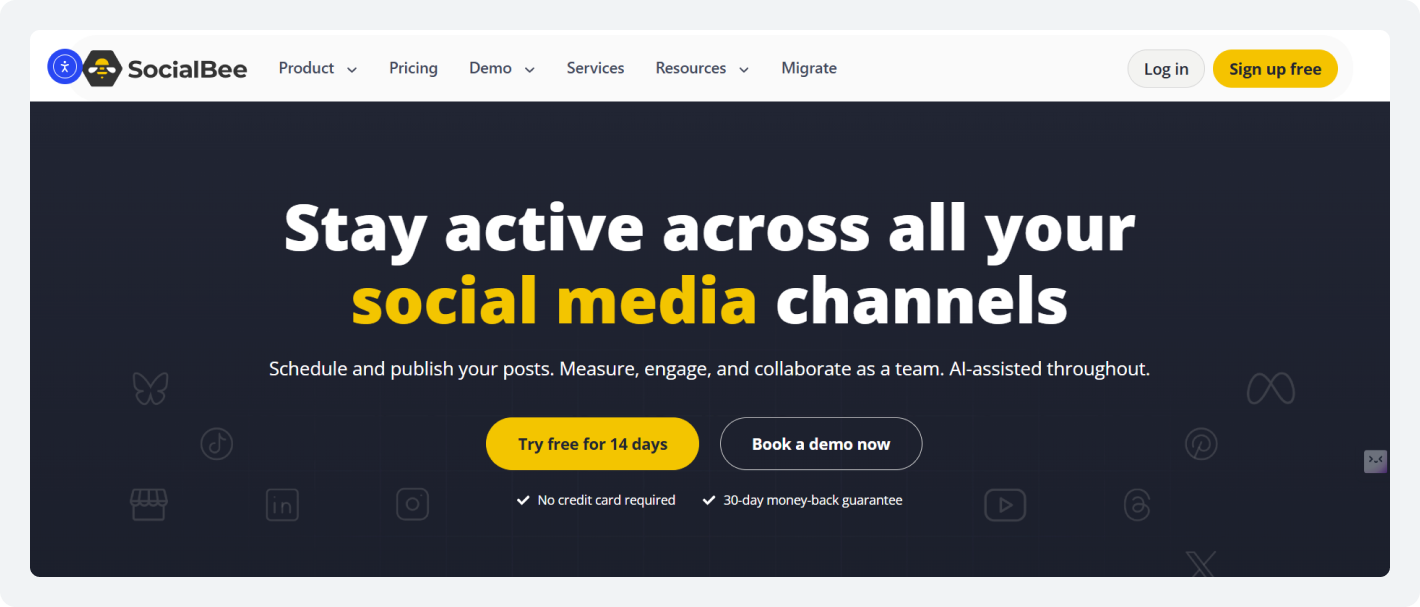
SocialBee is built on a fundamentally more strategic approach. It organizes your content strategy around categories rather than individual posts, ensuring your feed always has a healthy, intentional mix of content without daily micromanagement.
“I use SocialBee daily to manage multiple brands, and it automates most of my social media marketing needs.”— Patrick D., Content Manager; Capterra
SocialBee vs. Planoly
Planoly Limitations | SocialBee Advantages |
No category system; all posts manually scheduled one by one | Category-based social media calendar tool with per-category schedules |
No smart queue or automatic content rotation | Smart queue auto-fills slots from the right category in rotation |
No AI Copilot for caption writing or platform adaptation | AI Copilot generates captions and rewrites for each platform |
No built-in Canva, Unsplash, or GIPHY integration | Canva, Unsplash, and GIPHY built directly into the composer |
1. Content Categories and Smart Queue
SocialBee’s category system divides your content into themed buckets: educational, promotional, entertaining, curated, seasonal, and more. Each category has its own posting schedule and frequency. The smart queue automatically fills scheduled slots from the appropriate category, rotating posts and recycling evergreen content.
2. AI Copilot for Content Creation
SocialBee’s AI Copilot generates captions, rewrites content for different platforms, and provides hashtag suggestions. Combined with native Canva and Unsplash integrations inside the composer, it reduces dependency on external tools.
3. Evergreen Content Recycling
Unlike Planoly, where every post is one-and-done, SocialBee automatically recycles high-performing evergreen content on a defined rotation, a core social media repurposing tool capability for businesses with a growing content library.
4. SocialBee Pricing
Plan | Price | What’s Included |
Bootstrap | $29/month | 5 profiles, 1 workspace, 14-day free trial |
Accelerate | $49/month | 10 profiles |
Pro | $99/month | Larger teams and agencies |
RecurPost: Best for Evergreen Content Recycling
Best For: Businesses with growing content libraries
Starting Price: $9/month
Free Plan: ✅ Yes
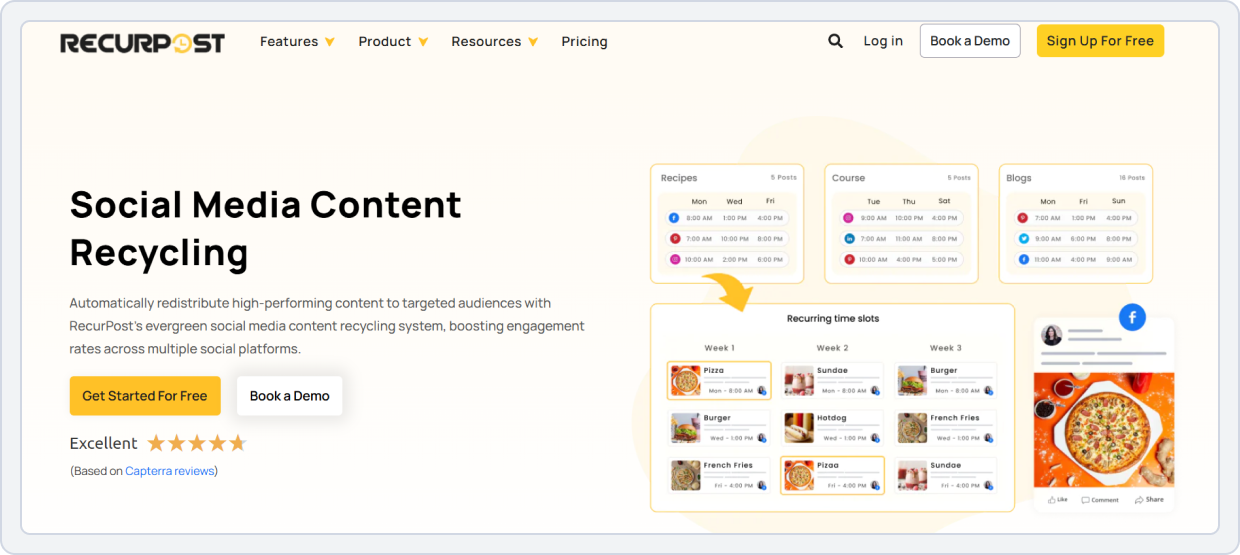
RecurPost is built around one powerful idea: your best content should not disappear after a single post. It solves a problem Planoly never attempts to address: automatic recycling of content for evergreen posts.
RecurPost vs. Planoly
Planoly Limitations | RecurPost Advantages |
No evergreen recycling; every post is one-and-done | Themed content libraries that auto-rotate and recycle |
Constant manual scheduling is required to stay active | Set-and-forget system keeps feeds active automatically |
No visual social media planner free tier | Genuine free plan with 3 accounts and 100 recurring posts |
Limited to a handful of platforms | Supports 10+ platforms, including Google Business and Bluesky |
1. Content Library and Recycling System
RecurPost organizes posts into themed content libraries, each with its own schedule, frequency, and recycling settings. Once set up, it automatically cycles through each library’s posts in rotation, keeping your social media calendar tool active without daily manual scheduling.
2. Bulk Scheduling and Platform Support
RecurPost supports bulk social media scheduling via CSV import across Facebook, Instagram, LinkedIn, Twitter/X, and others. Its Facebook publishing tool and LinkedIn scheduling tool support is both reliable and well-reviewed.
3. RecurPost Pricing
Plan | Price | What’s Included |
Free | $0/month | 3 social accounts, 100 recurring posts |
Starter | $9/month | Expanded profiles and features |
Personal | $25/month | 5 social profiles, 20 daily posts/profile |
Agency | $79/month | Multi-client management plans |
Loomly: Best for Teams Wanting Structured Content Creation
Best For: Small teams needing structured workflows
Starting Price: $65/month
Free Plan: No (15-day trial only)
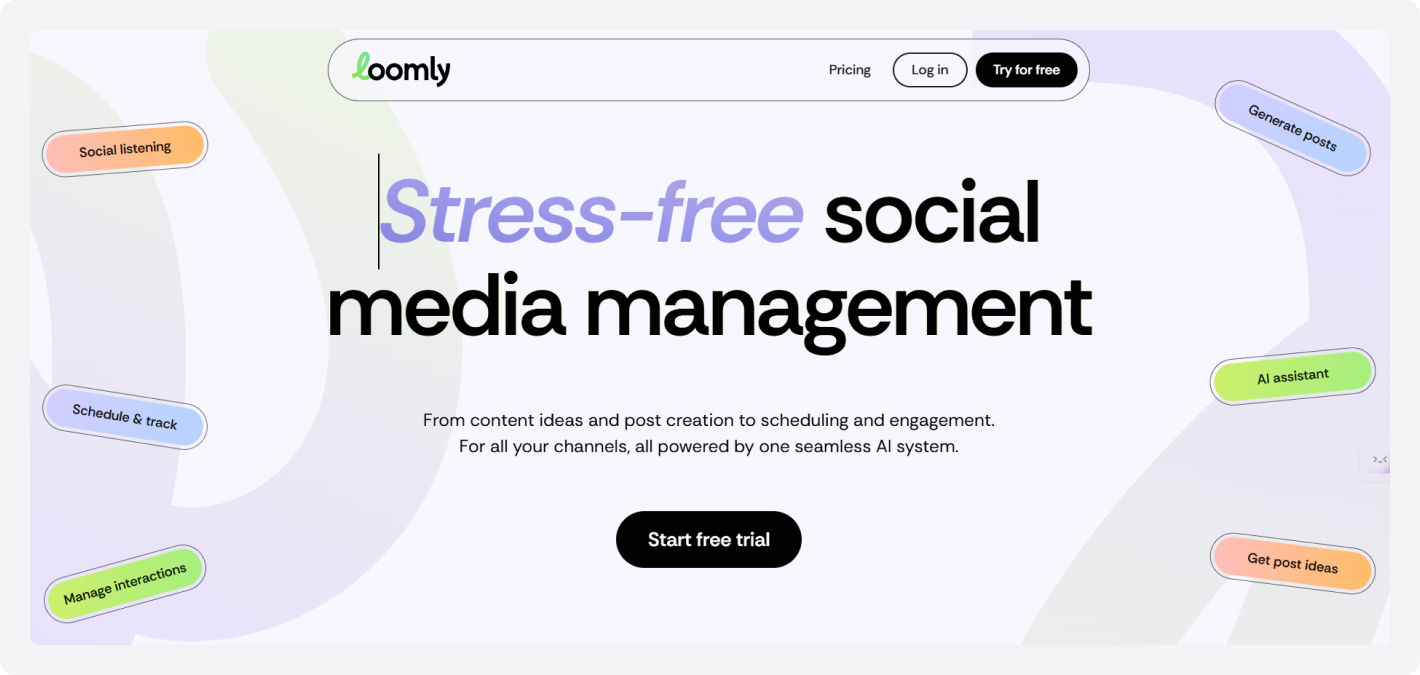
Loomly describes itself as a brand success platform. It is less about raw scheduling power and more about guiding teams through a structured, consistent creation process. Among Planoly vs competitors 2026, Loomly wins clearly on guided workflow and team structure.
“It’s really simple to use and has a calendar view so I can see all my posts scheduled for the week. It’s super reliable and sends reminders if I’ve forgotten to change a post from draft to scheduled.”
Loomly vs. Planoly
Planoly Limitations | Loomly Advantages |
No guided content ideation or prompt system | Proactive post ideas based on trends, holidays, events |
No post versioning or per-post comment threads | Full version history and per-post collaboration threads |
No stakeholder access or client review flows | Customizable approval stages with client stakeholder access |
No built-in Canva or Unsplash integration | Native Canva and Unsplash integration inside composer |
1. Guided Content Workflow
Loomly prompts teams with post ideas based on trending topics, upcoming holidays, and industry events, solving the blank calendar problem. Each post moves through defined workflow stages from Draft to Published, with full version history and per-post comment threads.
2. Content Approval Workflows and Collaboration
The content approval workflow in Loomly supports customizable stages, client stakeholder access, and detailed post-level communication. Compared to Planoly’s zero-team infrastructure, this is a fundamentally different product for any team with more than one person.
3. Multi-Platform Scheduling and Integrations
Loomly connects to Facebook, Instagram, TikTok, LinkedIn, YouTube, Pinterest, Slack, Teams, Google Drive, Dropbox, and Zapier; delivering a genuinely connected multi-platform social media scheduler experience beyond what Planoly ever offered.
4. Loomly Pricing
Plan | Pricing | What’s Included |
Standard | $99 per user /month | 10 social profiles |
Professional | $149 per user /month | 10 social profiles |
Advanced | $199 per user /month | 10 social profiles |
Post Everywhere: Best for AI-First Cross-Platform Publishing
Best For: AI-forward teams wanting maximum automation
Starting Price: $19/month
Free Plan: No (7-day trial)
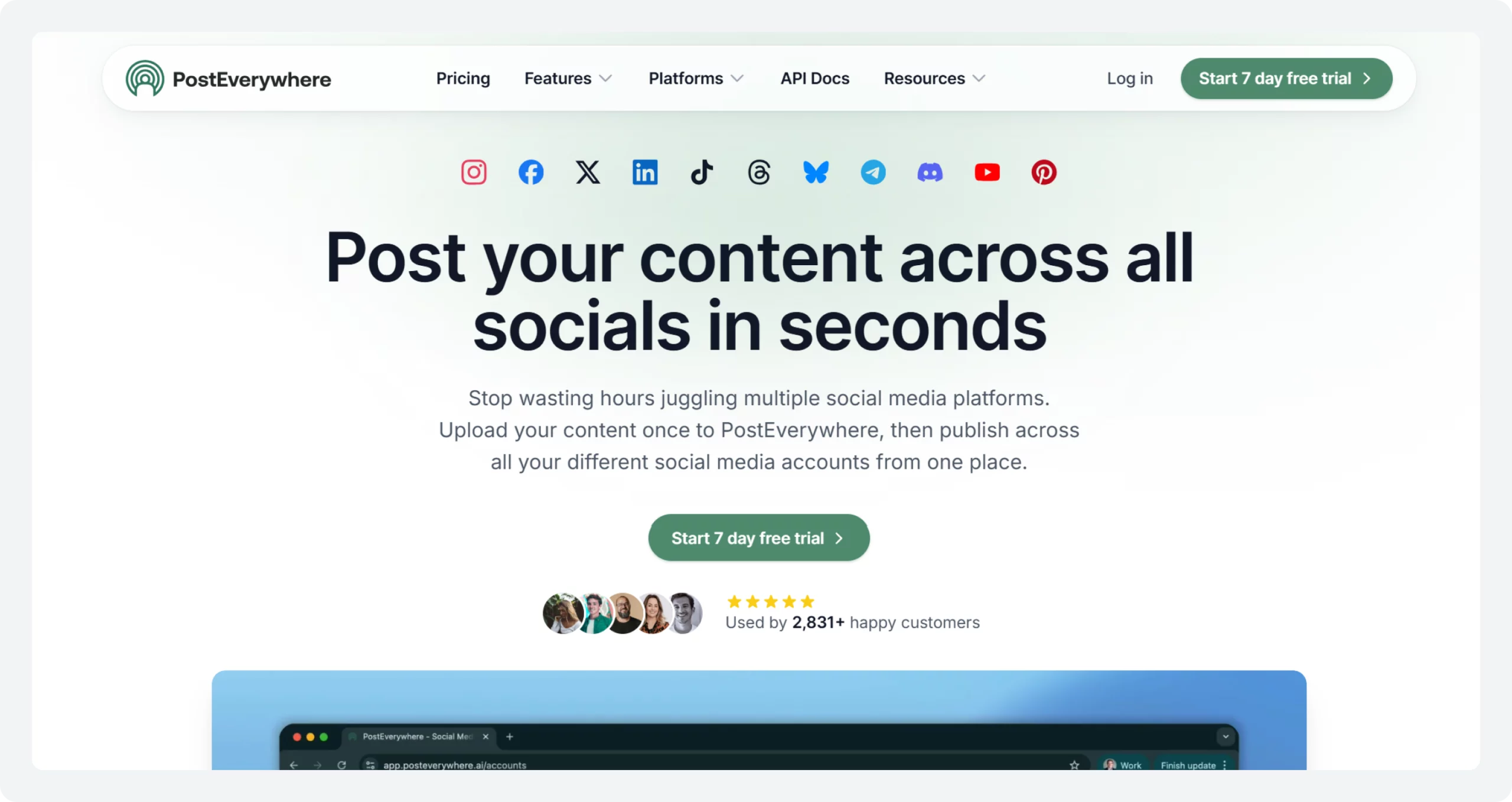
PostEverywhere is the most AI-forward tool on this list. While most social media publishing tools, as an alternative to Planoly, offer AI as a helpful feature, PostEverywhere builds its entire platform on the premise that AI should handle the execution of social media publishing tasks at scale.
PostEverywhere vs. Planoly
Planoly Limitations | PostEverywhere Advantages |
Caption suggestions only; no full content generation | AI Content Studio generates a platform-optimized version simultaneously |
No AI image or video generation built in | Built-in AI image and video generator inside the workflow |
No autonomous or agent-based publishing capability | Autonomous agent features drafts, schedules, and optimizes independently |
Manual platform-by-platform content customization | Live preview of all platform versions before scheduling |
1. AI Content Studio
PostEverywhere’s AI Content Studio takes one core message and generates platform-optimized versions for all eight supported networks simultaneously, adapting tone, length, hashtags, and format for each. A live preview shows all versions at once, allowing review and adjustment before scheduling.
2. Autonomous Social Media Agents
PostEverywhere’s autonomous agent feature can independently draft, schedule, and optimize posts based on configured parameters without constant human oversight. In 2026, this is the frontier of social media automation 2026, and PostEverywhere is one of the few tools offering it commercially.
3. PostEverywhere Pricing
Plan | Pricing | What’s Included |
Base | From $19/month | 8 platforms with full AI access; 7-day free trial |
Higher Plans | Custom | Autonomous agents and expanded features |
Vista Social: Best Enterprise Features at Small Business Prices
Best For: Growing businesses wanting enterprise features
Starting Price: $79/month
Free Plan: No (14-day trial)
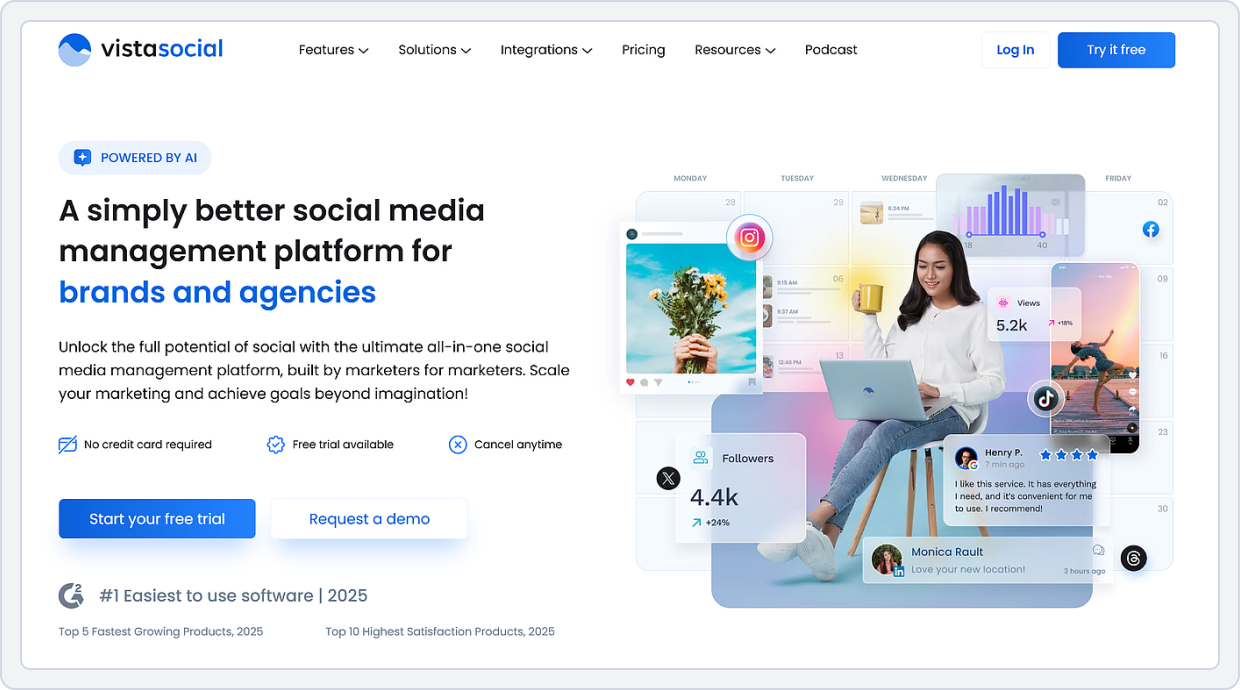
Vista Social, one of the best Planoly alternatives, consistently earns recognition among tools like Planoly for offering capabilities that usually cost five to ten times more: social listening, review management, DM automation, and AI social media scheduling 2026, all at a price accessible to small teams.
Vista Social vs. Planoly
Planoly Limitations | Vista Social Advantages |
No social listening or brand mention tracking | Real-time social listening for brand mentions and keywords |
No review management for Google or Facebook reviews | Review management for Google and Facebook in one dashboard |
No DM automation or intelligent auto-responses | Intelligent DM automation for FAQ and onboarding |
Supports only 4 platforms natively | 11+ platforms including Reddit, Yelp, and Threads |
No unified inbox with team task assignment | Unified inbox with team task assignment across all accounts |
1. Social Listening and Review Management
Vista Social’s social listening feature tracks brand mentions, keywords, and competitor activity in real time. The review management integration covers Google and Facebook reviews, allowing businesses to monitor, respond to, and analyze customer reviews alongside their social media calendar tool activity in one dashboard.
2. DM Automation and Social Inbox
Vista Social’s DM automation sets up intelligent auto-responses to common message types: onboarding new followers, directing inquiries, and answering FAQs. The unified social media publishing platform inbox consolidates all messages, comments, and mentions across 11+ platforms.
3. AI Content Generation and Multi-Platform Scheduling
Vista Social includes AI content generation, bulk social media scheduling, and cross-platform Instagram auto-publish alongside its engagement management tools.
4. Vista Social Pricing
Plan | Pricing | What’s Included |
Professional | $79/month | 15 social profiles, 3 users |
Advanced | $149/month | 30 social profiles, 6 users |
Scale | $379/month | 70 social profiles, 10 users |
Post Planner: Best for Content Discovery and Engagement-Led Scheduling
Best For: Budget-conscious solopreneurs & small businesses
Starting Price: $4/month
Free Plan: ✅ Yes
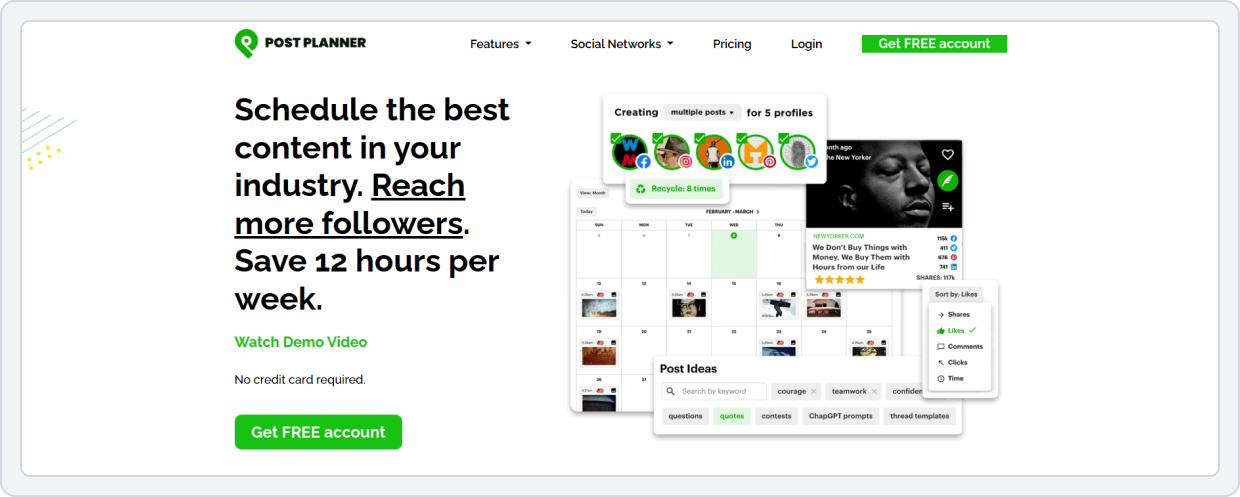
Post Planner takes a content-first approach. Instead of just helping you schedule what you already have, it helps you discover what is performing well in your niche and build a strategy around proven, engagement-friendly content. Among affordable social media tools in 2026, it is the clear leader for budget-conscious users.
Post Planner vs. Planoly
Planoly Limitations | Post Planner Advantages |
No content discovery; you must source all content yourself | Discovery engine scans niche content ranked by engagement score |
$16/month entry price with restricted upload limits | Entry plans from just $4/month; significantly cheaper than Planoly pricing 2026 |
No engagement score predictions or performance guidance | Data-backed content predictions from billions of posts |
Limited platform support beyond Instagram | 10+ platform support, including TikTok and Bluesky |
1. Content Discovery Engine
Post Planner’s discovery system scans social media and the web for high-performing content in your target topic areas. It ranks results by predicted engagement score based on data from billions of posts and presents them as a curated feed of shareable ideas.
2. Post Planner Pricing
Plan | Pricing | What’s Included |
Starter | $4-7/month | Among the most affordable social media tools in 2026 |
Higher tiers | Custom | More social accounts and team access |
Pallyy: Best for Visual Creators and Small Teams
Best For: Visual creators wanting a direct Planoly replacement
Starting Price: $15/month
Free Plan: ✅ Yes
Pallyy is the strongest like-for-like replacement for the Planoly social media tool for creators who love a visual social media planner workflow. It offers an Instagram grid planner, a unified social inbox, a link in bio tool, and analytics; all in a clean, modern interface starting at $15/month.
“I compared around 20 platforms to manage my social media portfolio of around 8 clients, and nothing compared to Pallyy in terms of features and price. I’ve been using Pallyy for a couple of years now, and it just keeps getting better and better.”— Katelyn S., Chief Wingwoman; Capterra
Pallyy vs. Planoly
Planoly Limitations | Pallyy Advantages |
Upload credits triple-counted across Feed, Stories, Reels | Unlimited posts on paid plans; no upload credit system |
Free plan removed; 14-day trial only | Visual social media planner free with 15 posts/month, no credit card needed |
No link in bio tool of any kind | Built-in link bio tool landing page with click analytics |
No hashtag group management or performance tracking | Hashtag groups, AI hashtag suggestions, and performance tracking |
No unified inbox for comments and DMs | Unified inbox for Instagram, Facebook, TikTok, Google Business |
Analytics depth outside Instagram is very limited | Detailed Instagram analytics with competitor tracking |
1. Instagram Grid Planner
Pallyy’s drag-and-drop Instagram grid planner lets you visualize your entire Instagram feed before anything goes live. This feature works on all plans, including the free tier, the core best visual social media planners 2026 experience that Planoly’s pricing changes have made inaccessible to budget users.
2. Link in Bio Tool
Pallyy includes a built-in link-in-bio tool and a landing page creator at the base price, unlike some competitors that charge separately. You can add buttons linking to any URL, pull in images directly from your Instagram profile, and track clicks via the analytics dashboard.
3. Hashtag Management
Save hashtag groups for reuse, get AI-generated hashtag suggestions per post, and track hashtag performance over time. First-comment scheduling lets you keep captions clean by automatically pushing hashtags to the first comment.
4. Team Collaboration
Pallyy supports team workflows with a shared social media calendar tool, a public approval link for clients, and role-based permissions for team members on higher tiers. It is a lighter team collaboration layer than Sendible or SocialBu, but slightly more than Planoly’s zero team infrastructure.
5. Pallyy Pricing
Plan | Price | What’s Included |
Free | $0/month | 15 posts/month per social set; no credit card required |
Starter | $15/month | Unlimited posts, 1 social set included, analytics, and inbox |
Pro | $25/month | Unlimited posts for a single social set |
How to Choose the Right Planoly Alternative for Your Needs?
Switching social media tools is not just a pricing decision. The tool you pick shapes how your team works, how much time you spend on content every week, and whether your social strategy can actually scale. Here are the five questions that matter most.
1. Identify Your Biggest Frustration with Planoly
Before comparing tools, pinpoint the main issue you’re trying to solve.
- Content creation takes too much time: SocialBu and PostEverywhere provide built-in AI tools that generate and adapt content across multiple platforms.
- Upload limits and credits are your problem: Pallyy and Later offer similar visual planning without restrictive posting caps.
- Reporting, approvals, and client communication are slowing you down: Sendible offers agency-focused workflows and white-label reporting, while SocialBu provides collaboration features at a lower cost.
- You want evergreen content and automation: SocialBee and RecurPost automatically recycle content, so you spend less time scheduling.
2. Choose Based on Team Size
Your ideal tool depends heavily on how you work.
- Solo creators: Pallyy’s visual social media planner free tier, or SocialBu for a more scalable upgrade with AI and automation.
- Small businesses: SocialBu’s all-in-one approach, combining scheduling, analytics, AI content creation, and inbox management in a single dashboard.
- Marketing teams: Loomly for structured workflows; SocialBu for stronger social media automation capabilities in 2026.
- Agencies: Sendible for white-label reporting and client management; SocialBu Super for a more affordable team-focused solution.
3. Match the Tool to Your Platform Mix
Planoly still works best for Instagram-first workflows, but many businesses now manage multiple platforms.
- Instagram and TikTok focus: Later and Pallyy are excellent choices for this.
- Multi-channel presence: SocialBu offers the broadest support for scheduling across multiple social media platforms.
- Local businesses relying on reviews: Vista Social combines scheduling with review monitoring and engagement tools.
4. Use Budget as a Final Filter
Once you’ve identified your needs, compare pricing.
- Free plans: Metricool and Pallyy offer more value than Planoly’s former free tier.
- $15-$19/month range: Pallyy Premium and SocialBu Standard offer significantly more features for a similar investment.
- Larger teams and advanced workflows: SocialBee, SocialBu Super, and Sendible provide specialized capabilities for automation, collaboration, and agency management.
5. Test Before You Commit
The easiest way to choose the right tool is to use it with your real accounts.
Most alternatives offer free plans or trials. Schedule a week’s worth of content, explore the workflow, and see how the platform fits your process. A short hands-on test will reveal far more than any feature comparison ever can.
Ready for a Planoly Alternative That Keeps Up?
Get scheduling, AI, team workflows, and analytics in one place.
Last Words: Stop Paying More for Less. Here’s What to Do Next.
Every tool in this guide offers something Planoly does not. Whether that is a genuine free plan, real AI content generation, team approval workflows, competitor analytics, or support for platforms beyond Instagram.
The match that makes sense for most users is clear: if you need one tool to do everything well across multiple platforms, SocialBu is the answer. If your world is Instagram and TikTok and you value a beautiful visual workflow, PallyHow to Choose y or Later will feel like a direct upgrade with more capability at the same or lower price. And if analytics gaps have been the frustration, Metricool will solve them, often for free.
FAQs
Q: What is the best free Planoly alternative in 2026?
SocialBu is one of the best free Planoly alternatives, offering a permanent free plan with scheduling and multi-platform support. Metricool is great for analytics, while Pallyy is ideal for visual content planning and Instagram management.
Q: What is the best Planoly alternative specifically for Instagram?
SocialBu is a strong choice if you manage Instagram alongside other social platforms. For Instagram-focused creators, Pallyy offers the closest Planoly-like experience with a grid planner, bio link tool, and hashtag management.
Q: Is SocialBu better than Planoly?
For most users, yes. SocialBu offers more platforms, including AI content creation, automation, team collaboration, analytics, and a unified inbox; all while avoiding Planoly’s upload limits.
Q: What is the cheapest Planoly alternative?
Pallyy, Metricool, and SocialBu all offer free plans. Among paid plans, Post Planner is one of the cheapest, while SocialBu provides the best balance of affordability and advanced features.
Q: Which Planoly alternative is best for agencies?
SocialBu is an excellent choice for agencies needing team collaboration, approval workflows, and multi-brand management. Sendible is another strong choice for agencies that require white-label reporting and client dashboards.
Q: What is the best free social media scheduler?
SocialBu is one of the best free social media schedulers, allowing users to schedule posts, manage multiple social accounts, and streamline their social media workflow without a large upfront investment.