Looking for the best Hootsuite alternatives?
Did the price go up again? Are key features locked behind higher plans? Does the tool feel harder than it should?
You are not alone.
Many teams eventually outgrow Hootsuite. As their needs change, they start looking for more affordable social media schedulers, pricing, a user-friendly interface, and better value for managing daily social media work.
This guide breaks down the best Hootsuite alternatives.
Why Users Look for Alternatives?
Despite its popularity, many users actively seek Hootsuite alternatives because the platform no longer meets their expectations for pricing, reliability, and flexibility. Based on real user feedback across review platforms, these are the core reasons people start comparing Hootsuite vs other tools.
These problems help explain why people are choosing newer, more flexible tools. Here are the main issues they are facing.
Hootsuite Limitations
Despite being one of the most well-known social media management platforms, Hootsuite consistently receives criticism across major review platforms. Users frequently mention feature gaps, pricing concerns, and reliability issues, especially when compared to modern Hootsuite alternatives.
Below are the most common limitations cited by real users.
- Limited Data Access: Many users report frustration with restricted analytics and missing metrics, especially when managing multiple social platforms. (Bryan R.)
- High Pricing & Expensive Upgrades: Pricing is one of the biggest reasons users search for cheaper Hootsuite alternatives. (Kristen S.)
- Posting Bugs: Users report that scheduled posts sometimes fail to publish or take too long, which can disrupt social calendars and campaigns. (Corinne W.)
- Image & Format Restrictions Across Platforms: Image handling is a major pain point, especially for Instagram and multi-image posts. (Vivika S.)
- Interface & Usability Issues: Several reviewers find Hootsuite’s interface outdated or not intuitive, making it harder to navigate compared to newer tools. (Taylor S.)
Hootsuite Alternatives Comparison Table
Tool Name | Price | Best For |
SocialBu | $19 /month | Small businesses & automation-focused teams |
Buffer | $6 /month | Creators & individuals |
Later | $25 /month | Visual-first brands & influencers |
Sendible | $29 /month | Marketing agencies |
Statusbrew | $89 /month | Enterprise social teams |
HopperHQ | $6 /month | Instagram-centric brands |
SproutSocial | $199 per seat/ month | Large enterprises |
Vista Social | $79/ month | Budget-conscious teams needing analytics |
Hootsuite Alternative#1: SocialBu
Best For: Freelancers, Solopreneurs, Small Businesses, Marketing Agencies, and Social Media Managers
Starting Price: $19/ month
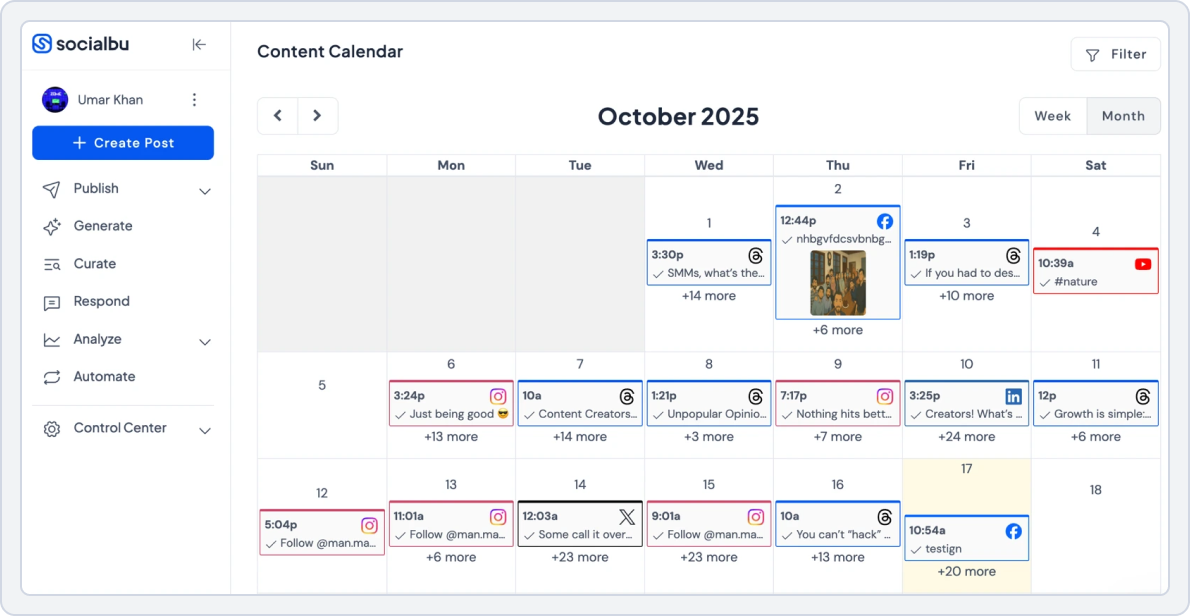
SocialBu is one of the best social media scheduler tools and Hootsuite alternatives we tested. Our team used the platform for two weeks to schedule posts, test automation, and manage engagement across multiple accounts.
The experience was surprisingly smooth. The dashboard is simple, the scheduling calendar is clear, and automation features save a lot of time.
For small businesses searching for cheaper Hootsuite alternatives, SocialBu stands out.
How We Tested This Hootsuite Alternative?
To make this Hootsuite comparison fair, we tested SocialBu with the same workflow we normally use in Hootsuite.
We focused on four things:
- Scheduling posts
- Managing comments and messages
- Tracking analytics
- Testing automation workflows
The goal was simple. We wanted to see if SocialBu could realistically replace Hootsuite.
What We Liked?
1. Automation Features
Automation is where SocialBu really impressed us. We tested features like:
- RSS-to-social posting
- Evergreen post recycling
- Rule-based automation
- Webhook triggers
These tools help keep content publishing automatic. Among apps like Hootsuite, this level of automation is rare at this price.
2. Clean Content Calendar
Planning content felt easier compared to Hootsuite. The drag-and-drop calendar lets you quickly see your entire schedule. We were able to plan a week of posts in less than 10 minutes with Socialbu’s content calendar.
For teams searching for platforms like Hootsuite but with a cleaner interface, this is a big advantage.
3. Unified Inbox
Another feature we tested was the social inbox. Messages, mentions, and comments appear in one place. This helps teams respond faster without having to jump between platforms.
Many Hootsuite competitors free tools skip this feature, so it was nice to see it included here.
4. Built-in AI Writing Tools
SocialBu also includes AI tools for writing captions and generating post ideas. While testing, the AI helped create quick drafts for Instagram and LinkedIn posts.
It is not perfect, but it saves time when planning content.
What Could Be Better?
No tool is perfect. Here are a few limitations we noticed during testing:
- The automation setup may take a few minutes to learn
Still, this one limitation is minor for most small teams.
Who Should Use SocialBu?
SocialBu works best for:
- Small businesses
- Freelancers
- Agencies managing multiple accounts
- Creators looking for free apps like Hootsuite or affordable tools
If Hootsuite feels expensive or complicated, SocialBu is a strong alternative Hootsuite.
Pricing
Let’s take a look at the prices and see which tool gives more for small businesses and agencies.
SocialBu | Hootsuite | |
Platforms | Instagram, TikTok, YouTube, Facebook, X (Twitter), Threads, LinkedIn, Reddit, Mastodon, Pinterest, Bluesky, and Google Business Profile. | Facebook, Instagram, X (Twitter), LinkedIn, TikTok, YouTube, Threads, WhatsApp, Pinterest (and integrations for many third-party apps). |
Free Plan | Yes Social accounts: 2 Social Platforms: 3 | No free plan |
For Small Business | $19 /month -12 Social accounts -800 Monthly Posts -2 Teams | $249 /month per user -Up to 10 social accounts -Unlimited post scheduling |
For Agencies | $199 /month -150 Social accounts -Unlimited Monthly Posts -25 Teams | $499 /month per user -Unlimited social accounts -Customizable analytics reports and templates |
Final Verdict | Pricing is flexible, so you can add or remove users and workspaces without paying for things you don’t need. | Expensive, especially for small businesses and teams. Lacks a free plan, and even basic features require costly upgrades. |
SocialBu vs Hootsuite – Key Takeaway
When we tested Hootsuite vs SocialBu, the biggest difference was value. SocialBu delivers scheduling, automation, and engagement tools at a much lower cost. For startups and agencies searching for best hootsuite alternatives, it is a strong option.
Hootsuite Alternative #2: Buffer

Buffer is one of the most popular Hootsuite alternatives for creators and small teams. We tested Buffer for daily scheduling, analytics tracking, and multi-platform publishing. The biggest difference we noticed compared with Hootsuite was simplicity.
The interface is clean and very easy to understand. For many users looking for apps similar to Hootsuite, Buffer feels much lighter.
How We Tested This Hootsuite Alternative?
To create a fair Hootsuite comparison, we connected several social accounts and tested the platform for a week.
Our testing focused on:
- Scheduling posts
- Tracking engagement analytics
- Publishing across multiple platforms
- Managing basic content planning
This allowed us to evaluate whether Buffer works as a realistic Hootsuite free alternative.
What We Liked?
1. Simple Scheduling
Scheduling posts with Buffer is extremely easy. You can add content to a queue and the platform publishes it automatically. During testing, posts went live on time without delays.
This reliability is why many creators consider Buffer one of the best apps like Hootsuite.
2. Clean Dashboard
The interface is one of Buffer’s biggest strengths. Everything is organized clearly, including:
- scheduled posts
- drafts
- analytics
- content ideas
Compared to some platforms like Hootsuite, the learning curve is almost zero.
3. Free Plan Availability
Many people ask: Does Hootsuite have a free plan? The answer is no.
Buffer, however, offers a free plan. That makes it one of the most accessible free apps like Hootsuite.
The free version allows users to connect a few channels and schedule posts.
4. Basic Analytics
Buffer provides essential performance metrics like:
- Engagement
- Reach
- Clicks
These insights are easy to understand and perfect for small teams. For creators searching for free social media management tools like Hootsuite, this level of analytics is often enough.
What Could Be Better?
While testing Buffer, we noticed a few limitations.
- Advanced automation is limited
- Fewer integrations than some companies like Hootsuite
- Analytics are simpler than enterprise platforms
Still, these trade-offs are expected for an affordable tool.
Who Should Use Buffer?
Buffer works best for:
- Solo creators
- Freelancers
- Small startups
- Marketers needing simple scheduling
If you want a lightweight platform similar to Hootsuite, Buffer is a strong option.
Pricing
Lets summarize Buffer’s pricing tiers and identify the best-value plan for your needs.
Buffer | Hootsuite | |
Platforms | Bluesky, Facebook, Instagram, Google Business, LinkedIn, Mastodon, Pinterest, Threads, TikTok, X(Twitter), and YouTube. | Facebook, Instagram, X (Twitter), LinkedIn, TikTok, YouTube, Threads, WhatsApp, Pinterest (and integrations for many third-party apps). |
Free Plan | Yes -Connect up to 3 channels -10 scheduled posts per channel -1 user account | No free plan |
For Small Business | $6/month -1 user account -Unlimited scheduled posts per channel -Unlimited ideas | $249 /month per user -Up to 10 social accounts -Unlimited post scheduling |
For Agencies | $12 /month -Unlimited scheduled posts per channel -Unlimited ideas -Unlimited team members | $499 /month per user -Unlimited social accounts -Customizable analytics reports and templates |
Final Verdict | Affordable for individuals, small businesses, and agencies, with a free plan and low-cost paid tiers. | Expensive, especially for small businesses and teams. Lacks a free plan, and even basic features require costly upgrades. |
Buffer vs Hootsuite – Key Takeaway
When comparing Hootsuite vs Buffer, the main difference is complexity. Buffer focuses on simple scheduling and basic analytics. Hootsuite offers more enterprise features but at a higher price.
For creators and small businesses, Buffer is one of the most practical Hootsuite competitors free users prefer.
Hootsuite Alternative #3: Sendible
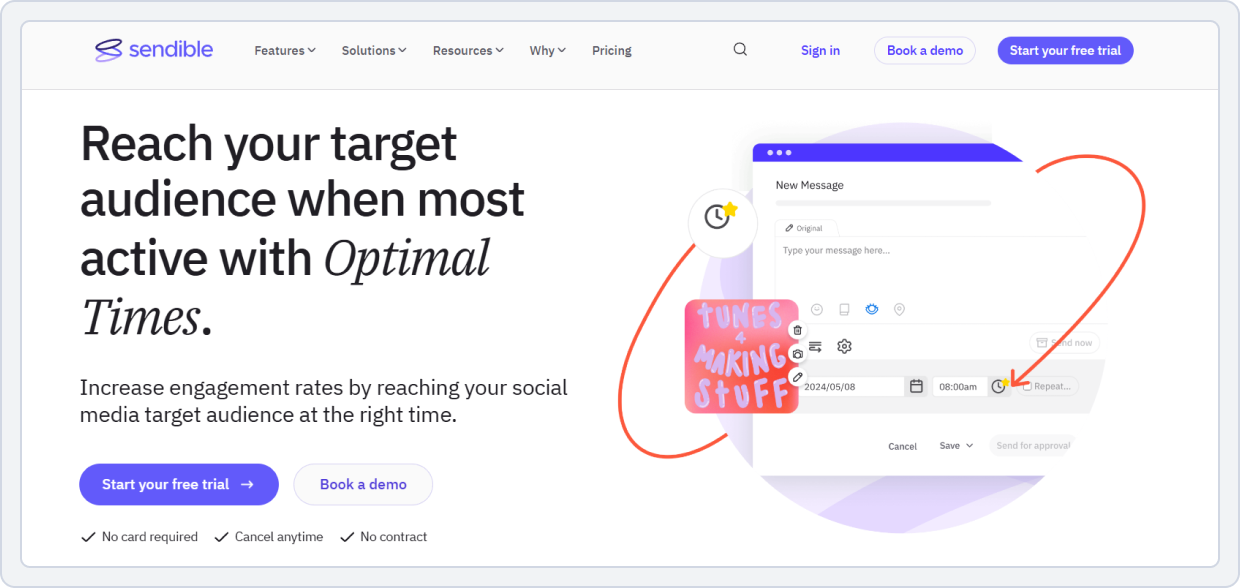
Sendible is a well-known Hootsuite competitor designed for agencies managing multiple clients. We tested Sendible to see how it performs for collaboration, reporting, and multi-account scheduling.
The platform offers many advanced features while keeping the dashboard organized. For agencies searching for sites like Hootsuite, Sendible is often recommended.
How We Tested This Hootsuite Alternative?
Our team tested Sendible by managing several social media profiles simultaneously.
We focused on:
- Bulk scheduling
- Analytics reporting
- Client collaboration
- Engagement management
The goal was to see if Sendible works better than other competitors to Hootsuite for agency workflows.
What We Liked?
1. Advanced Reporting
Sendible provides detailed analytics reports. You can track metrics like:
- Engagement rates
- Audience growth
- Cicks and impressions
Reports can also be exported for clients. Among platforms like Hootsuite, this reporting system is very useful for agencies.
2. Bulk Scheduling
Another feature we tested was bulk scheduling. You can upload multiple posts and schedule them across different platforms. This saves time for teams managing many accounts.
It also makes Sendible one of the more efficient apps similar to Hootsuite.
3. Collaboration Tools
Sendible includes features for team collaboration. These include:
- Approval workflows
- User permissions
- Shared content calendars
For agencies working with multiple clients, this is essential. Many companies like Hootsuite charge extra for these tools.
4. Reliable Publishing
During testing, posts were published consistently without failures. Reliable scheduling is one of the main reasons businesses look for better than Hootsuite alternatives. Sendible performs well in this area.
What Could Be Better?
We noticed a few downsides.
- No permanent free plan
- The interface can feel complex for beginners
- Pricing increases with larger teams
Despite this, the platform remains one of the strongest Hootsuite alternatives for small business agencies.
Who Should Use Sendible?
Sendible is best for:
- Marketing agencies
- Social media teams
- Businesses managing multiple clients
If you need collaboration tools and reporting, it is one of the best Hootsuite alternatives.
Pricing
Sendible | Hootsuite | |
Platforms | Instagram, Facebook, X (Twitter), LinkedIn, TikTok, YouTube, Pinterest, Google Business Profile, Threads | Facebook, Instagram, X (Twitter), LinkedIn, TikTok, YouTube, Threads, WhatsApp, Pinterest (and integrations for many third-party apps). |
Free Plan | Offers a free trial | No free plan |
For Small Business | $199 /month -7 users/calendars -49 social profiles | $249 /month per user -Up to 10 social accounts -Unlimited post scheduling |
Other Plans | $299 /month -20 users -100 profiles $750 /month -80 users -400 profiles | $499 /month per user -Unlimited social accounts -Customizable analytics reports and templates |
Final Verdict | Offers more value for agencies and growing teams, with flexible plans that support multiple users and profiles at a lower cost than Hootsuite’s enterprise pricing. | Expensive for small businesses and teams, with no free plan and high per-user costs. |
Sendible vs Hootsuite – Key Takeaway
When testing Hootsuite vs Sendible, we noticed a major difference in agency features. Sendible offers strong reporting, collaboration, and bulk scheduling.
For agencies looking for the best Hootsuite alternatives, it is a solid choice.
Hootsuite Alternative #4: Later
Best For: Visual Content & Instagram Marketing
Starting Price: $25/month

Later is a visual-first social media scheduler tool designed for creators and brands focused on Instagram, TikTok, and Pinterest.
We tested Later to see how well it performs for visual planning and scheduling. Compared with Hootsuite, the biggest difference is the content planning experience.
The platform focuses heavily on visuals. For brands managing Instagram feeds, it is one of the most practical platforms like Hootsuite.
How We Tested This Hootsuite Alternative?
To evaluate this Hootsuite competitor, we connected several accounts and tested the platform for content planning and publishing.
Our testing focused on:
- Instagram scheduling
- Visual calendar planning
- Analytics tracking
- Media previews
This allowed us to compare Hootsuite vs Later from a real workflow perspective.
What We Liked?
1. Visual Content Calendar
Later’s visual planner is excellent. You can drag and drop posts directly onto the calendar. The platform also shows a preview of how your Instagram grid will look.
For brands focused on aesthetics, this is a major advantage over many apps like Hootsuite.
2. Reliable Scheduling
During testing, scheduled posts were published on time.
The platform handles:
- Feed posts
- Stories
- Reels
- TikTok videos
This reliability makes Later one of the more dependable sites like Hootsuite.
3. Media Previews
Later allows you to preview posts before publishing. This helps avoid formatting issues when posting images or videos. For visual-first teams comparing Hootsuite alternatives, this feature is very useful.
4. Simple Interface
The dashboard is beginner-friendly. Even new users can start scheduling posts within minutes. Among apps similar to Hootsuite, Later is one of the easiest to learn.
What Could Be Better?
While testing later, we noticed a few limitations.
- Analytics are limited compared to enterprise tools
- Automation features are basic
- Platform support is more focused on visual networks
Still, for creators and influencers, these limitations are minor.
Who Should Use Later?
Later works best for:
- Influencers
- Content creators
- Instagram-focused brands
- Small businesses running visual campaigns
If your strategy revolves around Instagram and TikTok, Later is one of the most practical Hootsuite alternatives for small businesses.
Pricing
Use these pricing plans to evaluate whether Later’s automation delivers enough ROI for the monthly spend.
Later | Hootsuite | |
Platforms | Instagram, TikTok, Facebook, Pinterest, LinkedIn, YouTube, Threads | Facebook, Instagram, X (Twitter), LinkedIn, TikTok, YouTube, Threads, WhatsApp, Pinterest (and integrations for many third-party apps). |
Free Plan | Offers a free trial | No free plan |
For Small Business | $25/ month -1 Social Set (8 profiles total) -Schedule up to 30 posts per profile -1 user | Standard $99 /mo per user -Up to 10 social accounts -Unlimited post scheduling |
Other Plans |
$50/ month -2 Social Sets (16 profiles total) -2 users -Schedule up to 180 posts per profile $110/ month -6 Social Sets (48 profiles total) -4 users -Unlimited posts | Advanced $249 /mo per user -Unlimited social accounts -Customizable analytics reports and templates |
Final Verdict | Affordable and flexible, with a free plan and low-cost paid tiers, making it a great Hootsuite free alternative for creators, small businesses, and brands focused on visual content. | Expensive, especially for small teams, with no free plan and high per-user costs, making it less practical compared to Later. |
Later vs Hootsuite – Key Takeaway
When testing Hootsuite vs Later, we noticed a clear difference. Later is designed for visual planning and creator workflows. Hootsuite is broader but more complex.
For visual-first brands looking for apps like Hootsuite, Later is a strong choice.
Hootsuite Alternative #5: Statusbrew
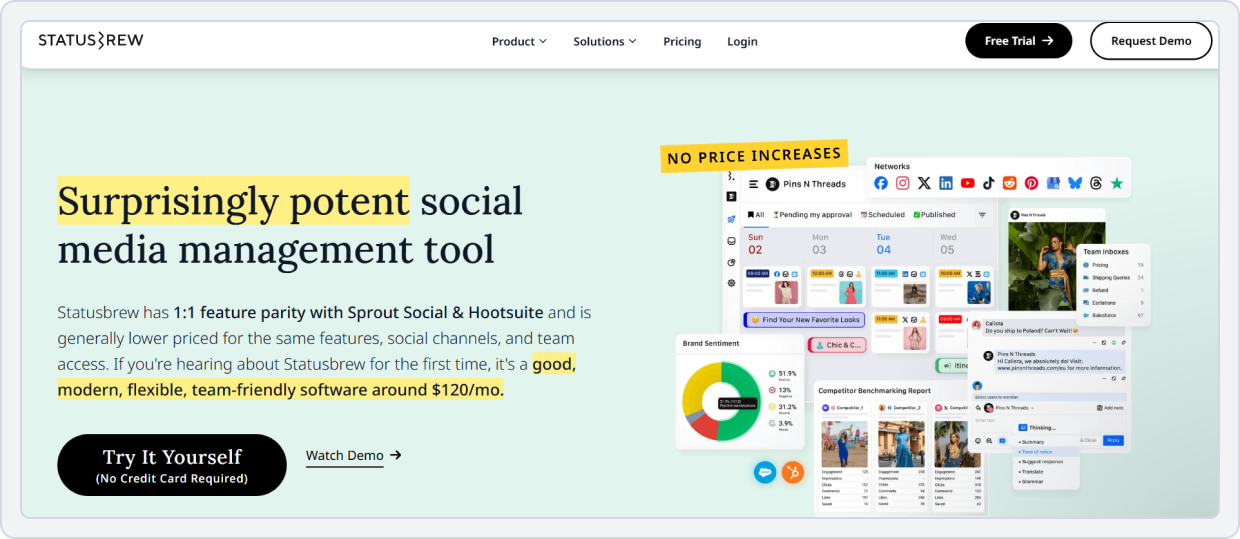
Statusbrew is a powerful Hootsuite competitor built for teams that need advanced analytics and collaboration.
We tested Statusbrew to see how it performs for reporting, engagement management, and team workflows. The platform offers deep analytics while maintaining a modern interface.
For teams searching for better than Hootsuite tools with strong data insights, Statusbrew stands out.
How We Tested This Hootsuite Alternative?
To test this alternative Hootsuite platform, we connected multiple social profiles and evaluated:
- Analytics dashboards
- Engagement workflows
- Post scheduling
- Team collaboration
This helped us compare Hootsuite vs Statusbrew from a performance perspective.
What We Liked?
1. Advanced Analytics
Statusbrew provides over 200 metrics for performance tracking. You can analyze:
- Engagement rates
- Follower growth
- Sentiment analysis
- Competitor performance
Among companies like Hootsuite, this level of analytics is impressive.
2. Unified Engagement Dashboard
Another feature we tested was the engagement inbox. Messages, mentions, and comments are managed from one dashboard. For teams handling large communities, this workflow saves time.
Many platforms like Hootsuite offer this feature, but Statusbrew’s interface feels modern.
3. Reliable Publishing
Publishing performance was consistent during testing. Bulk scheduling also worked smoothly across multiple platforms.
This reliability makes Statusbrew one of the more professional apps like Hootsuite.
4. Team Collaboration Tools
Statusbrew includes:
- Approval workflows
- Role-based access
- Shared inbox moderation
These features make it useful for larger teams. Among competitors to Hootsuite, collaboration is one of its strongest areas.
What Could Be Better?
A few limitations appeared during testing.
- Pricing increases as teams grow
- Beginners may need time to learn the platform
- No permanent free plan
Despite this, Statusbrew remains a strong option for growing companies.
Who Should Use Statusbrew?
Statusbrew is best for:
- Large social media teams
- Agencies managing multiple brands
- Companies focused on analytics
For teams comparing Hootsuite alternatives, it is one of the most data-driven tools available.
Pricing
Below are Statusbrew’s current packages to keep the cost comparison clear.
Statusbrew | Hootsuite | |
Platforms | Instagram, Facebook, X (Twitter), LinkedIn, TikTok, YouTube, Pinterest, Google Business Profile, Threads, plus integrations | Facebook, Instagram, X (Twitter), LinkedIn, TikTok, YouTube, Threads, WhatsApp, Pinterest (and integrations for many third-party apps). |
Free Plan | No, just offers free trial | No free plan |
For Small Business | $179/month -3 users -10 social profiles | $249 /month per user -Up to 10 social accounts -Unlimited post scheduling |
Other Plans | $299/month -6 users -15 social profiles | $499 /month per user -Unlimited social accounts -Customizable analytics reports and templates |
Final Verdict | More cost-effective for small teams. Good value if you need multiple users without paying per person. | Powerful and scalable, but expensive due to per-user pricing. Better for larger businesses needing advanced features. |
Statusbrew vs Hootsuite – Key Takeaway
When comparing Hootsuite vs Statusbrew, the biggest difference is analytics depth. Statusbrew focuses heavily on reporting and engagement management.
For data-driven teams searching for best Hootsuite alternatives, it is a powerful option.
Hootsuite Alternative#6: Hopper HQ
Best For: Influencers, Creators, Small Businesses, Visual Brands, and Social Media Managers focused on Instagram and TikTok
Starting Price: $6/month
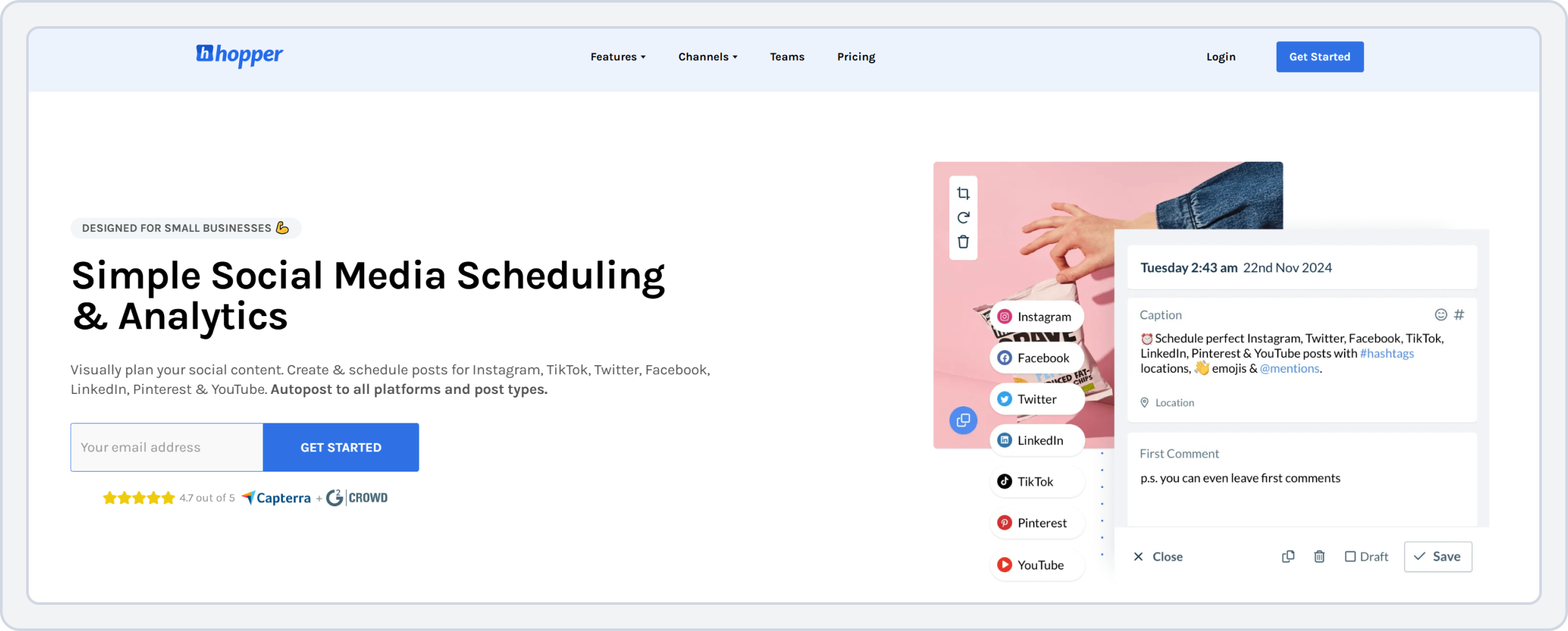
Hopper HQ is a lightweight social media scheduling tool built primarily for Instagram and TikTok. We tested Hopper HQ to see how it compares with other apps similar to Hootsuite. The platform focuses on visual planning and simple scheduling rather than advanced analytics.
For creators searching for free apps like Hootsuite or low-cost tools, Hopper HQ is worth considering.
How We Tested This Hootsuite Alternative?
To evaluate this Hootsuite competitor, we tested Hopper HQ by scheduling posts across several platforms.
Our testing focused on:
- Visual grid planning
- Scheduling workflows
- Analytics tracking
- Collaboration tools
This helped us determine whether Hopper HQ works as a realistic Hootsuite free alternative.
What We Liked?
1. Instagram Grid Planner
One of the most useful features we tested was the grid planner. You can preview how your Instagram feed will look before posting.
For creators focused on visual branding, this is a major benefit compared to many sites like Hootsuite.
2. Simple Scheduling Workflow
Scheduling posts is easy. You can upload media, add captions, and schedule posts within seconds.
Among apps like Hootsuite, Hopper HQ offers one of the simplest workflows.
3. Affordable Pricing
Another major advantage is pricing. Hopper HQ is significantly cheaper than most companies like Hootsuite. This makes it attractive for freelancers and creators.
4. Multi-Platform Posting
Although Instagram-focused, the platform also supports:
- TikTok
- X (Twitter)
For many creators, this coverage is enough.
What Could Be Better?
While testing Hopper HQ, we noticed some limitations.
- No unified inbox for engagement
- Analytics are basic
- Fewer integrations compared with larger platforms
However, these trade-offs are acceptable for smaller teams.
Who Should Use Hopper HQ?
Hopper HQ is ideal for:
- influencers
- creators
- small businesses
- visual brands
For users looking for cheaper Hootsuite alternatives, it is one of the most affordable options.
Pricing
Overview of Hopper HQ’s latest plans, so creators and small teams can calculate cost against posting and planning needs.
HopperHQ | Hootsuite | |
Platforms | Instagram, TikTok, Facebook, X (Twitter), LinkedIn, Pinterest, YouTube (Shorts), Bluesky. | Facebook, Instagram, X (Twitter), LinkedIn, TikTok, YouTube, Threads, WhatsApp, Pinterest (and integrations for many third-party apps). |
Free Plan | No, offers a free trial | No free plan |
For Small Business | $5 /month -1 User Account -Visual-first Post Planner | $249 /month per user -Up to 10 social accounts -Unlimited post scheduling |
Other Plans | $10 /month -Unlimited User Accounts -Unlimited Posts -Unlimited posts | $499 /month per user -Unlimited social accounts -Customizable analytics reports and templates |
Final Verdict | Extremely affordable and ideal for creators or small teams focused on visual content planning and scheduling. | Feature-rich and scalable, but significantly more expensive, better suited for larger businesses. |
Hopper HQ vs Hootsuite – Key Takeaway
When comparing Hootsuite vs Hopper HQ, the main difference is focus. Hopper HQ is designed for creators and visual planning. Hootsuite is built for larger teams and enterprise workflows.
For creators searching for apps similar to Hootsuite, Hopper HQ offers a simple and affordable alternative.
Hootsuite Alternative #7: Sprout Social
Best For: Large enterprises & data-driven teams
Starting Price: $199 per seat/month
Sprout Social is one of the most established competitors to Hootsuite.
We tested the platform to evaluate its analytics, publishing reliability, and reporting capabilities. Compared with Hootsuite, Sprout Social focuses heavily on insights and structured workflows.
For enterprises searching for platforms like Hootsuite with deeper reporting, this tool stands out.
How We Tested This Hootsuite Alternative?
To run a fair Hootsuite comparison, we connected multiple social accounts and tested Sprout Social for campaign management.
Our testing focused on:
- Analytics dashboards
- Publishing performance
- Engagement management
- Reporting tools
This helped us understand how Hootsuite vs Sprout Social compares in real workflows.
What We Liked?
1. Advanced Analytics
Sprout Social offers very detailed analytics. You can track:
- Engagement trends
- Audience demographics
- Competitor activity
- Campaign performance
Among companies like Hootsuite, Sprout Social is one of the strongest analytics platforms.
2. Reliable Publishing
During testing, scheduled posts were delivered consistently. The publishing system feels stable and well optimized.
For teams that rely on scheduling, this reliability makes Sprout Social one of the more professional apps similar to Hootsuite.
3. Modern Dashboard
The platform has a clean and organized interface. The dashboard separates publishing, analytics, and engagement clearly.
For large teams comparing sites like Hootsuite, this structure helps manage workflows efficiently.
4. Team Collaboration
Sprout Social includes strong collaboration features such as:
- Approval workflows
- Team permissions
- Shared inbox management
These tools are well-suited for enterprise marketing teams.
What Could Be Better?
While testing Sprout Social, we noticed a few limitations.
- Pricing is very high
- Small teams may not need all features
- No permanent free plan
Because of this, many small businesses still seek cheaper Hootsuite alternatives.
Who Should Use Sprout Social?
Sprout Social is best for:
- Large enterprises
- Corporate marketing teams
- Organizations focused on data insights
For enterprise teams comparing Hootsuite alternatives, it remains one of the most powerful tools available.
Pricing
Sproutsocial | Hootsuite | |
Platforms | Bluesky, Facebook, Instagram, LinkedIn, Pinterest, Threads, TikTok, X(Twitter), and YouTube. | Facebook, Instagram, X (Twitter), LinkedIn, TikTok, YouTube, Threads, WhatsApp, Pinterest (and integrations for many third-party apps). |
Free Plan | Offers free trial no free plan | No free plan |
For Small Business | $199 per seat/month -5 social profiles -Keyword and location monitoring | $249 /month per user -Up to 10 social accounts -Unlimited post scheduling |
Other Plans | $299 per seat/month -Unlimited social profiles -Message tagging $399 per seat/month -Enhance Reply by AI Assist -Sentiment in the Smart Inbox and Reviews | $499 /month per user -Unlimited social accounts -Customizable analytics reports and templates |
Final Verdict | Sprout Social is powerful but expensive, best for larger teams or businesses. | Hootsuite offers more flexibility and integrations, with scalable plans, but has no free plan. |
Sprout Social vs Hootsuite – Key Takeaway
When comparing Hootsuite vs Sprout Social, the biggest difference is analytics depth. Sprout Social excels in reporting and enterprise workflows.
Hootsuite remains flexible, but many data-focused teams prefer Sprout Social.
Hootsuite Alternative #8: Vista Social
Best For: Agencies & budget-conscious teams
Starting Price: $79/month
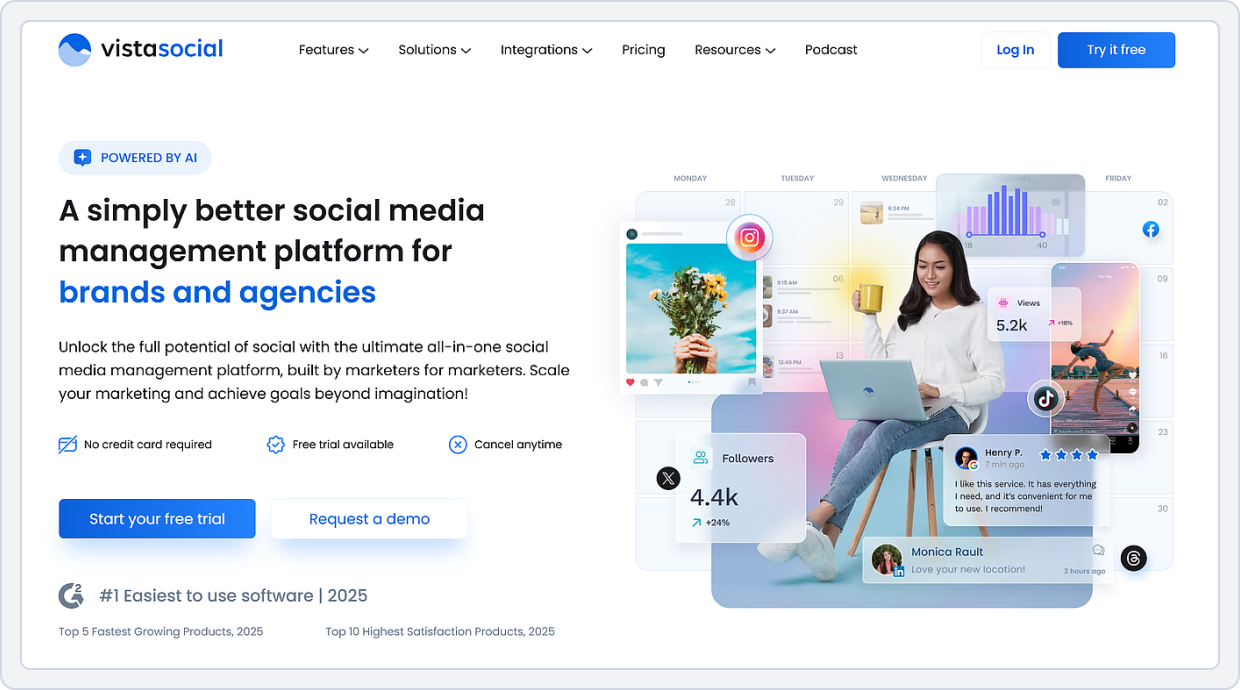
Vista Social is one of the newer Hootsuite alternatives gaining popularity among agencies. We tested the platform to evaluate its scheduling, analytics, and engagement features.
Compared with other apps like Hootsuite, Vista Social balances affordability and functionality.
How We Tested This Hootsuite Alternative?
To test this Hootsuite competitor, we connected several social platforms and evaluated:
- Scheduling reliability
- Analytics dashboards
- Engagement management
- Review monitoring
This helped us compare Hootsuite vs Vista Social from a practical perspective.
What We Liked?
1. Wide Platform Support
Vista Social supports many social networks, including:
- TikTok
- Snapchat
Among platforms like Hootsuite, this wide coverage is impressive.
2. Reliable Scheduling
Scheduling worked smoothly during testing. Bulk scheduling and post previews helped streamline content planning.
This reliability makes Vista Social one of the more dependable apps similar to Hootsuite.
3. Strong Analytics
Vista Social provides performance insights such as:
- Post engagement
- Audience growth
- Clicks and impressions
For teams comparing Hootsuite competitors free or affordable tools, this level of reporting is valuable.
4. Clean Interface
The dashboard feels modern and easy to navigate. Even new users can quickly start scheduling content. Compared with older tools, Vista Social feels more streamlined.
What Could Be Better?
While testing Vista Social, we noticed a few limitations.
- Some advanced features are available only in higher plans
- Fewer third-party integrations than Hootsuite
Despite this, the platform still offers excellent value.
Who Should Use Vista Social?
Vista Social is ideal for:
- Marketing agencies
- Growing businesses
- Teams managing multiple platforms
For businesses looking for better than Hootsuite solutions at a lower cost, Vista Social is worth considering.
Pricing
Sproutsocial | Hootsuite | |
Platforms | Bluesky, Facebook, Google Busienss, Instagram, LinkedIn, Pinterest, Reddit, Snapchat, TikTok, Threads, Tumblr, YouTube, and X (Twitter). | Facebook, Instagram, X (Twitter), LinkedIn, TikTok, YouTube, Threads, WhatsApp, Pinterest (and integrations for many third-party apps). |
Free Plan | No free plan, offers a free trial | No free plan |
For Small Business | $79/month -15 social profiles -3 users | $249 /month per user -Up to 10 social accounts -Unlimited post scheduling |
Other Plans | $149/month -30 social profiles -6 Users $379/month -70 social profiles -10 Users | $499 /month per user -Unlimited social accounts -Customizable analytics reports and templates |
Final Verdict | Vista Social is affordable and great for growing teams with multi-platform needs. | Hootsuite is more expensive but offers extensive integrations and advanced features for larger businesses. |
Vista Social vs Hootsuite – Key Takeaway
When comparing Hootsuite vs Vista Social, the biggest advantage is pricing. Vista Social offers strong scheduling and analytics at a lower cost.
For agencies searching for the best Hootsuite alternatives, it is a solid option.
Conclusion
To create this guide, we didn’t just rely on feature lists. We tested each platform using real social media workflows. We connected multiple accounts, scheduled posts, monitored comments and messages, reviewed analytics dashboards, and explored automation features. The goal was simple: to see whether these tools could realistically replace Hootsuite in everyday use.
After testing platforms like SocialBu, Buffer, Sendible, Later, Statusbrew, Hopper HQ, Sprout Social, and Vista Social, it became clear that many modern tools now offer strong alternatives depending on your needs.
The best Hootsuite alternative ultimately depends on your workflow, team size, and budget. But if Hootsuite feels expensive, complex, or limited, these tools prove that there are plenty of reliable options available today.
So, switch today and make your social media game stronger.
Switch to an Affordable Hootsuite Alternative in 2026
SocialBu helps you schedule faster, automate repeat posts, manage replies in a single inbox, and track performance.
Frequently Asked Questions
What are the best Hootsuite alternatives in 2026?
Recent comparison guides often name SocialBu, Buffer, Sprout Social, Agorapulse, SocialPilot and Zoho Social among the best Hootsuite alternatives, with the right choice depending on your budget, team size, and feature needs.
Are there any free Hootsuite alternatives?
Yes, tools like SocialBu offer always-free plans with limits on profiles and scheduled posts, while Hootsuite itself now only provides a time-limited free trial instead of a permanent free plan.
Why do users look for alternatives to Hootsuite?
Many teams look for Hootsuite alternatives because of higher entry pricing, a dashboard that can feel busy, and key features such as advanced analytics, collaboration, and listening being locked behind more expensive tiers.
Which Hootsuite alternatives work best for small businesses and freelancers?
Reviews often recommend SocialBu, SocialBee, and SocialPilot for smaller teams because they keep interfaces straightforward and offer lower starting prices than Hootsuite for basic scheduling and reporting.
What is a good Hootsuite alternative for managing many social accounts or clients?
For agencies and in-house teams that handle lots of profiles, SocialBu, Sendible, SocialPilot, Statusbrew, and Vista Social are commonly suggested due to their higher profile limits, shared calendars, and client-friendly reporting.
How do I choose the right Hootsuite alternative for my team?
Start by listing your must-have channels, features, and budget, then compare a short list of tools on price per profile, ease of use, analytics depth, inbox features, and collaboration options.
Is Hootsuite still worth using, or should I switch?
Hootsuite can still make sense for larger teams that need enterprise workflows and listening. But many small and mid-sized teams now switch to cheaper Hootsuite alternatives that cover scheduling, reporting, and basic engagement at a lower monthly cost.