

Buffer works… until it doesn’t. You schedule a few posts, hit the 10-post limit, and suddenly you’re deleting content just to add new ones. Want better analytics? Upgrade. Need a teammate or client access? Upgrade again.
If you’re posting often, managing multiple accounts, or planning content weeks ahead, Buffer’s free plan can start to feel more frustrating than helpful. And paying for features you only half-use isn’t always the answer.
That’s why many users go looking for free Buffer alternatives that give them more room to work.
In this guide, we’ve rounded up 13 of the best free Buffer alternatives in 2026, tools that are easy to use, more flexible, and actually usable without paying upfront.
Why Look for Buffer Alternatives?
While Buffer has long been a trusted tool for scheduling and managing social media, it’s not perfect for everyone, especially in 2026. Users often look for Buffer alternatives, free or paid options, for several key reasons.
Buffer Top User Complaints
Despite being a popular and user‑friendly social media scheduling tool, Buffer also attracts recurring complaints from users across review platforms and forums:
- Analytics Issues: Buffer’s analytics aren’t very good, and users couldn’t connect to Instagram analytics, which made the tool less useful for performance tracking and a reason not to renew membership. (Tim O’Shea III. – Trustpilot)
- Lacks Advanced Scheduling Features: Buffer lacks multiple posting queues or more complex scheduling controls, leading them to move to other tools for more advanced scheduling. (Void D. – Capterra)
- Missing Unified Inbox: One notable limitation of Buffer is the absence of a unified inbox for engagement. There’s no central place to view, manage, and respond to comments, replies, and messages across all connected social platforms. (Shishu Raj P. – G2)
- Pricing Issue: Buffer can be affordable for basic use, but it gets pricey for larger teams or advanced features, and other tools sometimes offer better value at similar costs. (Charanteja N. – G2)
Across platforms, real users cite limited analytics, rising pricing, a lack of advanced scheduling controls, and a missing unified inbox as reasons they’re frustrated with Buffer and seeking alternatives that offer better reporting, stronger social media automation, and more predictable scheduling.
Buffer Alternative Selection Criteria
While Buffer is known for its simplicity and affordability, many growing teams eventually run into limitations that make it less effective for more advanced social media workflows. Common pain points include:
- Basic Analytics
- High Pricing
- Lack of Scheduling Features
- Missing Unified Inbox
As social media management becomes more strategic in 2026, teams often look for tools that offer stronger analytics, a unified inbox, richer collaboration, or more specialized features, without sacrificing ease of use.
To help you find the right upgrade or alternative, the next section explores 13 top Buffer alternatives in 2026, breaking down their key strengths, pricing models, and the types of teams they’re best suited for.
Buffer Alternatives #1: SocialBu
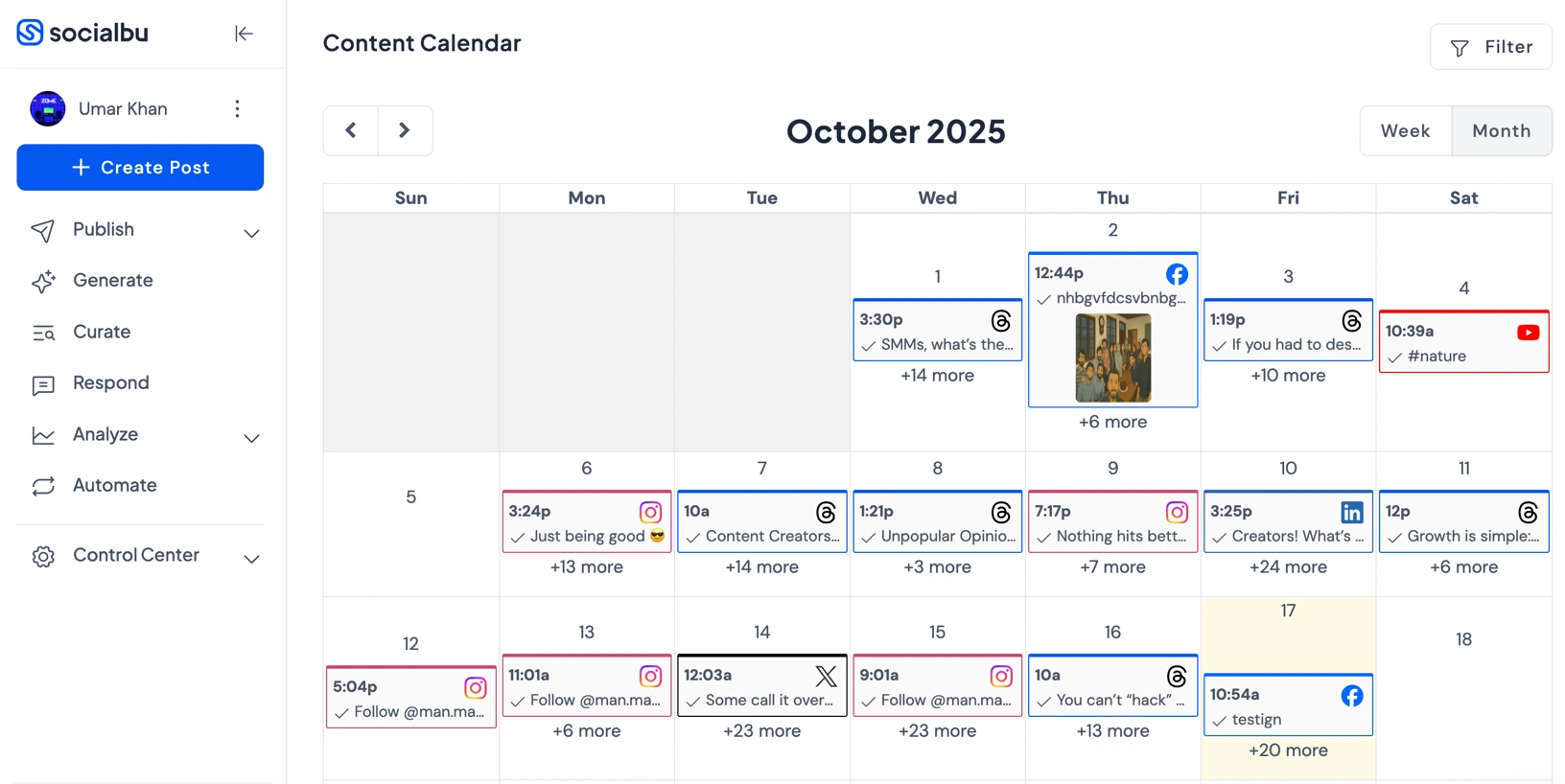
Starting Price: $19/month
Best For: Teams, Agencies & Small Businesses
SocialBu is an all-in-one social media management platform that helps individuals, small businesses, and agencies plan, schedule, automate, analyze, and engage with social media content from a single dashboard.
Before I came to SocialBu, I looked through several platforms like Zoho, HootSuite, Loomly, and more. What sold me on Socialbu was their visually straightforward platform – the other platforms were overwhelming and had a lot of tools I just did not need. I highly recommend SocialBu to small marketing agencies, and small businesses that need a straightforward and easy to manage platform. (Samantha H. Verified G2 Review)
Here’s what SocialBu offers and why it is considered one of the best alternatives as a social media scheduler in 2026:
- Team collaboration for social media offers approvals, user roles, shared workspaces, internal comments, and tagging.
- Flexible content planning and scheduling to plan and schedule posts using calendar, grid, list, or feed views.
- AI-Powered content creation helps you generate captions, suggest hashtags, and optimize post timing with AI assistance.
- Post previews across platforms to see exactly how posts will appear on Instagram, Facebook, LinkedIn, TikTok, and more before publishing.
- Clean & easy-to-use interface for teams that want an intuitive social media management platform without complicated onboarding or training.
- Unified social inbox for engagement to manage all comments, mentions, and direct messages from multiple social media platforms in one centralized inbox. This allows teams to respond faster, assign conversations, track engagement history, and ensure no customer message is missed.
- Supports all major social media platforms to manage Instagram, Facebook, LinkedIn, X (Twitter), TikTok, YouTube, Pinterest, and Google Business Profile from a single dashboard.
Instead of manually sourcing content, rewriting posts, or using separate AI tools, SocialBu brings content discovery, curation, and AI‑assisted creation into a single unified workflow. It saves your time and ensures you always have engaging content ready to publish.
Here’s a detailed comparison:
SocialBu vs. Buffer
Both SocialBu and Buffer are strong social media management tools, offering essential scheduling and publishing features. However, they differ in pricing, automation, and overall value for teams and businesses.
1. Advanced Social Media Scheduling
SocialBu’s scheduling is much more powerful than Buffer’s basic calendar feature:
- Create multiple posting queues with custom timing rules (e.g., “Evening posts,” “Promotions,” “Evergreen content”).
- Choose specific posting patterns: daily, weekly, or custom intervals, so you don’t have to set times manually for every post.
- Schedule one post to publish across multiple platforms (e.g., Instagram, LinkedIn, and Twitter) at once.
- See your posts on a visual social media calendar to plan weeks or months ahead.
SocialBu vs. Buffer Key Takeaway: More flexible and strategic scheduling than Buffer’s free or paid plans, especially for handling campaigns and recurring content.
2. Social Media Automation
SocialBu goes beyond simple scheduling with useful social media automation features:
- Turn blog posts or website updates into social posts whenever new content appears.
- Automatically recycle your best content to stay top-of-mind without manual reposting.
- Use webhooks and triggers to automatically post or respond based on events.
- Set up automatic replies to comments or messages to improve engagement even when offline.
SocialBu vs Buffer Key Takeaway: SocialBu does more than just schedule posts. It can automatically share new content, recycle your best posts, and respond to messages or events on its own, making social media management easier than Buffer.
3. Team Collaboration
SocialBu offers tools that help teams collaborate:
- Invite team members, assign roles, and manage workflows.
- Drafts can be reviewed and approved before publishing.
SocialBu vs Buffer Key Takeaway: Built-in collaboration and engagement tools help teams stay organized, especially useful for agencies or small marketing teams.
4. Social Media Analytics
SocialBu analytics insights help you improve your strategy:
- See how well each post performs.
- Monitor follower growth, engagement rate, and interaction trends.
- Track how your team is contributing across accounts.
- Export charts and reports as PDFs or images for presentations and strategy reviews.
SocialBu vs Buffer Key Takeaway: Better analytics than Buffer’s basic reporting, empowering data-driven decisions.
5. Bulk Uploads
This is one of SocialBu’s standout improvements over Buffer’s limited upload capabilities:
- SocialBu lets you upload multiple posts at once using a CSV file, so you can schedule dozens or hundreds of updates in one go instead of posting manually one by one.
- The upload format is simple and intuitive, with fields for post text, links, images/videos, dates, and times.
- Before posts go live, you can view bulk scheduled posts to confirm everything looks right across all selected platforms.
- If something in your CSV isn’t formatted correctly, SocialBu flags it clearly, helping you fix mistakes quickly instead of guessing what went wrong.
- Bulk-uploaded posts can be added directly to evergreen queues or content recycling cycles, so your best content continues to publish on a schedule you choose.
SocialBu vs Buffer Key Takeaway: SocialBu makes it easy to schedule many posts at once with CSV uploads, preview them, fix mistakes, and even add them to recycling queues, something Buffer doesn’t handle as smoothly.
6. Unified Inbox
When it comes to unified inbox functionality, SocialBu offers a centralized way to manage and monitor conversations across social media platforms, making it easier to handle interactions efficiently from a single dashboard. SocialBu offers:
- Centralized inbox to view and manage comments, mentions, and messages from multiple social platforms in one place.
- Eliminates the need to switch between different social networks to handle engagement.
- Helps teams respond faster and more consistently to audience interactions.
- Enables better collaboration by keeping all conversations visible and organized.
- Reduces the risk of missing important comments or customer messages.
- Ideal for brands and agencies that prioritize active engagement alongside scheduled content.
SocialBu vs Buffer Key Takeaway: SocialBu’s Unified Inbox turns engagement into a streamlined, team-friendly process. By bringing all conversations into one place, it saves time, improves response consistency, and ensures no message is overlooked. This makes it a strong choice for brands and agencies that want to actively engage their audience, not just schedule posts.
7. Integration
SocialBu connects with a wide set of platforms.
- SocialBu: Instagram, TikTok, YouTube, Facebook, X (Twitter), Threads, LinkedIn, Reddit, Mastodon, Pinterest, Bluesky, Google Business Profile.
- Buffer: Instagram, TikTok, YouTube, Facebook, X (Twitter), Threads, LinkedIn, Mastodon, Pinterest, Bluesky, Google Business Profile, Shopify.
SocialBu vs Buffer Key Takeaway: Much stronger cross-platform support than Buffer’s basic channel count, great for a Buffer alternative for Instagram or LinkedIn scheduling tools, free.
8. Pricing
When choosing a social media management tool, cost is often a deciding factor alongside features. Here, we compare SocialBu and Buffer to see which platform gives you better value for money, considering their plans, user limits, and how pricing scales as you manage more accounts or team members. Here’s a detailed pricing for both:
SocialBu | Buffer | |
Platforms | Instagram, TikTok, YouTube, Facebook, X (Twitter), Threads, LinkedIn, Reddit, Mastodon, Pinterest, Bluesky, Google Business Profile | Bluesky, Facebook, Google Business Profile, Instagram, LinkedIn, Mastodon, Pinterest, Threads, TikTok, X (Twitter), and YouTube. |
Free Plan | Yes Social accounts: 2 Social Platforms: 3 | Yes Social channels: 3 User Account: 1 |
Pricing Plan | $19 /month -12 Social accounts -800 Monthly Posts -2 Teams | $6/ month -1 channel -1 user account -Unlimited scheduled posts per channel |
Other Plans | $199 /month -150 Social accounts -Unlimited Monthly Posts -25 Teams | $12/month -1 channel -Unlimited scheduled posts per channel -Unlimited user accounts |
Verdict | SocialBu is great for users who manage multiple social accounts and want powerful features like automation, bulk uploads, and team collaboration. | Buffer is simpler and cheaper, suitable for individuals or small teams with just a few channels. It allows unlimited scheduled posts per channel but doesn’t scale as well for multiple accounts or large teams. |
SocialBu vs Buffer Final Takeaway
SocialBu offers more advanced scheduling, automation, team collaboration, analytics, bulk uploads, and broader integrations, making it a more feature-rich and cost-effective choice for businesses and teams that want to save time and manage social media strategically. Buffer is simpler and more reliable for basic posting, but SocialBu delivers greater value for growth-focused social media management.
Is Buffer too Expensive?
Switch to SocialBu. Plan, schedule, and grow your social media effortlessly with cost-effective solutions.
Buffer Alternative #2: Later

Starting Price: $25/month
Best For: Visual Brands, Content Creators, and E-Commerce Businesses
Later is a social media management platform built around planning and scheduling content with an Instagram-first workflow. It’s commonly shortlisted in Buffer alternatives for Instagram scheduling when teams want a more visual content planner and creator-oriented publishing features.
Buffer vs Later
When users search for free Buffer alternatives, they often compare Buffer with Later. While both tools are popular social media schedulers, they fall short in different areas, especially for users looking for free social media scheduling tools in 2026.
1. Social Media Analytics
Later offers slightly better visual analytics, especially for Instagram, but meaningful insights are still restricted to paid plans.
- Tracks likes, comments, shares, saves, and overall post performance.
- Metrics are available per platform (Instagram, Facebook, TikTok, LinkedIn, Pinterest).
- Shows historical trends so you can see what content performs best over time.
- Highlights top-performing hashtags and their engagement.
- Suggests optimal posting times based on audience activity.
- Shows which types of posts (images, videos, stories, reels) get the most interaction.
- Export visual reports to PDF for clients or internal teams.
- Select specific metrics, platforms, and timeframes.
Buffer vs Later Key Takeaway: Later offers stronger visual and Instagram-focused analytics than Buffer, especially on it’s free and small-tier plans.
2. Social Media Scheduling Features
Later focuses heavily on visual planning, especially for Instagram.
- Drag-and-drop files into the Media Library from your computer, Google Drive, Dropbox, or Canva.
- Organize media with folders, labels, and tags (e.g., Campaign, Reels, Product Photos).
- Add alt text and accessibility descriptions while uploading.
- Open the visual content calendar (month/week/day view).
- Drag assets onto desired dates and times.
- The calendar suggests optimal posting times if you enable “Best Time to Post.”
- Toggle between platforms to see multi-network schedules.
- Add captions, hashtags, mentions, emojis, and location tags.
- For Instagram, schedule the first comment separately (e.g., for hashtags or calls to action).
- Preview posts on each platform to ensure correct formatting.
- Use the Grid Planner to see how posts will appear in the Instagram feed.
- Adjust post order to maintain visual flow and branding consistency.
- Move posts around to optimize the theme, color palette, or story alignment.
- Choose platforms for publishing: Instagram (Feed, Reels, Stories), Facebook, TikTok, LinkedIn, and Pinterest.
- Later will auto-publish posts directly.
- For platforms that restrict auto-publish, you receive a mobile push reminder with pre-filled content for one-click posting.
- Duplicate posts to reuse them in the future.
- Assign posts to a recycle queue for evergreen content.
- Later suggests posting times for reused content based on past engagement trends
Buffer vs Later Key Takeaway: Later provides better visual scheduling and content planning than Buffer’s basic queue system, making it perfect for Instagram-focused campaigns.
3. Unified Social Inbox
When it comes to unified social inbox functionality, Later lets users view and manage social media interactions from one place, helping them keep track of conversations across their connected accounts.
- Only basic engagement tools, and it lacks a true unified inbox.
- Engagement features are mostly focused on Instagram.
- No centralized place to manage comments, mentions, and messages across platforms.
- Requires switching between networks to respond to audience interactions.
Buffer vs Later Key Takeaway: Neither platform offers an advanced unified inbox, making them less effective for teams or agencies that prioritize fast, centralized social media engagement.
4. Integrations
- Later: Instagram, Facebook, TikTok, Pinterest, LinkedIn, YouTube (Shorts only), Threads, and Snapchat.
However, some platforms (like TikTok and YouTube) are limited to desktop scheduling and lack deeper automation.
- Buffer: Instagram, TikTok, YouTube, Facebook, X (Twitter), Threads, LinkedIn, Mastodon, Pinterest, Bluesky, Google Business Profile, Shopify.
Buffer vs Later Key Takeaway: Later covers the main visual platforms like Instagram, Facebook, Pinterest, and LinkedIn, but lacks deeper automation and desktop restrictions for TikTok and YouTube. Buffer supports more platforms overall, making it slightly better for multi-channel management, though both fall short compared to modern, fully integrated alternatives.
5. Pricing
Cost is a key factor when choosing a social media management tool. Here, we compare Later pricing with Buffer to help you understand which platform offers better value. For those looking for more flexible or cost-effective options, check out Later alternatives.
Later | Buffer | |
Platforms | Instagram, Facebook, Pinterest, LinkedIn, and TikTok. | Bluesky, Facebook, Google Business Profile, Instagram, LinkedIn, Mastodon, Pinterest, Threads, TikTok, X (Twitter), and YouTube. |
Free Plan | No Offers a 14 day free trial | Yes Social channels: 3 User Account: 1 |
Pricing Plan | $25 /month -1 Social Set (8 profiles total) -1 user | $6/ month -1 channel -1 user account -Unlimited scheduled posts per channel |
Other Plans | $50 /month -2 Social Sets (16 profiles total) -2 users | $12/month -1 channel -Unlimited scheduled posts per channel -Unlimited team members |
Verdict | Later is good for visual-focused platforms like Instagram and Pinterest, with simple scheduling for small teams, but it’s more limited in platform variety and doesn’t have a free plan. | Buffer is affordable and flexible for basic scheduling across many platforms, ideal for individuals or small teams who want unlimited posts per channel. |
Buffer vs Later Final Takeaway
Later is great for visually planning Instagram content and small-scale creators, but limited analytics, bulk uploads, and platform automation make it less versatile. For free or full-featured Buffer alternatives in 2026, teams and agencies often need a more advanced tool.
 Read the SocialBu vs Later comparison to see which tool gives you stronger scheduling, automation, and team workflows for 2026.
Buffer Alternative #3: Metricool
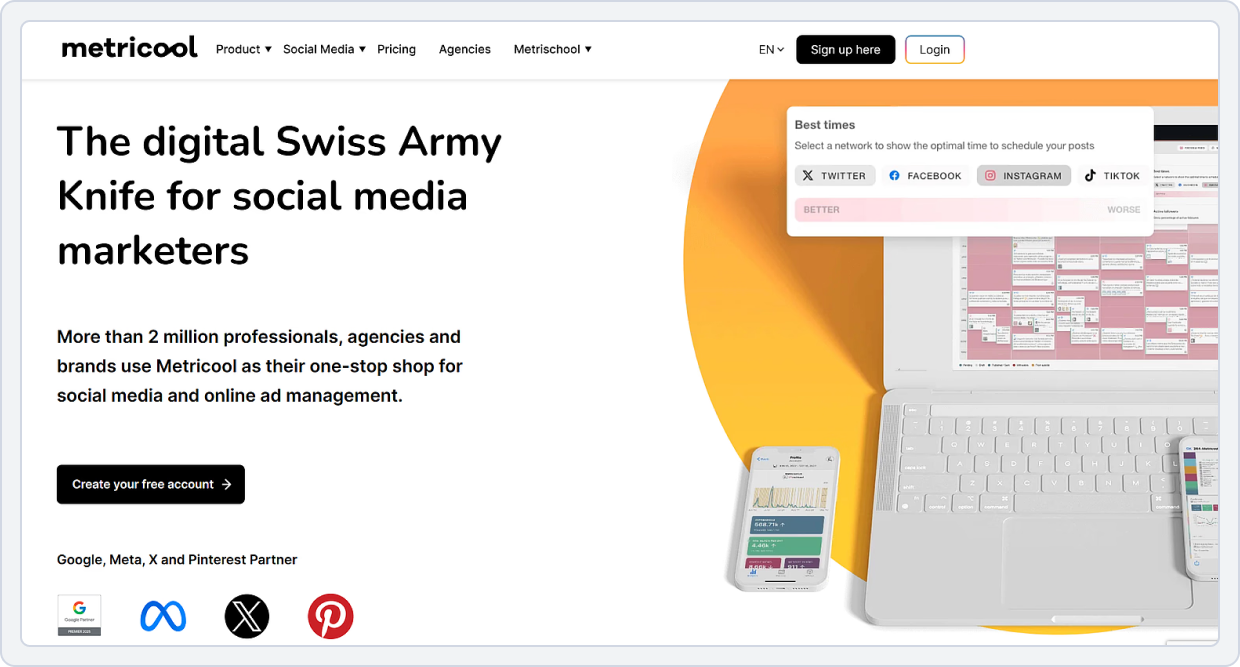
Starting Price: $22/month
Best For: Analytics-Driven Teams, Cross-Network Insights, Content Performance Tracking
Metricool is a social media management platform that combines publishing with performance measurement, including reporting capabilities for multiple networks. It’s chosen among Buffer alternatives with analytics and reporting when users want deeper post-performance insights and exportable reports than basic scheduling tools provide.
Buffer vs Metricool
Metricool is a popular social media management tool often searched as a free Buffer alternative, especially by users who want better insights and reporting without expensive plans. Below, we look at how it performs on the major pain points users commonly ask about.
1. Social Media Analytics
Metricool’s analytics are one of its strongest areas, stronger than Buffer and, in many cases, stronger than other free social media scheduling tools.
- Provides detailed reports for likes, shares, comments, clicks, and impressions across all connected accounts.
- Tracks audience growth and engagement trends over time.
- Includes competitor analysis for benchmarking performance.
- Exportable reports available for client or internal use.
Buffer vs Metricool Key Takeaway: Metricool is a strong analytics performer, a big step up from Buffer’s basic metrics, and a great choice for teams that need clear insights without paying high prices.
2. Scheduling Features
Metricool’s scheduling capabilities are stronger than Buffer’s free plan and more comprehensive than many free social media scheduling tools 2026.
- Offers smart scheduling with optimal posting time suggestions.
- Calendar view allows drag-and-drop rescheduling.
- Supports multi-platform scheduling for Instagram, Facebook, TikTok, LinkedIn, Pinterest, Twitter (X), and YouTube.
- Draft storage and category-based scheduling enhance workflow.
Metricool may not fully replace enterprise-level tools, but it’s stronger than Buffer and Later for scheduling.
Buffer vs Metricool Key Takeaway: Metricool provides better scheduling flexibility than Buffer’s basic plan, with support for multi-platform posting and smarter scheduling options.
3. Unified Inbox
Metricool offers a unified inbox to manage messages and interactions from multiple social media platforms in one place.
- Engagement management features that are more advanced than Buffer’s, but still not a full-scale unified inbox.
- Allows users to manage comments and interactions from supported social platforms in one dashboard.
- Reduces the need to constantly switch between social networks to respond to engagement.
- Useful for creators and small teams who want basic engagement handling alongside scheduling and analytics.
Buffer vs Metricool Key Takeaway: Metricool offers stronger engagement management than Buffer, but its unified inbox is still best suited for creators and small teams rather than agencies with high-volume or complex engagement needs.
4. Integrations
- Metricool: Instagram, TikTok, YouTube, Facebook, X (Twitter), Threads, LinkedIn, Pinterest, Bluesky, Google Business Profile, Twitch.
- Buffer: Instagram, TikTok, YouTube, Facebook, X (Twitter), Threads, LinkedIn, Mastodon, Pinterest, Bluesky, Google Business Profile, Shopify.
Buffer vs Metricool Key Takeaway: Metricool covers most major social platforms, including Twitch, which Buffer doesn’t, but Buffer supports a few additional networks like Mastodon. Both are strong for multi-platform management, though Metricool is slightly better for creators, including live-streaming channels.
5. Pricing
Understanding pricing is key when comparing social media tools. Here’s a clear look at Buffer vs Metricool pricing to see how each platform compares on affordability, features, and overall value.
Metricool | Buffer | |
Platforms | Instagram, Bluesky, Twitch, Threads, TikTok, Facebook, LinkedIn, Pinterest, and YouTube. | Bluesky, Facebook, Google Business Profile, Instagram, LinkedIn, Mastodon, Pinterest, Threads, TikTok, X (Twitter), and YouTube. |
Free Plan | Yes -Manage 1 brand -Schedule up to 20 posts per month -Access 30 days of analytics | Yes Social channels: 3 User Account: 1 |
Pricing Plan | $18/mo Essentials -10 accounts -Unlimited posts -Advanced analytics | $6/ month -1 channel -1 user account -Unlimited scheduled posts per channel |
Other Plans | $45/mo Growth -Manage up to 50 brands -Full Twitter/X analytics -Team and client management | $12/month -1 channel -Unlimited scheduled posts per channel -Unlimited user accounts |
Verdict | Metricool is more cost-effective for managing multiple platforms, offering more accounts and features at a fixed price. | Buffer is good for single-channel use, but its per-channel (and user-limited) pricing makes it more expensive as you scale. |
Buffer vs Metricool Final Takeaway
Metricool stands out among free Buffer alternatives, especially for users seeking better analytics, bulk upload capabilities, multi-platform support, and value pricing.
While the free plan is limited, Metricool’s feature set is overall more flexible than Buffer’s free tier and stronger than many free social media scheduling tools for small businesses in 2026.
For more options beyond Metricool, check out this guide to the best Metricool alternatives.Buffer Alternative #4: Publer

Starting Price: $5/month
Best For: Budget-Conscious Users, Freelancers, and Self-Funded Startups
Publer is a social media management and scheduling tool designed to plan, schedule, and manage posts across platforms from one dashboard. It comes in the Buffer alternatives list for scheduling and automation because it emphasizes streamlined publishing workflows and time-saving scheduling features beyond simple queues.
Buffer vs Publer
Publer is a widely used social media scheduler often discussed as a free Buffer alternative and an affordable option for small business owners, creators, and agencies. Below, we show how Publer performs against the core challenges users ask about.
1. Engagement Analysis
Publer provides analytics that exceed Buffer’s free plan limits, especially useful for multi-platform tracking:
- Tracks likes, shares, comments, and basic engagement for all connected networks.
- Supports Instagram, Facebook, LinkedIn, X (Twitter), YouTube, TikTok, and Google Business Profile.
- Provides insights to schedule Instagram posts for free and optimize engagement.
- Generate PDF or CSV reports for clients or internal review.
- Helps track campaigns and engagement trends over time.
- Supports social media scheduler free plan comparison and Buffer free plan vs paid insights.
- Track competitor posts and engagement trends.
- Helps refine content strategy based on industry benchmarks.
- Useful for agencies or small businesses seeking a Buffer alternative for agencies.
Buffer vs Publer Key Takeaway: Publer offers stronger analytics than Buffer’s free plan, with reporting for Instagram, Facebook, LinkedIn, X (Twitter), YouTube, TikTok, and Google Business Profile. This broader platform coverage, combined with its scheduling and bulk upload features, is why Publer is frequently included in Best Buffer Alternatives for 2026 lists.
2. Social Media Scheduling Features
Publer’s scheduling system is designed to simplify posting across multiple platforms while filling gaps left by Buffer free tier:
- Connect Instagram, Facebook, LinkedIn, X (Twitter), TikTok, YouTube Shorts, and Google Business Profile.
- Supports multiple accounts per platform for team and client management.
- Draft posts with text, images, videos, GIFs, or links.
- Save captions, hashtags, and media for reuse across campaigns.
- Schedule first comments for Instagram posts, ideal for free Instagram scheduling tools.
- Choose the calendar view or the publishing queue to manage the posting schedule.
- Drag-and-drop posts to adjust timing visually.
- Supports recurring posts and auto-post via RSS feeds.
- Hashtag manager suggests and stores hashtags for quick access.
- Posts automatically publish at scheduled times.
- Tailored time suggestions optimize engagement across different networks.
- Supports scheduling for free Threads posts, LinkedIn, Google Business Profile posts, and all major platforms.
Buffer vs Publer Key Takeaway: Publer offers stronger scheduling features than Buffer, especially if you manage multiple platforms and post types, and it ranks well among free social media scheduling tools for small businesses.
3. Multi-platform Support
- Publer: Instagram, TikTok, YouTube, Facebook, X (Twitter), Threads, LinkedIn, Mastodon, Pinterest, Bluesky, Google Business Profile, Telegram, WordPress.
- Buffer: Instagram, TikTok, YouTube, Facebook, X (Twitter), Threads, LinkedIn, Mastodon, Pinterest, Bluesky, Google Business Profile, Shopify.
Buffer vs Publer Key Takeaway: Publer covers all major platforms Buffer does, except for Bluesky, Threads, and Mastodon, but includes full support for Google Business Profile and YouTube. Both are solid for multi-platform posting, with Publer offering a slightly more streamlined set for traditional social channels.
4. Pricing
Choosing the right tool also depends on how pricing scales with your needs. Here’s a quick comparison of Buffer vs Publer pricing to see which platform offers better flexibility and value.
Publer | Buffer | |
Platforms | Facebook, Instagram, X (Twitter), LinkedIn, Pinterest, TikTok, Google Business Profile, and YouTube | Bluesky, Facebook, Google Business Profile, Instagram, LinkedIn, Mastodon, Pinterest, Threads, TikTok, X (Twitter), and YouTube. |
Free Plan | Yes -1 user -1 workspace -3 social accounts (except 핏) -10 scheduled posts per account | Yes Social channels: 3 User Account: 1 |
Pricing Plan | $5/ month -Unlimited scheduled posts & drafts -Schedule 1st comments & threads | $6/ month -1 channel -1 user account -Unlimited scheduled posts per channel |
Other Plans | $10/ month -Unlimited AI prompts -Analytics insights & reports | $12/month -1 channel -Unlimited scheduled posts per channel -Unlimited user accounts |
Verdict | Publer is more budget-friendly and flexible, offering multiple social accounts and unlimited posts at a low price. | Buffer is easy to use but charges per channel, so costs increase quickly if you manage more platforms. |
Buffer vs Publer Final Takeaway
Publer stands out as a strong free Buffer alternative and one of the best Buffer alternatives in 2026, especially for users who want multi-platform scheduling, better analytics than Buffer’s free plan, bulk uploads on accessible plans, and an affordable transition from Buffer’s free plan.
While Publer doesn’t match enterprise tools in collaboration workflows, it offers more value than Buffer for most creators, small businesses, and beginner social media managers.
See the SocialBu vs Publer comparison to find out which scheduler offers better multi-platform publishing, automation, and analytics for your workflow.Buffer Alternative #5: SocialBee

Starting Price: $29/month
Best For: Content Marketers, Agencies, and Businesses Needing Evergreen Content Recycling
SocialBee is centered on organized publishing workflows, including content categories and evergreen-style scheduling structures. It’s often selected as a Buffer alternative for evergreen scheduling when marketers want more control over recurring content and category-based posting plans.
Buffer vs SocialBee
SocialBee is a popular social media management platform often selected as a Buffer alternative, especially for users who want content organization, category scheduling, and workflows. Below is how SocialBee performs on key user pain points.
1. Performance Metrics
When comparing analytics capabilities, SocialBee offers built-in performance insights that go beyond basic metrics, helping users better understand content performance across platforms.
- Tracks likes, comments, shares, clicks, and reach across all connected profiles.
- Breaks down analytics by content category, helping identify which type of content performs best.
- Engagement trends are visualized over time to identify peak posting periods.
- Exportable PDF/CSV reports for clients or internal review.
Because of this, many people looking for the best Buffer alternative for analytics find SocialBee’s analytics more actionable than Buffer’s, even on Buffer’s paid plans.
Buffer vs SocialBee Takeaway: SocialBee delivers more useful analytics than Buffer and better insights than many free social media scheduling tools, making it appealing to data-driven users.
2. Social Media Scheduling Features
In terms of scheduling, SocialBee offers advanced tools designed to streamline content planning, publishing, and team collaboration across multiple social networks.
- See all scheduled posts along with their content categories, making it easier to plan, adjust timing, and maintain consistency.
- Supports Instagram, LinkedIn, Facebook, X (Twitter), Pinterest, TikTok, and YouTube Shorts.
- Organize posts into categories (such as evergreen, promotions, or campaigns) and assign each category its own posting schedule to create a balanced, automated content mix.
- Offers more flexible, powerful multi-platform scheduling tools than Buffer’s limited free scheduling features.
For team features, SocialBee supports:
- Collaboration
- Client access
- Approval workflows
Buffer vs SocialBee Key Takeaway: SocialBee’s scheduling is more advanced than Buffer’s, with tools for multi-platform posting, category queues, and team workflows, making it ideal for agencies and small businesses alike.
3. Unified Social Inbox
SocialBee provides a unified inbox that centralizes engagement across multiple social networks:
- Collects comments, mentions, and direct messages in one dashboard.
- Eliminates the need to switch between platforms to respond to interactions.
- Helps teams and solo users reply faster and stay organized.
- Organizes conversations by boards or streams for easier management across brands or accounts.
- Supports major platforms such as Facebook, X (Twitter), Instagram, LinkedIn, and YouTube.
Buffer vs SocialBee Key Takeaway: SocialBee’s unified inbox is more advanced than Buffer’s, offering centralized management of audience interactions. This makes it a stronger option for teams and brands focused on efficient engagement and timely responses.
4. Integrations
When it comes to platform integrations, SocialBee supports a wide range of popular social networks, covering the essential channels used by businesses and creators.
- SocialBee: Instagram, TikTok, YouTube, Facebook, X (Twitter), Threads, LinkedIn, Pinterest, Bluesky, Mastodon, Google Business Profile.
- Buffer: Instagram, TikTok, YouTube, Facebook, X (Twitter), Threads, LinkedIn, Mastodon, Pinterest, Bluesky, Google Business Profile, Shopify.
Buffer vs SocialBee Key Takeaway: SocialBee supports all major platforms except for Bluesky, Mastodon, Threads, and X (Twitter), focusing on the most widely used networks for businesses and creators. Buffer offers slightly broader platform coverage, but SocialBee covers the essentials for most social media strategies.
5. Pricing
Here’s a detailed pricing plan:
Socialbee | Buffer | |
Platforms | Instagram, Facebook, TikTok, YouTube, Pinterest, LinkedIn, and Google Business. | Bluesky, Facebook, Google Business Profile, Instagram, LinkedIn, Mastodon, Pinterest, Threads, TikTok, X (Twitter), and YouTube. |
Free Plan | No Offers a 14 day free trial | Yes Social channels: 3 User Account: 1 |
Pricing Plan | $29/ month -Connect up to 5 social profiles -1 user/ workspace | $6/ month -1 channel -1 user account -Unlimited scheduled posts per channel |
Other Plans | $49/ month -Connect up to 10 social profiles -1 user/ workspace | $12/month -1 channel -Unlimited scheduled posts per channel -Unlimited user accounts |
Verdict | SocialBee is better for users who want content categorization and automation, but it’s more expensive and has no free plan | Buffer is more affordable and beginner-friendly, though its per-channel pricing can get costly when managing multiple platforms. |
Buffer vs SocialBee Final Takeaway
SocialBee is strong for structured posting, content categories, and small-to-medium business workflows, but Buffer still supports slightly more social platforms than most others. For teams focused on essential networks and organized content planning, SocialBee is a cost-effective alternative.
Read the SocialBu vs SocialBee comparison to see which tool gives you stronger scheduling, automation, and team workflows for 2026.Buffer Alternative #6: Loomly
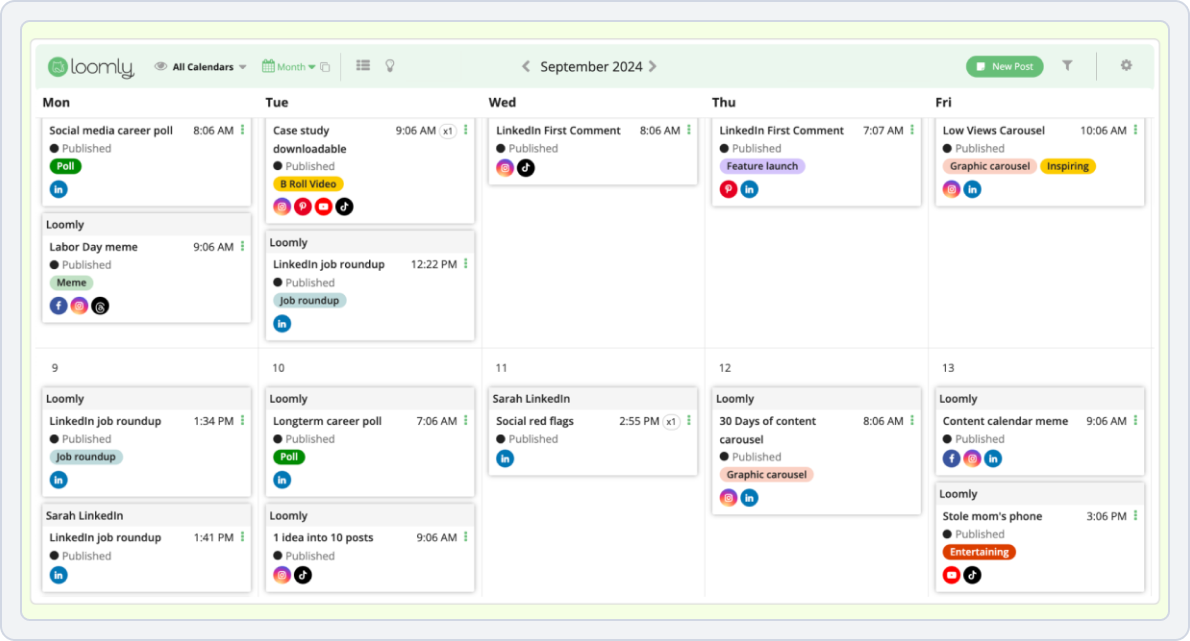
Starting Price: $26/month
Best For: Marketing Teams & Content Approval Workflows
Loomly is a calendar-based social media tool built for managing content by brand/client “calendars,” with structured workflows for teams. It’s a practical pick among Buffer alternatives for approvals and team workflows when users need review/approval processes and performance tracking tied to a collaborative calendar.
Buffer vs Loomly
Loomly is an all-around social media management tool geared toward teams, agencies, and marketers who need collaboration, scheduled campaigns, and workflow features, often compared with Buffer and other tools.
1. Engagement Analysis
Loomly provides comprehensive analytics that go beyond basic metrics, offering detailed insights into engagement, reach, and performance trends for every post.
- Tracks likes, comments, shares, clicks, and overall post performance.
- Monitors reach, impressions, and engagement rate for each post.
- Historical data to identify trends over time and optimize campaigns.
- Breaks down engagement by platform: Instagram, Facebook, LinkedIn, TikTok, X (Twitter), YouTube, Pinterest.
- Shows which content types perform best (images, videos, carousels, stories, ads).
- Highlights top-performing hashtags and optimal posting times.
- Export analytics as branded PDF or CSV reports for clients or internal stakeholders.
- Include selected metrics, timeframes, and platforms.
- Customizable dashboards for quick insight without manual compilation.
Because of this depth, people searching for the best Buffer alternative for analytics often find Loomly’s analytics more complete, especially for client reporting.
Buffer vs Loomly Key Takeaway: Loomly provides analytics that rival higher-tier tools, outperforming Buffer on insights and reporting, though full access requires a paid plan.
2. Social Media Scheduling
Loomly provides professional scheduling and publishing tools made for teams and agencies.
- Draft posts directly in Loomly with text, images, videos, GIFs, and links.
- Add first comments for Instagram posts.
- Include hashtags, mentions, and location tags during draft creation.
- Assign post categories for campaigns, product lines, or content types.
- Invite team members with roles (admin, editor, contributor, approver).
- Comments and suggestions can be added directly to draft posts.
- Posts can be submitted for approval; approvers can approve, request changes, or reject.
- Keeps an audit trail of changes and approvals for transparency.
- View posts in calendar format: month/week/day.
- Drag-and-drop posts to reschedule or adjust timing.
- Color-coded categories make it easy to track campaigns or content types at a glance.
- Preview posts for each platform before publishing.
- Once approved, posts are automatically published to connected accounts.
- Supported platforms: Facebook, Instagram, LinkedIn, TikTok, X (Twitter), YouTube, Pinterest.
- Posting rules and time zone settings ensure content is published when the audience is most active.
- Save posts in reusable templates or evergreen libraries.
- Easily duplicate posts for campaigns or recurring content.
- Reduces manual scheduling and ensures consistent posting across multiple platforms.
Buffer vs Loomly Key Takeaway: Loomly’s scheduling features are professional-grade, offering much more than Buffer’s basic queue, especially for teams with approval needs.
3. Unified Social Inbox
Loomly offers a centralized inbox for managing audience interactions across multiple social platforms:
- Combines comments, mentions, and messages from Facebook, Instagram, X (Twitter), LinkedIn, and TikTok.
- Reduces the need to switch between platforms to manage interactions.
- Mark messages as read/unread and archive conversations for better tracking.
- Assign conversations to team members to ensure accountability.
- Use saved replies for consistent messaging across team members.
- Track which posts generate the most responses.
- Filter messages by platform, type, or priority to speed up your workflow.
Buffer vs Loomly Key Takeaway: Loomly’s unified inbox gives it an advantage over Buffer for handling social interactions, making it easier to manage messages and comments in one place. For teams that need more advanced engagement workflows, however, a specialized platform may still be necessary.
4. Integrations
Loomly supports integrations with all major social media platforms, including:
- Loomly: Facebook, Instagram, LinkedIn, Pinterest, TikTok, YouTube, Snapchat, Google Business Profile.
- Buffer: Facebook, Instagram, X (Twitter), LinkedIn, Pinterest, TikTok, YouTube, Threads, Bluesky, Mastodon, Google Business Profile, Shopify.
Buffer vs Loomly Key Takeaway: Buffer supports a slightly wider range of integrations than Loomly, including newer platforms like Threads, Bluesky, Mastodon, and Shopify. Loomly covers all the major social networks, making it sufficient for most users, but Buffer offers more options for brands looking to manage emerging platforms or e‑commerce connections in one place.
5. Pricing
Below is a clear comparison of Buffer vs Loomly pricing to help you see which option fits your budget and feature needs.
Loomly | Buffer | |
Platforms | FB, IG, TikTok, LinkedIn, YouTube, Pinterest, Slack, Teams, Google Drive, Dropbox, and Zapier for a connected workflow. | Bluesky, Facebook, Google Business Profile, Instagram, LinkedIn, Mastodon, Pinterest, Threads, TikTok, X (Twitter), and YouTube. |
Free Plan | No Offers a free trial | Yes Social channels: 3 User Account: 1 |
Pricing Plan | $34/mo Base -1 user -Approval & planning tools | $6/ month -1 channel -1 user account -Unlimited scheduled posts per channel |
Other Plans | $99/mo Standard -More users & reports -Scheduler & analytics -Team features | $12/month -1 channel -Unlimited scheduled posts per channel -Unlimited user accounts |
Verdict | Loomly is best for teams and structured workflows with approvals and planning tools, but it’s much more expensive and has no free plan. | Buffer is cheaper and simpler, ideal for solo users, though its per-channel pricing can add up as you scale. |
Buffer vs Loomly Final Takeaway
Loomly is ideal for teams that prioritize content planning, approvals, and workflow efficiency, but it doesn’t match Buffer’s range of social platform support. For businesses needing both multi-platform posting and integrated team collaboration, choosing between the two depends on whether platform reach or workflow tools are the priority.
For more options beyond Loomly, check out this guide to the best Loomly alternativesBuffer Alternative #7: Sendible
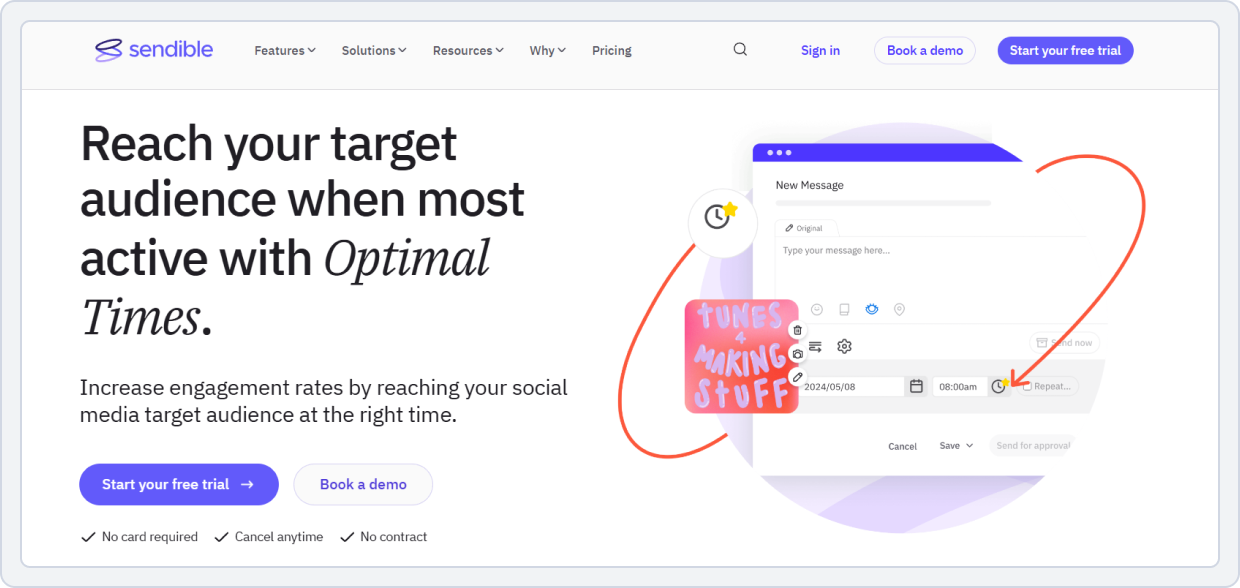
Starting Price: $29/month
Best For: Agencies That Want a Scalable, Client-Friendly Social Media Management Platform With a Strong Collaboration Feature.
Sendible is an all-in-one social media management platform focused on smart scheduling, analytics, and client/team workflows. It’s widely considered in the Buffer alternatives list for agencies because it pairs publishing with a Priority Inbox for engagement and collaboration-oriented features.
Buffer vs Sendible
Sendible is a professional-grade social media management tool often considered by users searching for Buffer alternatives, especially when they need team collaboration, analytics, and agency-level workflows. Here’s how it performs against the core issues people care about.
1. Social Media Analytics
Sendible’s analytics are more comprehensive than Buffer’s, offering deeper insight, reporting, and custom dashboards:
- Tracks likes, shares, comments, clicks, reach, and engagement on all major networks.
- Includes X (Twitter), Facebook, Instagram, LinkedIn, TikTok, Pinterest, YouTube, Threads, Bluesky, and Google Business Profile.
- Compare performance across platforms to optimize posting strategy.
- Export PDF or CSV reports tailored for clients, management, or internal analysis.
- Include metrics by platform, post type, or time period.
- Supports recurring and automated reporting for agencies managing multiple clients.
- Visualize engagement trends, follower growth, and top-performing posts.
- Identify patterns to improve campaign efficiency.
- Perfect for teams looking for a Buffer alternative for agencies or those seeking a content approval workflow, social media insights.
Compared to Buffer’s basic analytics on free and lower plans, Sendible delivers far stronger reporting, especially for teams, agencies, and performance-focused users.
Buffer vs Sendible Key Takeaway: Sendible provides much better analytics than Buffer, especially for agencies and data-driven marketers. Making it a top contender in the best Buffer alternatives 2026 category for analytics.
2. Social Media Scheduling Features
Scheduling and publishing are strong points for Sendible:
- Draft posts with text, images, videos, GIFs, or links.
- Assign posts to campaigns, clients, or content categories.
- Preview posts for each platform before publishing.
- Visual content calendar to schedule posts across multiple platforms.
- Drag-and-drop rescheduling for flexibility.
- Queue-based scheduling for recurring or evergreen content.
- Smart queues for campaigns or categories, reducing manual work.
- Assign posts to team members for multi-level approval.
- Approvers can approve, request changes, or reject content.
- Keeps a clear audit trail for client approval and social media calendar management.
- Posts automatically go live on connected platforms: Instagram, Facebook, LinkedIn, X (Twitter), TikTok, Pinterest, YouTube, and more.
- Time zone-based scheduling ensures posts are published at peak times for audience engagement.
Buffer vs Sendible Key Takeaway: Sendible’s scheduling features are far more advanced than Buffer’s basic queue, making it a good choice for agencies, larger teams, and businesses that need approvals and workflows, not just simple posting.
3. Unified Social Inbox
Sendible features a centralized Priority Inbox that consolidates comments, mentions, and messages from multiple social media accounts into a single dashboard.
- Allows you to manage interactions from connected platforms without switching between apps.
- It lets you filter and prioritize important messages so you can respond quickly.
- Supports assigning and archiving conversations to keep team workflows organized.
- Enables direct replies from the inbox, streamlining community engagement.
- While some messages may take a short time to sync, the unified inbox significantly reduces the need to jump between networks.
Buffer vs Sendible Key Takeaway: Sendible’s unified inbox provides a stronger engagement workflow than Buffer, centralizing all social interactions in one place. This makes it ideal for teams or users managing high volumes of messages and comments.
4. Integrations
- Sendible: Facebook, Instagram, X (Twitter), LinkedIn, Pinterest, TikTok, YouTube, Threads, Bluesky, Google Business Profile, WordPress, Tumblr, Medium.
- Buffer: Facebook, Instagram, X (Twitter), LinkedIn, Pinterest, TikTok, YouTube, Threads, Bluesky, Mastodon, Google Business Profile, Shopify.
Buffer vs Sendible Key Takeaway: Sendible offers both broad social media coverage and strong workflow integrations, including Canva, Slack, WordPress, Zapier, and CRM tools, making it more versatile for agencies and teams managing multiple clients. Buffer covers slightly more niche platforms like Mastodon, Bluesky, and Threads, but Sendible provides a more comprehensive ecosystem for publishing, collaboration, and marketing automation.
5. Pricing
Below, we break down Buffer vs Sendible pricing so you can see which platform offers better features and value for your budget.
Sendible | Buffer | |
Platforms | Facebook, Instagram, LinkedIn, Twitter/X, Google Business Profiles, Pinterest, YouTube, TikTok, Canva, Slack, WordPress, Zapier, and CRM tools. | Bluesky, Facebook, Google Business Profile, Instagram, LinkedIn, Mastodon, Pinterest, Threads, TikTok, X (Twitter), and YouTube. |
Free Plan | No free plan, offers a free trial | Yes Social channels: 3 User Account: 1 |
Pricing Plan | $199 /month -7 users/calendars -49 social profiles | $6/ month -1 channel -1 user account -Unlimited scheduled posts per channel |
Other Plans | $299 /month -20 users/calendars -100 social profiles | $12/month -1 channel -Unlimited scheduled posts per channel -Unlimited user accounts |
Verdict | Sendible is built for agencies and large teams, offering many users and social profiles but at a very high cost. | Buffer is far more affordable and simple, best for individuals or small teams, though its per-channel pricing limits scaling. |
Buffer vs Sendible Final Takeaway
Sendible is a powerful social media management tool and a strong option among the best Buffer alternatives 2026, especially if you need professional analytics and performance tracking, advanced scheduling with workflows and approvals, bulk uploads and campaign planning, and multi-platform publishing.
Check the SocialBu vs Sendible comparison to see which tool fits your workflow best for client management, publishing, and reporting.Buffer Alternative #8: Fedica

Starting Price: $15/month
Best For: Audience Analytics and Insight-Driven Social Media Scheduling.
Fedica is a data-driven social media platform combining publishing with follower analysis, listening, and analytics. It stands out in Buffer alternatives for audience analytics when users want strategy-oriented insights (beyond scheduling) to refine targeting and content decisions.
Buffer vs Fedica
Fedica is increasingly recognized as a modern Buffer alternative, especially among users who want advanced audience analytics alongside scheduling. It’s often mentioned in searches for free social media management tools and free Buffer alternatives.
1. Social Metrics Tracking
Fedica stands out for its data-driven, audience-focused analytics that go far beyond Buffer’s basic insights.
- Tracks likes, comments, shares, and click-through rates.
- Shows which posts resonate most with your audience.
- Provides analyses of age, gender, location, and interests.
- Helps refine content strategy for Buffer alternative for Instagram and LinkedIn scheduling tools, with free use cases.
- Even the free plan offers insightful analytics beyond the Buffer free plan’s 3-channel limits.
- Identify which content drives engagement and audience growth.
Buffer vs Fedica Key Takeaway: Fedica offers stronger analytics than Buffer, making it appealing for creators and brands that want meaningful data without relying on expensive tools.
2. Social Media Scheduling Features
Fedica provides multi-platform scheduling that’s more advanced than Buffer’s basic queue.
- Fedica allows posting across multiple social networks, including posts, threads, and polls, so you can manage all accounts from one platform.
- Fedica can suggest optimal posting times based on audience activity, improving reach and engagement without guesswork.
- The calendar provides a visual overview of all scheduled content, helping you plan campaigns and avoid overlaps or gaps.
- Posts can be tailored for each platform, including captions, images, hashtags, and formatting, ensuring each update looks native to the network.
Buffer vs Fedica Key Takeaway: Fedica improves on Buffer’s scheduling by offering smarter tools and broader post support, even on lower-tier plans.
3. Limited Bulk Uploads
Unlike Buffer’s 10 scheduled posts per channel limit, Fedica supports:
- Unlike Buffer’s free plan, which limits you to 10 posts per channel, Fedica lets you upload multiple posts at once, saving creators and teams time.
- You can save posts as drafts, organize them in pipelines, and schedule them later, making content planning more flexible.
- Integrated with the visual calendar, bulk uploads and drafts can be easily arranged, rescheduled, and tracked for efficient posting.
This is useful for creators and small businesses looking for free social media scheduling tools for small business.
Buffer vs Fedica Key Takeaway: Fedica removes many of the bulk-posting frustrations found in Buffer’s free plan.
4. Integrations
- Fedica: X (Twitter), Facebook, Instagram, LinkedIn, Pinterest, TikTok, YouTube, Threads, Mastodon, Bluesky, Tumblr, Pixelfed.
- Buffer: Facebook, Instagram, X (Twitter), LinkedIn, Pinterest, TikTok, YouTube, Threads, Bluesky, Mastodon, Google Business Profile, Shopify.
Buffer vs Fedica Key Takeaway: Fedica supports all the platforms Buffer does, plus Pixelfed and Tumblr, giving it slightly broader coverage for niche or decentralized social networks. Both are strong for multi-platform posting, but Fedica is better suited for users who want to include alternative or federated platforms alongside mainstream networks.
5. Pricing
Here’s a comparison of Buffer vs Fedica pricing to help you understand which platform provides better value for your needs.
Fedica | Buffer | |
Platforms | X (Twitter), Facebook, Instagram, LinkedIn, Pinterest, TikTok, YouTube, Threads, Mastodon, Bluesky, Tumblr, Pixelfed. | Bluesky, Facebook, Google Business Profile, Instagram, LinkedIn, Mastodon, Pinterest, Threads, TikTok, X (Twitter), and YouTube. |
Free Plan | Yes -10 accounts - 1 per platform -Post to multiple social networks - Unlimited! -Schedule Posts - Up to 10 | Yes Social channels: 3 User Account: 1 |
Pricing Plan | $15 /month -Data-driven Publishing -Engagement Metrics -Organized Calendar -12 accounts (1 per platform) | $6/ month -1 channel -1 user account -Unlimited scheduled posts per channel |
Other Plans | $29 /month -PUBLISH PLAN + -Deep Follower Analysis -Follower Tracking Reports -12 accounts (1 per platform) | $12/month -1 channel -Unlimited scheduled posts per channel -Unlimited user accounts |
Verdict | Fedica is great for data-driven publishing and follower insights, offering many platforms and strong analytics at a fair price. | Buffer is cheaper and simpler, but its per-channel pricing and limited analytics make it less powerful for growth-focused users. |
Buffer vs Fedica Final Takeaway
Fedica is a strong free Buffer alternative that combines advanced analytics, flexible scheduling, and real free-plan value. It’s especially appealing to users focused on audience growth, insights, and strategy, not just publishing.
Buffer Alternative #9: Agorapulse

Starting Price: $99/month
Best For: Agencies and Teams Needing Advanced Scheduling, Collaboration, and Client-Ready Analytics
Agorapulse is a social media management suite that includes inbox management, publishing, reporting, monitoring, and collaboration features. It’s a common choice among Buffer alternatives, offering a unified inbox and team reporting for teams that need centralized engagement and stakeholder-ready reporting.
Buffer vs Agorapulse
Agorapulse is a well-established social media management platform frequently recommended as a Buffer alternative for agencies and teams. It’s best known for professional analytics, inbox management, and collaboration tools.
1. Social Media Analytics
Agorapulse delivers business-ready analytics that outperform Buffer’s reporting.
- Agorapulse provides detailed metrics on how your posts perform, including likes, shares, comments, clicks, impressions, and follower growth. This gives a complete picture of audience interaction over time.
- You can create reports ready to share with clients or stakeholders, complete with branding, charts, and summaries, saving time and giving them a professional appearance.
- For paid plans, Agorapulse tracks marketing campaign performance and calculates return on investment, enabling businesses and agencies to accurately measure the impact of their social media efforts.
- Buffer’s analytics are more basic and don’t offer branded reports or detailed social media ROI tracking, making Agorapulse a stronger choice for teams and client-facing reporting.
Buffer vs Agorapulse Key Takeaway: Agorapulse offers far more detailed analytics than Buffer, especially for teams and client reporting.
2. Social Media Scheduling Features
Scheduling is one of Agorapulse’s biggest strengths.
- Agorapulse provides a visual calendar to manage posts across multiple platforms, making it easy to see and adjust your content plan at a glance.
- Users can preview how posts will look on each social media platform before publishing, reducing errors and ensuring consistency.
- Assign roles like editors, managers, or contributors to team members, controlling who can schedule, approve, or publish content.
- Posts can go through approval processes and be assigned to specific team members, ensuring quality control and smoother collaboration, which is especially useful for agencies.
- Buffer’s scheduling is simpler, lacking advanced team workflows and approval systems, making Agorapulse far better for collaborative social media management.
Buffer vs Agorapulse Key Takeaway: Agorapulse’s scheduling and approval workflows are far more advanced than Buffer’s, especially for teams and agencies.
3. Unified Social Inbox
Agorapulse offers a unified inbox that consolidates all social interactions from connected accounts into a centralized dashboard.
- Collects comments, mentions, direct messages, reviews, and ad comments across platforms in a single view.
- Features filters, labels, and bulk actions to efficiently prioritize and organize conversations.
- Allows team members to be assigned to messages, use saved replies, and automate moderation with rules for faster responses.
- Custom inboxes can group specific profiles or campaigns for focused engagement workflows.
Buffer vs Agorapulse Key Takeaway: Agorapulse provides a true unified inbox, giving it a clear advantage over Buffer for managing high volumes of social interactions. Teams and agencies benefit from faster responses, organized workflows, and more efficient engagement management.
4. Integrations
- Agorapulse: Facebook, Instagram, X (Twitter), LinkedIn, Pinterest, TikTok, YouTube, Threads, Bluesky, Google Business Profile.
- Buffer: Bluesky, Facebook, Google Business Profile, Instagram, LinkedIn, Mastodon, Pinterest, Threads, TikTok, X (Twitter), and YouTube.
For similar tools with wide integration support, see the top Agorapulse alternatives.
Buffer vs Agorapulse Key Takeaway: Agorapulse offers a far more extensive integration ecosystem, covering all major social platforms Buffer supports, plus Reddit, Instagram Shopping, messaging apps, analytics tools, CRMs, and workflow apps like Slack, Canva, and Zapier. While Buffer focuses on core social networks, Agorapulse is ideal for agencies and teams that need advanced publishing, engagement, and reporting across multiple tools.
5. Pricing
Agorapulse | Buffer | |
Platforms | Facebook, Instagram, X (Twitter), LinkedIn, Pinterest, TikTok, YouTube, Threads, Bluesky, Google Business Profile. | Bluesky, Facebook, Google Business Profile, Instagram, LinkedIn, Mastodon, Pinterest, Threads, TikTok, X (Twitter), and YouTube. |
Free Plan | No free plan, offers a free trial | Yes Social channels: 3 User Account: 1 |
Pricing Plan | Standard $99 /month -Schedule and publish unlimited posts -Manage all messages and organic comments from one inbox -Access basic reports on your audience and top content, and export branded reports | $6/ month -1 channel -1 user account -Unlimited scheduled posts per channel |
Other Plans | $149 /month Everything in Standard, plus: -Expand your publishing toolbox with link in bio, Instagram product tagging, and calendar notes -Monitor and reply to ad comments | $12/month -1 channel -Unlimited scheduled posts per channel -Unlimited user accounts |
Verdict | Agorapulse is ideal for teams and brands that need a unified inbox and detailed reporting, but it comes at a high price. | Buffer is much more affordable and easy to use, best for solo users, though its per-channel pricing limits advanced needs. |
Buffer vs Agorapulse Final Takeaway
Agorapulse is a premium Buffer alternative built for professional teams, agencies, and structured workflows. It’s not the best fit for users seeking free Buffer alternatives, but it excels in analytics, scheduling depth, and collaboration.
Still paying agency-level prices for basic scheduling? Read SocialBu vs Agorapulse to see which tool gives you the features you actually need.Buffer Alternative#10: Tailwind

Starting Price: $29.99/month
Best For: Instagram-First Creators, Pinterest Marketers & Solopreneurs
Tailwind is a scheduler and marketing toolkit designed primarily for Pinterest and Instagram workflows. It’s often used as one of the Buffer alternatives for Pinterest scheduling when creators want platform-specific scheduling utilities and visual-network-focused planning tools.
Tailwind vs Buffer
Tailwind is a social media scheduler built for visual content creators, especially Instagram and Pinterest users. It’s considered a popular Buffer alternative for Instagram and Pinterest.
1. Platform Insights
Tailwind offers in-depth content performance insights:
- Tailwind tracks likes, comments, repins, and shares across posts, Instagram Stories, and Pinterest boards, giving creators a full view of content performance.
- It analyzes which hashtags drive engagement and how communities (Tribes) interact with your content, helping you optimize reach and collaboration.
- You can monitor audience growth over time and identify engagement trends, which helps refine posting strategies and content planning.
- Buffer’s free plan offers very basic analytics without visual or hashtag-specific insights, making Tailwind a better fit for creators focused on Pinterest and Instagram performance.
Buffer vs Tailwind Key Takeaway: Tailwind delivers stronger analytics for visual content than Buffer’s free plan, helping creators refine posting strategies and maximize engagement.
2. Social Media Scheduling Features
Tailwind enhances scheduling beyond Buffer’s basic queue:
- Tailwind automatically suggests the best times to post to maximize visibility and interaction.
- A calendar view lets you schedule posts visually, with easy drag-and-drop rescheduling to adjust timing or reorder content.
- Tailwind lets you schedule first comments alongside posts, which is useful for adding hashtags or additional messaging without cluttering the main caption.
- Buffer lacks smart timing suggestions, visual content calendars, and first-comment scheduling, which makes it much less effective for Instagram- and Pinterest-focused planning.
Buffer vs Tailwind Key Takeaway: Tailwind’s smart scheduling and visual planning overcome Buffer’s limitations for Instagram- and Pinterest-focused brands.
3. Limited Bulk Uploads
Tailwind supports bulk uploads and queue management:
- Tailwind supports bulk uploads, saving creators who manage lots of visual content time.
- You can set up content queues that post automatically according to your schedule, reducing manual effort.
- Posts can be organized into categories or campaigns to ensure consistent messaging and efficient reuse of content.
- Buffer’s free plan limits bulk uploads, requiring users to manually schedule posts one at a time, whereas Tailwind streamlines bulk content scheduling and campaign automation.
Buffer vs Tailwind Key Takeaway: Tailwind offers bulk content scheduling and automated campaigns, overcoming Buffer’s free-plan limits.
4. Integration
- Tailwind: Instagram, Pinterest, Facebook, Canva, and Unsplash.
- Buffer: Bluesky, Facebook, Google Business Profile, Instagram, LinkedIn, Mastodon, Pinterest, Threads, TikTok, X (Twitter), and YouTube.
Buffer vs Tailwind Key Takeaway: Tailwind focuses on visual platforms like Instagram and Pinterest, with added integrations for Canva and Unsplash to streamline content creation. Buffer covers a broader range of social networks, making it better for multi-platform posting beyond visual-first channels.
5. Pricing
Here’s a quick look at Buffer vs Tailwind pricing to see which platform gives you more value for your social media management needs.
Tailwind | Buffer | |
Platforms | Instagram, Pinterest, and Facebook, as well as Canva and Unsplash. | Bluesky, Facebook, Google Business Profile, Instagram, LinkedIn, Mastodon, Pinterest, Threads, TikTok, X (Twitter), and YouTube. |
Free Plan | Yes -5 Tailwind Credits/mo -5 Posts per month across Instagram, Pinterest & Facebook -1 account -1 user | Yes Social channels: 3 User Account: 1 |
Pricing Plan | $29 /month -150 Tailwind Credits/mo -150 Posts/mo across Instagram, Pinterest & Facebook -1 account -1 user | $6/ month -1 channel -1 user account -Unlimited scheduled posts per channel |
Other Plans | $54 /month -300 Tailwind Credits/mo -300 Posts per month across Instagram, Pinterest & Facebook -2 accounts | $12/month -1 channel -Unlimited scheduled posts per channel -Unlimited user accounts |
Verdict | Tailwind is best for Instagram and Pinterest-focused users, especially for visual planning, but it’s limited in platforms and gets expensive with credit limits. | Buffer is more flexible and affordable, supporting many platforms, though it uses per-channel pricing. |
Buffer vs Tailwind Final Takeaway
Tailwind is ideal for brands and creators who are heavily focused on Instagram and Pinterest and want content creation and scheduling in one place. Buffer, on the other hand, offers wider platform coverage, making it a stronger choice for businesses or teams managing multiple social channels simultaneously.
If you’re planning visual content at scale, compare SocialBu vs Tailwind to see which tool helps you schedule smarter, automate faster, and stay consistent across channels.Buffer Alternative #11: MeetEdgar

Starting Price: $29.99/month
Best For: Evergreen Content Automation
MeetEdgar is a social media scheduling and automation tool designed to keep posting consistent through automation and an evergreen content library approach. It’s often chosen as a Buffer alternative for content recycling when users prioritize automated re-sharing and always-on posting systems.
Buffer vs MeetEdgar
MeetEdgar focuses on content recycling, perfect for small businesses and creators who want evergreen content automation.
1. Social Media Insights
MeetEdgar offers basic engagement tracking:
- MeetEdgar tracks how different content categories (e.g., promotions, blog posts, evergreen content) perform, helping you identify which types of content engage your audience most.
- You can see metrics such as likes, shares, and comments for each social network, providing a snapshot of how your audience interacts across platforms.
- While reports are not as advanced as some other tools, you can still export key data to monitor trends and optimize posting strategies.
- Buffer’s free plan provides minimal analytics, while MeetEdgar gives enough insight to make informed decisions about evergreen content and category performance.
Buffer vs MeetEdgar Key Takeaway: MeetEdgar provides enough analytics to optimize evergreen content, which the Buffer free plan lacks.
2. Social Media Scheduling Features
MeetEdgar automates posting via category-based queues:
- MeetEdgar organizes content into categories and automatically posts from these queues, so you don’t have to manually schedule each update.
- Evergreen content can be reposted on a recurring schedule, keeping your social channels active without the need for repeated manual effort.
- Content can be published across major networks like Facebook, Twitter (X), and LinkedIn, all from a single dashboard.
- MeetEdgar’s focus on evergreen content ensures your high-performing posts continue to reach new audiences over time.
- Buffer’s free plan lacks automated content recycling and category-based posting, making MeetEdgar a stronger choice for users who want to minimize manual scheduling and keep evergreen content continuously visible.
Buffer vs MeetEdgar Key Takeaway: MeetEdgar solves Buffer’s limited scheduling by automating evergreen posts and reducing manual work.
3. Unified Social Inbox
MeetEdgar provides a centralized Social Inbox that gathers comments, replies, mentions, and direct messages from your connected social accounts into a single dashboard.
- Allows you to view and respond to interactions without switching between individual social platforms.
- Keeps community engagement organized and ensures important messages aren’t missed.
- Integrates engagement management alongside scheduling and content recycling workflows.
- While useful for basic engagement, it doesn’t offer the advanced moderation or social listening features of dedicated social CRM tools.
Buffer vs MeetEdgar Key Takeaway: MeetEdgar’s central inbox makes it easier to manage audience interactions compared with Buffer, giving users more control over engagement. However, for advanced moderation or in-depth conversational workflows, specialized engagement platforms may be more suitable.
4. Integration
- MeetEdgar: Facebook (Pages and Groups), Instagram, X (Twitter), LinkedIn (Profiles and Pages), Pinterest, TikTok, Threads, YouTube (Shorts), and Google Business Profile.
- Buffer: Facebook, Instagram, X (Twitter), LinkedIn, Pinterest, TikTok, YouTube, Threads, Bluesky, Mastodon, Google Business Profile, Shopify.
Buffer vs MeetEdgar Key Takeaway: MeetEdgar covers all major platforms Buffer supports except for Bluesky, Mastodon, and YouTube, focusing on the networks most businesses actively use. While Buffer has slightly broader platform coverage, MeetEdgar excels in content recycling and evergreen posting for consistent engagement.
5. Pricing
Let’s compare Buffer vs MeetEdgar to see how their plans, posting limits, and costs stack up for different users and teams.
MeetEdgar | Buffer | |
Platforms | Facebook (Pages and Groups), Instagram, X (Twitter), LinkedIn (Profiles and Pages), Pinterest, TikTok, Threads, YouTube (Shorts), Google Business Profile. | Bluesky, Facebook, Google Business Profile, Instagram, LinkedIn, Mastodon, Pinterest, Threads, TikTok, X (Twitter), and YouTube. |
Free Plan | No, offers a free trial | Yes Social channels: 3 User Account: 1 |
Pricing Plan | $29 /month -Social Accounts 5 -Scheduled Post Unlimited -Weekly Automations 10 -Content Categories 4 -Team Members 20 | $6/ month -1 channel -1 user account -Unlimited scheduled posts per channel |
Other Plans | $49 /month -Social Accounts 25 -Scheduled Post Unlimited -Weekly Automations 1,000 -Team Members 20 | $12/month -1 channel -Unlimited scheduled posts per channel -Unlimited user accounts |
Verdict | MeetEdgar is great for content recycling and automation, making it useful for long-term posting, but it’s more expensive and has no free plan. | Buffer is simpler and cheaper, ideal for basic scheduling, though its per-channel pricing limits advanced automation. |
Buffer vs MeetEdgar Final Takeaway
MeetEdgar is ideal for teams or creators who prioritize automating content repetition and maintaining a steady posting schedule. Buffer remains better for users who need maximum platform reach, but MeetEdgar offers greater value for long-term, automation-focused content strategy.
Want evergreen content on autopilot without losing control? Compare SocialBu vs MeetEdgar to see which tool gives you better performance.Buffer Alternative #12: Pallyy

Starting Price: $15/month
Best For: Freelancers, Solopreneurs & Visual Planning
Pallyy is a social media scheduling platform with built-in analytics and an engagement inbox for supported networks. It’s commonly included in Buffer alternatives for creators when users want scheduling plus performance tracking and inbox-style engagement handling in one place.
Buffer vs Pallyy
Pallyy is a budget-friendly visual social media scheduler with multi-platform posting, analytics, and team collaboration.
1. Social Media Analytics
Pallyy provides platform-specific insights:
- Pallyy provides analytics for Instagram, LinkedIn, and Facebook, letting you track performance on each channel separately.
- You can monitor likes, comments, shares, and audience growth over time to understand which content resonates best.
- Reports can be exported for client presentations, team updates, or campaign tracking, making data actionable.
- Even Pallyy’s free plan provides more in-depth analytics than Buffer’s free tier, helping users make smarter content decisions.
Buffer vs Pallyy Key Takeaway: Pallyy gives strong analytics even in the free plan, outperforming Buffer’s free tier.
2. Scheduling Features
When it comes to scheduling, Pallyy fills the gaps left by Buffer’s free plan with visual, easy-to-use tools:
- Pallyy lets you schedule posts visually on a calendar, making it easy to plan content and adjust posting times quickly.
- Users can schedule first comments along with posts, ideal for adding hashtags or additional notes without cluttering captions.
- Pallyy lets you post across multiple networks from a single dashboard, saving time and keeping content consistent.
- Buffer’s free plan lacks visual planning and first-comment scheduling, so Pallyy offers a more user-friendly, feature-rich scheduling experience.
Buffer vs Pallyy Key Takeaway: Pallyy solves Buffer’s scheduling gaps with a visual, easy-to-use content calendar.
3. Unified Social Inbox
Pallyy provides a centralized inbox that consolidates comments, messages, mentions, and reviews from multiple social platforms into a single dashboard.
- Enables direct replies to audience interactions without switching between apps.
- Offers tools like labels, automation, and team assignments to keep conversations organized.
- Helps ensure no engagement is missed and streamlines community management across platforms.
Buffer vs Pallyy Key Takeaway: Pallyy’s unified inbox gives it an edge over Buffer by consolidating social interactions in one place, making it easier for teams and creators to manage engagement efficiently.
4. Integration
- Pallyy: Instagram, TikTok, YouTube, Facebook, X (Twitter), Threads, LinkedIn, Pinterest, Bluesky, Google Business Profile.
- Buffer: Facebook, Instagram, X (Twitter), LinkedIn, Pinterest, TikTok, YouTube, Threads, Bluesky, Mastodon, Google Business Profile, Shopify.
Buffer vs Pallyy Key Takeaway: Pallyy supports all the core platforms Buffer covers except for Bluesky, Mastodon, Threads, and YouTube, focusing on the most widely used networks. Buffer offers slightly broader platform coverage, making it better for businesses targeting niche or emerging networks.
5. Pricing
Here’s a quick comparison of Pallyy vs Buffer pricing to help you see which tool offers better value for your social media management needs
Pally | Buffer | |
Platforms | Bluesky, Facebook, Instagram, Google Business, LinkedIn, Pinterest, Reddit, Snapchat, Threads, TikTok, Tumblr, Twitter, and YouTube. | Bluesky, Facebook, Google Business Profile, Instagram, LinkedIn, Mastodon, Pinterest, Threads, TikTok, X (Twitter), and YouTube. |
Free Plan | No free plan, but offers a free trial | Yes Social channels: 3 User Account: 1 |
Pricing Plan | $23 /month -1 Social Set (Max 10 social accts per set). -Unlimited Posts -1 User | $6/ month -1 channel -1 user account -Unlimited scheduled posts per channel |
Other Plans | $99 /month -10 Social Sets (Max 10 social accts per set.) -Unlimited Posts -3 Users | $12/month -1 channel -Unlimited scheduled posts per channel -Unlimited user accounts |
Verdict | Pally is good for managing multiple accounts in sets with unlimited posts, making it ideal for growing teams, but it’s costlier than Buffer. | Buffer is cheaper and simpler, best for solo users or a few channels, though scaling adds per-channel costs. |
Buffer vs Pallyy Final Takeaway
Pallyy is a solid option for teams or creators who want essential multi-platform posting without extra complexity. Buffer remains the stronger choice for broader social reach and support for niche platforms, but Pally can be a cost-effective alternative for everyday scheduling needs.
Buffer Alternative #13: VistaSocial

Starting Price: $79/month
Best For: Modern Teams, Analytics, Short-Form Video Scheduling, Affordability
Vista Social is a social media management and optimization platform positioned around publishing, analytics, and engagement from a single hub. It’s selected among Buffer alternatives for client management when agencies need multi-profile workflows with engagement and reporting built into the same platform.
Buffer vs VistaSocial
Vista Social is an all-in-one social media tool for small businesses and agencies, combining scheduling, analytics, and engagement features.
1. Performance Metrics
While Buffer gives basic performance metrics (likes, shares, clicks, impressions), Vista Social goes several steps further:
- You can track follower growth, audience demographics, and engagement trends over time across multiple platforms in one dashboard.
- Vista Social breaks down how each post performs by engagement type, reach, and click-through rate. You can easily spot which content resonates most.
- For running multiple campaigns simultaneously, Vista Social aggregates all data into a single report, highlighting ROI for each campaign.
- Agencies and businesses can export reports in formats like PDF or CSV and share them with clients or stakeholders without manual data compilation.
- Unlike Buffer, which offers limited cross-platform insights, Vista Social consolidates analytics from all major social platforms into one place for easy comparison.
Buffer vs VistaSocial Key Takeaway: Vista Social is much more than a basic tracker. It turns social media metrics into actionable insights, making it ideal for agencies or businesses that need detailed reporting to optimize strategies.
2. Social Media Scheduling Features
Buffer is great for simple post scheduling, but it lacks robust features for complex workflows or team collaboration. Vista Social addresses this:
- You can view and manage posts across all social platforms in a single calendar, avoiding missed posts or scheduling conflicts.
- Vista Social supports recurring content, so you can set posts to repeat at regular intervals, a feature Buffer lacks natively.
- Teams can draft, review, and approve posts before publishing. This is essential for agencies or businesses with multiple stakeholders, as it ensures content quality and brand consistency.
Buffer vs VistaSocial Key Takeaway: Vista Social addresses Buffer’s scheduling limitations by offering advanced workflows, recurring posts, and approvals.
3. Unified Inbox
Vista Social offers a centralized inbox that consolidates comments, mentions, direct messages, and reviews from all connected social profiles into a single dashboard.
- Manage interactions across multiple platforms without switching apps.
- Use filters, labels, starred messages, and internal notes to stay organized and prioritize conversations.
- Assign messages to team members and leverage saved or AI-assisted replies for faster responses.
- Supports major networks including Facebook, Instagram, X (Twitter), LinkedIn, TikTok, and YouTube.
Buffer vs Vista Social Key Takeaway: Vista Social’s unified inbox provides a significant advantage over Buffer by centralizing all social engagement, making it easier for teams and agencies to respond efficiently and maintain organized workflows.
4. Integration
- VistaSocial: Facebook, Instagram, X (Twitter), LinkedIn, Pinterest, TikTok, YouTube, Threads, Bluesky, Snapchat, Reddit, Google Business Profile, Tumblr, Yelp, Trustpilot, TripAdvisor, OpenTable.
- Buffer: Facebook, Instagram, X (Twitter), LinkedIn, Pinterest, TikTok, YouTube, Threads, Bluesky, Mastodon, Google Business Profile, Shopify.
Buffer vs VistaSocial Key Takeaway: VistaSocial supports all the platforms Buffer does, plus Reddit, Snapchat, Tumblr, and more, giving it broader coverage across both mainstream and niche networks. It’s especially useful for businesses or agencies that want to reach audiences across a wider range of social and emerging platforms.
5. Pricing
Below is a clear comparison of Buffer vs VistaSocial pricing to help you understand which platform offers better value based on features and cost.
VistaSocial | Buffer | |
Platforms | Facebook, Instagram, X (Twitter), LinkedIn, Pinterest, TikTok, YouTube, Threads, Bluesky, Snapchat, Reddit, Google Business Profile, Tumblr, Yelp, Trustpilot, TripAdvisor, OpenTable. | Bluesky, Facebook, Google Business Profile, Instagram, LinkedIn, Mastodon, Pinterest, Threads, TikTok, X (Twitter), and YouTube. |
Free Plan | No free plan, but offers a free trial | Yes Social channels: 3 User Account: 1 |
Pricing Plan | $79 /month -15 social profiles -3 users | $6/ month -1 channel -1 user account -Unlimited scheduled posts per channel |
Other Plans | $149 /month -30 social profiles -6 Users | $12/month -1 channel -Unlimited scheduled posts per channel -Unlimited user accounts |
Verdict | VistaSocial is ideal for agencies or teams managing many profiles, offering multiple users and extensive platform support, but it’s expensive | Buffer is simpler and much cheaper, best for solo users or small teams, though costs rise per channel as you scale. |
Buffer vs VistaSocial Final Takeaway
VistaSocial is ideal for teams needing multi-platform reach, including niche channels, and offers more versatility for content distribution. Buffer remains simpler and more reliable for standard social networks, but VistaSocial delivers greater integration value for growth-focused social media strategies.
Take Control of Your Posting Workflow
Try SocialBu for under $20/month with more queues, inbox, and analytics included.
Final Verdict
Buffer has long been a go-to social media scheduler, but its free plan limits and basic features often leave users looking for more. Fortunately, there are plenty of free Buffer alternatives that solve pain points.
If you’re managing multiple accounts, collaborating with a team, or need client approval workflows, SocialBu is an all-in-one solution. Looking for analytics and insights? Tools like Fedica and Vista Social are excellent. They dig deeper than Buffer and give you the kind of performance data that actually helps you plan smarter. For Instagram and Pinterest creators, Tailwind and Pallyy are fantastic.
So, if Buffer ever felt a bit too restrictive, don’t worry. These Buffer alternatives in 2026 give you the freedom, features, and flexibility to take your social media game to the next level.
Which Buffer alternative do you think fits your social media needs the best, and why?
FAQs
Q: What are the best free Buffer alternatives in 2026?
Top free or flexible alternatives include SocialBu, Later, Metricool, Publer, SocialBee, Loomly, Sendible, Fedica, Agorapulse, Tailwind, MeetEdgar, Pallyy, and VistaSocial.
Q: Does Buffer have a free trial?
Yes, Buffer offers a free plan with limited features and usually a free trial for paid plans, but its free plan caps you at 10 scheduled posts per channel.
Q: Which Buffer alternatives have the best analytics and reporting?
SocialBu, Metricool, and VistaSocial stand out for stronger analytics and actionable reporting compared with Buffer’s basic metrics.
Q: Is there a Buffer alternative with a unified inbox for comments and DMs?
Yes, SocialBu provides a true unified inbox. Other tools with centralized engagement include Sendible, Loomly, Pallyy, and VistaSocial.
Q: Which Buffer alternatives support scheduling to multiple social platforms at once?
SocialBu and many others like Metricool, Publer, SocialBee, Loomly, Sendible, Pallyy, and VistaSocial let you schedule posts across multiple networks from a single dashboard.
Q: What are the best Buffer alternatives for agencies and client approvals?
SocialBu, Loomly, Sendible, SocialBee, and Agorapulse offer strong team collaboration and approvals, with SocialBu being a flexible all-in-one choice.
Q: Which Buffer alternatives allow bulk scheduling or CSV uploads?
SocialBu supports bulk uploads and CSV scheduling. Other tools with bulk upload capabilities include Metricool, Publer, and Tailwind.









