The social media management space has been tremendously growing over the years, and it has seen a great inclination among users, especially marketers, towards AI tools. Here’s a quick sneak peek at the data.
Planoly and Buffer are two of the most searched tools in this space. Both have earned genuine trust over years of use and serve the broad category of social media publishing tools. But they were built for fundamentally different users, with different philosophies, pricing structures, and genuine strengths.
Choosing the wrong one is not just a budget mistake; it creates daily friction in your workflow that compounds over months.
This guide gives you the honest answer to Planoly vs Buffer. Not a summary of marketing copy, but a real feature-by-feature breakdown of Buffer vs Planoly features, pricing, platform support, analytics depth, AI capabilities, and team tools; ending with clear use-case recommendations.
By the end, you will know which tool fits your situation, and whether either of them actually does.
TL;DR
If your brand lives and dies on Instagram aesthetics, then Planoly is the tool built for you. Its Instagram grid planner and native link-in-bio tool are unmatched at this price point.
But if you manage multiple platforms, want genuinely useful AI writing assistance included even on a free account, and want analytics that actually tell you something actionable, Buffer is the stronger, more versatile tool.

Tool Overviews: What Planoly and Buffer Actually Are?
Before moving any further and providing you with a head-to-head comparison of Planoly and Buffer, let us first introduce these tools and help you understand where each stands in the market.
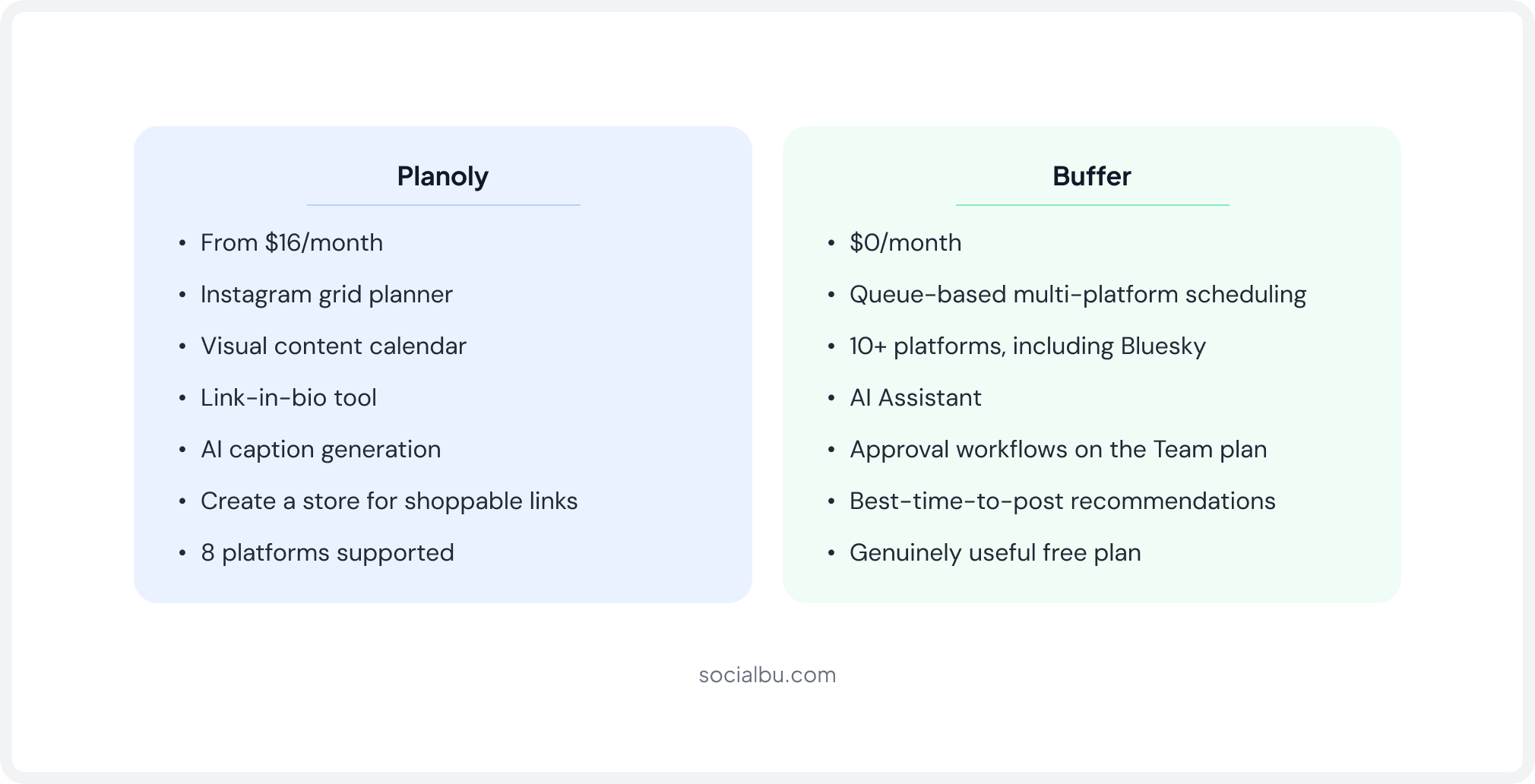
Here is a quick breakdown of Planoly vs Buffer for you.
What Is Planoly?
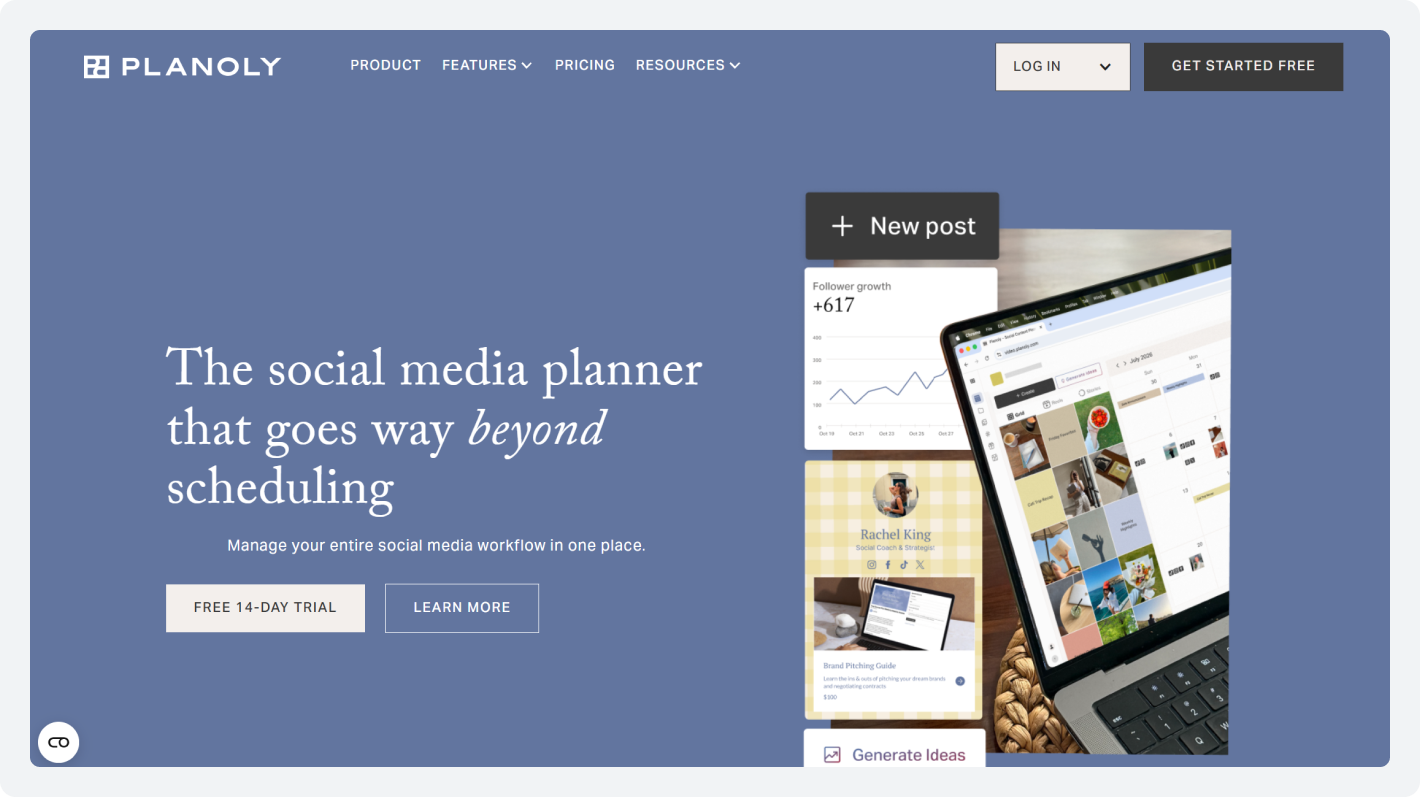
Planoly started as a dedicated Instagram grid planner in 2016, and that origin still defines everything the product does today. It was built for visual creators who needed to see exactly how their feed would look before publishing, rearranging posts on a live grid preview like tiles on a mood board.
Over time, Planoly expanded to support Pinterest, Facebook, TikTok, X, LinkedIn, YouTube, and Threads, and added a link-in-bio tool, a Creator Store for product links, and AI-powered caption generation.
But the core philosophy has never changed: Planoly is a visual content planner first and a social media scheduling software second. In 2026, it remains the strongest option if Instagram aesthetics are central to your brand strategy.
What Is Buffer?
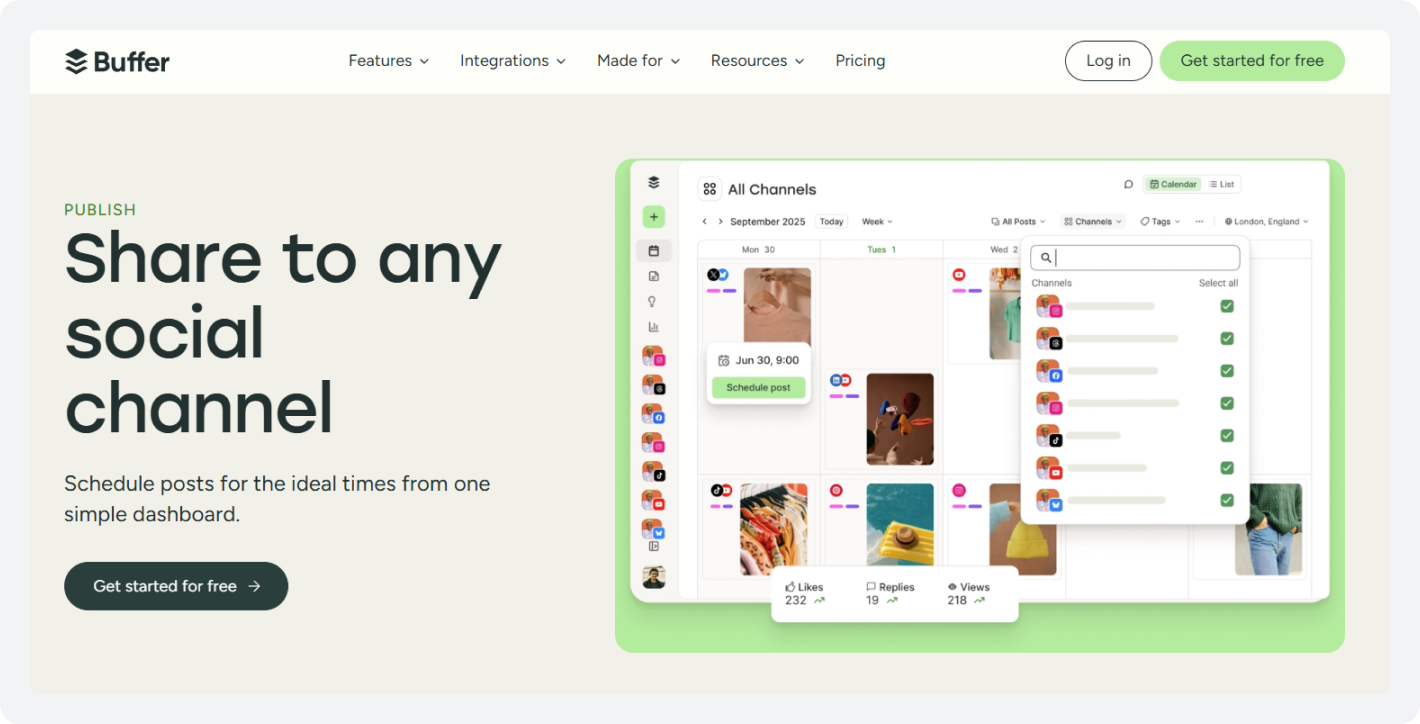
Buffer has been in the social media automation space since 2010; it is one of the oldest and most trusted names in this space. Buffer’s philosophy runs opposite to Planoly’s: its goal is to make multi-channel scheduling as frictionless as possible.
You fill a queue, define a posting schedule, and Buffer auto-publishes in order across all the platforms you manage.
This is no visual grid canvas, no elaborate content planning interface. What Buffer offers instead is: 10+ platform integrations, a genuinely useful Buffer free plan that works for real creators, an AI assistant available at no cost, and Team plan collaboration features that Planoly’s equivalent simply does not match.
Buffer is the right baseline tool for creators and businesses that need multi-channel reliability without a steep learning curve.
Planoly In One Line: A visual-first Instagram and Pinterest planner that evolved into a multi-platform scheduler but never left its aesthetic roots behind.
Buffer In One Line: A multi-platform publishing engine built for operational efficiency, with strong analytics and a genuinely usable free tier.
How do Planoly and Buffer Handle Publishing and Scheduling?
The day-to-day experience of scheduling a week of content is dramatically different between Planoly and Buffer. The workflow logic baked into each tool shapes not just how long scheduling takes, but what kinds of content strategies are even feasible.
Planoly
Planoly’s interface is built around its visual content planner and social media content calendar. When you upload a photo or video, it lands in a live drag-and-drop grid that mirrors your actual Instagram feed.
You can rearrange posts freely before committing to an order. For brands where feed composition drives brand decisions, this is highly practical.
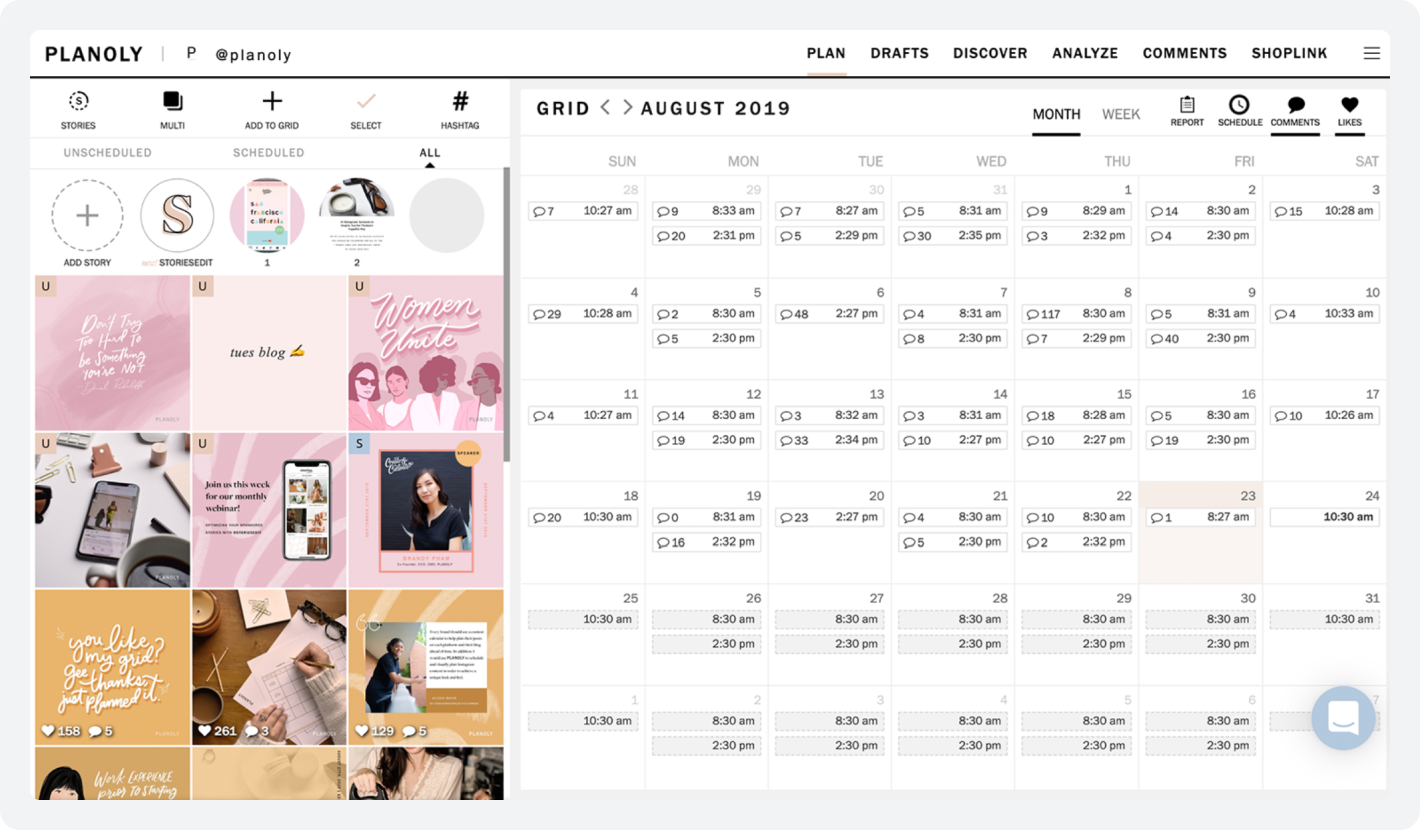
Planoly supports feed posts, Reels, Stories, and carousels on Instagram. The auto-publish Instagram feature works on all paid plans. Stories scheduling even includes a visual preview showing how stickers and text overlays will actually appear, a level of detail most schedulers skip entirely.
Limitations: Planoly’s Starter plan has a 60-upload cap per month. Also, the cap resets on the 1st of the calendar month, not your billing date. Sign up on the 15th, and your first “month” is half a month. There’s also no CSV bulk upload at any plan level.
“As a one-woman army, Planoly is my most trusted tool when it comes to social media scheduling for my baking business account. It makes planning, creating, and posting my content super easy.”
Buffer
Buffer’s scheduling model is queue-based. You define a recurring posting schedule for each channel, then add posts to that channel’s queue.
Buffer picks them up and publishes in order as each slot opens. You can batch-schedule an entire week without ever touching a calendar.
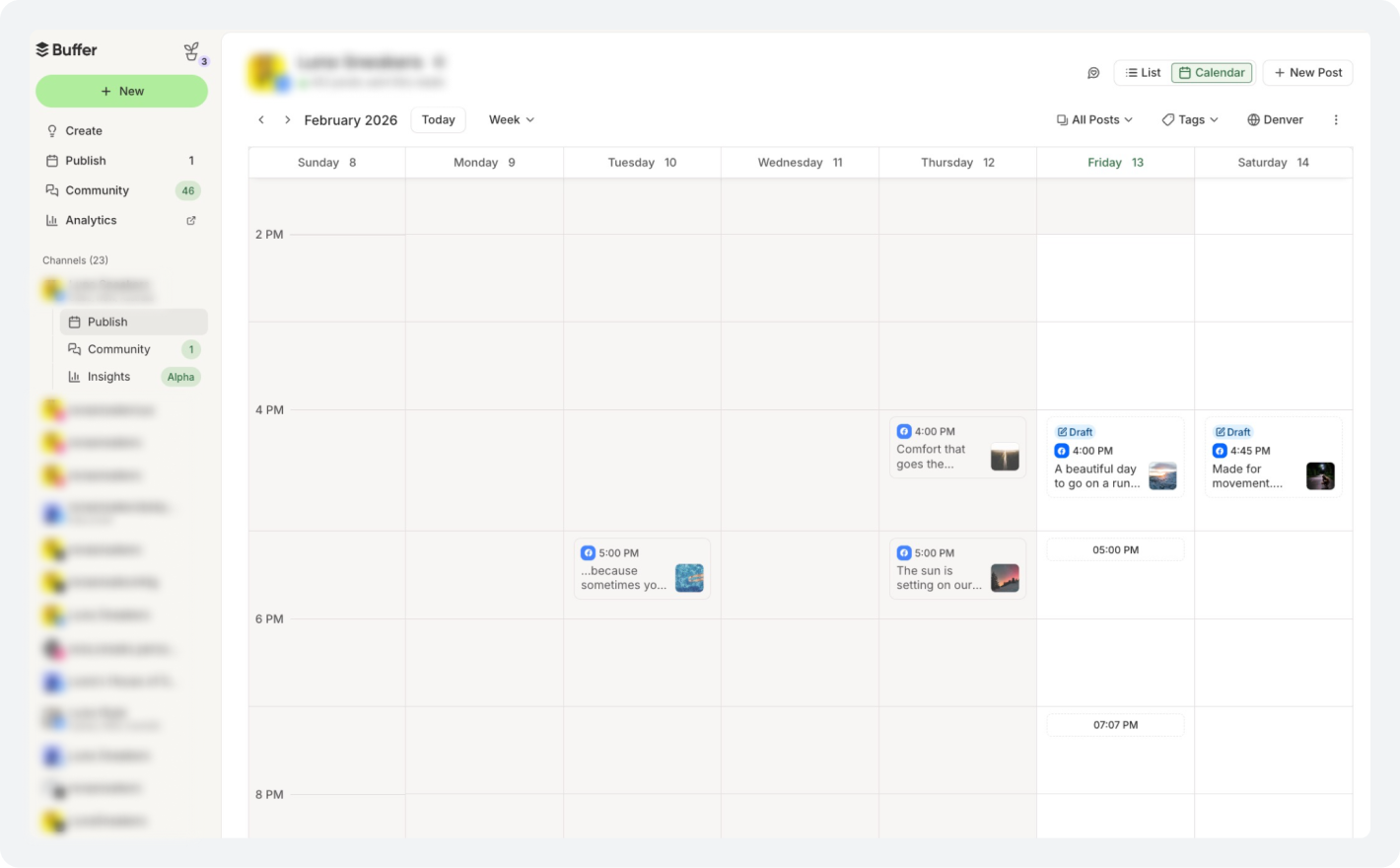
Buffer supports bulk social media scheduling via CSV upload on paid plans. This alone is a big deal for agencies and content teams working at volume.
It also supports first-comment scheduling on Essentials and above, great for dropping hashtag blocks into the first comment and keeping your caption clean.
Limitations: Buffer’s free plan has a lifetime cap of 8 unique channel connections, even if you disconnect and reconnect accounts. The 10-post queue limit can also feel tight during busy content weeks.
“I schedule posts for my clients and podcast with ease. I can schedule to every social media platform. You can reply to followers within the app.”
Scheduling Verdict
In the scheduling aspect of Planoly vs Buffer, Planoly wins for visual-first Instagram brands. But for multi-platform social media tool workflows, bulk scheduling via CSV, and queue-based publishing that eliminates manual time assignment, Buffer clearly wins for anyone posting across 3+ platforms.

How do Planoly and Buffer Compare for Instagram?
Instagram is where these two tools diverge most dramatically. Your choice here has the biggest impact on how your brand looks, how you convert visitors, and how much time you spend managing your presence.
Planoly
Planoly’s Instagram depth is genuinely unmatched at this price point. The Instagram grid planner renders your upcoming posts as a live feed preview, exactly what a visitor to your profile sees. Drag and rearrange before you publish. Prevent visual inconsistency before it happens.
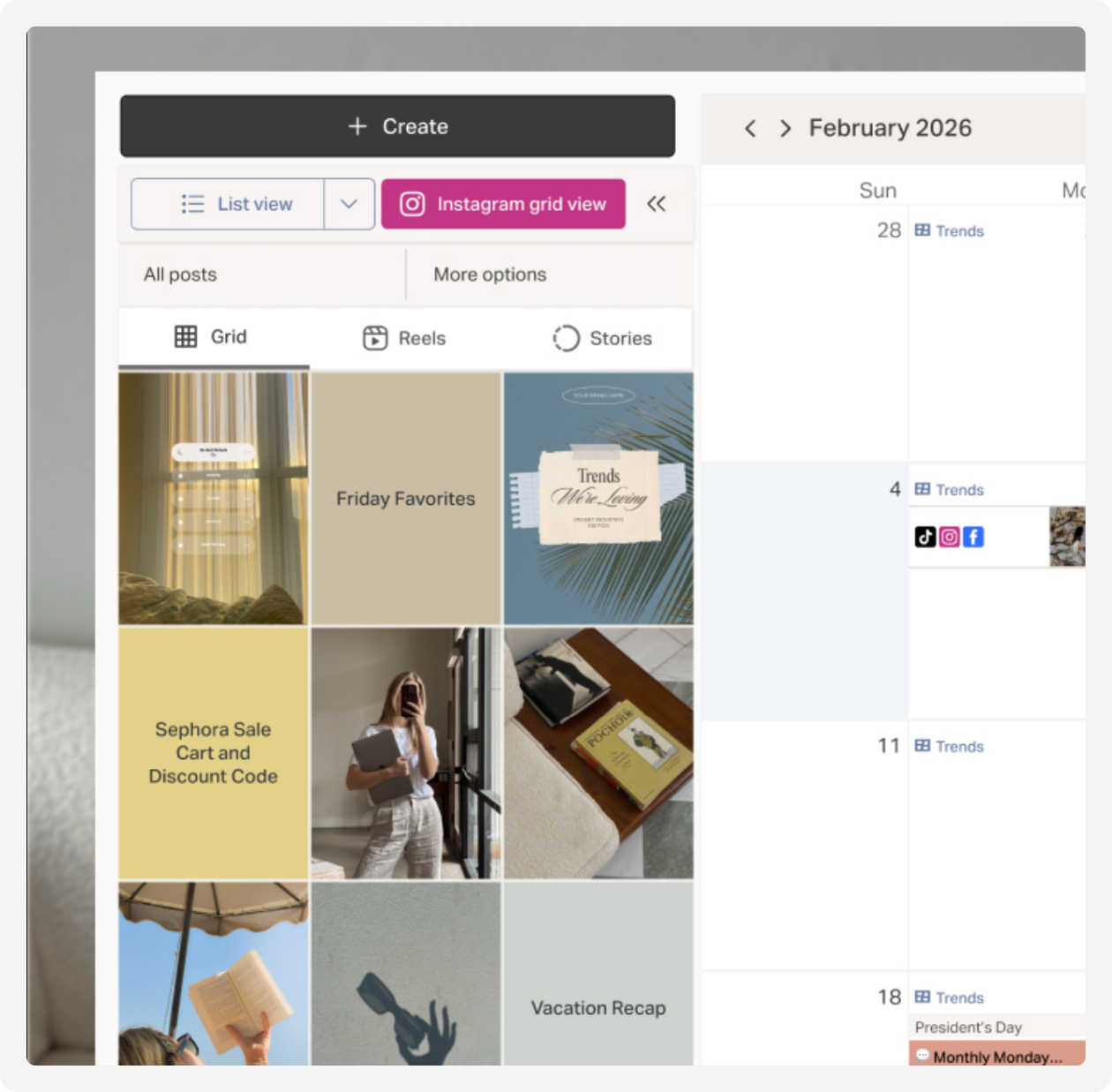
For Stories, Planoly shows you how text overlays and stickers will actually appear on screen. Carousel scheduling lets you write a separate caption for each slide. And the native link in bio tool is built right into the platform, no need for a separate Linktree subscription.
The Creator Store integration lets e-commerce brands add shoppable product links directly to their Instagram bios. For a social media tool for e-commerce, this combination of visual planning and native commerce is hard to replicate elsewhere at Planoly’s price.
“Maintaining a visually appealing aesthetic is crucial for content management, and Planoly’s grid view has become my secret weapon in achieving that. The ability to plan my posts in a grid layout provides a bird’s eye view of how my posts will appear on the feed.”
Buffer
Buffer’s Instagram coverage is competent and reliable, but it treats Instagram as one channel in a multi-channel workflow, not as a platform with unique visual demands.
Buffer handles feed posts, Reels (auto-publish on Essentials), Stories (auto-publish on paid plans), and carousels. Its first-comment scheduling keeps captions clean while still getting hashtag reach.
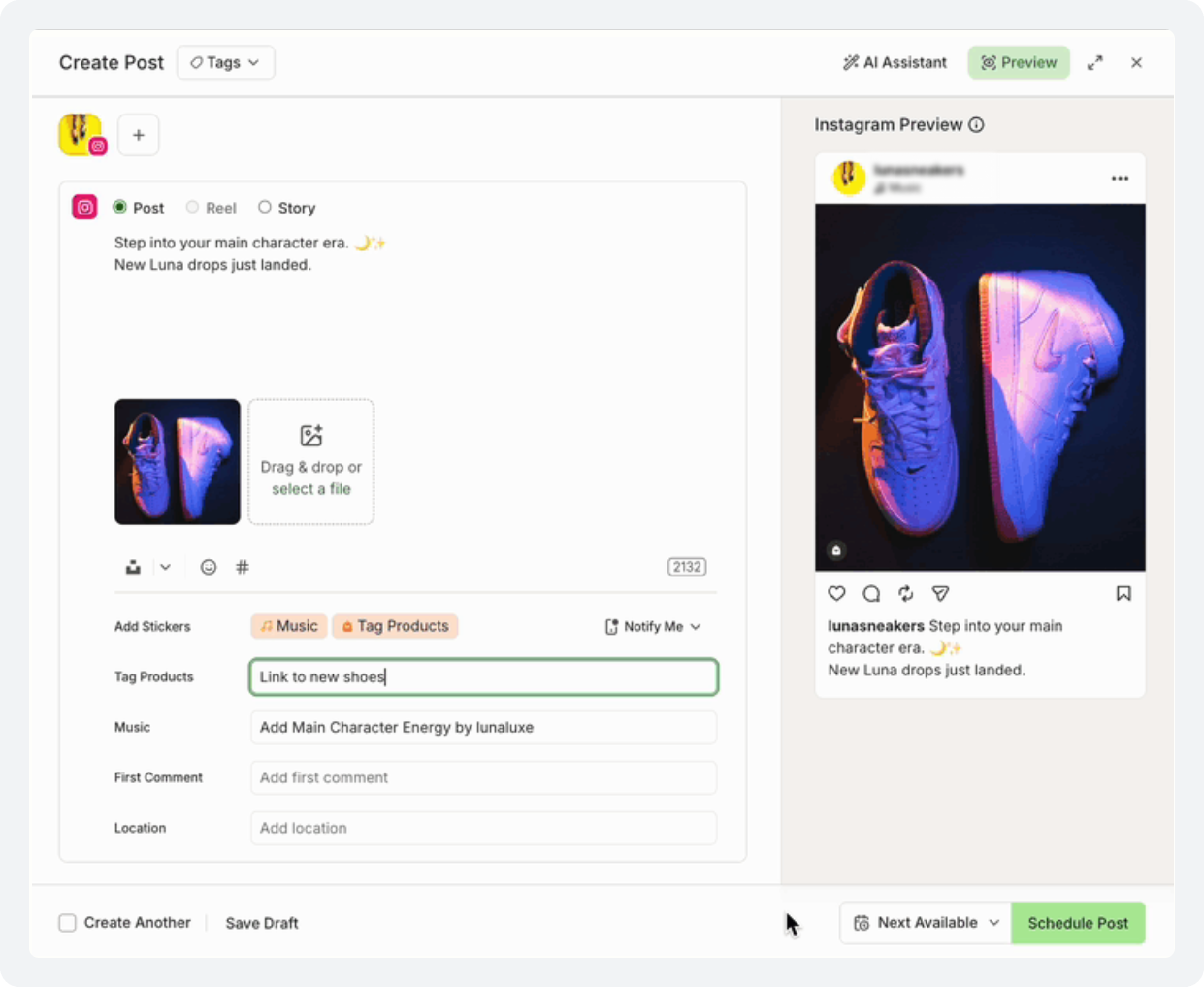
Where Buffer genuinely beats Planoly on Instagram is analytics. Buffer tracks reach, impressions, engagement rate, follower growth, link clicks, and saves.
On paid plans, you get unlimited historical data and best-time-to-post recommendations based on your own account’s actual engagement history, not generic benchmarks. Planoly has nothing equivalent.
What Buffer doesn’t have anywhere is a visual grid preview. There’s no way to see how a new post will interact with the posts around it on your feed before it publishes. For visual brands, that’s not a minor gap. It’s a fundamental missing capability.
Instagram Verdict
The depth of the Instagram scheduling tool, the native link-in-bio tool, the Creator Store, and Stories fidelity create a combination that Buffer simply can’t replicate. Buffer wins only on Instagram analytics depth, which is meaningful for data-driven creators, but it is a different kind of advantage.
What Platforms Do Buffer and Planoly Cover?
Planoly supports 8 platforms. Buffer supports 10+. But the number alone doesn’t tell the full story; depth matters as much as headcount.
Planoly
Planoly’s platform support outside Instagram follows a clear pattern: the more visual the platform, the better. Its Pinterest scheduling tool experience is genuinely capable; you can plan pins visually, schedule across boards, and manage descriptions. The TikTok scheduling tool supports video scheduling with auto-publish on paid plans.
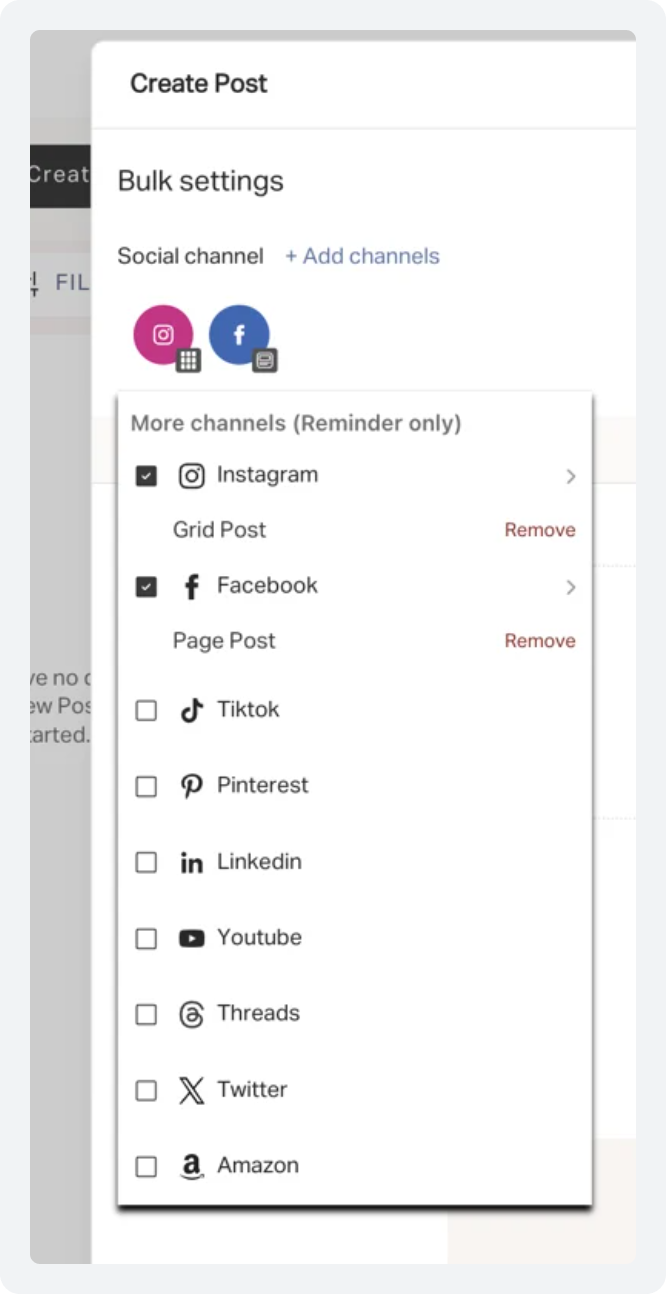
However, the Facebook scheduling tool, LinkedIn scheduling tool, YouTube, X, and Threads are all supported at a functional level; you can schedule posts, but none of the deep platform-native features that make Planoly worth using for Instagram are available. For brands that live on LinkedIn or X, Planoly feels thin.
Buffer
Buffer’s platform breadth is more evenly distributed. Its LinkedIn scheduling tool supports article and PDF carousels, ideal for B2B brands that use LinkedIn for thought leadership.
Its Facebook scheduling tool covers both Pages and Groups on paid plans. YouTube scheduling supports full metadata, including thumbnails.
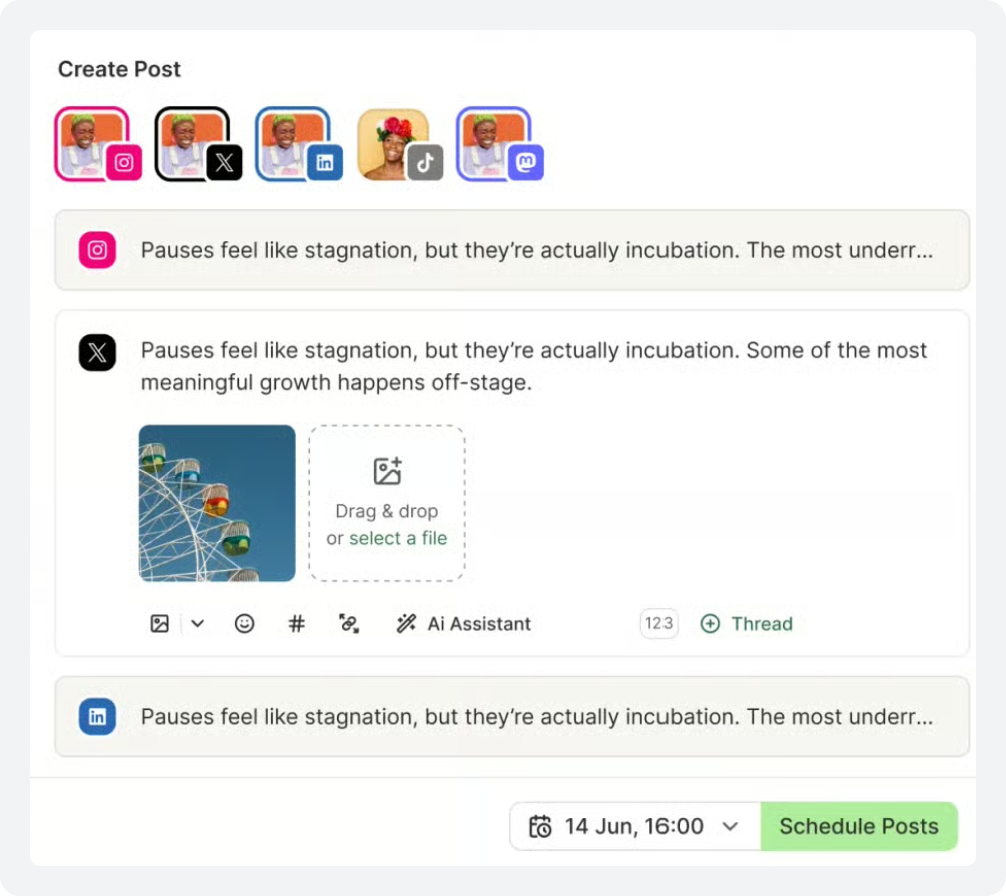
And then there are three platforms that Buffer supports, but Planoly doesn’t: Bluesky, Mastodon, and Google Business Profile. Google Business Profile post scheduling is genuinely useful for local businesses that want to push event announcements or offers directly into local search results.
Platform Coverage Verdict
Buffer’s 10+ platforms, with meaningful depth across all of them, including Bluesky, Mastodon, and Google Business Profile, make it the clear winner for anyone running a genuinely multi-platform social media tool strategy.
Tired of choosing between visual planning and platform reach?
SocialBu brings Instagram-grade scheduling, AI content, and 10+ platforms together under one flat price.
Whose Social Media Analytics Dashboard Offers More Useful Data?
Analytics are no longer optional; they’re how you decide what to post next. The question isn’t “does this tool track likes?” It’s “does it tell me what to do?”
Planoly
Planoly’s analytics are functional for creators who want to know which posts resonated. Instagram coverage includes likes, comments, reach, impressions, saves, and engagement tracking; a solid picture of post-level performance. Pinterest gets its own analytics view. Story metrics are available on Growth and above.
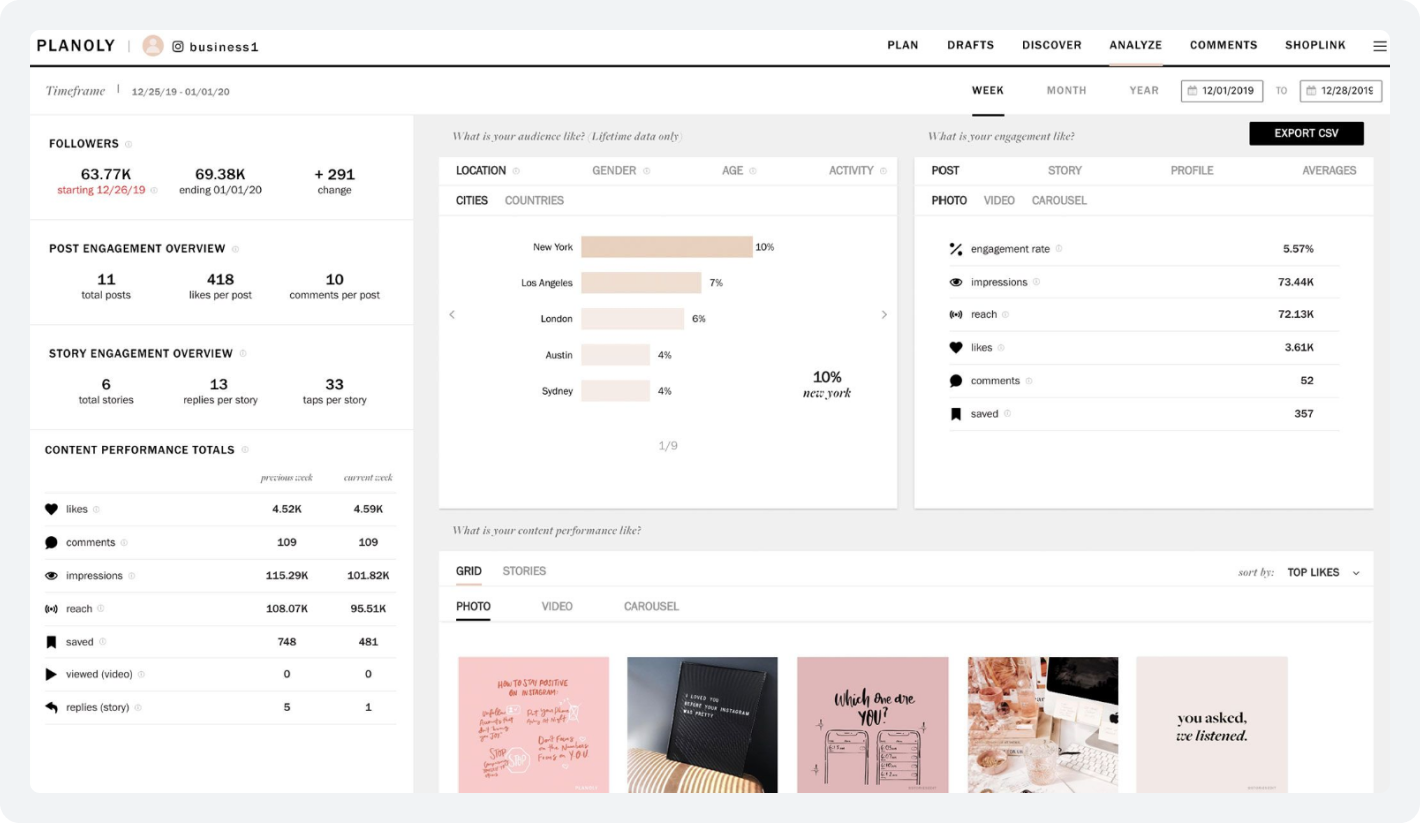
But Planoly’s analytics have real gaps. There’s no unified cross-platform view; you have to switch tabs and compare manually. There are no best-time-to-post recommendations at any plan level. Analytics history is limited on Starter, and there’s no data export on Starter either.
“No way to collaborate directly with clients. Doesn’t connect to all platforms. Very Instagram-focused. Not a lot of customer support for it, especially in emergencies.”
Buffer
Buffer’s analytics are meaningfully more capable. Two features stand out that Planoly doesn’t offer at any plan level.
First: a unified cross-platform dashboard, see all your platform performance in one view. Second: best-time-to-post recommendations generated from your own account’s engagement history, not generic industry guides.
On paid plans, Buffer provides unlimited historical analytics data. You can spot seasonal patterns, track format fatigue, and measure changes in follower quality over months or years.
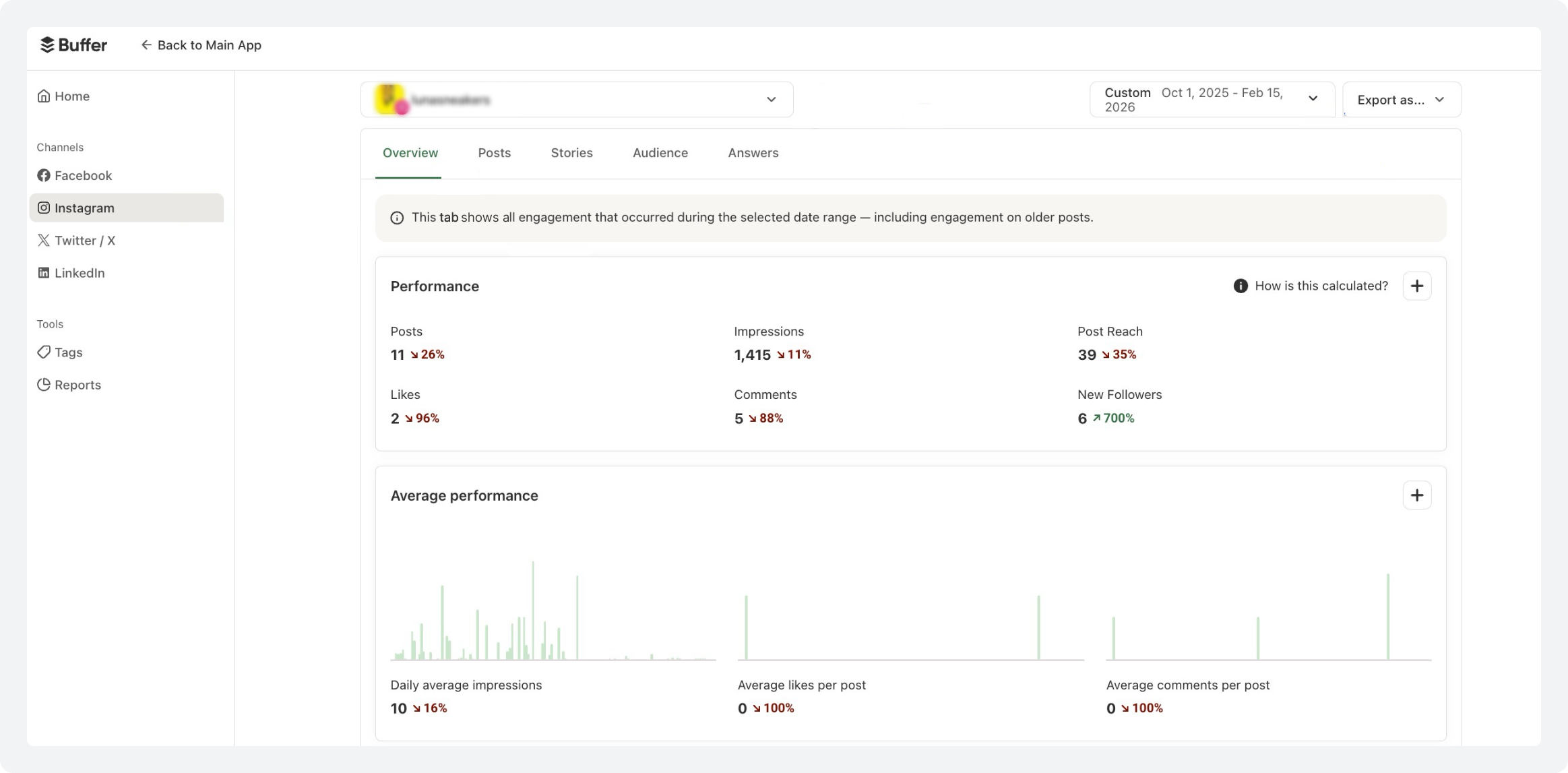
Free plan users get 30 days of history. Paid users get explorable reports, useful for agencies sharing performance with clients.
“Overall, I’ve always been very happy to use Buffer. Many clients insist on using it because they’re used to it and they love the analytics and metric reporting that the platform offers.”
Analytics Verdict
Unlimited history, best-time-to-post recommendations from your own data, and a unified cross-platform social media analytics dashboard are all capabilities that Planoly doesn’t offer at any plan. If data-informed scheduling is part of your strategy, Buffer’s advantage directly affects your results.
How do Planoly and Buffer Handle AI Social Media Scheduling?
AI has moved from differentiator to baseline expectation in 2026. Close to 60% marketers already use AI tools. The real question now is: how deeply does the AI integrate into your actual workflow?
Planoly
Planoly’s AI does one thing well: generating captions from the media you upload. The AI Auto-Magic Captions feature analyzes your image or video and suggests captions in a tone you choose: professional, casual, playful, or inspirational.
Hashtag suggestions are generated alongside. That’s genuinely useful, especially for visual creators who find writing slow.
But Planoly’s social media AI is reactive. It waits for you to upload something that helps you describe it.
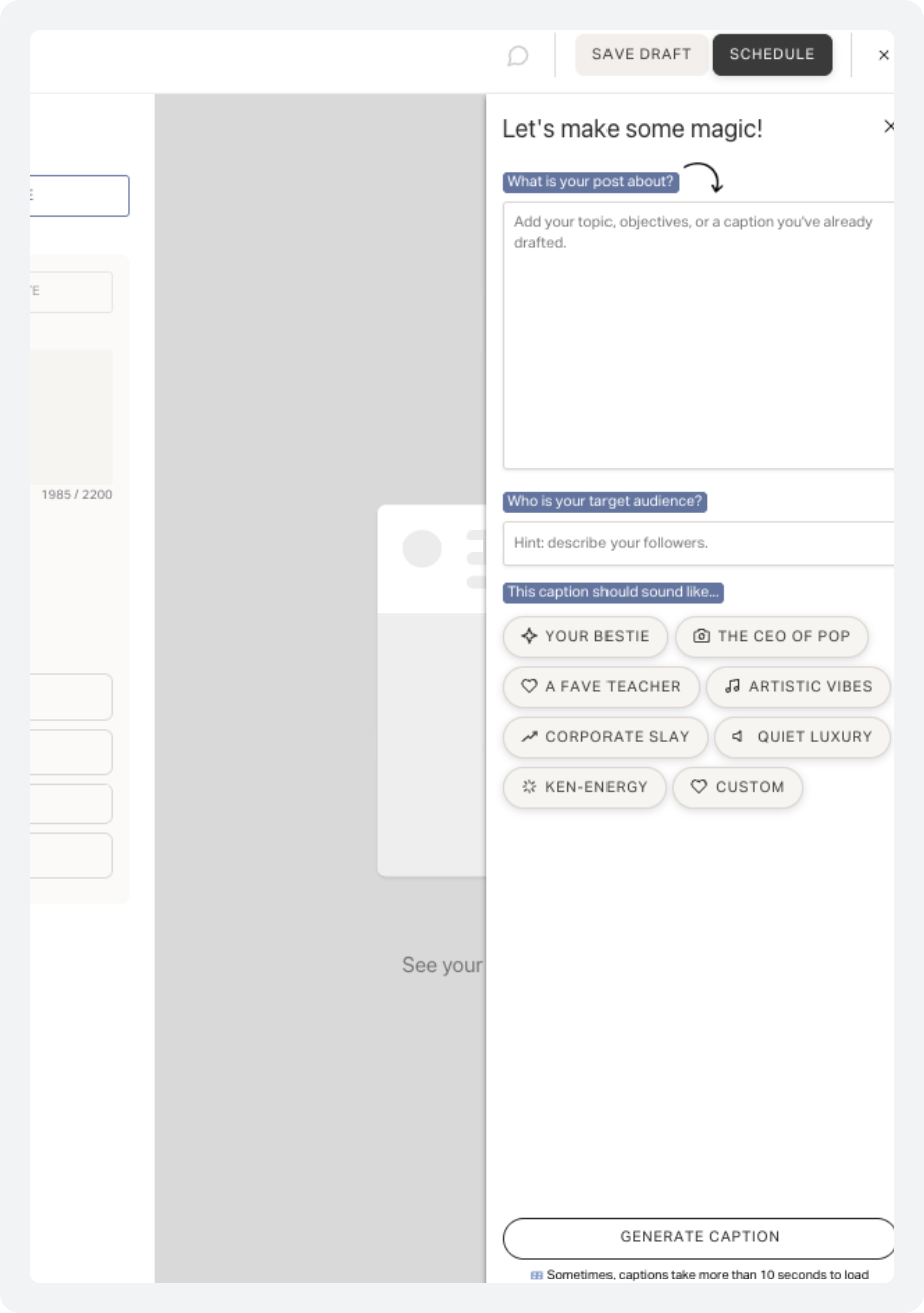
It can’t help you decide what to create, generate ideas from a keyword, repurpose a blog post into social content, or adapt a LinkedIn post as an Instagram caption. And it’s only available from Starter upwards; free plan users get nothing.
Buffer
Buffer’s AI Assistant is available on every plan, including free, with no usage limits. That alone is a significant differentiator. More importantly, it covers a much broader range of tasks and is built directly into the post composer.
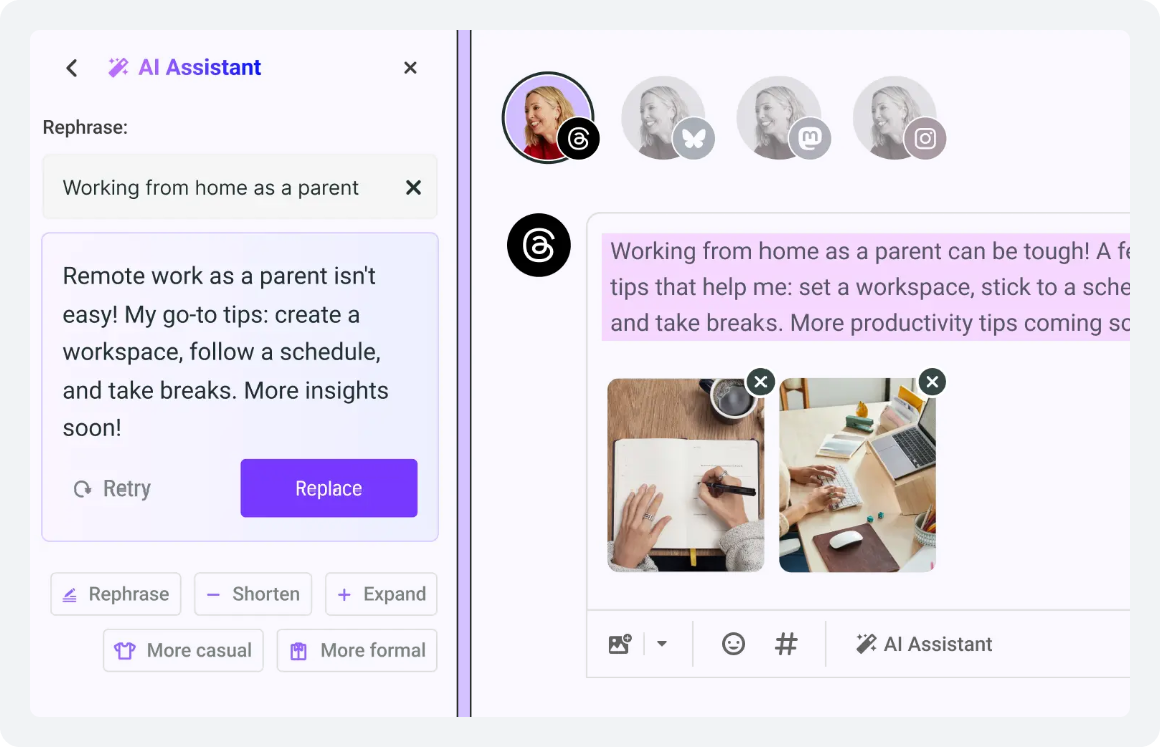
Starting from nothing. Buffer’s AI can generate a full post draft from a topic keyword, a URL, or a brief prompt. Paste in a blog post URL and get a week of social content drafted in seconds. The tone rewriting feature lets you adjust any caption to be more formal, casual, or punchy with one click.
Platform adaptation is perhaps the most useful feature for multi-channel managers: it automatically reformats a LinkedIn post for Instagram, adjusting tone, length, hashtag strategy, and character count automatically.
AI Verdict
AI social media scheduling on the free plan, covering ideation, tone rewriting, and cross-platform reformatting, is a fundamentally different proposition from Planoly’s caption-only, paid-only AI.
Planoly’s AI helps you describe content you’ve already made. Buffer’s AI helps you figure out what to make in the first place.
How do Planoly and Buffer Support Team Collaboration and Content Approval?
The moment a social media operation grows beyond one person, the question of team workflows becomes urgent. This is one of the most significant differences between Planoly and Buffer.
Planoly
Planoly’s collaboration model is designed for small creative teams working informally. Growth supports 3 users, Pro supports 6. Multiple users can access the workspace, draft content, and schedule simultaneously. A shared media library supports brand consistency.
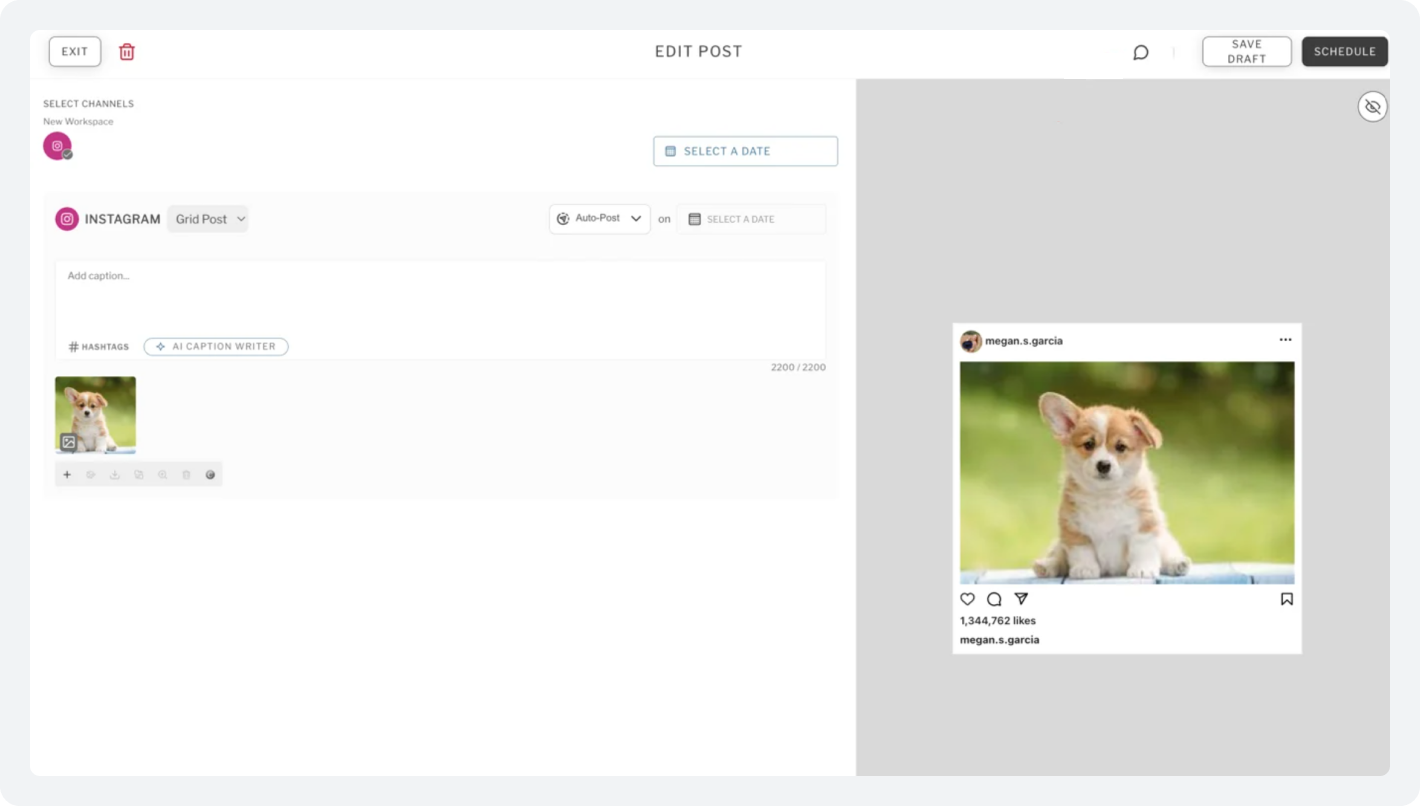
What Planoly doesn’t have, at any plan level, is a formal content approval workflow. There’s no mechanism for a junior team member to draft a post, flag it for review, and wait for a manager to approve it before it goes live.
There are no role-based permissions that distinguish who can draft from who can publish. Every user in a Planoly workspace has effectively equivalent access; fine for small trusted teams, untenable in most professional settings.
Buffer
Buffer’s Team plan is built around editorial oversight. It introduces genuine role-based access control: Owner, Admin, Member, and Analyst roles with clearly defined permissions.
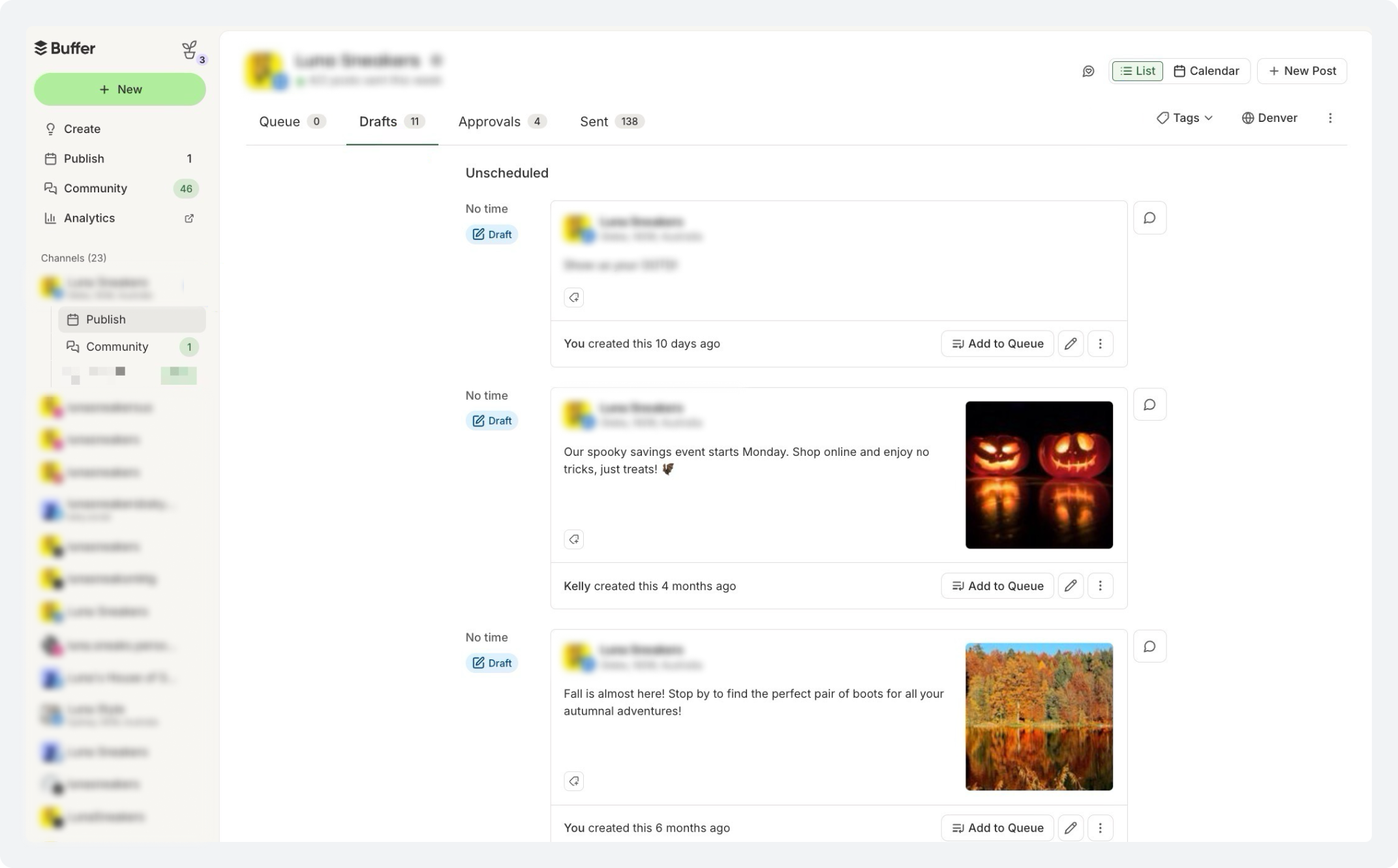
A member can draft and submit for review, but cannot publish. An Admin can approve or reject, leave notes, and control what goes live. An Analyst can view all analytics without touching content.
The formal content approval workflow means submitted posts enter a pending state rather than going straight to the queue. The reviewer gets an email notification, reviews the post in context, and either approves or rejects with notes.
This creates an audit trail of who approved what and when; critical for regulated industries, agencies managing client accounts, or any organization where a rogue post could cause reputational damage.
Team Collaboration Verdict
Formal approval workflows, role-based permissions, and unlimited team members on the Team plan are features that Planoly simply doesn’t have. For any team larger than two people where editorial control matters, Buffer’s Team plan is the only reasonable choice between these two tools.
Need approval workflows without a per-channel price hike?
SocialBu gives you role-based approvals, a unified inbox, and content recycling — built for teams that have outgrown basic scheduling.
How do Planoly and Buffer Compare on Pricing in 2026?
This is where the most confusion happens. Planoly pricing 2026 charges flat rates per social set. Buffer pricing 2026 charges per channel. Those two models produce very different real costs depending on how you use the tools.
Planoly
The Planoly free plan gives you 10 uploads per month total across all platforms. That’s not enough to make a real presence across multiple channels. It functions more as an extended trial than a working free plan.
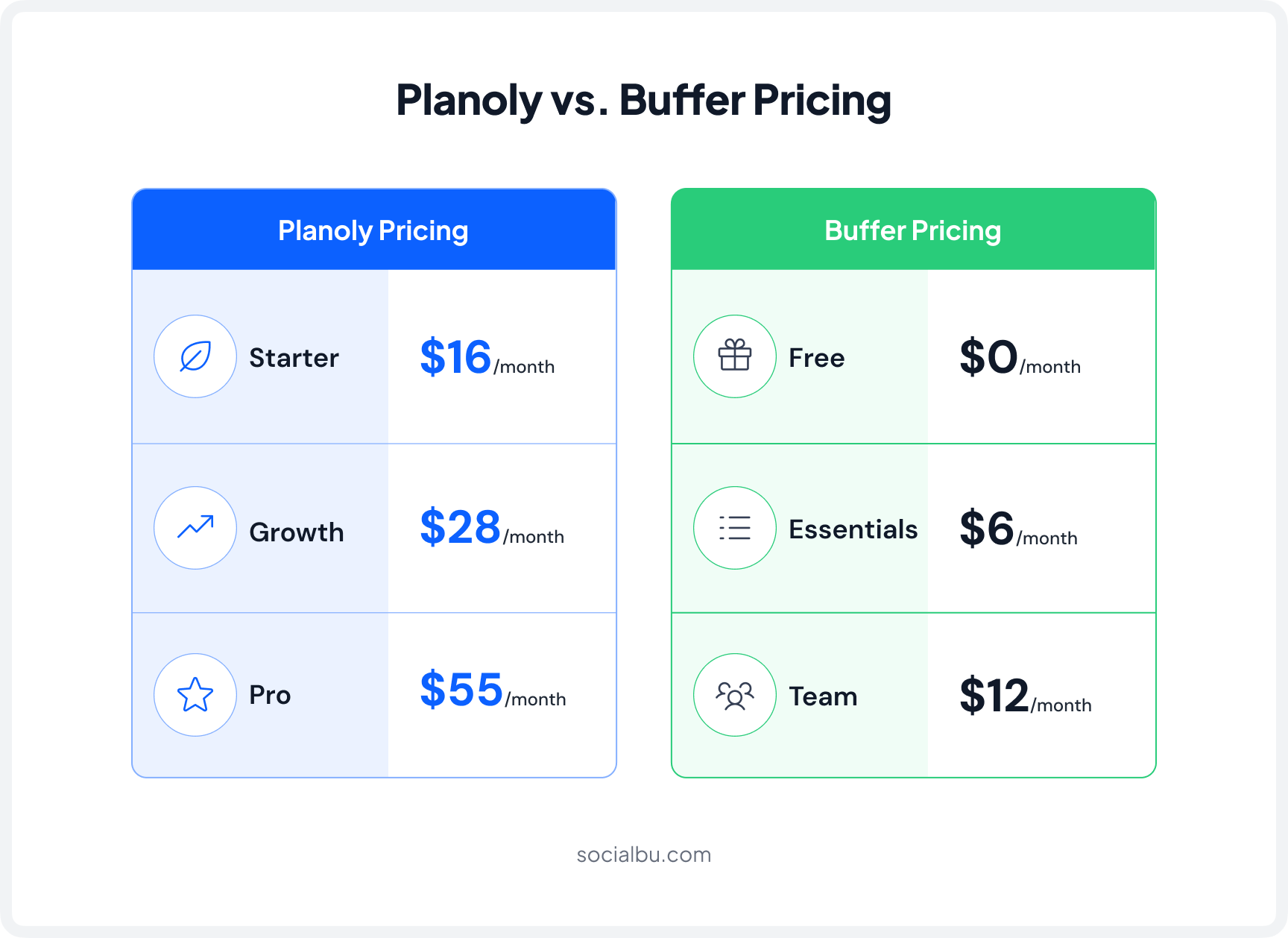
Planoly’s Starter plan at $16/month offers 60 uploads per account per month, but the mid-month reset issue (resets on the 1st, not on your billing date) catches new subscribers off guard. The Growth plan at $28/month removes the upload cap, adds 3 users, and includes analytics.
Buffer
The Buffer free plan for 2026 is one of the most capable among free social media scheduling tools. It supports 3 channels, allows 10 queued posts per channel on a rolling basis, includes the full AI Assistant, provides 30 days of analytics history, and adds a community inbox.
Buffer Essentials at $6/channel/month: 3 channels cost $18/month, 5 channels cost $30/month. Buffer Team at $12/channel/month scales up fast, i.e., 10 channels cost $120/month.
Pricing Verdict
Buffer wins at the entry level; its free plan is far more capable than Planoly’s, and Essentials is cheaper for solo users managing up to 5 channels.
Planoly wins for small teams of 2-3 people managing a fixed social set at a flat rate. Neither wins above 10 channels, where both become expensive.
Which Is Better: Planoly or Buffer? (Use Case Guide)
There’s no single answer to Planoly vs Buffer for social media. It depends on who you are and what you actually need. Here’s a practical breakdown:
1. Instagram Creators and Visual Brands
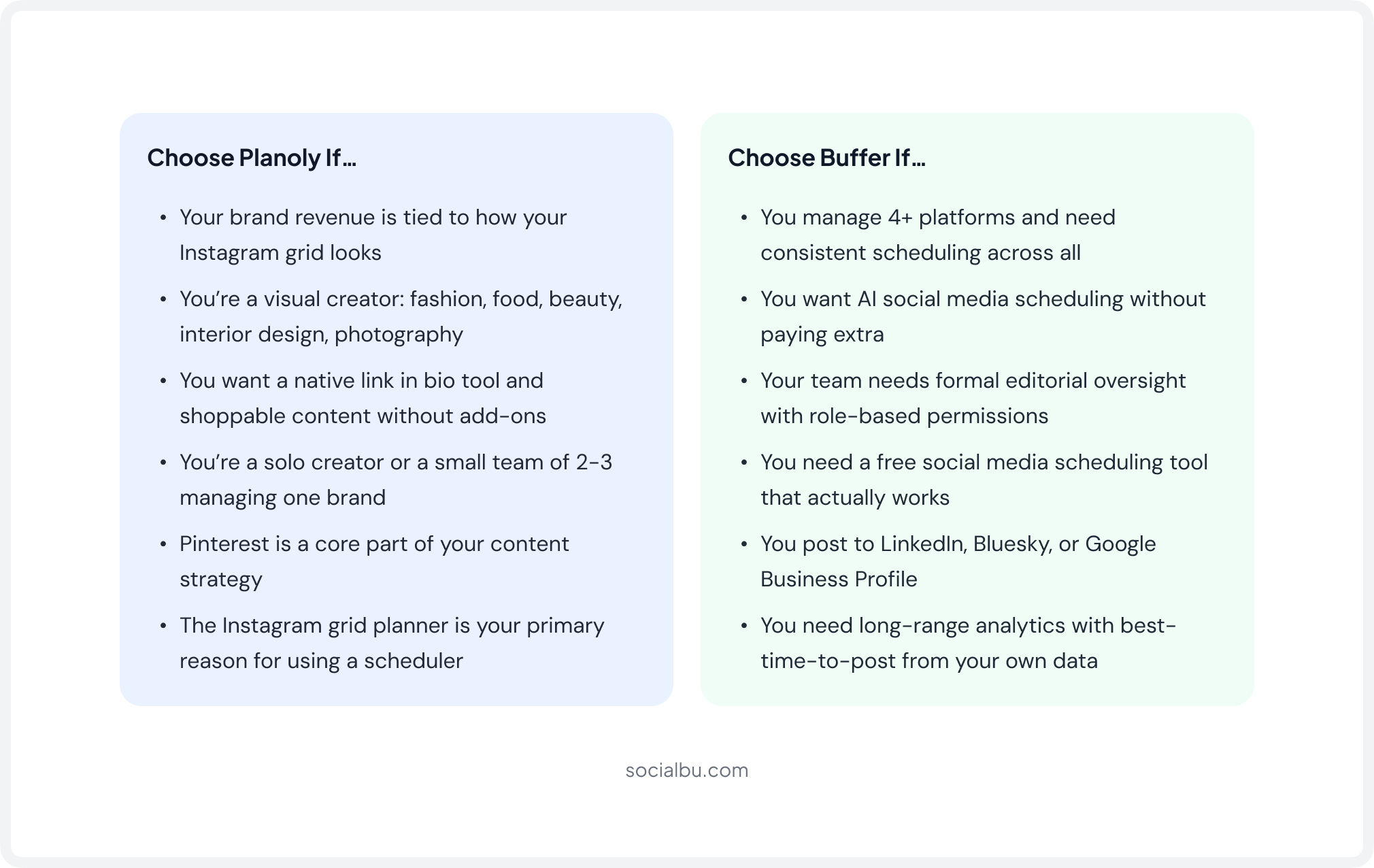
If your business is built on visual identity, such as fashion, food, beauty, interior design, or photography, Planoly is built specifically for you. The Instagram grid planner isn’t a nice-to-have; it’s the core of the product’s value.
The Creator Store and the native link-in-bio tool mean you don’t need to pay separately for Linktree. For solo creators or small teams managing one brand’s visual presence on Instagram and Pinterest, Planoly Growth at $28/month covers everything.
2. Solopreneurs on a Budget
For a social media tool for solopreneurs just building a presence, Buffer’s free plan is the obvious starting point. Three channels, AI writing assistance, basic analytics, and a community inbox, all at no cost.
The Buffer free plan is one of the most genuinely usable among all free social media scheduling tools.
Planoly’s 30-upload free plan isn’t a working tool for anyone posting consistently across multiple channels.
3. E-Commerce Brands
E-commerce is one of the clearest wins for Planoly. The Creator Store for shoppable links from the Instagram bio, combined with the visual content planner for seeing how product imagery fits together in a feed, directly supports product discovery and purchase intent.
Buffer has no commerce layer. As a social media tool for commerce, Planoly’s product -specific features are worth the premium.
4. B2B Brands and Professional Services
For a social media tool for B2B brands, such as consulting firms, SaaS companies, agencies, and professional services, Buffer is the stronger fit. Visual grid aesthetics don’t drive customer acquisition on LinkedIn or X.
What matters is voice consistency, multi-platform reliability, and analytics that show what’s working. Buffer’s AI Assistant is especially useful for B2B teams who need professional LinkedIn posts without a dedicated copywriter.
5. Content Teams with Review and Approval Needs
For any team where a junior creates and a manager approves before anything goes live, Buffer’s Team plan is the only choice between these two tools.
Planoly has no approval mechanism at any plan level. Buffer’s formal content approval workflow maps cleanly onto how professional content teams actually operate.
6. Agencies Managing Multiple Clients
Honestly, neither Planoly nor Buffer is purpose-built for agency use at scale.
Planoly has no white-label features and no client-facing portal.
Buffer Team covers internal workflows well but lacks client review portals, white-label social media tool dashboards, and cross-client reporting.
Both are excellent within their respective lanes. But for the best tool for agencies’ social media management at real scale, purpose-built agency tools are a meaningfully better fit.
When Neither Tool Is Enough: What About SocialBu?
After reviewing every feature in this Planoly vs Buffer guide, a consistent pattern becomes clear: both tools do specific things well, but both have meaningful gaps that become more painful as your social media operation grows.
Buffer gets expensive at scale due to per-channel pricing. Planoly’s analytics and team features are too shallow for serious content teams.
Neither offers white-label tools, client portals, RSS feed automation, or content recycling. And neither generates truly AI-native content at the campaign or strategy level.
This is where SocialBu is worth a direct mention, not a forced recommendation, but because it genuinely addresses the gaps both tools leave open.
SocialBu is an AI-powered social media scheduling software built in 2026 for the exact user who has outgrown Buffer’s pricing cliff or finds Planoly’s visual-only workflow too narrow.
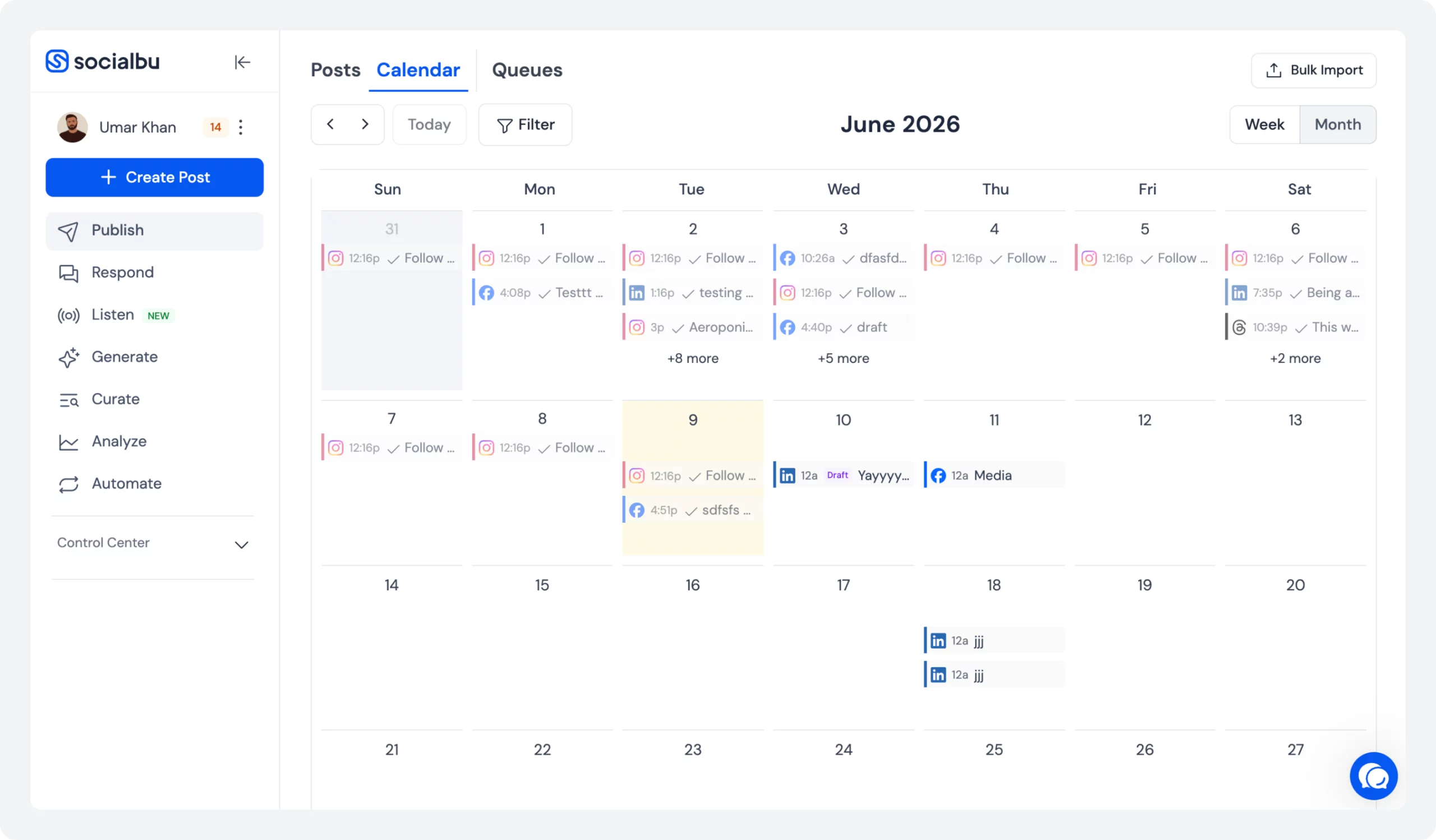
It supports all major platforms, offers RSS feed automation to auto-post from your blog or curated content sources, and content recycling for evergreen posts.
AI content generation that goes deeper than caption suggestions, a unified social inbox for managing replies across platforms, and team collaboration with proper approval workflows, all at a flat monthly price that does not scale per channel.
The Honest Position
If your needs clearly fit Planoly or Buffer, pick the right one and use it well. But if you find yourself compromising in both directions, wanting visual planning and better analytics and team workflows without per-channel costs, SocialBu closes that gap and is worth a free trial before you commit to either tool.
Final Verdict
The choice between Planoly and Buffer comes down to your priorities.
If Instagram is your primary growth channel, Planoly is the stronger fit. Its grid planner and built-in bio link tools make it especially valuable for creators and brands in fashion, beauty, food, travel, and lifestyle niches.
For everyone else, Buffer offers more overall value. Its generous free plan, AI-powered content creation tools, advanced analytics, best-time-to-post recommendations, and approval workflows make it a more versatile social media management platform.
That said, if you’re looking for a solution that combines visual planning, AI assistance, analytics, engagement tools, approvals, and broader platform support in one place, it’s worth exploring SocialBu.
It brings together many of the strengths users look for in both Planoly and Buffer, without forcing you to compromise on key features.
Try SocialBu for free and see how it compares with Planoly and Buffer in your workflow.
FAQs
Q: Is Planoly better than Buffer?
Neither tool is universally better. Planoly excels at Instagram visual planning and link-in-bio features, while Buffer offers stronger AI tools, analytics, and overall value for multi-platform social media management.
Q: What type of platform is Buffer?
Buffer is a social media management platform that helps users schedule posts, create content, analyze performance, and manage engagement across multiple social networks.
Q: How does Planoly work?
Planoly allows users to plan, schedule, and publish social media content from a visual content calendar. It is particularly known for its Instagram grid planning and link-in-bio features.
Q: How many free posts can you schedule with Buffer?
Buffer’s free plan allows users to connect up to three social channels and schedule up to 10 posts per channel at a time.
Q: Can Planoly manage multiple accounts?
Yes. Planoly supports multiple social accounts, though the exact number depends on your subscription plan.
Q: Does Planoly offer analytics?
Yes. Planoly includes an analytics feature that helps users track engagement, audience growth, content performance, and other social media metrics.
Q: How many accounts can I connect to Buffer?
Buffer’s free plan supports up to three social channels. Paid plans allow you to connect additional accounts as needed.
Q: Does Buffer offer analytics and reporting?
Yes. Buffer provides analytics and reporting tools, including engagement metrics, audience insights, post performance tracking, and best time to post recommendations.