Do you know 78% of local small businesses rely on social media to drive revenue? Yet most local owners still post manually to Facebook, Instagram, Google Business Profile, and TikTok, spending hours of effort.
But a solution exists too: social media management software for local businesses that automates everything on your socials. You can batch-create content once a month, schedule it across platforms, and let it run. It automatically builds consistency, and your reach stays up.
Let’s get into the details of the 7 best social media scheduling tools for local businesses, what to look for, and how to choose one that fits your workflow. By the end, you’ll know exactly which tool matches your business.
What to Look For in a Local Business Scheduling Tool?
Not all social media scheduling tools are built for local businesses. Before you start comparing social media scheduling tools for your local business to find the best fit, know what’s non-negotiable and what’s a must-consider when evaluating a tool.
1. Google Business Profile Scheduling (The Make-or-Break Feature)
GBP is where local customers find you: in Google Maps, local search results, and even AI responses. If the social media post scheduler doesn’t support GBP, it’s incomplete for local business use.
What to check: Can the tool schedule Google Business Profile posts, events, and offers directly to your GBP listing? Or does it just manage Facebook and Instagram?
This matters because GBP posts boost local SEO. They keep your listing fresh and active. Neglecting it means missing foot traffic from nearby searches.
2. Multi-Platform Publishing in One Dashboard
You don’t want to log into five different apps. One dashboard that covers all your platforms saves time and keeps you on track while you get hyped.
Platforms to prioritize:
- Facebook + Instagram: Where most local customers are
- TikTok: If your audience is younger (restaurants, boutiques, gyms)
- LinkedIn: If you’re B2B (consultants, agencies, professional services)
- Pinterest: Visual-heavy businesses (home goods, fashion, food)
- Google Business Profile: Non-negotiable for local
The best social media post scheduler covers all of these. Pay only for platforms you actually use.
3. Ease of Use and Affordability
You’re not a social media expert. You’re a business owner, so the social media scheduling tools you use must be simple, not so complex that you spend hours learning them first.
Look for:
- A clean calendar interface (no enterprise-level)
- Fast setup (scheduling within minutes, not hours)
- Free or cheap entry point to test before committing
- No credit card required for the free plan
The affordability angle matters. Look for tools starting at $0 to $25/month for early-stage use.
4. Location Tagging and Local Engagement Tools
The social media content scheduling tool you choose must support:
- Geo-tagging: Tag your location in posts so nearby customers see them in local searches
- Unified comment inbox: Manage all comments, DMs, and reviews from one place
- Multiple location support: If you have 2 to 3 storefronts, the tool should handle separate schedules per location without charging 3x as much
 Also Read: A tool that centralizes comments is only half the job; learn how to turn every social media review into a response that wins back trust and protects your local ranking.
How to Pick the Right Social Media Scheduling Tool for Your Local Business?
To simply narrow down your choice fast, ask these questions, answer them, and then look for the best social media scheduling tool for your local business:
- What’s your budget?
- How many locations do you manage? (Single storefront or multiple locations). Do not choose the tool that charges per location or channel.
- Which social platforms do you prioritize? Don’t pay for platforms you don’t use. Check that your top channels are included in the base plan. GBP must be included.
- Do you need a team or CRM integration? This helps you decide whether to look for a simple tool or one with a unified inbox or approval workflow.
How We Evaluated These Tools for Local Businesses
To recommend the best social media scheduling tools specifically for local businesses, we assessed each platform across criteria that matter most to local owners.
We checked out real users’ reviews on review software and tested these tools to assess their use cases and where they stand out.
Here’s what we looked for.
- Social media post scheduling capabilities
- Social media platforms’ support (Google Business Profile is a must-have)
- AI-powered automation and review management
- Ease of use
- Pricing and free plan value
- Local and business-specific features: Geo-tagging, location tagging, and multi-location account management.
- Unified inbox for reviews and comments
- Analytics and Local Metrics
- Team Collaboration and approval workflows
Each platform on this list excels in some specific areas. The point is to help you find the best fit for your local business needs and support its growth.
7 Tools Comparison: Best Social Media Scheduling Tools for Local Businesses
Here is a quick tools overview to help you quickly evaluate and decide on the best social media management software for your small business:
Tool | Best For | Starting Price | Free Plan | GBP Support |
SocialBu | Local businesses wanting GBP support + an all-in-one tool | $19/month | Yes (3 accounts, 10 posts) | Yes |
Buffer | Budget-conscious solopreneurs | $6/month per channel | Yes (3 channels forever) | Yes |
Metricool | Multi-location businesses & local ad tracking | $25/month | Yes | Yes |
Zoho Social | Service-based locals needing customer management | $10/month | No | Yes |
Later | Visually-driven local businesses | $25/month | Yes (limited) | Yes |
eClincher | Local businesses that need advanced automation & AI | $59/month | No | Yes |
Post Planner | Local businesses recycling evergreen content | $12/month | Yes | Yes |
What are the Best Social Media Scheduling Tools for Local Businesses?
Here are the best social media management software for small businesses:
1. SocialBu: Best for Local Businesses Who Want GBP, Multi-Location Scheduling, and AI-powered Automation
Starting Price: $19/month
Overall Rating: ⭐⭐⭐⭐⭐(4.7/5 on Trustpilot)
SocialBu is purpose-built for local businesses that need Google Business Profile as a first-class platform. It handles all the heavy lifting for your social media presence without leaving you feeling overwhelmed. It treats GBP scheduling equally with Facebook and Instagram, making it the best choice for local owners who want consistent visibility across all platforms.
Moreover, multi-location management is seamless: get a separate dashboard for each storefront without paying 3x the cost. The AI-powered automation keeps your GBP listing and social accounts fresh with evergreen content recycling, RSS feeds, and trigger-based posts running in the background.
Key Features of SocialBu
- Schedule content across 12 platforms, including Google Business Profile, Instagram, TikTok, Facebook, LinkedIn, Pinterest, YouTube, and more.
- Bulk scheduling via CSV: load entire months’ posts in minutes instead of scheduling one by one.
- Social listening and competitor monitoring to track what’s working in your local market. Track your brand mentions and hashtags; see and monitor what competitors post, trending topics in your area, and customer sentiment around your business.
- Best time to post recommendations based on when your audience is most active on the specific platform.
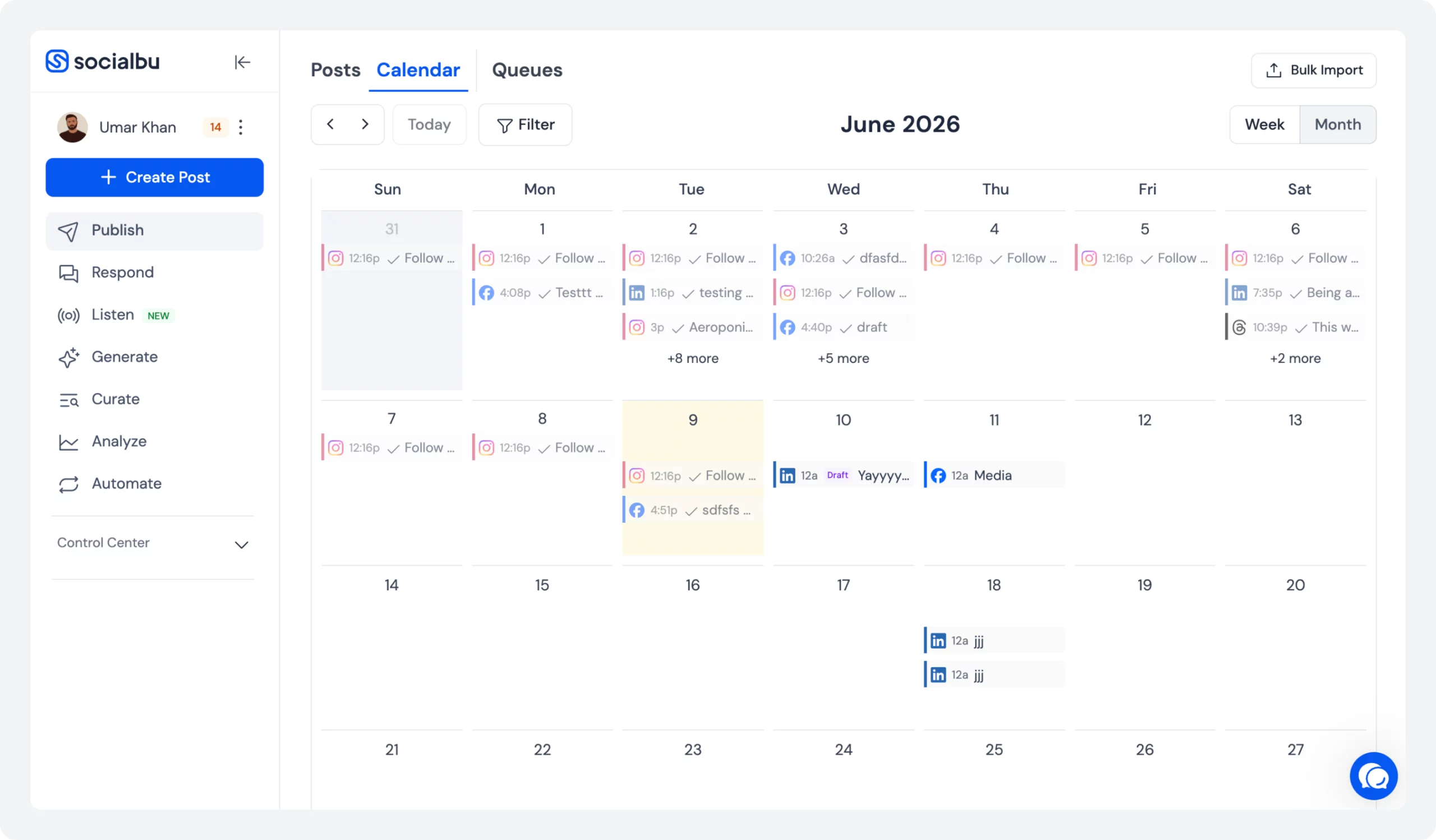
- Visual drag-and-drop content calendar to see your entire content strategy mapped out. Spot gaps, rearrange posts before they go live, and plan around key dates
- Unified inbox for comments, DMs, mentions, and reviews across all platforms.
- AI content generation tools to help you generate captions or get new ideas in seconds.
- Local-focused analytics that actually matter to track engagement, reach, follower growth, plus local performance data, like how your posts drive map visibility and local search visibility.
- Free plan available to test 3 accounts with 10 lifetime posts; no credit card required.
- Internal team collaboration with role-based access for teams to assign permissions so team members can schedule, approve, or publish.
Pricing
- Free Plan: 3 social accounts, 10 lifetime posts, basic features
- Standard Plan: $19/month (billed monthly): 12 accounts, 800 monthly posts, bulk scheduling, automation, AI captions, analytics.
- Super Plan: $59/month: 30 accounts, unlimited monthly posts, 15 custom queues, content curation, analytics, and an AI writer.
- Supreme Plan: $199/month: 150 social accounts, unlimited monthly posts, 25 teams, 10 listening streams, social media analytics, phone support.
- 7-day free trial on paid plans, no credit card required.
Your Competitors Are Posting Consistently On Socials. Are You?
SocialBu makes it easy; schedule an entire month of posts in one session, then let automation handle the rest.
2. Buffer: Best for Budget-Conscious Solopreneurs & Micro-Teams
Starting Price: $6/month per channel
Overall Rating: ⭐⭐⭐⭐⭐ (4.3/5)
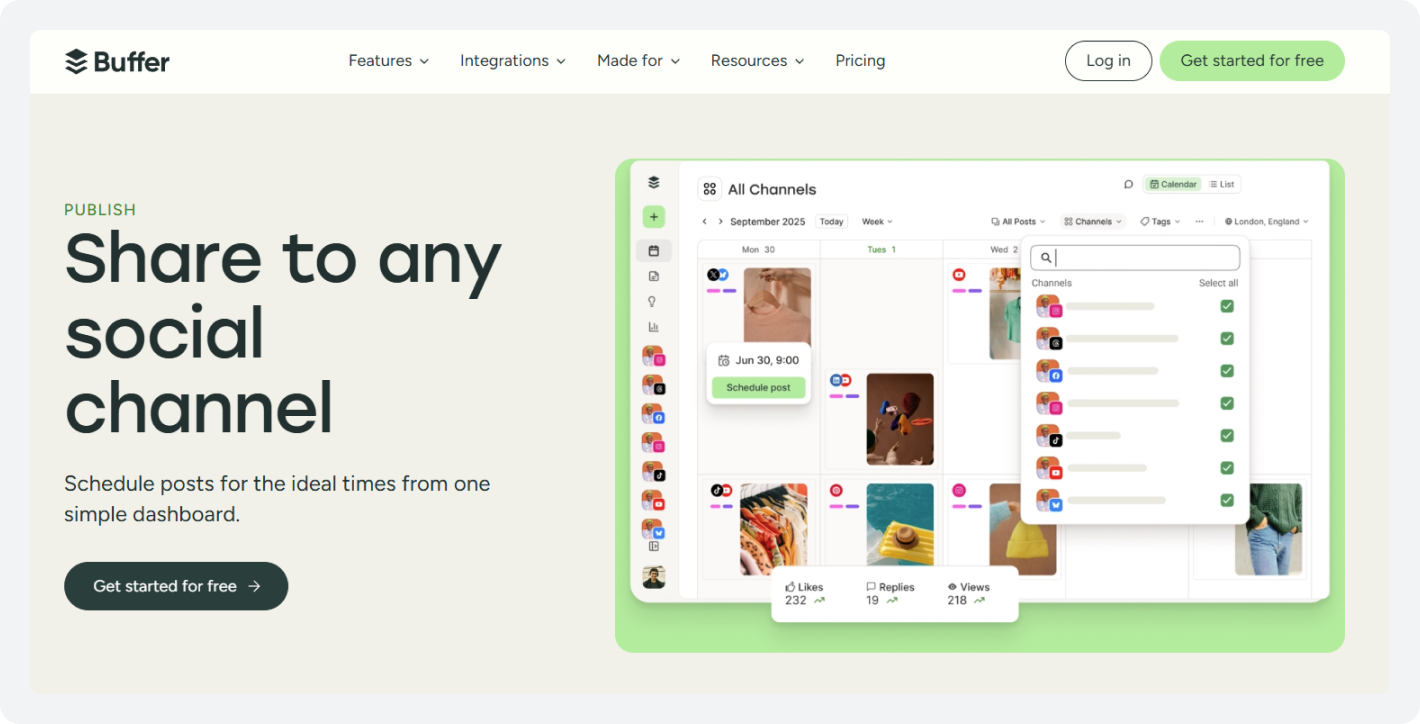
Buffer is the simplest social media post scheduler for local owners who want straightforward posting without complexity. It supports Google Business Profile alongside Facebook, Instagram, and LinkedIn from one clean calendar.
The calendar interface is clean and visual. Drag posts around, see your month at a glance, and schedule. The pay-per-channel model means you only pay for platforms you actually use. This flexibility matters for local owners testing social media scheduling tools.
Key Features of Buffer
- Drag-and-drop calendar to visually plan with an easy-to-use interface
- Optimal posting time recommendations based on when your audience is most active, based on historical data
- Simple analytics dashboard to analyze which posts get engagement, and basic performance tracking
- The free plan covers 3 channels forever (no expiration, no upgrade pressure)
- Team collaboration on paid plans
Pricing
- Free Plan: 3 social channels forever, 10 scheduled posts per channel, 1 user account, 100 ideas
- Essentials Plan: $6/month, 1 channel, unlimited scheduled posts, 1 user, AI assistant, advanced analytics
- Team Plan: $12/month, 1 channel, unlimited ideas and posts, AI assistant, advanced analytics, unlimited team members
3. Metricool: Best for Multi-Location Businesses & Local Ad Tracking
Starting Price: $25/month
Overall Rating: ⭐⭐⭐⭐⭐(4.5/5)
Metricool is best known for organic social media scheduling, paid ad performance tracking, and competitor analysis. For local businesses running both organic and paid campaigns, this is one of the best social media scheduling tools on this list to help you see organic and paid performance simultaneously.
Multi-location is where it really helps you manage your local business effectively. Instead of paying extra for new locations, Metricool lets you build separate dashboards for each storefront within a single account. Each location gets its own analytics, schedule, and reporting. You manage everything centrally but keep locations distinct.
Key Features of Metricool
- Schedule across 14 platforms, including Google Business Profile, Facebook, Instagram, TikTok, and LinkedIn.
- Local ad performance tracking to see how your Facebook and Instagram ads are performing for driving local engagement
- Competitor analysis to track what competitors are posting, when they post, and how their audience engages
- Visual content calendar to plan your strategy with a bird’s-eye view
- Looker Studio connector for advanced, visualized custom reporting per location
- Team collaboration and client management (useful for agencies managing local clients)
Pricing
- Free Plan: 1 brand, 20 posts/month, basic analytics and competitor tracking, AI assistance
- Starter Plan: $25/month, 10 brands, unlimited publishing, advanced analytics, ad tracking, competitor insights, and link-in-bio
- Advanced Plan: $67/month, 50 brands, role management, post approvals, X analytics, report templates, and Looker Studio connector
4. Zoho Social: Best for Service-Based Local Businesses Needing Customer Management
Starting Price: $10/month
Overall Rating: ⭐⭐⭐⭐⭐(4.6/5)
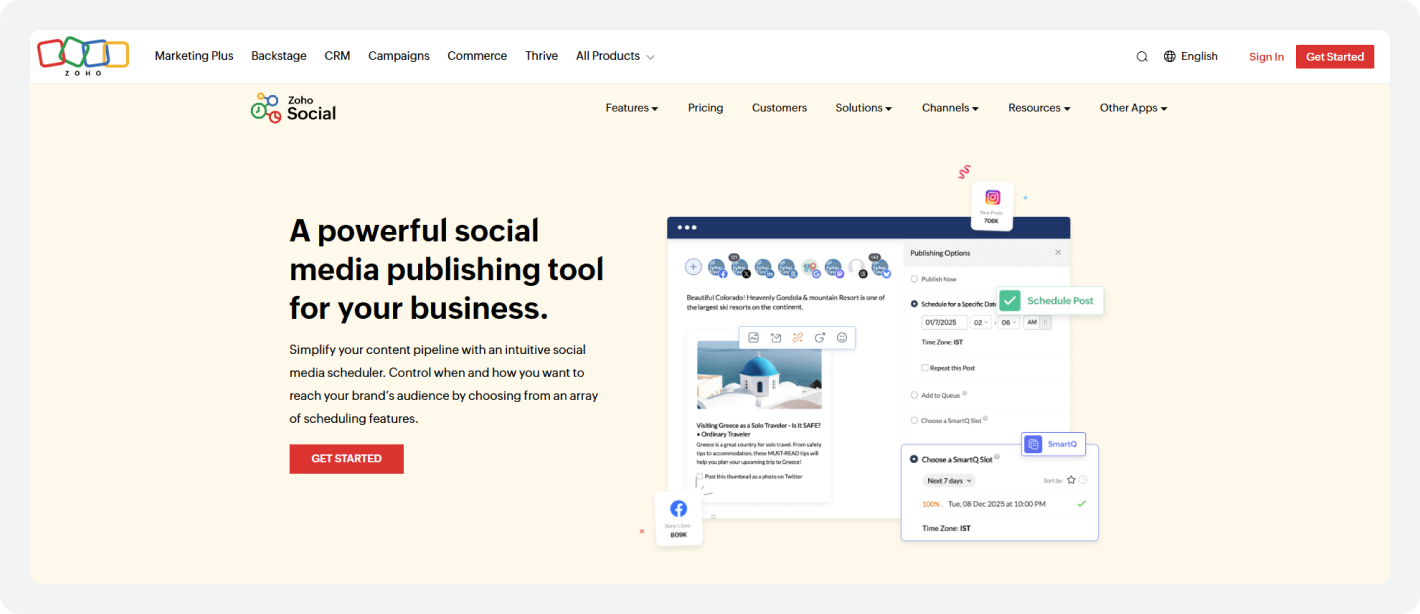
Zoho Social combines social media scheduling with customer relationship management, essential for service businesses tracking leads. Schedule to Google Business Profile, Facebook, and Instagram, and watch customer interactions automatically flow into your CRM as tracked leads. This automation converts social interactions into actionable leads without manual data entry.
The SmartQ feature predicts ideal posting times based on when your specific local audience is online and helps you post at optimal times.
Key Features of Zoho Social
- Schedule across 8 platforms, including Google Business Profile, Facebook, and Instagram
- Native CRM integration: the social interactions (comments, DMs, leads) automatically sync to Zoho CRM
- Lead management pipeline (track prospects from social mentions to customer conversions)
- Unified social inbox for comments, messages, and mentions
- Review monitoring and reply management are built in to track customer reviews and respond quickly
- Team access and permission management
Pricing
- Free Plan: 1 Brand (6 Channels), 1 Team Member, 5 AI credits
- Standard Plan: $10/month, 1 Brand (12 Channels), 1 Team Member, 40 AI credits, Multi-channel publishing
- Professional Plan: $30/month, 1 Brand (12 Channels), 1 Team Member, 40 AI credits, CustomQ, RSS feed, Monitoring dashboard
5. Later: Best for Visually-Driven Local Businesses (Boutiques, Cafes, Salons)
Starting Price: $25/month
Overall Rating: ⭐⭐⭐⭐⭐(4.5/5)
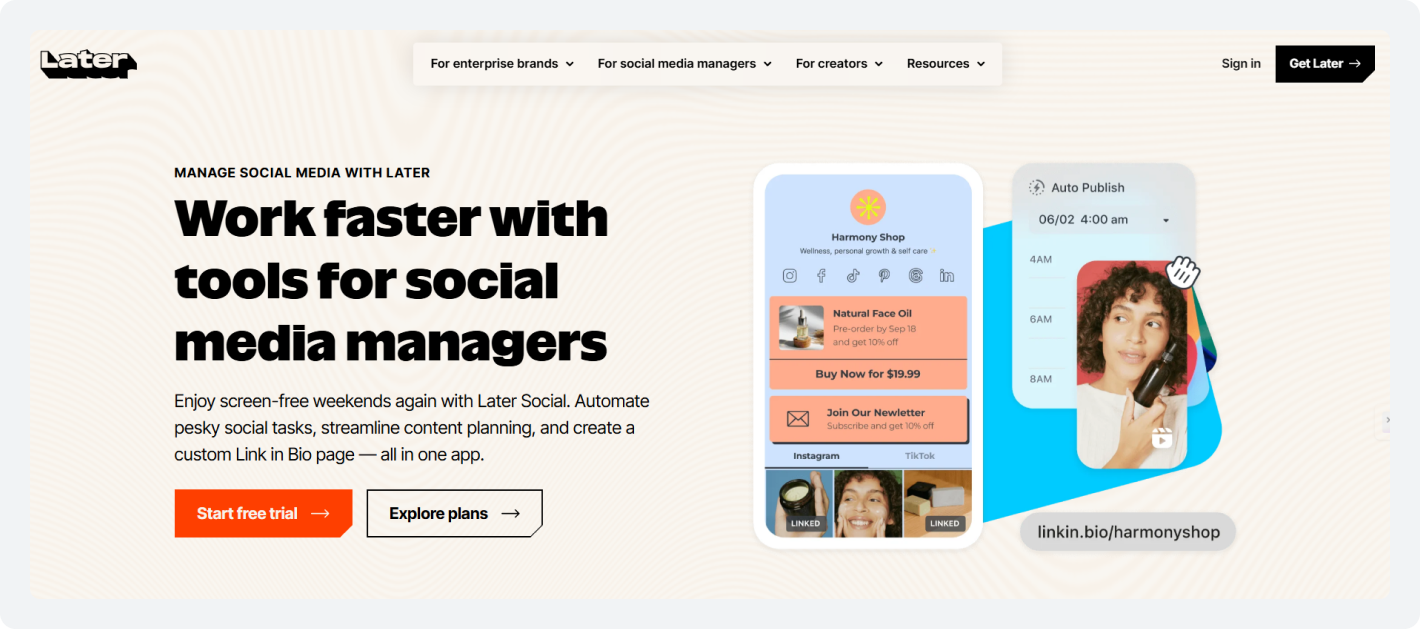
Later is the best visual social media post scheduler. It is known as an Instagram-first tool due to its aesthetics. If your business lives on aesthetics, like fashion boutiques, salons, cafes, gyms, and restaurants, Later is the best social media post scheduler.
The drag-and-drop grid planner lets you arrange posts before they go live. See exactly how your Instagram feed looks.
The Link-in-Bio tool is specifically valuable for local businesses. You can convert your Instagram profile link into a shoppable landing page or local directory. And direct your Instagram followers to your location, menu, booking page, or storefront.
Key Features of Later
- Schedule Instagram feed, Reels, Stories, TikTok, Pinterest
- Visual grid planner (drag-and-drop preview of your feed before posting)
- AI caption writing and hashtag recommendations to help generate copy quickly
- Smart Scheduling suggests optimal posting times based on audience data
- Basic analytics that provide insights into follower growth, engagement rates, and campaign performance
Pricing
-
- Free Plan: 1 Social Set, 1 User, 30 scheduled posts, 5 AI credits
- Starter Plan: $25/month: 1 social set (8 profiles total), schedule up to 30 posts per profile, 5 AI credits, 3 months of analytics, and Link in Bio.
- Growth Plan: $50/month: 2 social sets (16 profiles total), best times to post, social inbox, 50 scheduled posts per profile, 50 AI credits, and up to 1 year of platform analytics.
6. eClincher: Best for Local Businesses Wanting Advanced Automation & AI
Starting Price: $149/month
Overall Rating: ⭐⭐⭐⭐⭐(4.6/5)
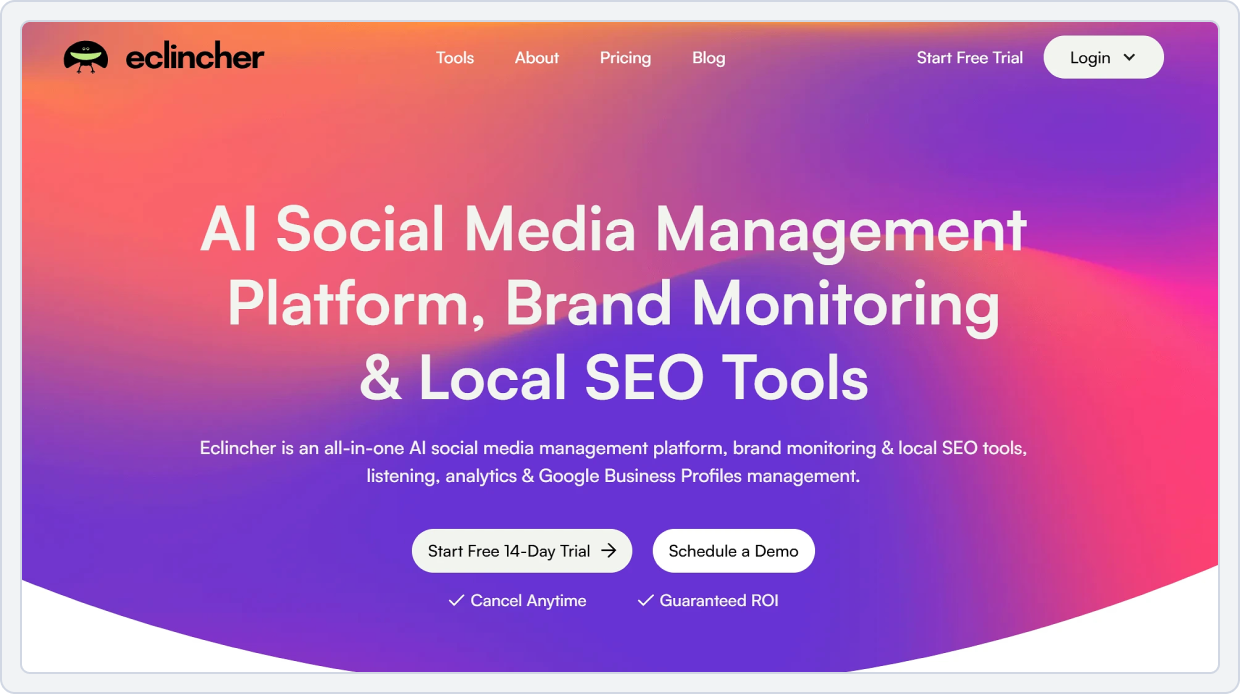
eClincher is for local owners ready to move beyond basic scheduling. It schedules to Google Business Profile and 10+ other platforms while the AI content engine suggests trending ideas for your industry and location. It provides automation that runs without daily input, along with competitive insights to check where your competitors are getting results.
Furthermore, advanced automation workflows (drip campaigns, triggered posts, evergreen recycling) run on their own once configured. Social listening lets you monitor brand mentions and competitor activity in real time.
Key Features of eClincher
- Schedule across 10+ platforms, including Google Business Profile
- Advanced automation workflows: Drip campaigns, triggered posts, condition-based automation.
- Social listening and competitor monitoring to track brand mentions, competitor posts, and industry trends
- Multi-channel unified inbox to manage engagement across all platforms
- Built-in design studio to create graphics without leaving the platform
- Detailed social analytics with ROI tracking to understand which content drives conversions
Pricing
- No Free Plan: 14-day free trial available
- Standard Plan: $149/month, 1 Brand, 1 User (max 2), 15 Profiles (max 20), Publishing & Scheduling, Custom Link In Bio
- Professional Plan: $349/month, Unlimited Brands, 5 Users (max 10), 25 Profiles (max 40), Auto Post with Smart Queues and RSS feeds, Multi-channel Reports, Local Listings Management
7. Post Planner: Best for Local Businesses Recycling Evergreen Content
Starting Price: $12/month
Overall Rating: ⭐⭐⭐⭐⭐(3.9/5)
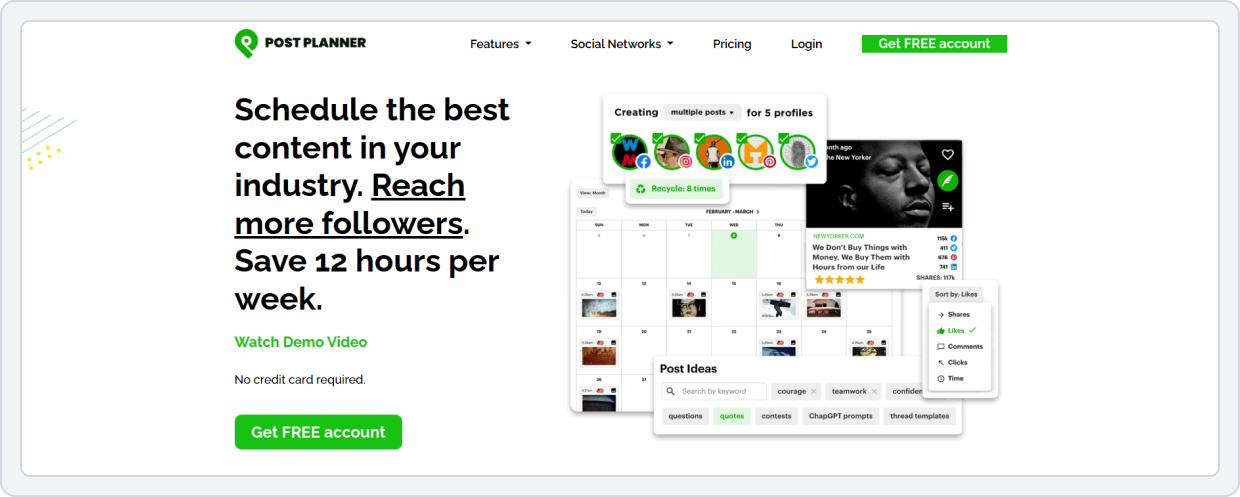
Post Planner solves one specific problem: keeping your Google Business Profile and social media fresh without constantly creating new content. This tool excels at automating recurring and evergreen posts. Your salon runs “Wellness Wednesday” promotions every week.
Your restaurant has “Taco Tuesday” every Tuesday, and your gym offers a senior discount on Thursdays. Post Planner lets you set these up once and automatically publishes them on schedule, forever.
The content discovery library surfaces trending ideas for your industry, saving brainstorming time.
Key Features of Post Planner
- Schedule across 7 platforms, including Google Business Profile
- The content discovery library gives you trending local industry ideas and content suggestions
- Evergreen content automation helps you set recurring posts once and let them publish automatically
- Industry-specific content calendar recommendations
- RSS feed integration helps you curate third-party content automatically
- Basic analytics and engagement tracking to see what’s working
- Simple calendar interface to keep your content categories organized
Pricing
- Free Plan: 1 social account, 1 user, 15 scheduled posts, 3 daily posts per account, basic scheduling
- Starter Plan: $12/month, 3 social accounts, 1 user, 150 scheduled posts, 12 daily posts, AI assistance, scheduling
- Growth Plan: $49/month, 15 social accounts, 2 users, 1500 scheduled posts, unlimited daily posts, and advanced scheduling and content curation
Before deciding on this tool, check out the Post Planner Pricing guide for a complete cost and feature analysis. Which Social Media Scheduling Tool is Right for Your Local Business?
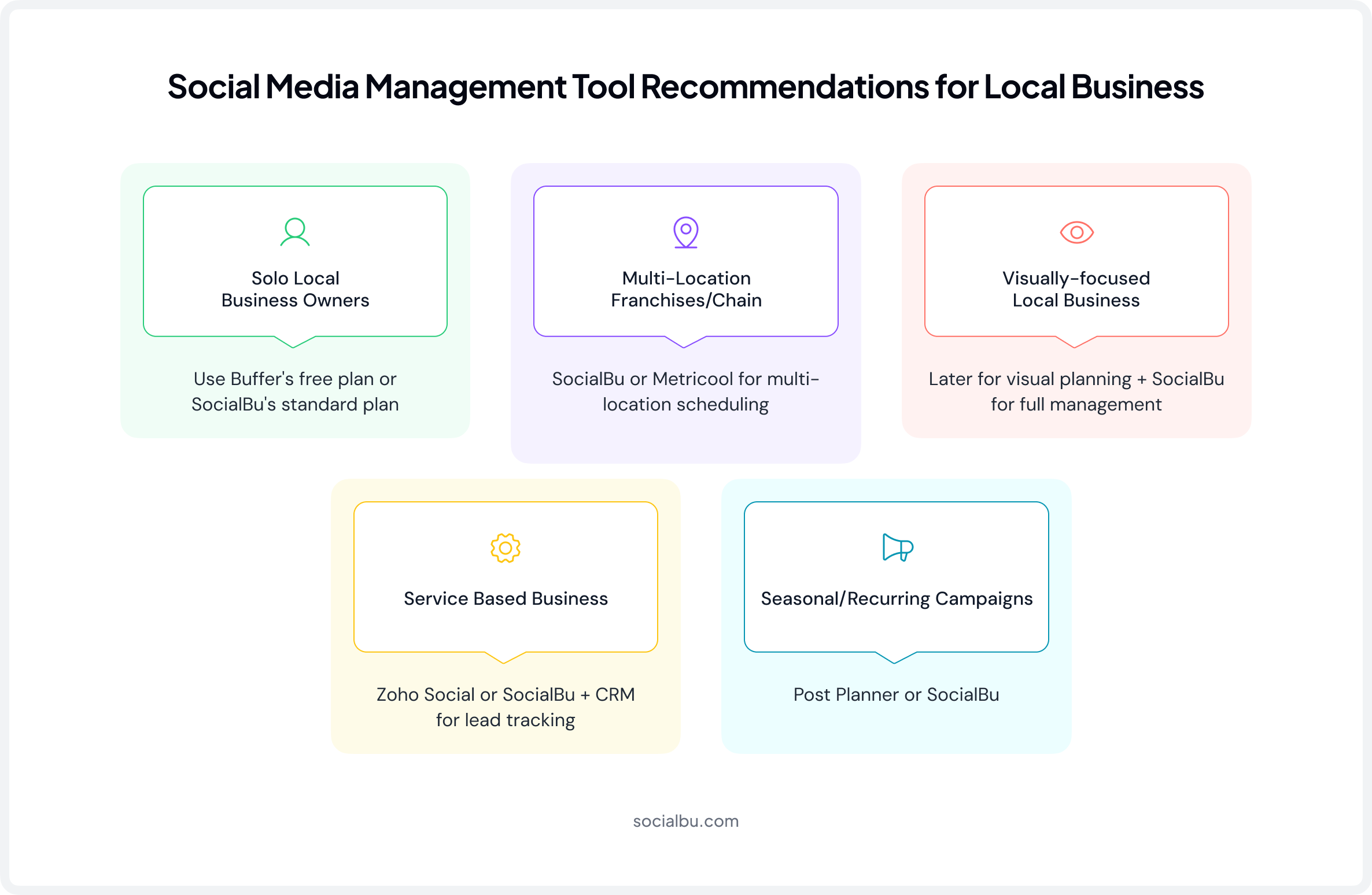
Here is how you can choose the best social media scheduling tools for local businesses based on your specific use cases and needs:
Use Case 1: Solo Local Business Owner
Budget: Under $50/month
Needs: Time management, simplicity
Recommendation: Buffer free plan or upgrade to SocialBu Standard ($19/month) for scaling
Why: Buffer’s free plan covers Facebook, Instagram, and GBP with zero cost. Clean interface, no learning curve. When you grow and need bulk scheduling, automation, and more accounts, SocialBu’s $19/month plan is affordable and powerful.
Use Case 2: Run Multi-Location Franchise or Chain
Budget: $50 to $150/month
Needs: Managing separate schedules without paying 3x as much
Recommendation: Metricool or SocialBu (both handle multi-location scheduling well)
Why: Both handle multi-location workflows efficiently. Metricool lets you view all locations on a single dashboard and run separate analytics for each store. SocialBu handles multiple accounts effortlessly and costs less. Pick based on whether you need detailed analytics (Metricool) or simplicity + affordability (SocialBu).
Use Case 3: Visually-Driven Local Business (Boutique, Salon, Cafe, Gym)
Budget: $25 to $50/month
Needs: Feed aesthetics, Instagram presence, foot traffic from social
Recommendation: Later + SocialBu
Why: Later handles your visual grid and Link-in-Bio (converts followers to visits). SocialBu handles bulk scheduling, GBP, and multi-platform. Map both tools onto a social media content calendar so nothing gets posted out of order.
Use Later for Instagram curation and SocialBu for multi-platform social media publishing, automation, and AI.
Use Case 4: Service-Based Business Needing Lead Tracking (Plumber, Contractor, Consultant)
Budget: $50 to $150/month
Needs: Turning social engagement into actual leads, managing customer pipeline
Recommendation: Zoho Social (CRM integration) or SocialBu + basic CRM
Why: Zoho Social’s CRM integration converts social interactions into tracked leads automatically. No manual data entry.
If you don’t use Zoho CRM, use SocialBu with your existing CRM or lead system.
Use Case 5: Local Business Running Seasonal Campaigns & Recurring Promotions
Budget: $25 to $75/month
Needs: Repetitive content creation, keeping the calendar fresh without new ideas
Recommendation: Post Planner for evergreen automation and SocialBu for overall management
Why: Post Planner automates your recurring content. SocialBu is best for bulk scheduling, AI-powered automation, GBP, and multi-platform management.
Grow Your Local Business with SocialBu
Enjoy multi-platform scheduling, automation, Google Business Profile native support, analytics, and collaboration in one place.
Wrap Up
Local businesses can’t afford to be inconsistent on social media. Algorithms punish gaps and inconsistency. And your customers expect fresh content and quick responses.
The right social media content scheduling tool removes the friction. You plan once. It publishes automatically. You stay visible, helping your customers find you.
Here is your next step:
- Test the free plans (SocialBu, Buffer, and Metricool) before committing to one specific tool.
- Focus on GBP, Facebook, and Instagram first. Master those, then expand.
- Plan content monthly. Batch-create. Schedule it, and it’s done. New to this? SocialBu’s content calendar guide walks through how to build one from scratch.
- Check your analytics monthly. See what resonates and adjust accordingly.
If you’re consistent and respond to reviews, it’ll increase your visibility in Google Maps; you’ll get results and increased foot traffic within 30 days.
Frequently Asked Questions
Q. What is the best social media scheduling tool for a local business?
A. Among the social media scheduling tools for local businesses on this list, SocialBu stands out as the best to try. It’s affordable, all-in-one, and supports Google Business Profile. It offers a free plan (3 accounts and 10 posts) and a standard upgrade ($19/month) for more features. You can consider other tools, such as Buffer, Metricool, and Zoho Social, based on your needs.
Q. Which social media scheduling tools offer a free plan?
A. SocialBu gives you 3 accounts with 10 lifetime posts (no credit card required); Buffer offers 3 channels forever at no cost; and Metricool offers a generous free tier with 1 brand and 20 posts per month.
Q. How much does social media management cost for a small business?
A. Solo owners can stay under $25/month with Buffer free or SocialBu Standard. Multi-location businesses usually spend $50 to $150/month, depending on the features needed. The ROI is immediately positive: scheduled posts, consistent social presence, and 10+ hours saved per week.
Q. What social media platforms should local businesses focus on?
A. Start with Facebook, Instagram, and Google Business Profile (non-negotiable for local SEO). Add TikTok for younger audiences, LinkedIn for B2B, or Pinterest for visual-heavy businesses once your foundation is solid.
Q. Can I schedule Google Business Profile posts with a social media tool?
A. Yes, this is a must-consider point when comparing social media scheduling tools. SocialBu, Buffer, Metricool, Zoho Social, eClincher, and Post Planner all support GBP scheduling, so you can use them to schedule your GBP posts.
Q. How many times a week should a local business post on social media?
A. Aim for 5 to 7 posts per week across platforms to stay algorithmically visible and consistent. Google Business Profile requires 1-3 posts per week to keep your listing fresh.
Q. What’s the difference between a social media scheduler and a social media management tool?
A. A social media scheduler publishes posts automatically; a social media management tool adds unified inboxes, analytics, automation, and team collaboration. For local businesses, management tools save significantly more time than a simple social media post scheduler.
Q. Do social media scheduling tools support Instagram Reels and Stories?
A. Yes. SocialBu, Buffer, Metricool, and most major social media scheduling platforms support Reels and Stories as standard features.
Q. Which scheduling tool is best for a business with multiple locations?
A. Metricool is the strongest option, offering multi-location dashboards and separate reporting for each store. SocialBu also handles multi-account management well and is more affordable if you don’t need advanced analytics.
Q. Is it worth paying for a social media scheduling tool as a small business?
A. Absolutely. A tool that costs $19 to $25/month saves 5 to 10 hours per week, resulting in significant time savings and improved consistency. Even at the lowest price point, the ROI is immediately positive. Moreover, consistency improves reach, which drives foot traffic and eventually revenue.