
Most SaaS marketing teams post inconsistently. Not because they lack content, but because they’re using the wrong tools for how they actually work.
This guide covers the best social media scheduling tools for SaaS companies in 2026. What to look for before picking one, and which tool fits your exact stage of growth.
What to Look for in a Social Media Management Tool for SaaS?
Before jumping to the tool list, here’s what actually matters for SaaS teams:
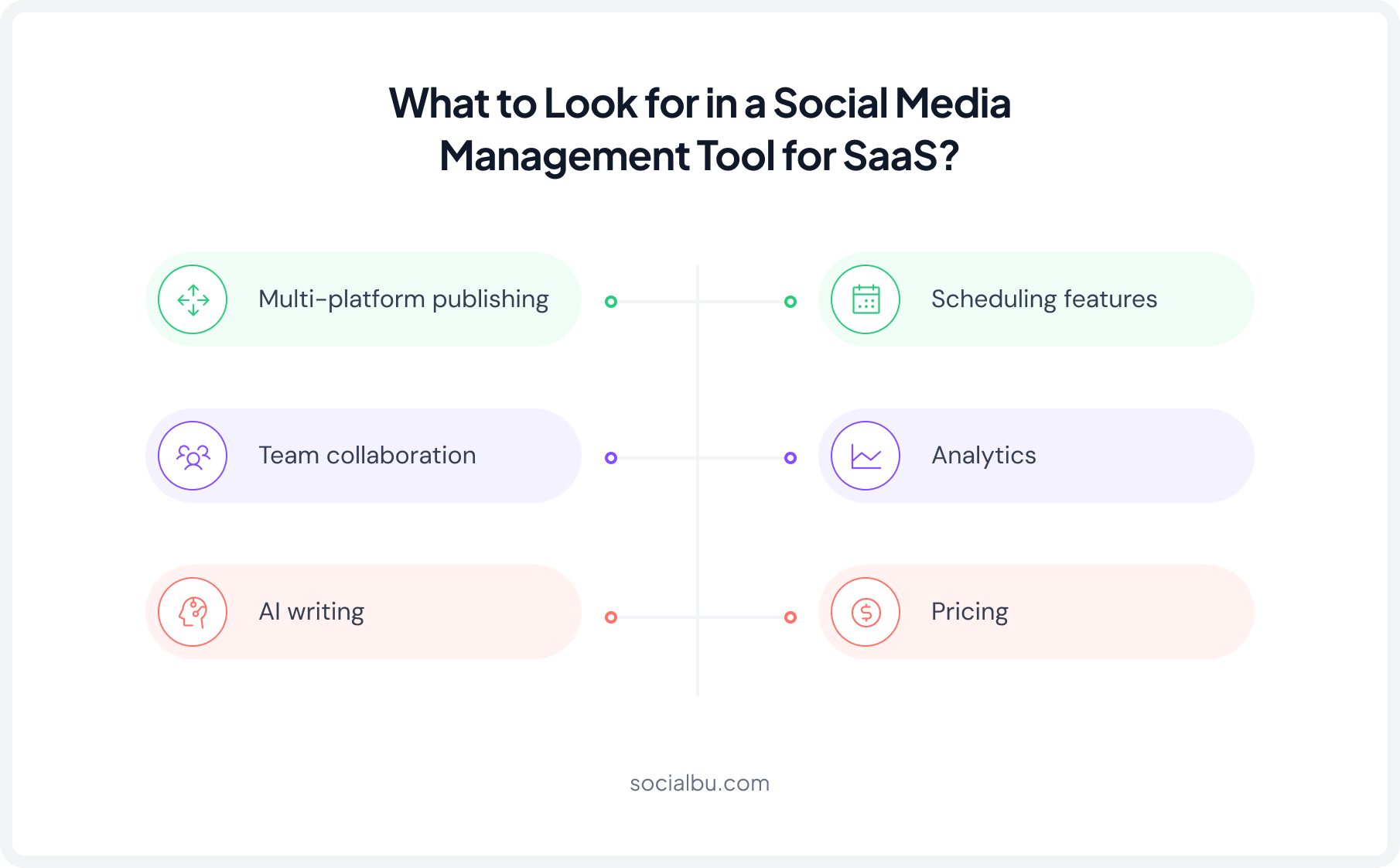
- Multi-platform publishing: LinkedIn and Twitter/X are non-negotiable for B2B SaaS. Any tool you pick needs strong support for both.
- Team collaboration: Social media content often involves multiple stakeholders. Look for a tool that supports content reviews, approvals, and shared workflows so posts can move from draft to publish without confusion.
- AI writing: In 2026, AI social media scheduling is table stakes. The best tools use AI to suggest post times, generate captions, and repurpose existing content.
- Analytics: SaaS brands care about engagement rates, click-through, and content that drives traffic, not follower counts.
- Pricing: Early-stage SaaS startups can’t afford enterprise contracts. Look for tools with clear tiered pricing and free trials.
Many SaaS teams prefer platforms that combine scheduling, analytics, automation, and collaboration in one place. SocialBu is one example that brings these features together without requiring an enterprise-level budget.
Why SaaS Companies Need a Different Kind of Scheduling Tool?
SaaS companies use social media differently from many other businesses. Their content strategy often includes:
- Multiple team members are involved in content creation and approvals
- Product updates, feature launches, and educational content
- Long sales cycles that require consistent audience nurturing
- Content distribution across multiple platforms
Because of this, SaaS teams need more than basic scheduling. They need tools that support team collaboration, social media automation, analytics, and content planning in a single platform.
Comparison Table: Best Social Media Tools for SaaS
To help you evaluate the best social media scheduling tools for SaaS companies, we’ve compared pricing, key features, collaboration capabilities, analytics, and ideal use cases. Always verify current rates on each tool’s official pricing page before committing.
Tool | Starting Price | AI Features | Team Collaboration | Analyitcs Depth |
SocialBu | $19 /month | Striong | Yes | Strong |
Buffer | $6/mo per channel | Basic | Yes | Moderate |
Hootsuite | $99 per user/mo | Yes | Advanced | Strong |
Vista Social | $79 per month | Yes | Yes | Strong |
PostEverywhere | $19/month | Basic | Basic | Light |
Metricool | $25/month | Yes | Yes | Strong |
SproutSocial | $199 per seat/month | Yes | Advanced | Strong |
Simplified | $20/month | Yes | Yes | Moderate |
Best Social Media Scheduling Tools for SaaS Companies
Here’s a breakdown of the best social media scheduling tools for SaaS companies, what they do, and what they offer.
1. SocialBu: Best for Budget-Conscious SaaS Startups Wanting Automation
Starting Price: $19/month
Bottom Line: SocialBu is a strong choice for SaaS companies that want scheduling, automation, AI content creation, and engagement management without paying enterprise-level prices.
Beyond publishing, SocialBu also includes social listening capabilities, allowing teams to monitor keywords, brand mentions, and conversations. Many competing tools reserve these features for higher-priced plans, making SocialBu a cost-effective option for growing SaaS teams.
Key Features for SaaS Teams
- AI content creation. The built-in AI writer generates captions, rewrites posts, and suggests variations. For SaaS teams that publish to LinkedIn and Twitter/X daily, this significantly reduces caption-writing time.
- Bulk scheduling via CSV. Upload and bulk-schedule social media posts at once. Useful for product launch campaigns, content sprints, and filling out a full month’s calendar in one session.
- RSS feed automation. Connect your company blog or industry publications, and SocialBu automatically pulls and queues new content.
- Unified social inbox. Messages, comments, and mentions from all connected platforms land in one inbox. No more jumping between tabs to manage engagement.
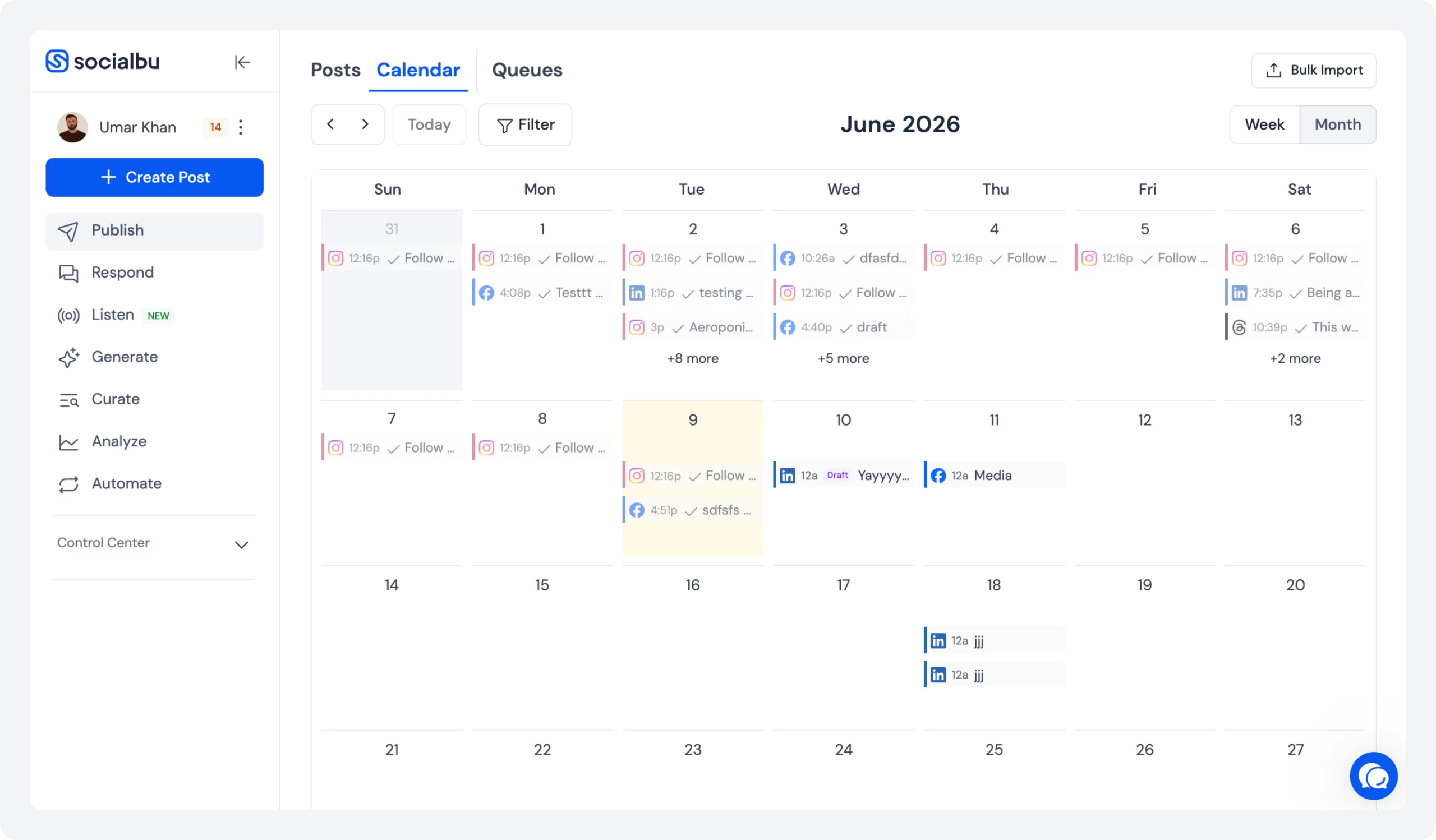
- Visual content calendar. Drag-and-drop calendar view for planning and adjusting the full content pipeline at a glance.
- Social listening. Monitor brand mentions, competitor discussions, product-related conversations, hashtags, and customer pain points across multiple platforms from one place with the social media listening feature. This is especially useful for SaaS companies that want to track buying signals, customer feedback, and industry trends. SocialBu offers these monitoring capabilities at a much lower price point than many enterprise-focused social media tools.
- Team collaboration. Paid plans support multiple team members for shared scheduling, drafting, and review.
- Wide platform support. LinkedIn, Twitter/X, Instagram, Facebook, Threads, Bluesky, TikTok, Pinterest, Reddit, Google Business Profile, Mastodon, and YouTube. One of the broadest platform lists in this price range.
What Works Well for SaaS?
- Delivers a strong balance of features and affordability compared to many competing tools.
- Helps SaaS teams maintain a consistent publishing schedule without adding operational complexity.
- Combines scheduling, automation, engagement management, and social listening in one platform.
- Suitable for startups and growing teams that need advanced functionality without enterprise-level pricing.
For companies searching for affordable social media automation tools for SaaS, SocialBu delivers strong value without requiring a large budget.
Where It Falls Short?
- Some users report occasional scheduling delays
- The interface takes time to learn
Pricing
Plan | Monthly Price | Social Accounts | Posts | Best For |
Free | Free | 3 | 10 lifetime posts | Testing the platform |
Standard | $19/mo | 12 | 800/month | Solo founders & startups |
Super | $59/mo | 30 | Unlimited Monthly Posts | Growing SaaS teams |
Supreme | $199/mo | 150 | Unlimited Monthly Posts | Agencies & large teams |
Free Trial: 7 days (no credit card required)
Among the top social media schedulers for SaaS 2026, SocialBu stands out for its combination of AI-powered content creation, automation, scheduling, and affordability.
Looking for a Scheduling Tool for Your SaaS Team?
SocialBu gives you scheduling, automation, AI content creation, analytics, and collaboration in one place.
2. Buffer: Best for Early-Stage and Self-funded SaaS

Starting Price: $6/month
Bottom Line: Buffer is the simplest, most affordable tool for managing social media scheduling for SaaS startups just getting their content calendar off the ground.
Buffer has been around long enough to get the fundamentals exactly right. Clean interface, reliable scheduling, and a pricing model that doesn’t punish you for managing multiple platforms.
Key Features for SaaS teams:
- Schedule posts across LinkedIn, Twitter/X, Instagram, Facebook, and more from one dashboard
- Built-in content calendar view for planning posts week by week
- Team collaboration with approval workflows on the Team plan
- Basic analytics showing post performance and engagement data
- AI writing assistant for generating and refining captions
What Works Well for SaaS?
Buffer’s simplicity is its strength. A two-person SaaS marketing team doesn’t need a tool with 40 features they’ll never use. Buffer covers multi-platform social media publishing without making it complicated.
Where Does It Fall Short?
Buffer’s analytics are basic. It lacks deep reporting features. Tracking social media impact on demand generation can be difficult. Pricing can also rise quickly as you add more social media channels.
Pricing
Plan | Monthly Price | Channels | Users | Best For |
Free | Free | 3 | 1 | Beginners |
Essentials | $6/channel/mo | Flexible | 1 | Solo marketers |
Team | $12/channel/mo | Flexible | Unlimited | Collaborative teams |
Free Trial: Available on paid plans
 Looking for more advanced features? Explore these Buffer alternatives to find a social media management tool that better fits your SaaS teams needs.
3. Hootsuite: Best for Mid-Market SaaS with Large Teams
Starting Price: $99 per month per user
Bottom Line: Hootsuite is one of the best social media management software for SaaS companies that need advanced team collaboration, approvals, and integrations.
Hootsuite is one of the best social media scheduling tools for SaaS companies that manage multiple social channels and complex workflows. It supports all major social networks and offers powerful social media workflow tools for SaaS teams.
It also includes approval workflows, content scheduling, analytics, and multi-platform social media posting from one dashboard. Hootsuite for SaaS companies is a strong choice for managing large teams and scaling SaaS growth, marketing, and social media efforts.
Key Features for SaaS teams
- Publish to LinkedIn, Twitter/X, Instagram, Facebook, TikTok, Pinterest, and YouTube
- Advanced team collaboration with permission levels, approval workflows, and content libraries
- Social media ROI tracking with campaign tagging and UTM integration
- Bulk scheduling via CSV for high-volume content calendars
- Social listening features to track brand mentions and competitor activity
- Deep analytics and custom reporting dashboards
What Works Well for SaaS?
Hootsuite is built for larger teams. It offers strong collaboration features, approval workflows, and role-based permissions.
Users also frequently praise its ability to manage multiple social accounts from a single dashboard and schedule content across channels.
Where It Falls Short?
- Hootsuite can be expensive, especially for startups and smaller SaaS teams. Many users on G2 and Capterra mention that pricing increases quickly as team size and feature requirements grow.
- Some advanced features are only available on higher-tier plans.
- The platform also has a learning curve. New users often find the interface crowded and more complex than simpler tools.
- A few users also report occasional publishing issues, disconnected accounts, or difficulty navigating advanced reporting features.
Pricing
Plan | Monthly Price | Social Accounts | Users | Best For |
Standard | $199/user/mo | 10 | 1+ | Small-to-mid teams |
Advanced | $249/user/mo | Unlimited | 1+ | Larger marketing teams |
Enterpise | Custom | Unlimited | 5+ | Enterprise SaaS |
Free Trial: 30 days
If Hootsuite feels too expensive or complex for your team, explore these Hootsuite alternatives to find a solution that better matches your budget and workflow.4. Vista Social: Best for SaaS Teams Managing Multiple Social Channels
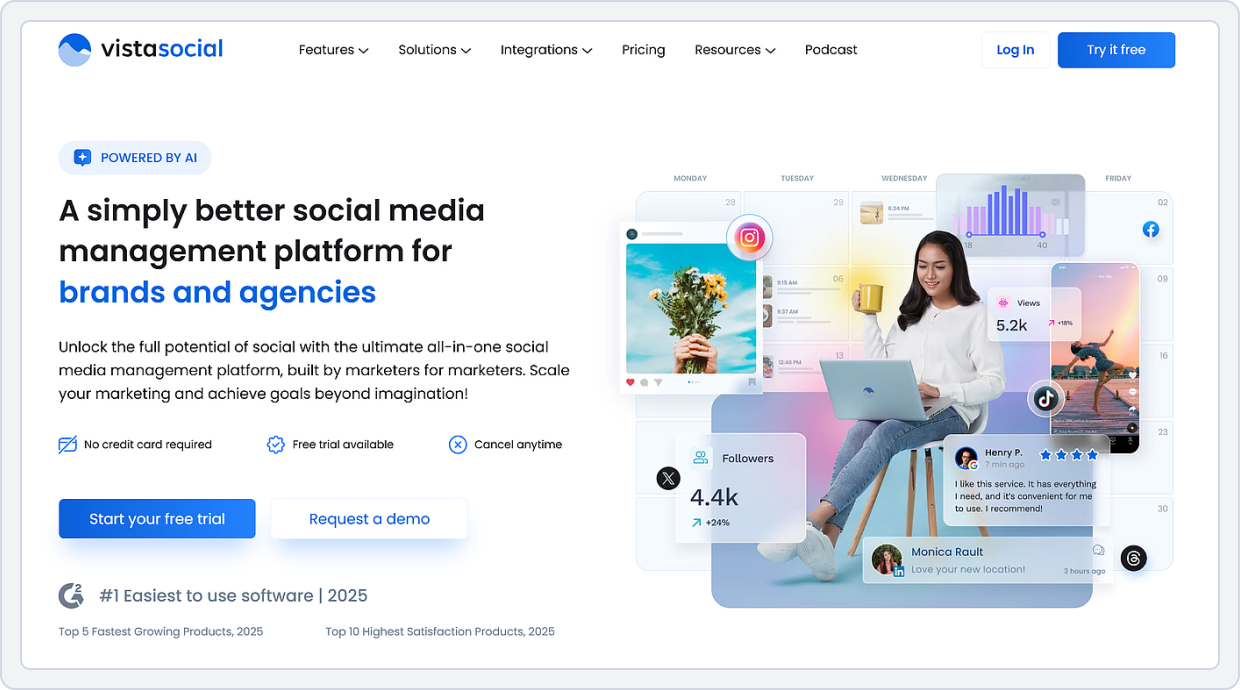
Starting Price: $79 /month
Bottom Line: Vista Social is ideal for teams that need both content scheduling and audience engagement in a single platform.
Unlike many social media scheduling tools for SaaS, Vista Social combines publishing, engagement, social listening, and reputation management within one dashboard. Instead of relying on separate tools for content scheduling and community management, SaaS teams can handle their entire social media workflow from a single platform.
Key Features for SaaS Teams
- Multi-platform social media scheduling and publishing
- Unified social inbox for customer engagement
- Social listening and brand monitoring tools
- AI-powered caption generation and content assistance
- Visual content calendar and post planning
- Team collaboration and approval workflows
- Analytics and performance reporting for SaaS marketing teams
- Review management and reputation monitoring
- Support for LinkedIn, Twitter/X, Instagram, Facebook, TikTok, Pinterest, YouTube, Google Business Profile, and more
What Works Well for SaaS?
- SaaS marketing teams often need more than just scheduling. They must engage with prospects, respond to customer feedback, monitor brand mentions, and track campaign performance across multiple channels.
- Its unified inbox makes it easier to manage conversations from different social networks without switching between tools. This supports stronger customer engagement and faster response times.
- Teams can also monitor brand mentions, track industry conversations, and manage online reviews alongside their content publishing workflows.
- The platform’s collaboration features help marketing teams streamline approvals while maintaining a consistent SaaS brand voice across channels.
Where It Falls Short?
- Vista Social offers a wide range of features, which can create a learning curve for new users.
- Some advanced reporting, listening, and engagement capabilities may require higher-tier plans depending on team size and usage needs.
- Smaller SaaS startups looking for a lightweight scheduling tool may not take full advantage of the platform’s broader social media management capabilities.
Pricing
Plan | Monthly Price | Social Accounts | Users | Best For |
Professional | $79 /month | 15 | 3 | Small teams |
Advanced | $149 /month | 30 | 6 | Agencies |
Scale | $379 /month | 70 | 10 | Agencies managing multiple brands |
Free Trial: 14 days
5. PostEverywhere: Best for Multi-platform scheduling for lean SaaS teams and agencies
Starting Price: $19/month (7-day free trial)
Bottom Line: PostEverywhere covers more platforms than almost anything at its price, 11 in total, including Bluesky, Threads, Telegram, and Discord, so a lean SaaS team can run every channel from one place.
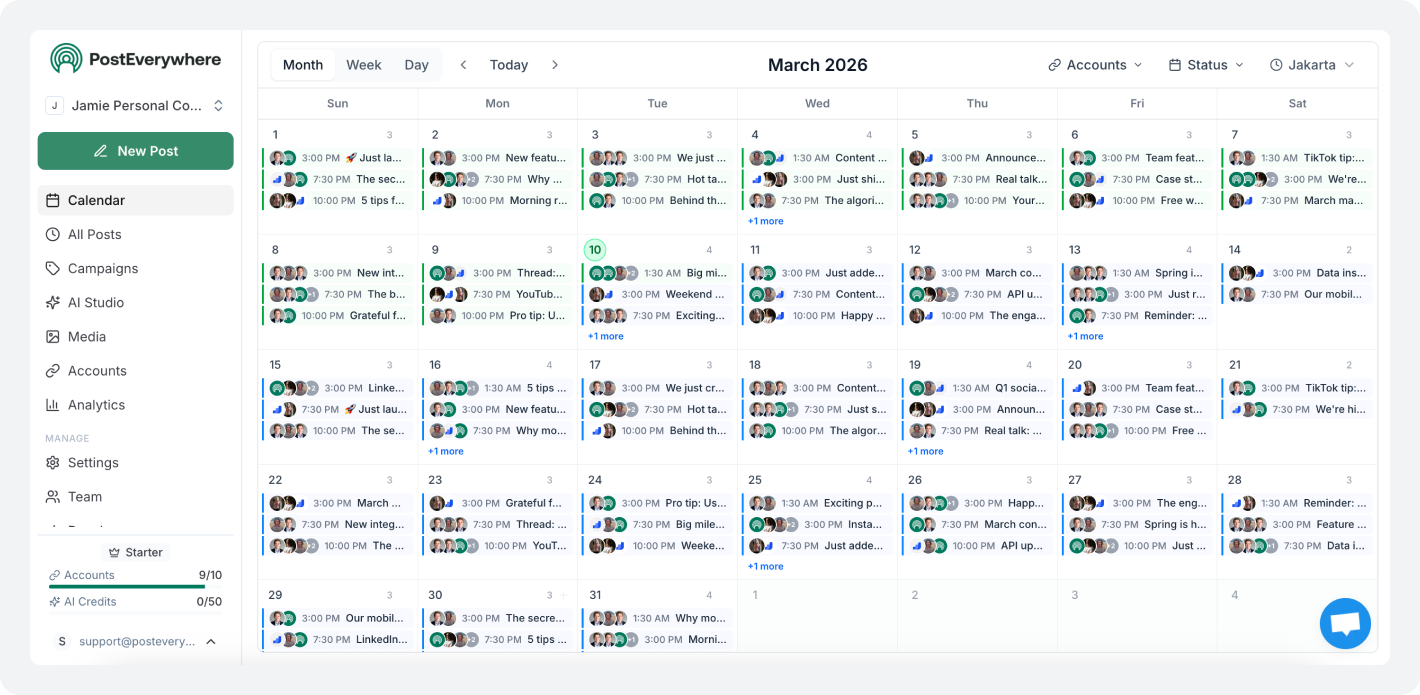
PostEverywhere is a social media scheduler built for teams that need to be everywhere without hiring for it. It publishes to 11 platforms from one calendar, including channels most tools skip (Bluesky, Threads, Telegram, Discord), so a SaaS marketing team can run product launches, community updates, and founder content in a single workflow.
Cross-posting sends one post to every channel at once, with room to tweak each platform’s version; AI captions speed up the first draft; and built-in analytics show what is actually driving engagement. For technical teams, an API and MCP server let you schedule posts programmatically or wire publishing into your own product and automations. Plans start at $19/month with a 7-day free trial.
Key Features for SaaS Teams
- Schedule and cross-post to 11 platforms (Instagram, TikTok, YouTube, LinkedIn, Facebook, X, Threads, Bluesky, Pinterest, Telegram, Discord) from one calendar
- AI captions to draft and tailor copy per platform
- Visual content calendar for planning launches and campaigns
- Built-in analytics to track engagement and top-performing posts
- API and MCP server for programmatic scheduling and automation
What Works Well for SaaS?
Widest platform coverage at the price. Most schedulers stop at the big four; PostEverywhere reaches 11, including Bluesky, Threads, Telegram, and Discord, where a lot of SaaS communities actually live.
Built for technical teams. The API and MCP server let you automate posting or trigger it from your own product, which most tools in this category don’t offer, so the scheduler becomes part of your stack rather than another tab.
Flat, predictable pricing. You pay $19, $39, or $79 for 10, 25, or 40 accounts with unlimited posts, rather than being charged per channel or per seat, so adding platforms as you grow doesn’t inflate the bill.
Where It Falls Short?
- You need to enter a credit card to start the trial.
- Fewer user reviews and customer feedback than older, well-known tools.
- Heavy use of AI features may require upgrading to a higher-priced plan.
Pricing
Plan | Monthly Price | Social Accounts | Posts | Best For |
Starter | $19 /month | 10 | Unlimited | Solo founders & early-stage SaaS |
Growth | $39//month | 25 | Unlimited | Growing teams & multiple brands |
Pro | $79//month | 40 | Unlimited | Agencies & larger marketing teams |
6. Metricool: Best for SaaS Teams That Need Analytics Alongside Scheduling
Starting Price: $25/month
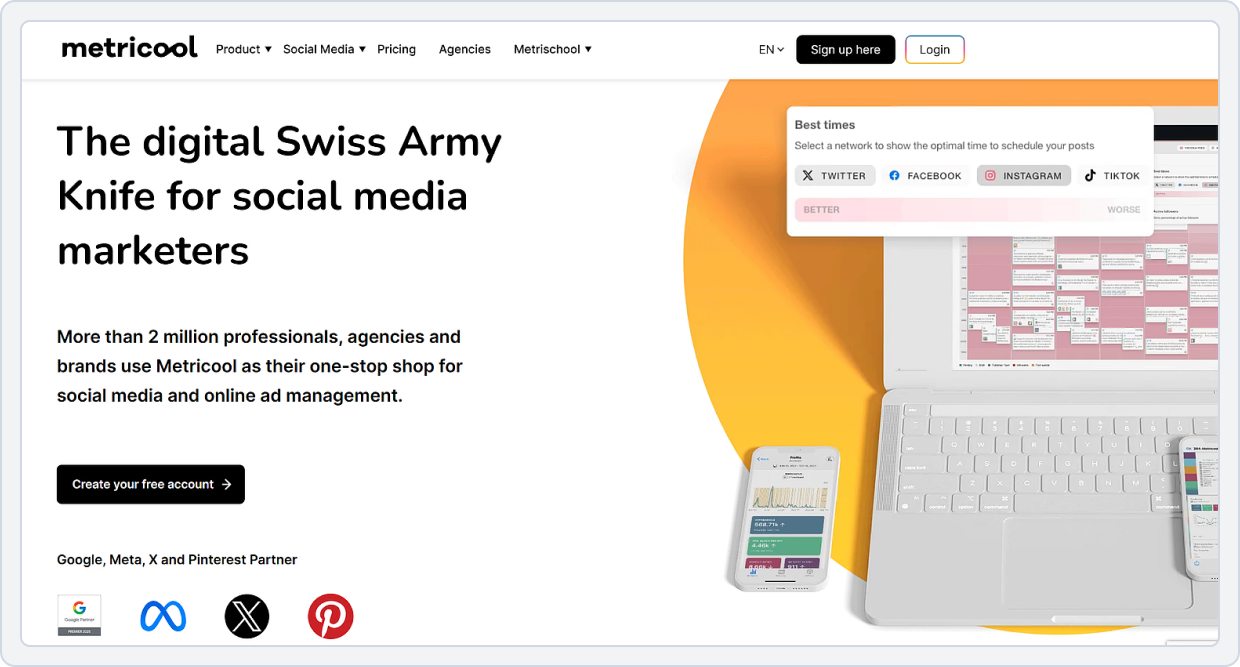
Bottom line: Metricool is the strongest combination of scheduling and social media analytics in the mid-price range. This makes it a solid pick for SaaS teams that want one tool for both publishing and performance tracking.
Most scheduling tools add analytics as an afterthought. Metricool builds analytics into everything. You can see performance data for each post, benchmark against competitors, and track social media ROI from one dashboard.
Key Features for SaaS teams:
- Schedule and auto-publish to LinkedIn, Twitter/X, Instagram, Facebook, TikTok, YouTube, Pinterest, and Google Business
- Competitor analysis to track how your SaaS brand performs against others in your space
- Detailed analytics covering reach, impressions, engagement rate, follower growth, and link clicks
- Best time to post recommendations based on your audience’s actual activity data
- Team collaboration with client/account management features
What Works Well for SaaS?
Metricool is useful for SaaS marketing teams. It brings organic and paid social media data into one place. It supports better social media strategy for SaaS and improves decision-making for both organic and paid campaigns.
This makes it easier to measure social media ROI SaaS and understand what drives growth.
Where It Falls Short?
- Metricool can feel complex for new users. The interface takes time to learn.
- Some advanced features are only available on higher plans.
- Bulk scheduling is available, but it is not as smooth as other tools. This can slow down social media workflow tools for SaaS teams that manage large content calendars.
Pricing
Plan | Monthly Price | Best For |
Free | Free | Basic scheduling and analytics |
Starter | $25/month | Small SaaS teams |
Advanced | $67/month | Growth-stage companies |
Custom | Enterprise pricing | Large organizations |
7. Sprout Social: Best for Data-Driven SaaS Marketing Teams
Starting Price: $199 per seat/month
Bottom line: Sprout Social is the tool on the list for SaaS teams that treat social media as a measurable demand-generation channel and need reporting to back it up.
Sprout Social is a premium social media management software for SaaS. It is designed for larger teams and enterprises. Its analytics are much deeper than those of other tools. It helps SaaS teams track performance in detail and build strong reports for leadership. It is ideal for social media analytics for SaaS and advanced reporting needs.
Key Features for SaaS teams:
- Publish and schedule across all major platforms, including LinkedIn, Twitter/X, and Instagram
- Deep engagement tracking, including post performance, audience growth, engagement rate, and more
- Social media ROI reporting with custom dashboards and exportable reports
- Smart inbox for managing all comments, DMs, and mentions across platforms in one view
- Advanced content approval workflow with multi-step review processes
- Social listening and competitor benchmarking
What Works Well for SaaS?
Analytics is the reason to choose Sprout Social. The engagement tracking is detailed enough to support strategic decisions about what content to produce more of.
Where Does it Fall Short?
Sprout Social is expensive. For teams that mainly need scheduling and basic collaboration, it can feel like more than they need. The Sprout Social pricing also increases quickly as you move to higher plans or add more users.
Pricing
Plan | Monthly Price | Social Profiles |
Standard | $199 per seat/month | 5 |
Professional | $299 per seat/month | Unlimited |
Advanced | $399 per seat/month | Unlimited |
Enterprise | Custom | Unlimited |
To get better results on different social media platforms, SaaS teams should adjust their posting style for each channel.
8. Simplified: AI-powered scheduling and content creation
Starting Price: $20/month
Bottom line: Simplified combines content creation, social media scheduling, AI video generation, and marketing workflows into a single platform. It helps SaaS companies plan, create, publish, and manage content without relying on multiple tools.
Simplified is an all-in-one AI marketing platform designed to help SaaS companies manage content creation and social media publishing from a single workspace. Teams can generate posts, create graphics, produce videos, schedule content, and automate marketing workflows without switching between multiple applications. The platform supports collaboration, making it easier for marketing teams to manage campaigns, maintain brand consistency, and streamline approval processes.
In addition to social media scheduling, Simplified includes AI writing tools, design capabilities, video creation features, and workflow automation, allowing SaaS businesses to handle the entire content lifecycle in one place. It is particularly useful for growing SaaS teams that need to scale content production while keeping operations organized and efficient.
Key Features for SaaS teams
- AI-powered social media scheduling and publishing
- AI content generation for social posts, blogs, and marketing copy
- AI video generator and UGC video creation tools
- Team collaboration, content approvals, and shared workspaces
- AI workflows for content repurposing and marketing automation
What Works Well for SaaS?
Combines content creation, scheduling, and automation in a single platform.
Helps marketing teams maintain a consistent publishing schedule across channels.
Reduces manual work through AI-assisted content creation and workflow automation.
Where Does it Fall Short?
- They make things look easy, but often remove important context needed for real decision-making.
- They oversimplify data, which can hide deeper problems or trends behind the numbers.
- Focus on quick summaries, but don’t always explain why something is happening or what to do next.
Pricing
Plan | Monthly Price (Billed Annually) | Social Accounts | Users/Seats | Best For |
Pro | $19 /month | 7 Social Media Accounts | 1 User | Freelancers and solo creators |
Business | $49//month | 15 Social Media Accounts | 3 Users | Small businesses and growing teams |
Growth | $149//month | 30 Social Media Accounts | 5 Users | Small agencies and marketing teams |
Enterprise | Custom Pricing | Custom Limits | 10+ seats | Large teams and agencies |
Platform-Specific Scheduling Tools for SaaS
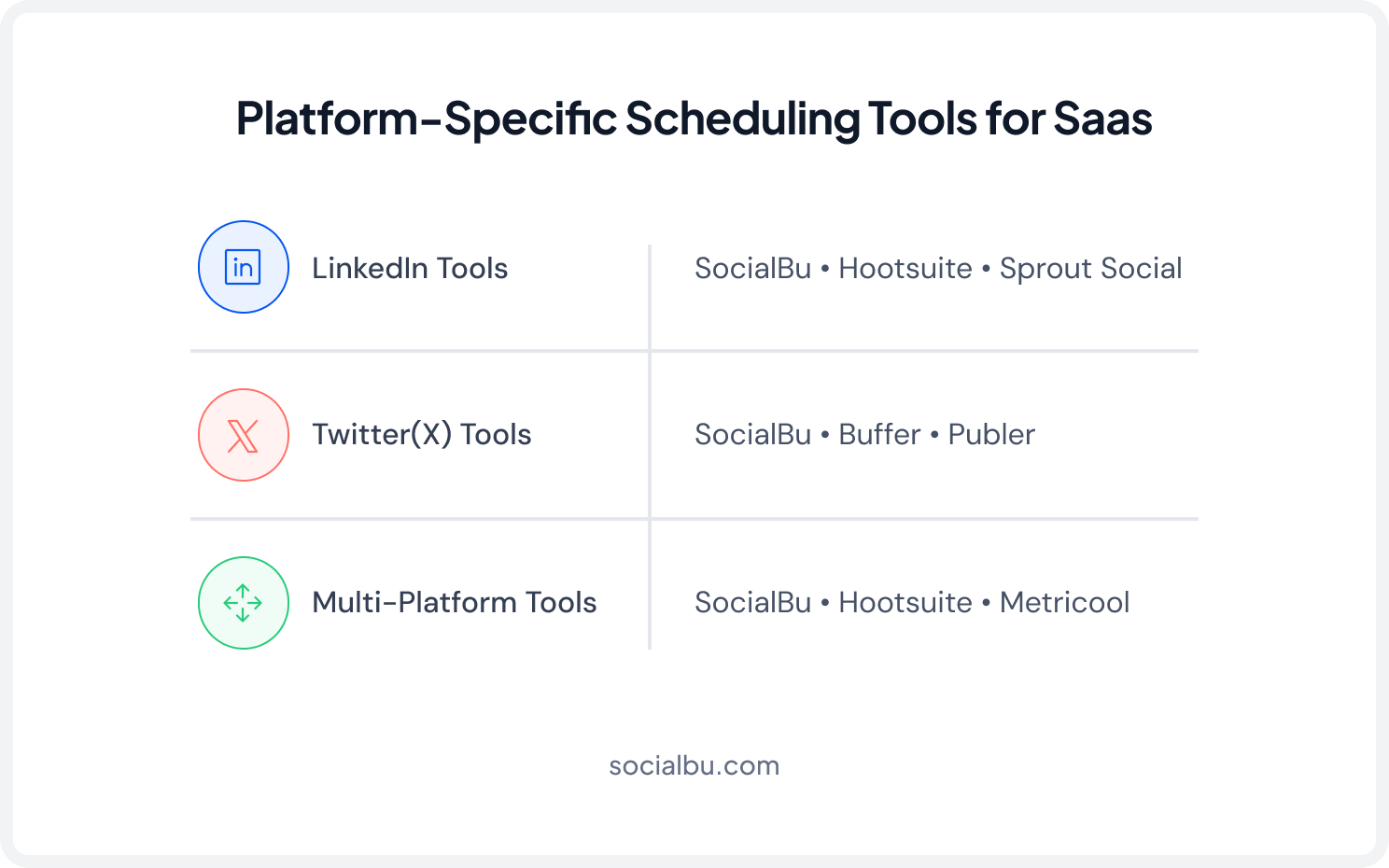
The best social media scheduling tools for SaaS companies make it easy to customize content for different platforms. Different social media platforms need different posting styles. SaaS teams should not use the same content everywhere. Each platform works in its own way.
1. LinkedIn Scheduling for SaaS
LinkedIn is the main platform for B2B social media scheduling tools and SaaS demand generation. It is where most demand generation social media SaaS strategies focus.
For a LinkedIn scheduling tool for SaaS, tools like SocialBu, Hootsuite, and Sprout Social work well. They support native post formats like documents, polls, images, and carousels.
2. Twitter/X Scheduling for SaaS
Twitter/X is important for real-time updates and community building on social media for SaaS.
Tools like SocialBu, Buffer for SaaS companies, and Publer are commonly used for scheduling on Twitter/X. They make it easy to plan threads and maintain a steady posting flow for SaaS brand voice on social media.
3. Multi-Platform Posting
Most SaaS teams do not post the same content everywhere. They adjust content for each platform. This is key for a strong social media strategy for SaaS.
Good social media publishing tools, SaaS companies like SocialBu, Hootsuite, and Metricool, allow platform-specific editing from one screen.
How to Build a Social Media Workflow for SaaS Teams?
Even the best social media scheduling tools for SaaS companies cannot fix a broken workflow. The tool is only part of the equation. The workflow around it determines whether your team actually posts consistently.
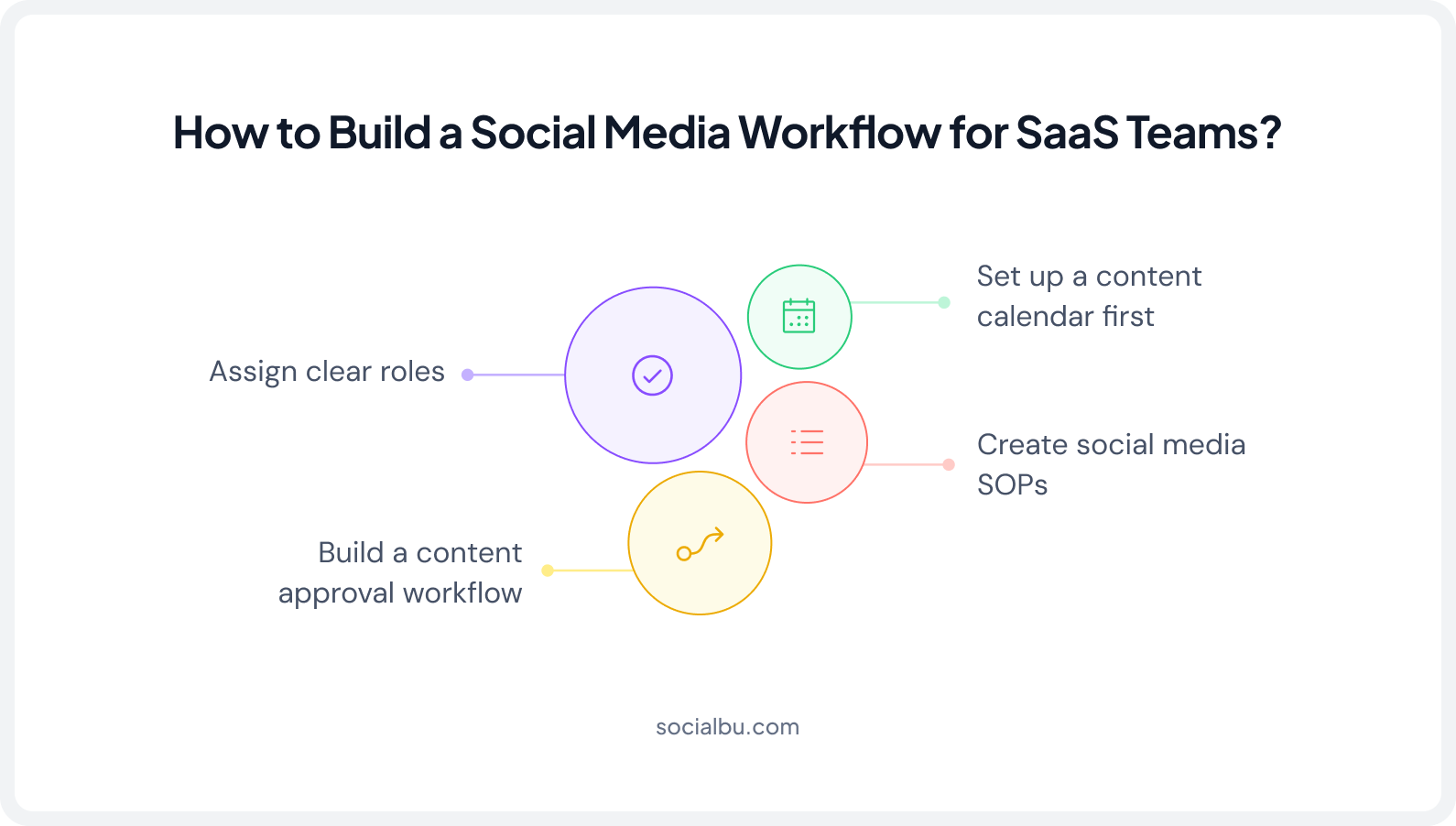
Start by setting up a content calendar. Plan your content before you schedule anything. Include thought leadership, product updates, customer stories, industry news, and engagement posts. A 2-4 week calendar works best. Shorter plans feel rushed. Longer plans become hard to manage.
Next, build a clear approval workflow. Do not manage approvals only on Slack. Define who writes, who reviews, and who approves. Keep the process simple and fast.
Then create social media SOPs. Write down your posting rules. Include platforms, posting frequency, and brand voice guidelines. This helps keep content consistent.
Finally, assign clear roles. One person manages the calendar. One creates content. One approves it. Without clear ownership, content gets delayed and nothing gets published.
Measuring Social Media ROI for SaaS
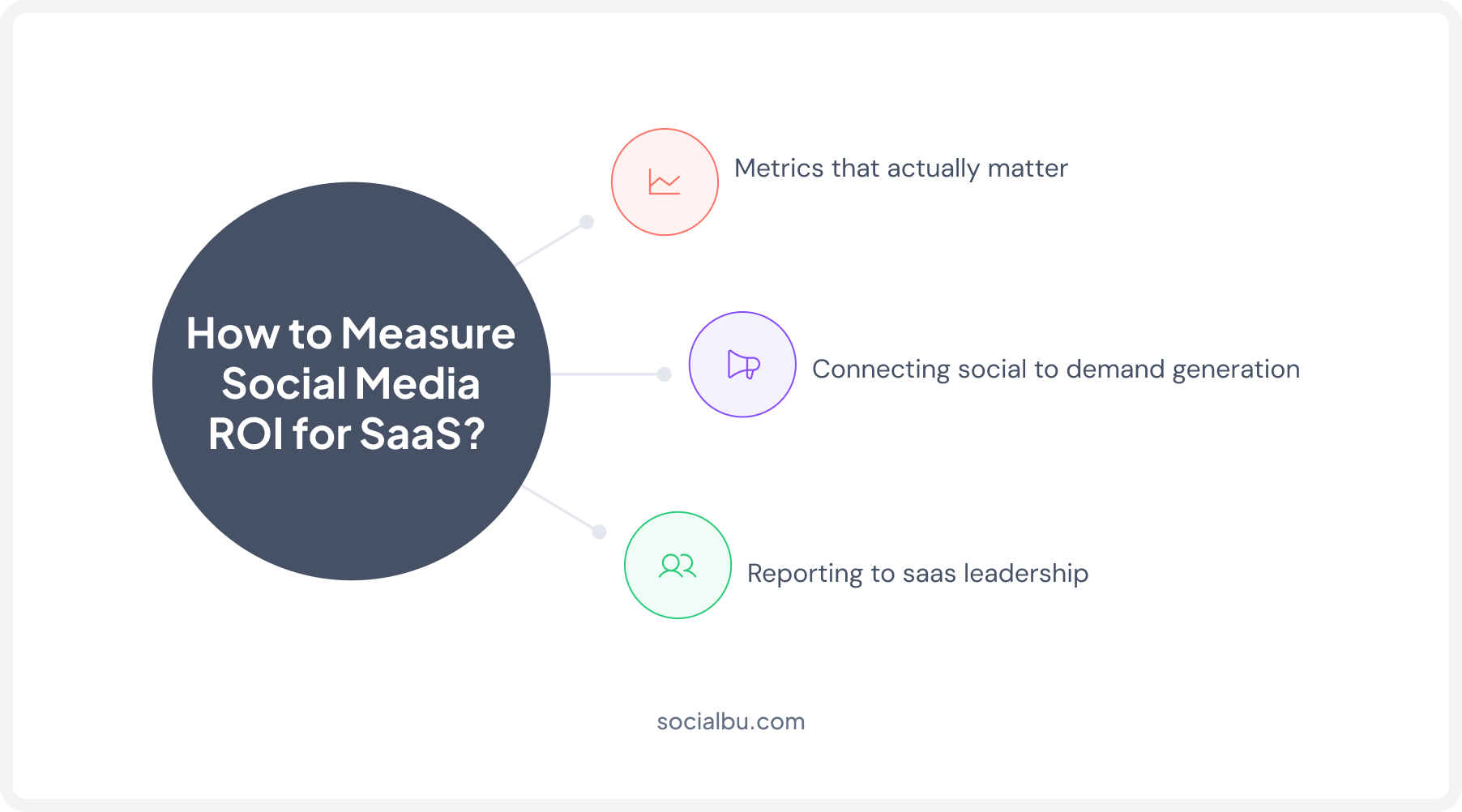
Measuring social media ROI for SaaS means understanding what results your social media efforts actually bring to the business. It is not just about likes or followers. SaaS teams need to track how social activity contributes to leads, signups, and revenue.
1. Metrics That Actually Matter
Forget follower count. For SaaS brands, the metrics worth tracking are:
- Engagement rate – are the right people responding to your content?
- Click-through rate – are posts driving traffic to your site or product?
- Profile visits and connection requests – especially on LinkedIn
- Content that generates inbound leads or trial signups – tracked via UTM parameters
2. Connecting Social to Demand Generation
Tag every social media link with UTM parameters so you can see which posts drive traffic, trials, and pipeline in your analytics.
3. Reporting to SaaS Leadership
Monthly reporting is enough for most SaaS teams. Report on engagement rate trends, top-performing content, and any traffic or conversion data you can attribute to social. Keep it short.
Which Tool Is Right for Your SaaS Company?
With so many options available, choosing the best social media scheduling tools for SaaS companies is difficult. The right tool depends on your team size, budget, content workflow, and reporting needs
Early-stage / solo founder SaaS: Start with SocialBu or Buffer. Both have free plans, clean interfaces, and enough features to build a consistent posting habit.
Growth-stage SaaS with a small team: SocialBu or Metricool. You get AI scheduling, automation, and solid analytics without jumping to enterprise pricing.
High-volume content teams: Publer or SocialBee. Both are built for teams that produce a lot of content and need efficient bulk scheduling or structured repurposing workflows.
Data-driven or enterprise SaaS: SocialBu, Sprout Social, or Hootsuite. If you need deep analytics, social listening, or enterprise-grade team management, these are your best options.
Ask yourself these three questions before choosing:
- How many people on your team will use the tool?
- Do you need deep analytics, or is basic reporting enough?
- Are you focused more on publishing consistency or content performance measurement?
Your answers will narrow the list to one or two strong fits.
Conclusion
The best social media scheduling tool for your SaaS company is the one your team will actually use. Try a few tools and test them with your real workflow. The right tool will make your work easier. The wrong one will slow you down.
Many SaaS teams choose SocialBu because it brings scheduling, automation, analytics, and collaboration into one place.
Pick the tool that removes friction. Then stay consistent.
FAQs
Q. What is the best social media scheduling tool for SaaS startups?
A. For most SaaS startups, SocialBu and Buffer are the two strongest starting points. SocialBu offers more automation and AI features at a similarly affordable price. Buffer is the simplest option with a clean, free plan. Both scale reasonably well as your team grows.
Q. Can I use free social media tools for SaaS marketing?
A.Yes. Tools like SocialBu, Buffer, and Metricool offer free plans. They are good for testing a tool and managing basic social media posting. However, free plans usually limit accounts, posts, and team members. As your SaaS business grows, you will likely need a paid plan.
Q. How do SaaS companies use LinkedIn for B2B social media?
A. LinkedIn is the primary channel for B2B SaaS demand generation. SaaS companies use it for thought leadership posts from founders and team members, product use case content, customer success stories, and company culture posts.
Q. How many social posts should a SaaS company publish per week?
A. On LinkedIn, three to five posts per week is a solid target for SaaS brands. On Twitter/X, daily posting or near-daily works well. Quality and consistency matter more than hitting a specific number.
Q. Do social media scheduling tools support AI content creation?
A. SocialBu, SocialBee, Publer, Hootsuite, and Buffer all have built-in AI writing features. Treat AI-generated content as a first draft, not a finished post.









