
Cloud Campaign is a popular social media management tool, especially among agencies, but it’s not without its challenges. While it offers helpful features for scheduling, collaboration, and client management, user feedback indicates the experience isn’t always as smooth as expected.
Users often mention trouble scheduling posts across platforms, a dashboard that feels clunky when making quick edits, and pricing that climbs fast as more clients or team members are added. Collaboration can also feel harder than it should be, and managing multiple clients in the content calendar can quickly turn messy.
These small frustrations add up, and that’s when people begin searching for Cloud Campaign alternatives.
In the next sections, we’ll break down the 11 Cloud Campaign alternatives and explore better options that address these issues more effectively.
Why People Are Looking for Cloud Campaign Alternatives?
Before learning about the alternatives, it helps to understand why many are now reconsidering Cloud Campaign. Here’s a breakdown:
Cloud Campaign is a social media management platform built for agencies. It supports multi-client workflows, lets you schedule content, handle client approvals, and generate white-label reports.
What People Really Think: Cloud Campaign’s Common Drawbacks
Here are some of the most frequent complaints, backed by authentic user voices from review platforms:
- Scheduling Issues: Some users reported issues scheduling content across different platforms at the same time. (Amanda S. Capterra)
- Interface Friction: A few users describe the UI as “clunky” or not very intuitive, especially when making quick edits or rescheduling posts. (Matt C. G2)
- Pricing Too High: Cloud Campaign offers strong features, but many users mention that the pricing jumps between plans are steep. As agencies onboard more clients or add more team members, the monthly cost increases significantly. (Olivia, Capterra)
- Collaboration Issues: Cloud Campaign can make client collaboration less smooth, especially when agencies need simple approvals, easy feedback, and fully branded client access, which is why many look for alternatives. (Alive_Poetry6487, Reddit)
- Content Calendar Issues: Cloud Campaign’s content calendar can be cluttered and hard to manage, especially for multiple clients, making post-scheduling and approvals less smooth. (Ellie C. Capterra)
This is exactly why users are looking for cloud campaign alternatives. If you are also looking for one, you are at the right place.
Comparison Criteria: How We Selected Each Cloud Campaign Alternative
Users looking for Cloud Campaign alternatives are seeking tools that address its limitations. These include:
- Better Scheduling
- Intuitive Interface & Dashboard
- Flexible Pricing and White Label Options
- Team Collaboration Limitations
- Content Calendar Issues
Below are some of the best Cloud Campaign alternatives, each offering unique features for agencies, social media managers, and multi-client workflows. Let’s explain each tool in detail.
CloudCampaign Alternative #1: SocialBu
Best For: Small businesses, agencies, and power users needing automation
Starting Price: $19/ month
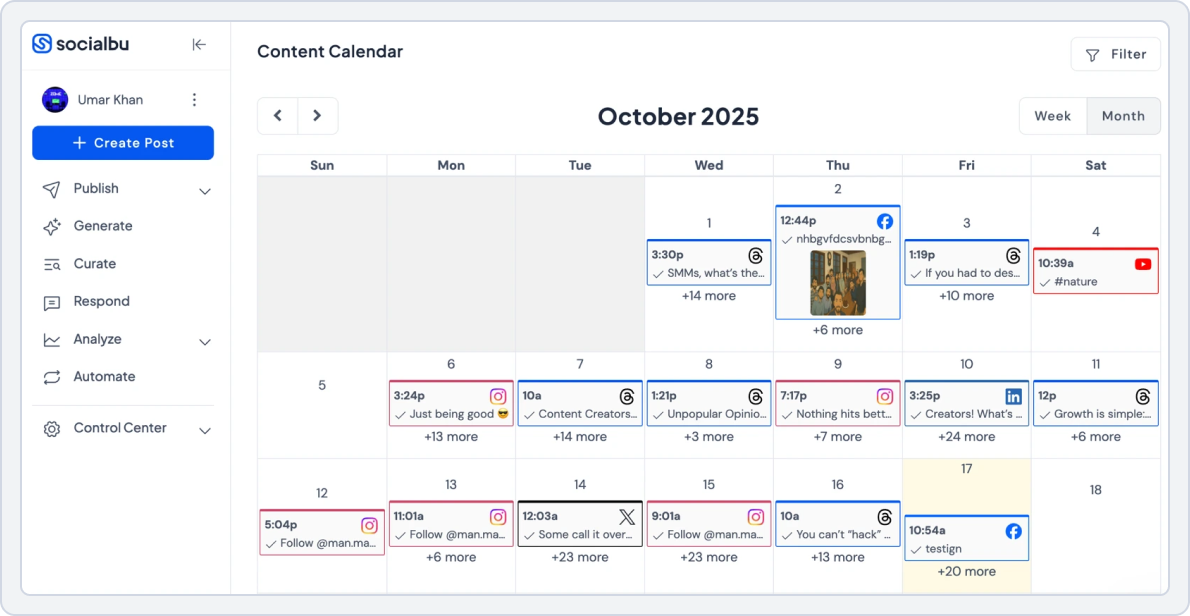
SocialBu is an all-in-one social media scheduling platform built specifically for agencies and growing teams. It offers streamlined publishing, automation, analytics, team collaboration, and advanced multi-client tools, but at a far more affordable price point than Cloud Campaign.
I like that they have some features, like bulk scheduling that makes scheduling posts so easy. My favorite part about that app is that I can schedule posts for my private instagram accounts, which is something almost no other instagram scheduler can do.
They also have great customer service. Eric G. Verified G2 review
What makes SocialBu especially attractive as a Cloud Campaign alternative is that it blends ease of use with powerful agency features like:
- Advanced scheduling to plan content for days or months with flexible scheduling tools, bulk import options, evergreen post recycling, and automation workflows.
- Team collaboration & workflow control to invite teammates, assign roles, manage access rights, and build approval workflows to ensure quality and consistency. These collaboration tools make SocialBu a strong choice for agencies and teams that require structured review processes and shared content planning.
- Insightful analytics & reporting to track performance with cross‑platform analytics that reveal engagement patterns, audience growth, and content effectiveness.
- User-friendly experience designed for everyone, so you can start planning and posting faster without wrestling with the interface.
- Multi‑platform support lets you bulk schedule and manage content across a wide range of networks, from core platforms like Instagram, Facebook, TikTok, LinkedIn, and YouTube to emerging networks such as Reddit, Threads, Mastodon, and Google Business Profile.
- Centralized engagement & inbox management, which brings comments, messages, and mentions from all connected channels into a single view, making it easier to respond quickly and maintain audience engagement without switching platforms.
This combination of simplicity and agency-first features makes SocialBu one of the most effective Cloud Campaign alternatives for multi-client teams, social media agencies, and freelancers managing multiple brands.
SocialBu vs. Cloud Campaign
Let’s compare the key features that matter most to agencies across both platforms.
1. Social Media Scheduling
Scheduling is the backbone of any agency workflow. SocialBu makes it easy to plan weeks or months ahead using a clear visual calendar, while still giving you precise control over when and where content goes live.
SocialBu allows you to:
- Schedule all your posts in a weekly or monthly calendar to plan ahead. You can click on a day to create or edit posts directly.
- Write your posts and set the exact date and time to publish. SocialBu will automatically post them to all connected platforms.
- Share the same post on different social media accounts at once, saving time.
- Create a list of posts to publish repeatedly, daily, weekly, or monthly. Great for evergreen content that stays relevant over time.
- Upload many posts at once (like a CSV file) so you don’t have to schedule them one by one.
- SocialBu supports different post types depending on the network: Instagram: posts, reels, stories, carousels, and first comments. Facebook: feed posts and stories. LinkedIn, YouTube, Reddit, Google Business Profile, and more
- Work with your team easily. See who created or edited posts, and use roles or approvals to control who can publish.
- Once posts are scheduled, single, repeated, or bulk, SocialBu posts them automatically at the right time, so you don’t have to be online.
- Schedule multiple client posts from a single calendar view using separate client workspaces, filters, bulk uploads, and drag-and-drop scheduling.
SocialBu vs Cloud Campaign Key Takeaway: SocialBu is great for small teams or individuals who want an easy way to schedule posts, share the same post on different platforms, and reuse posts over time. It also lets teams work together simply. Cloud Campaign is better for agencies or people managing many clients.
2. Team Collaboration
Agency work involves writers, designers, strategists, account managers, and clients. SocialBu’s collaboration feature is designed to keep everyone aligned without chaos.
With SocialBu:
- No password sharing needed; team members log in with their own accounts for safety.
- Separate teams by client or project, and organize work by brand or client so everyone sees only what they need.
- Role-based access: assign permissions for drafting, scheduling, approving, or managing posts.
- Approval workflows, posts can be reviewed and approved before publishing.
- Internal notes and feedback so team members can comment on drafts within the platform.
- Shared content calendar, which allows everyone to view scheduled posts to avoid confusion.
- Safer and more organized teamwork prevents mistakes and keeps content consistent.
SocialBu vs Cloud Campaign Key Takeaway: SocialBu wins for team collaboration, with clear roles, easy approval workflows, shared calendars, and built-in feedback tools that make working together smoother and more organized.
3. Social Media Content Calendar
SocialBu’s content calendar gives agencies complete visibility into what’s planned, what’s live, and what’s already published.
Agencies can:
- See all posts in one place, check both scheduled and past posts easily.
- Weekly & monthly views to see more or less detail.
- Check post details: click a post to see the time, platform, and content.
- Schedule posts from the calendar by selecting a date and time.
- Filter by account or platform to view only specific clients or social accounts.
- Drag and drop to reschedule and move posts around easily if plans change.
- Mobile-friendly plan to adjust posts from your phone.
- Organizing your content helps you plan and stick to your content strategy.
SocialBu vs Cloud Campaign Key Takeaway: SocialBu’s content calendar makes it easy to plan, organize, and manage posts for all accounts in one place.
4. Easy-to-Use Interface
Complex tools slow agencies down. SocialBu is designed so that new team members can start using it almost immediately.
The platform offers:
- Clean layout, with everything clearly organized so you can find what you need quickly.
- Simple navigation so menus and buttons are easy to understand, even for beginners.
- Drag-and-drop features to move posts around, reschedule, or organize content efficiently.
- Visual dashboards to see key info like scheduled posts, engagement stats, and tasks at a glance.
- Quick access to tools so all features like posting, scheduling, inbox, and analytics are reachable in a few clicks.
- Mobile-friendly design so the interface works well on phones and tablets, not just desktops.
- With less learning time, new users can start posting and managing social accounts without extensive training.
SocialBu vs Cloud Campaign Key Takeaway: SocialBu’s interface is clean, simple, and easy to use, letting you manage posts and accounts quickly without confusion.
5. Integrations
Clients expect agencies to manage all their social platforms, not just the basics. SocialBu supports a broader range of networks.
- SocialBu supports: Facebook, Twitter, Instagram, LinkedIn, Pinterest, TikTok, Slack, Canva, Threads, Bluesky, Mastodon, Reddit, and Google Business Profile.
- Cloud Campaign: Facebook, Instagram, LinkedIn, YouTube, TikTok, Pinterest, Mastodon, and Google Business Profile.
SocialBu vs Cloud Campaign Key Takeaway: SocialBu is the best Cloud Campaign alternative for agencies that need broad platform support.
6. Pricing
Here’s a breakdown of Socialbu’s pricing plans:
SocialBu | CloudCampaign | |
Platforms | Instagram, TikTok, YouTube, Facebook, X (Twitter), Threads, LinkedIn, Reddit, Mastodon, Pinterest, Bluesky, Google Business Profile | Facebook, Instagram, LinkedIn, YouTube, TikTok, Pinterest, Mastodon, and Google Business Profile. |
Free Plan | Yes Social accounts: 2 Social Platforms: 3 | No free plan, offers a free trial |
For Small business | $19 /month -12 Social accounts -800 Monthly Posts -2 Teams | $49 /month -1+ Brand Workspaces -Unlimited Users -7 Social Accounts per Client |
For Agencies | $199 /month -150 Social accounts -Unlimited Monthly Posts =25 Teams | $229 /month -5+ Brand Workspaces -Unlimited Users -Unlimited Social Accounts |
Verdict | Best for small businesses and agencies that want powerful features, broader platform support, and automation at an affordable price. | Best for large agencies that need brand workspaces and unlimited users, but comes at a higher cost. |
For a direct cost comparison, you can also review Cloud Campaign’s pricing plans here to see how they stack up against SocialBu in terms of features and value.
SocialBu vs Cloud Campaign Final Takeaway
SocialBu is the strongest Cloud Campaign alternative for agencies, freelancers, and teams that need a simpler, more affordable, and more flexible social media management platform. It solves nearly every common pain point Cloud Campaign users report, including pricing, usability, reliability, and client collaboration.
If you want the most affordable, agency-friendly, Cloud Campaign alternative in 2026, SocialBu is the best choice.
Is Cloud Campaign too Complex or Expensive?
Cloud Campaign Alternative #2: Sendible
Best For: Agencies that want a scalable, client-friendly social media management platform with a strong collaboration feature.
Starting Price: $29/ month
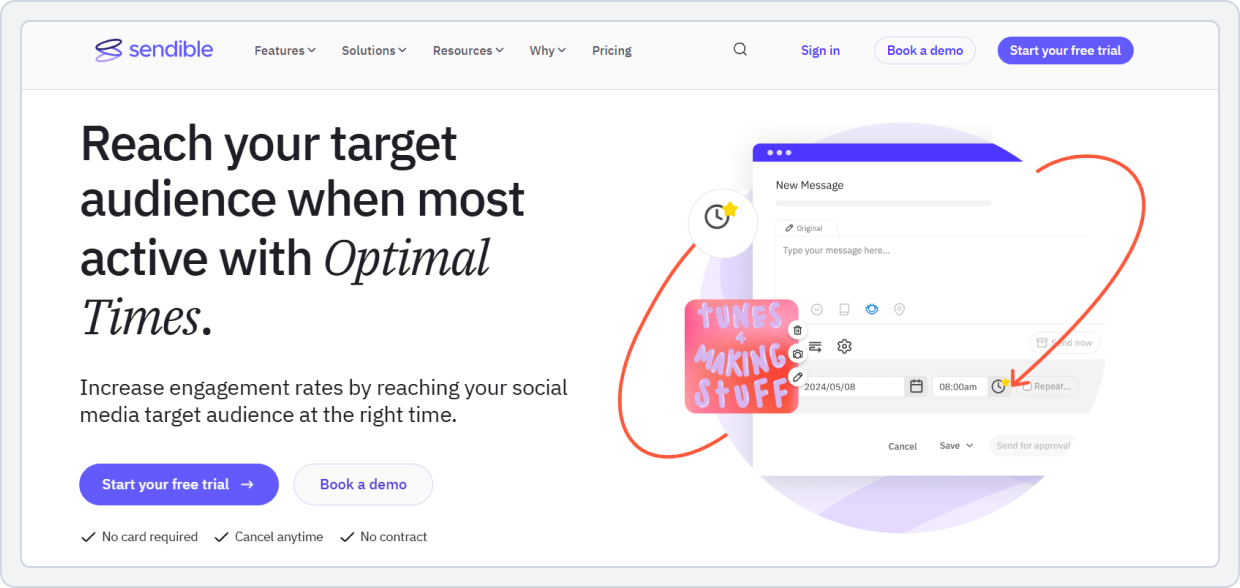
Sendible is a social media management platform designed specifically for agencies and multi-brand teams. It brings together publishing, approvals, content collaboration, analytics, reporting, and client communication into a single dashboard.
Sendible vs. Cloud Campaign
Here’s a detailed comparison of how each platform handles the tools agencies use every day.
1. Social Media Scheduling
Scheduling is one of the most important features for agencies managing multiple clients and campaigns. With Sendible, you can:
- Write your posts now and choose the exact date and time to publish them.
- Schedule posts to go live just once, perfect for announcements, events, or promotions.
- Set posts to repeat daily, weekly, or monthly so important content keeps showing without extra work.
- Create a list of posts that Sendible automatically publishes in order, so you don’t have to post manually.
- Post to multiple social media accounts simultaneously.
- See all scheduled posts in a visual calendar to easily plan your content.
- Move posts around in the calendar with drag-and-drop if your plan changes.
Sendible vs Cloud Campaign Key Takeaway: Sendible is easier and more reliable for scheduling, especially for agencies managing many clients.
2. Team Coordination
Agency work involves multiple people reviewing, approving, and managing content. Sendible allows:
- Team members create and edit content in one place.
- Send posts to teammates or clients for review and approval before posting.
- Give each person a specific job, like writing, scheduling, or replying to messages.
- Control who can edit, schedule, or approve posts.
- Clients can see only their own posts and analytics, not those of other accounts.
- Team members can reuse approved images, captions, and templates.
- Leave notes directly on posts so everyone knows the changes needed.
Sendible vs Cloud Campaign Key Takeaway: Sendible makes it easy for teams to create, review, approve, and manage content together without confusion.
3. Ease of Use
A platform’s usability directly impacts how quickly teams can work. Sendible focuses on:
- A clean and simple interface that teams learn quickly.
- Easy onboarding for new team members and clients.
- Smooth daily workflows for posting, approvals, and reporting.
Sendible vs Cloud Campaign Key Takeaway: Sendible is more user-friendly for everyday agency work.
4. Integrations
- Sendible integrates with: Facebook, Instagram, LinkedIn, Twitter/X, Google Business Profiles, Pinterest, YouTube, TikTok, Canva, Slack, WordPress, Zapier, and CRM tools.
- Cloud Campaign: Facebook, Instagram, LinkedIn, YouTube, TikTok, Pinterest, Mastodon, and Google Business Profile.
Sendible vs Cloud Campaign Key Takeaway: Sendible supports more integrations than Cloud Campaign, including tools like Canva, Slack, WordPress, Zapier, and CRMs, making it better for teams that need all-in-one connectivity across social media and other apps.
5. Pricing & Value
Here’s a detailed comparison of Sendible vs Cloud Campaign:
Sendible | CloudCampaign | |
Platforms | Facebook, Instagram, LinkedIn, Twitter/X, Google Business Profiles, Pinterest, YouTube, TikTok, Canva, Slack, WordPress, Zapier, and CRM tools. | Facebook, Instagram, LinkedIn, YouTube, TikTok, Pinterest, Mastodon, and Google Business Profile. |
Free Plan | No free plan, offers a free trial | No free plan, offers a free trial |
For Small business | $199 /month -7 users/calendars -49 social profiles | $49 /month -1+ Brand Workspaces -Unlimited Users -7 Social Accounts per Client |
Other Plans | $299 /month -20 users/calendars -100 social profiles $750 /month -80 users/calendars -400 social profiles | $229 /month -5+ Brand Workspaces -Unlimited Users -Unlimited Social Accounts |
Verdict | Best for established teams and agencies that need deep integrations and advanced publishing, but pricing is high and may be overkill for small businesses. | Better suited for agencies managing multiple clients that need brand workspaces and unlimited users, with more flexible pricing than Sendible but fewer integrations. |
Sendible vs Cloud Campaign Final Takeaway
If you’re looking for a Cloud Campaign alternative, Sendible is a strong choice. It’s easier to use, more reliable for scheduling, better for reporting, and more affordable for agencies managing multiple clients.
 If you’re comparing social media management tools, explore the Sendible alternatives for agencies and teams.
Cloud Campaign Alternative #3: Loomly
Best For: Agencies that need a clean, intuitive social media management platform with strong brand collaboration features.
Starting Price: $32/ month
Loomly is a streamlined social media management tool built for teams that want simplicity without sacrificing power. It offers core multi-client features like:
- Multi-brand social media calendars
- Approval workflows for clients
- Visual content previews
- Community management
- Automated post ideas and optimization tips
It’s especially helpful for social media agencies, freelancers, and multi-brand teams who want a smooth interface and a reliable social media scheduling tool.
1. Social Media Scheduling & Publishing Tools
A reliable scheduling system reduces errors, keeps campaigns on track, and saves hours of manual planning. Loomly offers:
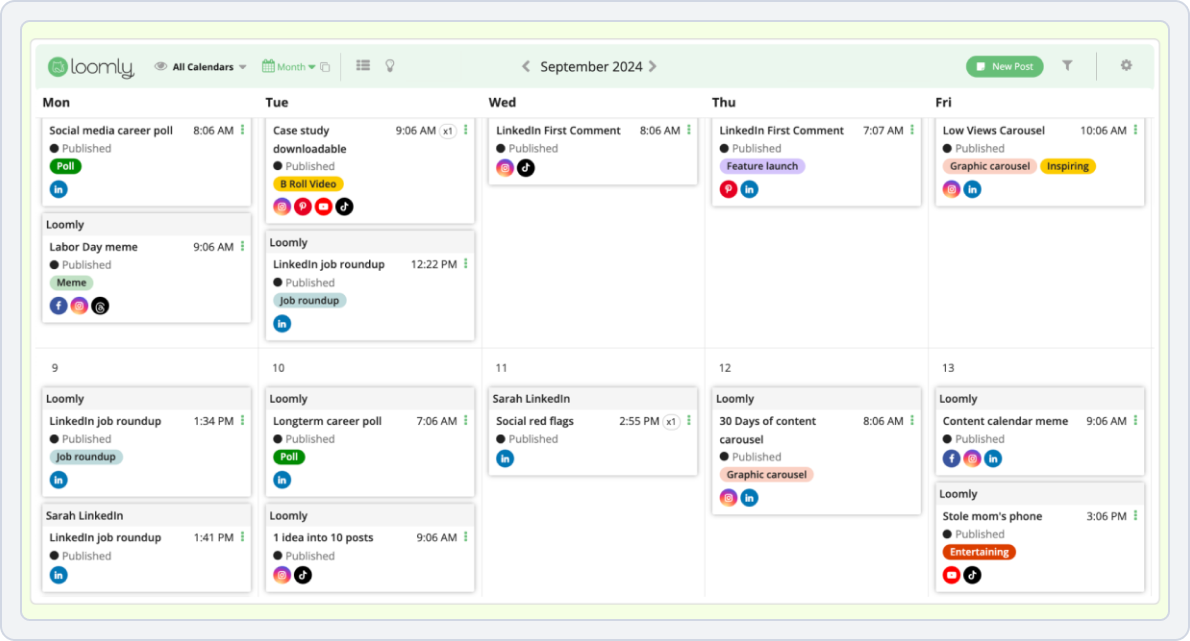
- Visual content calendar to see all posts in a calendar view and drag-and-drop to reschedule.
- Cross-platform post previews to check how posts will look on Facebook, Instagram, LinkedIn, Twitter, etc., before publishing.
- Multi-client support to manage multiple clients or brands from one platform.
- Loomly can suggest the best times to post
Loomly vs Cloud Campaign Key Takeaway: Loomly wins for clarity and reliability in scheduling.
2. Team Collaboration & Approval Workflows
Clear collaboration and approval workflows minimize errors, prevent miscommunication, and keep clients happy, which is why Loomly has:
- Built-in collaboration tools that let teams work together on posts without leaving the platform.
- Simple approval stages for clients or managers can review posts step by step.
- Post mockups to preview each post before it goes live.
- Easy feedback & revisions to leave comments or make edits directly in the tool.
Loomly vs Cloud Campaign Key Takeaway: Loomly provides more intuitive client collaboration.
3. Social Media Content Planner
Loomly’s content planner is a central hub for organizing campaigns and offers:
- Visual social media calendar to see all your scheduled posts in a single, clear view.
- Drag-and-drop to move posts to different dates easily.
- Create posts from the calendar and make new posts directly from the calendar screen.
- Filter and organize to sort posts by platform, type, status, or assigned team member.
- Post previews to check how posts will look on each social network before publishing.
- Grouped or separate posts to view multi-platform posts as one or see each platform individually.
- Labels & campaigns to tag posts by campaign or topic to keep content organized.
- Content library integration to use stored images, videos, or templates directly in your calendar.
Loomly vs Cloud Campaign Key Takeaway: Loomly’s calendar makes it easy to plan, organize, and schedule posts clearly for teams and multiple clients.
4. Ease of Use & Workflow Simplicity
Loomly is designed with simplicity in mind. It has:
- Clean, modern interface with a simple, easy-to-understand design.
- Beginner-friendly so interns, new team members, or clients can quickly learn how to use it.
- Task and content visibility to see which posts are drafts, scheduled, or approved at a glance.
- Smooth workflow and easy to move tasks from creation to approval and publishing.
Loomly vs Cloud Campaign Key Takeaway: Loomly is easier to use and better for smooth agency workflow management.
5. Integrations
- Loomly integrates with major social platforms, plus Slack, Teams, Google Drive, Dropbox, and Zapier for a connected workflow.
- Cloud Campaign: Facebook, Instagram, LinkedIn, YouTube, TikTok, Pinterest, Mastodon, and Google Business Profile.
Loomly vs Cloud Campaign Key Takeaway: Loomly stands out for its broader workflow connectivity.
6. Pricing & Affordability
Take a look at Loomly’s pricing tiers:
Loomly | CloudCampaign | |
Platforms | Facebook, Instagram, LinkedIn, Threads, Google Business Profiles, Pinterest, YouTube, TikTok, Snapchat, Canva, Slack, WordPress, Zapier, and CRM tools. | Facebook, Instagram, LinkedIn, YouTube, TikTok, Pinterest, Mastodon, and Google Business Profile. |
Free Plan | Yes -1 user -3 accounts | No free plan, offers a free trial |
For Small business | $34/mo Base -1 user -Approval & planning tools | $49 /month -1+ Brand Workspaces -Unlimited Users -7 Social Accounts per Client |
Other Plans | $99/mo Standard -More users & reports -Scheduler & analytics -Team features | $229 /month -5+ Brand Workspaces -Unlimited Users -Unlimited Social Accounts |
Verdict | Best for teams who want workflow integrations, collaboration, and planning tools. | Better suited for agencies managing multiple clients that need brand workspaces and unlimited users, with more flexible pricing than Sendible but fewer integrations. |
Loomly vs Cloud Campaign Final Takeaway
For teams that don’t need complex automation but want smooth management across multiple clients and brands, Loomly is a top choice.
Looking for alternatives? Read our complete guide to Loomly Alternatives.Cloud Campaign Alternative #4: SocialBee
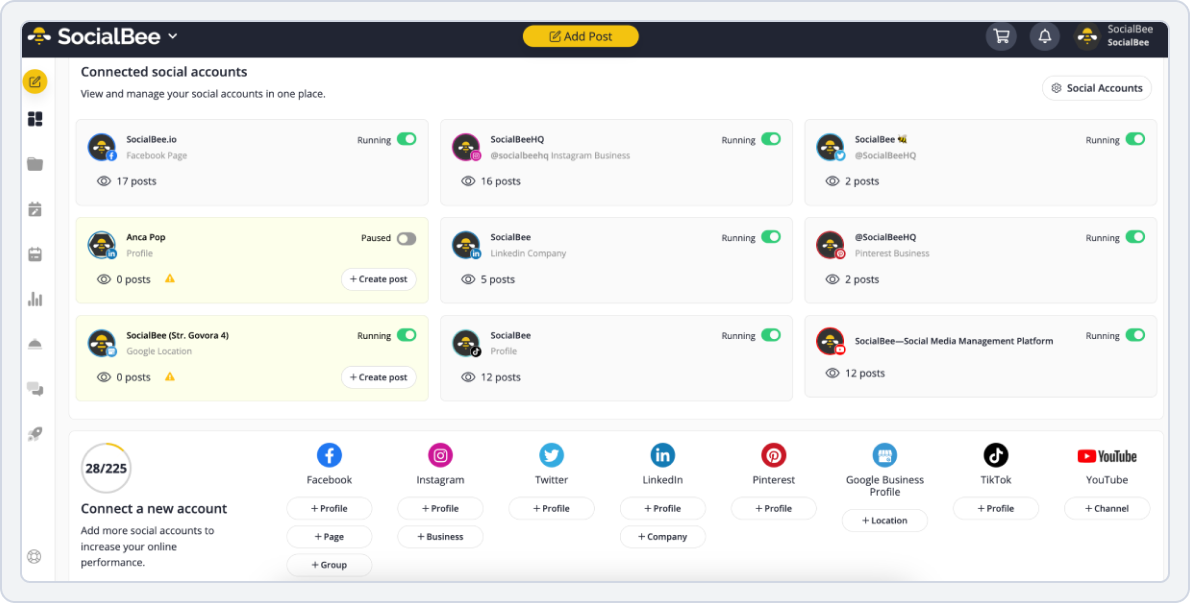
Best For: Agencies that want an affordable, automation-friendly social media management platform with strong workspace organization
Starting Price: $29/ month
SocialBee is one of the most popular and affordable Cloud Campaign alternatives for agencies and freelancers who need strong automation, evergreen posting, and organized content categories.
SocialBee vs. Cloud Campaign
Here’s a comparison to help agencies evaluate both platforms.
1. Social Media Scheduling
Agencies get more value from their content, reduce manual work, and keep every client’s feed active with minimal effort. SocialBee offers:
- Category-based posting to group your posts by topic (tips, promos, quotes) and SocialBee shares them automatically.
- Plan ahead and schedule content weeks or even months in advance.
- Evergreen recycling for timeless posts automatically reshares them without extra work.
- Agency-friendly and perfect for managing multiple clients and keeping all feeds active.
SocialBee vs Cloud Campaign Key Takeaway: SocialBee provides better evergreen scheduling, making it one of the best Cloud Campaign alternatives for multi-client management.
2. Social Media Planner
SocialBee’s visual content calendar gives you a clear overview of all scheduled posts across platforms and clients.
- Visual calendar to see all posts at a glance.
- Balanced content to keep a good mix of topics, so feeds don’t feel repetitive.
- Best time suggestions to post when your audience is most active.
- Bulk edits so you can change times or platforms for multiple posts in one go.
SocialBee vs Cloud Campaign Key Takeaway: SocialBee’s planner makes it easy to see, organize, and schedule posts while keeping content balanced and posting at the best times, making it simpler than Cloud Campaign for managing multiple clients.
3. Collaborative Teamwork
SocialBee is designed with team collaboration in mind. With SocialBee, teams can:
- Invite your team so everyone can work together in one place.
- Set roles & permissions to control who can create, edit, or approve posts.
- Approval workflow to review and approve posts before they go live.
- Easy feedback to leave comments right on posts for quick updates.
SocialBee vs Cloud Campaign Key Takeaway: SocialBee makes teamwork simple and organized, letting teams collaborate, approve posts, and give feedback all in one place.
4. Ease of Use
SocialBee’s clean and intuitive interface makes it easy for both beginners and experienced marketers to navigate the platform. It has:
- Clean, simple design so everything is easy to find and use.
- Quick start so new team members can jump in without confusion.
- Smooth workflow to plan, edit, and post without switching screens.
- Helpful guides and tutorials make learning fast and simple.
SocialBee vs Cloud Campaign Key Takeaway: SocialBee is easier to use and a strong alternative to Cloud Campaign for agencies that want simple workflows and fast onboarding.
5. Integrations
- SocialBee: Instagram, Facebook, TikTok, YouTube, Pinterest, LinkedIn, and Google Business.
- Cloud Campaign: Facebook, Instagram, LinkedIn, YouTube, TikTok, Pinterest, Mastodon, and Google Business Profile.
SocialBee vs Cloud Campaign Key Takeaway: SocialBee’s wide integrations make it a flexible choice among the best Cloud Campaign alternatives.
6. Pricing
Check out how Socialbee structures its pricing:
Socialbee | CloudCampaign | |
Platforms | Instagram, Facebook, TikTok, YouTube, Pinterest, LinkedIn, and Google Business. | Facebook, Instagram, LinkedIn, YouTube, TikTok, Pinterest, Mastodon, and Google Business Profile. |
Free Plan | No free plan, offers a free trial | No free plan, offers a free trial |
For Small business | $49 per month -Connect up to 10 social profiles -1 user/ workspace | $49 /month -1+ Brand Workspaces -Unlimited Users -7 Social Accounts per Client |
Other Plans | $99 per month -Connect up to 25 social profiles -3 users/ workspace | 5 workspaces | $229 /month -5+ Brand Workspaces -Unlimited Users -Unlimited Social Accounts |
Verdict | SocialBee is best for small businesses and individuals who want simple, affordable social media management. It’s easy to use and supports major platforms. It also offers plans for agencies. | Better suited for agencies managing multiple clients that need brand workspaces and unlimited users, with more flexible pricing than Sendible but fewer integrations. |
SocialBee vs Cloud Campaign Final Takeaway
SocialBee is one of the best Cloud Campaign alternatives for agencies in 2026, especially for those seeking affordable tools, automation, and streamlined client workflows. If white-labeling is not your priority, SocialBee outperforms Cloud Campaign in both pricing and daily workflow efficiency.
Cloud Campaign Alternative #5: eClincher
Best For: Agencies needing a powerful all-in-one platform with automation, inbox management, and strong reporting
Starting Price: $149/ month
eClincher is one of the most powerful agency social media software options and a strong Cloud Campaign alternative for agencies needing advanced workflows.
It offers:
- A unified social inbox
- Advanced automation
- Strong client reporting tools
- Multi-brand social media dashboards
- White label options (higher tiers)
It caters to agencies handling higher volumes of clients, comments, and brand assets.
eClincher vs Cloud Campaign
Let’s review the core features that agencies look for and compare each platform.
1. Social Media Scheduling
eClincher’s scheduling tools go beyond basic posting by letting agencies publish in bulk, recycle evergreen content automatically, and use smart queues that optimize post order for maximum reach. It offers:
- Bulk posting to post many updates at once without extra effort.
- Evergreen recycling so it automatically reposts timeless content.
- Smart queues to schedule posts in the best order automatically.
- Visual calendar to see all posts clearly in one place.
eClincher vs Cloud Campaign Key Takeaway: eClincher wins for advanced scheduling, automation, and reliability, making it one of the best Cloud Campaign alternatives for agencies in 2026.
2. Team Collaboration
eClincher makes teamwork more organized and easier to manage than Cloud Campaign.
- Team workspace so everyone can create and plan posts in one place.
- Approval workflow to review and approve posts before they go live.
- Roles & permissions to control who can edit, create, or approve posts.
- Message assignments to assign comments and messages to team members.
eClincher vs Cloud Campaign Key Takeaway: eClincher makes teamwork organized and easy to manage.
3. Social Media Content Calendar
eClincher’s calendar makes it simple to plan, view, and adjust content across clients.
- Visual calendar to see all scheduled posts at a glance.
- Drag-and-drop to move posts to new dates easily.
- Filters & organization to sort posts by campaign, platform, or type.
- Post preview to check how posts will look before publishing.
eClincher vs Cloud Campaign Key Takeaway: eClincher’s calendar makes it simple to plan, view, and adjust content.
4. Ease of Use
With eClincher:
- Takes time to learn, and it’s not very beginner-friendly at first.
- Advanced tools offer more control over posting and automation.
- Powerful for long-term use and very useful once the workflow is learned.
eClincher vs Cloud Campaign Key Takeaway: Cloud Campaign is easier to get started, but eClincher is better long-term for agencies that need advanced control.
5. Integrations
- All major platforms, including: YouTube, Facebook, Google Business Profile, TikTok, LinkedIn, Threads, Pinterest, Twitter(X), Google Playstore, App Store, Adobe Express, Mailchimp, Google Drive, Dropbox, Cloudinary, Bitly, Giphy, Pexels, Pixabay, Unsplash, and much more
- Cloud Campaign supports: Facebook, Instagram, LinkedIn, YouTube, TikTok, Pinterest, Mastodon, and Google Business Profile.
eClincher vs Cloud Campaign Key Takeaway: eClincher wins on integrations; it offers broader support for both social networks and content tools, making it a stronger choice among Cloud Campaign alternatives.
6. Pricing
Here’s a detailed look at eClincher’s subscription options:
eClincher | CloudCampaign | |
Platforms | YouTube, Facebook, Google Business Profile, TikTok, LinkedIn, Threads, Pinterest, Twitter(X), Google Playstore, App Store, Adobe Express, Mailchimp, Google Drive, Dropbox, Cloudinary, Bitly, Giphy, Pexels, Pixabay, Unsplash, and much more | Facebook, Instagram, LinkedIn, YouTube, TikTok, Pinterest, Mastodon, and Google Business Profile. |
Free Plan | No free plan, offers a free trial | No free plan, offers a free trial |
For Small business | $149/ month -1 Brand -1 User (max 2) -15 Profiles (max 20) | $49 /month -1+ Brand Workspaces -Unlimited Users -7 Social Accounts per Client |
Other Plans | $349/ month -Unlimited Brands -5 Users (max 10) -25 Profiles (max 40) | $229 /month -5+ Brand Workspaces -Unlimited Users -Unlimited Social Accounts |
Verdict | eClincher is best for teams that need powerful features and many integrations, but its high cost makes it less ideal for small businesses. | Better suited for agencies managing multiple clients that need brand workspaces and unlimited users, with more flexible pricing than Sendible but fewer integrations. |
eClincher vs Cloud Campaign Final Takeaway
eClincher is a better Cloud Campaign alternative because it delivers stronger automation, a true unified social inbox, deeper analytics, and more powerful scheduling tools, all essential for fast-moving, multi-client agencies.
For teams managing many brands and high engagement, it’s easily one of the best Cloud Campaign alternatives for agencies in 2026.
You can also explore this eClincher alternative to see how other tools compare as scalable options beyond Cloud Campaign.Cloud Campaign Alternative #6: NapoleonCat
Best For: Agencies focused on customer support + social media management together
Starting Price: $89/ month
NapoleonCat is a social media management tool built for brands that get high engagement and need moderation tools. It offers:
- Automated moderation
- Client approval workflows
- Strong reporting
- Team collaboration
NapoleonCat vs Cloud Campaign
If you’re looking for the best Cloud Campaign alternatives for agencies in 2026, NapoleonCat is worth considering. Here’s how the two tools stack up across the features that matter most to social media agencies, resellers, and multi-brand teams.
1. Scheduling Social Media Content
NapoleonCat helps agencies manage posting across multiple social platforms while keeping client engagement and moderation under control.
- Reliable scheduling to post on Facebook, Instagram, LinkedIn, TikTok, and more without errors.
- Focus on engagement and a centralized client management platform with a unified inbox for comments, messages, and reviews.
- Auto-moderation for AI tools automatically handles spam, repetitive comments, or simple replies.
- Multi-client content control is ideal for multi-brand social media and multi-client social media tools.
NapoleonCat vs Cloud Campaign Key Takeaway: While Cloud Campaign is strong for evergreen scheduling, NapoleonCat is better for moderation- and client-approval-focused social media workflows.
2. Team Collaboration
The platform allows multiple team members to work together efficiently, with clear task assignments and accountability.
- Multiple team members can manage content and engagement together.
- Clearly assign replies or tasks to team members for accountability.
- Know who is responsible for each action to improve agency workflow management.
- Works smoothly across multiple client accounts or brands.
NapoleonCat vs Cloud Campaign Key Takeaway: NapoleonCat is one of the top Cloud Campaign alternatives for team collaboration and multi-client social media management.
3. Ease of Use
With an intuitive dashboard, NapoleonCat makes managing multiple clients and brands straightforward for teams of any size.
- The dashboard is easy to navigate, even when managing multiple clients or brands.
- New team members or interns can start quickly without confusion.
- Helps agencies improve agency workflow management and manage multiple client accounts.
NapoleonCat vs Cloud Campaign Key Takeaway: NapoleonCat is one of the best Cloud Campaign alternatives for agencies looking for a user-friendly social media dashboard.
4. Integrations
- NapoleonCat supports: Facebook, X (Twitter), Instagram, LinkedIn, TikTok, YouTube, Messenger, Google My Business, and Slack integration for team notifications.
- Cloud Campaign: Facebook, Instagram, LinkedIn, YouTube, TikTok, Pinterest, Mastodon, and Google Business Profile.
NapoleonCat vs Clous Campaign Key Takeaway: NapoleonCat is a strong Cloud Campaign alternative for agencies focused on engagement, moderation, and client communication.
5. Pricing
Below are the pricing plans offered by NapoleonCat:
NapoleonCat | CloudCampaign | |
Platforms | Facebook, X (Twitter), Instagram, LinkedIn, TikTok, YouTube, Messenger, Google My Business, and Slack integration for team notifications. | Facebook, Instagram, LinkedIn, YouTube, TikTok, Pinterest, Mastodon, and Google Business Profile. |
Free Plan | No free plan, offers a free trial | No free plan, offers a free trial |
For Small business | $89 /month -2 user -5 social profiles | $49 /month -1+ Brand Workspaces -Unlimited Users -7 Social Accounts per Client |
Other Plans | $109 /month -2 user -5 social profiles $139 /month -2 user -5 social profiles | $229 /month -5+ Brand Workspaces -Unlimited Users -Unlimited Social Accounts |
Verdict | SmarterQueue is a budget-friendly tool for individuals and small teams, but CloudCampaign is a better fit for agencies with unlimited users and multiple client workspaces. | Better suited for agencies managing multiple clients that need brand workspaces and unlimited users, with more flexible pricing than Sendible but fewer integrations. |
NapoleonCat vs Cloud Campaign Final Takeaway
NapoleonCat is a better Cloud Campaign alternative because it’s more affordable, easier to use, and far stronger in engagement management. Agencies that handle high comment volumes benefit from automated moderation, a unified inbox, faster response workflows, and clean, client-ready reports.
Check out this NapoleonCat alternative to see other powerful options for agency social media management beyond Cloud Campaign.Cloud Campaign Alternative #7: Zoho Social
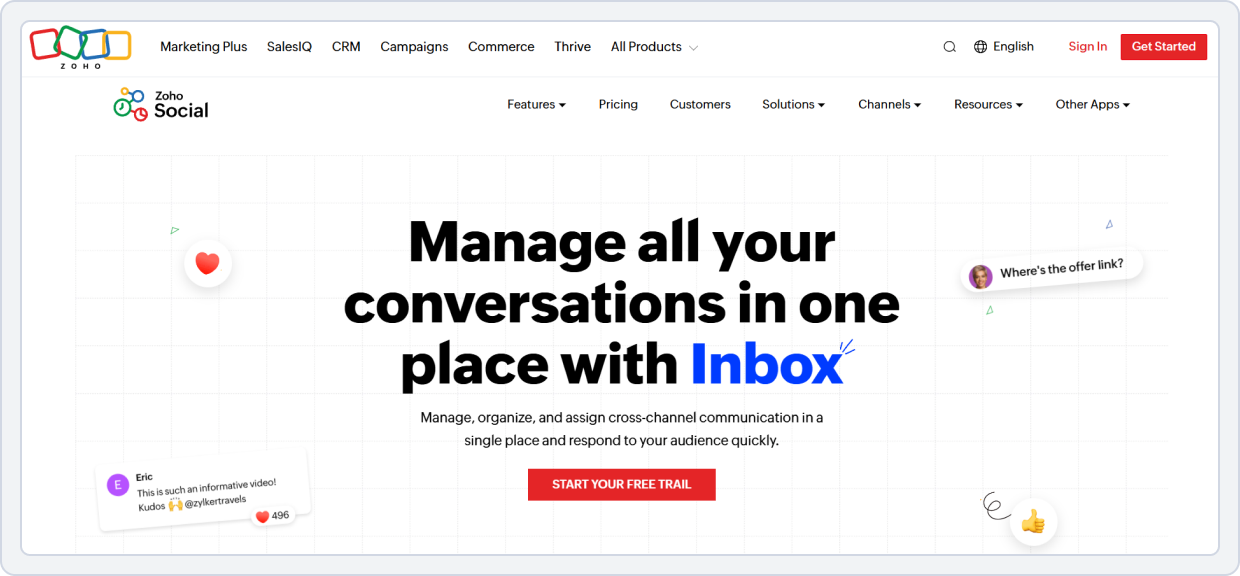
Best For: Client management platform + social media scheduling + CRM integration
Starting Price: $15/ month
Zoho Social stands out as a multi-client social media management tool that deeply integrates with the Zoho ecosystem, making it ideal for agencies that manage clients, leads, and content workflows in a single unified system.
Zoho Social vs. Cloud Campaign
If you’re comparing Cloud Campaign alternatives for agencies, Zoho Social is one of the strongest options, especially for teams wanting affordability, ease of use, and deeper analytics.
Here’s a breakdown of how the two platforms compare across the features agencies care about most.
1. Social Media Scheduling
Zoho Social provides a reliable scheduling system, including:
- See all scheduled, live, and draft posts in a simple calendar view for easy planning.
- The platform recommends optimal posting times based on audience activity to improve engagement.
- Set up posting queues that automatically schedule posts at the best times.
- Evergreen posts can be automatically reposted weekly or monthly.
- Upload and schedule many posts at once, saving time for agencies managing multiple clients.
- Track all scheduled posts across social channels in one place for better control.
This makes it a strong Cloud Campaign alternative for multi-client management and a great social media scheduling tool for agencies.
Zoho Social vs Cloud Campaign Key Takeaway: Zoho Social wins for reliability and smart scheduling features, such as best-time suggestions.
2. Social Media Content Calendar
Zoho Social simplifies content planning and management, giving agencies a clear visual workflow that makes organizing campaigns across clients easier.
- See all scheduled, published, and draft posts in a simple drag-and-drop calendar.
- Check your content in a detailed weekly view or a bigger monthly overview.
- Different colors show scheduled, published, or draft posts for quick spotting.
- Move posts to new dates easily by dragging them.
- Add new posts or edit drafts directly on the calendar.
- Mark campaigns, holidays, or reminders on the calendar.
- Focus on certain platforms, authors, or post types using filters.
Zoho Social vs Cloud Campaign Key Takeaway: Zoho Social makes it easy for agencies to plan, organize, and manage content visually in one place.
3. Ease of Use
Zoho Social offers a clean, intuitive interface that makes social media management simple for agencies.
- The interface is organized and straightforward, making it easy to manage multiple social accounts.
- Users can start posting and scheduling without a long setup or training period.
- Manage content, engagement, analytics, and client approvals from one place.
- Mobile-friendly access and manage social accounts from your phone anytime.
- Multiple team members can work together without confusion, which helps agencies streamline workflow management.
Zoho Social vs Cloud Campaign Key Takeaway: Zoho Social wins with a cleaner, more intuitive dashboard ideal for agencies onboarding multiple users.
4. Integrations
- Zoho Social works seamlessly with X (formerly Twitter), Instagram, Facebook, Google Business Profile, LinkedIn, TikTok, Pinterest, Mastodon, and YouTube.
- Cloud Campaign: Facebook, Instagram, LinkedIn, YouTube, TikTok, Pinterest, Mastodon, and Google Business Profile.
Zoho Social vs Cloud Campaign Key Takeaway: Zoho Social and Cloud Campaign support most major social platforms, but Zoho Social offers a broader range of integrations, making it a flexible multi-client social media management tool for agencies.
5. Pricing
Here’s a snapshot of ZohoSocial’s plan pricing:
ZohoSocial | CloudCampaign | |
Platforms | X (formerly Twitter), Instagram, Facebook, Google Business Profile, LinkedIn, TikTok, Pinterest, Mastodon, and YouTube. | Facebook, Instagram, LinkedIn, YouTube, TikTok, Pinterest, Mastodon, and Google Business Profile. |
Free Plan | No free plan, offers a free trial | No free plan, offers a free trial |
For Small business | $15/ month -1 Brand (11 Channels) -1 Team Member | $49 /month -1+ Brand Workspaces -Unlimited Users -7 Social Accounts per Client |
Other Plans | $40/ month -1 Brand (11 Channels) -1 Team Member $65/ month -1 Brand (14 Channels) -3 Team Members | $229 /month -5+ Brand Workspaces -Unlimited Users -Unlimited Social Accounts |
Verdict | Zoho Social is a budget-friendly option for small businesses, but CloudCampaign is better for agencies needing unlimited users and multiple client workspaces. | Better suited for agencies managing multiple clients that need brand workspaces and unlimited users, with more flexible pricing than Sendible but fewer integrations. |
Zoho Social vs Cloud Campaign Final Takeaway
Zoho Social is one of the best Cloud Campaign alternatives for agencies in 2026, especially if you need a platform that merges social management with CRM insights, client tracking, and scalable team workflows.
Explore more options in our complete guide to Zoho Alternatives.Cloud Campaign Alternative #8: Sociality.io
Best For: Agencies needing deep competitor analysis + team collaboration + multi-client dashboards
Starting Price: $99/ month
Sociality.io is a powerful agency social media software used by analytics-driven teams that need:
- Competitor analysis
- Multi-brand dashboards
- Social listening
- Collaboration features
Cloud Campaign lacks deep competitor analytics, making Sociality.io a uniquely strong Cloud Campaign alternative for teams that track industry benchmarks.
Sociality.io vs. Cloud Campaign
If you’re comparing Cloud Campaign alternatives for agencies, Sociality.io is a strong contender, especially for teams that care about analytics, collaboration, and multi-brand workflows. Here’s what each tool offers and where Sociality.io stands out as a cloud campaign alternative in 2026.
1. Social Media Scheduling
As a CloudCampaign alternative, Sociality.io stands out as a reliable scheduling tool for agencies, offering visual planning, smart queues, and strong workflow support.
- See all scheduled posts clearly in weekly or monthly views, perfect for multi-brand social media management.
- Easily move posts to new dates or times.
- Check how the content will appear on each platform before publishing.
- Posts pass through defined review stages, supporting client approval workflows for social media.
- Plan and publish on the go using the app.
- Schedule posts for Facebook, Instagram, LinkedIn, TikTok, YouTube, and more.
Perfect for agencies needing a social media scheduling tool for agencies or better agency workflow management.
Sociality.io vs Cloud Campaign Key Takeaway: Sociality.io is a reliable social media scheduling tool for agencies, offering visual planning, smart queues, and strong workflow support, a top Cloud Campaign alternative for multi-client management.
2. Team Collaboration
Sociality.io enables teams to work together efficiently with permission controls, approval tracking, and in-platform feedback.
- Assign permissions so teams work efficiently without confusion.
- Track approvals, edits, and comments for each post.
- Team members can leave feedback directly in the platform.
- Perfect for agencies using multi-client social media tools or a white label social media dashboard.
- Monitor team actions and client interactions.
Ideal as a multi-client social media management tool or white label social media dashboard.
Sociality.io vs Cloud Campaign Key Takeaway: Sociality.io is excellent for structured collaboration, client approvals, and agency workflow management, making it a strong white-label cloud campaign alternative and a multi-client social media management tool.
3. Easy to Use
Sociality.io features an intuitive dashboard that allows teams to start posting and scheduling quickly with minimal training. It is:
- Easy to navigate, ideal for teams managing multiple clients or brands.
- New team members can start posting and scheduling with minimal training.
- Manage content, engagement, analytics, and approvals from one social media dashboard.
- Access accounts anytime, anywhere.
Sociality.io vs Cloud Campaign Key Takeaway: Sociality.io is user-friendly and easy to learn, making it one of the best cloud campaign alternatives for agencies looking for a clear agency social media software and client management platform.
4. Integrations
- Sociality.io: Facebook, Instagram, LinkedIn, TikTok, and YouTube.
- Cloud Campaign: Facebook, Instagram, LinkedIn, YouTube, TikTok, Pinterest, Mastodon, and Google Business Profile.
Sociality.io vs Cloud Campaign Key Takeaway: Cloud Campaign wins with broader network support.
5. Pricing
Take a look at the different tiers available on Sociality.io:
Sociality.io | CloudCampaign | |
Platforms | Facebook, Instagram, LinkedIn, TikTok, and YouTube. | Facebook, Instagram, LinkedIn, YouTube, TikTok, Pinterest, Mastodon, and Google Business Profile. |
Free Plan | No free plan, offers a free trial | No free plan, offers a free trial |
For Small business | $99/ mo -1 user -10 pages | $49 /month -1+ Brand Workspaces -Unlimited Users -7 Social Accounts per Client |
Other Plans | $199/ mo -Unlimited users -15 pages | $229 /month -5+ Brand Workspaces -Unlimited Users -Unlimited Social Accounts |
Verdict | Sociality.io is solid for small teams needing core social management, but CloudCampaign offers better value for agencies with unlimited users and multiple client workspaces. | Better suited for agencies managing multiple clients that need brand workspaces and unlimited users, with more flexible pricing than Sendible but fewer integrations. |
Sociality.io vs Cloud Campaign Final Takeaway
Sociality.io is one of the best Cloud Campaign alternatives for social media agencies, especially if you want deeper analytics, stronger teamwork features, and more affordable multi-seat pricing.
Cloud Campaign Alternative #9: RecurPost
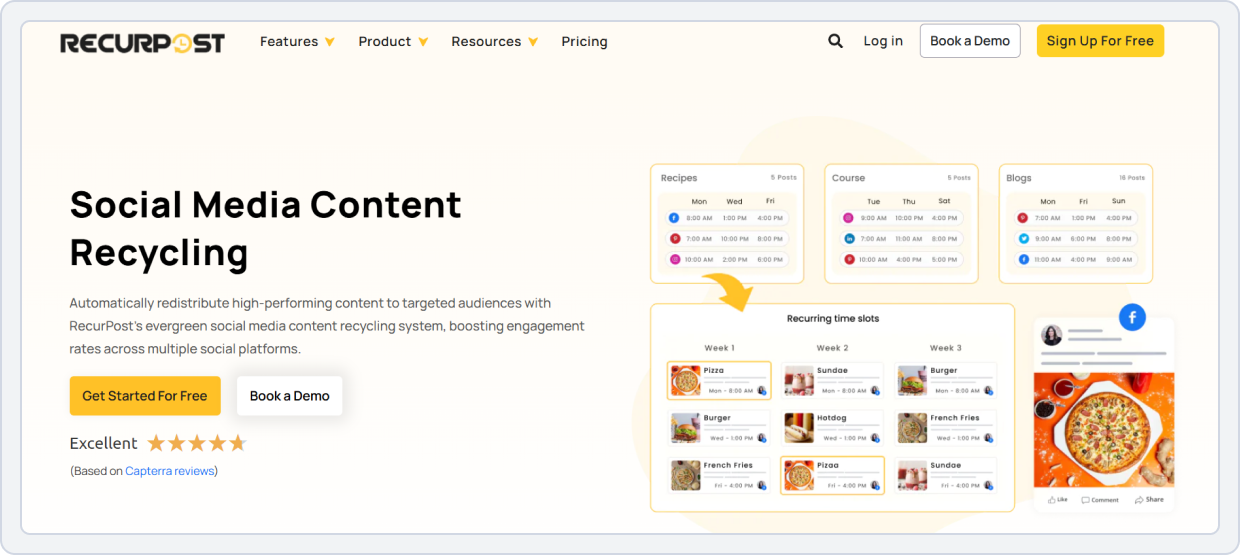
Best For: Agencies that want evergreen posting, automation, and low-cost management
Starting Price: $9/ month
RecurPost is a powerful evergreen scheduling tool, making it one of the simplest and most affordable alternatives to Cloud Campaign for agencies that want: categorized queues, bulk posting, basic reporting, and multi-client social media management.
It performs exceptionally well as a cheaper alternative to Cloud Campaign, especially for smaller teams.
ReCurPost vs Cloud Campaign
Here’s a comparison of ReCurPost vs Cloud Campaign:
1. Social Media Scheduling
If you’re looking for a Cloud Campaign alternative that is flexible with scheduling, RecurPost is ideal. It provides:
- Group posts by type (like promotions, tips, or evergreen content) and schedule them automatically in cycles. This keeps social feeds active without manual work.
- See all posts in a clear drag-and-drop calendar and easily move them to new dates.
- Clients or team members can view the calendar to stay up to date on content plans.
- Upload many posts at once or store content for future use, saving time for agencies managing multiple clients.
- Evergreen content can be shared repeatedly on a schedule you choose.
RecurPost vs Cloud Campaign Key Takeaway: RecurPost is a strong social media scheduling tool for agencies with category-based queues and smart content cycles, making it a solid Cloud Campaign alternative for multi-client management.
2. Social Media Content Calendar
For agencies that want a clear, visual overview of all content, RecurPost provides a content calendar that shows scheduled, upcoming, and past posts.
- See all scheduled, upcoming, and past posts in one clear view to plan better.
- Check your posts by week or month to see both details and the bigger picture.
- Move posts to a new date or time quickly without editing them one by one.
- See posts in a simple list or Instagram-style grid to check how your feed will look.
- Give clients or teammates a view-only version so they can see the schedule.
- Filter posts by client, account, or content type to focus on what matters.
- Look ahead at posts scheduled in the coming weeks to plan a strategy.
- Edit, delete, preview, or post immediately right from the calendar.
RecurPost vs Cloud Campaign Key Takeaway: RecurPost’s content calendar is a visual, easy-to-use planning tool that helps agencies manage multiple clients and accounts efficiently, a strong Cloud Campaign alternative for multi-client social media management.
3. Team Collaboration
Agencies looking for collaboration-focused alternatives to Cloud Campaign can benefit from RecurPost’s:
- Strong collaboration features for teams
- Shared workspaces for organizing posts and media.
- Role-based permissions for admins, editors, and viewers.
- Commenting and review tools for easy client approval workflows.
RecurPost vs Cloud Campaign Key Takeaway: RecurPost wins for evergreen recycling and hands-off automation built for long-term posting.
4. Ease of Use
RecurPost is:
- An intuitive and simple user interface (UI) that teams can learn quickly.
- Smooth navigation and clear workflows improve agency workflow management.
Perfect for multi-client social media management tools where fast onboarding is important.
RecurPost vs Cloud Campaign Key Takeaway: RecurPost wins for simplicity and fast onboarding thanks to its intuitive UI.
5. Integration
- RecurPost: Facebook, Instagram, X (Twitter), Bluesky, LinkedIn, Pinterest, Google Business Profile (GBP), YouTube, TikTok, and Meta Threads
- Cloud Campaign: Facebook, Instagram, LinkedIn, YouTube, TikTok, Pinterest, Mastodon, and Google Business Profile.
RecurPost vs Cloud Campaign Key Takeaway: RecurPost wins for integrations, offering broader platform coverage, including Bluesky and Meta Threads, making it a stronger choice for agencies managing diverse and emerging social channels.
6. Pricing
Here’s how RecurPost’s pricing is organized:
Recurpost | CloudCampaign | |
Platforms | Facebook, Instagram, X (Twitter), Bluesky, LinkedIn, Pinterest, Google Business Profile (GBP), YouTube, TikTok, and Meta Threads | Facebook, Instagram, LinkedIn, YouTube, TikTok, Pinterest, Mastodon, and Google Business Profile. |
Free Plan | No free plan, offers a free trial | No free plan, offers a free trial |
For Small business | $25 /month -5 Social Profiles (Extra $4 Each) -20 daily posts/social profile -Social platform-specific features | $49 /month -1+ Brand Workspaces -Unlimited Users -7 Social Accounts per Client |
Other Plans | $79 /month -20 Social Profiles (Extra $4 Each) -80 daily posts/social profile | $229 /month -5+ Brand Workspaces -Unlimited Users -Unlimited Social Accounts |
Verdict | RecurPost is a budget-friendly choice for small businesses with essential posting features, but CloudCampaign is more powerful and better suited for agencies needing unlimited users and brand workspaces. | Better suited for agencies managing multiple clients that need brand workspaces and unlimited users, with more flexible pricing than Sendible but fewer integrations. |
RecurPost vs Cloud Campaign Final Takeaway
For agencies seeking cheaper alternatives to Cloud Campaign or multi-client social media tools. RecurPost offers an affordable, easy-to-use, and automated solution.
You can also check out this RecurPost alternative to explore other flexible tools for agency‑level social media scheduling and management beyond Cloud Campaign.Cloud Campaign Alternative #10: Kontentino
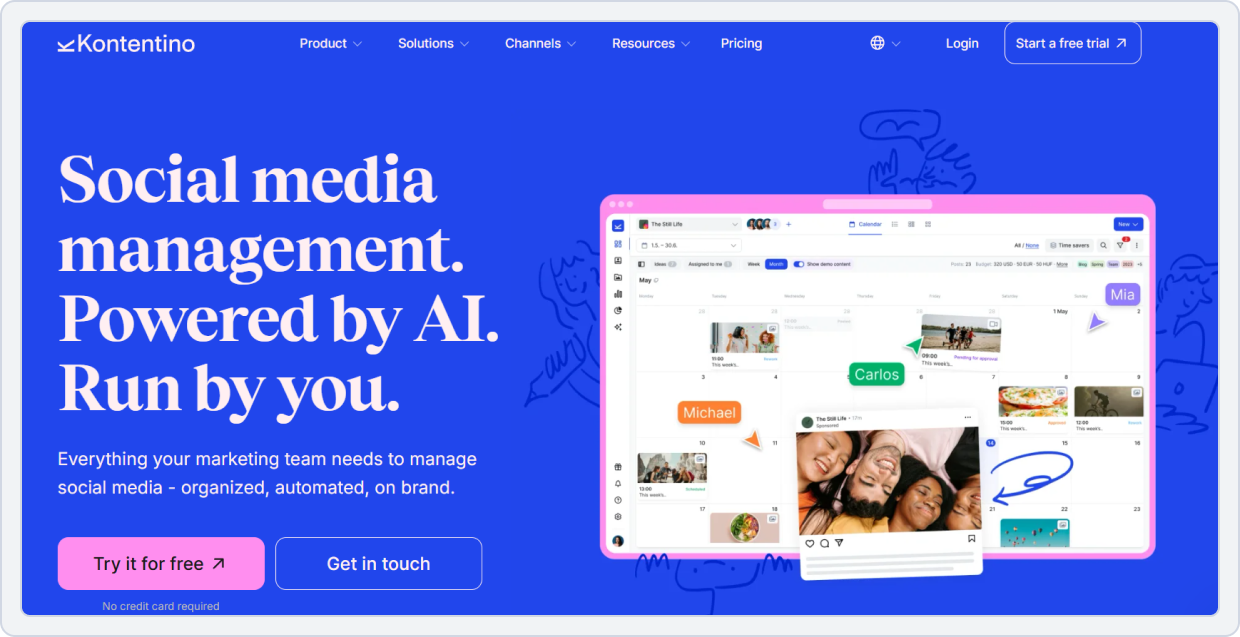
Best For: Visual planners, agencies, client approval workflows
Starting Price: €69/month
Kontentino is a social media management platform built specifically for agencies handling multiple clients and content-heavy workflows. Its visual planner, content calendar, and approval system make it a strong alternative to Cloud Campaign.
Kontentino vs. Cloud Campaign
Here’s an overview of how both platforms deliver on the features agencies value most.
1. Social Media Scheduling
Kontentino provides a visual content calendar with drag-and-drop functionality, making it easy for agencies to plan multi-brand social media campaigns at a glance.
- Visual content calendar with drag-and-drop scheduling.
- Limited advanced automation compared to Cloud Campaign.
Great for agencies needing clear multi-brand social media dashboards and visual planning.
Kontentino vs Cloud Campaign Key Takeaway: Cloud Campaign is stronger for automated posting and smart queues, but Kontentino excels in visual planning and clarity, helping agencies easily manage multiple brands and client accounts without confusion.
2. Team Collaboration
Kontentino offers strong collaboration features for agencies:
- Role-based permissions (admins, editors, viewers).
- Shared workspaces for posts and media.
- Commenting, tagging, and client approval workflows.
Ideal for agency social media software, multi-client social media management tools, and structured team workflows.
Kontentino vs Cloud Campaign Key Takeaway: Kontentino wins for collaboration, clear approval workflows, and team visibility.
3. Ease of Use
Kontentino features a clean, intuitive, and beginner-friendly interface.
- Easy for agencies, interns, or clients to navigate.
- Helps improve agency workflow management and reduces learning time.
Kontentino vs Cloud Campaign Key Takeaway: Kontentino is a top choice for simplicity and fast onboarding, allowing agencies to start managing multiple clients immediately, whereas Cloud Campaign may take longer to master its advanced features.
4. Integrations
- Kontentino integrates with: Facebook, Instagram, LinkedIn, Pinterest, TikTok, Google Drive, Dropbox, Canva, and more.
- Cloud Campaign: Facebook, Instagram, LinkedIn, YouTube, TikTok, Pinterest, Mastodon, and Google Business Profile.
Kontentino vs Cloud Campaign Key Takeaway: While Cloud Campaign covers core social platforms, Kontentino stands out for creative and cross-platform tool integration, making it ideal for agencies that rely heavily on visual content creation and collaboration tools alongside social publishing.
5. Pricing
A look at Kontentino plans and what each includes:
Kontentino | CloudCampaign | |
Platforms | Facebook, Instagram, LinkedIn, Pinterest, TikTok, Google Drive, Dropbox, Canva, and more. | Facebook, Instagram, LinkedIn, YouTube, TikTok, Pinterest, Mastodon, and Google Business Profile. |
Free Plan | No free plan, offers a free trial | No free plan, offers a free trial |
For Small business | €69/ month -100 posts -10 profiles -3 users | $49 /month -1+ Brand Workspaces -Unlimited Users -7 Social Accounts per Client |
Other Plans | €99 /month -200 post -10 profiles -5 users €149 /month -Unlimited posts -40 profiles | $229 /month -5+ Brand Workspaces -Unlimited Users -Unlimited Social Accounts |
Verdict | Kontentino is good for teams that need structured scheduling and collaboration, but CloudCampaign offers more value for agencies with unlimited users, brand workspaces, and broader platform support. | Better suited for agencies managing multiple clients that need brand workspaces and unlimited users, with more flexible pricing than Sendible but fewer integrations. |
Kontentino vs Cloud Campaign Final Takeaway
Kontentino is ideal for agencies prioritizing visual workflows, easy client approvals, and a user-friendly dashboard. Many reviewers explicitly note that it’s easier for clients and team members to adopt compared to Cloud Campaign.
Check out this Kontentino alternative to explore other visual and multi-brand social media management tools beyond Cloud Campaign.Cloud Campaign Alternative #11: SmarterQueue
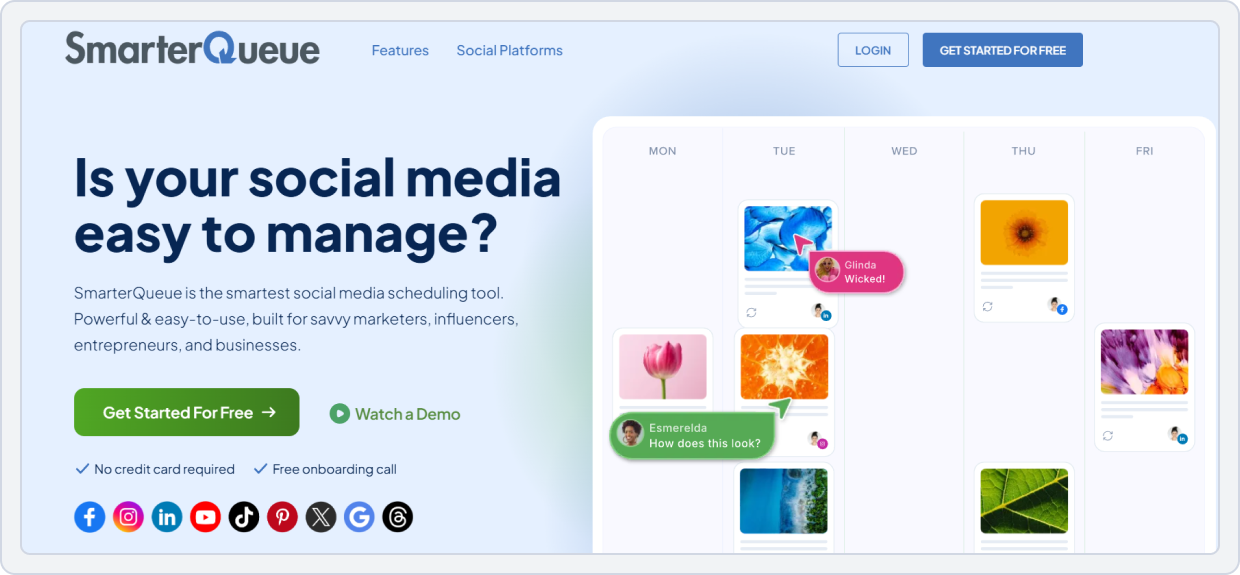
Best For: Evergreen recycling, content batching, and advanced scheduling
Starting Price: €29.99/month
SmarterQueue is a scheduling-focused platform built for automation, evergreen content recycling, and category-based publishing. If your agency relies heavily on automated posting and evergreen queues, SmarterQueue becomes a strong Cloud Campaign alternative, often more affordable and easier to manage.
SmarterQueue vs. Cloud Campaign
This comparison highlights how the platforms perform across the tools agencies depend on most.
1. Social Media Scheduling
SmarterQueue offers automated, category-based scheduling designed to keep multiple client feeds active with minimal manual effort. It’s:
- Focused on evergreen automation, letting posts recycle automatically based on category or schedule.
- Perfect for agencies needing a multi-client social media management tool with minimal manual posting.
SmarterQueue vs Cloud Campaign Key Takeaway: SmarterQueue wins decisively for evergreen automation and hands-off posting.
2. Team Collaboration & Approvals
SmarterQueue provides role-based access and basic feedback tools to help teams coordinate and manage multiple clients or brands efficiently.
- You can assign Admin, Editor, or Client roles so team members have the proper access.
- Organize multiple clients or brands across different dashboards to support multi-brand social media management.
- Members can leave feedback directly on posts for quick communication.
- Some review is possible, but there’s no full client approval
SmarterQueue vs Cloud Campaign Key Takeaway: Cloud Campaign is better for agency workflow management, structured approvals, and team collaboration, making it a stronger multi-client social media management tool and one of the best Cloud Campaign alternatives for agencies.
3. Ease of Use
SmarterQueue offers:
- Clean, minimalistic interface focused on quick setup and scheduling.
- Great for small agencies or teams looking for easy-to-use multi-client social media tools.
SmarterQueue vs Cloud Campaign Key Takeaway: SmarterQueue wins for simplicity and fast onboarding.
4. Integrations
- SmarterQueue supports: Facebook, Instagram, LinkedIn, Twitter/X, Pinterest, TikTok, Google Business, and Threads.
- Cloud Campaign: Facebook, Instagram, LinkedIn, YouTube, TikTok, Pinterest, Mastodon, and Google Business Profile.
SmarterQueue vs Cloud Campaign Key Takeaway: SmarterQueue wins for broader evergreen-focused scheduling integrations.
5. Pricing
Check out how SmarterQueue structures its pricing:
SmarterQueue | CloudCampaign | |
Platforms | Facebook, Instagram, LinkedIn, Twitter/X, Pinterest, TikTok, Google Business, and Threads. | Facebook, Instagram, LinkedIn, YouTube, TikTok, Pinterest, Mastodon, and Google Business Profile. |
Free Plan | No free plan, offers a free trial | No free plan, offers a free trial |
For Small business | $29 /month -1 user -4 social profiles | $49 /month -1+ Brand Workspaces -Unlimited Users -7 Social Accounts per Client |
Other Plans | $9 /4month -1 user -10 social profiles $99 /month -1 user -25 social profiles | $229 /month -5+ Brand Workspaces -Unlimited Users -Unlimited Social Accounts |
Verdict | SmarterQueue is a budget-friendly tool for individuals and small teams, but CloudCampaign is a better fit for agencies with unlimited users and multiple client workspaces. | Better suited for agencies managing multiple clients that need brand workspaces and unlimited users, with more flexible pricing than Sendible but fewer integrations. |
SmarterQueue vs Cloud Campaign Final Takeaway
SmarterQueue is the strongest Cloud Campaign alternative for teams that prioritize deep automation, evergreen posts, and category-based scheduling over white labeling or complex client workflows. Users often switch from Cloud Campaign for SmarterQueue’s simplicity and powerful evergreen engine, especially when budget is a concern.
Check out this SmarterQueue alternative to explore other strong scheduling and evergreen automation tools beyond Cloud Campaign.Final Verdict
When choosing the best Cloud Campaign alternative, the right choice depends on your priorities. There are several important factors to consider, such as affordability, white-labeling, advanced reporting, and multi-client workflows.
Fortunately, today’s tools like SocialBu, eClincher, Zoho Social, and Socialbee give agencies more flexibility and power than ever before. Evaluate what matters most to your team, match it with the strengths of these platforms, and you’ll find an alternative that works even better than Cloud Campaign for your agency’s long-term growth. Automate posts, engage smarter, and grow faster – all with SocialBu. Simplify your workflow with SocialBu’s all-in-one automation tools.
Take Control of Your Social Media with SocialBU
Automate posts, engage smarter, and grow faster – all with SocialBu. Simplify your workflow with SocialBu’s all-in-one automation tools.
FAQs
Q: What are the best white-label social media tools besides Cloud Campaign?
SocialBu and SocialBee are among the best white-label social media tools. They offer branded dashboards, custom domains, and white-labeled reports ideal for agencies.
Q: Which alternatives offer better client management features?
Zoho Social, Sociality.io, and eClincher offer stronger client management capabilities, including dedicated workspaces, user roles and permissions, and organized multi-brand dashboards.
Q: Are there more affordable agency social media tools?
Yes. Socialbu, RecurPost, and SmarterQueue are cost-effective alternatives that offer scheduling, analytics, and light agency features at much lower prices than Cloud Campaign.
Q: What are the top Cloud Campaign competitors for multi-client management?
Zoho Social, Sociality.io, and eClincher are top competitors for multi-client management, offering structured workspaces, team collaboration tools, and scalable workflows.
Q: Which tools provide better reseller opportunities?
SocialBu and PromoRepublic offer strong reseller and white-label options, letting agencies offer a fully branded social media management platform to their clients.
Q: Do any alternatives offer better reporting for agencies?
Socialbu, NapoleonCat, and PromoRepublic deliver more detailed and automated reporting than Cloud Campaign, making them excellent for data-driven agencies.
Q: What are the best Cloud Campaign alternatives for white labeling?
SocialBu and SocialBee are top choices for full white-label branding, client portals, and custom reports.
Q: Which competitors have better client onboarding features?
Zoho Social and Kontentino provide smooth client onboarding with clear workspaces, approval workflows, and easy-to-set-up collaboration tools.
Q: Are there tools with better team collaboration than Cloud Campaign?
Yes. Socialbu, Kontentino, Zoho Social, and Sociality.io offer superior collaboration tools, including task assignment, approval threads, internal notes, and shared calendars.
Q: What alternatives offer better pricing for agencies?
RecurPost, SocialBu, and SmarterQueue offer more affordable pricing models compared to Cloud Campaign while still delivering strong scheduling, analytics, and automation features.









