
Sendible is a well-known social media management tool, but its traditional workflows and pricing structure don’t suit every growing team. As a result, many marketers are actively comparing Sendible alternatives that deliver stronger automation, smoother collaboration, and broader platform support.
The social media management tool works fine for basic scheduling, but teams scaling across multiple platforms often need deeper automation, clearer approval workflows, and more flexible collaboration tools.
With social media evolving rapidly, choosing the right tool can significantly impact efficiency and costs. This guide highlights 13 Sendible alternatives built for modern social media management.
Why Look for Sendible Alternatives?
Sendible offers strong social media management features, but many teams find its daily tasks take longer than those of newer tools built for automated posting.
Users expect smooth scheduling, faster approvals, and real-time collaboration. However, Sendible’s design looks outdated to many, and charging per user means costs rise quickly as your team grows.
Let’s check what real people are saying to help you decide if this tool is still the right choice for you in 2026.
Sendible Most Commonly Reported Issues
Here’s what most customers complain about Sendible.
- Unreliable LinkedIn Integration: We’ve experienced recurring issues with LinkedIn integration. Posts don’t always publish as scheduled, and at times the connection between Sendible and LinkedIn needs to be refreshed or reauthorized unexpectedly. (Ashley H.- VP Marketing and Communications)
- Confusing User Interface & Scheduling Issues: The most confusing software ever used, a simple thing, try to post a video to test – can’t do that, only button”send now” or “schedule”, then, ‘scheduling’ didn’t work?! UI is just confusing as hell. No option to customise thumbnail for Tiktok. No Playlist options for Youtube. Ridiculous! I’ve tried so many apps, this one is one of the worst. (Jennie – AU)
- Limited Video Customization Options: My biggest complaint would probably be the limit of the number of accounts that can be put into a group. Also, the inability to schedule stories with clickable links, which may just be a complaint for Instagram/Facebook. (Verified User in Supermarkets)
- Restrictions on Account Grouping & Story Scheduling: I don’t like how you have to filter within the calendar view in order to see sent posts vs. scheduled posts. I wish there was a way to see everything, with the sent posts in a different color or faded out or something. (Ellie S. – Founder)
These consistent pain points reveal a pattern: Sendible may not have kept pace with modern marketing needs. So, is it time to explore other options, or does it still hold value for certain teams as one of the Sendible alternatives?
Sendible Alternative Selection Criteria
Here’s what most customers complain about Sendible.
Before you dive into the best Sendible alternatives for teams, use this checklist to evaluate options.
It’s designed for your project management needs as a marketer, ensuring you pick a tool that aligns with your content strategy and platform goals.
- Content Scheduling and Planning: Content planning plays a major role in social media efficiency, so we evaluated how each platform handles multi-platform scheduling, bulk posting, evergreen automations, and calendar organization.
- AI-Powered Social Media Automation: Marketing automation saves significant time by reducing manual work, so we evaluated how each platform uses automation to streamline engagement, publishing, and day-to-day social media workflows.
- Team Collaboration and Approval Workflows: Smooth collaboration is essential for teams, so we assessed how well each platform supports role management, approvals, internal communication, and shared workflows without relying on external tools.
- AI Post Generator: We evaluated how effectively each platform uses AI to generate captions, suggest hashtags, and adapt posts for different platforms. Tools that save writing time while maintaining quality ranked higher.
- Platform Integrations: We reviewed how well each tool integrates with essential marketing platforms and social networks. Tools that connect smoothly with publishing, analytics, design, and automation tools scored higher for supporting efficient workflows.
With these must-haves in mind, let’s dive into our list of the top 13 Sendible alternatives, starting with the favorite among small teams and agencies.
So, how do they really stack up? Let’s compare each tool’s features side by side.
Sendible Alternative #1: SocialBu
Overall Rating: ⭐⭐⭐⭐ 4.7/5 (Capterra)
Starting Price: $19/month
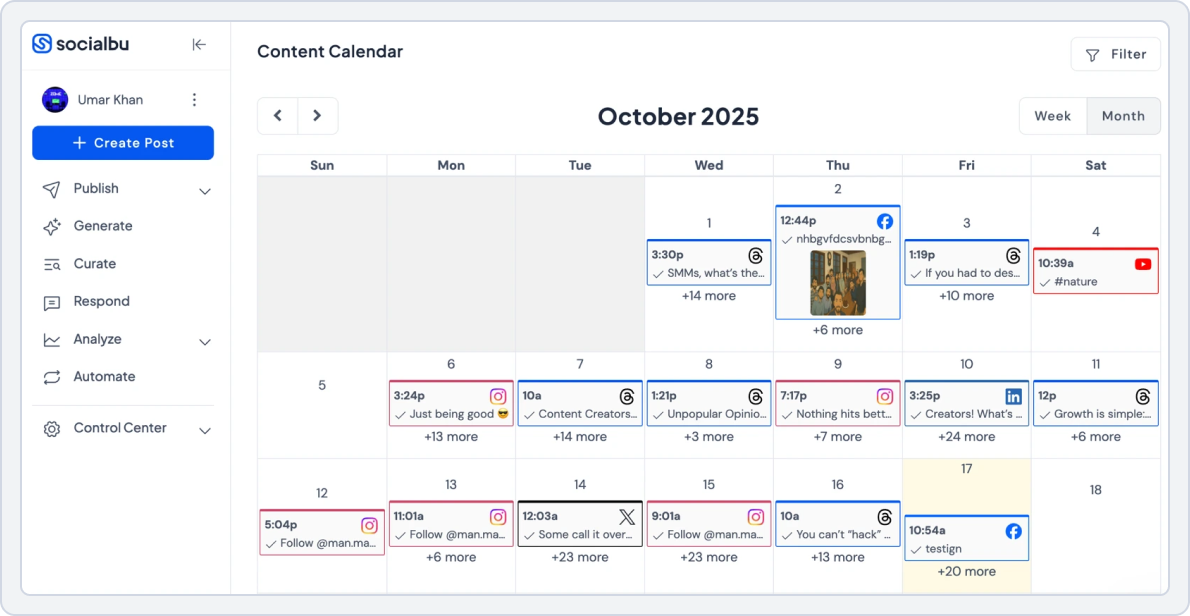
SocialBu makes marketing and social media management simple with its publishing, analytics, and automation together under one AI-powered platform. It is exactly what teams look for when exploring Sendible alternatives to improve their workflow.
It automates caption creation, scheduling, and engagement across 12 platforms, which saves you hours each week. Smart automation helps to handle your audience reactions, and a unified inbox keeps all your messages in one place.
For small businesses, agencies, and marketers who want intelligent efficiency without increasing per-user costs, SocialBu offers the balanced value that many Sendible users seek.
I use SocialBu every day and it’s a vital part of my business. Getting started was a breeze and if you have questions, you’ll have a dedicated manager who will make sure you have a good experience. The user-friendly interface and smooth integration process makes it easy to use even for a beginner. You can connect all your major social media accounts even with their lowest plan. (Eeva L. – Social Media Manager)
Why Choose SocialBu over Sendible?
If you’re considering Sendible alternatives, here’s why SocialBu – the affordable social media scheduler – is one of the best Sendible alternatives:
- Clean, intuitive interface that removes unnecessary complexity and is easy to use, making it easy for creators, small businesses, and agencies to get started without any complexities.
- Smart Scheduling options include single-post publishing, recurring schedules, evergreen content queues, AI-generated captions, automated posting, and bulk uploads via CSV files and media assets.
- Collaboration features include structured role permissions, approval flows, shared workspaces, internal comments, tagging, and review stages to keep teams aligned and productive.
- Centralized engagement with a unified inbox that lets you manage comments, messages, and mentions across platforms from one unified dashboard.
- Automation features include intelligent comment responses, automated inbox handling, auto DMs, workflow automation, and AI-driven content tools not available in Sendible.
- Analytics and tracking deliver multi-platform performance insights, engagement analysis, audience growth data, historical trends, top-performing posts, and recommended posting times.
- Support for 12 major social platforms, including Instagram, X (Twitter), TikTok, YouTube, Pinterest, Google Business Profile, LinkedIn, Facebook, Threads, Bluesky, Reddit, and Mastodon.
 Read more: How does SocialBu work? A simple tutorial for beginner marketers to understand how this social media scheduler works.
 SocialBu vs. Sendible
When comparing both tools side-by-side, SocialBu offers a smoother collaboration experience than Sendible. Its native team management tools simplify content planning, feedback, and publishing across teams.
This makes SocialBu an ideal Sendible alternative for creators, businesses, and agencies looking for organized workflows without the high per-user costs.
1. Social Media Content Scheduling and Planning
Planning content across multiple platforms is more flexible with SocialBu. While Sendible focuses on traditional calendar-based scheduling and agency workflows, SocialBu is built for day-to-day social publishing, allowing teams to plan, organize, and publish content with less friction.
Here’s what SocialBu’s content scheduling and planning allows you to do:
- Schedule content as single posts, bulk uploads, or recurring queue-based campaigns
- Plan and organize content with a visual drag-and-drop calendar that displays drafts, scheduled, and published posts
- Automatically recycle evergreen posts to keep posting consistent over time
- Manage multiple brands or client accounts from one centralized dashboard
- Make quick schedule adjustments without disrupting existing content plans
SocialBu vs Sendible Key Takeaway: SocialBu leads in multi-platform coverage and unified inbox efficiency. Sendible works if you only need basic calendar scheduling for fewer networks.
2. AI-Powered Social Media Automation
Manual posting and repetitive tasks can quickly slow down social media workflows. SocialBu stands out with its unified inbox and automation features that help teams stay on top of messages, comments, and mentions. SocialBu automates real engagement tasks to save time and reduce workload.
With SocialBu’s social media automation, you can:
- Handle messages, comments, and mentions from every platform within one unified dashboard
- Speed up responses using built-in team collaboration tools
- Monitor conversations and ensure no replies are overlooked
- Reduce response times without jumping between multiple apps
- Simplify daily engagement workflows for agencies, brands, and creators
Value for money, made my workflow much faster and super easy to link all your relevant accounts. Scheduling posts is an ease and managing my social media accounts are nice as I can see feeds of any comments or messages on the app as well. (Verified Reviewer- CEO and Marketing Manager)
SocialBu vs Sendible Key Takeaway: SocialBu leads in multi-platform coverage and unified inbox efficiency. Sendible works if you only need basic calendar scheduling.
3. Team Collaboration
SocialBu centralizes teamwork without relying on emails or external tools. Sendible provides basic collaboration, but it becomes restrictive for teams handling multiple clients or fast-moving workflows.
With SocialBu’s collaboration features, teams can:
- Control access with role-based permissions for drafting, editing, and publishing content
- Create approval workflows for managers or clients before posts go live
- Collaborate through comments and internal notes inside shared workspaces
- Visually review upcoming posts directly within the shared content calendar
SocialBu vs Sendible Key Takeaway: SocialBu leads in team collaboration with built-in approvals and centralized communication. Sendible offers basic collaboration features but is more limited for teams managing multiple clients or complex workflows.
4. AI Content Generation for Social Media
Creating engaging content consistently can slow down marketing workflows. SocialBu uses AI to generate platform-specific captions, suggest relevant hashtags, and optimize posting times based on audience behavior. Meanwhile, Sendible’s AI features are more limited and focused on basic content suggestions.
With SocialBu’s AI content generation, you can:
- Generate platform-specific captions optimized for engagement
- Get AI-powered hashtag suggestions to improve reach
- Optimize posting times based on audience behavior
- Speed up social content creation across multiple platforms
- Maintain consistency without manual effort
SocialBu vs Sendible Key Takeaway: SocialBu excels at AI-powered social content optimization, while Sendible offers basic tools—making SocialBu a strong choice among Sendible alternatives.
5. Platform Support & Integration
- SocialBu: Instagram, TikTok, YouTube, Facebook, X (Twitter), Threads, LinkedIn, Reddit, Mastodon, Pinterest, Bluesky, Google Business Profile
- Sendible: Facebook, LinkedIn, Instagram, X (Twitter), Pinterest, YouTube, Google Business Profile, TikTok
SocialBu vs Sendible Key Takeaway: SocialBu wins for broader platform coverage and deeper automation. Sendible works best for those focused only on core networks.
Pricing
Here’s how their pricing and plans compare at a glance.
| SocialBu | Sendible | |
|---|---|---|
| Free Plan |
Yes
|
No free plan.
|
| For Small Business |
$19/month
|
$29/month
|
| For Agencies |
$166/month
|
$299/month
|
| Verdict |
Flat monthly pricing without per-user fees makes it ideal for agencies managing multiple clients and scaling teams efficiently. |
Per-user and per-calendar pricing becomes costly as teams grow. The higher plans are focused more on reporting than flexibility. |
SocialBu vs Sendible Final Takeaway:
SocialBu is one of the most versatile Sendible alternatives for anyone who values automation, scalability, and affordability over a traditional calendar-based system. Its combination of AI-powered content creation, unlimited bulk scheduling, and flat monthly pricing makes it the best choice for small teams and agencies looking to streamline their workflow in 2026.
Try SocialBu as Your Next Social Media Scheduler Tool
Test approvals, a unified inbox, and automation across platforms without per-user pricing getting in the way.
Sendible Alternative #2: SocialBee
Overall Rating: ⭐⭐⭐⭐ 4.5/5 (Capterra)
Starting Price: $29/month
SocialBee streamlines publishing with category-based scheduling, AI writing tools, and evergreen automation, creating the consistent rhythm many Sendible users need. It automatically balances varied post types across all major social channels.
Built for agencies handling multiple brands, it offers collaboration and recycling tools that maintain a steady content flow without complicating workflows.
SocialBee vs. Sendible
The feature comparison of SocialBee vs Sendible is as follows.
1. Social Media Content Scheduling and Planning
SocialBee offers flexible social content scheduling with category-based queues and a visual calendar that helps teams organize posts across platforms. It also makes it easy to recycle evergreen content without manual effort.
- Schedule posts across multiple platforms easily
- Use category-based queues for better organization
- Recycle evergreen posts automatically
SocialBee vs Sendible Key Takeaway: SocialBee excels at flexible scheduling and evergreen content management, while Sendible focuses on structured calendar planning.
2. AI-Powered Social Media Automation
SocialBee helps you post automatically by organizing content into categories and reusing evergreen posts, so your accounts stay active without daily effort. It focuses on smart scheduling instead of complicated AI tools.
- Automate posting with category-based queues
- Recycle evergreen content automatically
- Schedule posts across multiple platforms
SocialBee vs Sendible Key Takeaway: SocialBee excels at evergreen and queue-based automation, while Sendible focuses on traditional scheduling automation.
3. Team Collaboration and Workflow
SocialBee supports team collaboration by allowing users to manage roles, organize content, and coordinate publishing from a shared dashboard. It keeps workflows simple and easy to manage for small teams.
- Assign roles and permissions to team members
- Collaborate on content scheduling in one workspace
- Manage multiple brands with shared access
SocialBee vs Sendible Key Takeaway: SocialBee works well for small teams with simple collaboration needs, while Sendible is better suited for structured agency approvals and client workflows.
4. AI Content Generation
SocialBee includes AI-powered content tools to help users generate captions, post ideas, and variations quickly, making content creation faster and easier. It’s designed to support everyday social posting.
- Generate social media captions and post ideas using AI
- Create content variations for different platforms
- Speed up content creation for daily posting
SocialBee vs Sendible Key Takeaway: SocialBee excels at AI-assisted social content creation, while Sendible focuses on traditional content planning without advanced AI tools.
5. Platform Support & Integration
SocialBee:
- Facebook, Instagram, LinkedIn, X (Twitter), Pinterest, TikTok, YouTube, and Google Business Profile
Sendible:
- Facebook, LinkedIn, Instagram, X (Twitter), Pinterest, YouTube, Google Business Profile, TikTok
SocialBee vs Sendible Key Takeaway: SocialBee wins for smart evergreen posting and category-based scheduling, while Sendible remains centered around standard network scheduling.
Pricing
Here’s how their pricing and plans compare at a glance.
| SocialBee | Sendible | |
|---|---|---|
| Free Plan |
No free plan
|
No free plan
|
| For Small Business |
$29/month
|
$29/month
|
| For Agencies |
$99/month
|
$299/month
|
| Verdict |
Flat-rate pricing with strong value, offering AI tools and evergreen scheduling that scale well for teams and agencies. |
Per-user and per-calendar pricing becomes costly as teams grow, making it less flexible than flat-rate alternatives. |
SocialBee vs Sendible Final Takeaway:
SocialBee is the organized Sendible alternative for agencies and freelancers who thrive on structured content curation and category-based scheduling. Its intelligent evergreen recycling and affordable pricing make it perfect for teams managing multiple client accounts without the per-user pricing headaches.
Read the SocialBu vs SocialBee comparison to see which tool fits your workflow better for scheduling, approvals, and automation.Sendible Alternative #3: FeedHive
Overall Rating: ⭐⭐⭐⭐ 4.6/5 (G2)
Starting Price: €19/month
FeedHive replaces manual posting with AI that predicts engagement and optimizes scheduling for maximum reach, making it a strong Sendible alternative for automation-focused teams.
Its content generator creates captions, suggests hashtags, and evaluates performance before publishing.
Real-time dynamic queues adapt to audience activity, keeping feeds active and effective. FeedHive helps teams move from guesswork to data-driven consistency without sacrificing creativity.
FeedHive vs. Sendible
The feature comparison of FeedHive vs Sendible is as follows.
1. Social Media Content Scheduling and Planning
FeedHive provides flexible social content planning with a visual calendar and smart queues that help teams schedule posts without friction. Its intuitive workspace makes organizing and adjusting social campaigns easy.
- Use an intuitive visual calendar to plan content
- Schedule posts across multiple platforms with ease
- Organize recurring and queued content effortlessly
FeedHive vs Sendible Key Takeaway: FeedHive excels at flexible and intuitive social content scheduling, while Sendible focuses on structured calendar-based planning.
2. AI-Powered Social Media Automation
FeedHive helps teams automate social posting, content queues, and engagement reminders, reducing manual effort and keeping accounts active. It focuses on smart scheduling and post optimization.
- Automate posting across multiple social platforms
- Create recurring content queues for evergreen posts
- Set reminders for engagement and follow-ups
FeedHive vs Sendible: Key Takeaway: FeedHive excels at smart social media automation, while Sendible focuses on structured, calendar-based publishing, making FeedHive a strong option among Sendible alternatives.
3. Team Collaboration and Workflow
FeedHive allows teams to collaborate on content creation, scheduling, and approval within a single platform, keeping communication and feedback organized.
- Assign roles and permissions for team members
- Collaborate on post drafts with comments and notes
- Track content approvals and workflow progress
FeedHive vs Sendible Key Takeaway: FeedHive excels at collaborative social media workflows, while Sendible focuses on structured agency-based team approvals.
4. AI Content Generation
FeedHive features AI-powered tools to help teams generate social media captions, post ideas, and content suggestions quickly, reducing writer’s block.
- Generate social media captions and post ideas using AI
- Brainstorm content quickly without manual drafting
- Collaborate on AI-generated content within the platform
FeedHive vs Sendible Key Takeaway: FeedHive excels at AI-assisted social media content generation, while Sendible relies on traditional planning, making FeedHive a smart choice among Sendible alternatives.
5. Platform Support & Integration
FeedHive:
- X (Twitter), LinkedIn, Facebook, Instagram, YouTube, TikTok, Threads, Pinterest, Google Business Profile
Sendible:
- Facebook, LinkedIn, Instagram, X (Twitter), Pinterest, YouTube, Google Business Profile, TikTok
FeedHive vs Sendible Key Takeaway: FeedHive wins for AI-driven publishing and smart analytics, while Sendible suits those who prefer manual scheduling across the main social channels.
Pricing
Here’s how their pricing and plans compare at a glance.
| FeedHive | Sendible | |
|---|---|---|
| Free Plan |
No free plan
|
No free plan
|
| For Small Business |
€19/month
|
$29/month
|
| For Agencies |
€299/month
|
$299/month
|
| Verdict |
A modern, AI-powered tool offering broader platform support and advanced content features at a lower entry price, with flat-rate team pricing that delivers strong value. |
Per-user and per-calendar pricing make scaling expensive, with fewer AI-driven content features at similar price points. |
FeedHive vs Sendible Final Takeaway:
If you are looking for an AI-powered Sendible alternative, then FeedHive is a great tool for creators and marketers who want intelligent content optimization without the manual effort. Its predictive engagement forecasts and dynamic scheduling make it perfect for teams ready to replace guesswork with data-driven posting strategies.
Sendible Alternative #4: Mailchimp
Overall Rating: ⭐⭐⭐⭐ 4.4/5 (G2)
Starting Price: $10/month (contact-based)
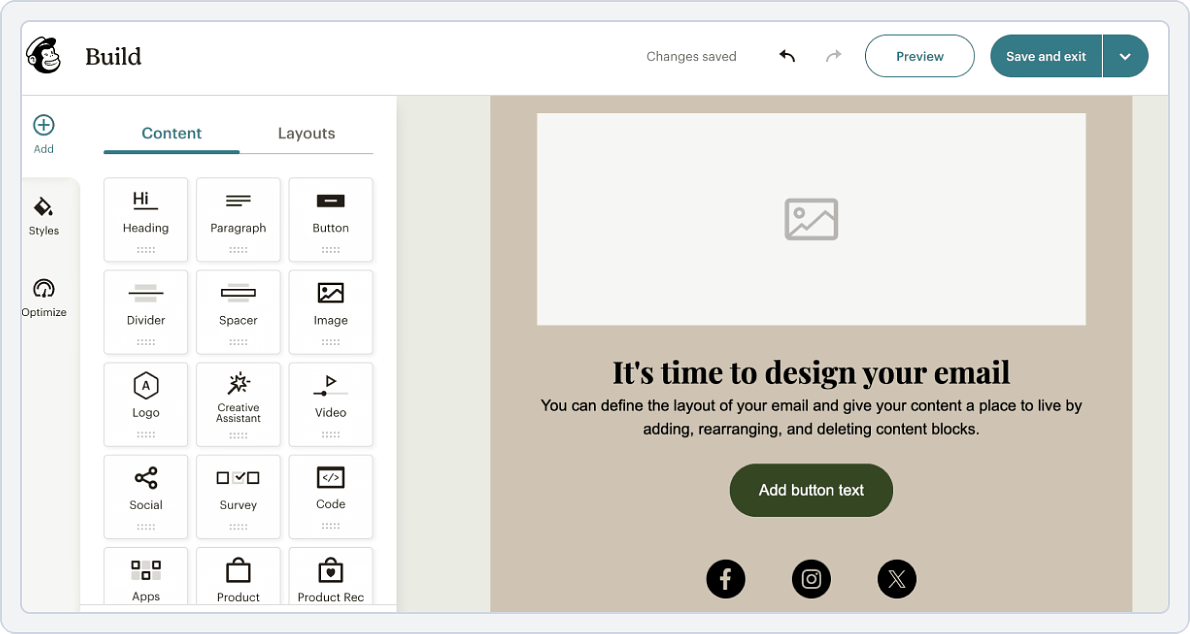
Mailchimp unifies email, social, and advertising automation into one coordinated platform, making it a smart Sendible alternative for data-driven marketing teams.
AI-powered segmentation and predictive analytics enable highly personalized campaigns, keeping workflows precise and responsive.
By linking content creation with customer behavior insights, Mailchimp helps brands nurture relationships and run multi-channel campaigns from a single, scalable dashboard.
Mailchimp vs. Sendible
The feature comparison of Mailchimp vs Sendible is as follows.
1. Social Media Content Scheduling and Planning
Mailchimp lets teams plan and schedule email campaigns, audience segments, and automated journeys using Calendar and automation tools, helping users organize content delivery across email channels.
- Plan and schedule email campaigns with ease
- Segment audiences for targeted messaging
- Visualize campaign timelines on a calendar
Mailchimp vs Sendible Key Takeaway: Mailchimp excels at email campaign scheduling and automation, while Sendible focuses on social media and editorial calendar planning.
2. AI-Powered Social Media Automation
Mailchimp automates email campaigns and customer journeys, allowing teams to send personalized messages and follow-ups without manual effort. It keeps communication consistent and timely.
- Automate email campaigns and follow-ups
- Set up customer journeys and triggers
- Personalize messages based on audience behavior
Mailchimp vs Sendible Key Takeaway: Mailchimp excels at email automation and customer journey workflows, while Sendible focuses on social media scheduling, making Mailchimp a notable option among Sendible alternatives.
3. Team Collaboration and Workflow
Mailchimp allows teams to collaborate on campaigns, share templates, and track feedback within the platform, keeping email marketing workflows organized.
- Assign campaign access and roles to team members
- Share templates and marketing assets for collaboration
- Track feedback and approval status within campaigns
Mailchimp vs Sendible Key Takeaway: Mailchimp excels at team collaboration for email marketing, while Sendible focuses on social media and editorial calendar approvals.
4. AI Content Generation
Mailchimp uses AI to help generate email copy, subject lines, and personalized content for campaigns, making it easier to create engaging messages quickly.
- Generate email copy and subject lines using AI
- Personalize content for different audience segments
- Automate content suggestions for campaigns
Mailchimp vs Sendible Key Takeaway: Mailchimp excels at AI-assisted email content generation, while Sendible focuses on social media content without advanced AI tools.
5. Platform Support & Integration
Mailchimp:
- Facebook, Instagram, LinkedIn, X (Twitter), Shopify, WooCommerce, Squarespace, Canva, and Google Analytics
Sendible:
- Facebook, LinkedIn, Instagram, X (Twitter), Pinterest, YouTube, Google Business Profile, TikTok
Mailchimp vs Sendible Key Takeaway: Mailchimp excels at combining email automation with social promotion, while Sendible focuses mainly on social calendar coordination.
Pricing
Here’s how their pricing and plans compare at a glance.
| Mailchimp | Sendible | |
|---|---|---|
| Free Plan |
Yes
|
No free plan
|
| For Small Business |
$20/month – Email + social
|
$29/month
|
| For Agencies |
Premium: $350/month
|
$299/month
|
| Verdict |
An all-in-one marketing platform centered on email, with social tools as an add-on, offering advanced automation, analytics, and AI capabilities. |
A dedicated social media scheduling tool with per-user pricing that scales poorly and lacks broader marketing automation features. |
Mailchimp vs Sendible Final Takeaway:
Mailchimp is the smart Sendible alternative for businesses that prioritize email marketing with integrated social media capabilities. Its AI-powered segmentation, predictive analytics, and affordable starting price make it perfect for teams wanting unified email and social campaigns without juggling multiple tools.
Sendible Alternative #5: StoryChief
Overall Rating: ⭐⭐⭐⭐ 4.6/5 (G2)
Starting Price: $27/Quarter
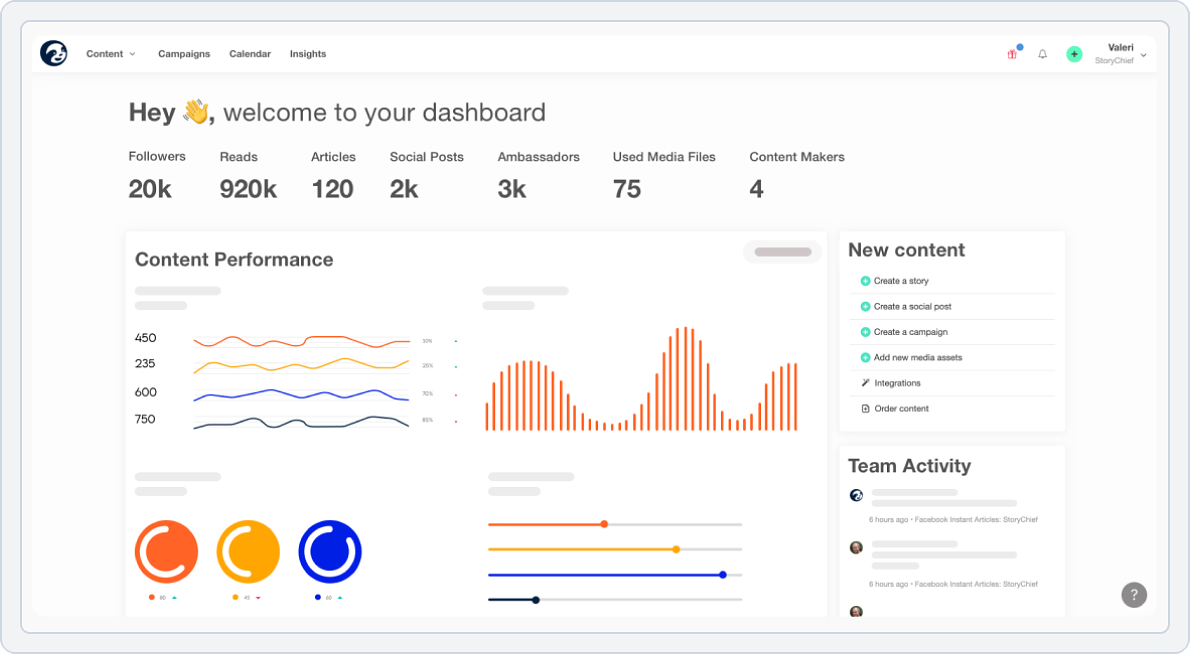
StoryChief delivers a multi-channel content ecosystem that unites blogging, social media, newsletters, and SEO in one campaign builder, ideal for marketers exploring Sendible alternatives to boost productivity.
Built-in SEO scoring, collaborative editing, and one-click distribution replace the mix of tools many Sendible users rely on.
By linking content creation directly to performance analytics, StoryChief lets teams plan, publish, and track everything from a single insights-driven hub.
StoryChief vs. Sendible
The feature comparison of StoryChief vs Sendible is as follows.
1. Social Media Content Scheduling and Planning
StoryChief focuses on content marketing with multi-channel publishing, letting teams schedule and distribute content across social media, blogs, and newsletters.
- Schedule posts across multiple platforms, including social media and blogs
- Manage content calendars and campaigns in one workspace
- Set up approval workflows for managers or clients
StoryChief vs Sendible Key Takeaway: StoryChief excels at multi-channel content marketing and approvals, while Sendible focuses on social media scheduling and campaign calendars.
2. AI-Powered Social Media Automation
StoryChief helps teams automate multi-channel content publishing, ensuring posts go live on social media, blogs, and newsletters without manual effort. It also streamlines workflow notifications and approvals.
- Automatically publish content across social media, blogs, and newsletters
- Schedule recurring posts and campaigns in advance
- Set up workflow notifications for approvals and tasks
StoryChief vs Sendible Key Takeaway: StoryChief excels at multi-channel automation, while Sendible focuses on native social media publishing.
3. Team Collaboration and Workflow
StoryChief centralizes teamwork by allowing teams to collaborate on content creation, approvals, and publishing in one platform. It keeps communication and feedback organized.
- Assign roles and permissions for team members
- Track content progress and approvals
- Leave comments and internal notes on drafts
StoryChief vs Sendible Key Takeaway: StoryChief excels at collaborative multi-channel content workflows, while Sendible focuses on agency-based campaign approvals.
4. AI Content Generation
StoryChief includes AI-powered tools to help teams draft social media posts, blog content, and newsletters quickly, reducing writer’s block and speeding up content creation.
- Generate posts for social media, blogs, and newsletters
- Draft content quickly using AI assistance
- Collaborate on content creation within the platform
StoryChief vs Sendible Key Takeaway: StoryChief excels at AI-assisted multi-channel content creation, while Sendible focuses on traditional content planning without advanced AI.
5. Platform Support & Integration
StoryChief:
- LinkedIn, Facebook, X (Twitter), Instagram, Google Business Profile, WordPress, Medium, Ghost, Webflow, and HubSpot
Sendible:
- Facebook, LinkedIn, Instagram, X (Twitter), Pinterest, YouTube, Google Business Profile, TikTok
StoryChief vs Sendible Key Takeaway: StoryChief wins for its all-in-one publishing network and blog integration depth. Sendible suits teams centered purely on social media scheduling.
Pricing
Here’s how their pricing and plans compare at a glance.
| StoryChief (Quarterly Pricing) | Sendible (Monthly Pricing) | |
|---|---|---|
| Free Plan |
No free plan
|
No free plan
|
| For Small Business |
Starter: $27/month
|
$29/month
|
| For Agencies |
Agency: $112/month
|
$299/month
|
| Verdict |
Highly cost-effective for teams with flat pricing that includes multiple users, plus built-in SEO and multi-channel publishing for content-driven marketing. |
Per-user and per-calendar pricing limits flexibility and becomes expensive at scale, with fewer content and SEO-focused capabilities. |
StoryChief vs Sendible Final Takeaway:
StoryChief is the premier Sendible alternative for content marketing teams that need multi-channel publishing with built-in SEO optimization. Its ability to unify blogs, social media, newsletters, and podcasts under one campaign builder makes it ideal for organizations focused on content-driven growth.
Sendible Alternative #6: ClickUp
Overall Rating: ⭐⭐⭐⭐ 4.7/5 (G2)
Starting Price: $7/month
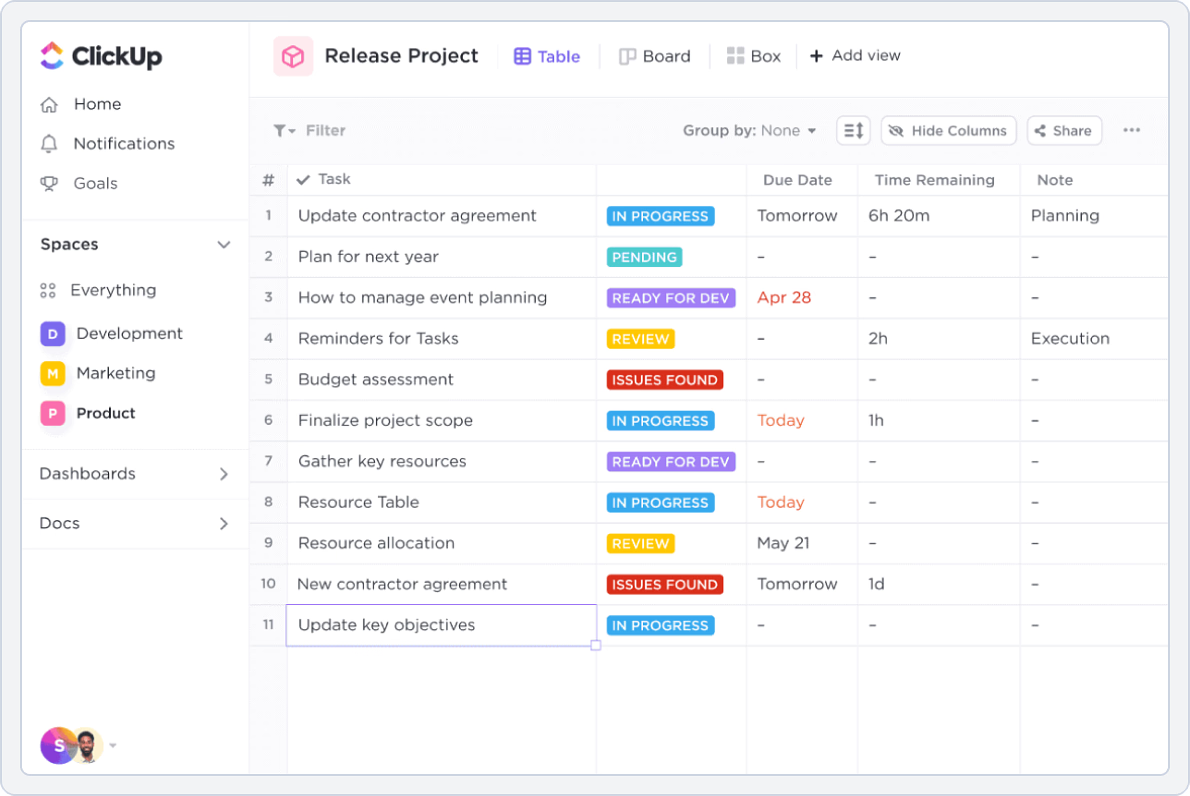
ClickUp turns scattered content calendars into a centralized marketing workspace that automates workflows and unites teams. Built-in AI support speeds up writing, ideation, and reporting, making it a strong Sendible alternative for high-volume marketing.
Teams can manage social posts, creative requests, and analytics from one customizable dashboard.
Designed for agencies and growing brands, ClickUp delivers powerful workflow control at a lower per-user cost than Sendible.
ClickUp vs. Sendible
The feature comparison of ClickUp vs Sendible is as follows.
1. Social Media Content Scheduling and Planning
ClickUp isn’t built primarily for social posting, but it does allow teams to plan content and campaigns with its flexible task, Calendar, and Board views. Teams can organize projects, track deadlines, and attach creative assets.
- Plan campaigns and content using Calendar and Board views
- Track deadlines and milestones across multiple projects
- Attach and review creative assets directly in tasks
ClickUp vs Sendible Key Takeaway: ClickUp excels at flexible project and content planning, while Sendible is better for native social media scheduling and publishing.
2. AI-Powered Social Media Automation
ClickUp doesn’t post directly to social media but helps teams automate workflows, reminders, and task notifications to stay on top of content schedules. It reduces manual follow-ups and keeps projects on track.
- Automate task notifications and reminders
- Track content progress across campaigns
- Set recurring tasks for social media workflows
ClickUp vs Sendible Key Takeaway: ClickUp excels at workflow automation and task tracking, while Sendible offers direct social media scheduling and publishing automation.
3. Team Collaboration and Workflow
ClickUp centralizes teamwork by letting teams assign tasks, leave comments, track progress, and manage approvals all in one platform. It keeps project communication organized and transparent.
- Assign roles and permissions for team members
- Track task progress and deadlines
- Comment and provide feedback directly within tasks
ClickUp vs Sendible Key Takeaway: ClickUp excels at flexible team collaboration and workflow management, while Sendible focuses on structured agency-based approvals.
4. AI Content Generation
ClickUp features an integrated AI assistant, ClickUp Brain, that helps with content generation and workflow automation. It allows teams to draft posts, brainstorm ideas, and streamline content tasks.
- Generate social media posts and content ideas with ClickUp Brain
- Automate workflows for content creation and approvals
- Collaborate on content planning within tasks
ClickUp vs Sendible Key Takeaway: ClickUp uses ClickUp Brain for AI-assisted content and workflow automation, while Sendible offers more traditional content planning tools.
5. Platform Support & Integration
ClickUp:
- Facebook, LinkedIn, X (Twitter) (via integrations), Slack, Google Drive, Dropbox, Canva, Zapier, and Make (Integromat)
Sendible:
- Facebook, LinkedIn, Instagram, X (Twitter), Pinterest, YouTube, Google Business Profile, TikTok
ClickUp vs Sendible Key Takeaway: ClickUp wins for comprehensive workflow automation and flexible integrations, while Sendible focuses on dedicated social scheduling and campaign organization.
Pricing
Here’s how their pricing and plans compare at a glance.
| ClickUp | Sendible | |
|---|---|---|
| Free Plan |
Yes
|
No free plan
|
| For Small Business |
Unlimited: $7/user/month
|
$29/month
|
| For Agencies |
Business: $12/user/month
|
$299/month
|
| Verdict |
A highly cost-effective all-in-one productivity platform with powerful AI, automation, and integrations, making it ideal for managing complex workflows at scale. |
A calendar-focused social media tool with per-user pricing that delivers fewer capabilities at a significantly higher cost. |
ClickUp vs Sendible Final Takeaway:
ClickUp is the ultimate Sendible alternative for teams seeking an all-in-one workspace with powerful AI and workflow automation. Its unbeatable $7 per user pricing and 1,000+ integrations make it perfect for agencies and growing brands that need enterprise-level features without the enterprise price tag.
Sendible Alternative #7: Asana
Overall Rating: ⭐⭐⭐⭐ 4.4/5 (G2)
Starting Price: $10.99/month
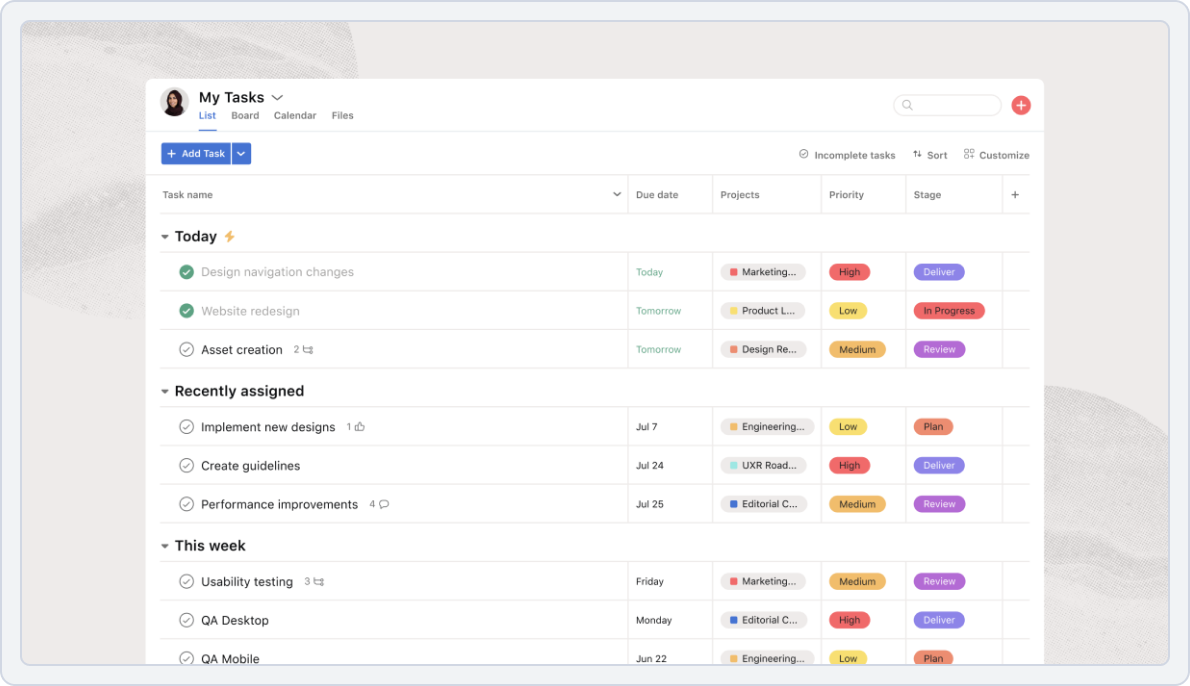
Asana moves marketing coordination beyond posting schedules into full campaign management. For teams seeking a Sendible alternative with a stronger workflow structure, it offers advanced task automation, timelines, and goal tracking.
Campaigns flow from planning to publishing with clear visibility and accountability, while AI-powered automation reduces manual task management.
Asana is ideal for marketing teams and agencies that need the organizational strength to scale beyond a basic content calendar.
Asana vs. Sendible
The feature comparison of Asana vs Sendible is as follows.
1. Social Media Content Scheduling and Planning
Asana integrates with social media and creative platforms, letting teams visualize schedules, review assets, and manage campaigns across multiple channels. It keeps content organized and approvals clear.
- Visualize production schedules in Calendar and Board views
- Review creative assets directly within tasks
- Connect with tools like Adobe Creative Cloud
Asana vs Sendible Key Takeaway: Asana excels at flexible, cross-platform campaign management, while Sendible works best for native social media scheduling.
2. AI-Powered Social Media Automation
Asana itself doesn’t automate social posting but integrates with social media tools to streamline workflows, track tasks, and manage campaign notifications. It helps teams stay organized and reduces manual follow-ups.
- Integrate with social tools to track scheduled posts
- Automate task notifications and reminders for your team
- Streamline campaign workflows without switching apps
Asana vs Sendible Key Takeaway: Asana excels at workflow automation and task management, while Sendible provides direct social media publishing automation.
3. Team Collaboration and Workflow
Asana centralizes teamwork by allowing teams to assign tasks, track progress, leave comments, and manage approvals in one platform. It keeps all project communications and feedback organized.
- Assign roles and permissions for team members
- Track task progress and deadlines
- Comment and provide feedback directly within tasks
Asana vs Sendible Key Takeaway: Asana excels at flexible team collaboration and workflow management, while Sendible focuses on structured agency-based approvals.
4. AI Content Generation
Asana doesn’t generate content directly but integrates with AI tools to help teams plan and draft posts efficiently. This keeps content creation organized.
- Integrate with AI tools to draft posts
- Collaborate on content planning within tasks
- Track and store content drafts for the team
Asana vs Sendible Key Takeaway: Asana relies on integrations for AI content, while Sendible offers traditional content planning without advanced AI.
5. Platform Support & Integration
Asana:
- Facebook, LinkedIn, Twitter (via integrations), Slack, Google Drive, Dropbox, Canva, Zapier, and HubSpot
Sendible:
- Facebook, LinkedIn, Instagram, X (Twitter), Pinterest, YouTube, Google Business Profile, TikTok
Asana vs Sendible Key Takeaway: Asana shines for cross-department collaboration and workflow integration, while Sendible specializes in social scheduling and campaign calendars.
Pricing
Here’s how their pricing and plans compare at a glance.
| Asana | Sendible | |
|---|---|---|
| Free Plan |
Yes
|
No free plan
|
| For Small Business |
Starter: $10.99/user/month
|
$29/month
|
| For Agencies |
Advanced: $24.99/user/month
|
$299/month
|
| Verdict |
A robust project management platform with a generous free plan and strong collaboration features, ideal for managing complex team workflows beyond social media. |
A specialized social media scheduling tool with higher per-user pricing and limited project management functionality. |
Asana vs Sendible Final Takeaway:
Asana is the go-to Sendible alternative for teams that need robust project management alongside their content planning. Its advanced workflow automation and goal tracking make it ideal for marketing departments managing complex campaigns beyond simple post scheduling.
Sendible Alternative #8: Loomly
Overall Rating: ⭐⭐⭐⭐ 4.6/5 (G2)
Starting Price: $42/month
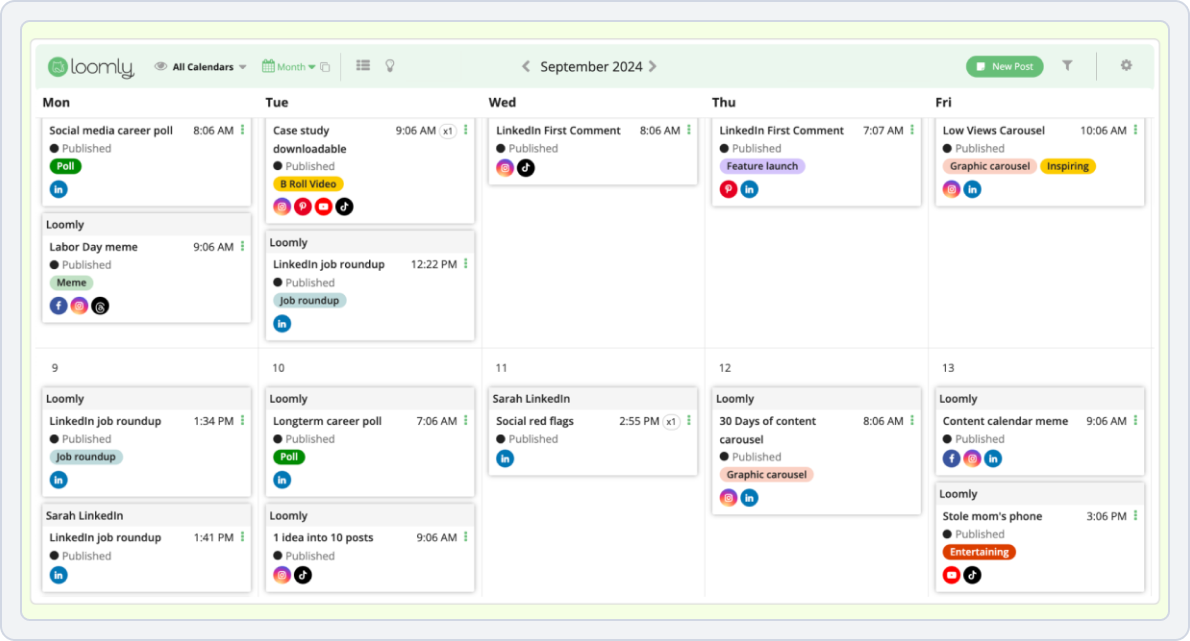
Loomly blends structure and creativity for teams that outgrow Sendible’s traditional approach. Its visual workspace brings ideas, approvals, and live post previews together, making collaboration and campaign planning smoother.
With AI-driven trend monitoring and real-time optimization tips, Loomly helps teams refine content faster. Among Sendible alternatives, it stands out as a strong choice for designers, agencies, and creative marketers who prefer visually streamlined workflows.
Loomly vs. Sendible
The feature comparison of Loomly vs Sendible is as follows.
1. Social Media Content Scheduling and Planning
Planning content across multiple platforms is more flexible with Loomly. Loomly offers a visual and interactive workspace explicitly designed for social media planning.
- Get AI-suggested captions and hashtags
- Create content faster with real-time insights
- Discover trending topics and content ideas automatically
Loomly vs Sendible Key Takeaway: Loomly excels in visual planning and multi-platform scheduling, while Sendible is better suited for traditional agency workflows and structured marketing calendars.
2. AI-Powered Social Media Automation
Manual posting and repetitive tasks can quickly slow down social media workflows. Loomly stands out with its AI-powered automation features that help users schedule, optimize, and draft posts efficiently. It automates real publishing tasks to save time and reduce workload.
- Manage unlimited scheduled posts across 10+ platforms
- Preview post designs before publishing
- Plan content visually from one dashboard
Loomly vs Sendible Key Takeaway: Loomly leads in AI-powered drafting and scheduling for social media, while Sendible focuses more on traditional scheduling and agency workflows.
3. Team Collaboration and Workflow
Loomly centralizes teamwork and helps teams collaborate on content creation and scheduling without relying on emails or external chat apps. It simplifies real collaboration tasks to save time and reduce confusion.
- Assign roles and permissions for team members
- Set up approval workflows for managers or clients
- Collaborate using comments and internal notes
Loomly vs Sendible Key Takeaway: Loomly excels in centralized collaboration and approval workflows, while Sendible is better for structured agency-based teamwork and client management.
4. AI Content Generation
Creating fresh content consistently can slow down social media workflows. Loomly uses AI to generate post ideas, first-draft captions, and optimized copy for each platform, helping teams overcome writer’s block quickly.
- Generate platform-specific post ideas and captions
- Draft engaging content quickly without manual effort
- Optimize copy based on best practices for each network
Loomly vs Sendible Key Takeaway: Loomly excels at AI-powered social media content creation, while Sendible focuses on traditional content planning without advanced AI tools.
5. Platform Support & Integration
Loomly:
- Facebook, Instagram, LinkedIn, Pinterest, YouTube, TikTok, and Google Business Profile
Sendible:
- Facebook, LinkedIn, Instagram, X (Twitter), Pinterest, YouTube, Google Business Profile, TikTok
Loomly vs Sendible Key Takeaway: Loomly wins for better visual content integration and creative workflows, while Sendible remains centered on traditional social and agency scheduling.
Pricing
Here’s how their pricing and plans compare at a glance.
| Loomly | Sendible | |
|---|---|---|
| Free Plan |
No free plan
|
No free plan
|
| For Small Business |
Base: $42/month
|
$29/month
|
| For Agencies |
Advanced: $175/month
|
$299/month
|
| Verdict |
Feature-rich plans are ideal for teams, with pricing based on account limits rather than per-user, making it scalable for visual content-focused teams. |
Per-user and per-calendar pricing becomes costly at scale, with fewer features for visual content and a focus on calendar-based management. |
Loomly vs Sendible Final Takeaway:
Loomly is one of the perfect Sendible alternatives for visually focused teams that need strong collaboration features and intuitive planning tools. Its real-time post previews and AI-driven trend monitoring make it ideal for creative marketers and agencies who value design as much as scheduling.
Read SocialBu vs Loomly to see which tool is better for streamlined scheduling, team approvals, and platform-wide automation.Sendible Alternative #9: RecurPost
Overall Rating: ⭐⭐⭐⭐ 4.7/5 (G2)
Starting Price: $25/month
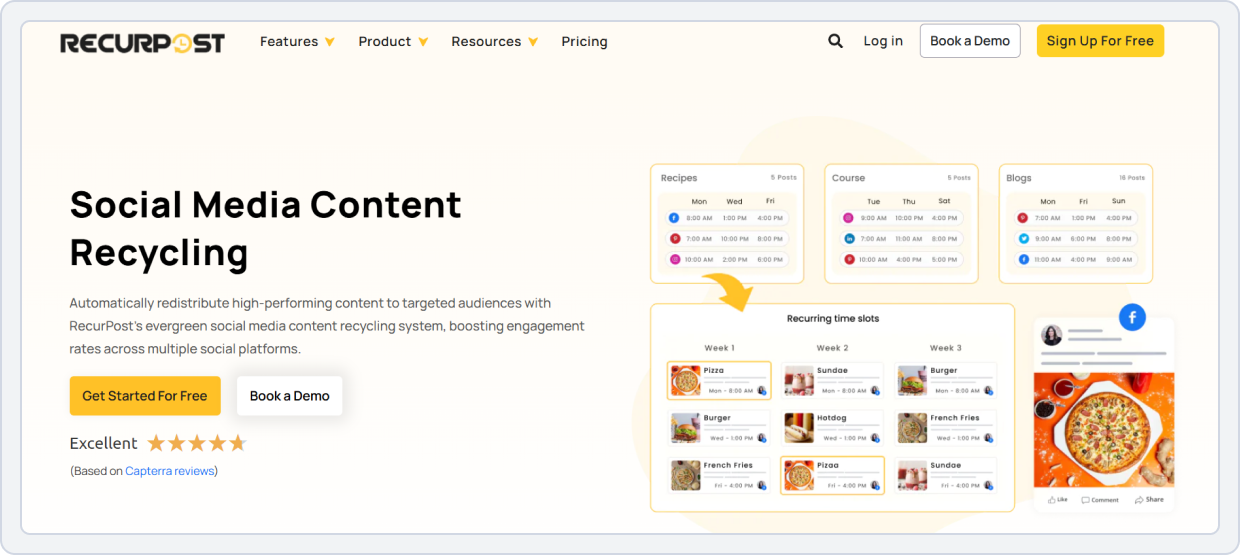
RecurPost automates evergreen and recurring content, solving a major gap for many Sendible users. By categorizing posts and recycling top performers, it keeps your social feeds consistently active.
For those exploring Sendible alternatives to strengthen long-term workflow, RecurPost delivers hands-off consistency and real-time savings.
Teams no longer need to manually reschedule campaigns; the platform ensures steady engagement across all accounts, even during the busiest periods.
RecurPost vs. Sendible
The feature comparison of RecurPost vs Sendible is as follows.
1. Social Media Content Scheduling and Planning
Planning content across multiple platforms is more flexible with RecurPost. RecurPost is built for recurring social publishing and evergreen scheduling.
- Schedule posts individually or in bulk across multiple platforms
- Organize content using content libraries and recurring schedules
- Automatically recycle evergreen content to maintain posting consistency
RecurPost vs Sendible Key Takeaway: RecurPost excels at recurring content scheduling and evergreen automation, while Sendible is better suited for traditional agency planning and calendar management.
2. AI-Powered Social Media Automation
RecurPost stands out with evergreen scheduling and automation that keep social accounts active with minimal manual effort.
- Schedule recurring posts using evergreen content libraries
- Automatically recycle top-performing content
- Organize posts into time-based or category-based queues
RecurPost vs Sendible Key Takeaway: RecurPost excels at evergreen automation and recurring content scheduling, while Sendible is better suited for traditional agency workflows and client calendars.
3. Team Collaboration and Workflow
RecurPost prioritizes streamlined scheduling over complex collaboration tools, making it suitable for smaller teams.
- Assign basic roles for managing social accounts
- Collaborate on content scheduling within shared dashboards
- Maintain clear publishing workflows for small teams
RecurPost vs Sendible Key Takeaway: RecurPost’s white-label reports are perfect for agencies. Sendible works if you need more structured client management.
4. AI Content Generation
RecurPost includes a ChatGPT-powered AI writing assistant focused on generating ready-to-post social captions quickly.
- Generate social media captions using AI
- Create engaging content ideas when you run out of inspiration
- Speed up content creation without manual drafting
RecurPost vs Sendible: Key Takeaway: RecurPost offers simple, caption-focused AI-generated content for social media, while Sendible relies on traditional content planning, making RecurPost a practical alternative to Sendible.
5. Platform Support & Integration
RecurPost:
- Facebook, X (Twitter), LinkedIn, Instagram, Pinterest, TikTok, YouTube, and Google Business Profile
Sendible:
- Facebook, LinkedIn, Instagram, X (Twitter), Pinterest, YouTube, Google Business Profile, TikTok
RecurPost vs Sendible: Key Takeaway: RecurPost excels at evergreen scheduling and recurring content across key networks, while Sendible is better suited for simpler, traditional agency planning.
Pricing
Here’s how their pricing and plans compare at a glance.
| RecurPost | Sendible | |
|---|---|---|
| Free Plan |
No free plan
|
No free plan
|
| For Small Business |
Personal: $25/month
|
$29/month
|
| For Agencies |
Agency: Custom
|
$299/month
|
| Verdict |
Flexible pricing that allows adding/removing users and workspaces; ideal for agencies managing evergreen content across multiple clients. |
Per-user and per-calendar pricing is less flexible; smaller teams may pay more for limited features focused mainly on calendar workflows. |
RecurPost vs Sendible Final Takeaway:
RecurPost is the ideal Sendible alternative for anyone who prioritizes evergreen content automation over manual calendar management. Its category-based recycling system and budget-friendly pricing make it the best choice for small businesses focused on consistent, long-term content strategies.
Read SocialBu vs RecurPost to compare evergreen automation, bulk scheduling, and team workflows for consistent multi-platform posting.Sendible Alternative #10: OneUp
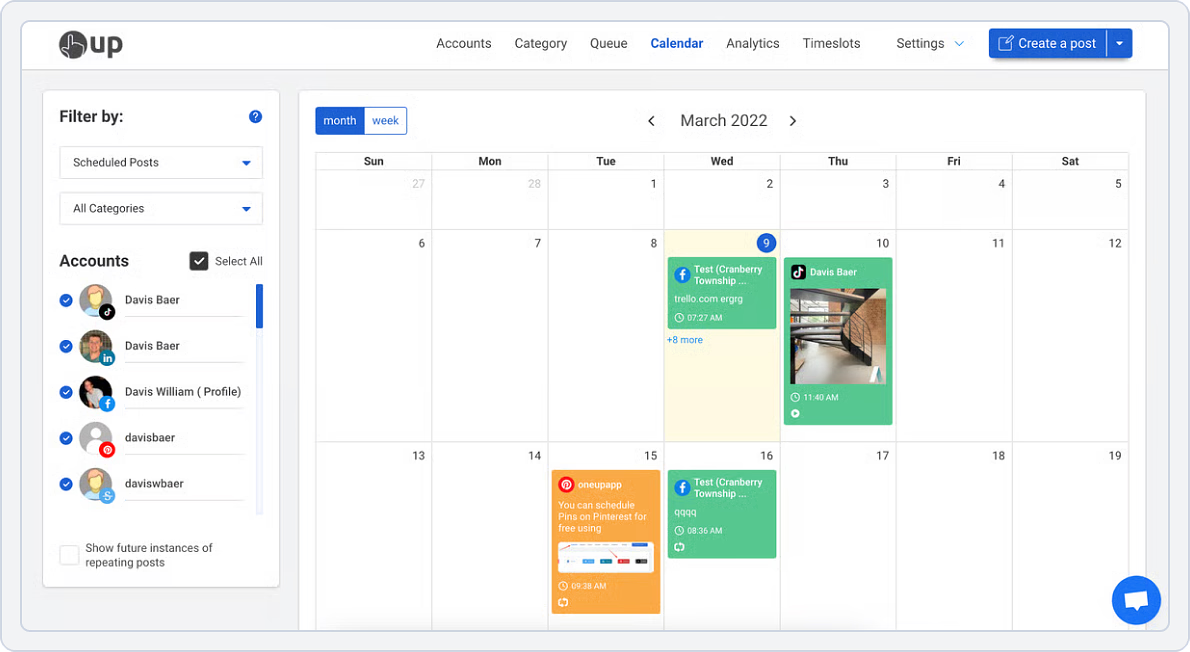
OneUp delivers simplicity and stability for marketers who want Sendible-style scheduling without the complexity or high per-user pricing.
It automates post recycling, bulk publishing, and multi-account scheduling in just a few clicks. Ideal for small teams managing tight budgets, it adds sustainable structure to daily operations.
OneUp vs. Sendible
The feature comparison of OneUp vs Sendible is as follows.
1. Content Scheduling and Planning
OneUp makes content planning and scheduling straightforward with its calendar and smart queue system, allowing users to schedule posts across multiple social platforms in advance. It also supports recurring posts to keep accounts active without manual effort.
- Schedule posts across multiple platforms easily
- Use smart queues to automate future posting
- Set up recurring evergreen content
OneUp vs Sendible Key Takeaway: OneUp excels at simple multi-platform scheduling and recurring posts, while Sendible focuses on structured agency planning, making OneUp a lightweight choice among Sendible alternatives.
2. AI-Powered Social Media Automation
OneUp automates social posting using category-based queues and evergreen recycling, helping users keep accounts active without daily manual work. It focuses on smart scheduling rather than complex AI workflows.
- Automate posting with category-based queues
- Recycle evergreen content automatically
- Schedule posts across multiple platforms
OneUp vs Sendible Key Takeaway: OneUp excels at evergreen and queue-based automation, while Sendible focuses on traditional agency-driven scheduling automation.
3. Team Collaboration and Workflow
OneUp is designed mainly for individual users and small teams, offering basic collaboration for managing social posts. It keeps workflows simple but lacks advanced approval systems.
- Manage social posts with a small team
- Keep workflows simple and easy to follow
- Collaborate on scheduling without complex setups
OneUp vs Sendible: Key Takeaway: OneUp suits individuals and small teams with simple workflows, making it a lightweight alternative to Sendible.
4. AI Content Generation
OneUp does not offer built-in AI content generation and focuses mainly on scheduling and automation features. Users rely on external tools for creating captions and ideas.
- Focus on scheduling without AI-generated content
- Use external AI tools alongside OneUp
- Maintain simple content workflows
OneUp vs Sendible Key Takeaway: OneUp is best for straightforward scheduling without AI content tools, while Sendible offers traditional content planning.
5. Platform Support & Integration
OneUp: Facebook, Instagram, LinkedIn, X (Twitter), Pinterest, TikTok, YouTube, Google Business Profile, and Mastodon
Sendible: Facebook, LinkedIn, Instagram, X (Twitter), Pinterest, YouTube, Google Business Profile, TikTok
OneUp vs Sendible: Key Takeaway: OneUp wins for automation flexibility and Google Business integration, while Sendible fits teams that need traditional agency calendar management.
Pricing
Here’s how their pricing and plans compare at a glance.
| OneUp | Sendible | |
|---|---|---|
| Free Plan |
7-day free trial available
|
14-day free trial available
|
| For Small Business |
Starter: $18/month
|
$29/month
|
| For Agencies |
Business: $300/month
|
$299/month
|
| Verdict |
Ideal for individuals, growing teams, and agencies needing scalability, supporting many platforms with unlimited post options at higher tiers. |
Per-user and per-calendar pricing is less flexible; smaller teams may pay more for limited features focused on calendar workflows. |
OneUp vs Sendible Final Takeaway:
OneUp is one of the budget-friendly Sendible alternatives for solo creators and small teams who value simplicity over complexity. It’s straightforward, evergreen recycling, and a $18 starting price make it perfect for marketers who want reliable scheduling without paying for features they’ll never use.
Read SocialBu vs OneUp to compare simple scheduling vs scalable automation, collaboration, and multi-platform support.Sendible Alternative #11: eClincher

Overall Rating: ⭐⭐⭐⭐ 4.6/5 (G2)
Starting Price: $149 billed monthly
eClincher is a strong Sendible competitor known for automation, auto-post queues, strong reporting, and a powerful unified inbox. It’s great for social media teams that publish large amounts of content and need efficient workflows, often providing a more cohesive experience than Sendible for managing high-volume interactions.
When comparing Sendible alternatives for social media management, eClincher is often mentioned as a practical option for teams that need robust publishing and engagement tools without Sendible’s occasional UI clunkiness.
eClincher vs. Sendible
The feature comparison of eClincher vs Sendible is as follows.
1. Social Media Content Scheduling and Planning
eClincher simplifies content planning and publishing. Its visual calendar and bulk scheduling features make it one of the easiest-to-use Sendible alternatives for social media teams and agencies.
- Schedule posts individually or in bulk
- Use smart queues for evergreen and recurring content
- Manage multiple brands from one dashboard
eClincher vs. Sendible Key Takeaway: eClincher excels at automation-driven scheduling, while Sendible relies more on manual calendar planning, making eClincher a compelling option among Sendible alternatives.
2. AI-Powered Social Media Automation
eClincher leverages AI to streamline social media workflows, reducing the manual effort required to keep accounts active and engaging. Automation helps teams focus on strategy rather than repetitive tasks.
- Auto-post queues and recycling rules
- Unified inbox with automation filters
- Smart scheduling suggestions
eClincher vs. Sendible Key Takeaway: eClincher offers deeper automation for publishing and engagement than Sendible.
3. Team Collaboration and Workflow
eClincher is built with agencies and multi-member teams in mind. It provides clear role definitions, task assignments, and structured approval processes to keep content organized and on-brand.
- Assign specific roles and permissions to team members
- Track and manage tasks across your social media team
- Streamline content approval with multi-level workflows
eClincher vs. Sendible Key Takeaway: Both tools support collaboration, but eClincher scales better for high-volume teams, making it a strong option among Sendible alternatives.
4. AI Content Generation
eClincher includes AI-powered features to assist in content creation, offering caption suggestions and content ideas that save time and spark creativity. While not as advanced as some AI-first platforms, it still enhances workflow
- Automated publishing based on chosen schedules and queues.
- Recurring posts and evergreen content recycling.
- Advanced queue management for consistent content flow.
eClincher vs. Sendible Key Takeaway: eClincher offers practical AI assistance, while Sendible keeps content creation more manual.
5. Platform Support & Integration
eClincher:
- Facebook, Instagram, LinkedIn, X (Twitter), Pinterest, TikTok, YouTube, Google Business Profile
Sendible:
- Facebook, Instagram, LinkedIn, X (Twitter), Pinterest, TikTok, YouTube, Google Business Profile
eClincher vs. Sendible Key Takeaway: For simple, practical integrations for daily social media work, eClincher is one of the most user-friendly Sendible alternatives, offering a strong mix of core social and analytical features.
Pricing
Here’s how their pricing and plans compare at a glance.
| eClincher | Sendible | |
|---|---|---|
| Free Plan |
No free plan
|
No free plan
|
| For Small Business |
Standard: $149/month
|
$29/month
|
| For Agencies |
Agency: $799/month
|
$299/month
|
| Verdict |
Strong automation, unified inbox, and publishing tools make it ideal for automation-heavy teams. |
Per-user and per-calendar pricing limit flexibility and lack the deep automation and unified inbox capabilities offered by eClincher. |
Sendible vs eClincher Final Takeaway:
eClincher is a great Sendible alternative for teams that want powerful automation and a strong publishing engine, coupled with a robust unified inbox, providing a more comprehensive engagement management system than Sendible.
Read SocialBu vs eClincher to compare unified inbox, automation, and publishing workflows for high-volume social management.Sendible Alternative #12: Statusbrew
Overall Rating: ⭐⭐⭐⭐ 4.8/5 (G2)
Starting Price: $89 /month
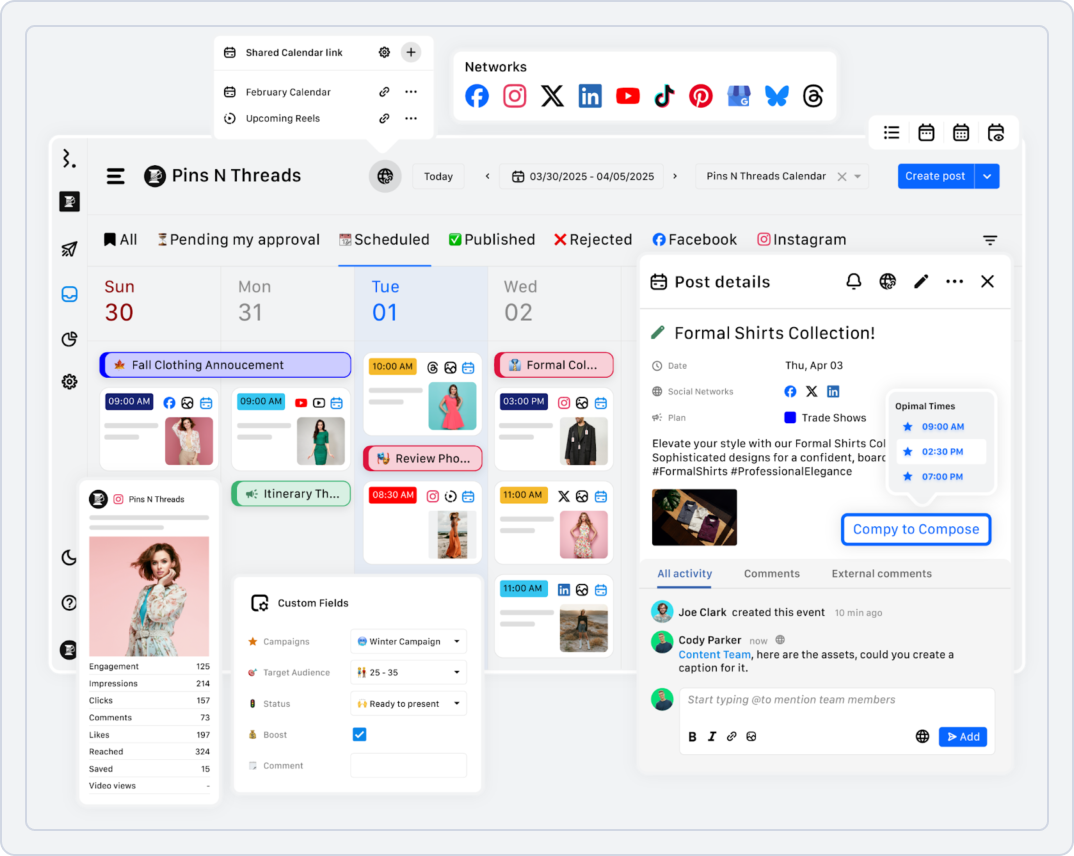
Statusbrew is one of the closest Sendible alternatives for social media management, with strong governance, team roles, compliance, and multi-layer approval workflows.
Unlike Sendible, Statusbrew often keeps these advanced features simple and user-friendly, appealing to teams that find Sendible’s interface challenging.
Statusbrew vs. Sendible
The feature comparison of Statusbrew vs Sendible is as follows.
1. Social Media Content Scheduling and Planning
Statusbrew helps teams plan and publish content efficiently. Drag-and-drop calendars, bulk scheduling, and automated recurring posts simplify daily workflows.
- Simple drag-and-drop content calendar
- Bulk scheduling and recurring posts
- Queue management and automation to save time
Statusbrew vs. Sendible Key Takeaway: Statusbrew focuses on simplicity and efficiency, offering an intuitive content calendar, bulk scheduling, and automation, making it a strong Sendible alternative for straightforward content planning.
2. AI-Powered Social Media Automation
Statusbrew includes AI tools for writing and managing social media content, focusing on practical applications that enhance efficiency.
- Create captions, content ideas, and hashtags directly inside the platform
- Adjust post tone to match your brand voice
- Rewrite, translate, or improve replies to comments and messages
Statusbrew vs. Sendible Key Takeaway: Statusbrew’s AI focuses on content writing, tone, making it among the Sendible alternatives that provide more than just scheduling.
improvement, and faster engagement, making daily social media management easier for teams and agencies, offering more direct AI assistance than Sendible.
3. Team Collaboration and Approval Workflows
Statusbrew offers helpful team features that make social media work easier for groups and agencies, with robust governance and multi-layer approvals.
- Decide who can create, edit, approve, or publish posts
- Use an approval step before publishing to ensure brand compliance
- Shared calendar shows all scheduled posts so everyone knows what’s planned and when
Statusbrew vs. Sendible Key Takeaway: Statusbrew makes team collaboration simple with shared calendars, robust approvals, roles, and a unified inbox, helping teams stay organized without complicated setups, often surpassing Sendible’s collaboration intuitiveness.
4. AI Post Generator
Statusbrew’s AI capabilities are geared toward content creation, providing a valuable tool for generating and refining social media posts.
- Generate captions, content ideas, and hashtags within the platform
- Adjust post tone to match your brand voice
- Rewrite, translate, or improve replies to comments and messages
Statusbrew vs. Sendible: Key Takeaway: Statusbrew offers a more integrated, user-friendly AI post generator for content creation and refinement, while Sendible’s AI features in this area are less prominent.
5. Platform Support & Integration
Statusbrew:
- Facebook, Instagram, LinkedIn, X (Twitter), YouTube, Threads, Bluesky, WhatsApp, Google Play Store, App Store, Canva, Reddit, Line, Google Business Profile, Slack, and Shopify.
Sendible:
- Facebook, Instagram, LinkedIn, X (Twitter), Pinterest, TikTok, YouTube, Google Business Profile
Pricing
Here’s how their pricing and plans compare at a glance.
| Statusbrew | Sendible | |
|---|---|---|
| Lite / Entry Plan |
$89/month
|
$29/month
|
| Standard / Mid Plan |
$179/month
|
$199/month
|
| Premium / Advanced |
$299/month
|
$299/month
|
| Enterprise |
Custom pricing
|
$299/month
|
| Verdict |
Offers advanced governance, moderation, and multi-layer approval workflows at competitive pricing—ideal for teams needing enterprise-level control without complexity. |
Per-user and per-calendar pricing is less flexible and lacks the advanced governance and moderation capabilities Statusbrew provides at similar price points. |
Sendible vs Statusbrew Final Takeaway:
Statusbrew offers advanced social media management features, governance, collaboration, and moderation, with a cleaner interface and robust AI, making it among the best sendible alternatives for teams seeking efficiency and clarity.
Read SocialBu vs Statusbrew to compare approvals, governance, and automation for teams managing multiple brands and channels.Sendible Alternative #13: NapoleonCat
Overall Rating: ⭐⭐⭐⭐ 4.7/5 (G2)
Starting Price: $89/month
NapoleonCat is one of the most reliable sendible alternatives to Sprout Social for brands that rely heavily on social media for customer support and community management.
Among apps like Sprout Social, NapoleonCat stands out for its advanced auto-moderation features.
NapoleonCat vs. Sendible
The feature comparison of NapoleonCat is as follows.
1. Social Media Scheduling
NapoleonCat makes planning and publishing content simple and efficient. Its drag-and-drop calendar and automation features save teams time when managing multiple accounts.
- Drag-and-drop visual content calendar for easy planning
- Schedule posts in bulk and set recurring posts automatically
- Use auto-scheduling and queue management to maintain consistent posting
NapoleonCat vs. Sendible Key Takeaway: For fast and simple social media scheduling, NapoleonCat is easier and more user-friendly than Sendible, making it a strong competitor to Sendible for social media management.
2. AI-Powered Social Media Automation
NapoleonCat uses AI to help teams save time and manage social media more easily, particularly for engagement and moderation tasks.
- Auto-reply to repeated or simple questions, even when the team is offline
- Analyze comments and messages for sentiment (positive, negative, neutral) to prioritize responses
- Suggest captions and content ideas to make posts more engaging
NapoleonCat vs. Sendible Key Takeaway: NapoleonCat’s AI focuses on automated moderation, sentiment checks, auto-replies, and content support, making social media management faster and easier for teams, positioning it as a strong choice among Sendible alternatives.
3. Team Collaboration and Approval Workflows
NapoleonCat includes teamwork tools that help teams stay organized and work together smoothly, with a strong emphasis on unified inbox management.
- View all messages, comments, and reviews in one unified inbox
- Assign messages and tasks to specific team members for accountability
- Leave notes and feedback on posts while planning content collaboratively
NapoleonCat vs. Sendible Key Takeaway: NapoleonCat offers simple team collaboration with shared inboxes, task assignment, and role control, helping teams manage social media together without confusion, especially for customer care.
4. AI Post Generator
NapoleonCat’s AI features enhance both content creation and social media moderation, providing active assistance to make posting and engagement more efficient.
- Automatically filter or remove spam, offensive, or irrelevant comments
- Analyze comments and messages for sentiment to prioritize responses
- Auto-reply to repeated or basic queries to save time
NapoleonCat vs. Sendible Key Takeaway: As one of the top Sendible alternatives, NapoleonCat’s AI delivers robust support for both content generation and moderation, offering more active AI-assisted workflows and smarter automation.
5. Platform Support & Integration
NapoleanCat:
- Facebook, Instagram, TikTok, LinkedIn, YouTube, X (Twitter), and Google My Business
Sendible:
- Facebook, Instagram, LinkedIn, X (Twitter), Pinterest, TikTok, YouTube, Google Business Profile
NapoleonCat vs. Sendible Key Takeaway: For easy and ready-to-use social media integrations, NapoleonCat is a practical Sendible alternative, especially for customer service-focused brands, often offering deeper moderation and review management.
Pricing
Here’s how their pricing and plans compare at a glance.
| NapoleonCat | Sendible | |
|---|---|---|
| Free Plan |
No free plan
|
No free plan
|
| For Small Business |
Standard: $89/month
|
$29/month
|
| For Agencies |
Expert: $139/month
|
$299/month
|
| Verdict |
Strong focus on customer service, moderation, and social inbox management, making it ideal for eCommerce brands and agencies prioritizing engagement. |
Per-user and per-calendar pricing limit flexibility and lack the advanced customer service and moderation features offered by NapoleonCat. |
NapoleonCat vs Sendible Final Takeaway:
It excels in social inbox management, moderation automation, and handling high volumes of messages across multiple platforms. For teams focused on engagement-driven workflows, NapoleonCat delivers a smoother and more efficient experience than Sendible.
Read SocialBu vs NapoleonCat to compare inbox workflows, moderation features, and automation for engagement-driven teams.Wrap-Up
Switching social media tools isn’t fun. You’ve probably spent months setting up Sendible, teaching your team, and creating workflows. We get it. But when you’re paying more for fewer features and struggling with LinkedIn disconnections and slow approvals, it’s only natural to search for Sendible alternatives.
After testing all 13 Sendible alternatives, here’s what we found: most tools do one thing really well. NapoleonCat is great for customer service. RecurPost handles evergreen content perfectly. StoryChief manages multi-channel publishing smoothly.
But if you want everything in one place without the big price plan? SocialBu comes on top. It offers a simple interface, unlimited scheduling, AI that saves your time, and consistent pricing, whether you have 2 or 20 team members.
Not to mention, the flat $19/month makes more sense than Sendible’s per-user costs.
Want to make social media easier? Try SocialBu free. Import your content, test the unified inbox, and see why teams are switching.
Automate Your Social Media Growth With SocialBU
Import your content, schedule in bulk, and manage replies in one place to simplify daily social work.
FAQs
1. What are the best client reporting tools besides Sendible?
The best client reporting tools besides Sendible are SocialBu, StoryChief, and NapoleonCat, which provide detailed, shareable analytics.
2. Which sendible alternatives offer better multi-account management?
SocialBu, Statusbrew, and RecurPost offer superior multi-account management with team permissions and streamlined dashboards.
3. Are there more affordable Sendible alternatives?
Yes, SocialBu, OneUp, and RecurPost are more affordable, providing flat pricing and unlimited scheduling without costly add‑ons.
4. What are the top sendible alternatives for agency workflow?
ClickUp, Asana, and SocialBee excel in agency workflows, offering strong collaboration, approvals, and flexible team management.
5. Which tools provide better analytics dashboards?
SocialBu, FeedHive, and StoryChief deliver better analytics dashboards with clear engagement, growth, and performance tracking.
6. Is SocialBu suitable for agencies and larger teams?
Yes, SocialBu is excellent for agencies and larger teams thanks to unlimited posts, workspaces, and client‑friendly collaboration tools.
7. Does SocialBu support all major social platforms?
SocialBu supports all major social platforms, including Instagram, TikTok, YouTube, LinkedIn, and Google Business Profile.
8. What is customer support like with SocialBu?
SocialBu’s customer support is fast, responsive, and includes dedicated onboarding managers for smooth transitions.
9. How does SocialBu help save time for marketers?
SocialBu saves time through AI automation, unified inbox management, and bulk scheduling that reduces manual workload.
10. Which competitors offer better white-label options?
SocialBu, StoryChief, and RecurPost provide better white‑label options for agencies needing branded reports and client portals.