
Later is a solid Instagram scheduler. But the moment your team grows, your platform list expands, or you need real automation, it starts showing its limits. Post caps kick in. Per-profile pricing climbs. Approval workflows don’t exist. TikTok and YouTube are desktop-only. And analytics stop at likes and reach.
If you’re searching for Later alternatives that offer more flexibility, smarter automation, and better value. There are better options available.
This guide walks you through 9 of the best social media scheduling tools available today. We compare each one to Later on scheduling, power, automation, collaboration, and pricing. So, you can easily find a content calendar that grows with your workflow, not against it.
Why Look for a Later Alternative?
Later works well as a basic Instagram scheduler. But in 2026, “basic” is no longer enough for most social media teams.
The core problem isn’t that Later is bad. It is that it stops growing with you. As soon as you need more than one person approving posts, more than a handful of platforms, or any kind of real automation, Later hits a wall fast. Many users start searching for Later competitors 2026 when they outgrow Later’s basic scheduling features.
Here are the four reasons users switch (backed by real user reviews):
- The analytics are too shallow: Later shows you likes, comments, and reach. That’s it. No historical comparisons, no cross-platform reporting, no custom dashboards. For anyone running a data-driven content strategy, this is a dealbreaker. (Source: Capterra)
- TikTok and YouTube only work on desktop: Later supports both platforms, but only for scheduling via desktop. No mobile app support. If video is a core part of your strategy in 2026, this is a significant gap. (Source: Capterra)
- There are no real team collaboration tools: No approval workflows. No white-labeling. No role-based permissions worth mentioning. Later was built for solo creators, not agencies or marketing teams managing multiple stakeholders. (Source: Reddit)
- Automation is almost nonexistent: Later can schedule a post. That’s largely where it ends. No auto-replies, no evergreen queues, no RSS auto-posting, no engagement triggers. Tools like SocialBu and Nuelink offer all of this from their base plans. (Source: Capterra)
The bottom line: If you manage more than one brand, work with a team, post across more than three platforms, or need any automation beyond basic scheduling, Later is likely costing you time and money it shouldn’t be.
Quick Summary Table
This comparison includes Later alternatives free of all sizes to find the right fit.
Later Alternative | Best For |
SoiclaBu | scheduling and social listening |
Tailwind | content planning and scheduling |
Loomly | content approval workflows |
Buffer | simple social media scheduling & team collaboration |
Hootsuite | enterprise social media management & analytics |
Pally | solopreneurs & visual planning |
Nuelink | bulk scheduling & automation |
Metricool | creators & small teams |
Zoho Social | small businesses |
Now that you know exactly where Later falls short, here’s the good news: there are several tools in 2026 that fix every one of those gaps, and most of them cost less.
We shortlisted 9 Later alternatives based on the above user pain points, and every tool on this list was tested hands-on. Not based on feature pages or press releases. Real accounts, Real scheduling, Real workflows.
1. SocialBu: Best for affordable scheduling and social listening
Starting Price: $19/ month
Target Audience: Small businesses, agencies, creators, and startups
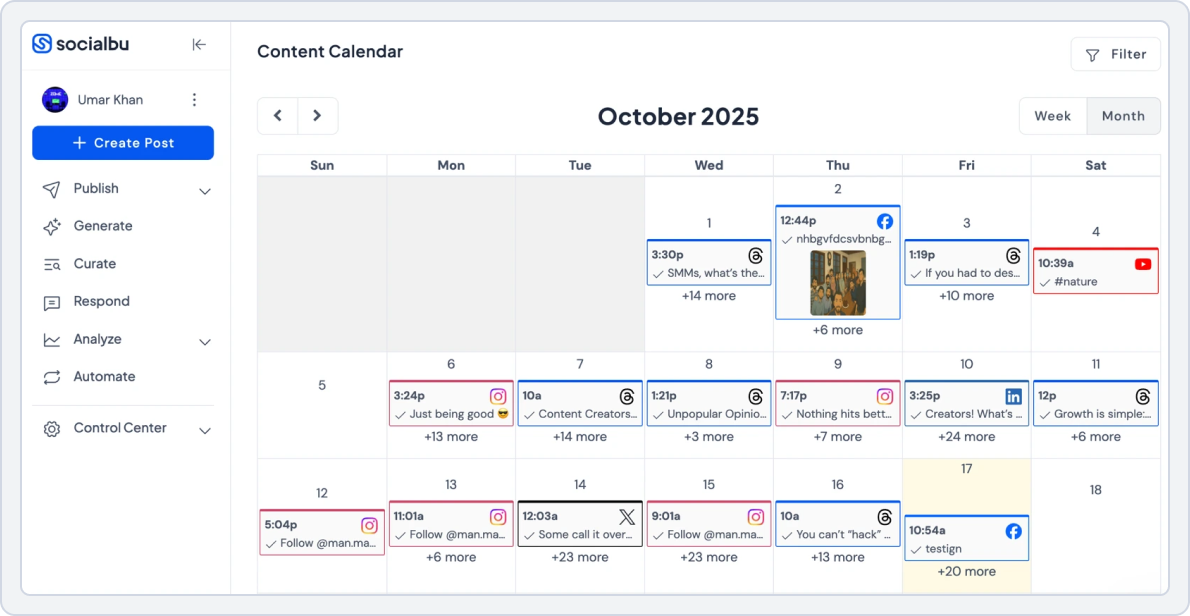
The first tool on our list of Later alternatives is SocialBu. It’s a powerful all-in-one social media management tool that helps you schedule posts, automate repetitive tasks, manage conversations, and keep your entire social media workflow running smoothly.
Before I came to SocialBu, I looked through several platforms like Later but what sold me on Socialbu was their visually straightforward platform – the other platforms were overwhelming and had a lot of tools I just did not need. I highly recommend SocialBu to small marketing agencies. Samantha H. Verified G2 Review
If you’re considering Later alternatives, here’s why SocialBu is considered one of the best Later alternatives:
- Clean, intuitive interface that fixes the cluttered design issues common in many social media scheduling tools. Easy for creators, small businesses, and agencies to navigate.
- Real-platform previews that mimic Instagram, TikTok, Facebook, and other networks, so posts always look exactly how they will appear live.
- Strong collaboration features, including role-based permissions, approval workflows, shared workspaces, comments, tagging, and review steps.
- Real-time team communication with comments, replies, and updates directly on posts, eliminating long email chains and scattered feedback.
- Multiple content views: Calendar, Grid, List, and Feed, for flexible planning and excellent visual content management. Perfect for planning Instagram grids.
- Wide platform support, including Instagram, TikTok, YouTube, Pinterest, Google Business, LinkedIn, Facebook, and many social media scheduling alternatives.
- Insightful analytics that track cross-platform performance, engagement, audience growth, historical trends, best-performing content, and optimal posting times.
- Powerful scheduling options such as one-time posts, recurring posts, evergreen queues, AI captions, auto-posting tools, and a bulk upload scheduler with CSV + media support.
- Advanced automation tools such as automated comment replies, smart inbox management, AI content curation, auto-DMs, workflow automation, and AI content creation.
SocialBu vs. Later
SocialBu is one of the strongest Later alternatives for small business thanks to its affordable pricing, automation features, and easy-to-use interface. When you put SocialBu and Later side by side, SocialBu immediately stands out for how well it supports teamwork. It’s built-in team collaboration makes it much easier for teams to plan, review, and publish content together.
For creators, businesses, and agencies that rely on smooth communication and organized workflows. SocialBu stands out as a more flexible, budget-friendly option for teams that have outgrown Later.
This is THE tool for social media management. I have tried many SMM’s in my social media marketing career but none of them were as helpful as SocialBu. Everything you need is in one simple to learn tool. Ezgi A. Verified G2 Review
Now, let’s take a closer look at how the two tools differ in analytics and reporting, Team collaboration, Integration, and Scheduling.
1. Social Media Automation
A common question from users exploring Later alternatives is, “Which tool can handle high-volume scheduling and automation without headaches?” SocialBu provides a complete set of scheduling and automation features.
SocialBu:
- Lets you automatically post content on multiple social media platforms without manually publishing each time.
- Supports one-time, recurring, and evergreen scheduling, so posts can go live once or repeat over time.
- Allows bulk uploads via CSV, making it easy to schedule many posts at once.
- Includes advanced automation workflows to respond to comments, messages, or mentions automatically.
- Can send auto-replies, post comments, assign tasks, or update contact lists based on rules you set.
- Supports RSS auto-posting and webhooks, so content can be shared automatically from other sources.
SocialBu vs Later Key Takeaway: SocialBu wins for automation, bulk scheduling, and flexibility.
2. Team Collaboration
A question many users ask when looking for Later alternatives is, “Which tool is better for team collaboration?” SocialBu was built with teams in mind, offering features that make working together easier and more organized.
With SocialBu, teams can:
- Give team members different access levels, like admin, editor, or viewer, so everyone can only do what they’re supposed to.
- Posts can be reviewed and approved before going live, making sure content is accurate and on-brand.
- Teams can manage multiple social accounts or clients in one place, keeping everything organized.
- Team members can give feedback directly on posts or drafts, making revisions faster and reducing confusion.
- You can see who made changes or scheduled posts, which keeps everyone accountable and avoids mistakes.
- Multiple people can plan, schedule, and organize posts together without needing extra tools like emails or chat apps.
SocialBu vs Later Key Takeaway: SocialBu wins for collaboration, allowing teams to coordinate work without external tools like email or messaging apps.
3. Analytics & Reporting
A common question we see from users searching for Later alternatives is: “Which tool gives me better insights across all my social accounts?” SocialBu answers this with a powerful, easy-to-use analytics dashboard that goes far beyond the basics.
With SocialBu, you can track:
- Cross-platform performance across Instagram, TikTok, Facebook, LinkedIn, and YouTube
- Audience growth trends to see which content resonates most
- Best-performing posts and optimal posting times for your strategy
- Detailed engagement breakdowns and historical comparisons
- Customizable, Exportable reports perfect for clients or team presentations
These features make SocialBu one of the best Later competitors. It’s especially useful for teams using content planning tools, social media calendar tools, and visual content management platforms.
SocialBu Vs Later Key Takeaway: SocialBu wins for analytics depth, cross‑platform performance insights, and reporting flexibility, especially important for brands and agencies using social media scheduling tools in 2026 for comprehensive growth tracking.
4. Platform Support
SocialBu
SocialBu supports a wide range of networks, making it ideal for multi‑channel publishing:
- Instagram, TikTok, YouTube, Facebook, X (Twitter), Threads, LinkedIn, Reddit, Mastodon, Pinterest, Bluesky, Google Business Profile
Later
- Instagram, Facebook, Pinterest, LinkedIn, and TikTok.
However, some platforms (like TikTok and YouTube) are limited to desktop scheduling and lack deeper automation.
SocialBu vs Later Key Takeaway: SocialBu wins for broader platform support, especially on mobile and automation, making it a more flexible choice for brands needing Later alternatives for TikTok and multi‑platform planning.
5. Pricing
SocialBu offers flexible plans designed for creators, small businesses, and growing teams. Compare the features and pick the plan that works best for your social media goals.
SocialBu | Later | |
Platforms | Instagram, TikTok, YouTube, Facebook, X (Twitter), Threads, LinkedIn, Reddit, Mastodon, Pinterest, Bluesky, Google Business Profile | Instagram, Facebook, Pinterest, LinkedIn, and TikTok. |
Free Plan | Yes Social accounts: 2 Social Platforms: 3 | Schedule posts: Limited Offers a free trial with each plan |
For Small Business | $19 /month -12 Social accounts -800 Monthly Posts -2 Teams | $25 /month -1 Social Set (8 profiles total) -1 user |
For Agencies | $199 /month -150 Social accounts -Unlimited Monthly Posts =25 Teams | $110 /month -6 Social Sets (48 profiles total) -4 users |
Verdict | Pricing is flexible, so you can add or remove users and workspaces without paying for things you don’t need. It’s easy for agencies and brands to manage teams and accounts without wasting money. | Pricing is fixed and doesn’t include strong teamwork features. Small agencies may feel they are paying for features they don’t really use, especially if they need more than basic Instagram scheduling. |
Pricing may change over time. Please check each provider’s official pricing page for the latest plans.
SocialBu vs. Later Final Takeaway
SocialBu is the superior Later alternative for anyone who values efficiency, scalability, and automation over a simple visual grid. Its combination of unlimited bulk scheduling, powerful automation rules, and affordable pricing makes it the best choice for small businesses and agencies looking to get ahead in 2026. It stands out among 2026 social media schedulers, such as Later.
Work Less, Post More with SocialBu
2. Tailwind: Best for content planning and scheduling
Starting Price: $29/month
Target Audience: Creators, solopreneurs & small businesses
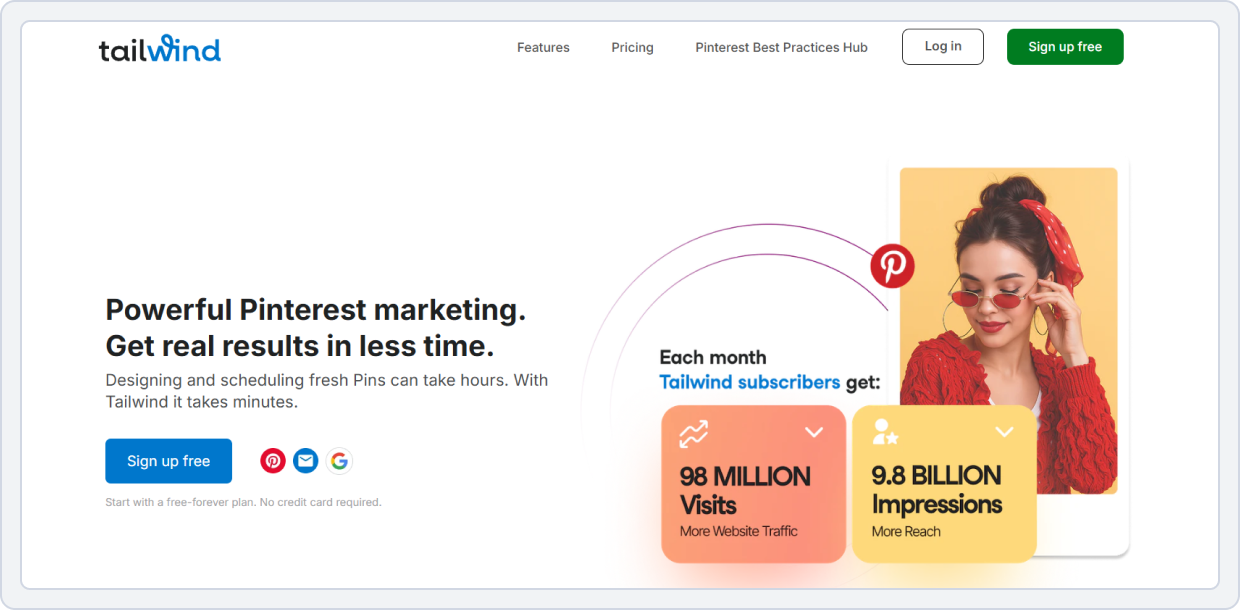
Tailwind is one of the Later alternatives for 2026, built for creators who love visual storytelling. It combines Instagram scheduling apps, Pinterest publishing, and Facebook post management into one seamless platform.
Tailwind stands out among Later alternatives for Instagram scheduling, offering automation, analytics, and smart post optimization. This tool is perfect for creators or small businesses seeking the best Later competitors that truly simplify workflow.
Tailwind vs. Later
When comparing Tailwind and Later, it’s important to look at how each platform handles scheduling, automation, and visual planning.
1. Scheduling & Automation
Tailwind focuses on smart automation designed to improve reach and efficiency. It offers:
- Smart posting times based on audience activity
- AI-powered hashtag and caption recommendations
- Instagram Story scheduling capabilities
- Pinterest auto-posting for consistent publishing
These features make Tailwind a versatile social media publishing platform.
Tailwind vs Later Key Takeaway: Tailwind wins for smarter automation.
2. Team Collaboration & Workflow
Tailwind supports collaboration mainly through higher-tier plans, offering:
- Shared boards for content planning
- Team workspaces for coordination
While Later also supports collaboration, Tailwind’s content planning experience feels smoother for small teams. However, Later provides slightly more structured collaboration tools overall.
Tailwind vs Later Key Takeaway: Later slightly wins for teams that need more structured collaboration.
3. Analytics & Reporting
Tailwind’s analytics are focused on growth and actionable insights, including:
- Engagement trends and performance metrics
- Best-performing hashtags and content
- Follower growth and audience insights
Compared to Later, Tailwind’s reporting is better suited for creators focused on growth-driven strategies.
Tailwind vs Later Key Takeaway: Tailwind wins for insights tailored to growth-driven creators.
4. Integrations
Tailwind:
- Instagram, Pinterest, and Facebook, as well as Canva and Unsplash.
These integrations make it one of the most flexible 2026 social media schedulers.
Later:
- Instagram, Facebook, Pinterest, LinkedIn, and TikTok.
However, some platforms (like TikTok and YouTube) are limited to desktop scheduling and lack deeper automation.
Tailwind vs Later Key Takeaway: Tailwind offers greater flexibility with creative and platform integrations, while Later supports major networks but has limited automation on some platforms.
5. Pricing
The pricing overview below summarizes Tailwind’s plans alongside Later’s, making it easy to compare features like post limits, AI tools, and visual scheduling value at each tier.
Tailwind | Later | |
Platforms | Instagram, Pinterest, and Facebook, as well as Canva and Unsplash. | Instagram, Facebook, Pinterest, LinkedIn, and TikTok. |
Pricing Model | Per social account | Per user/plan |
Typical Plan | $29 /mo -Creates and writes Pins for you -Automate weekly Pin creation -300 Tailwind credits/mo $14.99 /mo -Save and track keywords you want to win -50 Tailwind credits/mo | $25/mo Starter -8 profiles -Basic schedule |
Takeaway | Great for creative and visual content with flexible integrations and unlimited posting, ideal for Pinterest and Instagram-focused users. | Reliable for multi-platform scheduling with straightforward plans, but more limited in posting flexibility and creative integrations. |
Pricing may change over time. Please check each provider’s official pricing page for the latest plans.
 Struggling to decide between Later and Tailwind? Read this In-depth comparison of Later vs Tailwind.
Tailwind vs. Later Final Takeaway:
For solopreneurs, creators, or small businesses focused on Instagram scheduling apps and visual storytelling, Tailwind stands out among the best Later alternatives 2026.
If you’re searching for Later alternatives for TikTok and Pinterest, Tailwind is one worth exploring, with a free trial.
3. Loomly: Best for content approval workflows
Starting Price: $26/month
Target Audience: Small-to-medium marketing teams, agencies, and solo creators
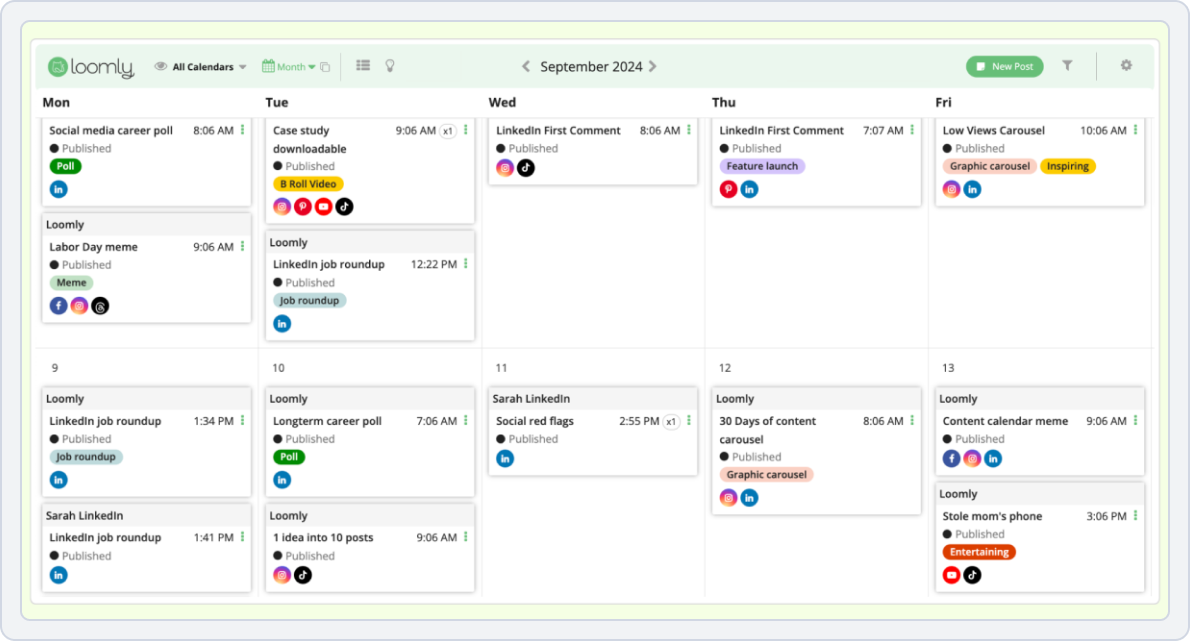
Loomly brands itself as a “brand success platform” that goes beyond simple scheduling. It’s an ideal Later alternative for teams that need a structured, collaborative environment for content creation, from idea to post-analysis. It’s one of the best Later alternatives for agencies.
Loomly vs. Later
Loomly and Later each have unique strengths; understanding those can help you choose the platform that best fits your social media strategy.
1. Scheduling & Automation
Loomly focuses on workflow-driven automation rather than pure auto-posting. It offers:
- Unlimited scheduled posts
- Post ideas based on trending topics
- Automation is designed to streamline content planning and execution
Later does not offer trending-topic post ideas and has more limited automation options.
Loomly vs Later Key Takeaway: Loomly wins for automation and workflow support.
2. Team Collaboration & Workflow
This is Loomly’s strongest area, making it especially appealing for teams and agencies. Loomly provides:
- Multi-stage approval workflows
- Live post editing and revisions
- An idea board for collaborative planning
- Productivity tools and team annotations
- AI-powered captions and best time-to-post suggestions
Later’s collaboration features are minimal in comparison.
Loomly vs Later Key Takeaway: Loomly decisively wins for collaboration.
3. Analytics & Reporting
Loomly delivers analytics built for professional and business use, including:
- Comprehensive performance tracking
- Custom reporting dashboards
- Deeper insights suited for teams and clients
Later’s analytics work well for creators but lack advanced reporting depth.
Loomly vs Later Key Takeaway: Loomly wins for professional analytics.
4. Integrations
Loomly integrates with major social platforms, plus:
- Slack, Teams, Google Drive, Dropbox, and Zapier for a connected workflow.
Later:
- Instagram, Facebook, Pinterest, LinkedIn, and TikTok.
Loomly vs Later Key Takeaway: Both tools offer strong social integrations, but Loomly stands out for broader workflow connectivity, while Later focuses on seamless publishing across major social platforms.
5. Pricing
The pricing table below outlines Loomly’s different plans and how they scale with features such as collaboration tools, analytics, and brand management, offering clarity on value for teams and agencies.
Loomly | Later | |
Platforms Supported | FB, IG, TikTok, LinkedIn, YouTube, Pinterest, Slack, Teams, Google Drive, Dropbox, and Zapier for a connected workflow. | Instagram, Facebook, Pinterest, LinkedIn, and TikTok. |
Pricing Model | Per month | Per user/plan |
Typical Plan | $65/mo -3 user -12 social accounts -Approval & planning tools $332/mo -60 social accounts -Unlimited users -Unlimited calendars | $25/mo Starter -8 profiles -Basic schedule $110 /month -6 Social Sets (48 profiles total) -4 users Starter scheduling |
Takeaway | Best for teams who want workflow integrations, collaboration, and planning tools. | Good for social scheduling, but more limited in integrations and team features. |
Want to understand Loomly Pricing? Check out this Informative guideLoomly vs. Later Final Takeaway:
Loomly is the definitive choice for marketing teams and agencies that need a structured, collaborative content planning software. If your workflow involves multiple stakeholders, approval stages, and a data-driven strategy, Loomly’s advanced features make it a much better investment than Later.
4. Pallyy: Best for solopreneurs & visual planning
Starting Price: $25/month
Target Audience: Founders, investors
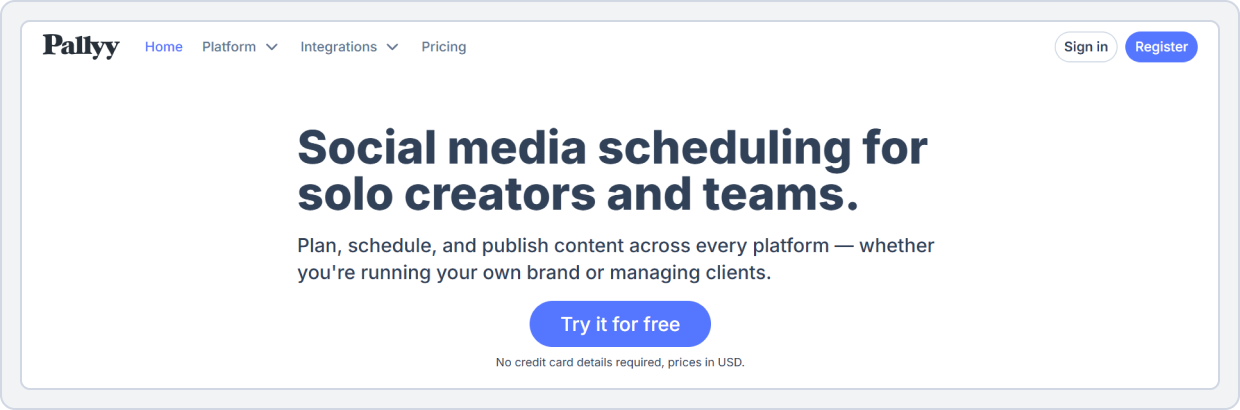
Pallyy is a strong competitor that directly challenges Later on its home turf: visual planning. It offers a powerful set of tools at a competitive price, making it one of the best visual Later alternatives. It’s especially beloved by freelancers for its generous features and intuitive design.
Pallyy vs. Later
Understanding the key differences in scheduling, analytics, and visual planning can help you choose the right platform for yourself.
1. Core Scheduling & Automation
Pallyy focuses on fast and simple content planning, allowing users to:
- Schedule up to 15 posts at one time
- Upload content in bulk and set posting times quickly
- Use a built-in hashtag generator without relying on extra tools
Later is more limited in this area, with a less flexible scheduling queue and no built-in hashtag generator. This often means additional steps or third-party tools are needed.
Pally vs Later Key Takeaway: Pallyy wins for simple and fast scheduling, making bulk planning easier and more efficient.
2. Team Collaboration & Workflow
Pallyy is especially attractive for teams because it:
- Allows unlimited users on its plans
- Removes per-user pricing concerns that can increase costs
Later charges per user, which can become expensive for growing teams. This makes Pallyy a strong Later alternative for collaborative workflows and budget-conscious teams.
Pally vs Later Key Takeaway: Pallyy wins for collaboration affordability.
3. Analytics & Reporting
Pallyy offers analytics that are easy to understand, including:
- Reach and engagement metrics
- Top-performing posts
- Clear, uncluttered performance summaries
Later provides deeper analytics, particularly for Instagram, with more detailed engagement breakdowns and insights tailored to Instagram-focused creators.
Pally vs Later Key Takeaway: Later wins for deeper Instagram analytics, while Pallyy is better for simple, easy-to-read reporting.
4. Integrations
Pallyy supports the major platforms:
- Facebook, Instagram, X (Twitter), LinkedIn, Pinterest, TikTok, and Google Business Profile.
Later:
- Instagram, Facebook, Pinterest, LinkedIn, and TikTok.
Pally vs Later Key Takeaway: Pallyy offers broader platform coverage, including X (Twitter) and Google Business Profile, while Later focuses on the core major social networks.
5. Pricing
Here’s a clear breakdown of Pallyy’s pricing plans, showcasing what each tier includes and how they compare to Later’s structure in terms of user access, post limits, and visual planning tools.
Pally | Later | |
Platforms | Facebook, Instagram, X (Twitter), LinkedIn, Pinterest, TikTok, and Google Business Profile. | Instagram, Facebook, Pinterest, LinkedIn, and TikTok. |
Pricing Model | Per plan | Per user/plan |
Typical Plan | $15/mo Starter -1 social set -20 posts/mo -1 user $25/mo Pro -1 social set -Unlimited posts -1 user | $25/mo Starter • 8 profiles • Basic schedule |
Includes | Simple analytics & calendar | Basic features |
Verdict | Pallyy is lower cost and lets unlimited users collaborate, making it a better value for small businesses and teams. | Pricing is fixed and doesn’t include strong teamwork features. Small agencies may feel they are paying for features they don’t really use. |
Pricing may change over time. Please check each provider’s official pricing page for the latest plans.
Pally vs. Later Final Takeaway:
Pallyy is a superior choice for freelancers and small teams who want the best of both worlds: a powerful visual content planner and an affordable, highly scalable pricing model. It directly competes with Later’s core strength while offering far better value.
5. Buffer: Best for social media scheduling & team collaboration
Starting Price: $6/month per channel
Target Audience: Creators, small businesses
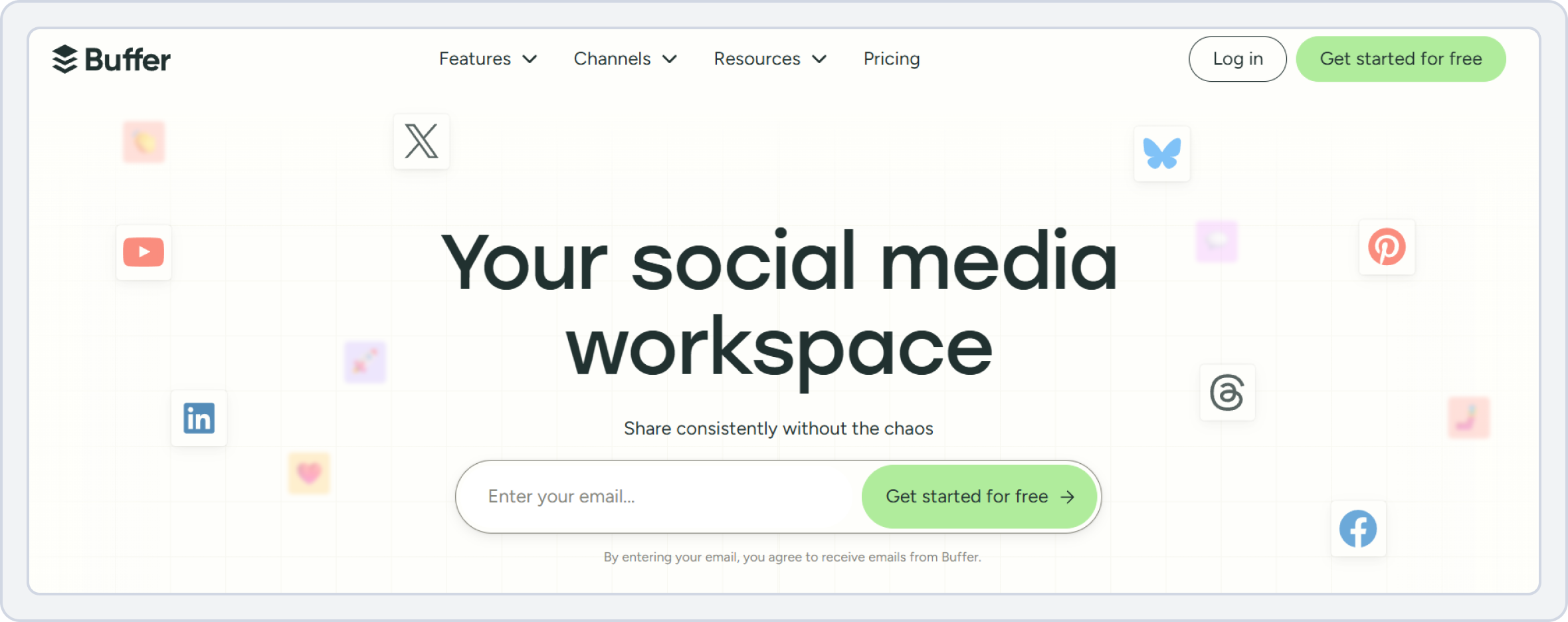
Buffer is one of the most recognized social media scheduling tools and is often included among the top Later competitors 2026. Unlike Later’s visual-first approach, Buffer prioritizes publishing, queue management, and lightweight collaboration. It is frequently considered by users searching for affordable scheduling tools that require little setup.
Buffer vs Later
While both Buffer and Later help users schedule social media content, they serve different types of marketers. Later is built around visual planning, while Buffer focuses on simplicity and ease of use.
1. Social Media Analytics
Buffer offers basic but practical analytics designed for creators and small businesses.
- Track engagement metrics across supported platforms.
- View post performance and audience growth.
- Analyze top-performing content.
- Generate simple reports for content evaluation.
- Access platform-specific performance insights.
Later provides stronger visual analytics, particularly for Instagram-focused brands.
Buffer vs Later Key Takeaway: Later offers deeper visual insights for Instagram marketing, while Buffer provides analytics that are easier for beginners to understand.
2. Social Media Scheduling Features
Buffer is designed around fast and simple publishing workflows.
- Create and schedule posts across multiple platforms.
- Organize content with a queue-based scheduling system.
- Schedule first comments on Instagram.
- Recycle evergreen content through scheduling workflows.
- Publish content from a centralized dashboard.
Later places greater emphasis on visual planning and drag-and-drop content management.
Buffer vs Later Key Takeaway: Buffer is ideal for users who want quick scheduling without complex workflows, while Later remains stronger for visual content planning and Instagram grid management.
3. Collaboration & Workflow
Buffer includes collaboration tools for small teams.
- Draft creation and review workflows.
- Team access for content management.
- Approval features on higher-tier plans.
- Shared publishing calendars.
Later offers collaboration features as well, but focuses more heavily on visual campaign planning.
Buffer vs Later Key Takeaway: Buffer works well for teams that need lightweight collaboration without paying for enterprise-level tools.
4. Platform Support
Buffer supports a broad range of social networks:
- X (Twitter)
- TikTok
- Threads
- YouTube
- Bluesky
- Mastodon
- Google Business Profile
Later supports fewer networks but offers stronger visual planning capabilities.
Buffer vs Later Key Takeaway: Buffer supports more publishing destinations, making it a better option for brands managing multiple channels from a single dashboard.
5. Pricing
For users comparing Later alternatives free and affordable scheduling platforms, pricing often becomes a deciding factor.
Later | Buffer | |
Platforms | Instagram, Facebook, Pinterest, LinkedIn, and TikTok. | Bluesky, Facebook, Google Business Profile, Instagram, LinkedIn, Mastodon, Pinterest, Threads, TikTok, X (Twitter), and YouTube. |
Free Plan | No Offers a 14 day free trial | Yes Social channels: 3 User Account: 1 |
Pricing Plan | $25 /month -1 Social Set (8 profiles total) -1 user | $6/ month -1 channel -1 user account -Unlimited scheduled posts per channel |
Other Plans | $50 /month -2 Social Sets (16 profiles total) -2 users | $12/month -1 channel -Unlimited scheduled posts per channel -Unlimited team members |
Verdict | Later is good for visual-focused platforms like Instagram and Pinterest, with simple scheduling for small teams, but it’s more limited in platform variety and doesn’t have a free plan. | Buffer is affordable and flexible for basic scheduling across many platforms, ideal for individuals or small teams who want unlimited posts per channel. |
Pricing may change over time. Please check each provider’s official pricing page for the latest plans.
Buffer vs. Later Final Takeaway:
Buffer is a strong choice for users who prioritize simplicity, affordability, and multi-platform scheduling. While it lacks Later’s advanced visual planning tools, it remains one of the most practical Later app alternatives for Instagram and cross-platform publishing.
For creators and small businesses looking for an easy scheduling solution, Buffer continues to be a reliable option among the leading Later competitors 2026.
Check out this interesting read: How to Choose a Social Media Management Tool?6. Nuelink: Best for bulk scheduling & automation
Starting Price: $18/month
Target Audience: E-commerce brands, creators, and solopreneurs
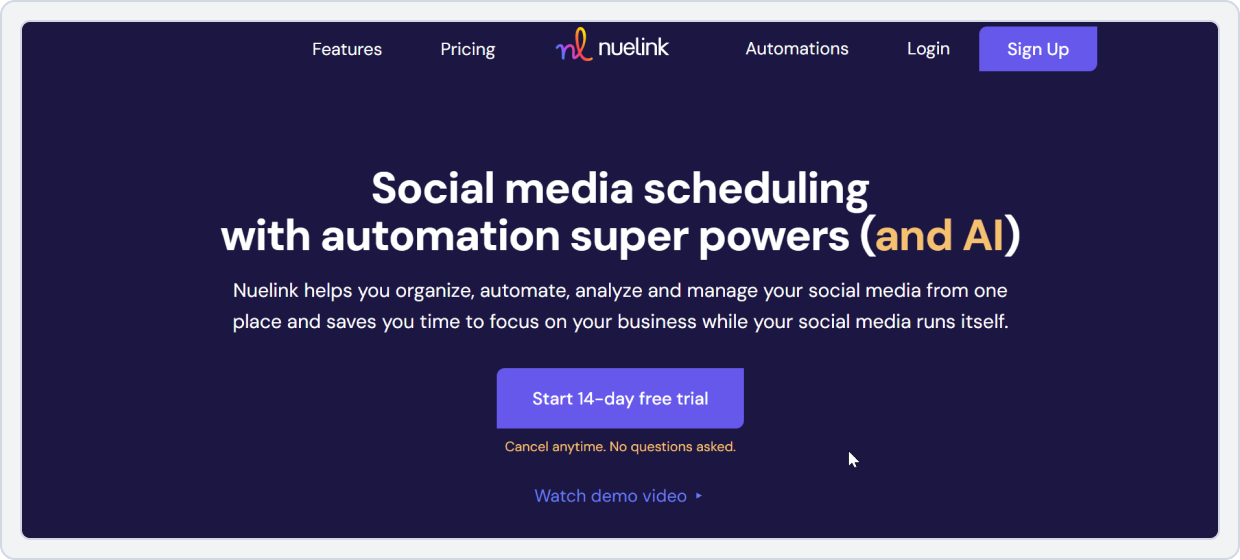
Nuelink is built for power users who need to schedule a massive amount of content. Its specialization in bulk upload scheduling and automation makes it an excellent Later alternative.
Nuelink vs. Later
Keep reading to have a detailed comparison of both tools.
1. Core Scheduling & Automation
Nuelink is built for speed and bulk planning, allowing users to:
- Upload and schedule 100+ posts at once using CSV import
- Save significant time when managing multiple accounts or large content calendars
- Rely on strong bulk scheduling without paying extra add-ons
Later also offers bulk scheduling, but it:
- Requires higher-tier plans or add-ons
- Still comes with posting limits
Nuelink vs Later Key Takeaway: Nuelink wins for automation power, making it a strong Later alternative for users who need bulk upload and advanced scheduling tools.
2. Team Collaboration & Workflow
Nuelink offers lightweight collaboration features, including:
- Adding team members
- Assigning basic permissions
- Sharing a social media calendar tool
Later provides similar collaboration capabilities, focused on:
- Simple approvals
- Shared access for small teams
Both platforms feel comparable for small teams or solo creators.
Nuelink vs Later Key Takeaway: It’s a tie. Both Nuelink and Later work well for small teams and simple collaboration needs.
3. Analytics & Reporting
Nuelink keeps analytics straightforward, offering:
- Post-level metrics like likes, comments, and reach
- Basic engagement tracking for everyday use
Later delivers more polished reporting, with:
- Cleaner, more visual dashboards
- Stronger Instagram-focused insights
- Better readability for creators and small businesses
Nuelink vs Later Key Takeaway: Later wins for analytics quality, especially for users who value visual reports and Instagram-centric performance tracking.
4. Integrations
Nuelink supports:
- Facebook, Instagram, X (Twitter), LinkedIn, Pinterest, Google My Business, and TikTok.
Later:
- Instagram, Facebook, Pinterest, LinkedIn, and TikTok.
Nuelink vs Later Key Takeaway: Nuelink offers a wide range of useful integrations that simplify multi-platform posting. This makes it a strong choice among Later alternatives for Instagram scheduling, especially for users seeking more flexibility.
5. Pricing
Below is an overview of Nuelink’s pricing, showcasing how its cost-effective plans offer generous posting allowances and advanced automation compared to Later.
Nuelink | Later | |
Platforms | Facebook, Instagram, X (Twitter), LinkedIn, Pinterest, Google My Business, and TikTok. | Instagram, Facebook, Pinterest, LinkedIn, and TikTok. |
Pricing Model | Per plan | Per user/plan |
Typical Plan | $18/mo Standard -10 Social Channels -1 Brand -1 Member -10 Automations $48/mo Premium -30 Social Channels -3 Brands -3 Members -30 Automations | $25 /month -1 Social Set (8 profiles total) -1 user $110 /month -6 Social Sets (48 profiles total) -4 users |
Verdict | Nuelink is cheaper and gives better bulk automation. A strong budget‑friendly social media scheduling alternative. | Later, while slightly more expensive, is a good choice if you prefer a visual content planner with a simpler, guided scheduling experience |
Pricing may change over time. Please check each provider’s official pricing page for the latest plans.
Nuelink vs. Later Final Takeaway:
If your number one priority is scheduling a large volume of content efficiently and affordably, Nuelink is a better Later alternative. Its bulk scheduling and automation features are designed to address the scaling issues users face with Later.
7. Metricool: Best for creators & small teams
Starting Price: $22/month
Target Audience: Creators, marketers, and agencies
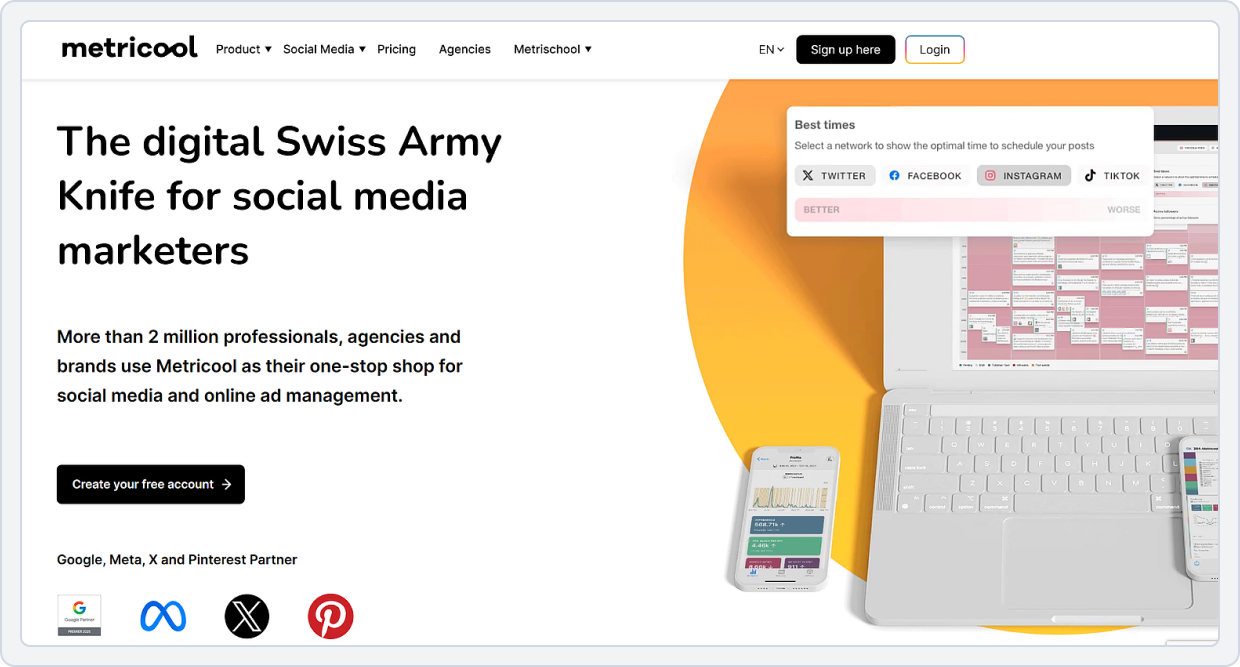
Metricool is another powerful Later alternative built for creators who want a single hub for post scheduling automation, analytics, and reporting. This all-in-one social media scheduling tool combines a visual content planner, bulk upload scheduler, and AI-driven optimization, making it one of the most complete social media scheduling alternatives to Later for 2026.
Metricool vs. Later
This comparison evaluates Metricool and Later across scheduling volume, analytics depth, collaboration, and platform support to help creators and businesses choose a versatile tool.
1. Core Scheduling & Automation
Metricool offers broad, automated scheduling across major platforms, allowing users to:
- Schedule posts for Instagram, TikTok, Facebook, LinkedIn, Pinterest, and YouTube
- Use built-in auto-posting so content goes live automatically
- Manage multi-platform publishing from one dashboard
Later supports Instagram and basic multi-platform scheduling, but:
- Offers more limited automation across all channels
- Works better for simple planning rather than fully automated publishing
Metricool vs Later Key Takeaway: Metricool wins for automation breadth, making it one of the strongest Later competitors for multi-platform scheduling.
2. Team Collaboration & Workflow
Metricool is well-suited for teams and agencies, offering:
- Shared workspaces for collaborative planning
- Team-based content approvals and scheduling
- Easier management of multiple accounts and campaigns
Later includes collaboration tools, but they are:
- More basic in structure
- Better suited for smaller teams or simpler workflows
Metricool vs Later Key Takeaway: Metricool wins for multi-user workflows, especially for teams needing smooth collaboration and shared content planning.
3. Analytics & Reporting
Metricool delivers powerful, centralized analytics, including:
- A unified dashboard for paid and organic performance
- Tracking for engagement, clicks, conversions, and audience growth
- Cross-platform insights without switching between tools
Later’s analytics focus more on individual post engagement, particularly for Instagram, and lack a full multi-platform performance view.
Metricool vs Later Key Takeaway: Metricool wins for comprehensive analytics, making it ideal for users who want clear, cross-channel performance insights beyond Instagram.
4. Integrations
Metricool connects with:
- Instagram, Bluesky, Twitch, Threads, TikTok, Facebook, LinkedIn, Pinterest, and YouTube.
Later:
- Instagram, Facebook, Pinterest, LinkedIn, and TikTok.
Metricool vs Later Key Takeaway: Metricool supports more platforms than Later, including Bluesky, Twitch, and Threads, making it a better choice for brands that want a wider reach.
5. Pricing
Metricool offers more value with unlimited posts and unified analytics than Later’s limited plans.
Metricool | Later | |
Platforms | Instagram, Bluesky, Twitch, Threads, TikTok, Facebook, LinkedIn, Pinterest, and YouTube. | Instagram, Facebook, Pinterest, LinkedIn, and TikTok. |
Pricing Model | Per plan | Per user/plan |
Pricing Plan | Free Plan -Limited posts -Basic scheduler $25/mo Starter -10 accounts -Unlimited posts -Advanced analytics $67/mo Advanced -Up to 50 brands -Full Twitter/X analytics | $25 /month -1 Social Set (8 profiles total) -1 user $110 /month -6 Social Sets (48 profiles total) -4 users |
Verdict | Metricool offers strong cross‑platform analytics at a lower cost and even a free option, useful if you want broader insights. | Later provides an easy‑to‑use visual content planner and solid scheduling tools that work well for creators focused primarily on core platforms like Instagram. |
Pricing may change over time. Please check each provider’s official pricing page for the latest plans.
Make a more informed decision: Metricool pricing explainedMetricool vs. Later Final Takeaway:
Metricool is ideal if you want a balance of visual content management, analytics, and social media automation. It’s one of the best visual Later alternatives and stands out as a top Later alternative for Instagram scheduling and TikTok automation.
8. Hootsuite: Best for enterprise social media management and analytics
Starting Price: $99/month per user
Target Audience: Large businesses, enterprises, and marketing teams
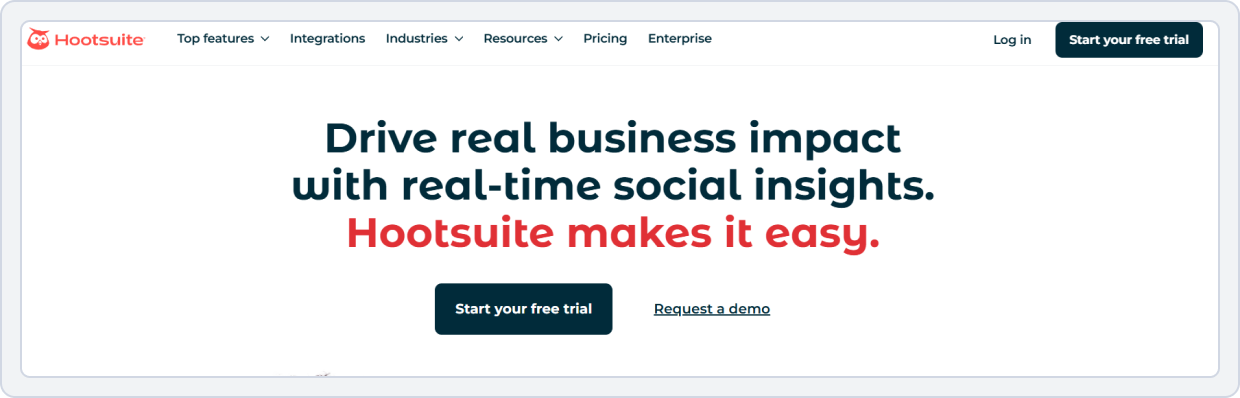
Hootsuite is one of the oldest and most established social media management platforms on the market. Known for its extensive feature set, advanced analytics, and team collaboration capabilities.
While Later focuses heavily on visual content planning and Instagram scheduling. Hootsuite offers a more comprehensive social media management experience. From scheduling and monitoring to reporting and team workflows. Hootsuite is best for organizations managing multiple brands and social accounts at scale.
Hootsuite vs Later
Although both platforms help businesses manage social media, their target audiences are different. Later is more for creators and visually driven brands, while Hootsuite is designed for teams that want advanced management, reporting, and collaboration features.
1. Social Media Analytics
Hootsuite offers analytics and reporting capabilities that go beyond basic performance tracking.
- Create customizable performance reports.
- Monitor engagement across multiple platforms.
- Track campaign performance and ROI.
- Access audience and competitor insights.
- Export reports for clients and stakeholders.
Later provides useful analytics, particularly for Instagram-focused campaigns, but its reporting capabilities are less comprehensive.
Hootsuite vs Later Key Takeaway: Hootsuite is the stronger choice for businesses that rely on detailed reporting and data-driven decision-making. Later focuses more on visual content performance.
2. Social Media Scheduling Features
Hootsuite provides advanced scheduling tools designed to manage large volumes of content across multiple channels.
- Schedule posts across multiple platforms from one dashboard.
- Bulk schedule content in advance.
- Manage publishing calendars for multiple brands.
- Automate posting workflows.
- Coordinate campaigns across teams and departments.
Later offers a visual content calendar, especially for Instagram and other image-centric platforms.
Hootsuite vs Later Key Takeaway: Hootsuite is best for managing large campaigns and scheduling many posts, while Later is better for planning and organizing visual content.
3. Team Collaboration & Approvals
Collaboration is one of Hootsuite’s strongest areas.
- Multi-level approval workflows.
- Team assignments and permissions.
- Internal content review processes.
- Role-based account access.
- Collaboration across multiple departments and clients.
These features make Hootsuite particularly appealing for agencies managing multiple clients.
Hootsuite vs Later Key Takeaway: For organizations seeking Later alternatives for agencies, Hootsuite offers more advanced collaboration and governance features than Later.
4. Social Listening & Monitoring
Hootsuite includes social media monitoring capabilities that help brands stay informed about conversations happening across platforms.
- Monitor brand mentions and keywords.
- Track industry trends.
- Follow competitor activity.
- Respond to customer interactions from a centralized inbox.
- Manage engagement across multiple networks.
Later focuses more on content planning than active social monitoring.
Hootsuite vs Later Key Takeaway: Hootsuite is the stronger option for businesses that need both publishing and social monitoring on a single platform.
5. Pricing
Pricing is one of the biggest differences between the two tools.
Later | Hootsuite | |
Platforms | Instagram, TikTok, Facebook, Pinterest, LinkedIn, YouTube, Threads | Facebook, Instagram, X (Twitter), LinkedIn, TikTok, YouTube, Threads, WhatsApp, Pinterest (and integrations for many third-party apps). |
Free Plan | Offers a free trial | No free plan |
For Small Business | $25/ month -1 Social Set (8 profiles total) -Schedule up to 30 posts per profile -1 user | Standard $99 /mo per user -Up to 10 social accounts -Unlimited post scheduling |
Other Plans |
$50/ month -2 Social Sets (16 profiles total) -2 users -Schedule up to 180 posts per profile $110/ month -6 Social Sets (48 profiles total) -4 users -Unlimited posts | Advanced $249 /mo per user -Unlimited social accounts -Customizable analytics reports and templates |
Final Verdict | Affordable and flexible, with a free plan and low-cost paid tiers, making it a great Hootsuite free alternative for creators, small businesses, and brands focused on visual content. | Expensive, especially for small teams, with no free plan and high per-user costs, making it less practical compared to Later. |
Pricing may change over time. Please check each provider’s official pricing page for the latest plans.
Hootsuite vs. Later Final KeyTakeaway:
Hootsuite stands out as one of the leading Later competitors 2026 for businesses that need more than visual scheduling.
If you’re exploring Later app alternatives for Instagram, Later may still have the edge in visual planning. However, for businesses managing multiple clients, departments, or large-scale campaigns, Hootsuite remains one of the strongest Later alternatives for agencies available today.
9. Zoho Social: Best for small businesses
Starting Price: $15/month
Target Audience: Small-to-medium businesses and marketing agencies
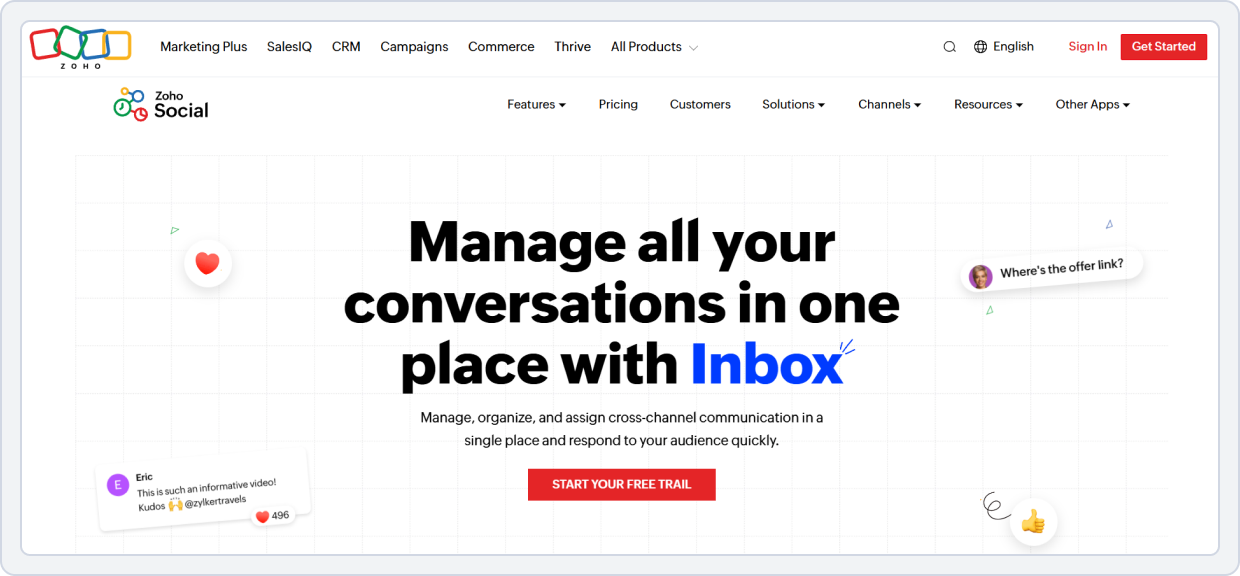
Zoho Social is part of the extensive Zoho suite of business tools. Its biggest strength is seamless integration with Zoho CRM, making it a powerful Later alternative for businesses looking to connect their social media efforts directly to sales and customer data.
Zoho Social vs. Later
This feature comparison evaluates Zoho Social’s CRM-driven, data-focused tools against Later’s visually oriented scheduler.
1. Core Scheduling & Automation
Zoho Social helps you post at the best times using:
- SmartQ, which picks times when your posts get the most engagement
- CRM integration, so you can track leads from social media
- Automation that makes posting easier and smarter
Later focuses on manual scheduling and doesn’t have CRM features or smart posting.
Zoho Social vs Later Key Takeaway: Zoho Social wins for automation intelligence, making it one of the best Later competitors and a top choice for social media scheduling tools 2026 or post scheduling automation.
2. Team Collaboration & Workflow
Zoho Social makes teamwork easier with:
- Role-based access so everyone has the right permissions
- Approval workflows for posts
- Integration with other Zoho tools to keep tasks organized
Later’s team features are basic, like shared calendars and simple approvals.
Zoho Social vs Later Key Takeaway: Zoho Social wins for integrated team workflows, making it a great option for later alternatives for agencies, social media calendar tools, and teams that want a connected visual content planner.
3. Analytics & Reporting
Zoho Social gives detailed, business-focused reports, including:
- Engagement, conversions, and ROI tracking
- Data linked directly to Zoho CRM
- Insights that show how social media affects business
Later focuses on likes, comments, and reach, which works for creators but less for businesses.
Zoho Social vs Later Key Takeaway: Zoho Social wins for business-level analytics, making it one of the social media scheduling alternatives to Later.
4. Integrations
Zoho Social integrates with all major social platforms, including:
- Instagram, Facebook, LinkedIn, TikTok, Twitter, and Pinterest, and, most importantly, the entire Zoho ecosystem (CRM, Desk, Campaigns, etc.).
Later:
- Instagram, Facebook, Pinterest, LinkedIn, and TikTok.
ZohoSocial vs Later Key Takeaway: Zoho Social not only covers all major social platforms. It also connects deeply with the Zoho ecosystem (CRM, Desk, Campaigns), offering more comprehensive workflow integration than Later.
5. Pricing
The pricing overview below compares Zoho Social’s affordable, CRM-friendly plans to Later’s options, helping businesses understand long-term value across platforms and features.
Zoho Social | Later | |
Platforms | Instagram, Facebook, LinkedIn, TikTok, Twitter, and Pinterest, entire Zoho ecosystem (CRM, Desk, Campaigns, etc.). | Instagram, Facebook, Pinterest, LinkedIn, and TikTok. |
Pricing Model | Per brand/user | Per user/plan |
Pricing plan | Standard $15/ month -1 Brand (12 Channels) -1 Team Member Professional $40/ month -1 Brand (12 Channels) -1 Team Members | $25 /month -1 Social Set (8 profiles total) -1 user $110 /month -6 Social Sets (48 profiles total) -4 users |
Verdict | Zoho Social beats Later on price and adds CRM integration and better business analytics. | Later, while simpler and focused on core posting and visual planning, is a solid choice for creators and small teams. |
Zoho Social vs. Later Final Takeaway:
If your business uses Zoho or you want to connect your social media marketing directly to sales and customer data, Zoho Social is the superior choice. It offers a more business-focused approach to social media management that goes beyond Later’s simple scheduling capabilities.
Bonus Tips for Picking the Right Tool
- Visual content matters: Choose a visual content planner if Instagram or TikTok is your focus.
- Automation saves time: Look for tools with social media automation and post-scheduling automation.
- Team workflow is key: Agencies should prioritize collaboration features, approval workflows, and bulk scheduling.
- Platform variety: Ensure the tool integrates with your platforms, including TikTok, Pinterest, and Google Business Profiles.
By comparing features, price, and usability, you can find the best Later alternatives for small businesses, agencies, or creators. From AI-powered scheduling to Instagram story scheduler tools, the 2026 market offers plenty of social media scheduling tools that are smarter, cheaper, or more visually engaging than Later.
Automate Your Social Media Growth with SocialBu
Step up to SocialBu for automation, insights, and team-friendly workflows.
Verdict
When it comes to the best Later alternatives in 2026, SocialBu clearly stands out as the top choice. With powerful automation, bulk scheduling, auto-posting, advanced analytics, and team collaboration, it goes far beyond what Later offers, while remaining affordable and easy to use.
Other tools like Loomly, Predis.ai, and Nuelink each serve specific needs, but SocialBu delivers the most complete, scalable solution for creators, businesses, and agencies ready to grow.
Which tool are you planning to try first? Let us know in the comments below.
Frequently Asked Questions
What are the best free alternatives to Later for Instagram scheduling?
For those seeking a free Later alternative, SocialBu offers a generous free plan with unlimited profiles, making it a top choice.
Which social media scheduling tools offer better analytics than Later?
Tools like SocialBu, Loomly, and HeyOrca are known for their more advanced analytics and customizable reporting dashboards, which are ideal for agencies and businesses that need deeper insights than Later’s basic reports.
Do any Later competitors support TikTok and Pinterest scheduling?
Yes, many modern social media scheduling tools have expanded their platform support. SocialBu, Pallyy, and Nuelink all offer scheduling for both TikTok and Pinterest, making them great later alternatives for TikTok and Pinterest users.
Which tools provide better Instagram story scheduling features?
Kontentino is particularly strong in this area, offering a seamless, detailed Instagram story scheduler that many users find superior to Later’s.
What are the top Later alternatives for agencies managing multiple clients?
For agencies, the top choices are SocialBu for its powerful automation and multi-team features, HeyOrca for its unlimited model, and Kontentino for its advanced approval workflows. These are the best later alternatives for agencies.
Do any competitors offer better bulk upload features than Later?
Yes. SocialBu and Nuelink are standout later alternatives and champions of bulk scheduling. Both allow for unlimited bulk uploads via CSV, far surpassing Later’s restrictive post limits.
Which Later alternatives work best for visual content planning?
If a visual content planner is your main need, Pallyy is the best visual later alternative. They both offer beautiful, intuitive grid views that are perfect for Instagram-first strategies.
Are there any tools that offer better customer support than Later?
Many competitors pride themselves on responsive support. SocialBu, Loomly, and HeyOrca consistently receive high marks for their customer service and onboarding processes.
What are the best Later competitors with AI features?
Predis.ai is the leader here, functioning as an all-in-one AI content creation and scheduling tool. SocialBu and Loomly also incorporate AI for post ideas and optimization, making it a great later alternative with AI.
What are the best 2026 social media schedulers, like Later?
The top 2026 social media schedulers like Later include SocialBu for automation, Pallyy for visual planning, and Predis.ai for AI-powered content creation, all offering modern features that go beyond Later’s core functionality.









