An AI social media manager can streamline your workflow by automating everything from content pillars to writing captions, posting, scheduling, and monitoring analytics.
And you don’t have to toggle between social media accounts to post consistently. With an AI social media manager like SocialBu, you can maintain a consistent tone across all digital platforms.
By offloading repetitive daily tasks to automation, you can focus on high-value tasks that drive business growth. In this blog, we will show you how to integrate an AI social media manager into your system to handle more clients. So, let’s get into the topic.
How to Build an AI-Powered Client Management Workflow Instead of Using AI for One-Off Tasks?
Training an AI social media manager is a non-negotiable way to handle multiple clients without hiring new team members for mundane tasks.
But why is it necessary? Because nowadays, social media management demands a systematic approach that helps clients navigate each phase of interaction.
According to a survey, 96% of social media managers, freelancers, agency professionals, and content creators now use AI for social media tasks daily.
Besides using AI to create content, agencies can also make good use of it throughout the entire workflow. Such as:
- Client Brief
- Brand Voice Setup
- Content Planning
- Client Approval
- Content scheduling
- Publishing
- Engagement
- Analytics
- Optimization
Using this workflow, you will not only be able to manage your work effectively but also ensure on-time delivery. What’s more, it simplifies working with a wider clientele without a drop in quality.
To run multiple client accounts with the agency using AI and maintain consistent results over time, it’s very important to establish a standard workflow. By having everyone on the team follow the same process when working with a new client, you can keep things simple and accelerate overall progress.
How to Use an AI Social Media Manager to Run Social Media for Clients
Here is how you can use AI in your social media management workflow to run social media for your clients and get the maximum out of your efforts:
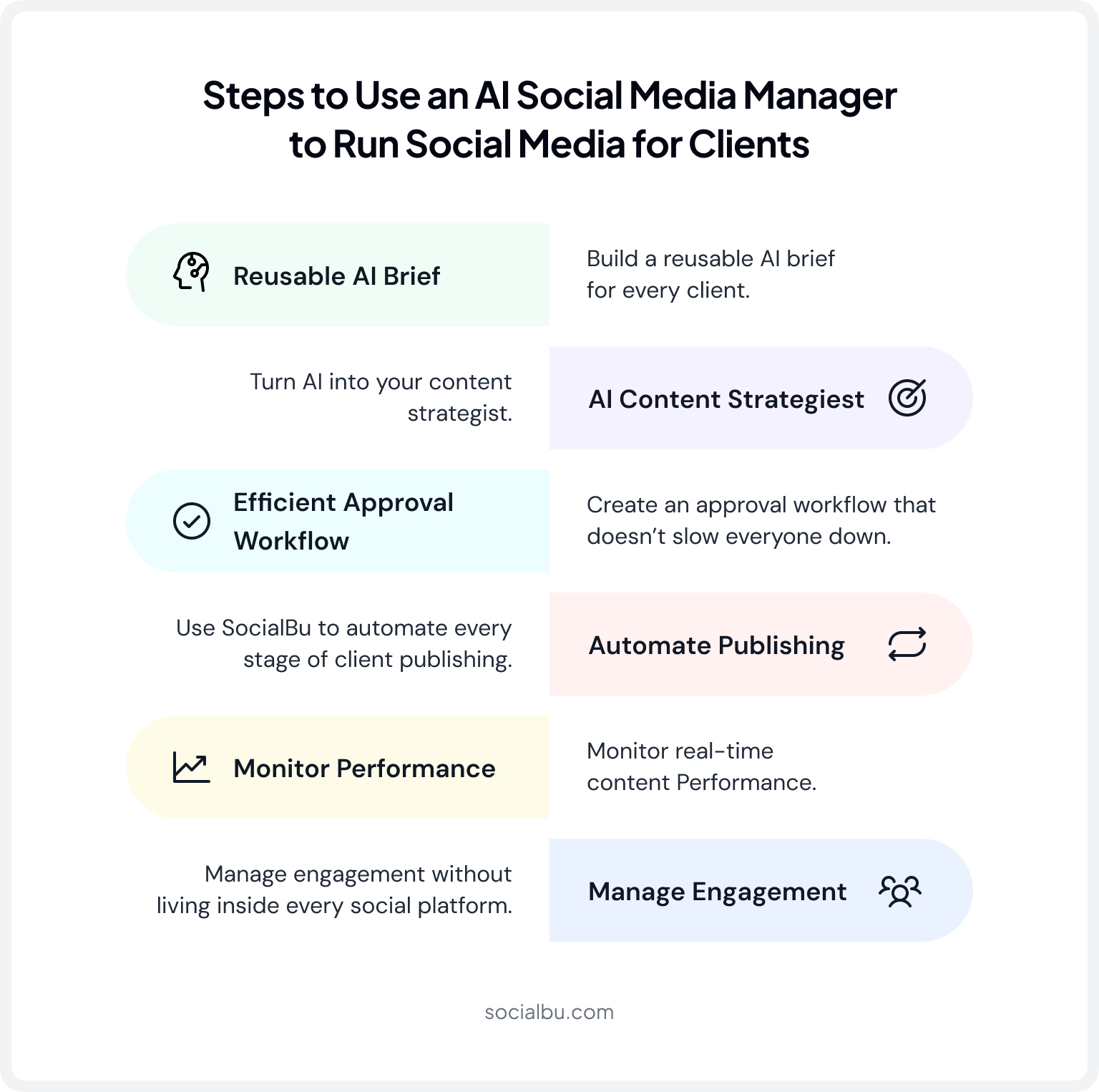
Step 1: Build a Reusable AI Brief for Every Client
Every effective AI workflow starts with the context. AI cannot generate meaningful content without adequate information. With the right direction, it can also generate creative, catchy, and useful content in addition to suggesting a plan.
So, here’s how you should give information to train your AI social media manager:
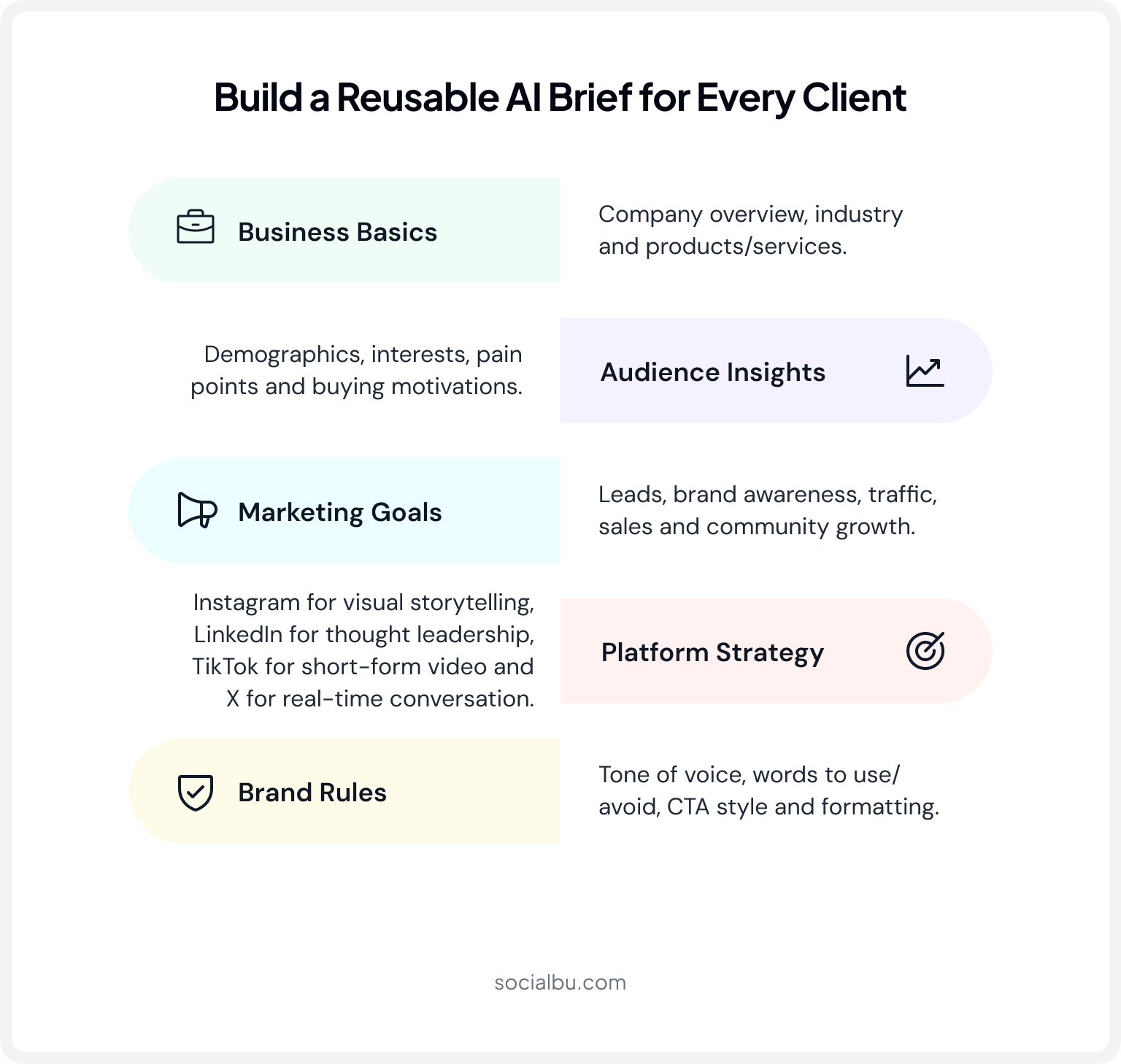
Start by listing out basic information about your business, like:
- Company overview
- Field of operation
- Products or services offered
Next, provide audience information, including your target audience, demographics, interests, challenges, pain points, and buying motivations. When AI knows its audience, it creates perfect content based on that understanding.
Schedule meetings with the client to learn and clearly define each one of their marketing objectives. These could include lead generation, brand awareness, traffic, community expansion, sales increase, etc.
Identifying intent first is the main reason AI can generate more relevant content.
Once you share all this information with an AI social media manager, now it’s time to be a little smart.
Platform Strategy
You have to identify which platform you’re using this AI manager on and train it accordingly.
Every medium needs its own unique strategy. For example, Instagram is all about conveying stories mainly through pictures, while LinkedIn is more about professional experience and thought leadership.
TikTok is mainly about 15-second short videos; X serves real-time conversations. These guidelines help AI modify your content to suit each platform.
Brand Rules
Once you’re done with platform strategy, now it’s time to set clear brand guidelines, including:
- Preferred tone of voice
- Words to avoid
- Words to use
- CTA style
- Type of formatting
To ensure your AI assistant never generates off-brand content that requires extensive manual editing, use this master intake template during client onboarding.
Act as an expert B2B/B2C social media strategist. I am going to feed you a client’s raw brand guidelines. Your task is to ingest these constraints to create a programmatic Brand Voice Matrix.
Use the following parameters to govern all future content generation for this client:
- Client Industry and Core Offer: [Insert details]
- Target Audience Persona: [Insert details]
- Core Brand Persona (e.g., Bold Challenger, Empathetic Guide, Quirky Rebel): [Insert choice]
- Tone of Voice Spectrum (Scale of 1-5 for Professional, Witty, Academic, Urgent): [Insert scale]
- Absolute Words to Avoid / Compliance Red Flags: [Insert banned phrases]
- Signature Call-to-Action (CTA) Format: [Insert CTA style]
Confirm that you have ingested this matrix. Do not generate a post yet. Wait for my specific campaign or platform brief.

Step 2: Turn AI Into Your Content Strategist, Not Just a Caption Writer
The really big thing for AI is beyond just writing little captions. It helps agencies develop their strategic planning. As per the study, 71% of social media marketers use AI tools in their strategies.
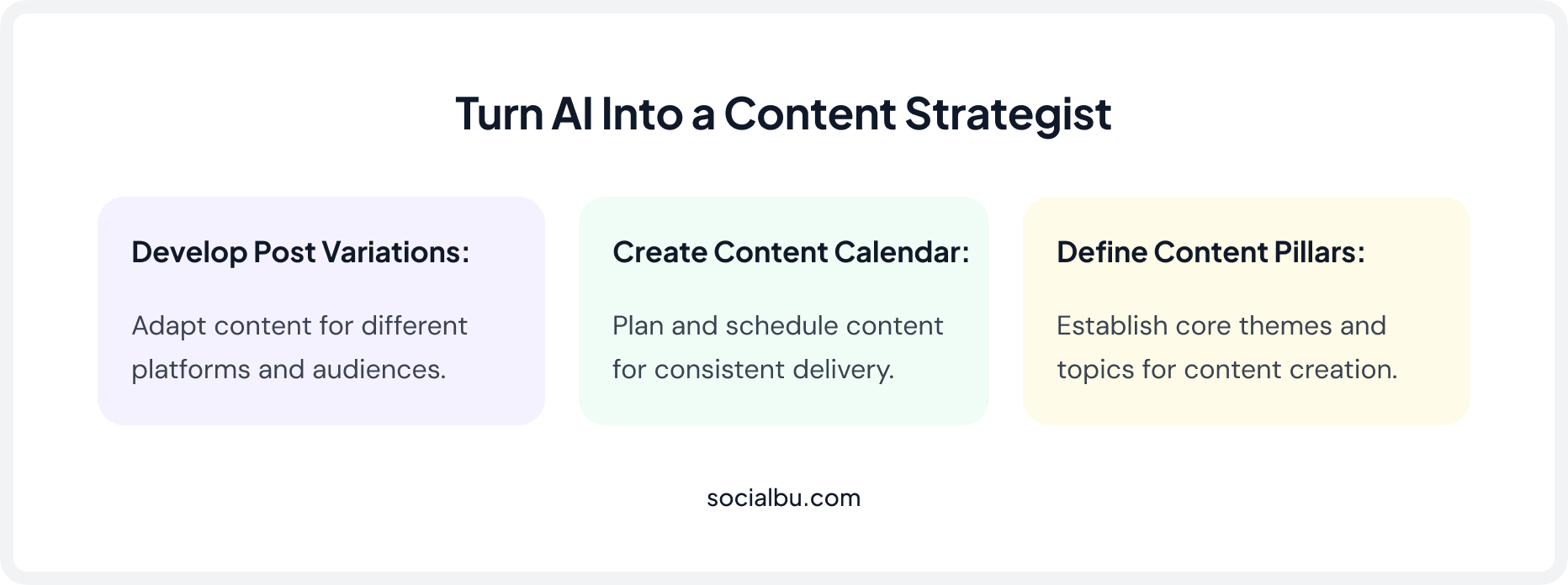
Generate Monthly Content Pillars
AI can quickly identify content themes that support client goals.
Common pillars include:
- Educational content
- Promotions
- Testimonials
- Behind-the-scenes updates
- Frequently asked questions
Build a Content Calendar
Now that you have created a brief, identified your content pillars, and brainstormed your content ideas, it is time to generate a content calendar. With SocialBu, you can create a content calendar for almost all social media platforms in one go. It can assist with:
- Weekly or monthly planning
- Monthly scheduling
- Product launches
- Seasonal campaigns
- Industry events
- Promotional periods
The SocialBu visual drag-and-drop content calendar allows you to see upcoming content more clearly and stay on a steady pace.
Generate Multiple Post Variations
Probably one of the biggest advantages of using an AI assistant for social media is that it lets you generate multiple versions of the same content you want to share. The AI caption/post writer can turn a single caption into various content formats depending on the social media platform you’re using.
Now, 83% of marketers say generative AI helps them produce more content than manually or without it.
You can also change the tone, style, and structure of your content and schedule your posts directly from a single interface.
This makes it easier for agencies to test different communication approaches, increase audience participation, and ultimately determine what content works best for their audience.
Step 3: Create an Approval Workflow That Doesn’t Slow Everyone Down
Relying on another person’s approval for content is a significant challenge agencies face daily.
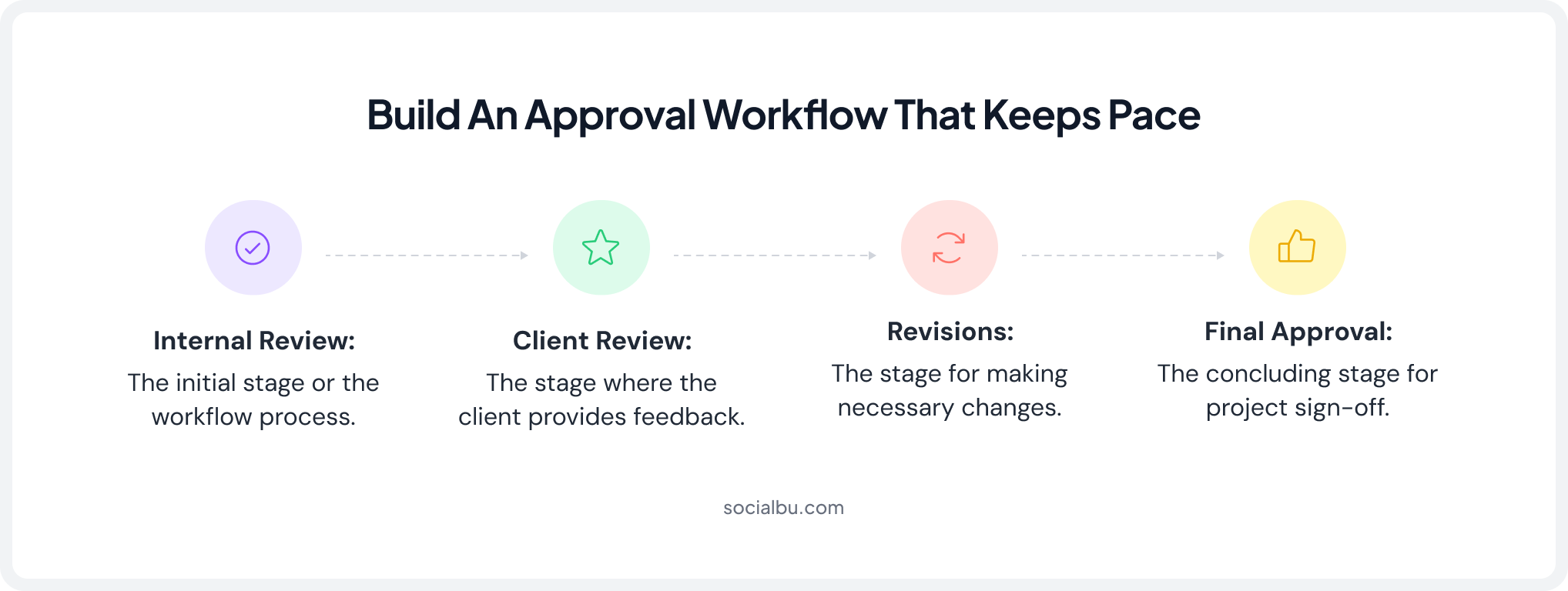
Common work steps include:
- Internal review
- Client review
- Revisions
- Final approval
Teams often end up chasing feedback and approvals through emails and messages when there is no clearly defined process.
With SocialBu’s team collaboration feature, agencies save time and money by sharing content for approval in one place, with multiple users/teams reviewing it, rather than sending each post individually for approval. That’s why effective approval workflows for agencies are essential.
Though AI produces results faster, relying on it entirely is very risky, so always double-check before publishing. Every brand and client has different requirements, audience, and interests.
The goal isn’t to eliminate reviews but to make them faster and more organized. AI speeds up content creation, while a structured approval workflow helps maintain quality, consistency, and client confidence.

Step 4: Use SocialBu to Automate Every Stage of Client Publishing
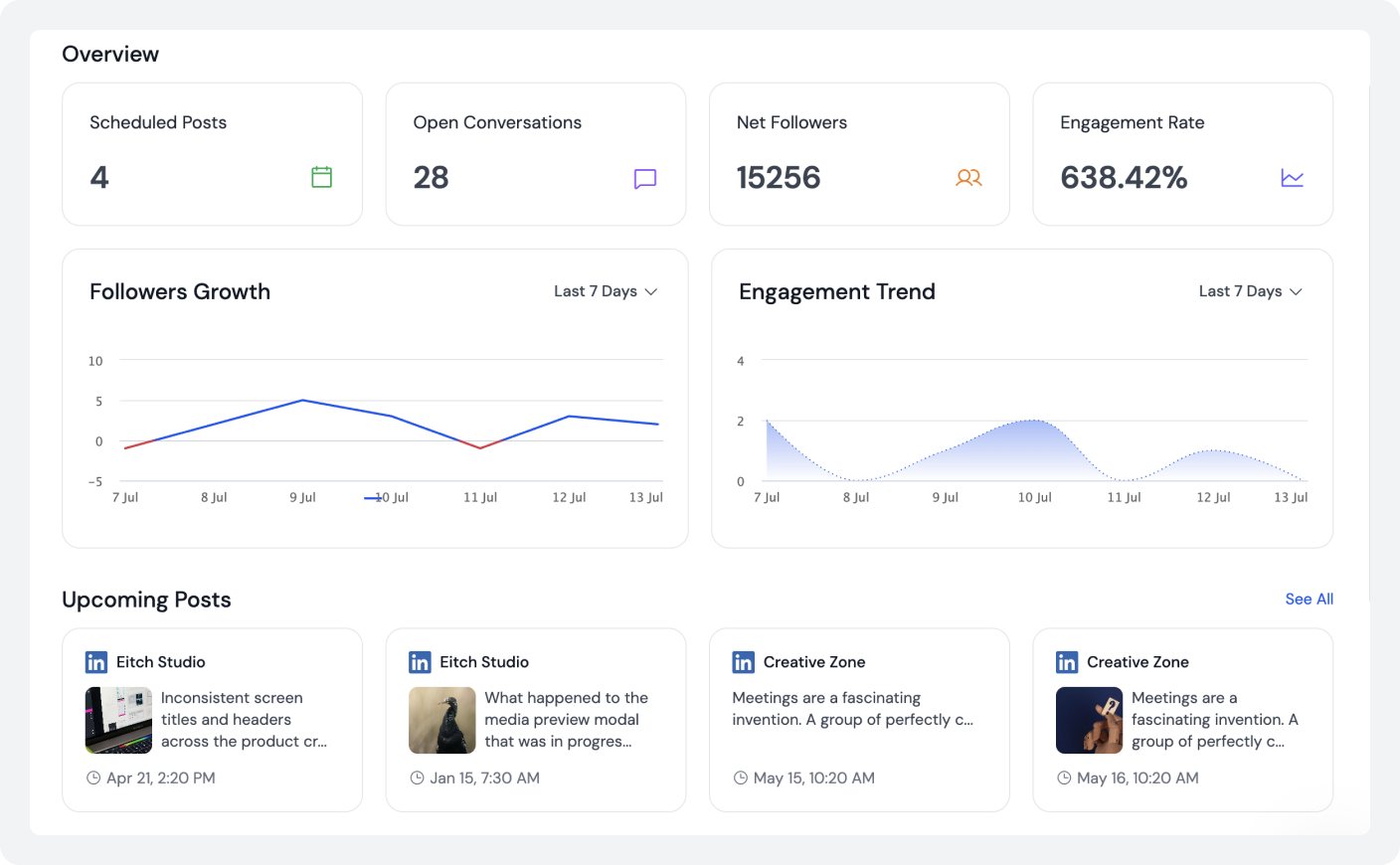
Manually uploading posts on different social media platforms takes a lot of time. This approach becomes unsustainable as client numbers increase. Using AI social media manager tools with automation eliminates this unnecessary work.
SocialBu offers AI-powered automation at every stage of social media management. All you need to do is provide a basic idea or your point of view, and its AI will write the complete post or caption for you.
Here’s what the key automation capabilities include:
- Queue scheduling
- Recurring posts
- Best posting time recommendations
- Platform-specific customization
Agencies can publish content across:
- TikTok
- X and many other platforms.
This makes it easier to automate social media for clients while maintaining consistency and reducing errors across channels.
An AI social media manager becomes even more powerful when paired with automation because content moves seamlessly from planning to publication.
Without automation, AI still leaves agencies with significant manual work. Combining both creates a complete workflow that supports growth without requiring additional staff.
Step 5: Monitor Real-time Content Performance
Reporting should provide insights, not just data. Many agencies spend hours exporting spreadsheets and assembling reports that clients rarely read. Modern AI-powered social media management tools help agencies extract meaningful insights from performance data.
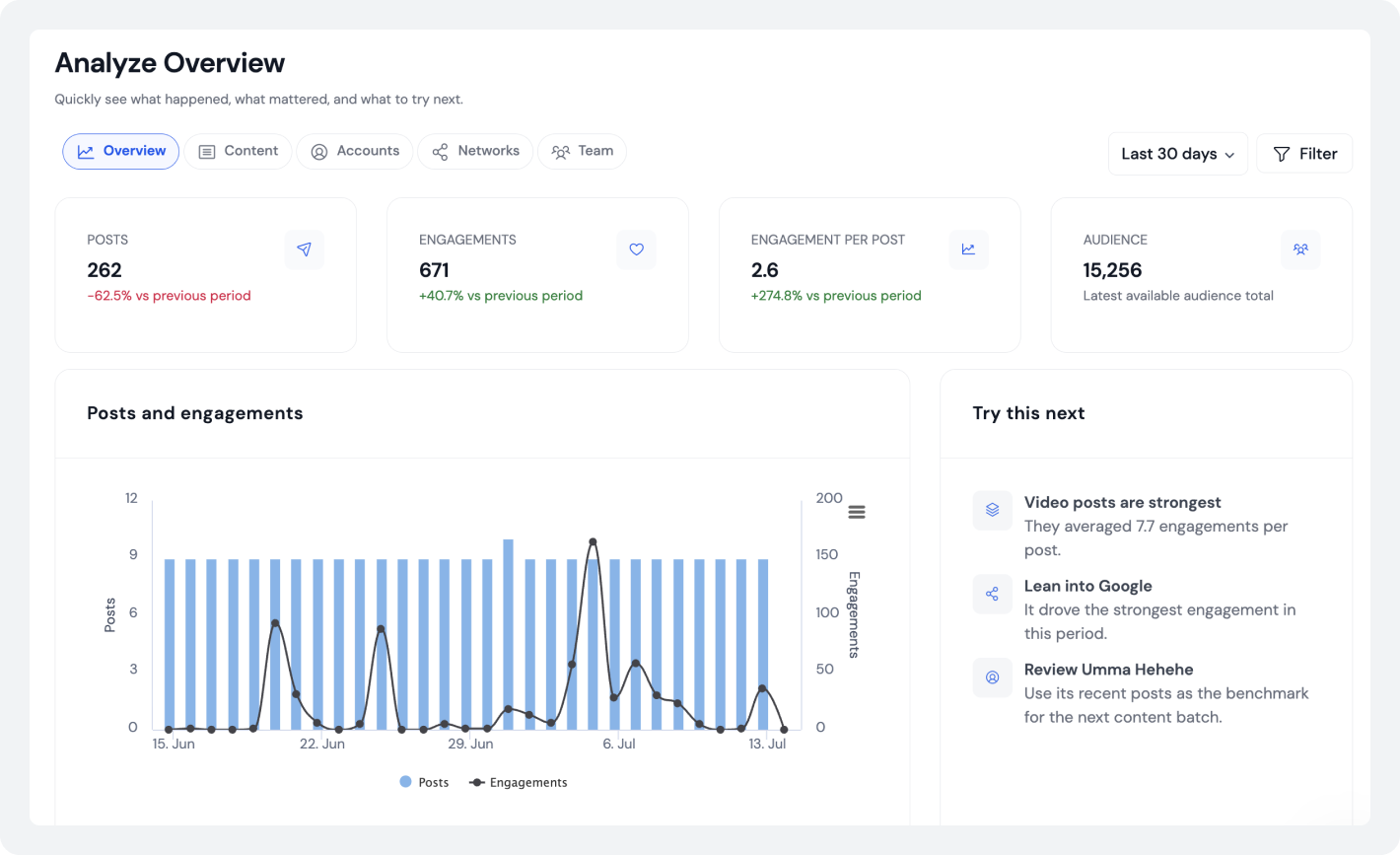
AI can automatically identify:
- Top-performing posts
- Underperforming content
- Audience engagement patterns
- Posting trends
- Best-performing formats
- Growth opportunities
Instead of presenting raw numbers, agencies can provide strategic recommendations. For example:
- Which content categories deserve more investment
- Which posting times perform best
- Which CTAs generate stronger engagement
- Which platforms deliver the highest ROI
For example, instead of sending your client a confusing spreadsheet with thousands of numbers, SocialBu’s AI looks at the data and writes a simple summary and presents data in charts and infographics.
With the monitoring and analytics option, you can see which content types and formats are performing best. This gives you a clear strategy to present to your client, instantly proving your agency’s value without spending hours creating charts.
Step 6: Manage Engagement Without Living Inside Every Social Platform
Engagement management can consume a significant amount of time. When you’re managing multiple client accounts, keeping up with every comment, message, mention, and conversation across different platforms quickly becomes overwhelming.
Instead of switching between apps, you can use SocialBu’s unified inbox to manage and respond to audience interactions, messages, reviews, and comments from a single dashboard.
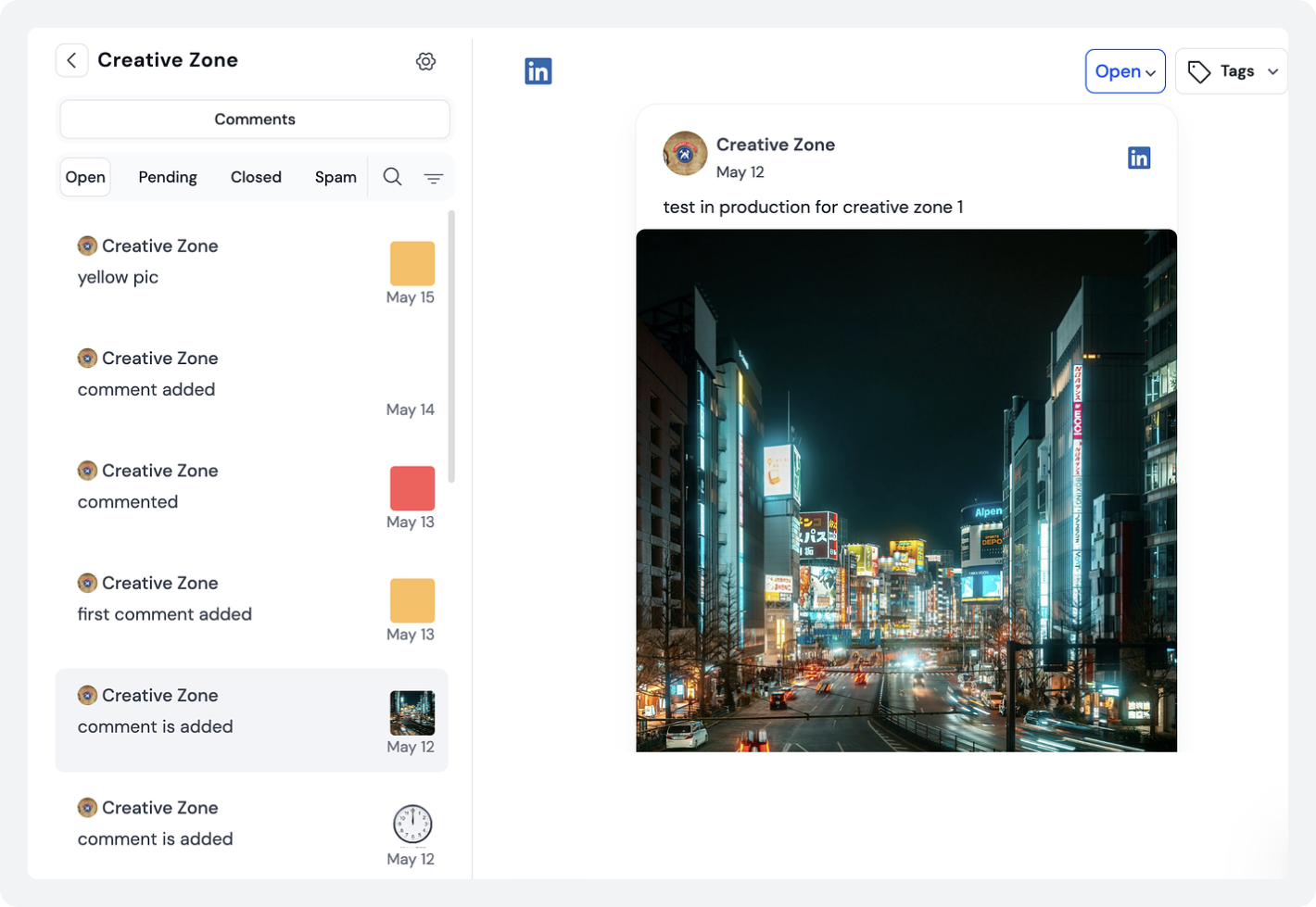
How can an AI Social Media Agent Assist?
It can assist by:
- Suggesting comment responses
- Drafting replies
- Prioritizing inbox messages
- Tracking mentions
- Monitoring keywords
For example, if you manage a restaurant client, SocialBu’s AI can automatically detect whenever someone leaves a comment asking about vegan options or opening hours.
The AI instantly drafts a perfect response for your team to check and approve in one click. If a customer sends a complex complaint, the system immediately flags it for a human manager to handle, keeping your response times fast without losing the personal touch.
Moreover, AI social listening capabilities help agencies stay informed about important conversations involving clients, competitors, and industry topics. This proactive monitoring allows teams to identify opportunities and potential issues before they escalate.
However, AI should not handle sensitive conversations independently. Customer complaints, crises, and complex inquiries still require human judgment.
The best approach combines AI efficiency with human oversight, ensuring faster response times without compromising quality.
Automate Your Social Media Workflow With SocialBu
Let SocialBu handle your social media presence the right way. Schedule posts in advance and automate the entire workflow.
AI Social Media Manager vs Personal AI Assistant vs Virtual Assistant
Feature | Personal AI Assistant | AI Social Media Manager | Virtual Assistant |
Generates content | ✓ | ✓ | Sometimes |
Scheduling | ✗ | ✓ | Manual |
Analytics | ✗ | ✓ | Manual |
Reporting | ✗ | ✓ | Manual |
Multi-client support | Limited | ✓ | Depends |
Cost | Low | Medium | Highest |
Human creativity | Medium | Medium | High |
Understanding the differences helps agencies choose the right support system.
When comparing a personal AI assistant vs. a virtual assistant, the choice depends on workflow needs, budget, and growth goals.
Top agencies scale best when all three- AI for doing things fast, platforms to automate, and people for strategy decisions and managing relationships- are used at the same time.
What are the Best Practices for Running Client Accounts with an AI Social Media Manager?
For the best outcomes, never skip the step of verifying AI-produced content and refining it to fit each client’s brand style.
Using clear, transparent approval processes, constantly updating your prompts, and leveraging diverse analytics help optimize your future campaigns. Consider AI a tool for making good first drafts. But don’t forget to involve human oversight to make final decisions and guarantee quality.
Such practices enable agencies to ensure product quality and benefit from automation. Combining clear processes, the AI social media manager for small business clients, and ongoing optimization can make the team highly productive.
Common Mistakes That Prevent Agencies From Scaling with AI
Many agencies miss out on the benefits of AI due to preventable mistakes.
- Using AI only for captions
- Skipping client briefs
- Writing weak prompts
- Ignoring analytics
- Operating without a workflow
- Lacking approval systems
- Publishing generic content
- Posting without editing
- Treating every client the same
- Replacing strategy with automation
Keep in mind that AI deployed on social media is primarily intended to support, rather than replace, human judgment in making strategic decisions.
Agencies that merge structure, creativity, and technology will consistently outperform those that rely solely on automation.
Wrap Up
An AI social media manager supports the entire client lifecycle, from planning and approvals to publishing, engagement, reporting, and optimization. The result is greater efficiency, stronger performance, and improved scalability.
Platforms like SocialBu help bring these capabilities together into a single system, making it easier to manage client work at scale.
Whether you’re a freelancer, agency owner, or experienced social media manager, adopting the right AI-powered workflow can transform how you deliver results. Sign up for a 7-day free trial of SocialBu to streamline client management, automate repetitive tasks, and scale your agency without increasing your workload.
FAQs
Q. Can AI actually run social media for clients, or does it still need human oversight?
AI can handle content creation, scheduling, analytics, and monitoring, but successful agencies still rely on human-in-the-loop AI oversight for strategy, approvals, and sensitive interactions.
Q. How do agencies manage multiple client accounts with AI without hiring more people?
By creating standardized workflows, automating repetitive tasks, and leveraging AI for planning, reporting, and scheduling, agencies can improve efficiency while scaling their client work.
Q. What tasks can an AI assistant handle in a client social media workflow?
AI can assist with content planning, caption writing, scheduling, engagement support, analytics, reporting, and optimization recommendations.
Q. How do you maintain a consistent client brand voice when using AI?
The key is to train the brand voice AI through detailed client briefs, style guidelines, approved examples, and regular prompt updates.
Q. What’s the difference between a personal AI assistant and an AI social media manager?
A personal AI assistant focuses on brainstorming and content creation, while an AI social media manager also includes scheduling, analytics, reporting, and workflow automation.
Q. Can AI social media management tools generate client-facing or white-label reports?
Yes. Many platforms support analytics summaries and white-label social media management reporting that agencies can share directly with clients.
Q. What’s the best workflow for combining ChatGPT or Claude with SocialBu?
A practical setup is the following:
- ChatGPT or Claude for brainstorming, strategy, campaign ideas, and long-form content.
- SocialBu for AI-assisted captions, content calendars, approvals, scheduling, publishing, analytics, and reporting.
This combination provides both creative support and operational efficiency for modern agency workflows.