
Over 70% of marketers say keeping up with consistent social media posting is one of their biggest challenges. That’s because most tools like Post Planner only cover the basics. They help schedule posts but often lack advanced features such as automation, content ideas, and in-depth analytics. But that’s not enough.
And the good news is that better options are available.
In this blog, we’ll show you eleven great Post Planner alternatives that can help you do more than just schedule content. Let’s find the right one for you.
Why Look for Post Planner Alternatives?
Post Planner is a social media scheduling and content discovery tool designed to help users plan posts primarily for Facebook and Twitter. While it offers basic automation and content curation, users frequently report limitations that prompt them to seek more versatile options.
Insights From Real Users: Critical User Challenges with Post Planner
Real users say Post Planner can feel hard to use at first. Finding features isn’t always clear, and scheduling posts takes more steps than expected. Some users also want better content suggestions and smoother performance. These issues can slow people down and make daily planning less simple. Here are some challenges users are facing:
- Limited Platform Support: Posting is restricted to Facebook and Twitter; content search does not cover titles without keywords (Donnalee B. Capterra)
- Weak Analytics: Analytics and reporting are basic, with limited actionable insights for follower growth or engagement trends. (Kunal A. Capterra)
- Billing Frustrations: Unclear pricing, forced auto-renewals, and limited cancellation windows (Jerry S. Capterra)
- Team Collaboration Gaps: No proper workflow, role management, or approval processes. ( Choco_latte_cake_ Reddit)
- Scheduling Flexibility: Users sometimes report that Post Planner’s scheduling options are not fully flexible, like difficulty in bulk scheduling, time zone adjustments, or advanced recurring post rules. (Greg A. G2)
Without these features, users switch to more versatile social media management platforms that offer automated scheduling, cross-platform management, and smarter content planning.
Comparison Criteria: How We Selected Each Post Planner Alternative
User feedback suggests that Post Planner no longer meets all expectations, prompting teams to consider more flexible alternatives. Key weaknesses include:
- Limited Analytics and Reporting
- Billing Issues
- Limited Team Collaboration
- Restricted Platform Integrations
- Scheduling Flexibility
Exploring these Post Planner alternatives can help marketers save time, increase engagement, and streamline social media content management. Let’s take a look at a few Post Planner alternatives that address these gaps and could make your social media workflow more efficient and effective.
Below are 11 Post Planner Alternatives that offer enhanced scheduling, content discovery, analytics, and collaboration features.
Post Planner Alternative # 1: SocialBu
Overall Rating: ⭐⭐⭐⭐⭐(4.7/5 on Trustpilot)
Starting Price: $19/ month
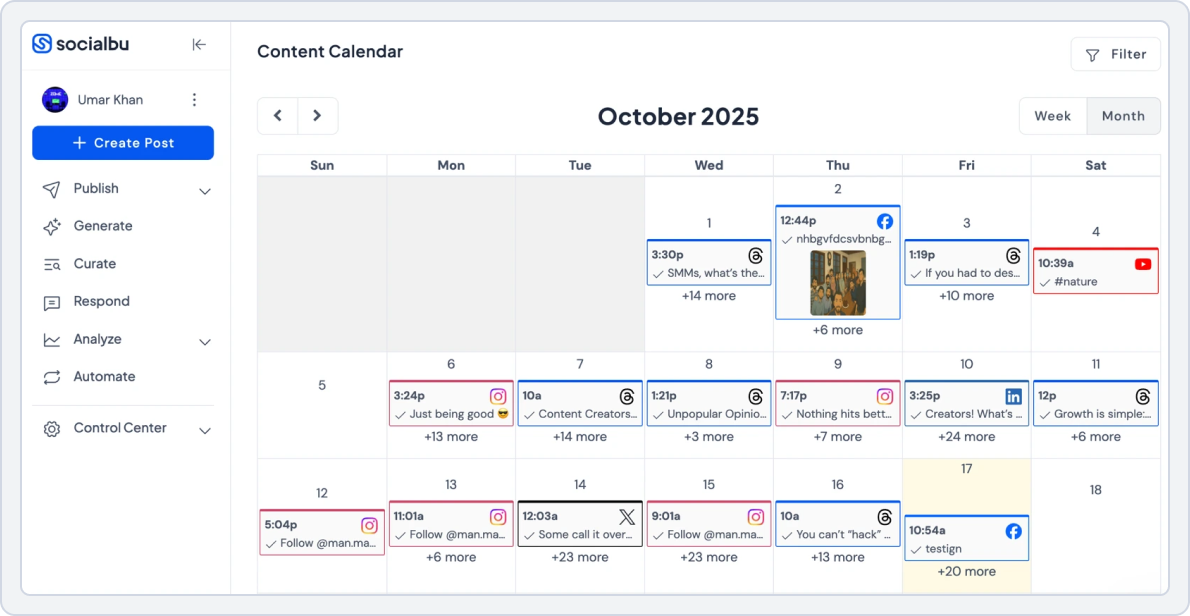
SocialBu is a top Post Planner competitor designed for cross-platform scheduling, automation, and analytics. Unlike Post Planner, SocialBu supports Instagram, Facebook, LinkedIn, Twitter, TikTok, and Pinterest, making it a versatile alternative to Post Planner for small businesses and agencies alike. Its AI tools and social media content library help you discover high-performing content and plan your social media content strategy effectively.
SocialBu has completely transformed how I manage my social media presence. Earlier, I had to schedule alot of things manually using each Social Media Interface but SocialBu gives me a single interface to manage all my Social media platforms. The interface is clean and user-friendly, making scheduling posts, replying to messages, and tracking performance a breeze. Usama S. Verified G2 Review
If you’re searching for a reliable Post Planner alternative, here’s why SocialBu stands out for its well-rounded features and ease of use:
- Flexible scheduling tools that let you plan, queue, and publish posts across multiple platforms without extra steps.
- Smart automation features that help reduce manual work, including automated posting, responses, and content workflows.
- Affordable pricing plans that offer strong value for creators, small businesses, and growing teams without hidden costs.
- Team collaboration tools, such as shared workspaces, roles, approvals, and comments, keep everyone aligned.
- Multi-platform support so you can manage all major social networks from one dashboard.
- User-friendly design that makes daily social media management simple, even for beginners.
- Helpful insights and performance tracking to understand what content works and improve future posts.
SocialBu vs Post Planner
The feature comparison below highlights how SocialBu and Post Planner differ in key areas, including automation, content creation, analytics, and team collaboration. While Post Planner focuses mainly on basic scheduling and content discovery, SocialBu offers a more complete social media management solution.
I use SocialBu every day. Getting started was a breeze and if you have questions, you’ll have a dedicated manager who will make sure you have a good experience. The user-friendly interface and smooth integration process makes it easy to use even for a beginner. SocialBu’s scheduling and post automations features stand out from the rest. Eeva L. Verified G2 Review
Each section also includes a key takeaway to help you quickly identify the stronger tool.
1. Scheduling
One of the first questions people ask is, “How flexible is Post Planner when it comes to scheduling?” Post Planner offers a standard scheduler that lets users queue posts. It does not support advanced automation or flexible posting workflows.
SocialBu:
- Set posts to repeat automatically at chosen intervals (daily, weekly, monthly, custom). Great for evergreen content or regularly recurring campaigns.
- Upload multiple posts at once using a CSV file.
- Include images or videos with each post. Ideal for planning large amounts of content quickly.
- Scheduling suggestions based on audience activity patterns. Helps reach more people by posting when your audience is most active.
- Schedule posts based on different time zones (useful for global audiences).
- Review upcoming posts in a calendar or queue view.
- Easily reorder, edit, or reschedule posts pre‑publish.
- Schedule posts across multiple social platforms from one dashboard. This saves time compared to posting separately on each platform.
This makes SocialBu a clear winner for those seeking Post Planner alternatives with evergreen scheduling.
SocialBu vs Post Planner Key Takeaway: SocialBu wins due to advanced automation, recurring posting, and event-triggered workflows that Post Planner lacks.
2. Analytics and Reporting
Post Planner’s reporting is often criticized for being too basic. It provides engagement metrics but lacks detailed insights into audience behavior, reach, or content trends.
SocialBu offers:
- See all your social accounts’ performance in one place. No need to open multiple apps like Facebook or Instagram separately.
- Monitors how each post performs (likes, comments, shares, engagement). It helps identify which posts are the most successful.
- Tracks follower growth over time.
- Shows overall engagement trends to see when your audience interacts most.
- Provides detailed data for each social platform.
- Tracks profile interactions like clicks and views (where available).
- Shows which hashtags bring the most engagement.
- Tracks your posting patterns (image, video, text).
- Monitors team activities, such as posts created and replies sent.
- Choose specific date ranges (day, week, month) to analyze performance.
For marketers who prioritize data, SocialBu is one of the best Post Planner alternatives, offering advanced analytics and best-time-to-post insights.
SocialBu vs Post Planner Key Takeaway: SocialBu wins because it offers deeper performance insights and platform-specific analytics.
3. Collaboration and Workflows
For teams, collaboration is where SocialBu truly shines. Unlike Post Planner, which lacks structured workflows, SocialBu offers approval workflows, multi-user access, and role-based permissions, all vital for agencies managing clients or teams needing internal reviews.
SocialBu stands out with:
- Role-Based user permissions so you can assign specific roles such as admin, editor, or viewer, so each team member gets the right level of access.
- Content approval workflows to let you review and build approval steps into your content process, so posts don’t go live until they’ve been checked.
- Shared workspaces and media libraries so teams can access centralized workspaces where all drafts, assets, and media files are organized.
- Internal comments, tagging, and reviews so team members can leave comments directly on scheduled posts, tag collaborators, and track feedback without needing external tools like email or chat apps.
SocialBu vs Post Planner Key Takeaway: SocialBu is the clear winner for team collaboration with multi-user support and approval workflows.
4. Integration
- Post Planner: Facebook, Instagram, Bluesky, Threads, YouTube, Twitter(X), TikTok, Pinterest, LinkedIn, and Google Business.
- SocialBu: Facebook, Twitter, Instagram, LinkedIn, Pinterest, TikTok, Slack, Canva, Threads, Bluesky, Mastodon, Reddit, and Google Business Profile.
SocialBu vs Post Planner Key Takeaway: SocialBu wins with a broader platform and more tool integrations, offering greater flexibility for businesses and teams managing multiple social accounts.
5. Pricing Plans
The pricing table below compares SocialBu’s plans with Post Planner’s tiers, helping you see which platform offers more value for features, posting limits, and social accounts at similar price points.
SocialBu | Post Planner | |
Platforms | Instagram, TikTok, YouTube, Facebook, X (Twitter), Threads, LinkedIn, Reddit, Mastodon, Pinterest, Bluesky, Google Business Profile | Facebook, Instagram, BlueSky, Threads, YouTube, Twitter(X), TikTok, Pinterest, LinkedIn, and Google Business. |
Free plan | Yes Social accounts: 2 Social Platforms: 3 | Yes Social accounts: 1 User: 1 |
For Small Business | $19 /month -12 Social accounts -800 Monthly Posts -2 Teams | ₹ 1,500 /month -12 social accounts -2 users -Basic Scheduling |
For Agencies | $199 /month -150 Social accounts -Unlimited Monthly Posts -25 Teams | ₹ 2,500 /month -25 social accounts -5 users -5000 Scheduled posts |
Takeaway | Best for teams and agencies with multi-platform management and high post limits. | Suited for solo users or small teams with basic scheduling needs |
With SocialBu, users can enjoy:
- More features at comparable pricing
- Higher posting limits and social account support
- Better value for automation, analytics, and teamwork
 Explore the ultimate comparison of Post Planner alternatives and find the best tools for your social media management needs.
SocialBu vs Post Planner Final Takeaway
SocialBu excels in automation, analytics, and team collaboration, making it one of the best Post Planner alternatives 2025 for small businesses, agencies, and creators looking for an engaging content scheduler and smarter social media content strategy.
Want To Bypass Post Planner’s Limitations?
Write content, collaborate, schedule, analyze, and grow. SocialBu handles it all for you.
Post Planner Alternative #2: Pallyy

Overall Rating: ⭐⭐⭐⭐⭐4.7/5 (Capterra)
Starting Price: ₹400/month
Pallyy is designed around social media content inspiration, image-driven scheduling, and post templates. If your focus is on generating social media post ideas, building a content library, and planning visuals for platforms like Instagram and LinkedIn, Pallyy stands out. It offers features such as grid preview, media library, and simple scheduling workflows.
Pally vs Post Planner
This section compares Pallyy and Post Planner across visual planning, scheduling, collaboration, and analytics. Key takeaways indicate which tool leads in each area.
1. Analytics
Post Planner provides basic analytics, making it hard to track growth or engagement trends. Pallyy gives more than basic analytics:
- Track post engagement, likes, comments, and shares.
- Monitor follower growth for Instagram and LinkedIn.
- Identify top-performing content to improve your social media content strategy.
- Export easy-to-share reports for teams or clients.
Pally vs Post Planner Key Takeaway: Pally delivers clearer performance insights, making it a better Post Planner alternative for teams that rely on engagement and growth data.
2. Integrations
- Pally: Instagram, Facebook, Twitter, LinkedIn, Pinterest, TikTok, YouTube, Threads.
- Post Planner: Facebook, Instagram, Bluesky, Threads, YouTube, Twitter(X), TikTok, Pinterest, LinkedIn, and Google Business.
Pally vs Post Planner Key Takeaway: Both tools support major social networks, but Post Planner offers slightly broader platform coverage (including Google Business and Bluesky), while Pally focuses on the most commonly used social channels for visual and content-driven brands.
3. Scheduling Content
Pallyy is more than just a basic scheduler; it’s a social media content library and content discovery platform all in one:
- Schedule posts for multiple platforms, including Instagram, TikTok, LinkedIn, Pinterest, Facebook, and YouTube.
- Drag-and-drop visual content calendar for easy campaign planning.
- Queue posts with labels and use best-time-to-post suggestions to increase engagement.
- Instagram grid preview helps plan your feed visually.
- Collaborate with teams via approval workflows and shared calendars.
Pally vs Post Planner Key Takeaway: Pally is a Post Planner alternative that offers multi-platform scheduling, a drag-and-drop visual calendar, an Instagram grid preview, and team collaboration with approval workflows, making content planning more visual and organized.
4. Team Collaboration
Pallyy supports teamwork with features like:
- Multi-user access with roles and permissions.
- Approval workflows that allow posts to be approved or commented on before publishing.
- Shared media libraries for storing images, videos, and post templates.
Pally vs Post Planner: Key Takeaway: Pally is better for teams that need collaborative planning, approvals, and shared content management, while Post Planner is best for individual users.
5. Billing Structure
Here’s a clear comparison of Pallyy’s per-brand pricing model versus Post Planner’s, showing how each tool scales with users, brands, and posting needs.
Pally | Post Planner | |
Platforms | Facebook, Instagram, LinkedIn, Twitter, Google Business Profile, TikTok, YouTube, Reddit, X(Twitter), Threads, and Bluesky. | Facebook, Instagram, BlueSky, Threads, YouTube, Twitter(X), TikTok, Pinterest, LinkedIn, and Google Business. |
Free Plan | No free plan, offers a free trial | Schedule posts: Limited Offers a free trial with each plan |
Pricing Plan | $25 /month -1 Social set (Max 10 social accts per set.) -Unlimited Posts -1 User | $25 /month -1 Social Set (8 profiles total) -1 user |
Cost Plan | $99 /month -10 Social Sets (Max 10 social accts per set) -Unlimited Posts -3 Users | $110 /month -6 Social Sets (48 profiles total) -4 users |
Verdict | Pally is best for teams and agencies needing multiple social sets, unlimited posts, and team collaboration. | Post Planner works for small teams or individuals with basic scheduling and fewer social accounts. |
Pallyy vs Post Planner Final Takeaway:
If you want a free Post Planner alternative that helps you design, organize, and schedule visuals, Pallyy is your best bet for Instagram and LinkedIn content inspiration.
Post Planner Alternative #3: Metricool
Overall Rating: ⭐⭐⭐⭐4.4/5 (Capterra)
Starting Price: $22/ month
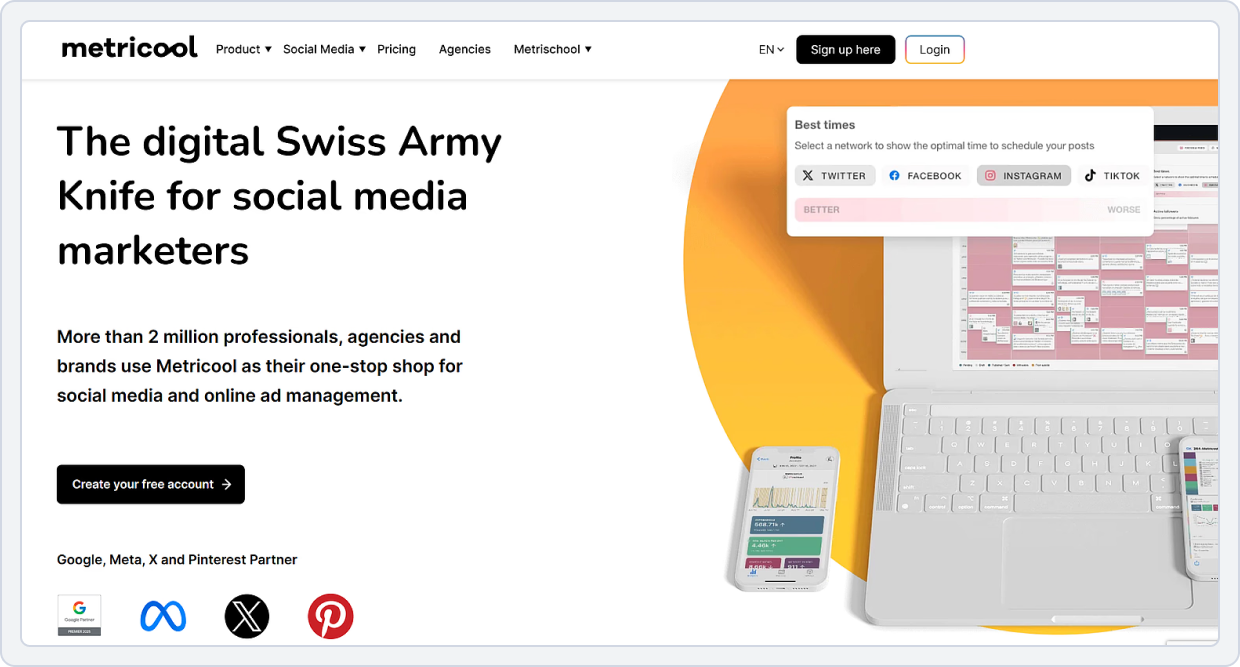
Metricool offers both scheduling and strong analytics. A recent update announced that Metricool now integrates with Adobe Express, enabling content creation, scheduling, and measurement in a single workflow.
For marketers who care about high-performing content finders, social media content strategy, and analyzing what works (not just posting), Metricool presents a compelling alternative to Post Planner.
Metricool vs Post Planner
The table below compares Metricool and Post Planner across analytics, scheduling, ad tracking, and competitor insights. Key takeaways summarize the winner per feature.
1. Analytics & Performance
Metricool is a Post Planner alternative that gives much deeper insights into your social media performance:
- See how many likes, comments, shares, and views each post gets.
- Helps you understand which posts your audience likes the most.
- Monitor how your follower count increases or decreases over time on platforms like Instagram, TikTok, and Facebook.
- Track results of your paid campaigns on Facebook, Instagram, TikTok, or Google Ads.
- Shows clicks, impressions, and cost metrics so you know which ads perform best.
- Metricool analyzes when your followers are most active and tells you the best times to post.
- View performance across all social networks in a single dashboard.
- Compare reach, engagement, and post success easily.
- Generate downloadable reports with graphs and summaries to share with your team or clients.
Metricool vs Post Planner Key Takeaway: Metricool wins for detailed metrics and reporting, making it a top Post Planner alternative with advanced analytics.
2. Platform Support
- Metricool connects to multiple platforms, including: Facebook, Instagram, LinkedIn, TikTok, YouTube, Pinterest, X (Twitter), Google Business Profile, Bluesky, Threads, Twitch
- Post Planner covers: Facebook, Instagram, Bluesky, Threads, YouTube, X(Twitter), TikTok, Pinterest, LinkedIn, Google Business Profile
Metricool vs Post Planner Key Takeaway: Metricool wins for platform support, offering a multi-platform social media content curation tool that covers both mainstream and niche networks.
3. Team Collaboration & Approvals
Metricool is a Post Planner alternative that helps teams work together smoothly on social media content:
- You can assign different roles to each team member (like admin, editor, or contributor).
- Posts can be marked as pending, approved, or rejected.
- Team members can review content and leave comments before anything is published.
- Teams can manage multiple social media accounts or brands within a single Metricool account.
- Everyone can see scheduled posts, make edits, and coordinate campaigns easily.
Metricool vs Post Planner Key Takeaway: Metricool wins for team collaboration, making it a Post Planner alternative for agencies and multi-brand teams.
4. Scheduling Content
Metricool lets you:
- Schedule content for Facebook, Instagram (feed, Reels, Stories), TikTok, LinkedIn, X (Twitter), Pinterest, YouTube, and Google Business Profile from one dashboard.
- See all your scheduled posts on a calendar view, making it easy to plan and organize content.
- Metricool suggests the optimal posting times based on when your audience is most active.
- Posts go live automatically at the scheduled time, with no extra effort.
- Upload multiple posts at once using a CSV file, saving time when planning large campaigns.
- Set posts to repeat automatically for evergreen content, so you don’t have to repost manually.
- Schedule your posts in advance to keep your social media consistent and organized.
Metricool vs Post Planner Key Takeaway: Metricool is a Post Planner alternative that lets you schedule posts across multiple platforms, see everything on a visual calendar, automatically publish content, plan in bulk or recycle evergreen posts, and choose the best times to post, making social media management easier and more organized.
5. Pricing Plans
The pricing comparison shows how Metricool’s plans align with analytics and reporting needs, helping you decide whether the additional data justifies the higher cost compared to Post Planner.
Metricool | Post Planner | |
Platforms | Facebook, Instagram, LinkedIn, TikTok, YouTube, Pinterest, X, Google Business Profile, BlueSky, Threads, Twitch. | Facebook, Instagram, BlueSky, Threads, YouTube, Twitter(X), TikTok, Pinterest, LinkedIn, and Google Business. |
Free Plan | Free plan with: -1 brand -Manage all your brands’ social networks (except LinkedIn and Twitter) -Schedule up to 20 posts per month | Schedule posts: Limited Offers a free trial with each plan |
Pricing Plan | $22 /month -10 brands -Unlimited content publishing -Analyze up to 100 competitors | $25 /month -1 Social Set (8 profiles total) -1 user |
Cost Plan | $54 /month -Manage up to 50 brands -Team and client management | $110 /month -6 Social Sets (48 profiles total) -4 users |
Summary | Metricool is ideal for multi-brand management, team collaboration, and analytics, offering flexible plans and competitor tracking. | Post Planner is suited for individuals or small teams needing basic scheduling across fewer accounts. |
Metricool vs Post Planner Final Takeaway:
If your focus is on advanced analytics, approval workflows, and multi-platform strategy, Metricool outperforms Post Planner.
Check out the full, detailed guide to the best Metricool alternatives.Post Planner Alternative #4: Onlypult
Overall Rating: ⭐⭐⭐⭐⭐ 4.5/5 (G2)
Starting Price: $25/ month
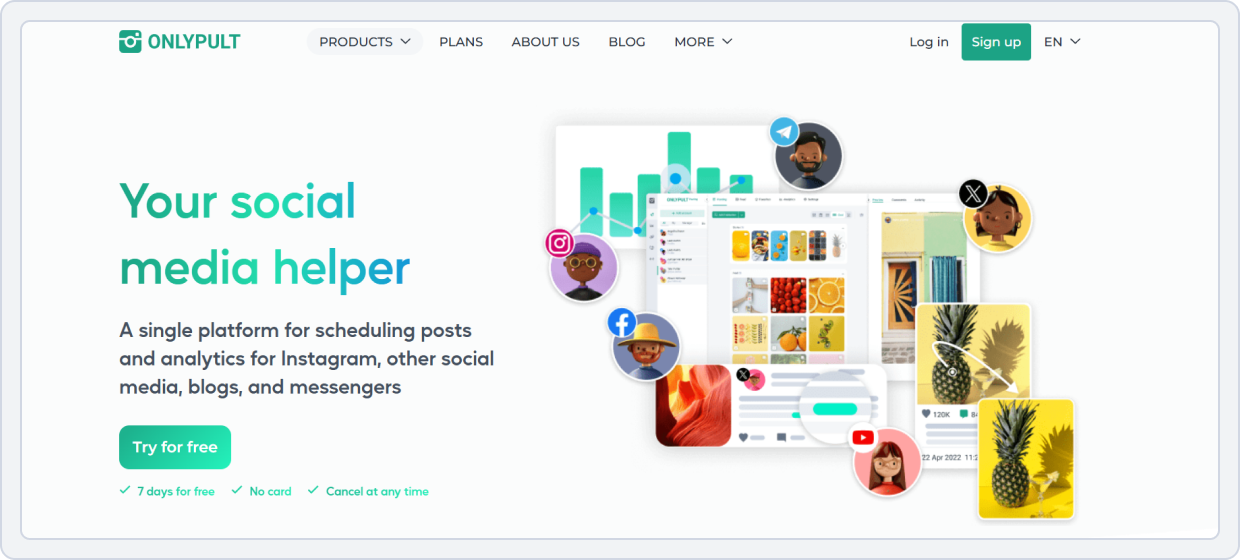
Onlypult is a reliable social media content scheduler that provides deep platform integrations, analytics, and collaboration features. It’s a trusted Post Planner competitor for users managing multiple clients or brands.
Onlypult vs Post Planner
The feature comparison below breaks down Onlypult’s team roles, posting dashboard, analytics, and content storage system against Post Planner. Each section includes a key takeaway.
1. Platform Coverage
- Onlypult supports: Instagram, TikTok, YouTube, Pinterest, LinkedIn, Tumblr, WordPress, Telegram, VKontakte, Odnoklassniki, Medium, and Threads.
Onlypult allows team roles, permissions, and approval workflows, which Post Planner lacks.
- Post Planner covers: Facebook, Instagram, Bluesky, Threads, YouTube, X (Twitter), TikTok, Pinterest, LinkedIn, and Google Business.
Onlypult vs Post Planner Key Takeaway: Onlypult wins with broader platform coverage and multi-network post types, making it one of the Post Planner alternatives for agencies and multi-client teams.
2. Advanced Analytics & Reporting
Onlypult helps you understand how your social media is performing with clear and simple reports:
- Shows likes, comments, views, and reach for your posts.
- Let’s you check data for any time period (day, week, month).
- You can download reports as PDF or Excel to share with your team or clients.
- Tracks follower growth and how your audience interacts with your content.
- Shows when your audience is most active, helping you post at the right time.
- Highlights your top posts and stories that get the most engagement.
- Helps you see which type of content works best (photos, videos, or stories).
- Makes it easier to plan future content that your audience will like.
Onlypult vs Post Planner Key Takeaway: Onlypult wins for advanced analytics and multi-profile reporting, giving actionable insights that Post Planner can’t provide.
3. Team Collaboration
Onlypult:
- Give team members different roles (like admin or guest) with specific permissions.
- Admins can publish posts, while guests may only view or draft.
- Posts can be set to require approval before publishing.
- Team members can review, approve, or request changes.
- Team members can leave comments on drafts or scheduled posts.
- Helps everyone discuss ideas and improvements in one place.
- Work together on a shared content calendar to see all planned posts.
- Share posts or calendars with colleagues or clients for easy planning and review.
Onlypult vs Post Planner Key Takeaway: Onlypult wins for team collaboration and approval workflows, making it one of the strongest Post Planner alternatives for agencies and content teams that need structured teamwork and client review processes.
4. Scheduling Content
Onlypult lets you plan and publish posts ahead of time so you don’t need to post manually every day:
- Pick the date and time for your post, and Onlypult will publish it automatically.
- Posts go live on their own at the scheduled time, even if you’re not online.
- Set posts to repeat automatically so the duplicate content appears more than once.
- Keep unfinished posts as drafts and schedule them later when ready.
- Upload and schedule many posts at once, saving time for large content plans.
- See all your scheduled posts in a calendar view to organize and plan easily.
- Schedule posts for multiple social media accounts from one dashboard.
Onlypult vs Post Planner Key Takeaway: Onlypult is a Post Planner alternative that lets you schedule and auto-publish posts across multiple platforms, automatically repeat content, plan many posts at once, and view everything on a visual calendar, making social media management easier and more organized.
5. Pricing Plans
The pricing overview below compares Onlypult’s multi-brand plans to Post Planner, helping agencies evaluate whether additional team and analytics features justify the price difference.
Onlypult | Post Planner | |
Platforms | Facebook, Instagram, X (Twitter), LinkedIn, Google My Business, YouTube, TikTok, Tumblr, WordPress, Telegram, VKontakte, Odnoklassniki, Pinterest, Medium, and Threads. | Facebook, Instagram, BlueSky, Threads, YouTube, Twitter(X), TikTok, Pinterest, LinkedIn, and Google Business. |
Free Plan | No free plan offers a 7 day free trial | Schedule posts: Limited Offers a free trial with each plan |
For Small Business | $35 /month -10 profiles -3 teams -Schedule unlimited posts | $25 /month -1 Social Set (8 profiles total) -1 user |
For Agencies | $65 /month -25 profiles -10 teams | $110 /month -6 Social Sets (48 profiles total) -4 users |
Verdict | Onlypult is ideal for teams and agencies managing multiple profiles and teams, offering more features and flexibility. | Post Planner is better for smaller teams or individual users who need basic scheduling across fewer accounts. |
Onlypult vs Post Planner Final Takeaway:
If you’re managing multiple clients or accounts, Onlypult’s scheduling depth and collaboration tools make it a solid replacement for Post Planner.
Post Planner Alternative #5: Ocoya
Overall Rating: ⭐⭐⭐⭐⭐ 4.6/5 (Capterra)
Starting Price: $19/month
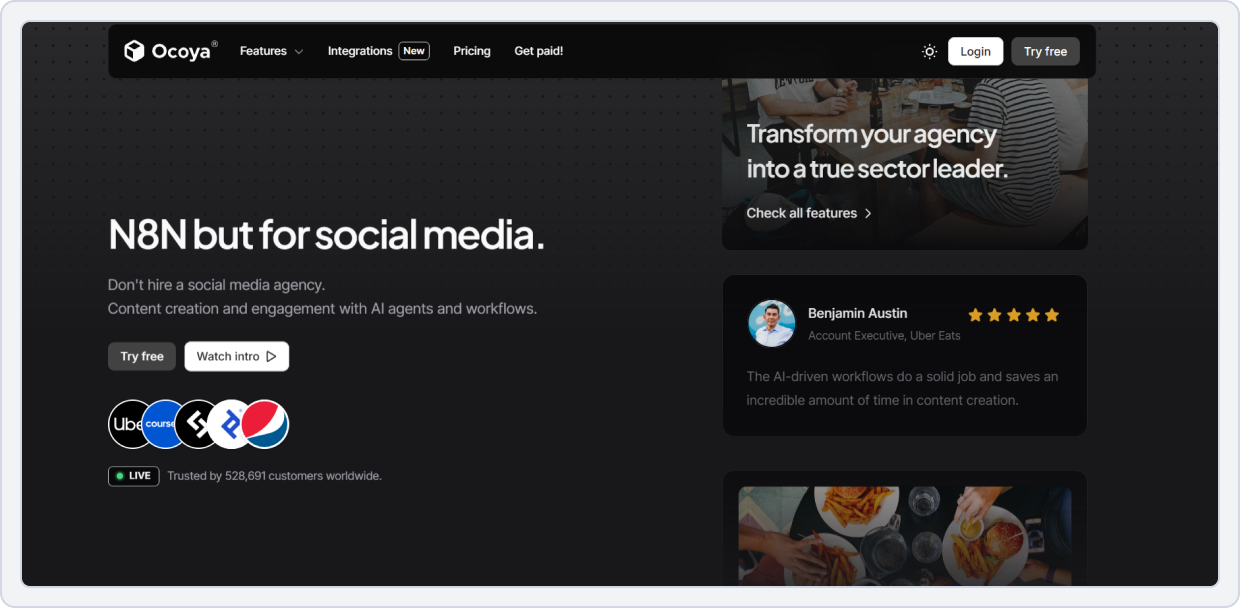
Ocoya is one of the most innovative Post Planner alternatives, offering AI-generated content and design automation. It helps users create social media posts, graphics, and captions using AI. It’s like having Canva, ChatGPT, and a scheduler in one.
Marketers often ask, “Which Post Planner competitor has AI content creation?” Ocoya is built for that. Its automation features save hours of time during brainstorming and content design.
Ocoya vs Post Planner
Below is a detailed comparison of Ocoya’s AI writing, design templates, scheduling, and analytics vs. Post Planner. Key takeaways clarify which tool leads in each area.
1. Scheduling
Both Post Planner and Ocoya allow cross-platform scheduling. Ocoya:
- Schedule posts across multiple platforms like Instagram, Facebook, LinkedIn, Twitter, TikTok, and Pinterest.
- Suggests the best hashtags for your posts to reach a wider audience and boost engagement.
- Predicts how well your post will perform based on historical data and content type, helping you post at the right time for maximum impact.
- Create visually appealing posts directly in Ocoya using built-in design templates, images, and editing tools, so you don’t need separate software.
- Plan and organize your content in advance with a visual calendar to make scheduling simple and efficient.
Ocoya vs Post Planner Key Takeaway: Tie — both tools offer simple scheduling, but Ocoya integrates AI-powered content creation and analytics more effectively, making it a strong alternative to Post Planner for advanced scheduling.
2. Team Collaboration
Ocoya offers stronger team features:
- Your team can work together in the same account, managing multiple social media profiles without confusion.
- Assign roles such as admin, manager, or viewer to control what each team member can do. For example, admins can publish posts, while viewers can only see content.
- Team members can create drafts and share them for review. Posts can be approved or sent back for edits before going live, ensuring content is checked and polished.
- Helps teams stay organized, avoid mistakes, and collaborate smoothly on social media campaigns.
Ocoya vs Post Planner Key Takeaway: Post Planner is best for solo users or basic collaboration. At the same time, Ocoya provides team-friendly features and approval workflows, making it a top Post Planner alternative for agencies and teams.
3. Integrations
- Ocoya supports: TikTok, Facebook, Instagram, YouTube, LinkedIn, X, Pinterest, Threads, Google Business Profile, Discord, Telegram, Slack.
- Post Planner supports Facebook, Instagram, Bluesky, Threads, YouTube, Twitter (X), TikTok, Pinterest, LinkedIn, and Google Business.
Ocoya vs Post Planner Key Takeaway: Ocoya supports more platforms, including Discord, Telegram, and Slack, giving creators extra ways to connect, while Post Planner covers the main social networks.
4. Cost Structure
This pricing table shows how Ocoya’s AI-focused packages compare to Post Planner’s, helping creators decide whether the added AI value is worth the upgrade.
Ocoya | Post Planner | |
Platforms | TikTok, Facebook, Instagram, YouTube, LinkedIn, X, Pinterest, Threads, Google Business Profile, Discord, Telegram, Slack | Facebook, Instagram, BlueSky, Threads, YouTube, Twitter(X), TikTok, Pinterest, LinkedIn, and Google Business. |
Free Plan | No | Schedule posts: Limited Offers a free trial with each plan |
For Small Business | $49 /month -5 workspaces -5 Users -20 social profiles | $25 /month -1 Social Set (8 profiles total) -1 user |
For Agencies | $199 /month -50 Users -Unlimited workspaces -150 social profiles | $110 /month -6 Social Sets (48 profiles total) -4 users |
Verdict | Ocoya is ideal for agencies and teams needing multiple workspaces, extensive social profiles, and advanced automation. | Post Planner is better for smaller teams or individual users who need basic scheduling across fewer accounts. |
Ocoya vs Post Planner Final Takeaway:
Ocoya is perfect for creators, agencies, and ecommerce brands looking to automate design and content creation. It’s one of the best Post Planner alternatives for scheduling on TikTok, Instagram, and LinkedIn, combining automation with creativity, affordable pricing with free trial options, and powerful AI.
Post Planner Alternative #6: Postpone
Overall Rating: ⭐⭐⭐ 3.2/5 (Trustpilot)
Starting Price: Starter $24/month
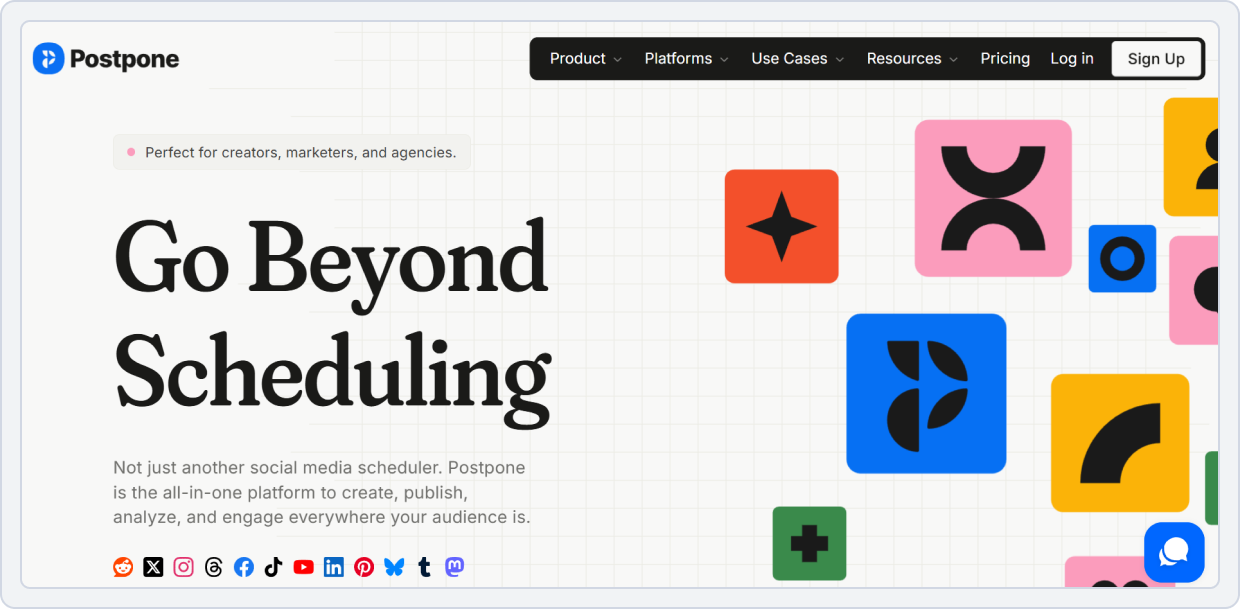
Postpone is a minimalist scheduler that appeals to users seeking affordable Post Planner alternatives. It’s designed for easy posting with features like bulk uploads, evergreen queues, and cross-posting to multiple social accounts.
It’s perfect for beginners who need an affordable, intuitive, and reliable content curation tool.
Postpone vs Post Planner
The feature comparison below breaks down Postpone’s evergreen automation, UI simplicity, bulk scheduling, and content organization compared to Post Planner.
1. Evergreen Scheduling
Postpone:
- Automatically shares your top-performing posts again so your audience sees them multiple times without extra effort.
- You can set up a content queue, and Postpone will automatically post items from the queue at scheduled times.
- The tool suggests the best times to post based on when your audience is most active, helping your posts get more engagement.
- By automatically recycling content, your social media profiles stay active and engaging without constant manual posting.
- You can plan and schedule many posts at once, making it easier to manage weeks or months of content efficiently.
Postpone vs Post Planner Key Takeaway: Postpone wins because it offers stronger recycling and queue-based posting than Post Planner.
2. Team Collaboration
With Postpone, you can:
- You can add your teammates to collaborate, making social media content curation smoother and more organized. Everyone can contribute ideas for posts and review content.
- Assign roles to each team member who can post, edit drafts, or view the social media content library. This helps maintain a safe workflow and prevents mistakes.
- Teams can co-create posts before scheduling. This is perfect for social media post ideas, engaging content templates, or viral content discovery.
- Accidental deletes aren’t a problem. Posts are saved in a shared trash so that you can restore them anytime.
Postpone vs Post Planner Key Takeaway: If you’re searching for the best Post Planner alternative 2025, Postpone’s team collaboration features make it easier to manage your posts, boost engagement, and work efficiently with your team.
3. Integrations
- Postpone supports: Reddit, Threads, Facebook, TikTok, Pinterest, Mastodon, Instagram, LinkedIn, Bluesky, Twitter, YouTube Shorts, X (Twitter).
- Post Planner supports Facebook, Instagram, Bluesky, Threads, YouTube, Twitter (X), TikTok, Pinterest, LinkedIn, and Google Business.
Postpone vs Post Planner Key Takeaway: Both tools cover major social platforms, but Postpone offers a few extra options like Reddit, Mastodon, and YouTube Shorts, giving users more diverse posting opportunities than Post Planner.
4. Cost Structure
The pricing comparison below highlights how Postpone’s volume-based pricing stacks against Post Planner’s low-cost plans, helping you decide whether simplicity and evergreen features are worth the extra cost.
Postpone | Post Planner | |
Platforms | Reddit, Threads, Facebook, TikTok, Pinterest, Mastodon, Instagram, LinkedIn, Bluesky, Twitter, YouTube Shorts, X (Twitter). | Facebook, Instagram, BlueSky, Threads, YouTube, Twitter(X), TikTok, Pinterest, LinkedIn, and Google Business. |
Free Plan | Offers a free plan with 2 social accounts -Mobile apps | Schedule posts: Limited Offers a free trial with each plan |
For Small Business | $48 /month -7 social accounts -Schedule unlimited posts | $25 /month -1 Social Set (8 profiles total) -1 user |
For Agencies | $96 /month -15 Social Accounts -Unlimited posts | $110 /month -6 Social Sets (48 profiles total) -4 users |
Verdict | Postpone is best for teams and businesses needing more social accounts and unlimited posting. | Post Planner is better for smaller teams or individual users who need basic scheduling across fewer accounts. |
Postpone vs Post Planner Final Takeaway:
Postpone is ideal for those who want free Post Planner alternatives or simpler scheduling without the noise. A perfect starter tool for small businesses and solo creators.
Post Planner Alternative #7: Kontentino

Overall Rating: ⭐⭐⭐⭐⭐ 4.7/5 (Capterra)
Starting Price: $83/ month
Kontentino is one of the best Post Planner alternatives for agencies, offering smooth approval workflows, team collaboration, and client access management.
Unlike Post Planner, Kontentino provides detailed content previews, version control, and feedback options, making it a Post Planner replacement for structured marketing teams.
Kontentino vs Post Planner
Below is a breakdown of Kontentino’s collaboration tools, workflow features, content approval, and analytics compared to Post Planner. Each category includes a key takeaway to clarify the comparison.
1. Collaboration & Approval Workflows
Kontentino includes:
- Your team can comment on posts, give suggestions, and make edits all in one place.
- No more long email chains; everyone sees notes directly on the post.
- You can assign tasks like writing captions, adding hashtags, or editing images.
- Teammates get notifications and can mark tasks as done.
- A shared content calendar shows all planned posts and deadlines.
- Everyone knows what’s scheduled and what stage each post is at.
- Posts can be sent to team members for review before publishing.
- Team members can approve or suggest changes.
- You can share posts with clients for approval without complicated logins.
- Clients can approve or request edits from a single link.
Kontentino vs Post Planner Key Takeaway: Kontentino wins decisively with approval workflows and client-ready previews, making it ideal for agencies needing organized social media content planning.
2. Scheduling
With Kontentino, users can:
- Plan posts ahead of time, write your content, and pick the date & time for it to go live.
- Kontentino posts your content automatically at the scheduled time.
- Works for Instagram, Facebook, LinkedIn, TikTok, Pinterest, and Google Business Profile.
- Schedule many posts at once to save time.
- See all your posts in one calendar, drag & drop to change dates, or edit directly.
- Schedule or update posts from your phone anytime.
- Easily view planned posts or switch calendar views to match your workflow.
- Keeps your posting schedule on track and makes social media content strategy easier.
Kontentino vs Post Planner Key Takeaway: Kontentino makes scheduling easy, automatic, and organized across multiple platforms. It saves time with bulk posting, works on mobile, and helps teams stay on track with their social media content strategy.
3. Analytics & Reporting
Kontentino makes it easy to track how your social media posts are performing and create professional reports.
- See engagement, reach, clicks, and other important metrics for both your team and clients.
- Create reports in PDF or Excel that focus on the metrics that matter most for your campaigns.
- Share reports directly with clients without extra work; they look professional and easy to understand.
- Track which posts are performing best, what content is driving engagement, and plan future campaigns more effectively.
Kontentino vs Post Planner Key Takeaway: Kontentino wins for professional analytics and team metrics, making it one of the best Post Planner alternatives for agencies.
4. Integration
- Kontentino: Facebook, Instagram, LinkedIn, X (Twitter), TikTok, Pinterest, Threads, YouTube, and Google Business Profile.
- Post Planner: Facebook, Instagram, Bluesky, Threads, YouTube, Twitter (X), TikTok, Pinterest, LinkedIn, and Google Business.
Kontentino vs Post Planner Key Takeaway: Both support major platforms, but Kontentino is more focused on agency workflows and client integrations, while Post Planner covers essentials.
5. Cost Options
The pricing section below outlines Kontentino’s agency-focused pricing tiers and compares them to Post Planner, helping teams decide whether the collaboration benefits justify the higher cost.
Kontentino | Post Planner | |
Platforms | Facebook, Instagram, LinkedIn, X (Twitter), TikTok, Pinterest, Threads, YouTube, and Google Business Profile. | Facebook, Instagram, BlueSky, Threads, YouTube, Twitter(X), TikTok, Pinterest, LinkedIn, and Google Business. |
Free Plan | No | Schedule posts: Limited Offers a free trial with each plan |
For Small Business | €99/ month -200 posts -10 profiles -5 users | $25 /month -1 Social Set (8 profiles total) -1 user |
For Agencies | €149/month -Unlimited posts -40 profiles -10-30 users | $110 /month -6 Social Sets (48 profiles total) -4 users |
Verdict | Kontentino is ideal for agencies and teams needing more profiles, users, and posts, offering stronger collaboration. | Post Planner is better for smaller teams or individual users who need basic scheduling across fewer accounts. |
Kontentino vs Post Planner Final Takeaway:
It is a top choice for agencies and marketing teams that need advanced content curation tools, collaboration, and workflow automation. It’s a powerful Post Planner alternative with approval workflows, advanced analytics, and visual content previews, making it perfect for brands managing multiple social channels with multiple stakeholders.
Explore a detailed comparison of Kontentino vs Post Planner to see which social media tool fits your workflow best.Post Planner Alternative #8: Nuelink
Overall Rating: ⭐⭐⭐⭐⭐(4.7/5 on Capterra)
Starting Price: $18/ month
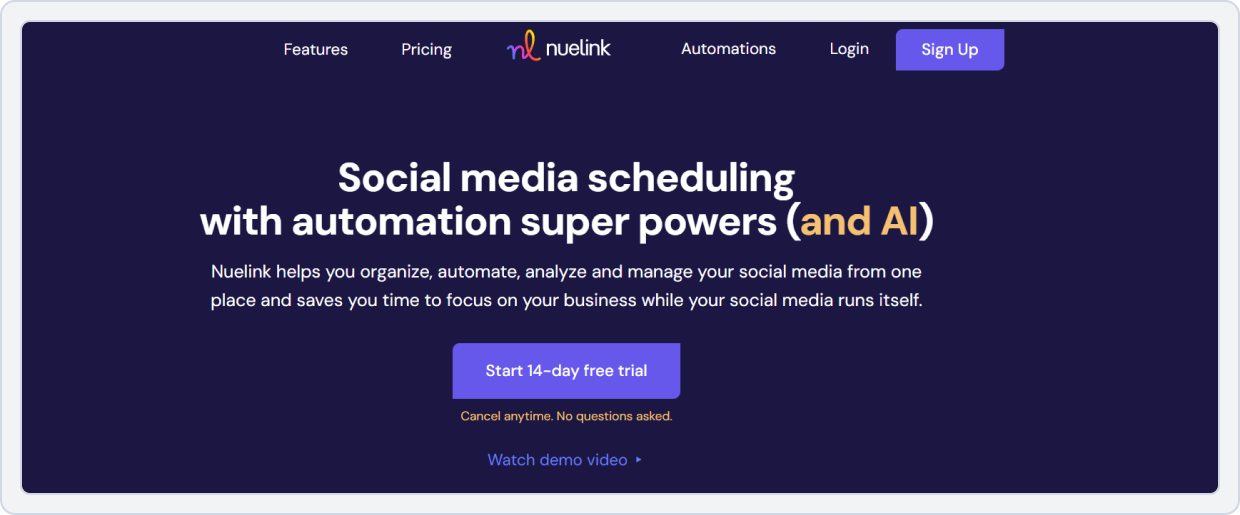
Nuelink is one of the most popular Post Planner alternatives with evergreen scheduling and automation. It’s built for users who want to set their content once and let it run indefinitely, a key upgrade over Post Planner’s limited queues.
Nuelink automates your social media by pulling content from blogs, RSS feeds, and websites and scheduling it for you. It’s a dream for creators and brands that prefer hands-free content curation and evergreen posting.
Nuelink vs Post Planner
The feature comparison below highlights Nuelink’s automation recipes, RSS import tools, content recycling, and integrations compared to Post Planner. Each feature includes a one-sentence key takeaway.
1. Automation
Nuelink helps save time by automating your social media content so you don’t have to post everything manually.
- Pull new content automatically from blogs, YouTube channels, or RSS feeds.
- Once imported, Nuelink can automatically schedule posts for multiple social media accounts.
- Keeps your accounts active and consistent without you needing to log in every day.
- Manage multiple social media profiles from a single dashboard.
Nuelink vs Post Planner Key Takeaway: Nuelink significantly outperforms Post Planner in automation and RSS posting, making it a top Post Planner alternative for busy teams and content managers.
2. Evergreen Scheduling
Nuelink helps you automatically reuse your best posts so your social media accounts stay active without constantly creating new content.
- Nuelink finds your top-performing posts and reposts them on a schedule.
- You can set up a queue of posts to repeat across multiple social media platforms.
- By recycling popular content, you can keep your audience engaged even when you don’t have new posts ready.
- No need to manually repost or recreate content; the tool does it for you.
Nuelink vs Post Planner Key Takeaway: Nuelink wins with smarter recycling and evergreen content scheduling, ideal for brands wanting a continuous social media presence.
3. Team Coordination
Nuelink makes it easy for teams to work together on social media content, helping everyone plan, schedule, and manage posts without confusion. It’s perfect for teams, agencies, creators, and small businesses.
- Invite people to your workspace so everyone can help with social media tasks.
- Give team members specific roles, like editor or admin, to control who can do what.
- Manage different clients or brands separately, sharing content as needed.
- Teams can share posts or ideas in collections so everyone uses the same content.
- See who created or edited posts, so it’s easy to follow progress.
- Let clients view or approve posts without logging into multiple systems.
Nuelink vs Post Planner Key Takeaway: Nuelink makes team collaboration simple, organized, and efficient. Compared to Post Planner, it’s better for teams or agencies that need to share ideas, manage multiple brands, and keep workflows smooth.
4. Integrations
- Nuelink: Zapier, WordPress, RSS, LinkedIn, Facebook, X, TikTok.
- Post Planner: Facebook, Instagram, Bluesky, Threads, YouTube, Twitter (X), TikTok, Pinterest, LinkedIn, and Google Business.
Nuelink vs Post Planner Key Takeaway: Nuelink wins for workflow-friendly integrations, while Post Planner supports main social channels for basic posting needs.
5. Billing Structure
This pricing section compares Nuelink’s automation-rich plans with Post Planner’s simpler pricing, making it easy to see which platform delivers more long-term value for automated posting.
Nuelink | Post Planner | |
Platforms | Zapier, WordPress, RSS, LinkedIn, Facebook, X, TikTok. | Facebook, Instagram, BlueSky, Threads, YouTube, Twitter(X), TikTok, Pinterest, LinkedIn, and Google Business. |
Free Plan | No free plan offers a free trial | Schedule posts: Limited Offers a free trial with each plan |
For Small Business | $48 /month -2 brand -2 member -20 social channels | $25 /month -1 Social Set (8 profiles total) -1 user |
For Agencies | $128 /month -10 brand -10 members -100 social channels | $110 /month -6 Social Sets (48 profiles total) -4 users |
Verdict | Nuelink is best for teams and agencies managing multiple brands and channels, offering more scalability. | Post Planner is better for smaller teams or individual users who need basic scheduling across fewer accounts. |
Nuelink vs Post Planner Final Takeaway:
If you need evergreen scheduling and hands-off posting, Nuelink is a great replacement for Post Planner, with stronger automation and workflow control.
Post Planner Alternative #9: Sociamonials

Overall Rating: ⭐⭐⭐ 3.4/5 Trustpilot
Starting Price: $19/month
Sociamonials is a powerful social media content scheduler with built-in viral campaign tracking, referral analytics, and automation tools. It’s great for e-commerce and influencer campaigns that rely on engagement metrics.
Sociamonials vs Post Planner
Below is a comparison of Sociamonials’ viral campaign tools, referral tracking, UGC features, and scheduling options versus Post Planner. Each feature includes a key takeaway summarizing the winner.
1. Automation
Sociamonials is a great Post Planner alternative for teams, agencies, and creators who want to save time and keep their social media accounts active without having to post manually every day.
- Schedule posts to go live on Instagram, Facebook, LinkedIn, TikTok, Pinterest, and YouTube without manual effort.
- Automatically repost your top-performing posts to keep feeds active.
- Pull new content from blogs, YouTube channels, or RSS feeds for social media content inspiration.
- Connect with email marketing and CRM tools to automatically manage campaigns and contacts.
- Manage multiple accounts from one dashboard and schedule posts across platforms.
- Set rules for posting or engaging to automatically reduce repetitive tasks.
Sociamonials vs Post Planner Key Takeaway: Sociamonials wins for advanced automation and integrations, making it a better Post Planner competitor for brands managing multiple channels.
2. Analytics & Reporting
Sociamonials helps you see how well your social media posts and campaigns are performing. It offers more detailed insights than basic likes and shares, making it a strong competitor to Post Planner. It’s great for teams looking for social media content inspiration and for tracking high-performing posts.
- View charts and graphs showing engagement trends, conversions, and top-performing posts.
- Track clicks, leads, conversions, and overall campaign success — not just likes and shares.
- Generate easy-to-read reports to see what works best for your audience.
- Create as many reports as needed to share insights with your team or clients.
- Simple visuals help you understand trends and make better content decisions.
Sociamonials vs Post Planner Key Takeaway: Sociamonials wins for detailed performance reporting, helping creators and teams optimize social media content strategy.
3. Platform Connection
- Sociamonials: Facebook, Instagram, Bluesky, TikTok, LinkedIn, X (Twitter), YouTube, Pinterest, Threads.
- Post Planner: Facebook, Instagram, Bluesky, Threads, YouTube, Twitter (X), TikTok, Pinterest, LinkedIn, and Google Business.
Sociamonials vs Post Planner Key Takeaway: Both Sociamonials and Post Planner cover the main social platforms, but Post Planner adds Google Business integration, while Sociamonials focuses solely on social networks.
4. Team Collaboration
Sociamonials helps teams work together easily on social media. It’s a good Post Planner alternative because it lets people plan, review, and schedule posts without confusion.
- Invite people so everyone can help manage social media posts.
- Give each person a role, like editor or publisher, to control what they can do.
- Team members can check posts before they go live, leave comments, and approve or reject them.
- Plan and schedule posts together to keep content consistent.
- See who edited or commented on posts.
Sociamonials vs Post Planner Key Takeaway: Sociamonials makes teamwork simple and organized. It helps teams, agencies, and creators plan, review, and post content easily, making it a strong Post Planner alternative for smooth teamwork and better social media content strategy.
5. Subscription Costs
The pricing comparison below illustrates how Sociamonials’ campaign-based plans compare to Post Planner’s simpler tiers, helping businesses decide whether advanced analytics justify the increased cost.
Sociamonials | Post Planner | |
Platforms | Facebook, Instagram, Bluesky, TikTok, LinkedIn, X (Twitter), Youtube, Pinterest, Threads. | Facebook, Instagram, BlueSky, Threads, YouTube, Twitter(X), TikTok, Pinterest, LinkedIn, and Google Business. |
Free Plan | No free plan offers a free trial | Schedule posts: Limited Offers a free trial with each plan |
For Small Business | $49 /month -20 social profiles -1 user -20 RSS feeds | $25 /month -1 Social Set (8 profiles total) -1 user |
For Agencies | $149 /month -30 social profiles -3 users | $110 /month -6 Social Sets (48 profiles total) -4 users |
Verdict | Sociamonials is ideal for teams and agencies managing multiple profiles and feeds, offering more flexibility | Post Planner is better for smaller teams or individual users who need basic scheduling across fewer accounts. |
Sociamonials vs Post Planner Final Takeaway:
This tool is the best Post Planner competitor for viral content discovery and ROI-focused marketers.
Post Planner Alternative #10: Circleboom
Overall Rating: ⭐⭐⭐⭐⭐4.5/5 (G2)
Starting Price: $29/ month
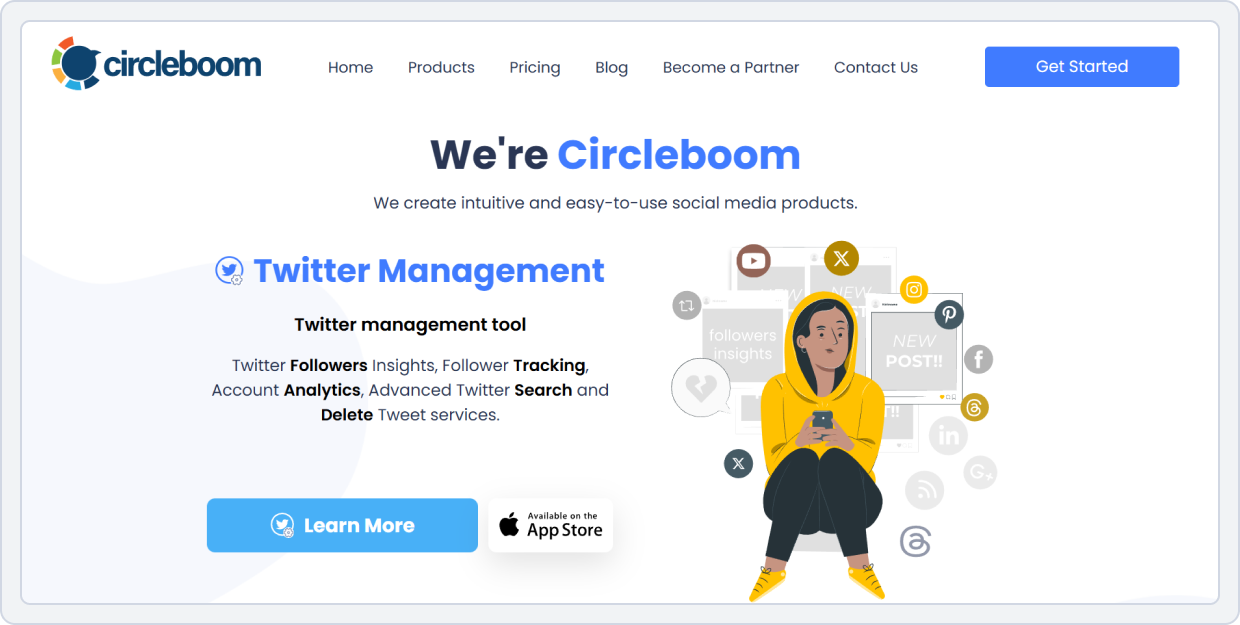
Circleboom focuses on content discovery and automation. It helps users curate high-performing articles, images, and tweets, perfect for anyone looking for a viral content finder or content curation tool.
Circleboom vs Post Planner
The feature comparison below contrasts Circleboom’s content curation tools, scheduling categories, platform support, and automation options with Post Planner. Each feature includes a concise key takeaway.
1. Scheduling Flexibility
Circleboom makes scheduling posts easy and organized, which is great for anyone looking for tools like Post Planner.
- Group posts by type or theme and assign schedules for each. This improves your social media content strategy.
- Post when your audience is most active across Instagram, Facebook, LinkedIn, TikTok, Pinterest, YouTube, and Google Business Profile.
- Upload multiple posts at once or add them to a queue to save time and keep your social media content library full.
- Manage multiple accounts in one place with an engaging content scheduler.
Circleboom vs Post Planner Key Takeaway: Circleboom wins for segmented scheduling buckets and flexible planning, making it a top replacement for Post Planner among creators and agencies who need organized content planning.
2. Platform Support
- Circleboom covers almost all major platforms: LinkedIn, Facebook, Instagram, Pinterest, YouTube, Mastodon, Threads, Bluesky, and TikTok.
- Post Planner: Facebook, Instagram, Bluesky, Threads, YouTube, Twitter(X), TikTok, Pinterest, LinkedIn, and Google Business.
Circleboom vs Post Planner Key Takeaway: Circleboom wins with support for Pinterest, Mastodon, Threads, and Bluesky.
3. Team Collaboration
Circleboom helps teams work together seamlessly, making it a strong Post Planner competitor for agencies or multi-person teams.
- Invite multiple users to manage social media accounts.
- Assign editor, publisher, or approver roles to keep workflows clear.
- Posts can be reviewed, commented on, and approved before publishing, ensuring high-quality content.
- Teams can see scheduled posts, plan future content, and coordinate across platforms.
Circleboom vs Post Planner Key Takeaway: Circleboom is better for team collaboration, while Post Planner is more suited for solo users or small teams without structured workflows.
4. Social Media Automation
Circleboom automates posting so you spend less time on repetitive tasks. It’s ideal as an alternative to Post Planner for AI content.
- Add posts to a queue, and Circleboom posts them automatically based on your schedule.
- Automatically post content from blogs, YouTube, or RSS feeds for social media content inspiration.
- Publish to multiple platforms automatically, saving time.
- Mix your own posts with curated content to keep feeds active and engaging.
Circleboom vs Post Planner Key Takeaway: Circleboom helps you stay consistent, save time, and find high-performing content, making it one of the best Post Planner alternatives with evergreen scheduling.
4. Cost Structure
Circleboom | Post Planner | |
Platforms | LinkedIn, Facebook, Instagram, Pinterest, YouTube, Mastodon, Threads, Bluesky, TikTok | Facebook, Instagram, BlueSky, Threads, YouTube, Twitter(X), TikTok, Pinterest, LinkedIn, and Google Business. |
Free Plan | No free plan offers a free trial | Schedule posts: Limited Offers a free trial with each plan |
For Small Business | $44 /month -10 social accounts -Schedule unlimited posts | $25 /month -1 Social Set (8 profiles total) -1 user |
For Agencies | $89 /month -30 Social Accounts -Unlimited teams | $110 /month -6 Social Sets (48 profiles total) -4 users |
Verdict | Circleboom is ideal for larger teams and businesses who need to manage multiple social accounts with unlimited scheduling. | Post Planner is better for smaller teams or individual users who need basic scheduling across fewer accounts. |
Circleboom vs Post Planner Final Takeaway:
For creators and bloggers focused on content discovery and engagement growth, Circleboom is one of the best Post Planner alternatives for 2026.
Post Planner Alternative #11: OneUp
Overall Rating: ⭐⭐⭐⭐ 4.3/5 (G2)
Starting Price: $18/month (billed annually)
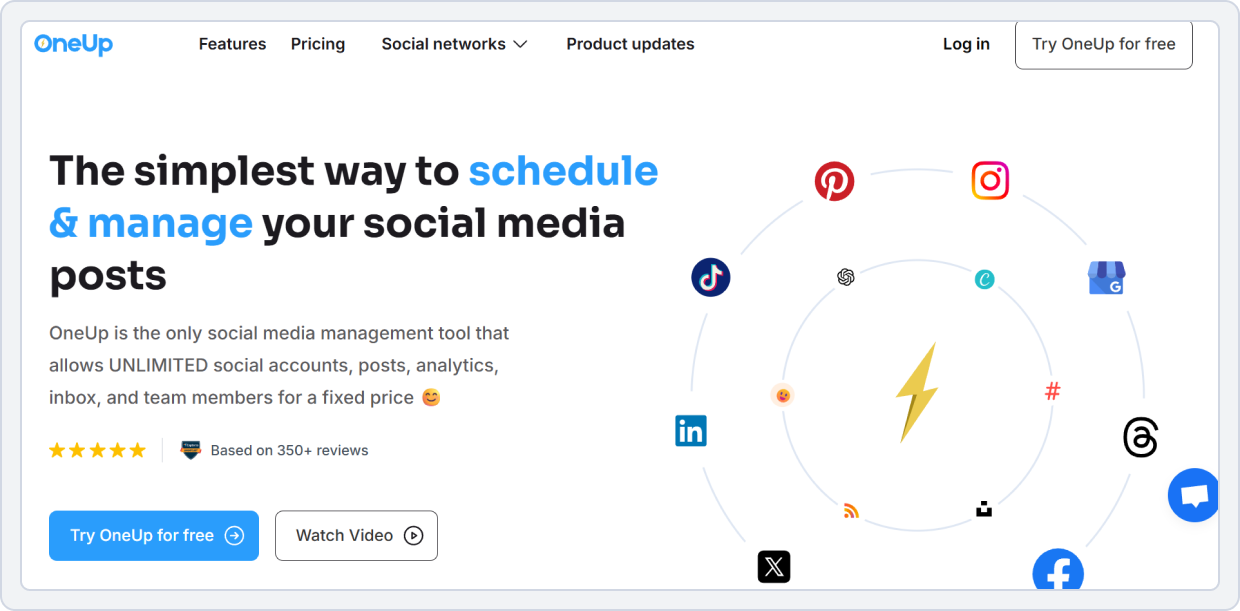
If your goal is to maintain a consistent social presence effortlessly, OneUp is the perfect Post Planner alternative with evergreen scheduling. It allows users to create a post once and have it automatically recycled over time, ensuring your social channels never go silent.
OneUp vs Post Planner
Below is a side-by-side breakdown of OneUp’s scheduling, automation, analytics, and content library features vs. Post Planner. Each criterion includes a key takeaway summarizing who performs better.
1. Analytics & Reporting
OneUp is a smart Post Planner alternative for creators, agencies, and small businesses. It helps you track how well your posts are performing and gives more useful data than Post Planner, which only shows likes and comments. OneUp is perfect for social media content inspiration, finding high-performing content, and improving your social media content strategy.
- See how many people liked, commented, shared, or viewed each post across multiple platforms.
- Know which posts perform best on Instagram, Facebook, LinkedIn, TikTok, YouTube, Pinterest, and Google Business Profile.
- Combine analytics from different accounts into a single report to share with your team or clients.
- Send weekly, monthly, or quarterly reports automatically.
- Get a quick look at your overall social media performance in one place.
OneUp vs Post Planner Key Takeaway: OneUp provides detailed analytics and reporting, helping you discover viral content, plan better posts, and track engagement effectively. This makes it one of the best Post Planner alternatives for creators, agencies, and small businesses who want real insights, not just basic metrics.
2. Platform Connection
Both platforms cover most major networks, but OneUp supports a few extra channels for creators and teams:
- Post Planner connects to Facebook, Instagram, BlueSky, Threads, YouTube, X (Twitter), TikTok, Pinterest, LinkedIn, and Google Business Profile.
- OneUp connects with Facebook, Instagram, LinkedIn, Twitter, Google Business Profile, TikTok, YouTube, Reddit, X (Twitter), Threads, and BlueSky.
OneUp vs Post Planner Key Takeaway: OneUp offers slightly broader platform coverage, making it ideal as a Post Planner alternative for multi-platform scheduling, including emerging networks like Reddit.
3. Team Collaboration Gaps
OneUp lets teams work together on social media, but its features are basic.
- More than one person can help manage social media posts.
- Posts can be checked and approved before they go live.
- The team can plan and schedule posts together in one place.
- Works well for small agencies or small teams managing client accounts.
OneUp vs Post Planner Key Takeaway: OneUp is good for small teams and agencies that need simple teamwork and post approvals. For bigger teams that need advanced collaboration, other Post Planner alternatives may work better.
4. Cost options
The pricing comparison below highlights how OneUp’s tiered plans compare to Post Planner’s, showing where OneUp’s automation-heavy features justify the price difference.
Ocoya | Post Planner | |
Platforms | TikTok, Facebook, Instagram, YouTube, LinkedIn, X, Pinterest, Threads, Google Business Profile, Discord, Telegram, Slack | Facebook, Instagram, BlueSky, Threads, YouTube, Twitter(X), TikTok, Pinterest, LinkedIn, and Google Business. |
Free Plan | No | Schedule posts: Limited Offers a free trial with each plan |
For Small Business | $49 /month -5 workspaces -5 Users -20 social profiles | $25 /month -1 Social Set (8 profiles total) -1 user |
For Agencies | $199 /month -50 Users -Unlimited workspaces -150 social profiles | $110 /month -6 Social Sets (48 profiles total) -4 users |
Verdict | Ocoya is ideal for agencies and teams needing multiple workspaces, extensive social profiles, and advanced automation. | Post Planner is better for smaller teams or individual users who need basic scheduling across fewer accounts. |
OneUp vs Post Planner Final Takeaway:
Post Planner is best for beginners and solo users, thanks to its free plan and high AI credits. OneUp is better for growing teams and agencies, offering more accounts, unlimited posts, team collaboration, and advanced scheduling. For small teams, Post Planner is cheaper; for larger teams, OneUp is the better choice.
Best Content Curation Tools Besides Post Planner
Good content curation tools do more than schedule posts. They help you find trending topics, organize your ideas, and reuse content across multiple platforms. Unlike Post Planner, these tools offer automation, content libraries, and multi-platform support to speed up and improve the effectiveness of posting. Here are some standouts:
- SocialBu
Offers a curation feature (organize, share, generate posts), which makes it easy for brands to find fresh content, repurpose posts, and keep their social feeds active and engaging without spending hours searching online.
- Pallyy
Supports content scheduling + visual planning; while not built as a deep “content discovery” engine, it is good for basic curation workflows.
- Ocoya
Has built-in RSS and automation workflows (e.g., new RSS item → create social post), which allows curating external content.
Summary: If you want tools that go beyond just scheduling and into “find & repurpose content” territory, SocialBu and Ocoya are stronger picks.
Best Post Planner Alternatives for Engagement
“Engagement” means: tools that help you not only publish but also engage (comments/messages) and optimize posts for engagement.
- SocialBu: Has a unified dashboard + comments/mentions management.
- Metricool: With analytics and best‑time suggestions, you can optimize for engagement.
- OneUp: Supports inbox (comments/DMs) and unified inbox across networks.
Summary: If you want engagement‑centric workflows (not just scheduling), SocialBu and One-Up are good alternatives.
Conclusion
Post Planner is a handy tool for getting started with social media scheduling. Still, it can feel a bit basic when it comes to analytics, automation, teamwork, and posting across multiple platforms. That’s where tools like SocialBu, OneUp, Metricool, and Ocoya shine.
These smart tools make scheduling posts, finding trending content, and engaging with your audience super easy. They come with ready-made post templates, AI content suggestions, media libraries, and even bulk scheduling so you can save tons of time.
Plus, they work on all your favorite platforms: Instagram, Facebook, Twitter, LinkedIn, TikTok, Pinterest, and YouTube. So you can manage everything from one dashboard.
Best of all, many plans are wallet-friendly, making them perfect for small businesses, social media managers, freelancers, and agencies who want to grow their reach without the headache.
Pick the tool that makes your work easier and more fun, and tell us which one is your favorite and which you are using right now.
Automate Your Social Media Growth With Less Hassle
Plan, Schedule, and Automate your social content effortlessly with SocialBu!
FAQs
Q: What are the best content curation tools besides Post Planner?
SocialBu, Ocoya, and Pallyy excel at content curation with features such as RSS integration, post automation, and media libraries.
Q: Which tools offer better viral content discovery?
Ocoya and Metricool help identify trending content, optimize formats, and suggest viral posts using AI and analytics.
Q: Are there more affordable Post Planner competitors?
Yes. Pallyy, OneUp, and SocialBu offer cost-effective plans suitable for small businesses and bloggers.
Q: What are the top alternatives for content inspiration?
SocialBu, Kontentino, Ocoya, and Pallyy provide content ideas, post templates, and visual planning for creative inspiration.
Q: Which tools provide better post templates?
Ocoya leads with thousands of ready-to-use image and video templates, followed by Pallyy’s visual planner.
Q: What are the best Post Planner alternatives for engagement?
OneUp, SocialBu, and Metricool support multi-platform engagement with comment management and unified inboxes.
Q: Are there alternatives with better scheduling options?
SocialBu, OneUp, Metricool, and Kontentino offer bulk scheduling, recurring posts, and visual calendars for optimized planning.
Q: Which competitors offer better content performance tracking?
SocialBu, Metricool, and Kontentino provide advanced analytics, post-performance insights, and competitor tracking.









