Social media feels like too much in 2026. Algorithms shift. Trends disappear in days. Brands post daily but still struggle with reach and engagement.
But the real problem is not having a clear monthly social media posting plan. Just random ideas and rushed content.
If you want real growth, you need a structured social media posting plan for 2026 that works every single month.
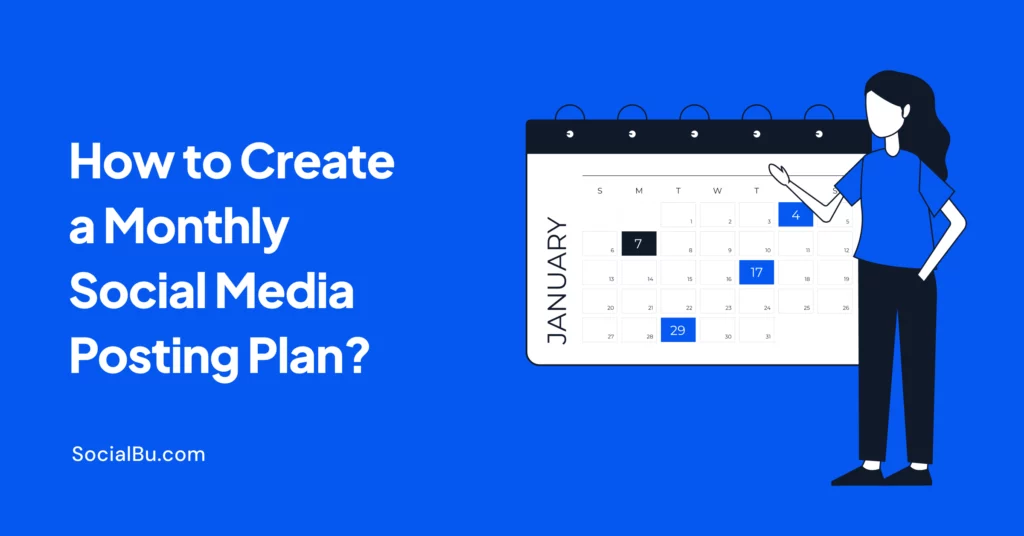
In this guide, you’ll learn exactly how to create a monthly social media posting plan, build a smart monthly social media content plan, and turn chaos into a simple system that saves time and gives results.
What Is a Monthly Social Media Posting Plan?
A monthly social media posting schedule is a simple system that defines:
- What to post
- When to post
- Where to post
- Why you’re posting it
Instead of deciding every day, you plan once and execute smoothly all month. A strong social media calendar 2026 usually includes:
- Date
- Platform
- Content type (short-form or long-form)
- Caption
- Media
- Hashtags
- Status (draft, approved, scheduled)
This becomes your social media publishing plan. Without a plan, you react. With a plan, you grow.
Why You Need a Monthly Social Media Posting Plan in 2026?
Did you know that over 5 billion people use social media worldwide? Attention spans are short. Competition is high. A strong social media posting plan 2026 helps you:
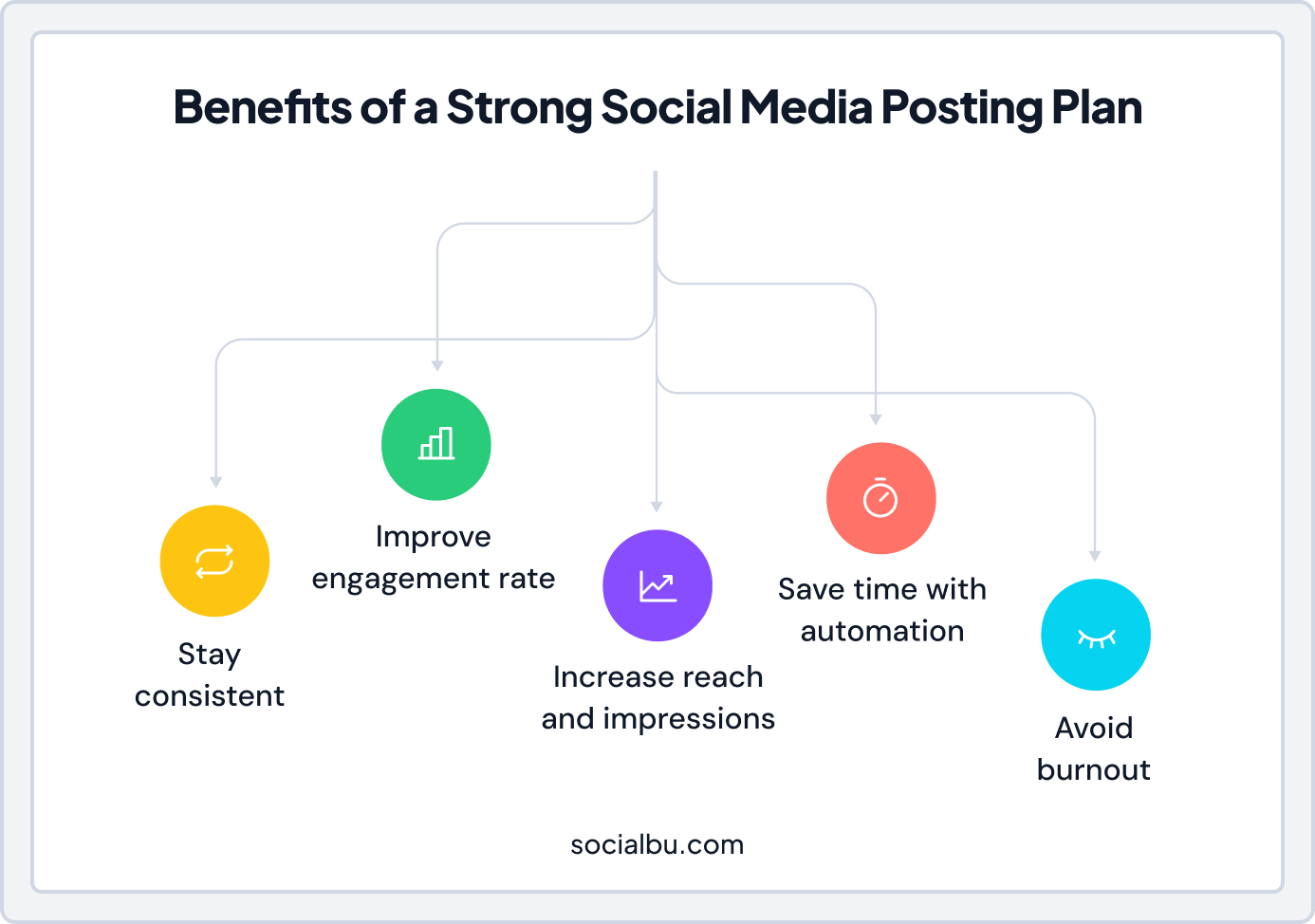
Without a plan, you react. With a plan, you grow.
Growth on social media is not luck. It is structured. Brands that see steady results follow a clear monthly social media posting plan rather than posting at random. If you want a smarter social media posting plan 2026, you need a repeatable system.
Monthly Social Media Checklist
Use this quick monthly social media checklist:
- Goals defined
- Content pillars finalized
- Monthly theme selected
- Calendar filled
- Content batched
- Posts scheduled
- Analytics reviewed
- Monthly reporting completed
Repeat every month. That’s how you create a scalable monthly posting system. Let’s break down exactly how to create a monthly social media posting plan that works.
How to Create a Monthly Social Media Posting Plan (2026 Guide)
Planning your content month by month is no longer optional. It is essential for growth in 2026. A well-structured monthly social media posting plan helps you stay organized, consistent, and focused on real results.
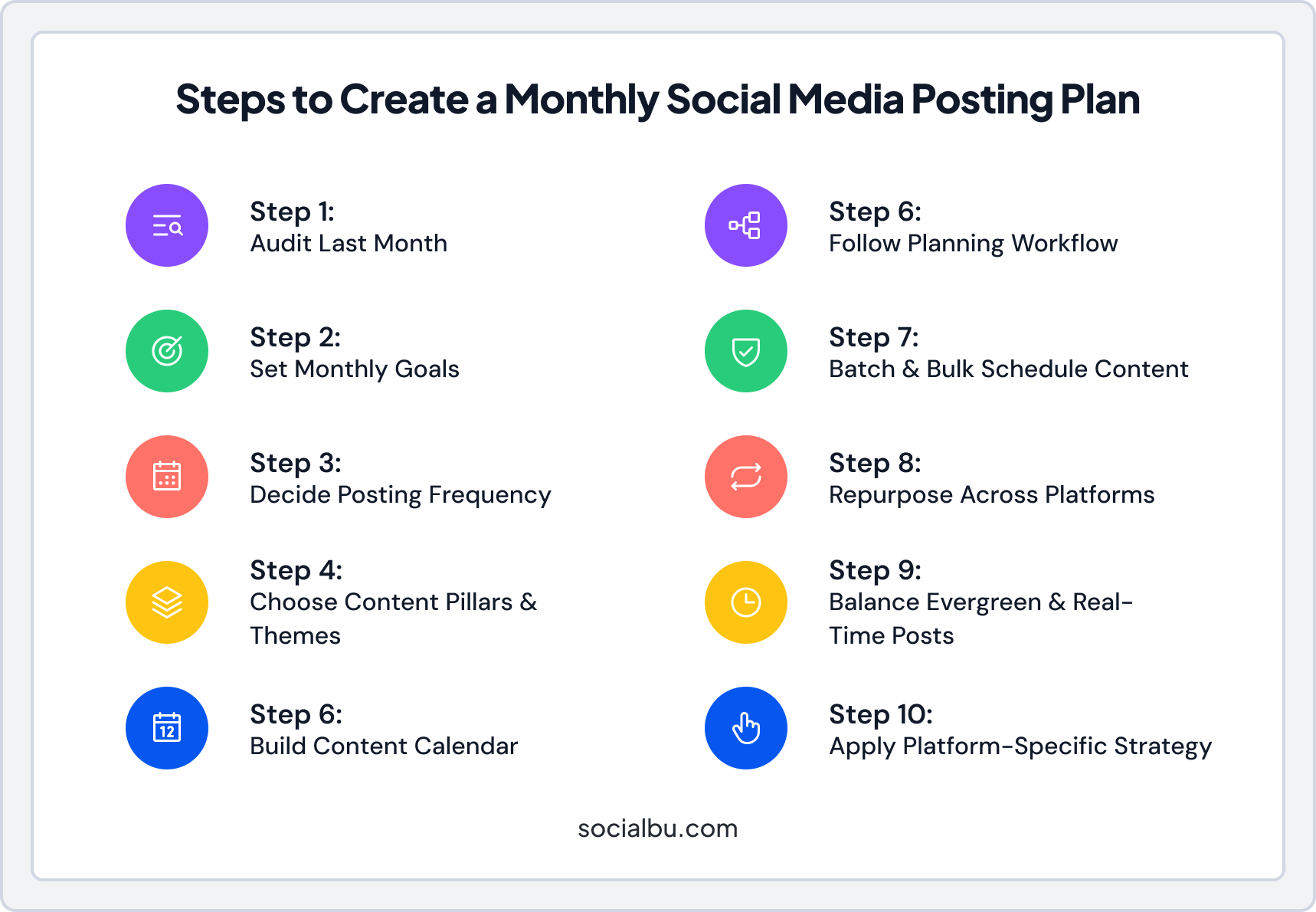
In this section, you’ll learn how to create a monthly social media posting plan, develop a strong monthly social media content plan and set up a system that supports long-term success.
Audit Before You Plan
Before building a social media content calendar monthly, review last month’s performance.
Ask:
- Which posts had the highest engagement rate?
- What drove the most reach and impressions?
- Which short-form vs long-form planning performed better?
- When was your audience most active?
This supports better social media analytics for planning. If you don’t analyze, you repeat mistakes. If you review performance insights and audience insights monthly, your next plan improves automatically.
Set Clear Goals for Your Monthly Social Media Strategy
Before creating a social media content calendar monthly, define your goals.
Ask yourself:
- Do you want more leads?
- More engagement?
- More website clicks?
- Better brand voice consistency?
Your monthly social media strategy should match business goals.
Example Goal Table
Goal | Metrics to Track | Tool |
Brand awareness | Reach and impressions | Platform analytics |
Engagement growth | Engagement rate | Insights dashboard |
Lead generation | Click-through-rate | Google Analytics |
Community growth | Follower increase | Native Analytics |
This makes your social media analytics for planning easier later.
Decide Posting Frequency
One common question: how many posts per month on social media 2026?
Posting frequency for social media posting plan:
- Instagram → 12-20 posts
- Facebook → 8-16 posts
- LinkedIn → 8-12 posts
- TikTok → 12-25 posts
- X (Twitter) → 20+ posts

Here’s a simple starting point:
But frequency depends on:
- Audience behavior
- Resources
- Team capacity
- Community management needs
The best posting frequency for monthly social media planning focuses on quality over volume. Avoid manual posting daily.
Choose Content Pillars and Monthly Theme Planning Social Media
To keep content consistent across a month, use 3–5 content pillars.
Example:
- Educational
- Behind-the-scenes
- Testimonials
- Promotional
- Trends
Add monthly theme planning social media to make it focused.
For Example:
- January: Goal setting
- February: Community stories
- March: Product education
This helps with campaign-based content planning and brand voice consistency.
Once your themes and pillars are ready, it’s time to bring everything together into a visual content plan. This is where your social media content calendar comes in: a simple way to organize and schedule your posts for the month.
Build a Social Media Content Calendar
Start simple. You don’t need complex software in the beginning. Use tools like:
- SocialBu
- Google Sheets
- Notion
- Airtable
- Or a ready-made monthly social media calendar template
If you want built-in scheduling, automation, and analytics in one place, SocialBu can help streamline your social media management workflow. It’s useful for bulk-scheduling social media posts and managing multiple platforms from a single dashboard.
Social Media Content Planning Workflow
A strong social media content planning workflow looks like this:
- Idea generation
- Content batching
- Design & copywriting
- Approval workflow
- Scheduling
- Analytics and reporting
This creates a smooth social media management workflow and improves team collaboration.
Content Batching and Bulk Scheduling Social Media Posts
If you ask agencies how they manage 10+ clients, the answer is simple: Social media content batching.
How to batch content for a month:
- Write all captions in one day
- Design graphics in one session
- Record all short-form content together
- Edit in bulk
Then use tools to bulk-schedule social media posts. This saves 30–50% time monthly. It also helps you create a scalable system.
Cross-Platform Content Planning
One post. Multiple formats.
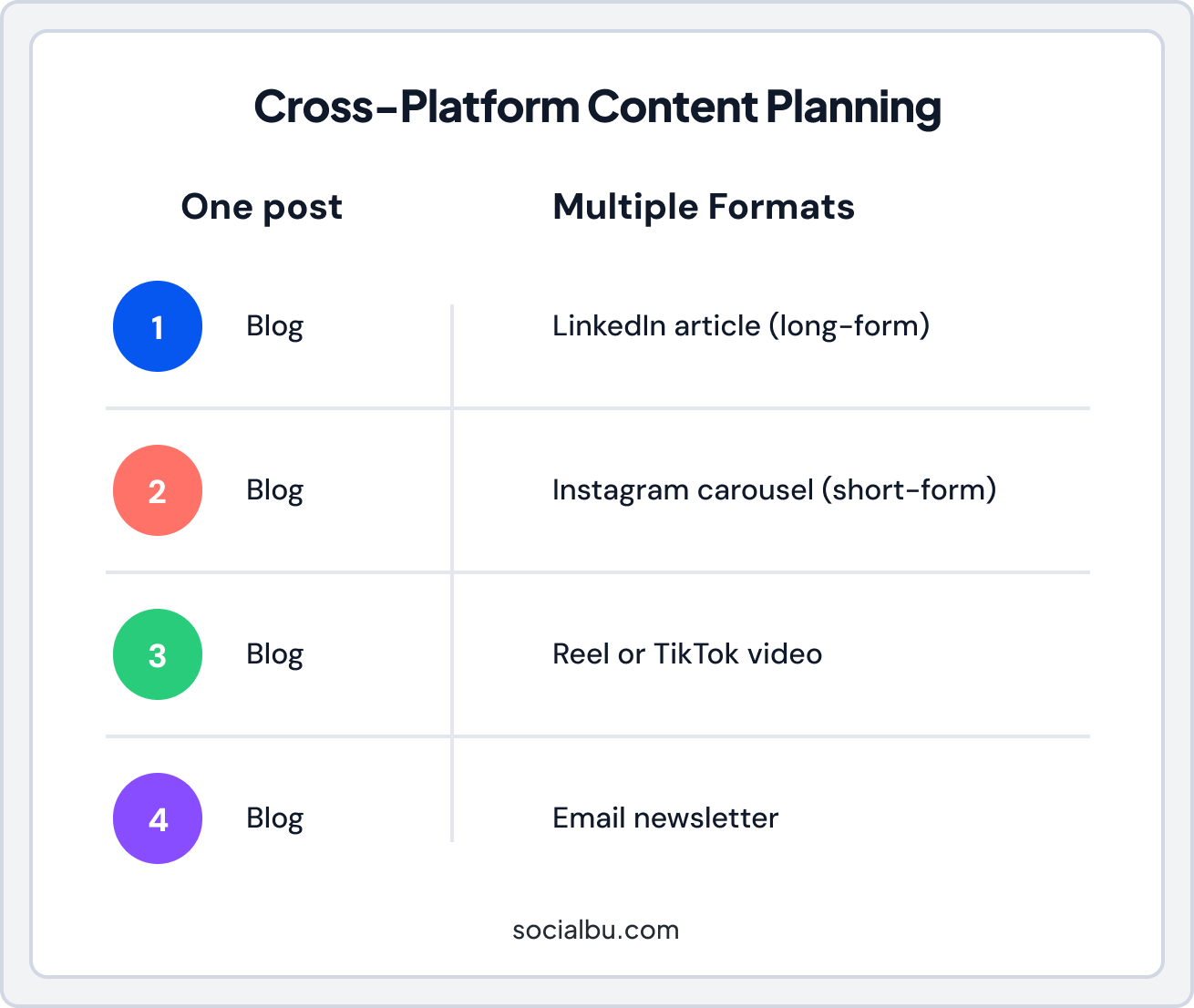
This is called a content repurposing strategy. It improves reach without extra work. That’s how you plan content for multiple social media platforms efficiently.
Evergreen Content Scheduling vs Real-Time Posting
Balance is key. Your monthly social media posting schedule should include:
- 70% evergreen content
- 20% campaign planning
- 10% real-time posting
Evergreen content scheduling keeps your calendar full. Real-time posting keeps you relevant.
Platform-Specific Content Planning
Avoid copy-paste posting. Each platform prefers platform-native content.
Platform | Best Format |
Reels, Carousels | |
Thought leadership | |
TikTok | Short-form video |
Community updates |
This is how you create the best monthly social media posting plan for brands, agencies, and small businesses in 2026.
Tools for Building a Social Calendar
If you want a strong monthly social media posting plan, you need the right tools. Here are some of the best tools for social media planning:
- SocialBu: All-in-one social media management and scheduling tool
- Google Sheets: Simple content calendar
- Notion: Flexible planning workspace
- Airtable: Database-style content tracking
- Trello: Visual workflow boards
If you want everything in one place, planning, scheduling, automation, analytics, and team collaboration. SocialBu is a powerful option.
Why Use SocialBu for Your Monthly Social Media Posting Plan?
If you’re learning how to create a monthly social media posting plan, tools matter. SocialBu helps with:
1. Multi-Platform Management
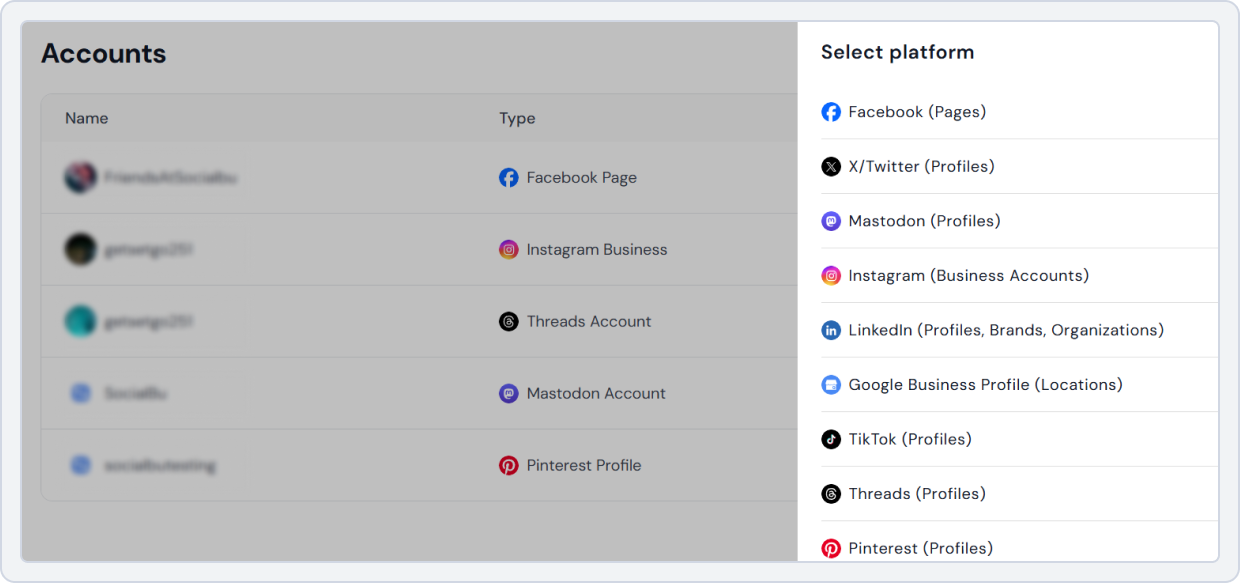
Manage Instagram, Facebook, LinkedIn, TikTok, and X from one dashboard. Perfect for cross-platform content planning and platform-specific content planning.
2. Bulk Scheduling Social Media Posts
Upload and schedule a full month in one session. Ideal for social media content batching and saving time.
3. Content Calendar View
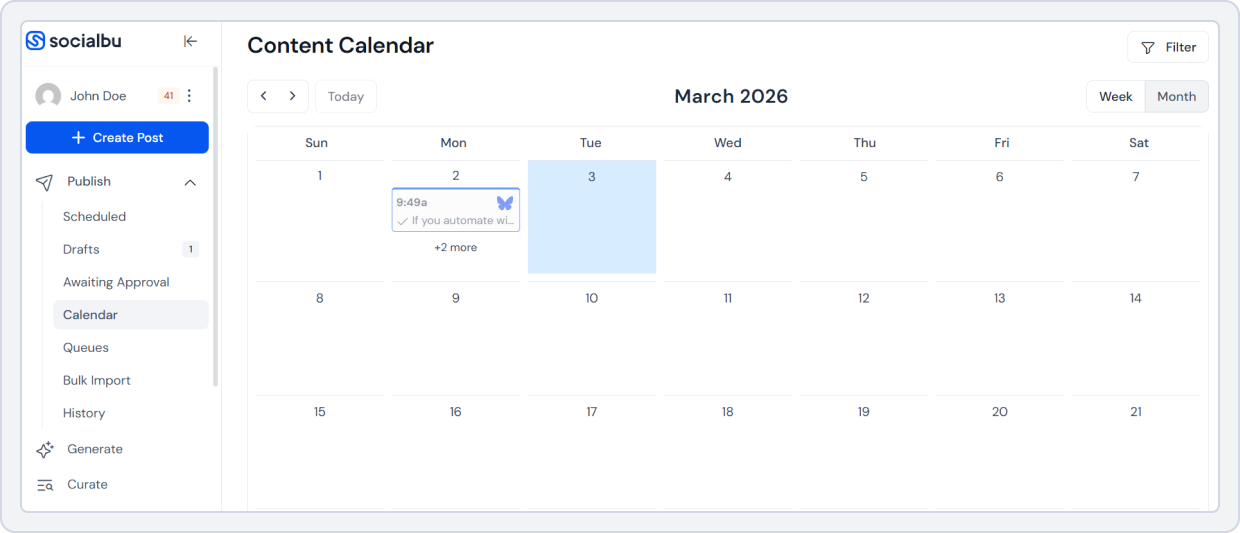
See your entire social media posting schedule monthly in one visual calendar. Plan campaigns, evergreen posts, and real-time content easily.
4. Automation
With SocialBu, you can schedule posts in advance and let them publish automatically.
You don’t need to log in every day to post manually. Set the best posting times once, and the tool handles the rest. This saves hours every week and improves workflow optimization. It also keeps your monthly social media posting plan consistent and stress-free.
5. Analytics & Reporting
Track:
- Reach and impressions
- Engagement rate
- Audience insights
- Performance insights
This supports better social media analytics for planning and smarter monthly social media reporting.
6. Team Collaboration
With SocialBu, your team can create posts as drafts before they go live. You can review content, request edits, and approve posts in one place. No more long email threads or missed feedback. This makes your social media approval workflow smooth and organized.
It helps agencies and teams manage a monthly social media posting plan without confusion.
How to Use SocialBu for a Monthly Social Media Content Plan?
Here’s your step-by-step monthly social media planning guide 2026 using SocialBu. Simple steps. Clear system.
Step 1: Connect Your Social Media Accounts
Log in to SocialBu. Connect Instagram, Facebook, LinkedIn, TikTok, or X.
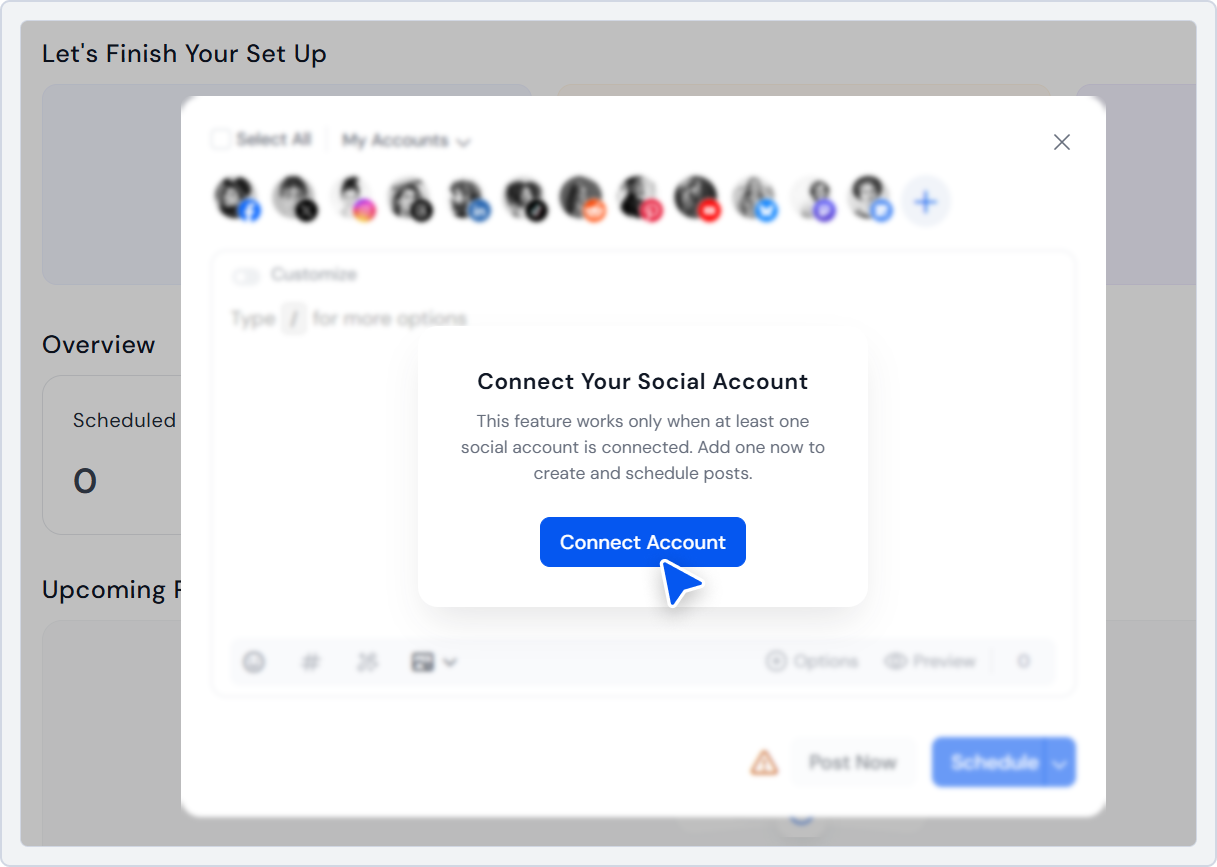
Now you have centralized multi-platform management. This is the base of your social media management workflow.
Step 2: Open the Content Calendar
Go to calendar view. You now see your social media content calendar monthly layout.
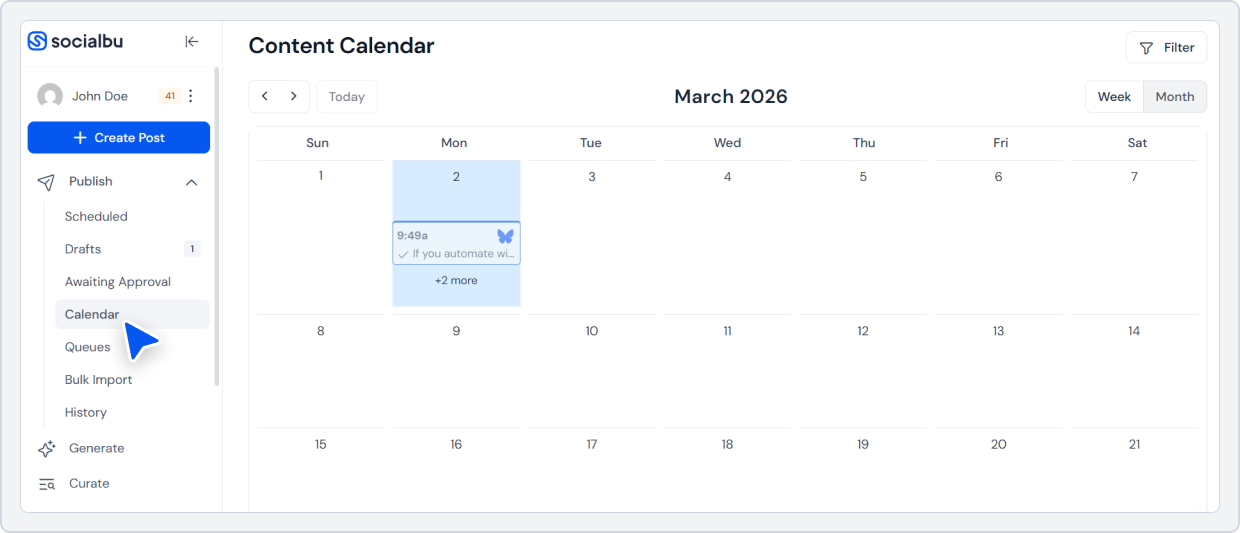
This is your working board for:
- Campaign-based content planning
- Monthly theme planning for social media
- Evergreen content scheduling
Step 3: Create Posts in Bulk (Content Batching)
Now it’s time for how to batch content for a month.
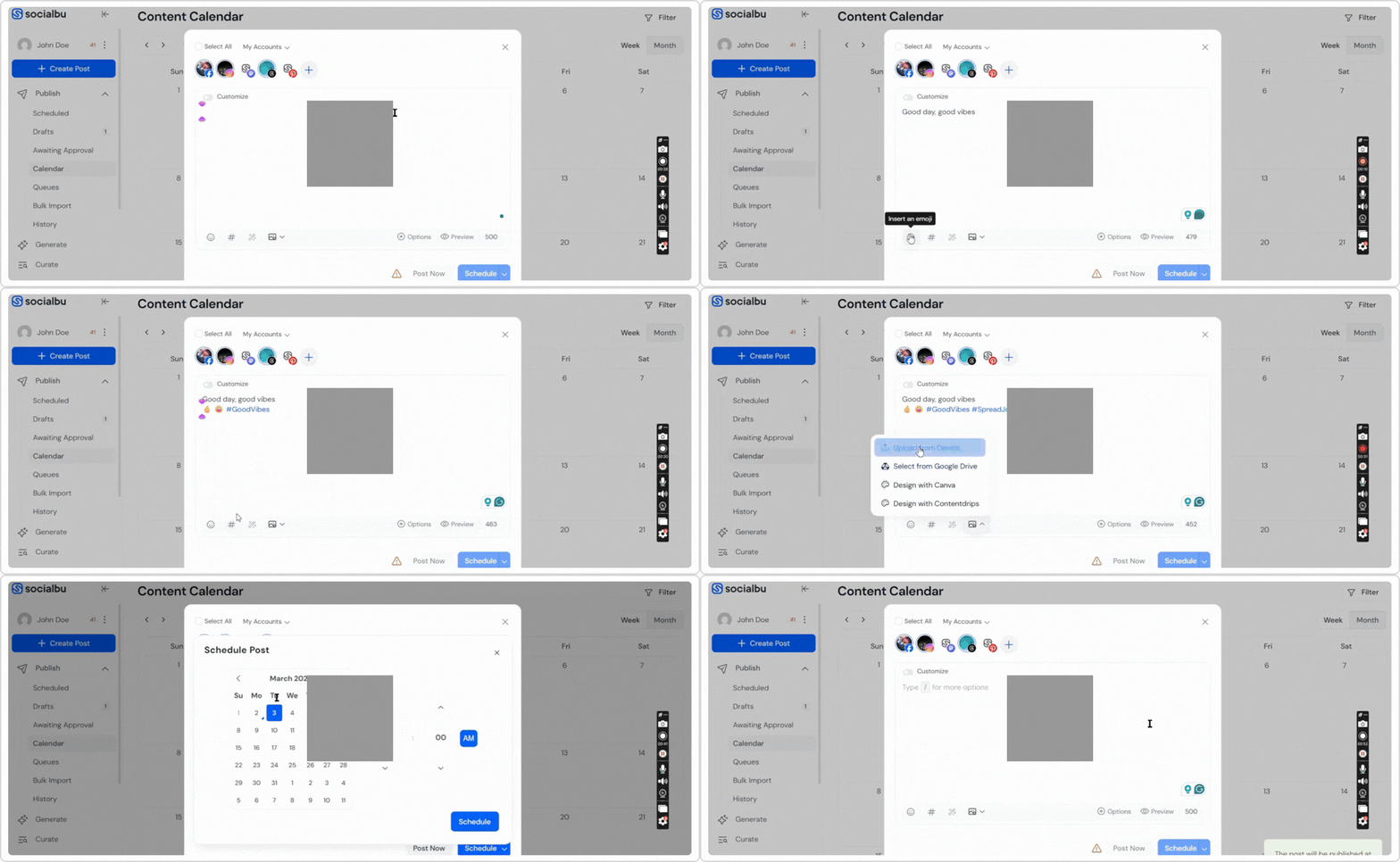
Inside SocialBu:
- Click “Create Post.”
- Write caption.
- Upload media.
- Select multiple platforms
- Customize for each platform (avoid copy-paste).
Repeat until your month is filled.
You can create:
- Reels (short-form content)
- LinkedIn articles (long-form content)
- Carousel posts
- Community updates
Step 4: Use Bulk Scheduling
Instead of manual posting, choose dates in advance. Schedule 30 days at once. Now you have a complete social media posting schedule monthly.
How SocialBu Supports a Scalable Monthly Posting System?
If you want the best monthly social media posting plan for brands, you need:
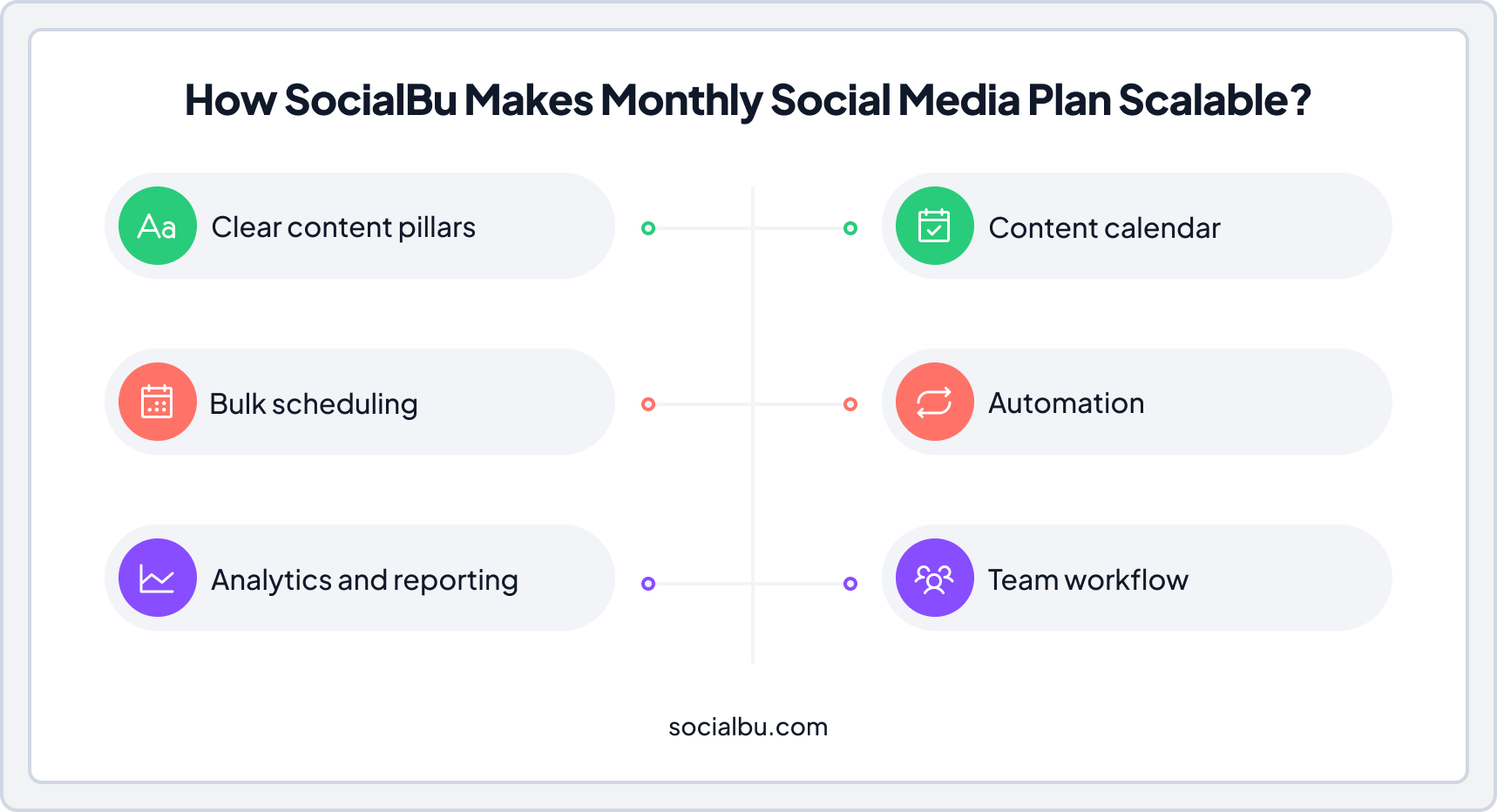
SocialBu combines all of this in one place. With the right tool and a clear system, your monthly social media posting plan becomes easier, faster, and more consistent.
Now, let’s move to the next section, where you’ll learn about content planning for social media and more.
Monthly Social Media Planning Mistakes to Avoid
- Posting without a strategy
- Ignoring analytics
- No content mix
- No approval workflow
- Overposting low-quality content
- Not balancing short-form vs long-form planning
Keep it simple. Stay consistent.
Conclusion
Social media in 2026 can feel fast, chaotic, and overwhelming, but it doesn’t have to be.
The trick is a clear monthly social media posting plan that turns random posts into a simple, repeatable system. Set your goals, define content pillars, plan themes, batch content, schedule posts, track analytics and suddenly growth feels effortless.
With SocialBu, everything falls into place. From managing multiple platforms and scheduling posts in bulk to automating publishing, tracking performance, and collaborating with your team. SocialBu makes executing a monthly social media content plan smooth, efficient, and stress-free.
Create a monthly social media posting plan and see your brand engage, grow, and shine.
Tired of posting randomly on social media?
Plan, schedule, and manage all your social media in one place with SocialBu
FAQs
Q: How far in advance should you plan social media posts in 2026?
Plan at least a month ahead to ensure consistent content flow, campaign alignment, and enough time for content batching and approvals.
Q: How many posts should you plan per month on social media?
Depends on the platform and audience, but a starting point is: Instagram 12-20, Facebook 8-16, LinkedIn 8-12, TikTok 12-25, X 20+. Focus on quality over volume.
Q: What should be included in a monthly social media posting plan?
Goals, content pillars, monthly themes, a content calendar, batch-created posts, scheduled publishing, analytics tracking, and reporting.
Q: Is it better to plan monthly or weekly social media content?
Monthly planning provides structure and enables batching and scheduling; weekly planning is best for fine-tuning and real-time posts.
Q: How do you create a social media content calendar for a month?
List all posts, assign dates, platforms, content types, captions, media, and status. Tools such as SocialBu, Google Sheets, Notion, and Airtable simplify this process.
Q: What tools are best for monthly social media planning?
For an all-in-one solution: SocialBu. For simpler or flexible options: Google Sheets, Notion, Airtable, Trello.
Q: How do you batch content for a month efficiently?
Write all captions at once, design all graphics in one session, record short-form videos together, and schedule them in bulk.
Q: How do you balance evergreen and trending content?
Aim for 70% evergreen, 20% campaign-based, and 10% real-time posts. Evergreen posts keep your calendar full; trending content keeps you relevant.