Running several Instagram profiles at once? You’re probably wondering how to manage multiple Instagram accounts more effectively.
In 2026, more creators, agencies, freelancers, and small businesses are juggling multiple profiles than ever before. From personal brands to client portfolios, manually switching between accounts can quickly become overwhelming.
That’s why using the right tools, workflows, and strategies is essential. Whether you manage accounts on iPhone, desktop, or through third-party apps, there are more innovative ways to stay organized and efficient.
Read on to learn how to set up, switch, and manage your Instagram profiles effectively.
TL;DR
- Managing multiple Instagram accounts is easy once you use the right setup.
- Manual switching is fine for solo users but inefficient for teams.
- Third-party scheduling requires Business/Creator accounts and API access (with possible rate limits).
- SocialBu, a social media scheduler, is a better fit for creators, agencies, and SMBs seeking automation, scalability, and unified management.

Why Does Running Multiple Instagram Profiles Make a Difference?
Before jumping into the “how,” it’s important to understand why managing multiple accounts can transform your online presence. Having different profiles isn’t merely a convenience. It’s a strategic advantage that lets you target precise audiences and fine‑tune your storytelling.
Let’s explore how running multiple profiles can give you more focus, flexibility, and creativity across your brand network.
1. Clearly Separate Personal and Professional Content
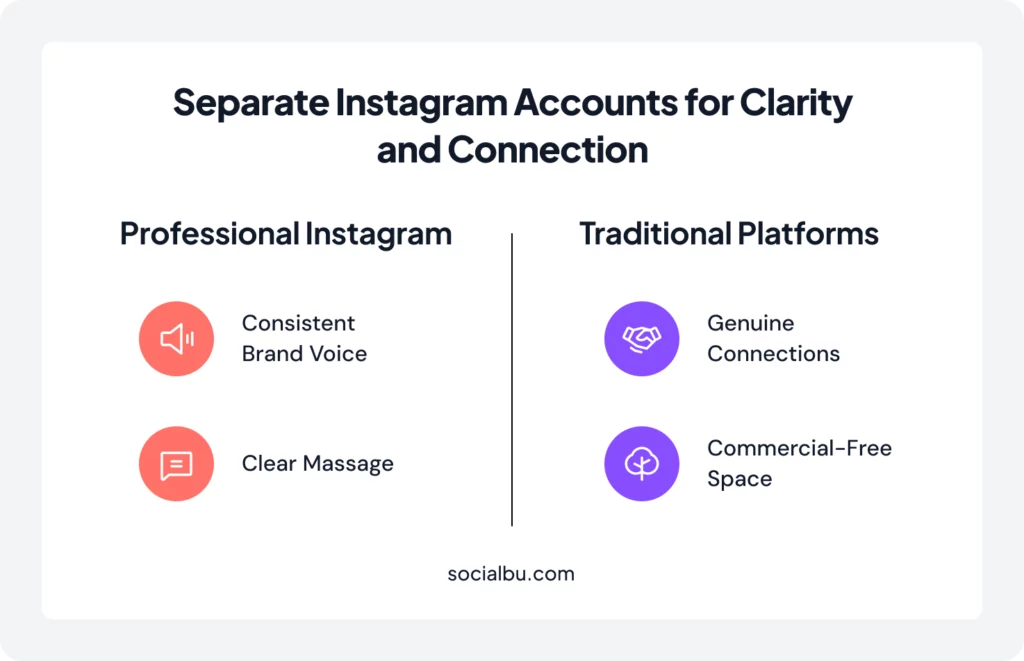
One of the most compelling reasons to maintain distinct Instagram accounts is to draw a clear line between your personal life and your professional endeavors.
As a result, your professional profile can maintain a consistent brand voice and a clear message, free from the clutter of personal updates.
And once you’ve drawn that line, new creative opportunities open up, including the freedom to experiment without risk.
2. Test New Marketing Strategies Without Risking Your Main Profile
Having multiple Instagram profiles provides a solid ground for experimentation. You can leverage multiple accounts to test various Instagram marketing strategies, content formats, and engagement tactics without risking your primary brand profile’s established audience.
For instance, you might use one account for influencer collaborations and another for product launches. Moreover, by analyzing each strategy’s performance on its respective profile, you gain invaluable insights into what resonates most with different segments of your audience.
This approach also allows you to experiment with posting frequencies, caption styles, hashtag strategies, and content themes. If a new approach fails on a secondary account, your main brand remains untouched. If it succeeds, you can confidently roll it out across all profiles.
3. Customize Content to Different Audience Segments for Higher Engagement
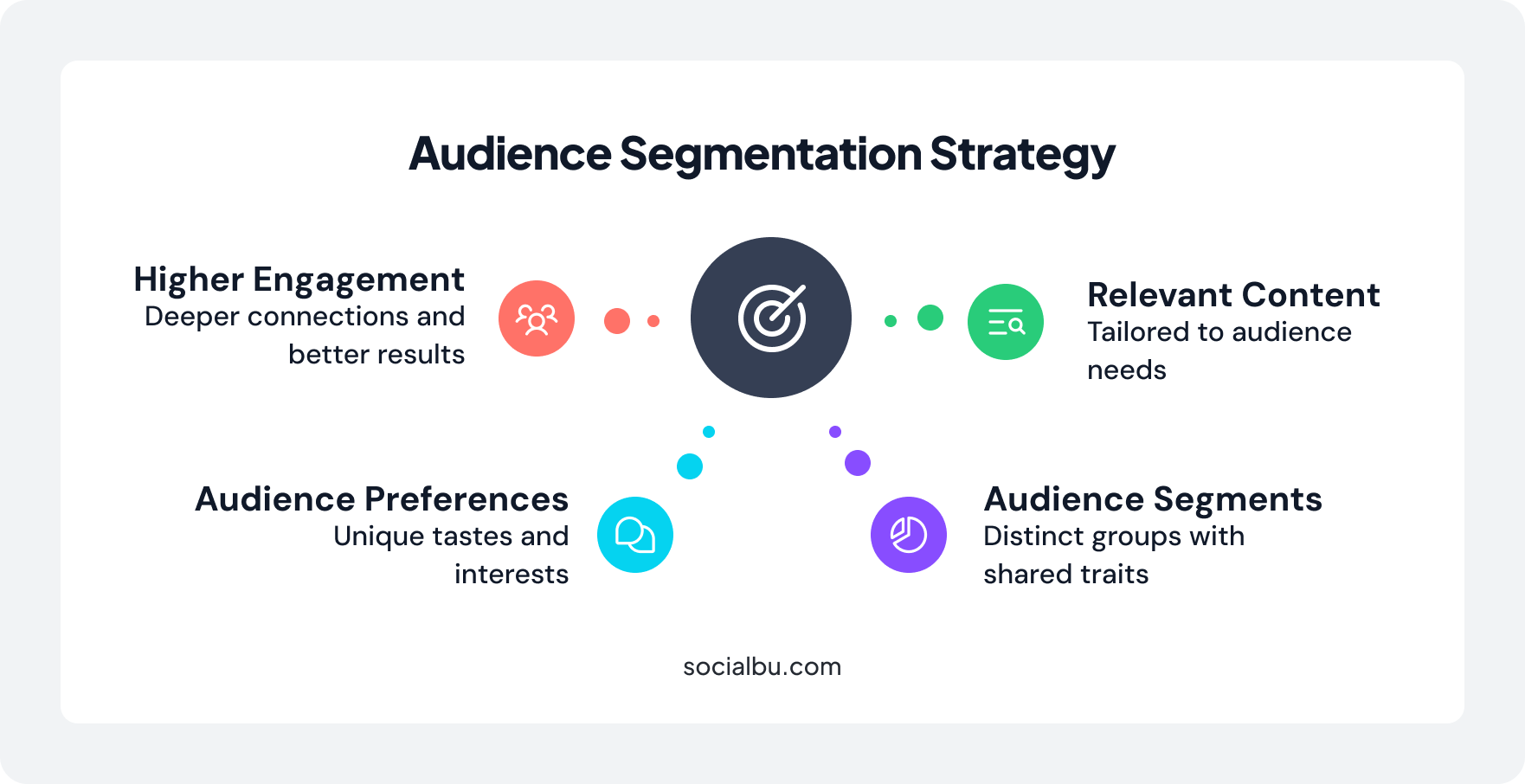
Every audience segment has unique preferences, interests, and engagement patterns. Multiple Instagram accounts let you cater to these distinct groups.
For example, Nike operates @nike as its flagship for broad lifestyle inspiration, while @nikerunning focuses on training tips and gear for runners, and @nikewomen highlights empowering stories and apparel tailored to female athletes.
And once you’re tailoring messages for unique audiences, the next progression is tailoring them for unique places.
4. Build Stronger Location or Language-Specific Communities
For businesses operating in multiple regions or serving diverse linguistic communities, separate Instagram accounts can be transformative. A restaurant chain might maintain different profiles for each city location, sharing locally relevant promotions and events.
Similarly, global brands often create language-specific accounts to connect authentically with audiences in different countries. A Spanish-language account can share culturally relevant content, local holidays, and region-specific offers that wouldn’t resonate with an English-speaking audience.
Having region‑specific accounts, for example, allows global brands to sound local and relatable. The next step, especially if you handle clients or brands beyond your own, is ensuring organization at scale.
5. Grow Agency or Freelance Operations and Stay Organized
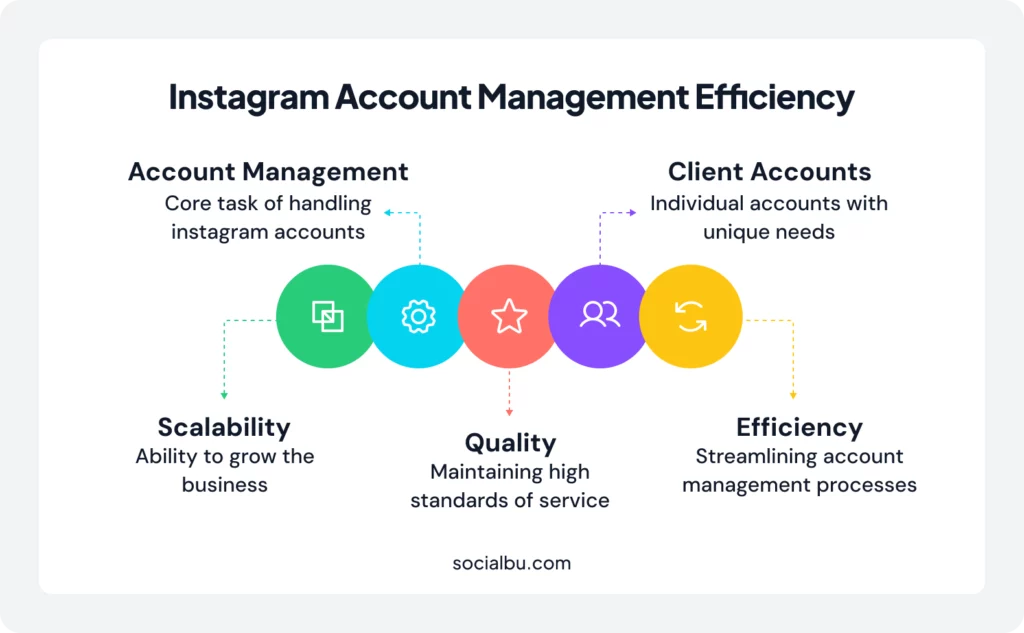
For social media managers, agencies, and freelancers, managing multiple Instagram accounts isn’t optional. It’s the core of the business model. Each client represents a separate account with unique brand guidelines, posting schedules, and audience demographics.
Having systems in place to manage these accounts efficiently directly impacts your ability to scale. The more accounts you can manage effectively, the more clients you can serve without sacrificing quality.
This scalability also creates opportunities for specialization. An agency might develop expertise in managing Instagram accounts for restaurants, fitness brands, or e-commerce stores, creating repeatable processes that improve efficiency with each new client.
Manage Multiple Instagram Accounts in One Place
And now that we’ve seen why multiple accounts matter, let’s dive into how to switch and manage them efficiently.
How to Switch Between Multiple Instagram Accounts?
Now that you understand why multiple accounts matter, the next step is learning how to navigate between them efficiently.
Whether you’re using your phone or desktop, Instagram offers built-in options to switch profiles, though each comes with its own limitations.
1. With Native Instagram App
Instagram itself allows linking up to five accounts, and switching among them is as easy as a few taps. This setup works fine for individuals or very small teams.
Here’s a quick rundown on how to manage multiple Instagram accounts on iPhone or Android:
- Add Accounts: Go to your profile, tap your username at the top, and select ‘Add Account.’ Follow the prompts to log in or create a new profile.
- Switching: Once added, you can switch by tapping and holding your profile picture in the bottom right corner, then selecting the desired account from the pop-up menu. Alternatively, double-tapping your username at the top of your profile page often switches to your most recently used alternate account.
This native functionality simplifies managing up to five Instagram accounts, allowing you to check notifications and post from different profiles directly on your phone.
2. On Desktop
Managing multiple Instagram accounts on desktop can be tricky because Instagram’s web version often logs you out when you switch between accounts. However, several practical workarounds exist:
- Use Different Browser Profiles: Create separate browser profiles (for example, Chrome’s “Add Person” feature) to stay logged into multiple accounts simultaneously. Each profile maintains its own cookies and sessions, so you won’t get logged out when switching.
- Avoid Incognito Mode: Although tempting, Incognito windows reset sessions when closed, making them less ideal for regularly managing multiple accounts.
- Use Meta Business Suite: For Business and Creator accounts, Meta Business Suite provides a centralized dashboard for managing Instagram and Facebook pages, handling DMs, and scheduling posts.
How to Manage Multiple Instagram Accounts With SocialBu?
At this point, you know how to switch accounts, stay secure, and share access with your team. But if you’re managing more than a handful of profiles, doing all of this manually becomes a full-time job.
Let SocialBu – an all-in-one social media management tool – manage your Instagram profiles here. It gives you one place to schedule, monitor, and engage across all your accounts.
SocialBu stands out as the top social media management tool, effortlessly streamlining the management of multiple Instagram accounts from a single, intuitive interface.
Here’s an in-depth look at how SocialBu helps manage multiple Instagram accounts:
1. Use SocialBu’s Dashboard as Your Multi-Account Control Center
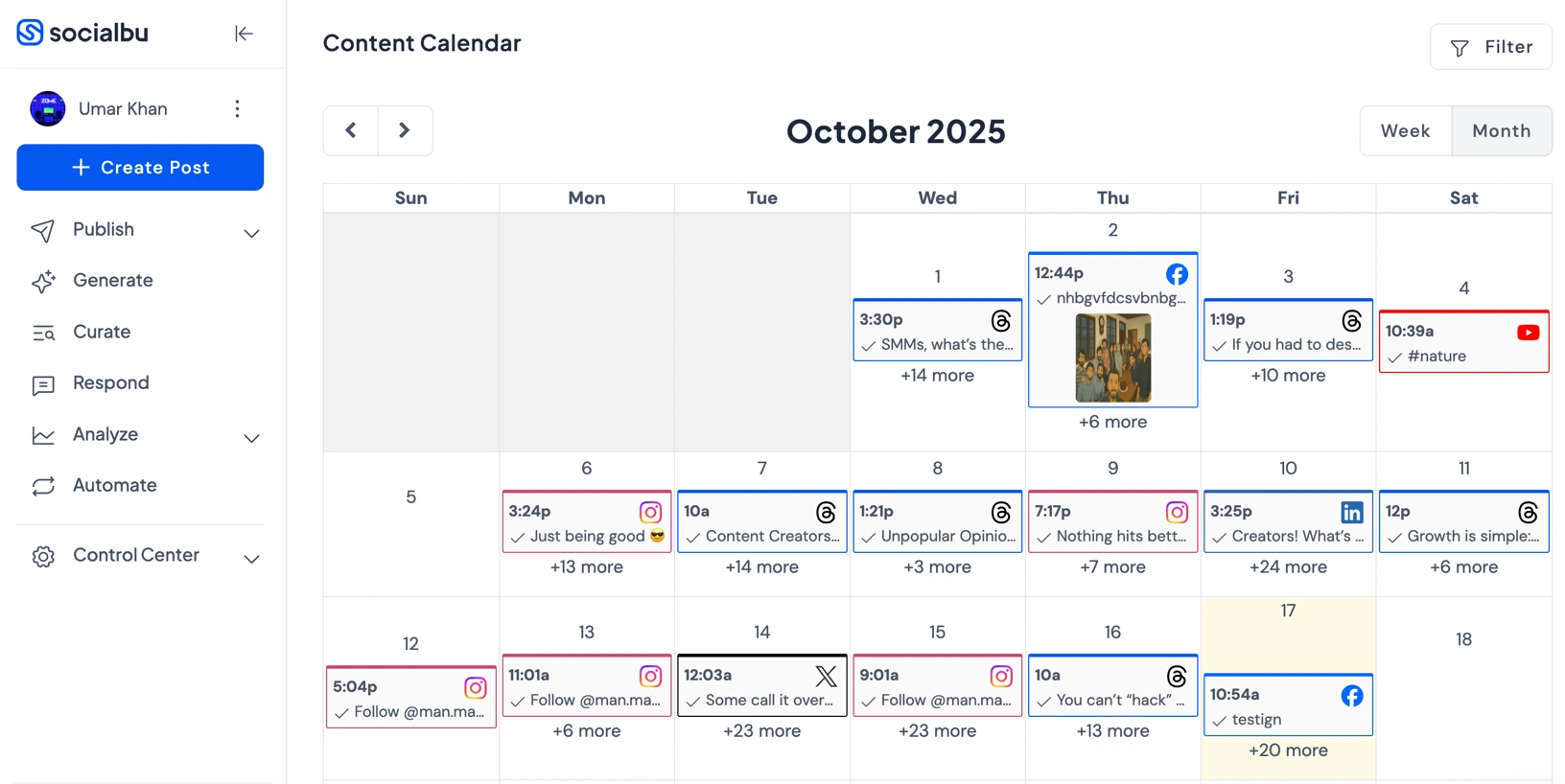
SocialBu’s dashboard serves as a centralized command center for all your Instagram profiles and linked social media accounts. Upon logging in, you are greeted with an organized overview that eliminates the need to constantly switch between tabs or apps.
From this single dashboard, you can quickly see the status of your scheduled posts, upcoming events, and recent activity across every account.
Key benefits:
- Manage multiple Instagram accounts from one login
- Monitor feeds, mentions, DMs, and scheduled activity side by side
- Save time and avoid mistakes when managing multiple client profiles
- View performance snapshots across all accounts at a glance
2. Plan Content for All Your Instagram Accounts With the Social Calendar
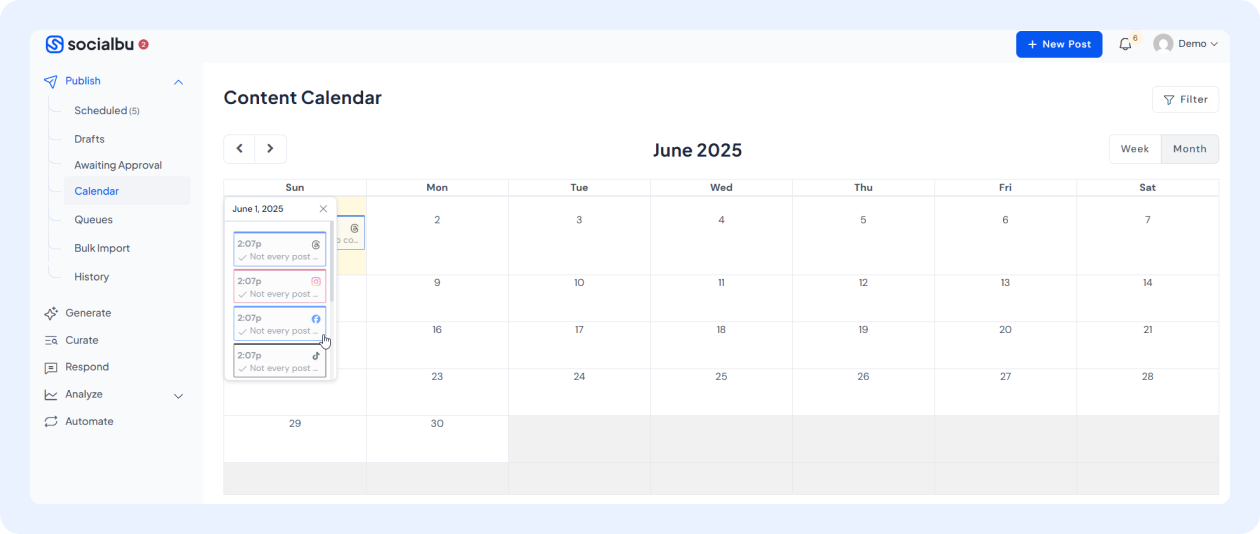
Planning your content is essential when managing multiple Instagram accounts. SocialBu’s integrated social calendar is a game-changer for content strategists.
It allows you to create, visualize, plan, and schedule posts, Reels, and Stories for all your connected Instagram profiles days, weeks, or even months in advance.
Key benefits:
- Schedule posts, Reels, and Stories across all accounts
- Drag-and-drop to reschedule campaigns easily
- Get a full bird’s-eye view of what’s posting where and when
- Balance strategy across multiple accounts in a single planner
- Color-code accounts for instant visual identification
With SocialBu’s automation, you don’t just schedule; you can also auto-recycle successful posts to keep campaigns active across accounts without manual effort.
3. Analyze and Track Keywords Across All Your Instagram Profiles
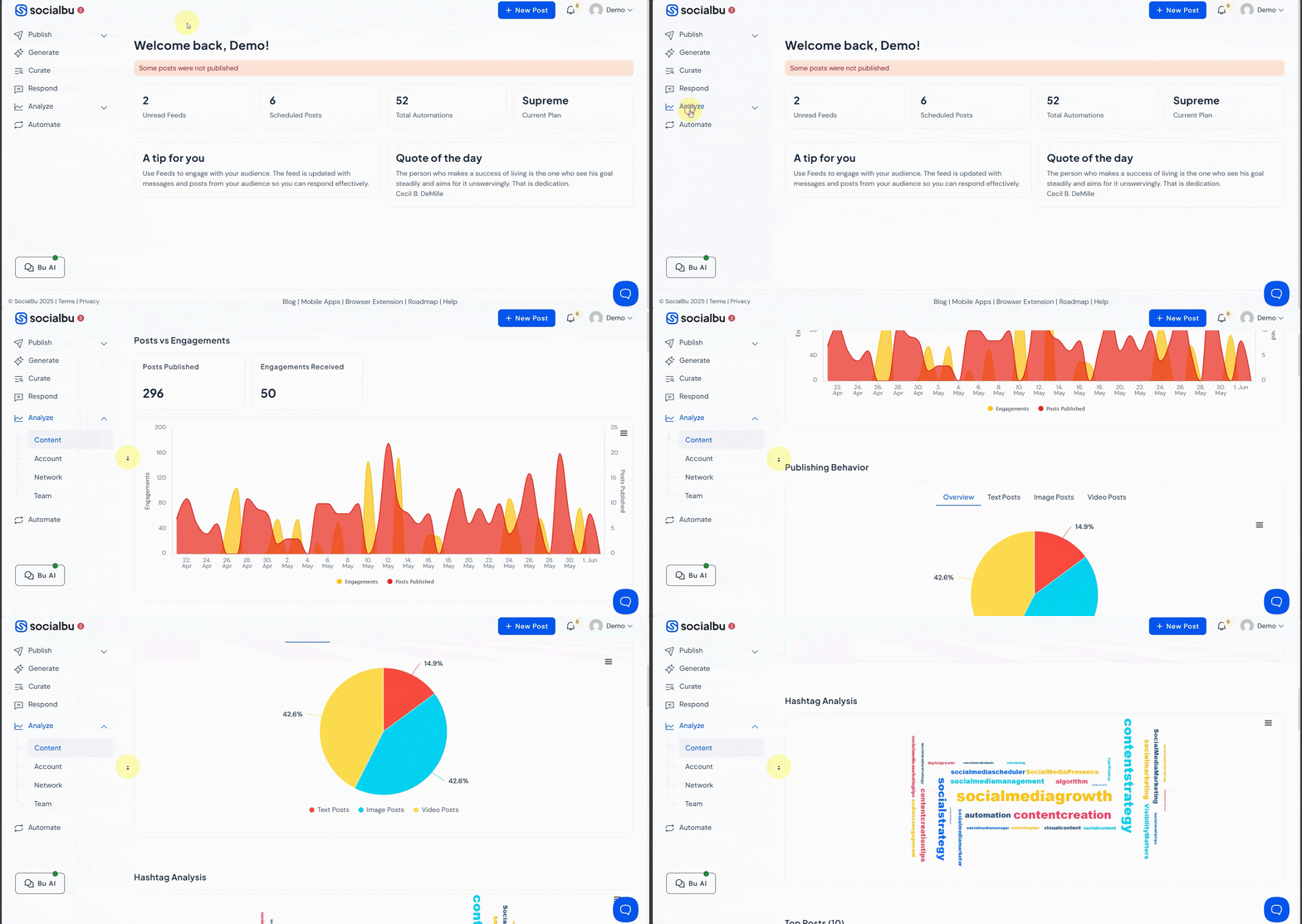
Staying on top of brand mentions, industry trends, and audience sentiment is crucial for successful social media management. SocialBu’s monitoring features allow you to track specific keywords and hashtags relevant to your brands across Instagram.
You can set up custom feeds to pull in posts that mention your brand, competitors, or industry terms. This proactive monitoring enables you to stay ahead of conversations and respond to opportunities in real time.
Key benefits:
- Monitor hashtags, brand names, and product mentions across accounts
- Track engagement opportunities in real time
- Respond quickly from a single SocialBu inbox
- Identify trending topics before competitors
- Spot potential PR issues early
This is a significant upgrade from manually toggling through different Instagram profiles.
4. Manage All Instagram Messages and Comments From One Unified Inbox
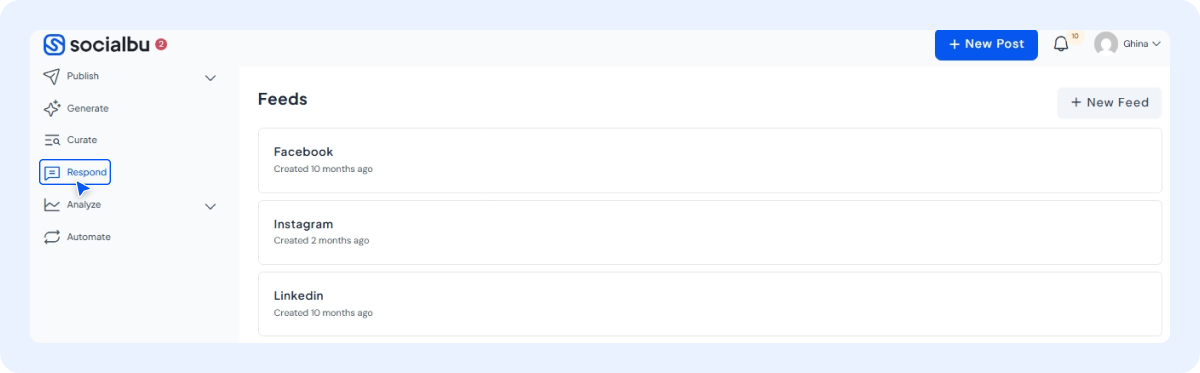
Managing engagement across multiple Instagram accounts can quickly become overwhelming, with DMs, comments, and mentions scattered across profiles. SocialBu’s Unified Inbox centralizes all interactions into a single, organized dashboard, making it easy to stay on top of conversations, respond promptly, and maintain consistent communication across every account.
One of the most time-consuming aspects of managing multiple Instagram accounts is keeping up with direct messages, comments, and mentions across all profiles. Without a centralized system, important messages slip through the cracks, response times suffer, and customer satisfaction drops.
Key benefits:
- Centralized Message Management: View and respond to DMs from all accounts in one place, eliminating the need to constantly switch between profiles.
- Comment Monitoring: Monitor and reply to comments on posts across all your Instagram accounts without opening multiple tabs or apps.
- Quick Reply Templates: Use quick reply templates to save time on frequently asked questions while maintaining consistency.
- Response Time Tracking: Track response performance across accounts to identify bottlenecks and opportunities for improvement.
This simplifies managing multiple accounts and keeps your engagement consistent across all profiles.
How to Schedule and Manage Instagram Stories from One Place With SocialBu?
Manually posting Stories across multiple Instagram profiles can be incredibly time-consuming.
SocialBu provides a seamless solution that enables you to schedule and manage Instagram Stories from a single, centralized platform.
Automate Your Instagram Management Now
Schedule your Instagram posts, engage smarter, and grow faster – all with SocialBu. Simplify your workflow with SocialBu’s all-in-one automation tools.
Here’s how you can streamline your Story management with SocialBu:
- Log in to SocialBu.
- Navigate to the Schedule tab.
- Head over to the Stories feature.
- Customize your story with visuals, stickers, emojis, or links.
- Decide which account the story should be scheduled for.
- Set your preferred publication date and time.
 Check out: How to Schedule Instagram Stories?
Maximize Story Engagement Across Multiple Accounts
Stories offer unique engagement opportunities that differ from feed posts. When managing multiple accounts, consider these strategies:
- Timing Variations: Different accounts may have audiences active at different times. Use SocialBu’s analytics to identify optimal posting times for each profile and schedule Stories accordingly.
- Cross-Promotion: Use Stories on one account to promote content or offers on another. This works particularly well for brands with complementary audiences.
- Story Templates: Create branded Story templates for each account to maintain visual consistency while speeding up content creation.
- Highlight Organization: Plan which Stories to save to Highlights. Maintain organized, up-to-date Highlights categories across all accounts.
SocialBu vs. Instagram Native Capabilities
At this point, you might be wondering how SocialBu stacks up against what Instagram offers natively.
Unlike Instagram’s native app, which requires manual Story uploads, SocialBu automates scheduling for feed posts, Reels, and Stories through the official Instagram API.
Here’s a quick comparison to help you spot the difference.
Feature Comparison
| Feature | Instagram Native | SocialBu |
|---|---|---|
| Number of Accounts | Up to 5 per device | Unlimited |
| Post Scheduling | Not available | Full automation |
| Story Scheduling | Not available | Supported |
| Reels Scheduling | Not available | Supported |
| Analytics | Basic insights | Advanced reporting |
| Team Collaboration | Limited | Full support |
| Unified Inbox | No | Yes |
| Content Calendar | No | Visual calendar |
What are Instagram’s Account Limits and Restrictions?
While Instagram allows you to add up to five accounts on the mobile app, there are additional considerations to keep in mind:
- Device Limits: Each device can hold up to five logged-in accounts. If you need to manage more, you can use browser profiles, virtual devices, a cloud phone setup, or additional devices to keep accounts separate instead of relying on multiple physical phones.
- Action Limits: Instagram monitors account activity for spam-like behavior. Rapid switching combined with aggressive liking, commenting, or following across multiple accounts can trigger temporary restrictions.Instagram monitors account activity for spam-like behavior. Rapid switching combined with aggressive liking, commenting, or following across multiple accounts can trigger temporary restrictions. In many cases, it’s not just the volume of actions but also multiple accounts sharing the same device environment that can increase the chances of those checks being triggered.
- New Account Restrictions: Freshly created accounts face stricter limits on actions. Instagram may restrict new accounts that appear to exhibit automated behavior or grow too quickly.
Understanding these limits helps you avoid unexpected account restrictions and maintain healthy, active profiles across all your Instagram accounts.
After the technical side is sorted, the next key point is keeping everything you handle secure.
How to Securely Manage Multiple Instagram Accounts?
Switching between accounts is just the beginning. Once you’re managing multiple profiles, especially for clients or teams, keeping those accounts secure becomes just as important as staying organized.
Mentioned below are important security practices and features you must ensure:
- Two-Factor Authentication (2FA): Adds an extra layer of protection for logins, ensuring only verified users gain access.
- Role-Based Access: Assign specific permissions to team members, limiting access to only the accounts or features they need.
- Revoke Sessions Instantly: Easily remove access for old or inactive team members with a single click.
- Audit Logs in Meta Business Manager: Track every login, change, or action taken to ensure complete transparency and security compliance.
Together, these measures help maintain the integrity of your clients’ and brands’ accounts while allowing smooth collaboration within your team.
How to Share Instagram Access Safely With Your Team?
Security does not end with passwords and permissions. When you work with a team, you also need a system for sharing access without creating problems.
Here’s how to set that up the right way.
- Create a Hierarchy: Designate account owners, managers, and content creators with appropriate permission levels. Not everyone needs full admin access.
- Use Business Manager: Meta Business Manager allows you to add team members to Instagram accounts without sharing login credentials. Each person uses their own Facebook account to access the Instagram profiles they’ve been assigned.
- Regular Access Audits: Schedule quarterly reviews of access permissions for each account. Remove former employees, past contractors, or anyone who no longer needs access immediately.
- Document Everything: Maintain records of who has access to what, when access was granted, and the scope of their permissions. This documentation proves invaluable during security incidents or client handoffs.
Common Instagram Errors and Fixes
Managing multiple Instagram accounts can occasionally lead to technical hiccups or compliance issues. Staying proactive and organized helps prevent most of these common problems from interrupting your posting schedule.
- Authorization & Upload Errors: Minor issues such as authorization errors, expired tokens, or failed Reel uploads may occur. Reconnect your accounts through Meta Business settings or your management tool to fix them quickly.
- Prevent Posting Mishaps: Always double-check that you’re posting from the correct profile and that your media files meet Instagram’s format and size requirements to avoid upload failures.
- Disclose Sponsored Content: Be transparent about partnerships by clearly tagging posts with #ad or #sponsored to comply with advertising guidelines.
- Protect Client Data: Keep all account information secure by using API-based logins (such as SocialBu) instead of sharing passwords among team members.
Troubleshooting Connection Issues
When Instagram accounts disconnect from your management tool, follow these steps:
- Check Instagram’s Status: Occasionally, Instagram experiences outages that affect API connections. Verify the platform is functioning normally.
- Reauthorize the Connection: Go to your SocialBu settings and reconnect the affected Instagram account. This refreshes the API tokens.
- Verify Account Type: Ensure the account is still set as a Business or Creator account. Personal accounts cannot connect to third-party tools.
- Review App Permissions: In your Instagram settings, check that SocialBu still has the necessary permissions to post on your behalf.
- Contact Support: If issues persist, reach out to SocialBu’s support team with specific error messages to help resolve them faster.
Instagram’s New 3:4 Profile Grid: What You Need to Know?
Instagram recently rolled out the 3:4 grid update, changing the way profile grids display content. Instead of the traditional 1:1 square preview, posts now appear in a slightly taller 3:4 aspect ratio — creating a more dynamic, immersive layout that highlights portrait-style visuals.
If you manage multiple Instagram accounts, optimizing your workflow for this new format is essential to keep your visuals consistent and on-brand across all profiles.
Here’s what you need to know about what changed:
- Grid thumbnails are now slightly taller (3:4) instead of perfect squares.
- Portrait images fit more naturally and require less cropping.
- This update aligns feed previews more closely with the dimensions of full-screen content (such as Reels and vertical Stories).
Adapting Your Content Strategy for the New Grid
The 3:4 update requires adjustments to how you plan and create content:
- Review Existing Content: Audit your current posts to see how they display in the new format. Some older square-optimized images may look awkward with the new crop.
- Use Preview Tools: SocialBu’s preview feature lets you see how posts will look before publishing, helping your profile maintain its aesthetic appeal.
- Update Templates: Revise your design templates to account for the new aspect ratio. Ensure important visual elements aren’t cut off in the grid preview.
3 Best Tools to Manage Multiple Instagram Accounts
Can’t decide what tool to choose? Here are the top tools you need to manage multiple Instagram accounts without any hassle.
1. SocialBu
SocialBu is an AI social media management platform meticulously designed for users who need to manage multiple Instagram accounts with precision and ease. It offers a robust suite of features, including advanced scheduling, unified inbox management, detailed analytics, and seamless team collaboration, all from one intuitive dashboard.
It delivers numerous features that cater to individuals and organizations alike.
- Smart Content Scheduling: You can schedule posts, Stories, and Reels in advance, ensuring a consistent posting schedule across all your Instagram accounts.
- AI-Powered Optimization: Leverage AI-powered “best time to post” recommendations to schedule content precisely when your audience is most active.
- Detailed Analytics & Reporting: The tool offers comprehensive analytics and reporting features, enabling you to track the performance of your posts and campaigns.
- Social Listening & Grid View: SocialBu’s social listening feature allows you to set up alerts to track conversations about your brand. Moreover, you can use the platform’s Grid View to visualize how your feed will appear on Instagram, ensuring aesthetic consistency before publishing.
- Robust Team Collaboration: SocialBu enables seamless collaboration, allowing multiple team members to work on different accounts simultaneously.
Who is this for?
Businesses, social media managers, and agencies handling multiple client accounts or diverse brand presences require a powerful, all-in-one solution for efficient management and growth.
2. Instagram App
For basic needs, the native Instagram app itself provides surprisingly good functionality for managing multiple Instagram accounts. You can stay logged into up to five accounts and switch between them instantly.
Who is this for?
Individual creators, small businesses, or anyone managing a handful of personal or professional accounts without requiring advanced scheduling, analytics, or team features.
3. Meta Business Suite
Meta Business Suite is Meta’s proprietary platform, designed to help businesses manage their Instagram and Facebook accounts from a single location. It’s a free, functional tool for solo managers or small teams that focuses primarily on these two platforms.
Who is this for?
Businesses and creators managing both Instagram and Facebook are seeking a free solution for basic scheduling and analytics across these platforms.
Comparison Table: Best Tools to Manage Multiple Instagram Accounts
| Tool | Key Features | Limitations | Best For | Price |
|---|---|---|---|---|
| SocialBu | AI-powered scheduling, unified inbox, analytics, social listening, and team collaboration | Paid plans needed for advanced features | Agencies, social media managers, and businesses managing multiple accounts | Free plan available; paid plans start from affordable monthly rates |
| Instagram App | Switch between up to 5 accounts, basic posting, and engagement | No scheduling, analytics, or team tools | Individual creators or small businesses with simple needs | Free |
| Meta Business Suite | Schedule posts, access insights, and manage Facebook + Instagram together | Limited to Meta platforms, with fewer automation features | Small businesses managing both Facebook and Instagram | Free |
Choosing the Right Tool for Your Needs
Selecting the best tool depends on your specific situation and requirements:
1. For Solo Creators
If you manage just one or two personal accounts, the native Instagram app might suffice. You can switch between accounts easily and don’t need advanced features.
However, even solo creators benefit from scheduling tools. Planning content in advance frees up time for engagement and content creation rather than daily posting tasks.
2. For Small Businesses
Small businesses typically need more than the native app offers. Scheduling capabilities, basic analytics, and the ability to plan content in advance are essential for maintaining consistency without dedicating hours each day to social media.
Meta Business Suite provides a free option for basic scheduling and insights. For more advanced needs, SocialBu offers affordable plans with significantly more features.
3. For Agencies and Teams
Agencies managing multiple client accounts need robust tools that support team collaboration, client reporting, and efficient workflows.
SocialBu excels here with features such as role-based access, approval workflows, white-label reporting, and the ability to manage unlimited accounts from a single dashboard.
4. For E-commerce Brands
E-commerce brands benefit from tools that integrate with their broader marketing stack. Look for features like:
- Product tagging capabilities
- Integration with e-commerce platforms
- Shopping-focused analytics
- Customer service features for handling product inquiries
7-Day Action Plan to Manage Multiple Instagram Accounts
Ready to implement? Follow this step-by-step plan to get up and running fast:
- Day 1: Connect Accounts: Switch eligible profiles to Business/Creator mode in Instagram settings, then link them to SocialBu (or your tool) via OAuth for secure access.
- Day 2: Audit and Organize: Review your current content across accounts, identify themes, and set up folders or labels in your dashboard.
- Day 3: Schedule Week 1: Plan and queue 7-10 posts, Reels, or Stories per account using the calendar; aim for consistent timing.
- Day 4: Run an A/B Test: Create two versions of a post (e.g., different captions) on similar accounts and schedule them to go live simultaneously.
- Day 5: Set Up Alerts: Configure keyword/mention tracking for brands, hashtags, and competitors in your tool’s monitoring features.
- Day 6: Test Unified Inbox: Practice responding to messages and comments across all accounts from SocialBu’s unified inbox; set up templates for common responses.
- Day 7: Review and Refine: Dive into analytics for the week’s performance, note wins (e.g., high-engagement times), and recycle top content for the next cycle.
Take Control of Your Multiple Instagram Accounts
Conclusion
Learning to manage multiple Instagram accounts effectively is less about the app itself and more about having the right system in place. While you can juggle 2 accounts manually, once you manage several business profiles, native tools fall short.
That’s where tools like SocialBu can help. With automation, a unified calendar, team collaboration options, and a smart inbox, it simplifies your workflow and keeps your posting consistent across all accounts.
Simplify your workflow, save hours every week, and scale your Instagram strategy the smart way. Start using SocialBu today!
FAQs
Q. Can multiple users manage one Instagram account?
Yes, but it’s easier with tools like SocialBu, which let teams collaborate, assign roles, and avoid password sharing. Meta Business Manager also allows you to add team members with specific roles without sharing login credentials.
Q. How to get rid of a 2nd Instagram account?
Go to “Settings” > “Accounts” > “Log out” or “Remove account.” If you want to permanently delete an account, you’ll need to do so through Instagram’s account deletion page while logged into that specific account.
Q. How to keep two Instagram accounts completely separate?
Use different emails, phone numbers, and logins. Or manage them separately with SocialBu to avoid overlap. Avoid linking them to the same Facebook account if you want complete separation.
Q. How do I control another Instagram account?
You can be added as a manager through Meta Business Manager, or use a tool like SocialBu to manage multiple Instagram accounts from one phone or dashboard. The account owner must grant you access.
Q. How do you successfully manage multiple social media accounts at once?
Use a management platform like SocialBu to centralize scheduling, analytics, and engagement across Instagram, Twitter, and more. Establish consistent workflows, batch content creation, and leverage automation where possible.
Q. How many Instagram accounts can I have in 2026?
Instagram allows up to 5 accounts per device. With SocialBu, you can go beyond that and manage unlimited accounts from one place without device restrictions.
Q. Can I switch between Instagram accounts without logging out?
Yes, Instagram’s native app allows quick switching. But with SocialBu, you can switch, schedule, and post across all accounts at once without any logging in or out.
Q. Do I need a business account to use scheduling tools?
Yes, Instagram requires a business or creator account for third-party scheduling through the official API. SocialBu connects seamlessly once you switch your account type.
Q. How do I avoid posting to the wrong Instagram account?
Always double-check before posting. Or better yet, use SocialBu’s workflow approval system to keep accounts and content organized. Color-coding accounts in your calendar also helps with visual identification.
Q. Is it safe to use third-party tools for Instagram management?
Yes, as long as the tool (like SocialBu) is an official Instagram partner and follows API policies. Avoid tools that require your Instagram password or promise features that violate Instagram’s terms of service.
Q. What happens if I exceed Instagram’s action limits?
Instagram may temporarily restrict your account’s ability to like, comment, follow, or post. These restrictions typically last from a few hours to a few days. Consistent violations can lead to longer restrictions or account suspension.
Q. Can I schedule Instagram Reels in advance?
Yes, SocialBu supports Reels scheduling through the Instagram API. You can plan and schedule Reels alongside your regular posts and Stories from the same calendar interface.
Q. How do I handle different time zones when managing multiple accounts?
SocialBu allows you to set different time zones for each account, ensuring posts go live at optimal times for each account’s specific audience, regardless of where you’re located.
Q. What’s the best posting frequency for multiple Instagram accounts?
There’s no universal answer—it depends on your audience, content type, and resources. Generally, aim for consistency over quantity. One quality post daily is better than multiple low-quality posts.
Q. Can I use the same content across multiple Instagram accounts?
While possible, it’s not recommended for accounts with overlapping audiences. Instagram may also flag duplicate content. Instead, adapt content for each account’s unique audience and voice.