If you love Loomly’s multi-platform collaboration, along with other perks, but are deterred by the recent price hike, you are in the right place.
Many users are unhappy about this sudden price surge and are questioning their choice. Some have even decided to switch to other platforms. If you are among them and want practical, affordable Loomly alternatives, this blog has the solution for you.
In this blog, we’ve analyzed the possible reasons that support your decision to look for Loomly alternatives. To help you choose the right social media management and content creation tool, we are providing a list of worthy Loomly alternatives.
So, keep reading to find out the tool that best suits your social media needs!
Why Should You Consider Loomly Alternatives in 2026?
Loomly is a well-known social media content planning and management tool with a clean calendar, approval workflows, real-time post suggestions, and collaboration features. Teams can plan, schedule, and track performance in one place, with helpful tools like automated previews, optimization tips, and an idea generator.
Pain Points That Make Users Look for Loomly Alternatives
Recent concerns about pricing, user experience, and feature limitations have prompted many small businesses and agencies to seek Loomly alternatives for better content planning.
- Pricing Is Too High for Small Teams: Many users say Loomly’s recent price increase (400%) is hard to justify and is unsustainable. Reddit users shared that the new pricing “makes it impossible to stay,” given that they still pay for features they never use. ( r/SocialMediaMarketing. Reddit)
- Limited Story Scheduling: Creators complain that Loomly doesn’t support multiple story slides or text overlays, forcing them back to Meta Business Suite. “Stories always end up out of order,” one reviewer said. (Melody T. G2)
- Collaboration Is Slow and Rigid: Teams say Loomly’s approval workflow is outdated, every collaborator requires manual email invites, and advanced roles are locked behind higher plans. (Darien C. Capterra)
- Clunky Interface & Slow Workflow: Several users report that the interface feels dated, with slow loading, a limited calendar view, and occasional image compression issues. One user said the tool “looks modern but performs slowly.” (Haris K. G2)
These pain points are the reasons why users are exploring the best Loomly alternatives in 2026. Smaller teams, social media managers, and agencies now want more flexibility, affordable pricing, stronger analytics, and AI-powered automation.
Comparison Criteria: How We Selected Each Loomly Alternative?
Before exploring the best Loomly alternatives for content planning, it is essential to understand the criteria used to compare each tool.
Here is what we looked at while evaluating every tool:
- Scheduling and Content Planning Capabilities: We checked how well each tool supports post-scheduling, calendar planning, and content organization across different platforms.
- AI-Powered Social Media Automation: We evaluated how effectively each tool uses AI for caption generation, post scheduling, and intelligent content recommendations.
- Team Collaboration and Approval Workflow: We compared how easily team members can review, approve, and publish content together.
- Affordable Pricing: We analyzed how affordable each platform is for freelancers, creators, and small businesses, and whether the plans offer real value for the price.
- Ease of Use: We evaluated the overall user experience, setup process, and learning curve. The best tools should feel simple, fast, and intuitive to use daily.
Let’s look at the top Loomly alternatives that are making content planning much easier and helping you become a successful social media content creator.
Loomly Alternative#1: SocialBu
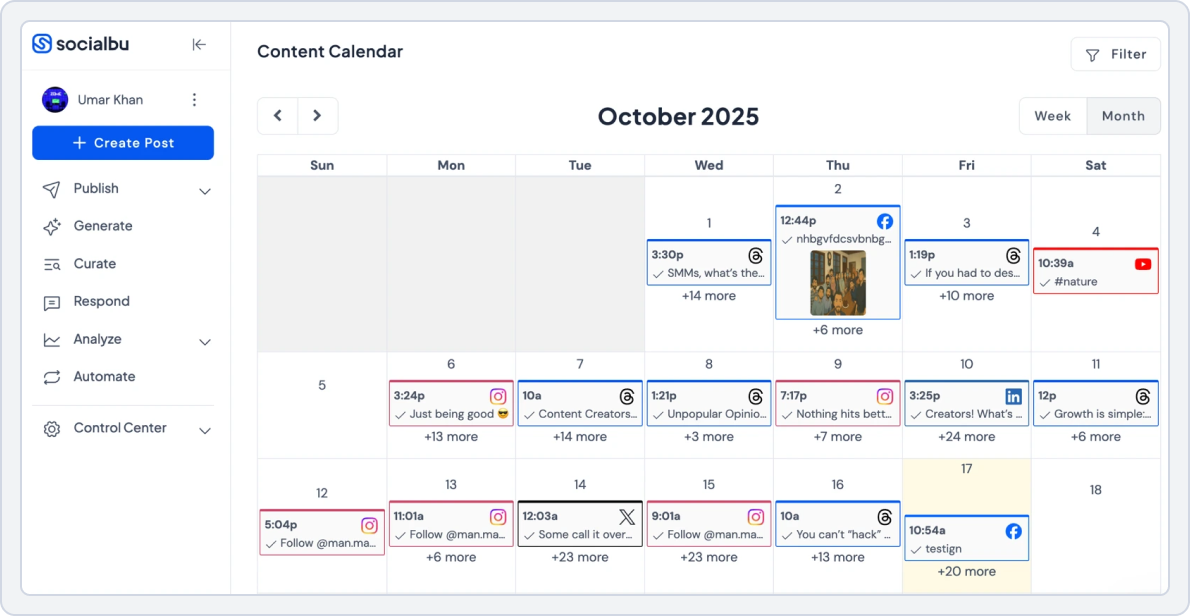
Best For: Small businesses, agencies that need scalable automation, and creators who want bulk scheduling and AI help.
Starting Price: $19/ month
The first tool on our list is SocialBu. It is an all-in-one social media management and automation tool. It combines content creation, visual scheduling, automation, analytics, and collaboration in one place. It helps teams plan and publish large volumes of content without manual repetition.
SocialBu has been a game-changer for managing multiple business accounts. It makes switching between a high volume of profiles effortless, and the ability to plan content ahead saves me both time and stress. It’s simple to use, efficient, and delivers great value for money. (Kiandra T. Capterra)
If you’re on the lookout for the best social media content planning tool, here is why SocialBu is a worthy Loomly alternative:
- Simple, clean, and distraction-free dashboard that makes planning, scheduling, and managing content fast, even for beginners and busy teams.
- Built-in AI content creation tools to help you instantly create platform-specific content, captions, ideas, and posts, reducing creative burnout and saving hours of manual effort.
- Drag-and-Drop visual content calendar lets you plan, reschedule, and organize posts effortlessly, giving you a clear overview of your entire publishing strategy.
- Powerful content scheduling lets you publish content across multiple platforms with smart queues and flexible publishing options, making consistent posting easy and stress-free.
- Centralized engagement with a unified social inbox to assist you in responding to comments, messages, and mentions from one place.
- Seamless team collaboration with role-based access, approvals, and shared workspaces, making it ideal for agencies and growing teams.
- Advanced social media automation allows you to auto-publish, recycle content, and trigger actions based on conditions, reducing manual work.
SocialBu vs Loomly
SocialBu and Loomly both help teams manage social media efficiently, but they differ significantly in the features they offer, such as automation depth, affordability, and ease of use. While Loomly emphasizes structured, calendar-driven workflows, SocialBu stands out as a powerful, automation-first Loomly alternative built for business owners, agencies, and growing teams that want more done with less effort and cost.
1. Content Scheduling and Planning
Planning content across multiple platforms becomes much easier with SocialBu. It excels at content scheduling, allowing users to plan, organize, and publish posts.
Here’s what SocialBu’s content scheduling and publishing feature allows you:
- Schedule posts individually, in bulk, or through recurring queues
- Organize content using a visual, drag-and-drop calendar that shows drafts, scheduled, and published posts
- Reuse evergreen content to maintain a steady posting flow
- Manage multiple brands or clients from a single dashboard
- Adjust posting schedules quickly without disrupting the entire content plan
SocialBu vs Loomly Key Takeaway: SocialBu wins for content scheduling and planning with greater flexibility, automation, and bulk actions, making it easier to manage content at scale without added complexity. In comparison, Loomly offers a structured calendar and campaign-based planning. However, its scheduling approach is more rigid and less flexible for users who rely on recurring or evergreen content strategies.
2. AI-Powered Social Media Automation
Manual posting and repetitive tasks can quickly slow down social media workflows. SocialBu stands out with its powerful automation features that help users stay active on social media even when they’re offline. SocialBu automates real publishing tasks to save time and reduce workload.
With SocialBu’s social media automation, you can:
- Automate posts using RSS feeds from blogs or news sources
- Set up recurring schedules for evergreen content
- Create automation rules based on conditions and triggers
- Auto-replies to customers’ common queries or messages/comments
- Keep accounts active without daily manual posting
SocialBu vs Loomly Key Takeaway: SocialBu leads in automation with practical, hands-free publishing features and automating responses. Loomly also includes AI assistance for content optimization and post ideas.
3. Team Collaboration and Approval Workflows
SocialBu centralizes teamwork and helps users to easily collaborate with teams and clients without switching between emails, chat apps, or external tools.
With SocialBu’s collaboration feature, teams can:
- Assign role-based permissions for drafting, editing, and publishing
- Set up approval workflows for managers or clients
- Collaborate within shared workspaces using comments and internal notes
- Review posts visually in the shared content calendar
SocialBu vs Loomly Key Takeaway: SocialBu wins for team collaboration by centralizing communication, approvals, and feedback, making them easy to manage. Loomly supports team roles and approvals, but many collaboration features are limited to higher-tier plans and require manual email invites for each collaborator.
4. Ease of Use
SocialBu’s interface is clean, user-friendly, and quick to learn. New users can set up accounts, connect platforms, and start scheduling content within minutes. The platform avoids unnecessary complexity and instructions, making it suitable for both beginners and experienced marketers.
Loomly offers a polished UI, but users found it outdated and required more setup and learning because of its structured workflows.
SocialBu vs Loomly Key Takeaway: SocialBu balances power and simplicity, reducing onboarding time and offering more functionality.
5. Platform Integrations
SocialBu integrates with:
- Instagram, TikTok, YouTube, Facebook, X (Twitter), Threads, LinkedIn, Reddit, Mastodon, Pinterest, Bluesky, Google Business Profile, Webhooks, and RSS feeds for publishing. This platform’s extensive support makes it suitable for both creators and agencies targeting multiple channels.
Loomly integrates with:
- Facebook, Instagram, LinkedIn, TikTok, Pinterest, Google Business Profile, Slack, Google Drive, and Zapier
SocialBu vs Loomly Key Takeaway: Both tools integrate with broader platforms. SocialBu wins for platform integrations by supporting a wider range of networks and advanced automation.
6. Pricing
SocialBu is one of the most budget-friendly Loomly alternatives, especially for small teams, creators, and agencies that want automation, bulk scheduling, and analytics without high monthly costs.
Here is a pricing comparison to look at each tool’s offerings more closely;
SocialBu | Loomly | |
Platforms Supported | Instagram, TikTok, YouTube, Facebook, X (Twitter), Threads, LinkedIn, Reddit, Mastodon, Pinterest, Bluesky, Google Business Profile | Instagram, Facebook, LinkedIn, X (Twitter), Pinterest, TikTok, Google Business Profile |
Free Plan | Yes – Free Forever • 3 social accounts • 10 monthly posts 1 Custom Queues • Basic analytics & platform support | Yes – Limited • 1 user • 3 social media accounts • 1 content calendar • 5 posts per month |
Entry Plan (Individuals & Small Teams) | Standard – $19/month • 12 social accounts • 800 monthly posts • 2 teams • Performance analytics • No phone support | Starter – $65/month • 3 users • 12 social media accounts • Bulk scheduling • Approval workflows • Post analytics |
Mid-Tier Plan (Growing Teams) | Super – $59/month • 30 social accounts • Unlimited posts • 6 teams • Performance analytics • Phone support | Does not offer. |
Agency / Large Team Plan | Supreme – $199/month • 150 social accounts • Unlimited posts • 25 teams • Performance analytics | Beyond – $332/month • Unlimited users • 60 social media accounts • Unlimited calendars & posts • Custom branding• Hashtag manager |
Pricing Flexibility | Highly flexible — scale social accounts, teams, and posting volume without major price jumps | Less flexible — feature access increases mainly through higher-tier plans |
For creators and SMBs, SocialBu delivers more automation, more social accounts, posting limits, and stronger collaboration tools at a far lower entry cost than Loomly.
SocialBu vs Loomly Final Takeaway
SocialBu is a top choice among Loomly alternatives for teams that value bulk scheduling, AI-assistance, affordability with scalability, and flexible automation without paying enterprise prices. It gives small teams and agencies a faster setup, tools for scaling content production, and required analytics to run a data-informed workflow.
So, if your priority is higher throughput, high-value features, lower cost per profile, and practical AI tools, SocialBu is worth trying.
 Ready to see the full breakdown? Check out our comprehensive Loomly vs. SocialBu comparison to see why more teams are making the switch.
Take Control of Your Social Media
Simplify your workflow with SocialBu’s all-in-one scheduling, automation, and collaboration tools.
Loomly Alternative#2: ContentStudio
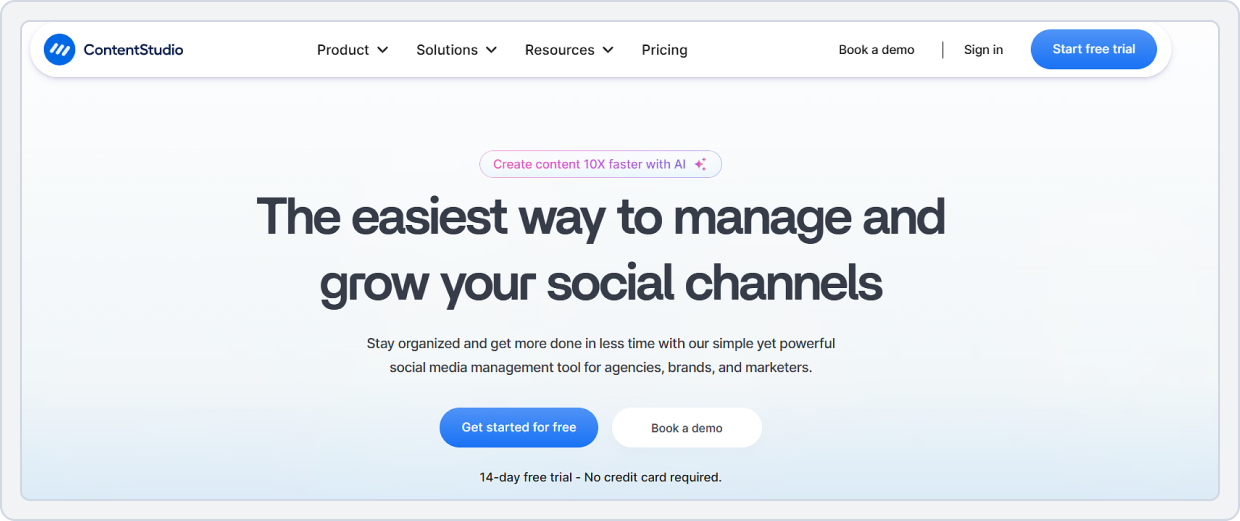
Best For: Marketing teams, agencies, and social media content creators managing blogs and social platforms together
Starting Price: $29/month/user/workspace
ContentStudio is a comprehensive social media management and content marketing tool designed for creators and agencies who value content discovery and strategy. It offers powerful features beyond simple scheduling, such as trending-topic curation, content recycling, influencer discovery, a full suite of content calendar tools, and analytics.
Unlike Loomly, which focuses primarily on post creation and scheduling, ContentStudio helps users plan, curate, compose, and publish across blogs, websites, and social media channels. Its AI-powered recommendation engine generates real-time content ideas based on industry trends, and the automation feature helps marketers save time and effort. All these features make it a good choice among the best Loomly alternatives for 2026.
ContentStudio vs. Loomly
Here is a feature-by-feature comparison of ContentStudio vs. Loomly to help you choose the best social media management tool for your needs.
1. Content Scheduling and Planning
ContentStudio offers a strong scheduling and content planning suite that includes:
- A visual content calendar for scheduling posts across platforms
- Queue and bulk publishing features to streamline workflows
- Post previews for major social channels
- Intelligent recycling and evergreen content options to maximize reach
Loomly also provides a visual calendar with drag-and-drop scheduling, campaign-based planning, and approval workflows.
ContentStudio vs Loomly Key Takeaway: ContentStudio’s focus on centralized planning and bulk automation gives it an edge for larger content operations.
2. AI-Powered Social Media Automation
ContentStudio puts AI at the core of its automation capabilities:
- Auto-suggest content ideas based on keywords and trends
- AI-driven post-generation and optimization
- Automated publishing rules and smart queues
- Content category automation to ensure balance and strategy
Loomly offers post ideas and optimization suggestions, but does not match ContentStudio’s level of automation or AI-assisted publishing workflows.
ContentStudio vs Loomly Key Takeaway: ContentStudio wins for AI-powered social media automation, helping marketers reduce manual workload and keep content strategies fresh.
3. Team Collaboration and Workflow
ContentStudio’s collaboration features include:
- Multi-user access with customizable roles
- Approval workflows for content validation
- Commenting and feedback loops are built into the calendar
- Client-friendly dashboards for agencies
Loomly also provides collaboration features, including role-based permissions, approval workflows, and internal review and comment threads.
ContentStudio vs Loomly Key Takeaway: Loomly and ContentStudio are well-matched for team collaboration, but ContentStudio focuses more on agency-style workflows with client-view layers.
4. Social Media Analytics and Reporting
ContentStudio delivers advanced analytics, including:
- Performance dashboards across social platforms
- Engagement metrics and content performance trends
- Competitor analytics to track competitors’ posting frequency, engagement, and growth patterns
- Audience insights to help refine strategy
Loomly provides solid analytics for post and campaign performance, but lacks built-in competitor tracking.
ContentStudio vs Loomly Key Takeaway: ContentStudio offers advanced analytics, especially with competitor insights. This makes it stronger for strategy optimization and competitive benchmarking.
5. Platform Integrations
ContentStudio integrates with:
- Facebook, LinkedIn, X (Twitter), Pinterest, YouTube, TikTok, Instagram, WordPress, Threads, and Medium.
Loomly integrates with:
- Facebook, Instagram, LinkedIn, TikTok, Pinterest, Google Business Profile
- Slack, Google Drive, Dropbox, and Zapier
ContentStudio vs Loomly Key Takeaway: ContentStudio supports broader blog and content platform integration (e.g., Medium, WordPress), while Loomly focuses more on social channels and workflow apps.
6. Pricing
Here is a pricing comparison of ContenStudio with Loomly to help you choose the right tool for your content planning needs:
ContentStudio | Loomly | |
Platforms Supported | Facebook, Instagram, X (Twitter), LinkedIn, Pinterest, YouTube, TikTok | Instagram, Facebook, LinkedIn, X (Twitter), Pinterest, TikTok, Google Business Profile |
Free Plan | No free plan • 14-day free trial available | Yes – Limited • 1 user • 3 social media accounts • 1 content calendar |
For Small Businesses | Standard – $29/month • 5 social accounts • 1 workspace • 1 user • Publishing & scheduling • Visual content calendar • Social media analytics | Starter – $65/month • 3 users • 12 social media accounts • Unlimited calendars & posts • Bulk scheduling • Approval workflows & roles • Post analytics |
For Growing Teams | Advanced – $69/month • 10 social accounts • 2 workspaces • 2 users • Social inbox • Competitor analytics • Team collaboration & approvals | Beyond – $332/month • Unlimited users • 60 social media accounts • Unlimited calendars & posts • Custom branding • Custom workflows • Calendar 2FA enforcement |
Pricing Flexibility | More balanced pricing with strong agency-level features at lower tiers | Higher-cost plans with enterprise-focused features |
ContentStudio vs. Loomly Final Takeaway
ContentStudio outperforms Loomly with its intelligent content suggestion tools, trend monitoring, competitor analytics, and automation options. For teams that rely heavily on social media for inspiration, it offers greater value and control. The built-in post idea generator and social media workflow tools simplify multi-platform management while providing more profound insights.
Overall, ContentStudio is the 2nd-best Loomly alternative on our list for content planning and curation in 2026, ideal for agencies and creators seeking an all-in-one platform for strategy, scheduling, and analytics.
Still undecided? Check out our comprehensive side-by-side breakdown of ContentStudio vs. Loomly to see which features align best with your team’s workflow.Loomly Alternative#3: Vista Social
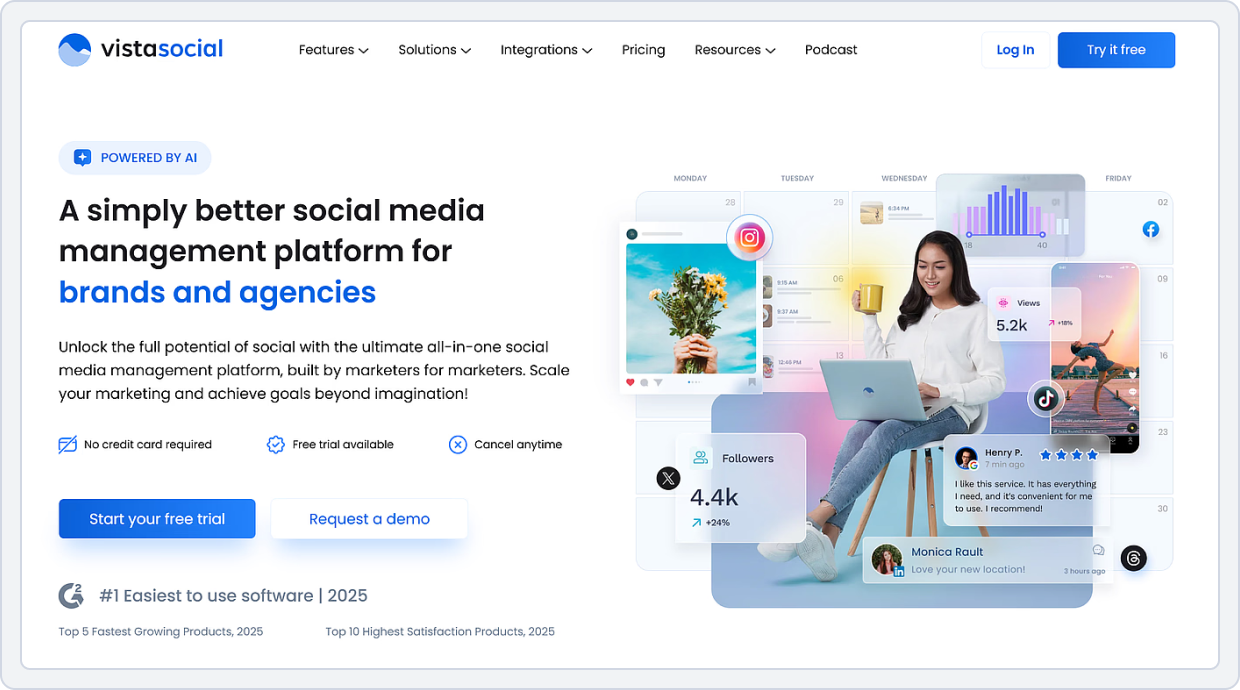
Best For: Small teams, agencies, and freelancers looking for affordable yet powerful social media workflow management
Starting Price: $79 per month
Vista Social is a modern social media management tool that combines scheduling, analytics, and social listening into a single streamlined platform. It is ideal for creators and teams seeking an intuitive interface, a modern design, and multi-account management.
The platform helps brands create and manage content effortlessly with a visual calendar, automated publishing tools, review management, performance insights via reports, social inbox, and social listening. For teams focused on improving their social media workflow and reputation, Vista Social delivers the best value. It brings monitoring, social listening, engagement, and content management together under one place, which Loomly lacks.
Vista Social vs. Loomly
Let’s look at the key differences between these two platforms to help you choose the right social media management tool:
1. Content Scheduling and Publishing
Vista Social offers a powerful and flexible scheduling engine with modern capabilities:
- Visual content calendar to plan and schedule posts
- Bulk scheduling and optimized posting times
- Drag-and-drop planning with post previews and customizable formatting
Loomly also provides a visual calendar and campaign-based planning across platforms.
Vista Social vs Loomly Key Takeaway: Vista Social’s publishing system is more advanced and flexible.
3. AI-Powered Social Media Automation
Vista Social integrates AI and automation deeply into its workflow:
- AI Assistant for generating posts, captions, and replies
- Smart scheduling recommendations and automated content queues
- DM automation and engagement replies to reduce manual responses
Loomly offers AI-powered content suggestions (like caption ideas and optimization prompts). However, it does not provide the same level of scheduling automation, engagement automation, or AI-driven post generation like Vista Social.
Vista Social vs Loomly Key Takeaway: Vista Social delivers stronger AI-powered automation across scheduling, content creation, and engagement workflows.
3. Analytics and Reporting
Vista Social’s analytics are comprehensive and cross-platform. It helps you with:
- Engagement, reach, growth, and performance metrics for each profile
- Custom and scheduled reporting that can be shared with stakeholders
- Sentiment analysis, competitor benchmarking, and listening tools
- Reputation and review tracking from platforms like Google Business Profile and Yelp
Loomly also provides analytics focused on post and campaign performance with exportable reports, but lacks built-in competitor analytics and deep brand monitoring tools.
Vista Social vs Loomly Key Takeaway: Vista Social offers advanced analytics, including reputation, listening, and competitor insights.
4. Team Collaboration and Workflow
Vista Social includes strong teamwork and workflow tools:
- Multi-user access with roles and permissions
- Calendar sharing with clients or internal teams
- Approval workflows and collaborative content creation
- Unified social inbox for team engagement management across platforms
Loomly also provides team collaboration with role-based permissions, internal comments, review & approval workflows, and multi-calendar views optimized for teams and agencies.
Vista Social vs Loomly Key Takeaway: Both platforms support collaboration effectively, but Vista Social’s unified inbox and broad engagement management win for teams handling both publishing and conversation workflows.
5. Platform Integrations
Vista Social integrates with:
- Instagram, Facebook, LinkedIn, X (Twitter), TikTok, Pinterest, YouTube, Threads, Bluesky, Slack, Google Business Profile, and Canva
- Review management platforms (e.g., Yelp, TrustPilot) and listening tools
- Calendar and automation services via integrations like Zapier and others
Loomly integrates with:
- Facebook, Instagram, TikTok, LinkedIn, Pinterest, Google Business Profile)
- Slack, Google Drive, Dropbox, and Zapier.
Vista Social vs Loomly Key Takeaway: Vista Social’s integrations extend into review management and social listening, while Loomly’s ecosystem emphasizes workflow and file management integrations alongside core social networks.
6. Pricing
Here is a side-by-side price comparison of both tools:
Typefully | Loomly | |
Platforms Supported | X (Twitter), LinkedIn | Instagram, Facebook, LinkedIn, X (Twitter), Pinterest, TikTok, Google Business Profile |
Free Plan | No free plan | Yes – Limited • 1 user • 3 social media accounts • 1 content calendar |
For Creators / Individuals | Creator – $12.50/month• Unlimited publishing & drafts• Content calendar• 20 social sets• LinkedIn first comment• Unlimited editing & rewriting• Basic analytics | Starter – $65/month • 3 users • 12 social media accounts • Unlimited calendars & posts • Bulk scheduling • Approval workflows & roles |
For Small/Growing Teams | Team – $49/month• Unlimited publishing & drafts• Content calendar• 20 social sets• 2 teams• Unlimited members• LinkedIn first comment• Unlimited editing & rewriting | Beyond – $332/month • Unlimited users • 60 social media accounts • Unlimited calendars & posts • Hashtag manager |
Pricing Flexibility | Highly affordable for text-first creators and LinkedIn/X-focused teams | Scaling and advanced workflows require expensive upper-tier plans |
Vista Social vs. Loomly Final Takeaway
Vista Social offers greater value at a lower cost by combining content planning, social listening, and brand management into a seamless experience. Its modern interface and visual content planning features make it easier to manage campaigns across multiple platforms.
Where Loomly focuses mainly on scheduling, Vista Social adds brand monitoring and audience sentiment tracking, essential for teams managing reputation and engagement.
Loomly Alternative#4: FeedHive
Best For: Freelancers, content creators, and small teams wanting AI support and efficient workflows
Starting Price: €19 /month
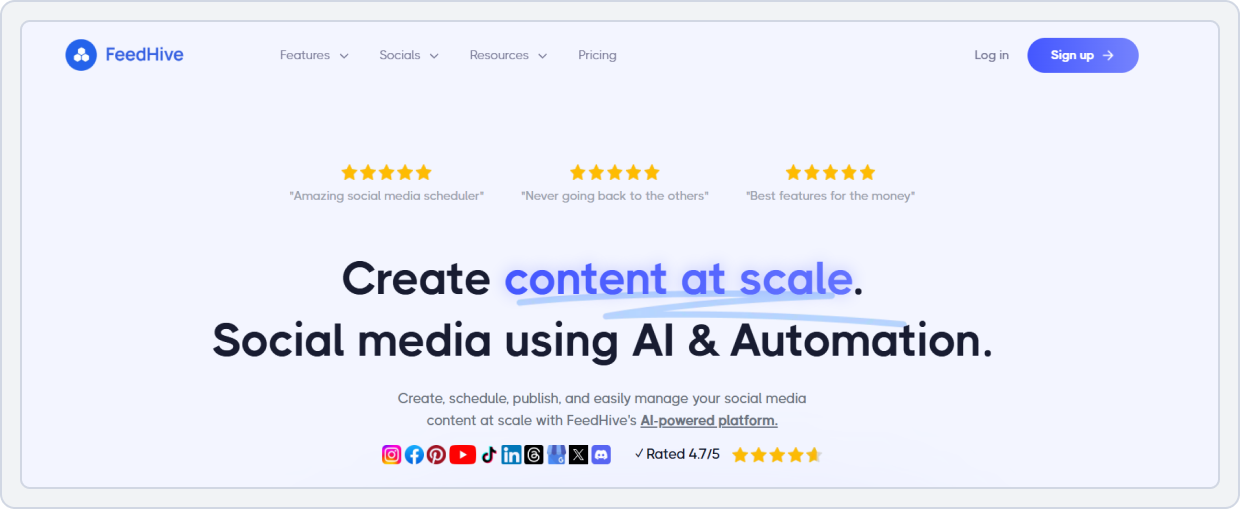
FeedHive combines scheduling, AI-content generation, and analytics into a unified workflow designed for growth-oriented creators. It provides features such as an AI Writing Assistant for caption creation, smart scheduling algorithms that pick optimal posting times, and post recycling, so high-performing content automatically resurfaces.
While Loomly focuses on visual calendars and standard workflows, FeedHive goes further into AI-driven content planning and performance insights. This makes a meaningful difference for users who want a more innovative and AI-powered social media management tool for content planning and scheduling.
FeedHive vs. Loomly
Below is a detailed breakdown to help choose between FeedHive and Loomly:
1. AI-Powered Social Media Automation
FeedHive is built around AI at scale, with features that help automate both creation and scheduling:
- AI suggested captions, hooks, and variations tailored to your brand voice
- Intelligent scheduling AI that recommends optimal posting times
- Automated recycling of top-performing posts
In contrast, Loomly includes AI-powered content inspiration, post suggestions, and optimization prompts, but its focus is more on helping teams plan and polish content than on complete automation.
FeedHive vs Loomly Key Takeaway: FeedHive wins for AI-driven automation and optimization, while Loomly’s AI is more focused on ideation and drafting support.
2. Content Creation and Scheduling
FeedHive delivers an all-in-one workspace for content creation and publishing:
- Unified editor for posts and multi-platform scheduling
- AI support for text, hashtag, and campaign ideas
- Queue and calendar views for easy scheduling
- Evergreen and repost automation to keep feeds active
Loomly offers visual planning calendars, post previews across platforms, and structured scheduling for teams.
FeedHive vs Loomly Key Takeaway: FeedHive is more automation-centric and creator-friendly, while Loomly offers structured planning with calendar and campaign tools.
3. Team Collaboration and Workflow
FeedHive supports:
- Multiple users and team access
- Content approval workflows (on higher plans)
- Shared calendars for team planning
Loomly also offers collaboration with role-based access and permissions, approval workflows, and comment threads.
FeedHive vs Loomly Key Takeaway: FeedHive is best for content creators, while Loomly is for larger teams and structured workflows.
4. Platform Integrations
FeedHive supports major platforms, including:
- Facebook, Instagram, LinkedIn, TikTok, Pinterest, Threads, and more.
Loomly integrates with:
- Facebook, Instagram, LinkedIn, TikTok, Pinterest, Google Business Profile
- Slack, Google Drive, Dropbox, and Zapier
FeedHive vs Loomly: Key Takeaway: Both tools support key social networks, but Loomly offers broader platform integrations and workflow extensions.
5. Pricing
Let’s look at the pricing and plans each tool offers, so you can select the one that best suits your social media content planning needs:
Typefully | Loomly | |
Platforms Supported | X (Twitter), LinkedIn | Instagram, Facebook, LinkedIn, X (Twitter), Pinterest, TikTok, Google Business Profile |
Free Plan | No free plan | Yes – Limited • 1 user • 3 social media accounts • 1 content calendar |
For Creators / Individuals | Creator – $12.50/month• Unlimited publishing & drafts• Content calendar• 20 social sets• LinkedIn first comment• Unlimited editing & rewriting• Basic analytics | Starter – $65/month • 3 users • 12 social media accounts • Unlimited calendars & posts • Bulk scheduling • Approval workflows & roles |
For Small/Growing Teams | Team – $49/month• Unlimited publishing & drafts• Content calendar• 20 social sets• 2 teams• Unlimited members• LinkedIn first comment• Unlimited editing & rewriting | Beyond – $332/month • Unlimited users • 60 social media accounts • Unlimited calendars & posts • Hashtag manager |
Pricing Flexibility | Highly affordable for text-first creators and LinkedIn/X-focused teams | Scaling and advanced workflows require expensive upper-tier plans |
FeedHive vs. Loomly Final Takeaway
For creators and small teams keen on social media templates, post idea generation, and AI-powered workflows, FeedHive stands out among Loomly alternatives for 2026. It delivers intelligent scheduling, content-creation automation, and a lower cost of entry compared to Loomly’s complete feature set.
Loomly Alternative#5: Typefully
Best For: Social media content creators and small teams focused on X, Threads, and LinkedIn growth
Starting Price: $12.50/month
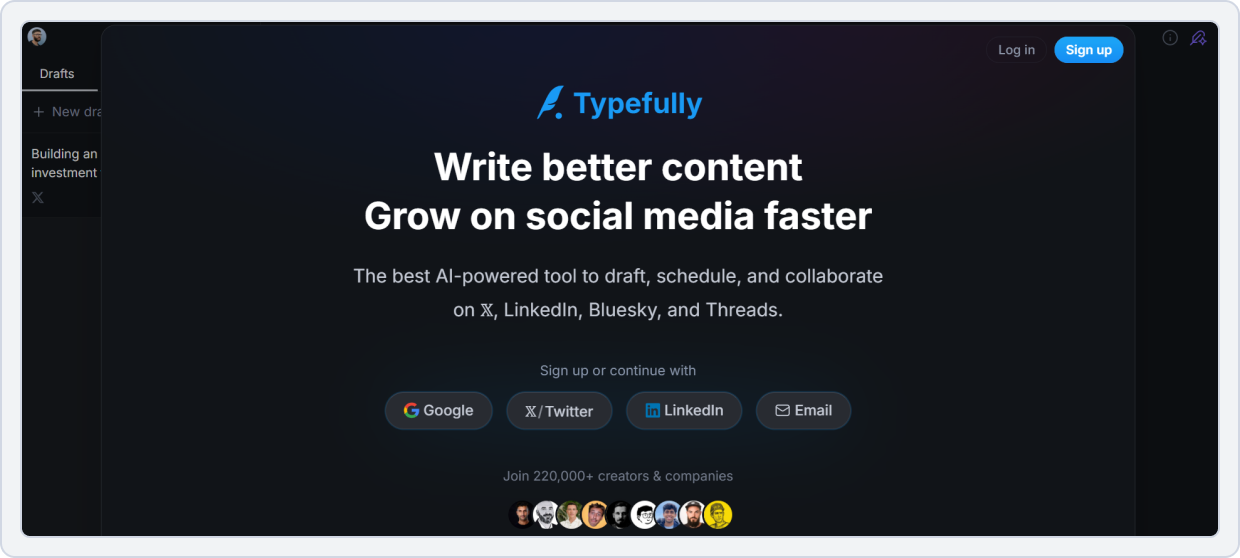
Typefully is a social media platform built for creators focused on text-based content and microblogging. It combines intelligent scheduling, AI-powered writing assistance, and advanced thread and post analytics. The interface remains distraction-free, emphasizing text creation rather than visual drag-and-drop planning.
Unlike Loomly, which targets full-scale social media planning across multiple networks, Typefully focuses on X (formerly Twitter), LinkedIn, Threads, and Bluesky. The tool offers unique automation features such as auto-retweet, auto-plug comments, and scheduled threads.
Typefully vs. Loomly
Here’s a feature-by-feature comparison of Loomly vs FeedHive to help you choose the right tool based on how you plan, write, and automate on social content, especially across text-focused networks like X and Threads.
1. Content Scheduling and Planning (With AI-Assisted Writing)
Typefully specializes in writing-centric scheduling. It focuses on composing and sequencing posts (especially for text-heavy platforms). Its content planning includes:
- Schedule posts and threads for X (Twitter), LinkedIn, Threads, Bluesky, and Mastodon
- Draft, preview, and queue content in advance
- Built-in AI writing assistance to help craft longform threads, replies, hooks, and variations
- AI suggestions for tone, length, and engagement optimization
Loomly also offers content planning with visual calendars, post previews, and campaign scheduling, but Typefully’s strength is in writing and sequencing content, particularly for text platforms.
Typefully vs Loomly Key Takeaway: Typefully wins for writing-first content planning and AI-assisted draft creation, while Loomly focuses on broader calendar scheduling across multi-platform campaigns.
2. Drafts and Team Collaboration
Typefully supports:
- Unlimited drafts and revisions
- Shared drafts for team editing
- Version history for refining messages
- AI rewrites and enhancements to improve clarity, tone, and engagement
Loomly also supports team collaboration.
Typefully vs Loomly Key Takeaway: Typefully’s drafting workflow is superior for writing and refining text content, while Loomly is optimized for structured review and multi-user approvals.
3. AI-Powered Social Media Automation
Typefully’s AI tools focus on content creation, including:
- Generating thread ideas and replies
- Recommending post variations
- Optimizing tone and structure
Typefully does not automate cross-platform publishing beyond scheduling and does not support automated content recycling.
Loomly offers AI-powered suggestions for captions, content inspiration, and optimization prompts.
Typefully vs Loomly Key Takeaway: Typefully wins in AI-assisted writing, ideal for creators who want help crafting posts.
4. Social Media Analytics and Reporting
Typefully offers analytics geared toward text-centric platforms (especially X), such as:
- Engagement metrics for posts and threads
- Performance trends over time
- Follower growth and interaction tracking
However, Typefully’s analytics are more platform-specific metrics rather than cross-platform business insights. Loomly provides broader analytics, including engagement, reach, and impressions across social channels.
Typefully vs Loomly Key Takeaway: Loomly delivers richer cross-platform analytics, while Typefully focuses on text-first network performance analytics.
5. User Interface and Workflow
Typefully is known for a:
- Clean, writing-first interface
- Seamless drafting and posts queue
- Simple workflow built for creators
Loomly’s interface is structured around calendars and campaigns, and is more comprehensive for multi-platform planning.
Typefully vs Loomly Key Takeaway: Typefully’s UI is more intuitive for writing and queueing text content, while Loomly’s workflow is better suited for multi-team and multi-platform coordination.
6. Platform Integrations
Typefully supports:
- X (Twitter), LinkedIn, Threads, Bluesky, Mastodon
- Zapier and API connections for workflow automation
Loomly integrates with:
- Facebook, Instagram, LinkedIn, TikTok, Pinterest, Google Business Profile
- Slack, Google Drive, Dropbox, and Zapier
Typefully vs Loomly Key Takeaway: Typefully is ideal for text-first platform scheduling with API automation, while Loomly supports broader social ecosystem integrations.
7. Pricing
Here is the pricing plan comparison of both tools:
Typefully | Loomly | |
Platforms Supported | X (Twitter), LinkedIn | Instagram, Facebook, LinkedIn, X (Twitter), Pinterest, TikTok, Google Business Profile |
Free Plan | No free plan | Yes – Limited • 1 user • 3 social media accounts • 1 content calendar |
For Creators / Individuals | Creator – $12.50/month• Unlimited publishing & drafts• Content calendar• 20 social sets• LinkedIn first comment• Unlimited editing & rewriting• Basic analytics | Starter – $65/month • 3 users • 12 social media accounts • Unlimited calendars & posts • Bulk scheduling • Approval workflows & roles |
For Small/Growing Teams | Team – $49/month• Unlimited publishing & drafts• Content calendar• 20 social sets• 2 teams• Unlimited members• LinkedIn first comment• Unlimited editing & rewriting | Beyond – $332/month • Unlimited users • 60 social media accounts • Unlimited calendars & posts • Hashtag manager |
Pricing Flexibility | Highly affordable for text-first creators and LinkedIn/X-focused teams | Scaling and advanced workflows require expensive upper-tier plans |
Typefully vs. Loomly Final Takeaway
For creators and social media content professionals who prioritize writing, threaded posts, and AI-assisted caption generation, Typefully is an efficient alternative to Loomly. It’s especially suited if you’re working as a social media content creator, focusing on platforms where text and ideas matter most.
While Loomly excels in broader scheduling and brand workflows, Typefully excels in writing, ideation, and simple scheduling, making it one of the best Loomly alternatives for content planning and thread-based network publishing in 2026.
Loomly Alternative#6: Taplio
Best For: LinkedIn-focused creators, personal brands, and small teams prioritizing AI content generation and outreach
Starting Price: $39/month
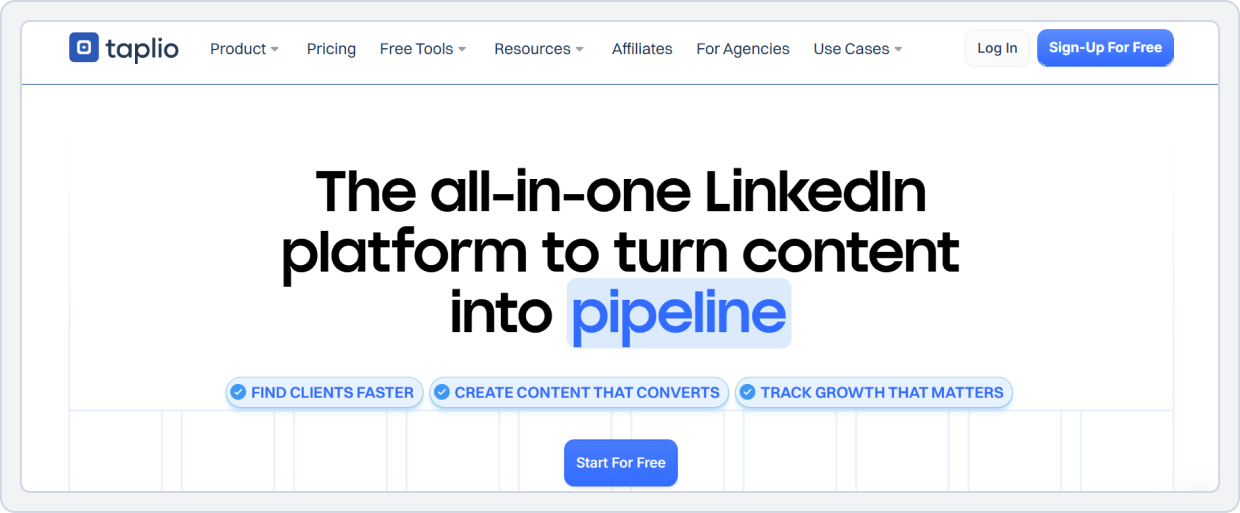
Taplio is built for creators and marketers who focus on LinkedIn growth. It provides content planning, AI-assisted post creation, scheduling, and engagement tools like auto-replies and comment management. It helps writers and content creators generate ideas, design carousels, and scale posting with less manual effort.
While Loomly is designed for full-scale social media planning across platforms, Taplio focuses on deeper content ideation, LinkedIn network building, and AI support. If your focus is text- and idea-heavy content on LinkedIn and similar networks, Taplio is the best pick.
Taplio vs. Loomly
Below is a detailed comparison between Taplio and Loomly to help you decide.
1. Content Scheduling and Planning
Taplio is built primarily for LinkedIn content creators and professionals, with features that help plan and schedule posts, threads, and carousel content. You can:
- Schedule posts, carousels, and replies on LinkedIn
- Plan long-form posts and content series
- Queue content for a consistent publishing rhythm
- Focused calendar for LinkedIn-only scheduling
Loomly, in contrast, offers a visual calendar across multiple platforms (Facebook, Instagram, LinkedIn, X, TikTok, Pinterest, etc.) with planning tools designed for brands and teams managing multiple channels.
Taplio vs Loomly Key Takeaway: Taplio is ideal if your primary focus is LinkedIn content strategy, while Loomly is better if you need multi-platform planning and publishing.
2. AI Content Generation and Content Inspiration
Taplio places a heavy emphasis on AI-assisted content creation and inspiration, including:
- AI-powered writing tools to generate posts, hooks, and variations
- Templates and prompts tailored for LinkedIn engagement
- Content inspiration feeds based on trending topics and industry insights
Loomly also offers AI content ideas, post suggestions, and optimization prompts. However, its AI is oriented toward inspiration and draft support rather than full LinkedIn-specific generation workflows.
Taplio vs Loomly Key Takeaway: For writing-first content with a strong LinkedIn focus, Taplio’s AI writing and inspiration tools are stronger, whereas Loomly supports broader content ideation across platforms.
3. Social Media Analytics and Insights
Taplio’s analytics are tailored to LinkedIn performance and growth, giving users:
- Engagement trends specific to LinkedIn posts and activity
- Insights into audience interactions and optimal post timing
- Metrics for connections, reply rates, and content reach
Loomly provides more cross-platform insights, including engagement, reach, clicks, and impressions across multiple social networks.
Taplio vs Loomly Key Takeaway: Loomly wins for multi-platform analytics and campaign reporting, while Taplio offers deeper LinkedIn-centered insights for users focused on that network.
4. Platform Integrations
Taplio integrates primarily with LinkedIn for:
- Posting and scheduling content
- Analytics and performance tracking
- Messaging, comments, and engagement actions
- Connection-building tools
It also supports Zapier and API connections for automated workflows.
Loomly integrates with:
- Facebook, Instagram, LinkedIn, TikTok, Pinterest, Google Business Profile
- Slack, Google Drive, Dropbox, and Zapier
Taplio vs Loomly Key Takeaway: Taplio is highly focused on LinkedIn and professional networking workflows, while Loomly offers broader social platform support and workflow integrations.
5. Pricing
Let’s look at what each tool has to offer in each plan and which one proved to be more cost-effective and feature-rich:
Taplio | Loomly | |
Platforms Supported | LinkedIn only (LinkedIn growth & automation tool) | Instagram, Facebook, LinkedIn, X (Twitter), Pinterest, TikTok, Google Business Profile |
Free Plan | No free plan | Yes – Limited • 1 user • 3 social media accounts • 1 content calendar • 5 posts/month |
For Creators / Individuals | Starter – $39/month • 1-click post scheduling • 5M+ post ideas • Carousel builder • Post analytics • Chrome extension (basic) • Auto-comment | Starter – $65/month • 3 users • 12 social media accounts • Unlimited calendars & posts • Bulk scheduling • Approval workflows & roles • Post analytics |
For Small/Growing Teams | Standard – $65/month • 250 AI credits • 500 comment credits • Hook & post generator • Content repurposing • Auto-reply & comments • Smart replies | Beyond – $332/month • Unlimited users • 60 social media accounts • Unlimited calendars & posts • Hashtag manager • Calendar 2FA enforcement |
Pricing Flexibility | Purpose-built for LinkedIn creators and sales teams focused on growth, automation, and lead generation | Designed for multi-platform teams needing structured workflows and collaboration |
Taplio vs. Loomly Final Takeaway
For creators focused on LinkedIn who want faster content production and more innovative outreach, Taplio stands out as one of the best Loomly alternatives. It offers AI-powered content generation, deep LinkedIn engagement tools, and a focused platform workflow that bypasses Loomly’s heavy reliance on its calendar and asset management.
If your content strategy emphasizes building a personal brand, generating fresh ideas, and scheduling with less manual effort, choose Taplio.
Also Read: Top 11 Tools to Write LinkedIn Posts With AI for Personal Branding to grow your brand on LinkedInLoomly Alternative#7: Post Planner
Best For: Small businesses, solopreneurs, and marketers focused on content curation and scheduling
Starting Price: $12/month
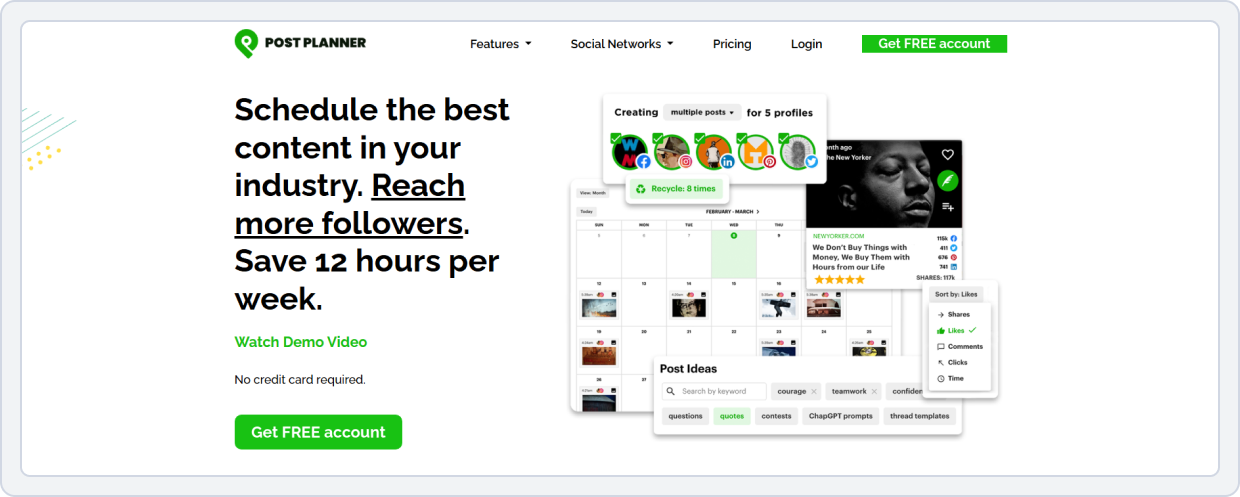
Post Planner is one of the most affordable social media management tools and an Loomly alternative built for small teams and creators who want to maximize engagement with minimal effort. It helps users find viral content, schedule posts at optimal times, automate posting via calendar, and manage bulk uploads in a simple, clutter-free dashboard.
Unlike Loomly, which focuses on brand calendars and detailed workflows, Post Planner centers on content performance and engagement growth. This makes it ideal for users who prioritize results over complexity.
Post Planner vs Loomly
Let’s see the key differences between these two social media tools to help you decide which one fits your workflow and goals, whether it’s content discovery, scheduling, analytics, or ease of use.
1. Content Scheduling and Automation
Post Planner focuses on efficient post scheduling and smart automation. It offers:
- Visual content calendar with drag-and-drop scheduling
- Queue-based posting that fills time slots automatically
- Content recycling and recurring posts to get more mileage from your best posts
- Ability to organize content into categories/buckets for thematic posting and balanced content flow
Loomly provides a visual calendar with structured scheduling based on campaign workflows, with preview and approval options for multi-stage publishing.
Post Planner vs Loomly Key Takeaway: Post Planner is built for easy scheduling and automated posting, while Loomly adds structured content planning, built-in workflows, and previews for teams.
2. AI-Powered Content Discovery and Creation
Post Planner excels at content discovery and AI-generated content. It helps users:
- Find viral and trending content tailored to your niche
- Pull relevant articles, quotes, and media for easy posting
- Re-share expert content to relate to your audience
- Generates captions, hashtags, and post ideas directly with AI Writer.
Loomly, in contrast, includes post ideas and inspiration prompts, but these are more focused on helping you create original content. But it also allows you to curate trending content from across the web.
Post Planner vs Loomly: Key Takeaway: Post Planner wins for discovery and content curation, while Loomly emphasizes structured content creation and offers inspiration and optimization tips.
3. Social Media Analytics and Reporting
Post Planner offers basic analytics that help you:
- Track engagement and sort your social media posts by likes and shares
- Find top-performing posts, showing what resonates with your audience over time
- Easily re-post your top-performing content from any time period or social media network.
In contrast, Loomly’s analytics go a step further. It provides post and campaign performance insights, including engagement metrics such as reach, impressions, and interactions.
Post Planner vs Loomly Key Takeaway: Loomly provides more advanced reporting and deeper performance insights, whereas Post Planner’s analytics focus more on basic engagement tracking.
4. Ease of Use
Post Planner is known for a simple, clean interface and easy setup, making it ideal for beginners and solopreneurs. Its discovery features and automated scheduling reduce manual work each day.
Loomly has more structured workflows than Post Planner, and users report that its interface is clunky.
Post Planner vs Loomly Key Takeaway: Post Planner is slightly easier for solo users and small teams focused on simple scheduling.
5. Platform Integrations
Post Planner integrates with:
- Facebook, Instagram, Threads, Bluesky, LinkedIn, X (Twitter), and Pinterest (native support)
- RSS feeds and basic automation tools for content discovery
Loomly integrates with:
- A broader set of major platforms, including Facebook, Instagram, LinkedIn, TikTok, Pinterest, Threads, Bluesky, YouTube, and Google Business Profile
- Workflow integrations like Slack, Google Drive, Dropbox, and Zapier
Post Planner vs Loomly Key Takeaway: Loomly supports a broader range of platforms and workflow integrations, giving it an edge for larger operations and cross-platform campaigns.
6. Pricing
Here is a pricing comparison of Post Planner vs Loomly:
Post Planner | Loomly | |
Platforms Supported | Facebook, Instagram, LinkedIn, X (Twitter), Pinterest, YouTube, TikTok, Threads, BlueSky, Google Business Profile | Instagram, Facebook, LinkedIn, X (Twitter), Pinterest, TikTok, Google Business Profile |
Free Plan | Free plan available • 1 social profile/user • 3 posts per profile/day • 15 scheduled posts • 100 AI credits/day | Yes – Limited • 1 user • 3 social media accounts • 1 content calendar • 5 posts per month |
For Creators / Individuals | Starter – $12/month • 3 social profiles • 12 posts/profile/day • 150 scheduled posts • 1 user • 1,000 AI credits/day • Basic scheduling & curation | Starter – $65/month • 3 users • 12 social media accounts • Unlimited calendars & posts • Bulk scheduling • Approval workflows & roles |
For Small/Growing Teams | Growth – $49/month • 12 social profiles/ 2 users • 18 posts/profile/day • 1,000 scheduled posts • 20,000 AI credits/day • Unlimited snippets & drafts • Premium scheduling & curation | Beyond – $332/month • Unlimited users • 60 social media accounts • Unlimited calendars & posts • Hashtag manager • Calendar 2FA enforcement |
Pricing Flexibility | Very affordable, AI-heavy plans scale gradually without forcing early upgrades | Feature access and scaling require expensive upper-tier plans |
Post Planner vs. Loomly Final Takeaway
If your top priority is affordable automation and engagement-driven content, Post Planner wins hands down. Its AI content discovery, smart posting schedules, and bulk queuing make it perfect for solo creators and small teams who want quick wins without complex setups.
Loomly offers broader brand management, but for creators who need viral content, consistent engagement, and simple scheduling, Post Planner delivers a higher ROI at a fraction of the cost.
Want to stop overpaying for social media scheduling? See how much you can save by switching to a more affordable workflow in our full Loomly vs. Post Planner comparison guide.Loomly Alternative#8: Metricool
Best For: Data-driven marketers, agencies, and advertisers managing social, web, and ad analytics together
Starting Price: $22/month
Metricool is a strong analytics and scheduling platform designed for marketers who want a complete picture of their online presence. Unlike Loomly, which focuses mainly on social media content planning, Metricool combines social analytics, website traffic data, and paid ad performance into one clean interface.
From publishing posts to analyzing campaigns across Meta Ads, Google Ads, TikTok Ads, and even your website, Metricool makes multi-channel tracking effortless.
Metricool vs. Loomly
Here are the key differences between these two platforms. It will help you choose the right tool for your social media planning, analytics, and competitive tracking needs.
1. Content Planning and Scheduling
Metricool focuses on visual planning and simplified scheduling. It offers:
- Drag-and-drop content calendar for easy planning
- Post previews for each social platform before publishing
- Multi-platform scheduling from a single dashboard
- auto-publish content and streamlined workflow designed for creators, marketers, and small teams
Loomly, on the other hand, is built around campaign-based calendars with structured post creation, approval steps, and publishing reminders.
Metricool vs Loomly Key Takeaway: Metricool is better for fast, visual content planning with minimal friction, while Loomly suits teams that prefer structured, campaign-driven scheduling.
2. Competitor Tracking
Metricool provides built-in competitor tracking and benchmarking, allowing users to:
- Monitor competitor growth and engagement metrics
- Compare posting frequency and performance
- Analyze competitors’ content strategies across platforms
Loomly does not offer dedicated competitor analysis. Instead, it only focuses on internal content planning, publishing, and performance analytics.
Metricool vs Loomly Key Takeaway: Metricool clearly wins for competitor tracking and benchmarking, making it a better fit for data-driven marketers.
3. Social Media Analytics and Reporting
Metricool delivers deep, performance-focused analytics, including:
- Platform-specific performance metrics
- Historical data with long-term trend analysis
- Downloadable and shareable reports
- Insights designed for content optimization and growth tracking
Loomly’s analytics are clean and user-friendly, but more limited in depth, focusing mainly on post-level performance rather than in-depth competitive or strategic insights.
Metricool vs Loomly Key Takeaway: Metricool offers more robust analytics and reporting for marketers who rely on data to refine strategy and prove ROI.
4. Team Collaboration and Approval Workflow
Metricool offers comprehensive tools for team and client collaboration, such as:
- Multiple user access
- Post approvals (on higher plans)
- Client and brand management features
- Approve or reject multiple posts at once
In comparison, Loomly also provides collaboration and an approvals workflow. It offers role-based permissions, multi-step approval workflows, and commenting and feedback within the content calendar.
Metricool vs Loomly Key Takeaway: Metricool offers robust team collaboration and prioritizes speed and simplicity over complex workflows.
5. Platform Integrations
Metricool integrates with:
- Social Platforms: Facebook, Instagram, LinkedIn, X (Twitter), Pinterest, TikTok, YouTube, Threads, Mastodon
- Ad Platforms: Meta Ads, TikTok Ads, Google Ads
- Web Analytics & CMS: Google Analytics, WordPress, Wix, Blogger
- Other Tools: Canva, Zapier, RSS feeds
Loomly integrates with:
- Major social platforms (excluding X) and workflow tools such as Slack, Microsoft Teams, Google Drive, Dropbox, and Zapier.
Metricool vs Loomly Key Takeaway: Metricool stands out for marketing, analytics, and advertising integrations, while Loomly focuses more on planning and internal team workflows.
6. Pricing
Here is the pricing plan comparison of Metricool and Loomly to help you decide which tool is more suitable and cost-effective for you:
Metricool | Loomly | |
Platforms Supported | Instagram, Facebook, TikTok, Pinterest, YouTube, Google Business Profile, Twitch, LinkedIn (paid), X/Twitter (add-on) | Instagram, Facebook, LinkedIn, X (Twitter), Pinterest, TikTok, Google Business Profile |
Free Plan | Free plan available • Manage all social accounts (excluding LinkedIn & X) • 50 scheduled posts/month • Analyze 5 competitors • 3 months of analytics | Yes – Limited • 1 user • 3 social media accounts • 1 content calendar • 5 posts/month |
For Creators / Individuals | Starter – $22/month • All social platforms (X via add-on) • Unlimited scheduling • 100 competitor profiles • Unlimited analytics • Downloadable PDF & PPT reports | Starter – $65/month • 3 users • 12 social media accounts • Unlimited calendars & posts • Bulk scheduling • Approval workflows & roles • Post analytics |
For Small/Growing Teams | Advanced – $54/month • Unlimited team & client access • Role management • Post approval system • Custom report templates • Looker Studio integration | Beyond – $332/month • Unlimited users • 60 social media accounts • Unlimited calendars & posts • Hashtag manager • Calendar 2FA enforcement |
Pricing Flexibility | Very cost-effective with strong analytics and competitor tracking at lower tiers | Scaling and advanced workflows require expensive upper-tier plans |
Metricool vs. Loomly Final Takeaway
If your goal is a data-backed content strategy, Metricool is a stronger choice than Loomly. While Loomly emphasizes post creation and visual planning, Metricool offers a holistic analytics ecosystem that integrates social media, website, and ad data to help marketers make smarter decisions.
Its AI-powered scheduling, competitor benchmarking, and unified reporting make it ideal for agencies and brands aiming for strategic growth.
Loomly Alternative#9: NapoleonCat
Best For: Customer support teams, agencies, e-commerce brands prioritizing engagement management and moderation
Starting Price: $79/month
NapoleonCat stands out as a social media management and customer service tool built for engagement-heavy teams. Unlike Loomly, which focuses primarily on post creation and scheduling, NapoleonCat offers publishing, moderation, and analytics into one streamlined workflow.
Its Unified Social Inbox lets teams manage comments, messages, and mentions across platforms from a single dashboard, saving time for customer-facing brands. Moreover, its Automated Moderation rules handle repetitive tasks, such as hiding spam, responding to FAQs, and tagging messages, freeing up hours each week. It also allows monitoring performance and metrics using advanced analytics.
NapoleonCat vs Loomly
Here is a feature-by-feature comparison of NapoleonCat and Loomly:
1. Content Scheduling and Planning
Both tools offer calendar-based scheduling for posts across multiple platforms.
However, NapoleonCat:
- Allows performance analytics and content optimization (optimal posting times)
- Integrates engagement tracking directly into the content calendar, providing users with real-time context for planning and publishing.
Loomly provides scheduling with campaign-based planning, visual calendars, and post mockups, but lacks embedded engagement insights in the calendar.
NapoleonCat vs Loomly Key Takeaway: NapoleonCat provides a more strategic, insight-driven scheduling workflow for teams that want to plan based on real-time engagement data.
2. AI-Powered Social Media Automation
NapoleonCat supports:
- Auto-moderation to automatically hide or flag inappropriate comments
- Engagement automation to respond to messages, mentions, and comments quickly
- Rules-based posting automation for repetitive workflows
On the contrary, Loomly offers basic automation features, such as reminders and content suggestions, but does not provide automated moderation or engagement automation.
NapoleonCat vs Loomly Key Takeaway: NapoleonCat delivers stronger automation tools for social engagement and moderation, reducing manual effort.
3. Competitor Analytics
NapoleonCat allows you to:
- Track competitors’ performance across platforms
- Provide benchmark insights to inform your content strategy
Loomly focuses on internal analytics and post-performance without competitive benchmarking.
NapoleonCat vs Loomly Key Takeaway: NapoleonCat clearly wins on competitive intelligence, helping brands adapt quickly to market trends
4. Social Media Analytics and Reporting
NapoleonCat offer:
- Detailed reporting on content performance and competitor channels.
- Export data for Excel or PDF reports.
Loomly offers post-level and account-level performance analytics, but is more limited in customization and depth.
NapoleonCat vs Loomly: Key Takeaway: NapoleonCat offers more comprehensive reporting for performance analysis and cross-brand monitoring.
5. Advanced Engagement and Reputation Management
While Loomly includes a basic engagement tool called “Interactions,” NapoleonCat is built for high-stakes community management and customer support. It goes beyond simple replies by actively moderating your community and managing your reputation on platforms Loomly doesn’t support.
With NapoleonCat’s unified engagement suite, you can:
- Set specific rules to automatically hide, delete, or archive spam, offensive language, and bot comments across your posts and ads; a feature missing in Loomly.
- Monitor and respond to user feedback from the Google Play Store, Apple App Store, and Google Business Profile reviews directly from your dashboard.
- Manage all comments, DMs, and mentions from a single, filtered view to ensure no customer queries or brand mentions are missed.
- Assign specific inquiries to team members and track response times to turn your social media into a customer service powerhouse.
NapoleonCat vs Loomly Key Takeaway: NapoleonCat is the clear winner for e-commerce, app-based brands, and local businesses. While Loomly focuses on content aesthetics, NapoleonCat provides the automation and reputation tools needed to protect your brand from spam and manage professional reviews in one place.
6. Platform Integrations
NapoleonCat integrates with:
- Social Platforms: Facebook, Instagram, LinkedIn, X (Twitter), TikTok, YouTube, Slack, Threads, Bluesky, Google My Business
- Review & Messaging: Google Reviews, Messenger, Instagram DMs
Loomly integrates with:
- Major social platforms (excluding X) plus workflow tools like Slack, Microsoft Teams, Threads, Bluesky, Google Drive, Dropbox, and Zapier.
NapoleonCat vs Loomly: Key Takeaway: NapoleonCat stands out for engagement and review site integrations, while Loomly excels at workflow and internal collaboration.
6. Pricing
Let’s look at the pricing plans of NapoleonCat and Loomly:
NapoleonCat | Loomly | |
Platforms Supported | Instagram, Facebook, TikTok, LinkedIn, X/Twitter, YouTube, Google Business Profile | Instagram, Facebook, LinkedIn, X (Twitter), Pinterest, TikTok, Google Business Profile |
Free Plan | No free plan; only a 14-day free trial | Yes – Limited • 1 user • 3 social media accounts • 1 content calendar • 5 posts/month |
For Creators / Individuals | Standard – $79/month • 2 users • 5 profile slots • Unlimited post scheduling • Team collaboration • Competitor tracking, benchmarking & analytics • Automated reporting | Starter – $65/month • 3 users • 12 social media accounts • Unlimited calendars & posts • Bulk scheduling • Approval workflows & roles • Post analytics |
For Small/Growing Teams | Pro – $89/month • 2 users • 5 profile slots • All-in-one Social Inbox • Saved responses • Email consultations • Team performance reports | Beyond – $332/month • Unlimited users • 60 social media accounts • Unlimited calendars & posts • Hashtag manager • Calendar 2FA enforcement |
Pricing Flexibility | Focused on small to mid-sized teams with strong automation, moderation, and analytics | Scaling teams and advanced workflows require high-tier plans |
NapoleonCat vs. Loomly Final Takeaway
NapoleonCat beats Loomly in social engagement management, offering automation, inbox unification, and customer care tools that Loomly doesn’t.
While Loomly excels in post creation and content aesthetics, NapoleonCat focuses on community building, customer support, and performance tracking, all in one place.
For brands and agencies dealing with large volumes of comments, messages, or customer inquiries, NapoleonCat delivers unmatched value by automating repetitive engagement tasks and improving response times.
Tired of manually deleting spam and bot comments? See how NapoleonCat’s auto-moderation stacks up against Loomly in our comprehensive comparison.Loomly Alternative#10: eClincher

Best For: Marketing teams, agencies, and enterprise users managing multiple clients and needing large-scale automation workflows
Starting Price: $149 billed monthly
The second last tool on our list is eClincher. It’s a social media management and automation platform built for marketing teams that prioritize scalability and efficiency. eClincher offers powerful automation, deeper integrations, and advanced analytics, all designed for performance-driven teams.
With auto-posting via RSS feeds, brands can automate content sharing from blogs and trusted sources, maintaining a consistent posting rhythm without manual scheduling. The Smart Inbox combines all messages, mentions, and comments into a single dashboard.
Moreover, its media library and visual composer make content storage and publishing easy, especially for teams managing multiple clients. Plus, its AI-powered post optimization helps determine the best times and hashtags for maximum engagement, something Loomly’s basic AI tools don’t yet match.
eClincher vs. Loomly
Understanding the key differences between these two platforms helps you choose the right tool for your social media management needs.
1. Content Scheduling and Automation
eClincher is designed for hands-off publishing and content flow. It offers:
- RSS auto-posting to publish content automatically from blogs and feeds
- Smart queues and media recycling for evergreen content
- Built-in content curation that discovers and suggests relevant articles and posts
- Automated posting rules to reduce repetitive manual work
Loomly relies on campaign-based planning, with limited automation in comparison to eClincher.
eClincher vs Loomly Key Takeaway: eClincher offers far stronger automation and content curation for teams that want minimal manual scheduling via auto-publishing
2. Brand Monitoring and Social Listening
eClincher includes built-in brand monitoring and listening features, such as:
- Tracking brand mentions, keywords, and hashtags across platforms
- Monitoring conversations to respond faster to audience sentiment
- Reputation management tools tied to engagement workflows
Loomly does not offer social listening or brand monitoring beyond basic engagement tracking.
eClincher vs Loomly Key Takeaway: eClincher clearly wins for brand monitoring and social listening capabilities.
3. Social Media Analytics and Reporting
eClincher delivers advanced analytics designed for performance optimization, including:
- Visual performance reports with customizable views
- Sentiment analysis for engagement and brand health
- Tag-based tracking to measure campaigns and content themes
Loomly’s analytics are easier to read and clean but more limited in customization and depth.
eClincher vs Loomly Key Takeaway: eClincher wins with richer, more actionable analytics for campaign and ROI analysis.
4. Team Collaboration and Approval Workflows
eClincher supports agency-level collaboration through:
- Advanced approval workflows
- Asset libraries shared across teams
- Client workspaces for managing multiple brands
While Loomly also supports approvals, many advanced collaboration features are locked behind higher-tier plans.
eClincher vs Loomly Key Takeaway: eClincher delivers superior collaboration tools for agencies and multi-stakeholder teams.
5. Platform Integrations
eClincher integrates with:
- Social Platforms: Facebook, Instagram, LinkedIn, X (Twitter), TikTok, YouTube, Pinterest, Google My Business
- Storage & Content Tools: Canva, Google Drive, Dropbox, Chrome extensions
- Analytics & Utilities: Bitly, Google Analytics, and reputation management tools
Loomly integrates with:
- Major social platforms (excluding X) plus workflow tools like Slack, Microsoft Teams, Google Drive, Dropbox, and Zapier.
eClincher vs Loomly Key Takeaway: eClincher stands out for deeper marketing, listening, and content integrations, while Loomly focuses more on planning and internal workflows.
6. Pricing
Let’s look at the pricing plans of eClincher and Loomly and what features each tool offers in each plan:
eClincher | Loomly | |
Platforms Supported | Instagram, Facebook, LinkedIn, X/Twitter, TikTok, Pinterest, YouTube | Instagram, Facebook, LinkedIn, X (Twitter), Pinterest, TikTok, Google Business Profile |
Free Plan | No free plan available | Yes – Limited • 1 user • 3 social media accounts • 1 content calendar • 5 posts/month |
For Creators / Individuals | Standard – $149/month • 1 brand, 1 user (max 2) • 10 profiles (max 20) • Publishing & scheduling • Unified inbox & automation • Review moderation • Custom Link in Bio • Advanced analytics | Starter – $65/month • 3 users • 12 social media accounts • Unlimited calendars & posts • Bulk scheduling • Approval workflows & roles • Post analytics |
For Small/Growing Teams | Professional – $349/month • Unlimited brands / 5 users (max 10) • 25 profiles (max 40) • Multi-channel reports • Approval workflows • External client dashboards • AI-powered automation tools | Beyond – $332/month • Unlimited users • 60 social media accounts • Unlimited calendars & posts • Hashtag manager • Calendar 2FA enforcement |
Pricing Flexibility | Geared towards brands needing multi-account management, AI automation, and client reporting | Structured for scaling teams with approval workflows and calendar management |
eClincher vs. Loomly Final Takeaway
eClincher excels in automation, scalability, and comprehensive engagement management. For teams that manage multiple brands, clients, or heavy posting schedules, it’s a clear upgrade.
While Loomly offers simplicity, eClincher delivers depth, with advanced queue scheduling, RSS automation, and AI post optimization designed for efficiency at scale.
For agencies or marketing departments managing multiple clients, eClincher’s unified workflows and automated features save time, reduce manual effort, and ensure consistent content delivery.
Want to know more details? Check our eClincher vs. Loomly comparison.Loomly Alternative#11: Publer
Best For: Freelancers and visual content creators needing affordable scheduling and editing in one tool
Starting Price: $5/month per user
Publer combines social media scheduling with powerful built-in editing tools, offering a streamlined workflow that’s ideal for creators managing visual-first platforms. Unlike Loomly, which focuses on planning and collaboration, Publer integrates photo and video editing directly into its interface, removing the need for third-party design tools.
Its AI Assistant helps users craft engaging posts quickly, while bulk scheduling, automating tags, RSS feed automation, and post recycling make maintaining content consistency easier. Publer’s clean dashboard makes it especially attractive to those who prefer simplicity.
Publer vs. Loomly
This tool is built for creators and small teams that want speed, simplicity, and built-in content creation tools. It simplifies social media management and scheduling.
1. Content Scheduling and Planning
Publer offers fast and flexible content scheduling. It supports:
- Bulk scheduling and CSV uploads
- Post recycling for evergreen content
- A clean calendar view for quick edits
- Built-in image and video editing inside the scheduler
Loomly focuses more on campaign-based planning and structured collaborative workflows.
Publer vs Loomly Key Takeaway: Publer is better for quick scheduling and evergreen content management, while Loomly is better for structured campaign planning.
2. Team Collaboration and Workflow
Publer supports strong basic collaboration features, including:
- Shared calendars
- Team access on higher plans
- Simple approval options
However, it lacks advanced approval stages and role customization. Loomly is explicitly designed for teams and agencies, with multi-step approvals and detailed permission controls.
Publer vs Loomly Key Takeaway: Loomly wins for advanced team collaboration, while Publer works well for small teams with simple workflows.
3. Social Media Analytics and Reporting
Publer provides straightforward analytics focused on:
- Post-level engagement metrics
- Fundamental performance insights per account
These analytics are helpful for freelancers and small businesses, but are not deeply customizable. Loomly offers more structured reporting for teams that rely on analytics for strategy and client reporting.
Publer vs Loomly Key Takeaway: Loomly is stronger for deeper analytics, while Publer keeps team reporting simple and accessible.
4. Ease of Use
Publer’s interface is clean, minimal, and easy to navigate. Most actions, such as editing visuals, writing captions, and scheduling, happen in one place. Loomly’s interface, while polished, feels outdated and introduces more steps due to its workflow-based design.
Publer vs Loomly Key Takeaway: Publer is easier to use, especially for freelancers and small teams.
5. AI-Powered Content Creation
Publer integrates AI directly into content creation, offering:
- AI caption generation
- Hashtag suggestions
- AI-powered content rewriting
- Visual editing alongside AI text tools
On the other hand, Loomly’s AI is more focused on content ideas, caption suggestions, and hashtag suggestions.
Publer vs Loomly Key Takeaway: Publer wins for AI-assisted content creation, while Loomly’s AI supports planning and ideation.
6. Platform Integrations
Publer integrates with:
- Major platforms, including Facebook, Instagram, LinkedIn, Twitter (X), YouTube, TikTok, and Pinterest, as well as Google Business Profiles and WordPress for content distribution.
Loomly:
- Major social platforms plus (excluding X) workflow tools like Slack, Microsoft Teams, Google Drive, Dropbox, and Zapier.
Publer vs Loomly Key Takeaway: Publer focuses on strong publishing integrations across social and web platforms. And Loomly offers broader workflow and collaboration integrations.
7. Pricing
Here is a pricing comparison of Publer and Loomly. Let’s look at what each tool’s plan has to offer:
Taplio | Loomly | |
Platforms Supported | LinkedIn only (LinkedIn growth & automation tool) | Instagram, Facebook, LinkedIn, X (Twitter), Pinterest, TikTok, Google Business Profile |
Free Plan | No free plan | Yes – Limited • 1 user • 3 social media accounts • 1 content calendar • 5 posts/month |
For Creators / Individuals | Starter – $39/month • 1-click post scheduling • 5M+ post ideas • Carousel builder • Post analytics • Chrome extension (basic) • Auto-comment | Starter – $65/month • 3 users • 12 social media accounts • Unlimited calendars & posts • Bulk scheduling • Approval workflows & roles • Post analytics |
For Small/Growing Teams | Standard – $65/month • 250 AI credits • 500 comment credits • Hook & post generator • Content repurposing • Auto-reply & comments • Smart replies | Beyond – $332/month • Unlimited users • 60 social media accounts • Unlimited calendars & posts • Hashtag manager • Calendar 2FA enforcement |
Pricing Flexibility | Purpose-built for LinkedIn creators and sales teams focused on growth, automation, and lead generation | Designed for multi-platform teams needing structured workflows and collaboration |
Publer vs. Loomly Final Takeaway:
Publer stands out as a cost-effective and creator-friendly alternative to Loomly, combining editing, AI assistance, and scheduling in one place.
It’s ideal for solo marketers and small teams who prioritize visual content efficiency and affordability. While Loomly caters to structured brand collaboration, Publer’s lightweight approach offers speed, creativity, and simplicity, making it a perfect fit for modern content creators in 2026.
Also Read: Compare Publer with 64 other social media tools to find the right solution for your social media management needs. Conclusion
Here you go with a massive list of Loomly alternatives for all your social media management and content planning. Looking for the right Loomly alternatives in 2026 means hoping for affordability, automation, team collaboration, and visual planning, all under one dashboard.
This is what this guide enlists. From AI-powered scheduling and automation with SocialBu to content curation in ContentStudio, writing-focused tools like Typefully and Taplio, and visual editing with Publer, there’s a tool for every type of social media creator and team.
Budget-conscious users can explore free Loomly alternatives or low-cost social media content planning tools like Post Planner and Publer. However, for SMBs and agencies that need advanced scheduling, analytics, collaboration, and automation at an affordable price, SocialBu is the best overall Loomly replacement for small teams and agencies.
However, the key to choosing the right brand management platform is to match the tool to your workflow, content strategy, and overall social media needs. In the end, select the one that fits your budget and workflow.
Try SocialBu for Free!
If Loomly’s price hike has worried you, SocialBu gives you 80% of the features at 30% of the cost, without enterprise complexity.
Pro Tip: Almost all of the top Loomly alternatives offer free or affordable plans to get started. Test free trials of top Loomly alternatives, where available, to see which tool best fits your team.
Which Tool are you going to try out first? Let us know in the comments below!
FAQs
Q. What are the best content creation alternatives to Loomly?
Top Loomly alternatives for content creation are SocialBu, ContentStudio, Vista Social, and Publer. These tools provide AI-powered content generation, visual post editors, and bulk scheduling that surpass Loomly’s capabilities.
Q. Which tools offer better post idea generation than Loomly?
ContentStudio, SocialBu’s content creation tools, and Post Planner excel at generating post ideas. They provide trending content suggestions, viral post recommendations, and AI-powered inspiration that Loomly’s basic suggestion tool cannot match.
Q. Are there more affordable Loomly alternatives for content planning?
Yes. Post Planner ($11/month), SocialBu ($19/month), and Publer ($5/month/social account) all offer budget-friendly pricing. This makes them ideal for small teams, freelancers, or solo creators compared to Loomly’s higher-tier pricing.
Q. What are the top competitors for social media templates?
Canva, VistaCreate, and Adobe Express provide extensive social media templates and design tools.
Q. Which alternatives provide better brand asset management?
Cloud Campaign and SocialBu offer superior brand asset management, including client dashboards, white-label options, brand tracking, social inbox, and social media monitoring to streamline team workflows.
Q. What are the best Loomly alternatives for team collaboration?
Planable, Cloud Campaign, and SocialBu excel in team collaboration, offering multi-level approval workflows, client-friendly review links, and role-based permissions that improve social media workflow.
Q. Which competitors have better approval workflows?
SocialBu and Planable lead in approval workflows, allowing multi-user reviews, comments, and platform-specific previews without additional charges, unlike Loomly, where advanced workflows are restricted to higher tiers.
Q. Are there any free alternatives to Loomly’s content suggestions?
Yes. Post Planner and SocialBu offer free or low-cost plans with AI-driven content generation and suggestion tools that help generate post ideas and maintain consistent social media posting.
Q. What tools offer better content inspiration features?
ContentStudio, Vista Social, and Post Planner provide superior content inspiration features, including trending topics, competitor analysis, and social listening, helping teams discover new ideas faster than Loomly.