Worried about your Instagram posts not showing the right Instagram post aspect ratio? Understanding Instagram post aspect ratios is key to ensuring your content looks its best and reaches the widest possible audience.
With Instagram’s recent grid updates, getting your Instagram post aspect ratio and dimensions right has become more important than ever.
There’s nothing more satisfying for a brand than seeing your post appear exactly as you wanted.
This comprehensive guide will walk you through every Instagram post size in inches, pixels, and centimeters, ensuring your content always looks pixel-perfect.
Let’s get started!
TL;DR
- Instagram supports key aspect ratios: 1:1 (square), 4:5 (portrait), and 9:16 (full-screen Reels & Stories).
- Always upload images at 1080px width to avoid compression and blurry results.
- Instagram’s grid preview switched to a 3:4 layout in 2025 and still uses it in 2026. Plan your visuals accordingly.
- Use SocialBu to automatically resize, schedule, and preview posts for perfect consistency.

How Instagram Image and Video Sizes Work
Instagram offers many creative ways to showcase your content. Feed images, carousels, reels, and stories, each with its own Instagram post size. To make your content stand out and look professional on every device, it’s important to understand how each format works.
The platform automatically processes your images when you upload them, but starting with the right dimensions ensures the best possible quality.
Before we get into dimensions, let’s learn the basics.
Key Terms to Know
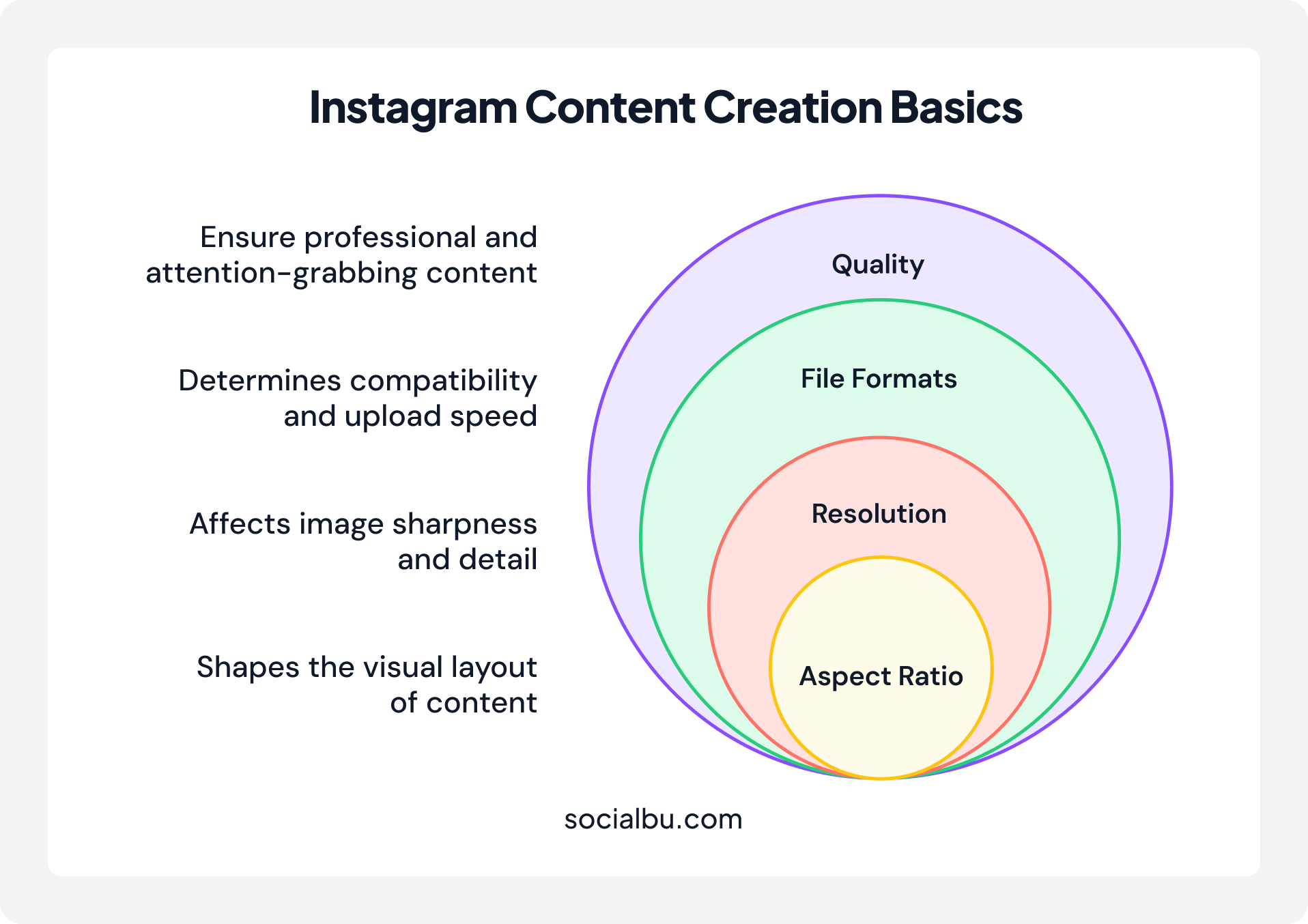
- Aspect Ratio: The proportional relationship between your image’s width and height, like 1:1 for squares or 9:16 for tall Reels.
- Resolution (Pixels): Measured in pixels (think width x height, e.g., 1080 x 1080), this determines sharpness. Higher resolutions mean crisper images, but Instagram compresses images, so aim for the sweet spot to avoid quality dips.
- File Formats: Stick to JPG or PNG for photos (under 8MB) and MP4 for videos (up to 4GB. PNGs are better for graphics with transparency, while JPGs keep file sizes lean for faster uploads.
What Are Instagram Safe Zones and Why Do They Matter?
Instagram safe zones are the parts of your image or video that remain visible, even when obscured by the app’s interface elements. Basically, they refer to the “guaranteed visible” areas of your content.
Designing with safe zones in mind is vital; nothing undermines a great post faster than a call to action hidden by a button or a logo cropped out by the interface.
Here’s a breakdown of what to watch out for:
- At the Top of the Screen: Instagram displays your profile icon and username here. If a user is viewing your Story from an ad or the Explore page, there might be additional labels or a “Sponsored” tag.
- At the Bottom of the Screen: This area is even more crowded. It contains the reply bar (“Send Message”), sharing options, and any effect attributions. If you use interactive stickers like polls, quizzes, or links, they also take up space and can be pushed into this zone.
Automate Your Instagram Growth with SocialBu
SocialBu to elevate their social media presence every month.
Instagram Dimensions at a Glance: Your 2026 Quick Guide (Updated for the New Grid)
To keep things simple, we’ve compiled all the essential Instagram dimensions into a quick reference guide. Whenever you’re unsure which Instagram post aspect ratio to use, you can quickly scan this table before exporting your design.
You can use this table to find the exact dimensions and aspect ratios for every format, ensuring your content is perfectly optimized every single time.
| Instagram Post Format | Instagram Post Size (px) | Aspect Ratio |
|---|---|---|
| Square Feed Post | 1080 x 1080 | 1:1 |
| Portrait Feed Post | 1080 x 1350 | 4:5 |
| Tall Portrait (3:4 Preview‑Friendly) | 1080 x 1440 | 3:4 |
| Landscape Feed Post | 1080 x 566 | 1.91:1 |
| Instagram Stories | 1080 x 1920 | 9:16 |
| Instagram Reels | 1080 x 1920 | 9:16 |
| Reel Cover Photo | 1080 x 1920 | 9:16 |
| Instagram Live | 1080 x 1920 | 9:16 |
| Profile Picture | 320 x 320 (min) | 1:1 |
| Highlight Cover | 1080 x 1920 | 9:16 |
| Carousel Post (Square) | 1080 x 1080 | 1:1 |
| Carousel Post (Portrait) | 1080 x 1350 | 4:5 |
| Carousel Post (Landscape) | 1080 x 566 | 1.91:1 |
| Feed Ad (Square) | 1080 x 1080 | 1:1 |
| Feed Ad (Portrait) | 1080 x 1350 | 4:5 |
| Feed Ad (Landscape) | 1080 x 566 | 1.91:1 |
| Stories Ad (Standard) | 1080 x 1920 | 9:16 |
| Stories Ad (High-Res) | 1440 x 2560 | 9:16 |
| Reels Ad | 1080 x 1920 | 9:16 |
| Collection Ad Cover | 1080 x 1080 | 1:1 |
| Carousel Stories Ad | 1080 x 1920 | 9:16 |
Instagram Post Sizes
Think of your feed as your digital storefront; optimizing it ensures every post leaves a lasting impression.
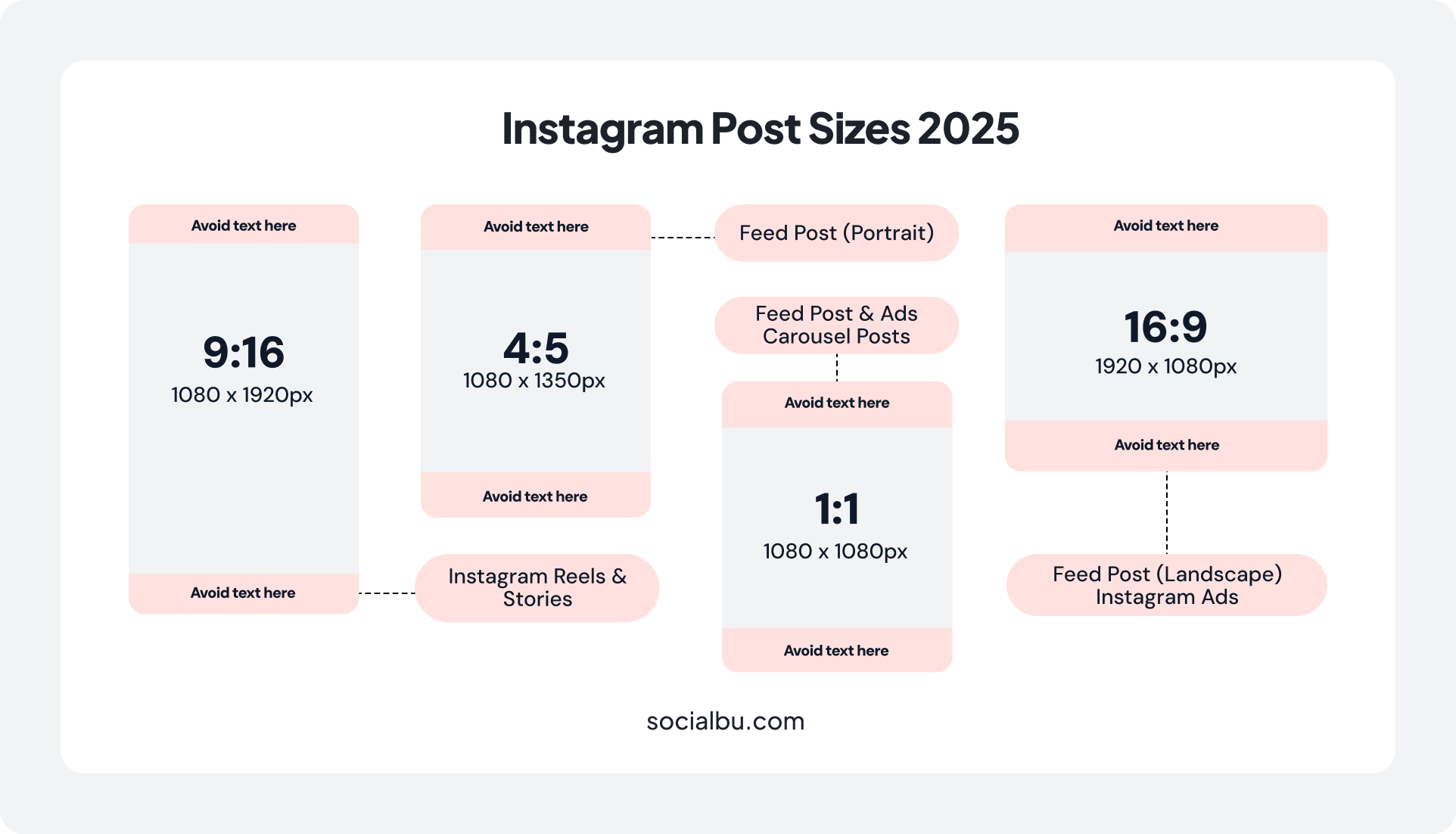
Over the past few years, Instagram’s post size ratio has evolved toward taller previews, but the core rule remains that posts must be no wider than 1080px. Choosing the right Instagram post aspect ratio at the export stage makes it much easier to keep your feed sharp, consistent, and on-brand.
Here’s the breakdown:
1. Square Posts
Square posts remain a classic choice for many Instagram influencers. The recommended Instagram post ratio dimensions for square images are:
- Size: 1080 x 1080 pixels
- Aspect Ratio: 1:1
- Instagram post size in cm: Approximately 28.6 x 28.6 cm at 96 DPI
Square images remain a go-to format for many users and brands alike.
They’re great for centered compositions, graphics, or product photos that don’t need extra framing.
When to Use Square Images:
- Product photography with equal spacing
- Quote graphics and text-based content
- Before/after comparisons
- Grid aesthetic maintenance
- Logo displays and branding elements
2. Portrait Posts
Portrait posts have become increasingly popular and for good reason. You have two options:
Standard Portrait
- Size: 1080 x 1350 pixels
- Aspect Ratio: 4:5
- Instagram post size in inches: Approximately 11.25 x 14.06 inches at 96 DPI
Tall Portrait (3:4 Option)
- Size: 1080 x 1440 pixels
- Aspect Ratio: 3:4
- Tall: 1080 x 1440 px (3:4). A grid-friendly design size for the new 3:4 profile preview.
Portrait orientation gives you plenty of flexibility for your Instagram photos.
It works well for subjects that fill the frame and also for shots where you want to zoom out to show the scale of a scene. Instagram’s taller 3:4 preview makes this size useful for planning grid layouts, but 4:5 is still the safest official upload size.
Portrait Post Benefits:
- 26% more screen space than square posts
- Better for mobile-first viewing
- Higher engagement rates due to increased visibility
3. Landscape Posts
Landscape posts aren’t as common, yet they still have their place:
- Size: 1080 x 566 pixels (Some sources mention 1080 x 608 pixels)
- Aspect Ratio: 1.91:1 (approximately 16:9)
- Instagram post size in cm: Approximately 28.6 x 15 cm at 96 DPI
Sometimes, your image tells a better story with a bit more height or width.
Therefore, landscape orientation works perfectly for panoramic shots such as group photos.
Best Use Cases for Landscape:
- Wide group photos or team shots
- Panoramic landscapes and cityscapes
- Before/after home renovations
4. Instagram Carousels
Carousel posts allow you to share up to 10 images or videos in a single post.
You can mix images and videos in the same carousel, but all photos will scale to match the first image’s size.
Best practices for carousels:
- Maintain the same aspect ratio throughout
- Use 4:5 portrait format for maximum impact
- It’s important to keep image sizes consistent throughout the carousel for a clean, professional look.
Carousel Strategy Tips:
- Use the first image as a compelling hook
- Number your slides if order matters
- Create seamless panoramas across multiple slides
- Mix photos and videos for dynamic storytelling
Schedule Your Instagram Posts Effortlessly
Resize, crop, and schedule 1:1, 4:5, and 9:16 Instagram posts fast and flawlessly with SocialBu.
Instagram Stories Dimensions
Instagram Stories are designed to be a full-screen, immersive experience. For this reason, you only need to worry about one image size.
- Dimensions: 1080 x 1920 pixels
- Aspect Ratio: 9:16
- Size in cm: 13.71 x 24.38
- Instagram story image size: Full screen on most smartphones
The ideal Instagram Stories size to fill the entire story screen is 1080 x 1920 px, with an aspect ratio of 9:16. If you ignore how that 9:16 Instagram post aspect ratio behaves on different devices, text, logos, or CTAs can slip outside the safe zone and end up partially hidden.
Not to mention, don’t forget to keep important content within the safe zones and avoid placing text within 250 pixels of the top and bottom edges.
Instagram Reels Specifications
As Instagram continues to prioritize video, Instagram Reels have become central to the platform. Here’s what you need to know about the Instagram reel aspect ratio, how the Instagram post aspect ratio shows up in the feed, and the dimensions you should design for.
Reel Dimensions
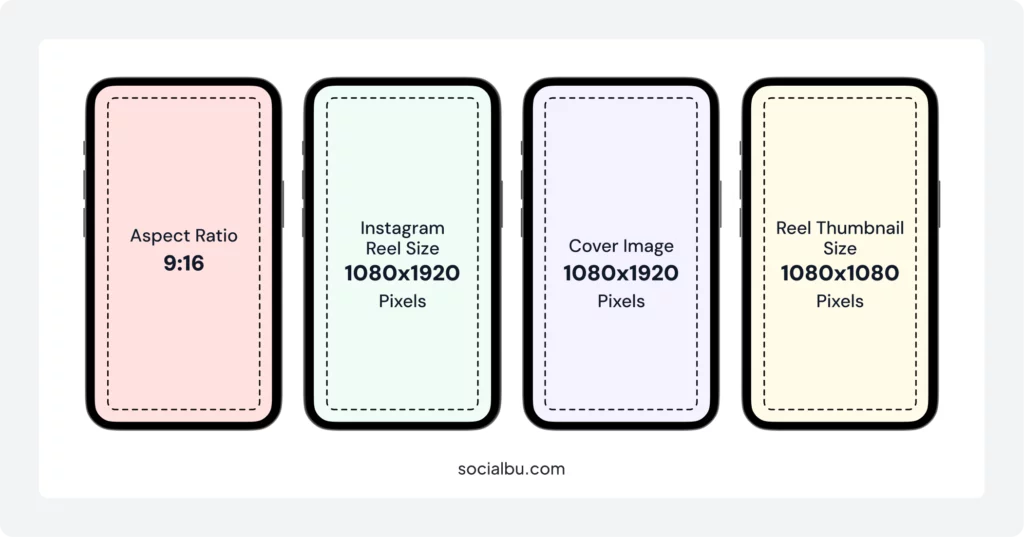
Instagram Reels follow the same dimensions as Stories:
It’s best to upload Reels in the 9:16 format (1080 x 1920 pixels), although their grid preview appears in a 3:4 ratio.
Reel Cover Images
You can customize your Reel cover photo to maintain a cohesive grid aesthetic:
- Use the same 9:16 dimensions
- Stories and Reels keep their 9:16 ratio (1080 x 1920 pixels), but their grid previews adjust to match the new format.7
- Design covers with the grid crop in mind
Reel Optimization Tips
Instagram Reels are the most engaging short-form content type, and with a dedicated Reels tab, your chances of going viral are higher than ever.
The Instagram algorithm now prioritizes Reels with strong engagement, so timing and creativity matter more than ever.
Technical Specifications:
- Export at 30 fps or 60 fps for smooth playback
- Use H.264 compression for the best quality
- Keep the reel size under 4GB
- Add captions for accessibility and engagement
Content Considerations:
- Hook viewers in the first 3 seconds
- Design for sound-off viewing
- Use vertical motion to complement the format
- Optimize for both the feed and the Reels tab discovery
 Check out: 21 Viral Instagram Reels Ideas for Beginners
Profile Image Dimensions
If you run a brand on Instagram, the profile photo is your brand’s identity. That said, it’s essential for maintaining brand recognition.
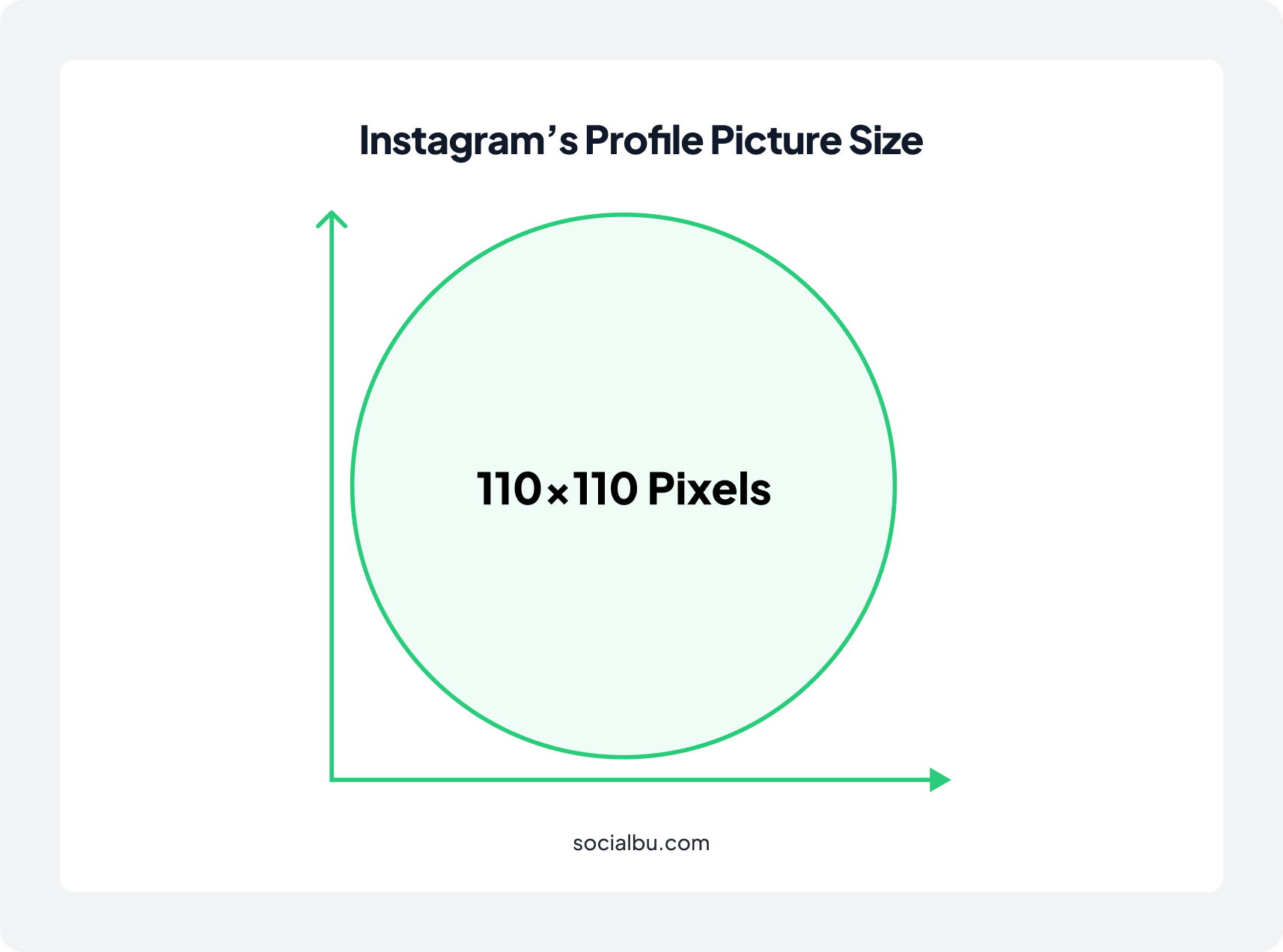
- Upload Size: 320 x 320 pixels minimum (higher resolution recommended)
- Display Size: 110 x 110 pixels
- Shape: Circular
The Instagram profile picture size is 110 x 110 pixels, but it is recommended to upload a larger image for better quality.
And since your profile picture will be displayed in a circle, make sure the key elements are centered.
Instagram Highlight Cover Photo Size
Your Instagram Highlights covers are a key feature that adds value to your profile. They let you save your best stories permanently, which serve as a navigation menu for your brand.
Highlight covers are another crucial element of your profile’s visual identity:
- Upload Size: 1080 x 1920 pixels (same as Stories)
- Display Size: 150 x 150 pixels
- Shape: Circular (cropped from center)
- Aspect Ratio: 9:16 (but only the center circle is visible)
Instagram Video Dimensions
Almost all video posts on Instagram are now published as Reels. This simplifies things!
Whether you’re uploading a short clip or a longer video to your feed, format it using the primary feed aspect ratios: portrait (4:5) for the feed preview or full-screen (9:16) for the best Reels experience.
Video Specifications by Type
Feed Videos:
- Square: 1080 x 1080 pixels (1:1)
- Portrait: 1080 x 1350 pixels (4:5)
- Landscape: 1080 x 566 pixels (1.91:1)
- Technical Maximum length: Up to 10 minutes for most standard feed video uploads. Up to 60 minutes for some accounts and placements (for example, long-form video viewed in a dedicated video player)
*For best performance, keep most feed videos under 60 seconds, even though longer videos are supported.
Reels Videos:
- Dimensions: 1080 x 1920 pixels (9:16)
- Frame rate: 30fps minimum
- Maximum length: 3 minutes (180 seconds)
- Audio: AAC audio at 128kbps
Instagram Ads Image Sizes
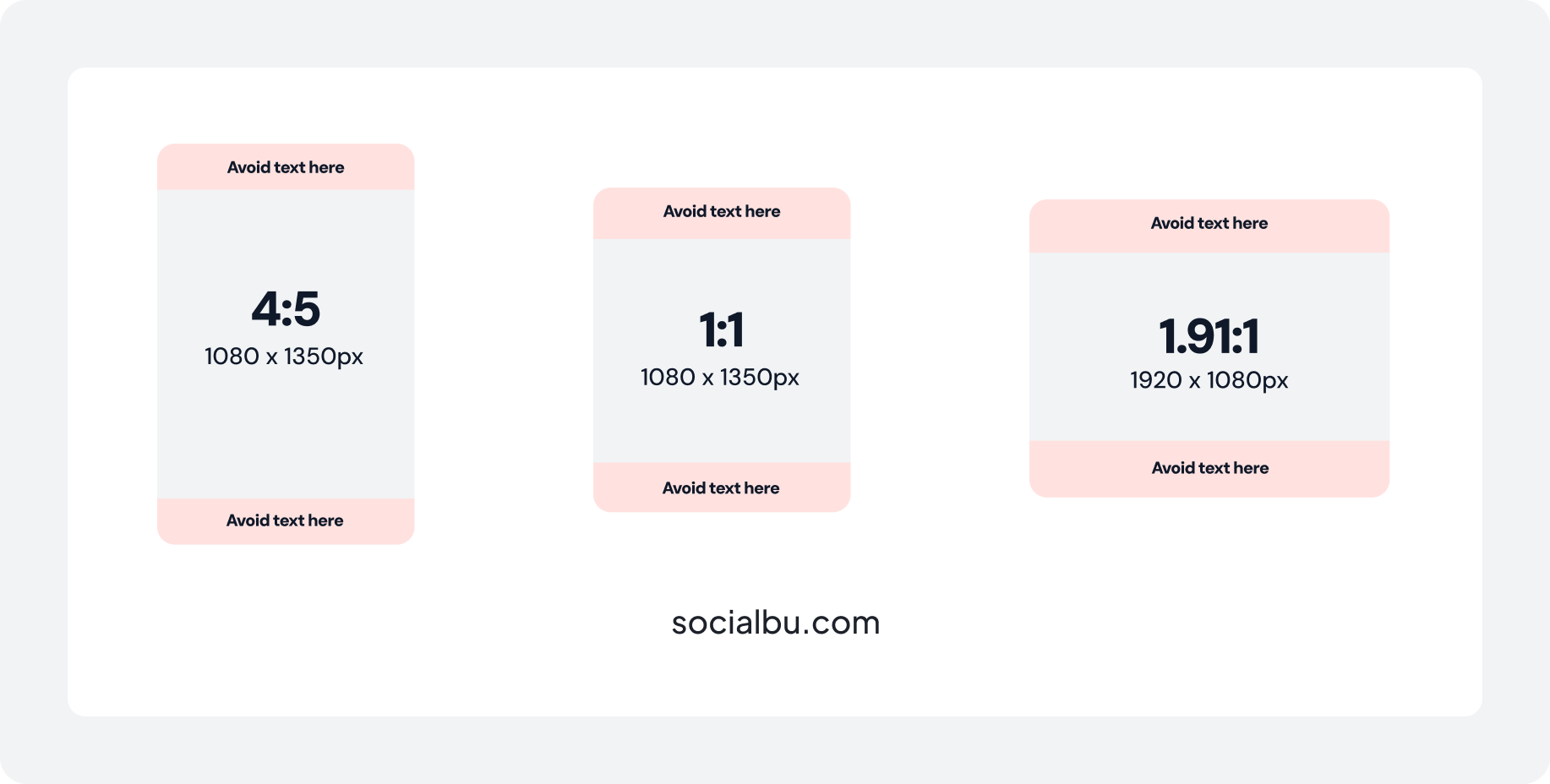
Instagram ads require special attention to ensure they blend seamlessly with organic content:
Feed Ads:
- Square: 1080 x 1080 pixels
- Portrait: 1080 x 1350 pixels
- Landscape: 1080 x 566 pixels
Stories Ads:
- 1080 x 1920 pixels (9:16)
For example, an Instagram Story ad, whether a single image or a single video, should be at least 1080 x 1920 pixels.
For extra-sharp creatives on high-resolution screens, you can design at 1440 x 2560, but Instagram will still display it in a 9:16 format. On the other hand, story ads like carousels, with 2 to 10 stories in a single ad, require the same 1080 x 1920-pixel minimum as a regular Instagram Story.
Instagram Live Dimensions
Instagram Live has become an essential feature for influencers seeking real-time engagement, and understanding its technical requirements helps ensure professional broadcasts.
Live Stream Specifications
- Dimensions: 1080 x 1920 pixels
- Aspect Ratio: 9:16
- Maximum Duration: 4 hours
- Connection Requirements: Minimum 1 Mbps upload speed
Recent Instagram Updates & Grid Changes
The Instagram aspect ratio change in 2025 was one of the most significant updates to the platform, and the new layout is still live in 2026, changing how your Instagram post aspect ratio looks inside the profile grid. Instagram moved away from its iconic square grid to a taller 3:4 preview.
The most notable change in 2025 is the shift from the traditional 1:1 square format (1080 x 1080 pixels) to a taller 3:4 grid preview (1015 x 1350 pixels) for profile layouts.
This means:
- Your profile grid now shows posts in a 3:4 ratio
- Instagram now crops all photos to fit the new 3:4 profile grid, regardless of their original aspect ratio. This means each image is center-cropped in the grid view.
- Existing content is automatically adjusted.
How SocialBu Helps You Master Instagram Image Sizes
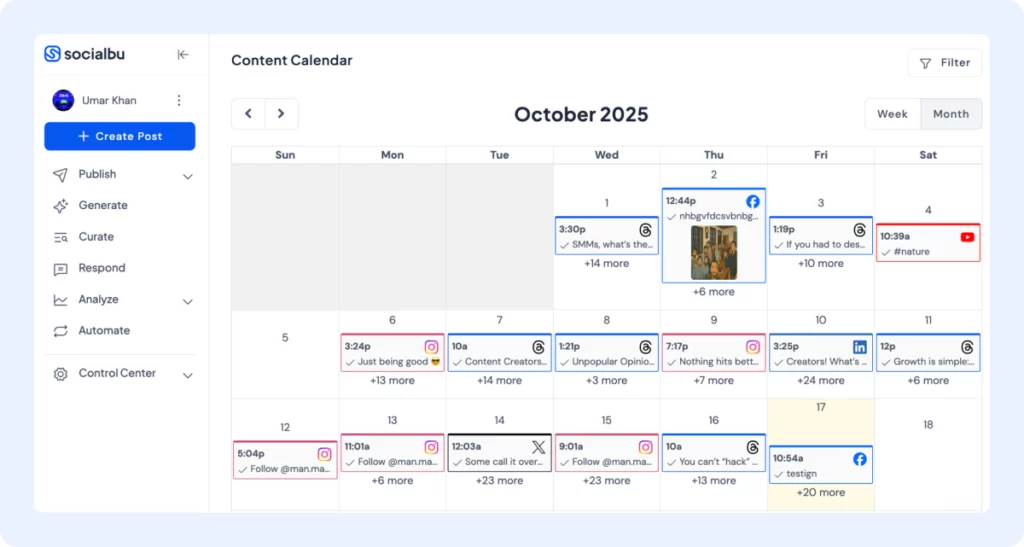
Confused by all those dimensions? SocialBu – a social media scheduling tool – makes managing them effortless.
Smart Scheduling & Publishing
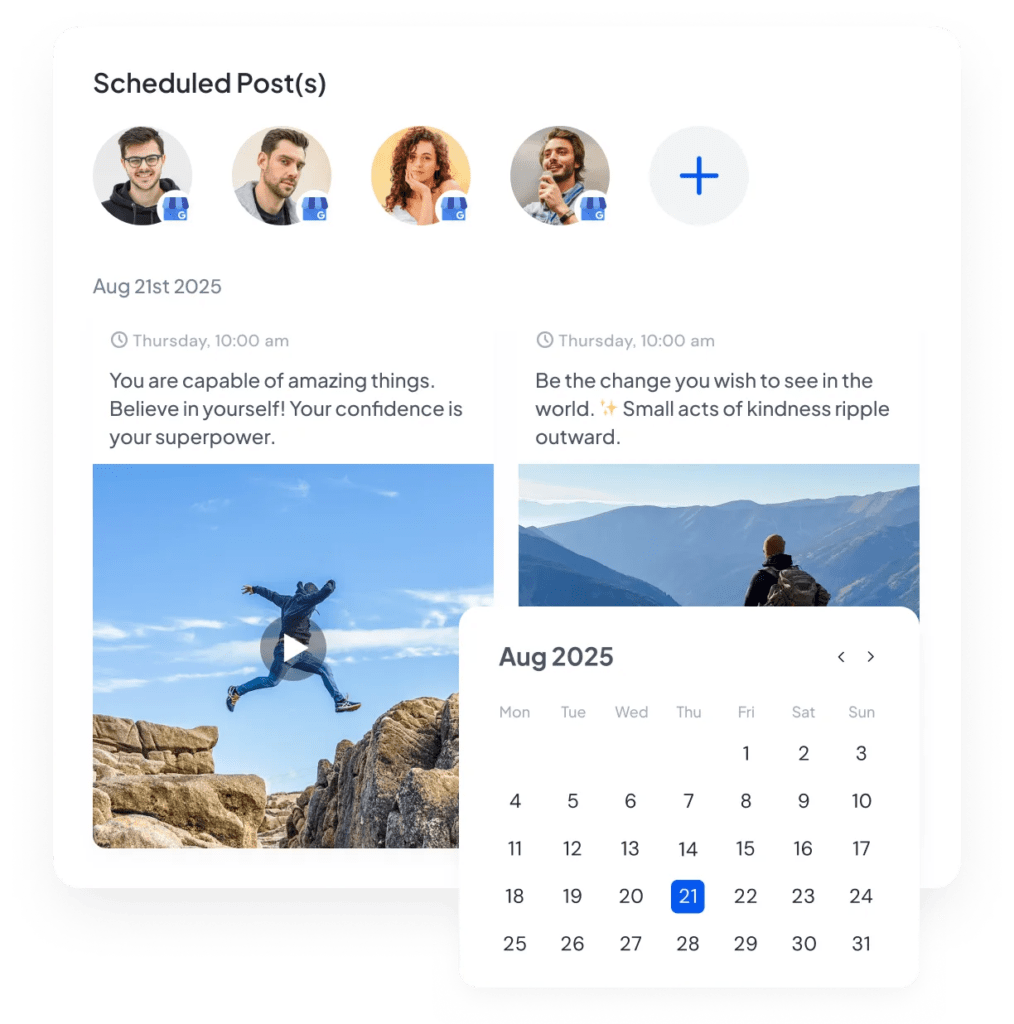
With SocialBu, you don’t have to worry about when or how to post; it does it all perfectly for you. You can schedule posts, Stories, and Reels knowing they’ll be published with optimal formatting intact.
Moreover, the platform offers:
- Automatic publishing to preserve quality
- Bulk upload for faster management
- Automated intelligent replies to boost engagement
- First comment scheduling for hashtags
- Queue previews for clarity
Visual Content Planning
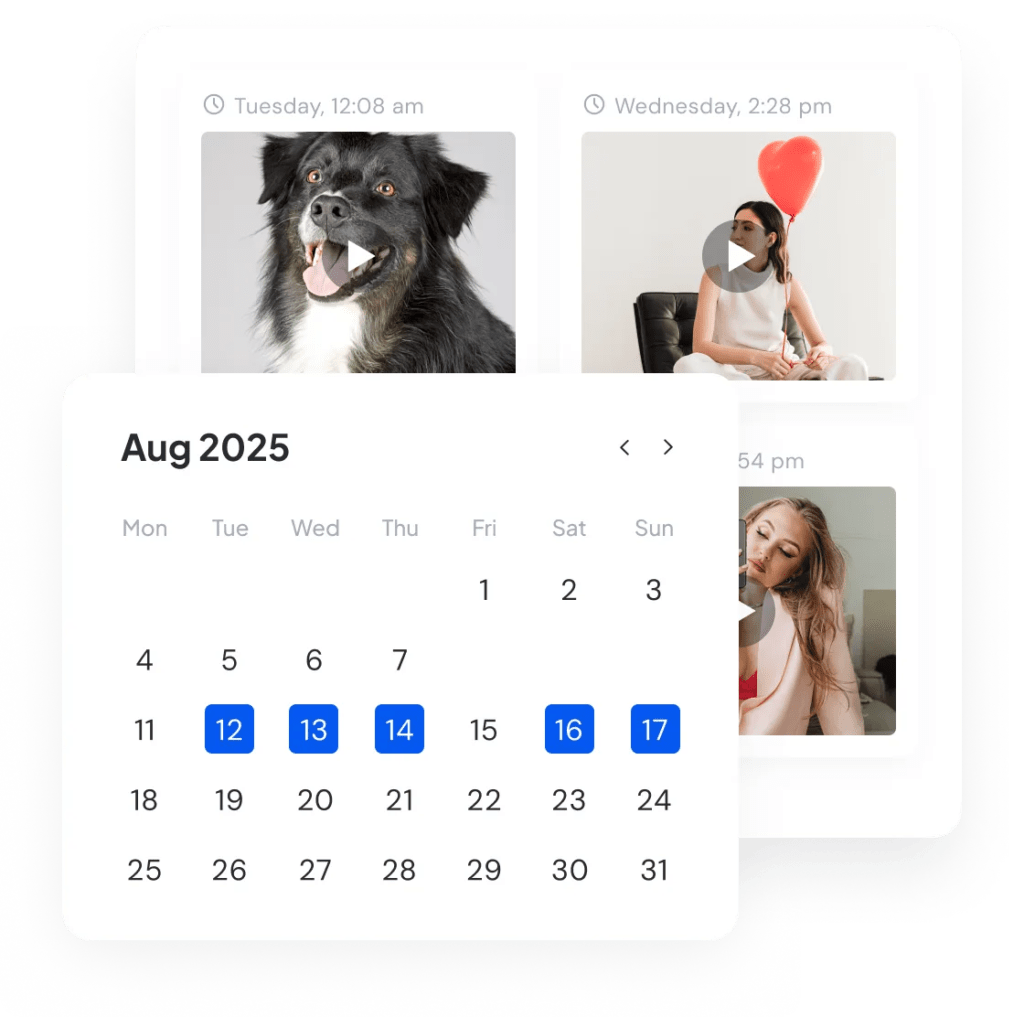
With SocialBu, you can see exactly how your feed will look before anything goes live. This is more critical than ever with the new 3:4 grid. SocialBu’s visual planning tools help you:
- Preview your grid layout with the new 3:4 aspect ratio
- Plan your social calendar visually
- Drag and drop posts to perfect your feed aesthetic
- Maintain brand consistency across all content types
Multi-Format Support
SocialBu is built to handle all of Instagram’s formats. You can upload, edit, and manage your 1:1, 4:5, and 9:16 content in one place.
The integrated image editor even helps you resize and crop your visuals for different placements right within the platform.
The Bottom Line
In 2026, with the taller 3:4 grid and longer Reels, getting your sizes and safe zones right should be your top priority. To wrap it up, mastering the Instagram post aspect ratio is the foundation of a strong visual strategy. It ensures your brand looks professional, your message is clear, and your content is optimized for maximum engagement.
While it may seem technical, getting it right is one of the easiest wins on the platform.
With Socialbu, you can automate the technical details and streamline your entire workflow, allowing you to focus more on creativity and less on logistics.
The next step is to streamline your workflow so you can focus more on creativity and less on logistics.
Master Instagram Aspect Ratios
Let SocialBu handle your Instagram dimensions. Plan, preview, and publish Instagram content that always looks great on every screen.
Frequently Asked Questions
Is Instagram 16:9 or 4:3?
Instagram uses a few main aspect ratios:
- 1:1 for square posts
- 4:5 for portrait feed posts
- 1.91:1 or 16:9 for landscape
- 9:16 for Stories and Reels
The profile grid preview now shows posts in a taller 3:4 rectangle, but your actual feed uploads should still stay between 1.91:1 and 4:5.
Are Instagram reels 1:1 or 9:16?
The official Instagram reel aspect ratio is 9:16 for full screen viewing. However, the Reel preview on your main profile grid is now cropped into the new 3:4 grid tiles, so design your covers to look good in both 9:16 and 3:4.
How to post 9-16 ratio images in Instagram?
You can post a 9:16 image directly to your Story, as this matches the required Instagram Story size. To post it in the feed, you must accept an Instagram aspect ratio change, as the app will force you to crop it to a maximum height of 4:5.
How do I resize a photo to fit Instagram?
The best way is to use a photo editing tool that lets you adjust Instagram post sizes without cropping. Apps like Canva allow you to set a custom Instagram post size ratio in pixels (e.g., 1080×1350).
How do the Instagram reels aspect ratio affect engagement?
The Instagram reels aspect ratio of 9:16 is designed for immersive, full-screen viewing, which typically drives higher engagement than cropped videos on any social media platform. Reels still play in 9:16, but they now show as 3:4 previews in your grid, so design thumbnails that look good in both views.
Why did Instagram change its aspect ratio in 2025?
The Instagram aspect ratio change to a 3:4 grid preview reflects the platform’s shift toward vertical content consumption. This update affects how your existing posts appear in your profile grid, making it crucial to understand the new Instagram post size requirements for 2025 and beyond, especially as we head into 2026.
What size should Instagram thumbnails be?
For feed posts, Instagram automatically generates thumbnails from your uploaded image. However, for Reels, you can upload custom thumbnails at 1080 x 1920 pixels (9:16 ratio). These thumbnails appear as 1:1 squares in your grid, so design accordingly.
Can I post 4K images to Instagram?
Instagram automatically compresses your images, regardless of the upload quality. While you can upload 4K images, Instagram will resize them to its maximum width of 1080 pixels.
What’s the best Instagram format for carousel ads?
For carousel ads, use consistent Instagram post sizes throughout. The recommended Instagram post aspect ratio is 4:5 (1080 x 1350 pixels) for maximum impact across social media campaigns.
How do I fix blurry Instagram posts?
Blurry posts usually result from incorrect Instagram post sizes or over compression. Always export at exact Instagram dimensions and maintain the correct pixel size for clarity.
Does Instagram support RAW image files?
No, Instagram doesn’t support RAW files directly. Convert them to a compatible PNG size or JPG format before uploading. Export at recommended Instagram post sizes for best results.
What’s the minimum resolution for an Instagram video?
The minimum resolution for Instagram videos is 600 x 600 pixels for square videos. However, for optimal quality, use a 1080 pixel width. The Instagram reel aspect ratio should be 9:16 (1080 x 1920) for best performance.