Many people still think YouTube is only for creators, vloggers, or entertainment content. In reality, this YouTube marketing guide proves that YouTube is now one of the most effective platforms for digital marketing and brand building.
From startups to global brands, companies are using YouTube marketing to attract audiences, build trust, and increase revenue.
Posting videos alone isn’t enough anymore. Without a clear strategy, even great content can struggle to get visibility.
This guide breaks down exactly what works in 2026. You’ll learn how to create a winning strategy with AI tools, optimize your channel for discovery, produce engaging videos, and use analytics and ads to drive meaningful results.
Let’s begin.
Why is YouTube Marketing Important?
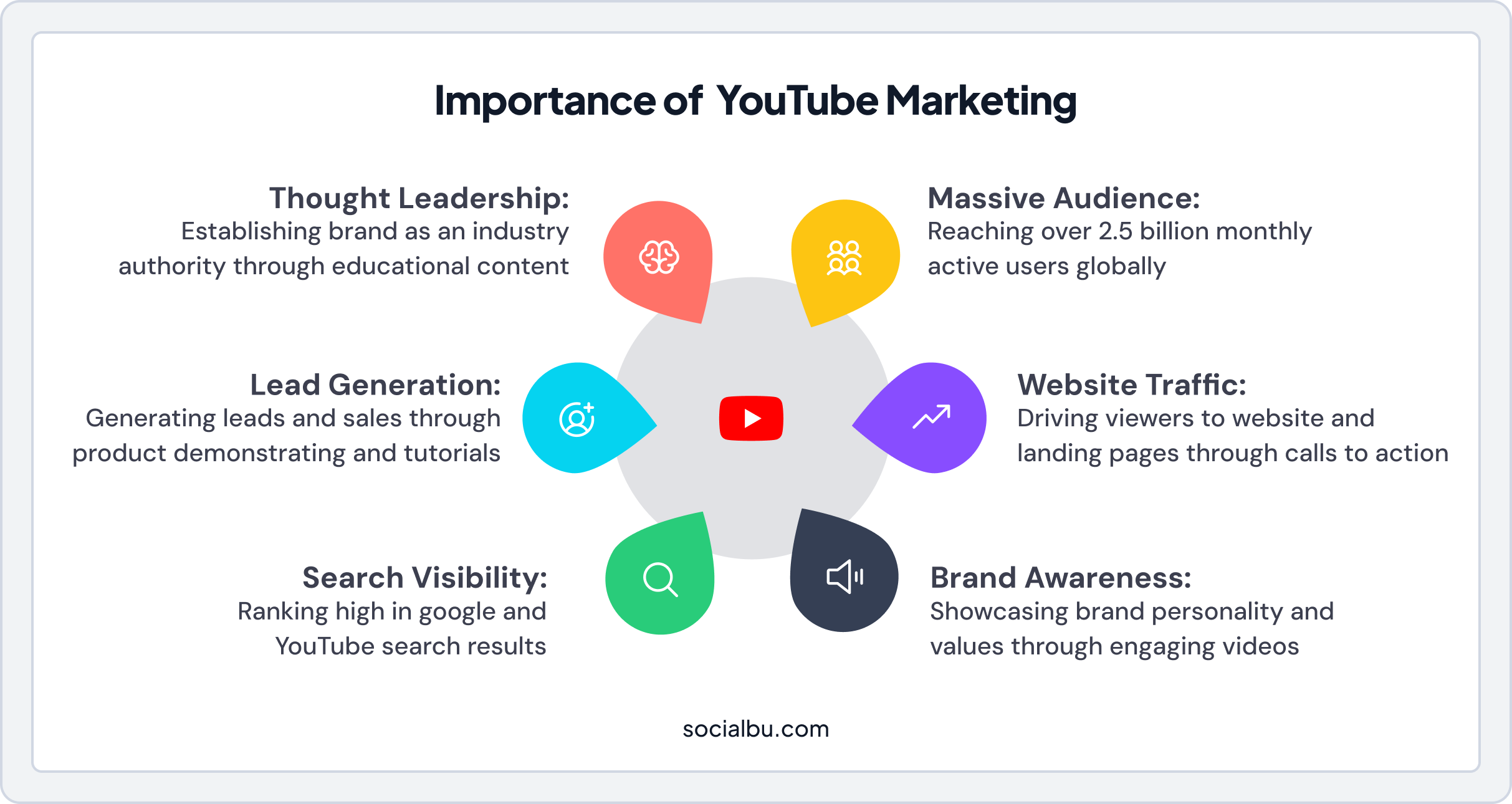
YouTube is a powerhouse. With over 2.5 billion+ monthly active users, it’s not just a video platform. It’s a search engine, a community hub, and a branding tool. Here’s why you can’t afford to skip it:
- Reach a massive audience: YouTube’s global reach lets you connect with people from diverse demographics, locations, and interests. Whether you’re targeting Gen Z, they’re watching.
- Boost search visibility: YouTube videos rank highly in Google and YouTube search results, giving your brand an edge in discoverability.
- Build brand awareness: Engaging videos showcase your brand’s personality, values, and story, leaving a lasting impression with viewers.
- Drive website traffic: Strategic calls to action and video descriptions can funnel viewers directly to your website, landing pages, or product pages.
- Generate leads and sales: Product demonstrations, tutorials, and reviews help potential customers make informed purchasing decisions, directly impacting your bottom line.
- Establish thought leadership: Educational content positions your brand as an industry authority, building trust and credibility with your target audience.
From e-commerce businesses to influencers using YouTube BrandConnect for partnerships, the benefits of YouTube marketing are undeniable. It’s a platform where creativity meets strategy, and the results can be transformative.
YouTube Marketing Statistics You Need to Know in 2026
Understanding the scale and impact of YouTube helps to justify your marketing investment, which is an important point of discussion for this YouTube marketing guide. Check out these compelling statistics:
- YouTube is the second-most-visited website globally, right behind Google.
- Users spend an average of 48.7 minutes per day on YouTube.
- Over 500 hours of video are uploaded to YouTube every minute.
- 70% of viewers have purchased from a brand after seeing it on YouTube.
- YouTube reaches more 18-49 year-olds than any broadcast or cable TV network.
- 90% of people discover new brands or products on YouTube.

These numbers demonstrate that YouTube is where your customers are actively searching for solutions, entertainment, and products like yours.
How the YouTube Algorithm Works in 2026?
To stand out and grow on YouTube, you first need to understand what makes the algorithm tick. In 2026, YouTube’s algorithm still focuses on one main goal: keeping viewers watching longer across the platform. Simply put, the system favors content that keeps people watching. The more engaged viewers are, the more your videos get recommended across search, the homepage, and the “Up Next” sidebar.
The algorithm tracks several signals:
- Click-Through Rate (CTR): Are people clicking on your thumbnail/title?
- Watch Time: How many total minutes are people spending on your videos?
- Session Watch Time: Do viewers keep exploring YouTube after watching you?
- Audience Retention: What percentage of your video do they actually watch?
- Engagement Metrics: Likes, comments, shares, and subscribes signal content quality.
- Upload Frequency: Consistent posting signals an active, reliable channel.
The higher these engagement metrics, the more the algorithm rewards you with visibility.
 Check out: How to Get More Views and Likes on YouTube
How Do YouTube’s Discovery Systems Work?
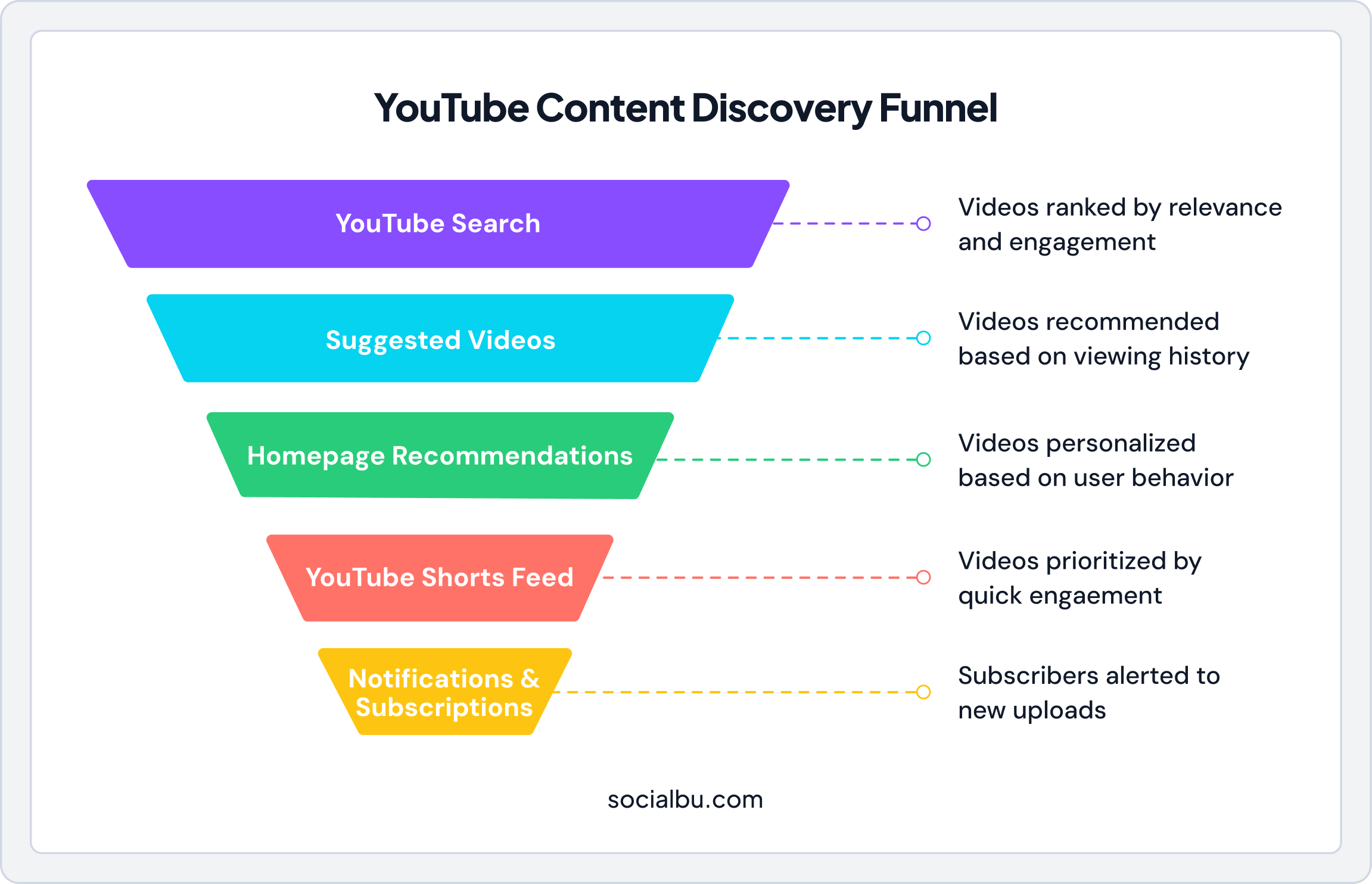
YouTube uses multiple discovery systems to surface content to viewers, and understanding how each one works is a core principle of any effective YouTube marketing guide. Mastering these systems helps you optimize your videos for maximum reach and visibility:
- YouTube Search: When users type queries into the search bar, YouTube ranks videos based on relevance, engagement, and quality. Optimizing titles, descriptions, and tags with relevant keywords directly impacts search rankings.
- Suggested Videos: The “Up Next” sidebar and end-screen suggestions recommend videos based on viewing history, topic similarity, and videos commonly watched together. Creating content that naturally leads to more of your videos increases suggested video appearances.
- Homepage Recommendations: The homepage personalizes recommendations based on user behavior, subscriptions, and trending content. Channels with strong engagement and consistent posting appear more frequently here.
- YouTube Shorts Feed: The dedicated YouTube Shorts feed operates somewhat independently, prioritizing quick engagement and completion rates. Shorts can introduce entirely new audiences to your channel.
- Notifications and Subscriptions: Subscribers who enable notifications receive alerts for new uploads. Building a loyal subscriber base who actively engages ensures a baseline viewership for every video.
How Do You Get Started With YouTube Marketing?
Starting your YouTube marketing journey requires a strategic foundation. Here is how you can set up your brand for success.
1. Set Up a YouTube Channel for Your Brand
First things first: create a YouTube channel that describes you. Use your brand’s logo, colors, and a catchy banner that reflects your vibe. Add a clear “About” section to tell viewers who you are and what you’re about.
For example, if you’re an e-commerce business selling eco-friendly products, highlight your mission to promote sustainability.
Essential Channel Setup Steps
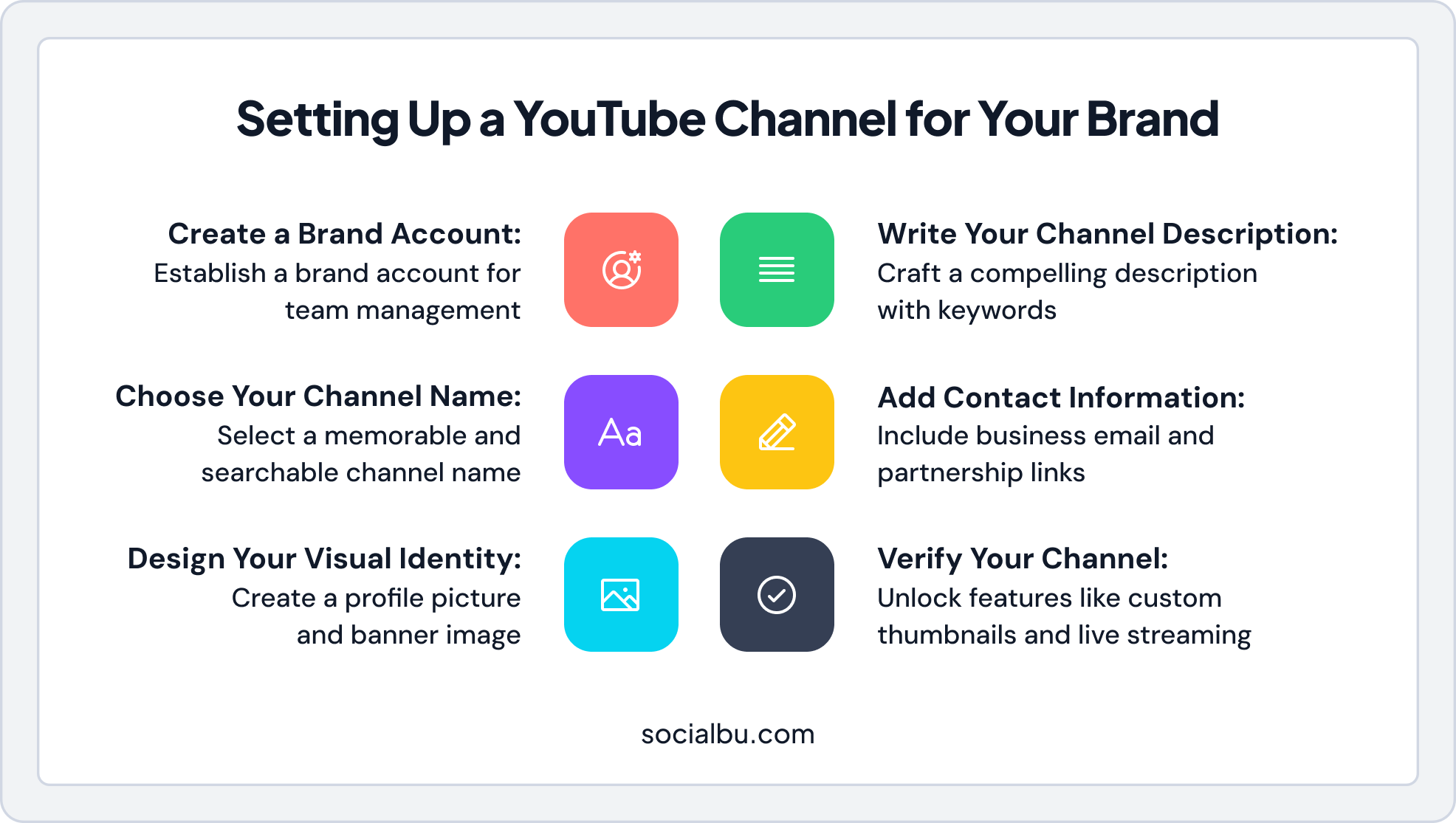
- Create a Brand Account: This allows multiple team members to manage the channel without sharing personal Google credentials.
- Choose Your Channel Name: Use your brand name or a memorable variation that’s easy to search and remember.
- Design Your Visual Identity: Create a profile picture (800×800 pixels) and banner image (2560×1440 pixels) that align with your brand guidelines.
- Write Your Channel Description: Write a compelling description that explains what viewers can expect and includes relevant keywords.
- Add Contact Information: Include business email and links for partnership inquiries.
- Verify Your Channel: Verification unlocks features like custom thumbnails, longer videos, and live streaming.
2. Optimize Your YouTube Channel
Optimization is key to standing out. Fill out every section of your profile, add links to your website, social media, and even your SocialBu dashboard for seamless cross-platform promotion and reporting. Use a keyword-rich channel description to help people find you.
Additionally, consider including terms like “YouTube marketing guide for e-commerce businesses” or “YouTube affiliate marketing guide” if they align with your niche.
Channel Optimization Checklist
- Custom URL: Once eligible, claim a custom URL that matches your brand name for easier sharing.
- Channel Trailer: Create a 30-60-second video that introduces new visitors to your channel’s value proposition.
- Featured Video: Showcase your best or most relevant content for returning subscribers.
- End Screens and Cards: Set default end screens and cards to promote other videos and drive subscriptions.
3. Conduct Keyword Research
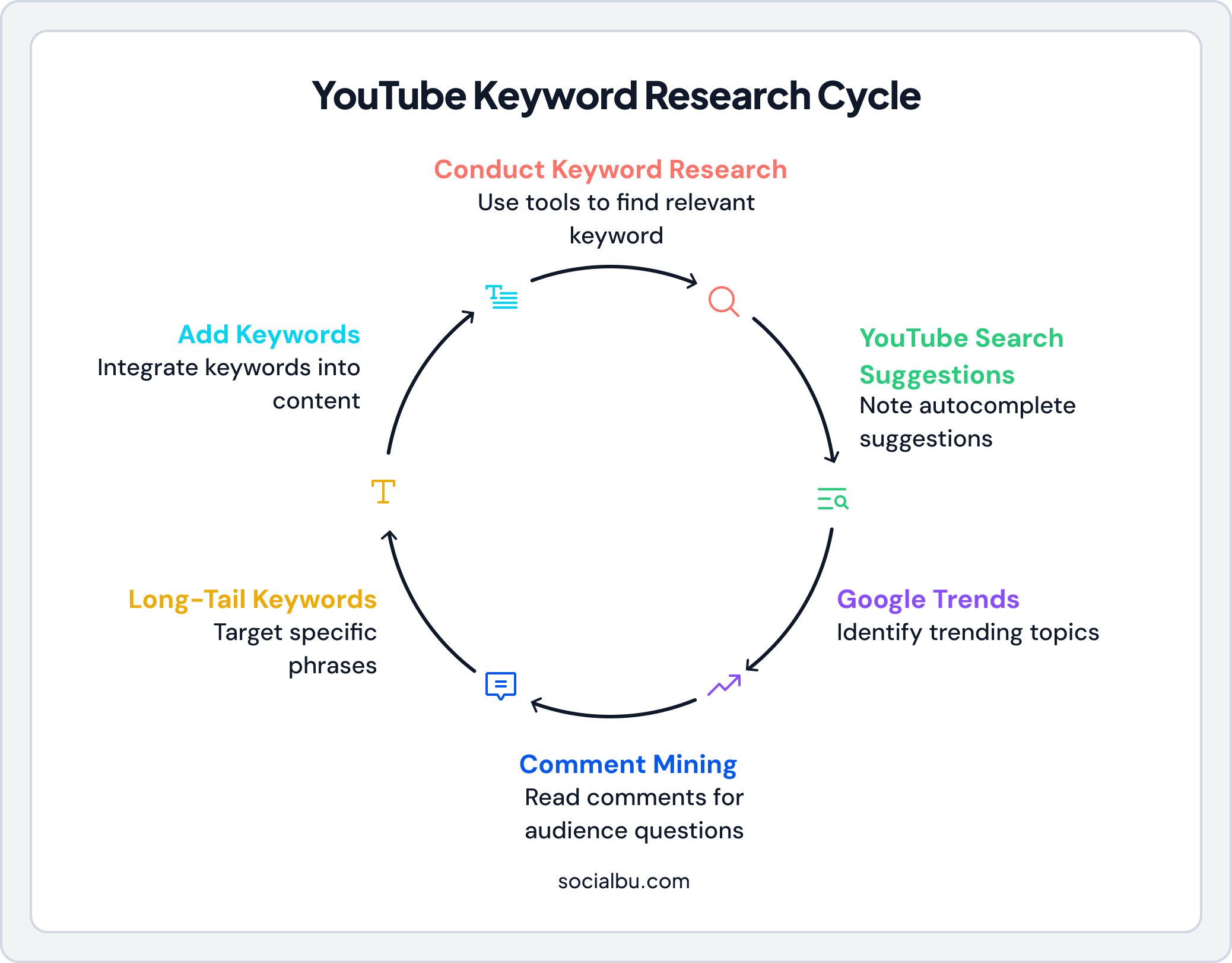
Just like Google, YouTube is search-driven. Use tools like Google Keyword Planner to discover the queries your audience is typing, such as “YouTube ads strategy” or “affiliate product reviews.” You can naturally add these to your titles, descriptions, and tags.
Keyword Research Strategies
- YouTube Search Suggestions: Type your topic into YouTube’s search bar and note the autocomplete suggestions—these represent actual user searches.
- Google Trends: Use the YouTube search filter to identify trending topics and seasonal patterns.
- Comment Mining: Read comments on popular videos to discover questions and topics your audience wants addressed.
- Long-Tail Keywords: Target specific, less competitive phrases like “how to start YouTube marketing for small business” rather than broad terms like “YouTube marketing.”
4. Define Your Content Pillars
Content pillars are the core themes or topics your channel will consistently cover. Having clear pillars helps you stay focused, makes content planning easier, and helps viewers understand what to expect from your channel.
For example, a digital marketing agency might establish these content pillars:
- SEO tutorials and tips
- Social media marketing strategies
- Paid advertising guides
- Marketing tool reviews
- Industry news and updates
Each pillar can spawn dozens of video ideas while maintaining channel coherence.
Streamline Your YouTube Marketing
Schedule videos, track analytics, and manage your channel effortlessly with SocialBu — starting under $20/month.
YouTube Marketing Guide: Best Practices
Now that your channel is live, let’s talk strategy. Here’s how to make your YouTube marketing pop.
1. Define Your YouTube Audience
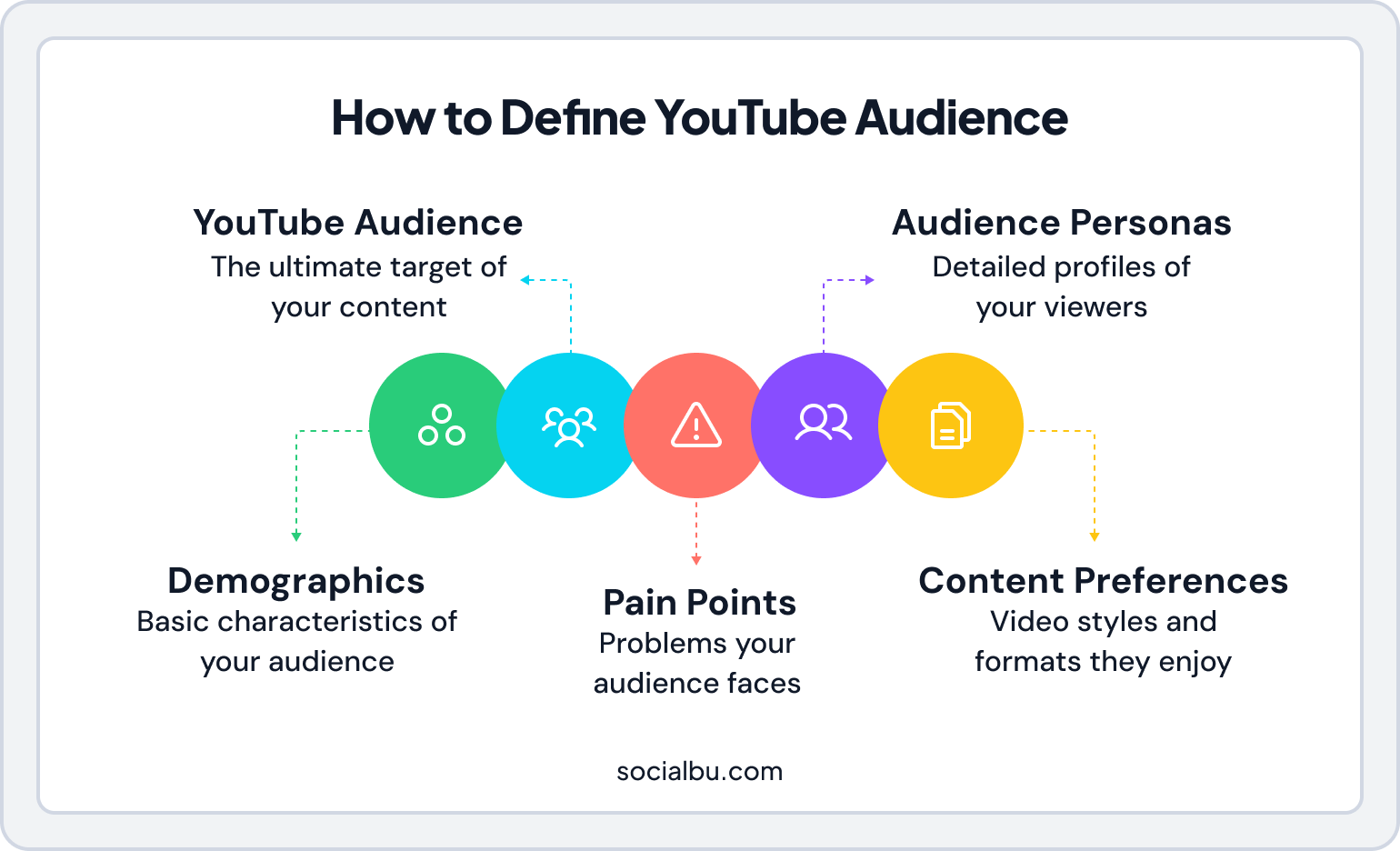
Before creating any content, it is essential to understand who you are trying to reach deeply. What are their main demographics, interests, pain points, and challenges? What kind of videos do they watch?
Defining your audience helps you tailor your content, tone, and call to action, ensuring your YouTube marketing efforts are always relevant and impactful.
This is especially true for a YouTube marketing guide for e-commerce businesses or a YouTube affiliate marketing guide, where targeting niche audiences is crucial.
Creating Audience Personas
Develop detailed viewer personas that include:
- Demographics: Age, gender, location, income level, education
- Pain Points: Problems they’re trying to solve
- Content Preferences: Video length, style, and format preferences
- Viewing Habits: When and how they consume YouTube content
These personas guide every content decision, from topic selection to thumbnail design.
2. Expand Globally with AI Dubbing and Multi-Language Features
Producing in one language used to mean limiting your reach, but modern strategies highlighted in any advanced YouTube marketing guide show that global growth is now easier than ever. YouTube’s auto-dubbing feature takes your message global.
YouTube has introduced automated audio dubbing and translation features to help creators reach non-English audiences.
With AI-powered dubbing and audio translations, you can now publish one video and make it available in 20+ languages almost instantly. This means a channel that once attracted only an English-speaking audience can now grow followers in Spanish, Hindi, or French markets, without producing separate content.
Multi-Language Strategy Tips
- Start with High-Performing Content: Dub your most successful videos first to maximize return on effort.
- Monitor Regional Analytics: Track which languages and regions show the strongest engagement.
- Localize Thumbnails and Titles: Translate text elements for a truly localized experience.
- Engage with International Comments: Respond to comments in viewers’ languages when possible.
- Consider Cultural Nuances: Some content may need adaptation beyond translation to resonate with different cultures.
3. Use AI in YouTube for Smarter Creation
Once you know who you’re creating for, the next step is improving efficiency, an approach strongly recommended in any modern YouTube marketing guide.
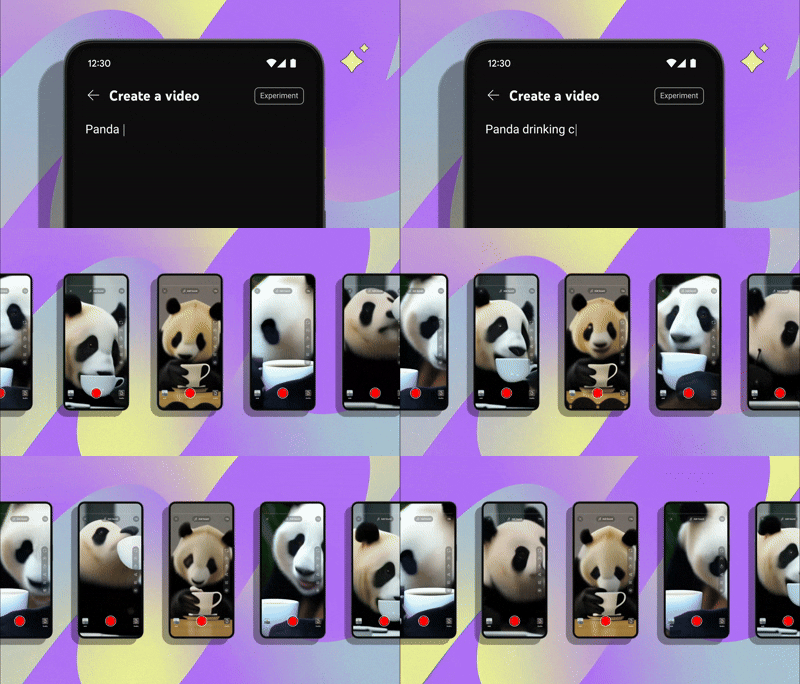
That’s where AI comes in. As of 2026, YouTube offers features like Dream Screen for AI-generated backgrounds and auto-editing tools that polish Shorts in seconds.
That said, results vary. Some languages deliver strong engagement, while others don’t. Treat dubbing as an experiment: A/B test versions, monitor watch time in Analytics, and double down on the regions where results lift.
The right language expansion can transform your channel from local to global without additional filming.
AI Tools for YouTube Creators
-
- Thumbnail Writing: Use SocialBu’s free YouTube video description generator to brainstorm short, punchy thumbnail text and scroll-stopping hooks based on your topic and target keywords.
- Video Editing: AI tools like Adobe can remove silences, add captions, and enhance audio quality.
- Content Repurposing: AI video tools can automatically clip long videos into Shorts and social media snippets, while LLMs such as ChatGPT can help you write titles, hooks, scripts, and captions.
4. Optimize for Voice Search and AI-Driven Queries
Discovery is changing. Instead of typing “YouTube Ads tutorial,” more users now ask devices: “How do I set up YouTube Ads for small businesses?”
To align with this trend:
- Write titles and descriptions in natural, question-form phrasing.
- Use complete sentences instead of keyword fragments.
- Add timestamps and FAQs to your video descriptions.
- Structure content to directly answer common questions.
- Include conversational phrases viewers might speak aloud.
Not only will this help on YouTube, but Google’s video carousel also heavily favors content optimized for conversational queries. That’s where you earn traffic beyond the platform.
5. Conduct a Competitive Analysis
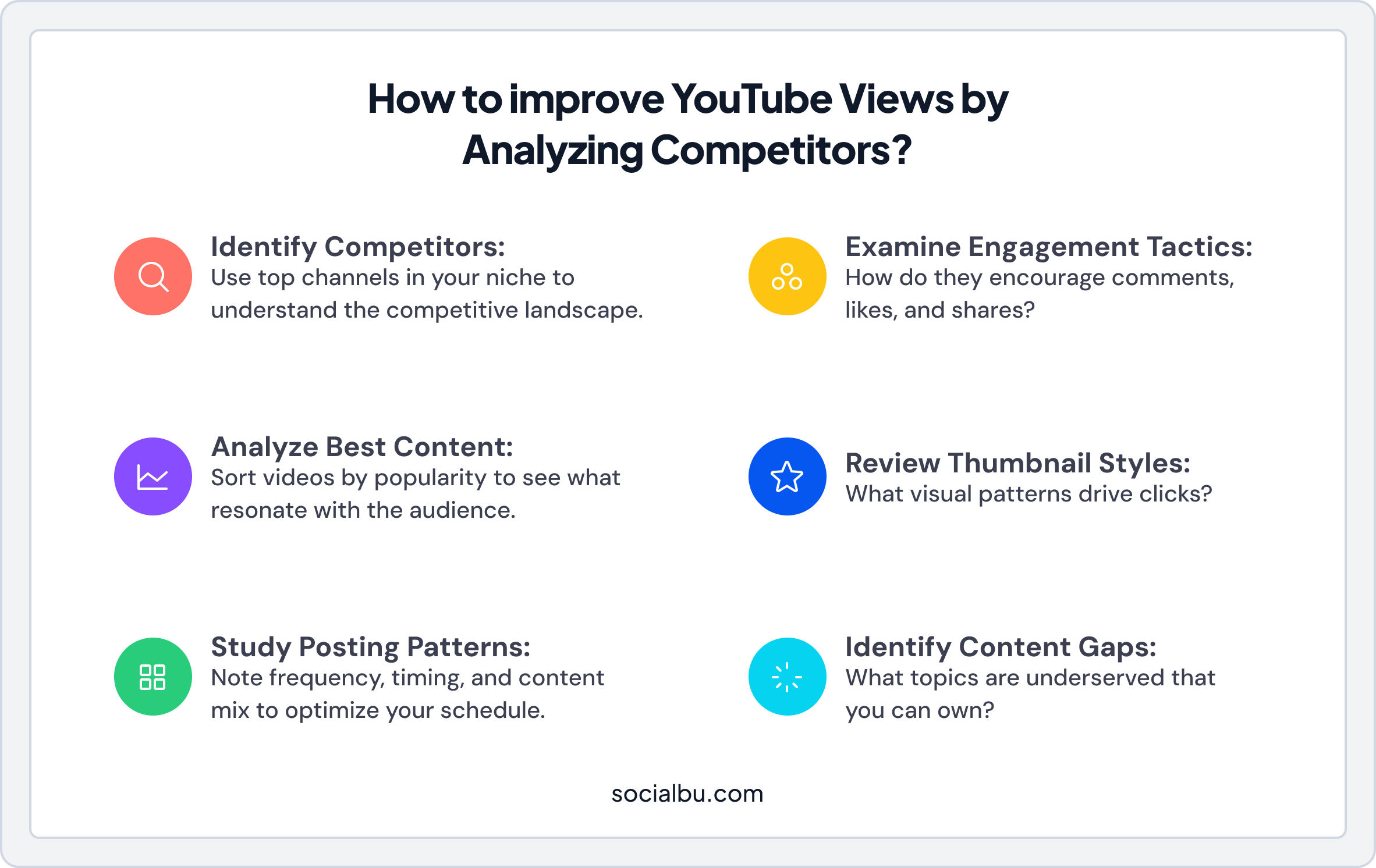
If your views are dropping while your competitors are growing, it’s essential to check your competitors’ activity.
What types of videos are they posting? How do they engage their audience? Use these insights to carve out your unique angle.
For example, if you’re in e-commerce, look at how top brands use YouTube Shorts to showcase products in a fun, quick way.
Competitive Analysis Framework
- Identify Top Competitors: List 5-10 channels in your niche with similar or larger audiences.
- Analyze Their Best Content: Sort their videos by popularity to see what resonates.
- Study Their Posting Patterns: Note frequency, timing, and content mix.
- Examine Engagement Tactics: How do they encourage comments, likes, and shares?
- Review Thumbnail Styles: What visual patterns drive clicks?
- Identify Content Gaps: What topics are underserved that you can own?
6. Build Recurring Revenue with Channel Memberships and Super Thanks
Beyond ad revenue, YouTube now lets you build income streams directly from your community. Memberships enable you to offer exclusive perks such as special emojis, badges, or locked videos for a monthly fee.
Super Thanks lets fans send tips during live streams, complete with fun animations.
These monetization options do two things:
- Give loyal fans a way to support you directly.
- Build stable revenue that doesn’t rely on fluctuating ad payouts.
Creators using memberships effectively are turning casual viewers into paying superfans.
Membership Tier Ideas
- Basic Tier ($2-5/month): Custom badges, emojis, and members-only community posts.
- Mid Tier ($5-15/month): Early access to videos, behind-the-scenes content, and exclusive live streams.
- Premium Tier ($15-50/month): One-on-one Q&A sessions, personalized shoutouts, or exclusive courses.
7. Experiment with YouTube Shorts and Other Features
Short-form content is essential for growth on any platform. With YouTube Shorts, you can experiment with quick, digestible content that can boost discoverability and reach new audiences.
Moreover, you can try out YouTube Live for real-time interaction, Premieres for building anticipation around new releases, and Community Posts for engaging your audience between video uploads.
YouTube Shorts Best Practices
- Hook Immediately: Capture attention in the first 1-2 seconds or viewers will scroll past.
- Keep It Vertical: Film in 9:16 aspect ratio for optimal mobile viewing.
- End with a CTA: Direct viewers to your full-length content or ask them to follow.
- Post Consistently: Aim for 3-5 Shorts per week to maintain visibility in the Shorts feed.
8. Use YouTube Ads to Drive Targeted Traffic
While organic growth is crucial, YouTube ads can accelerate your reach and drive highly targeted traffic. YouTube offers various ad formats, including skippable in-stream ads, non-skippable in-stream ads, bumper ads, and in-feed video ads.
This allows you to target specific demographics, interests, and even viewers who have previously engaged with your content.
YouTube Ad Formats Explained
- Skippable In-Stream Ads: Play before, during, or after videos. Viewers can skip after 5 seconds. You only pay when viewers watch 30 seconds or interact.
- Non-Skippable In-Stream Ads: 15-20 second ads viewers must watch entirely. Best for brand awareness with concise messaging.
- Bumper Ads: 6-second non-skippable ads ideal for reinforcing brand messaging or promotions.
- In-Feed Video Ads: Appear in search results and related videos. Great for driving views to your content.
- Masthead Ads: Premium placement on YouTube’s homepage. Expensive but delivers massive reach.
YouTube Ads Targeting Options
- Demographics: Age, gender, parental status, household income
- Interests: Affinity audiences based on lifestyle and interests
- In-Market: Users actively researching products or services like yours
- Custom Intent: Target based on recent Google searches
- Remarketing: Reach people who’ve interacted with your videos or channel
- Placement: Choose specific channels, videos, or websites for your ads
9. Repurpose YouTube Content Across Multiple Platforms
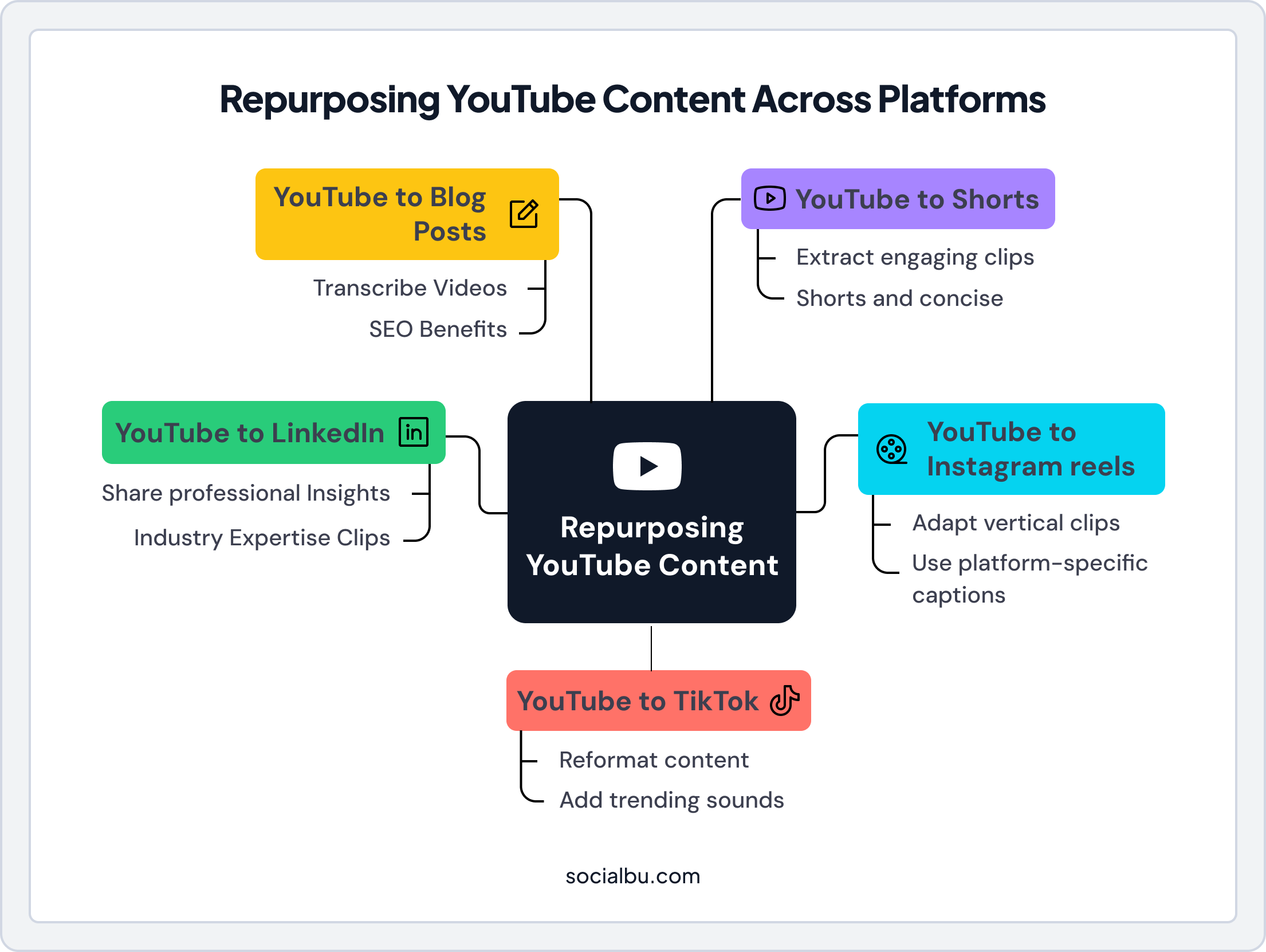
Maximize the value of every video by repurposing it for other social networks. A single YouTube video can provide weeks of content across Instagram, LinkedIn, X (Twitter), and TikTok.
You can turn long-form tutorials into short, engaging clips, create carousel posts highlighting key takeaways, or extract quotes and sound bites for social posts.
Content Repurposing Ideas
- YouTube to Shorts: Extract the most engaging 60-second clips from long-form videos.
- YouTube to Instagram Reels: Adapt vertical clips with platform-specific captions and hashtags.
- YouTube to TikTok: Reformat content with trending sounds and effects.
- YouTube to LinkedIn: Share professional insights and industry expertise clips.
- YouTube to Blog Posts: Transcribe videos into written articles for SEO benefits.
How Do You Optimize Content Using YouTube SEO?
Beyond general channel optimization, individual video optimization, known as YouTube SEO, is vital for discoverability and ensuring your videos rank high.
1. Optimize Your Video Description
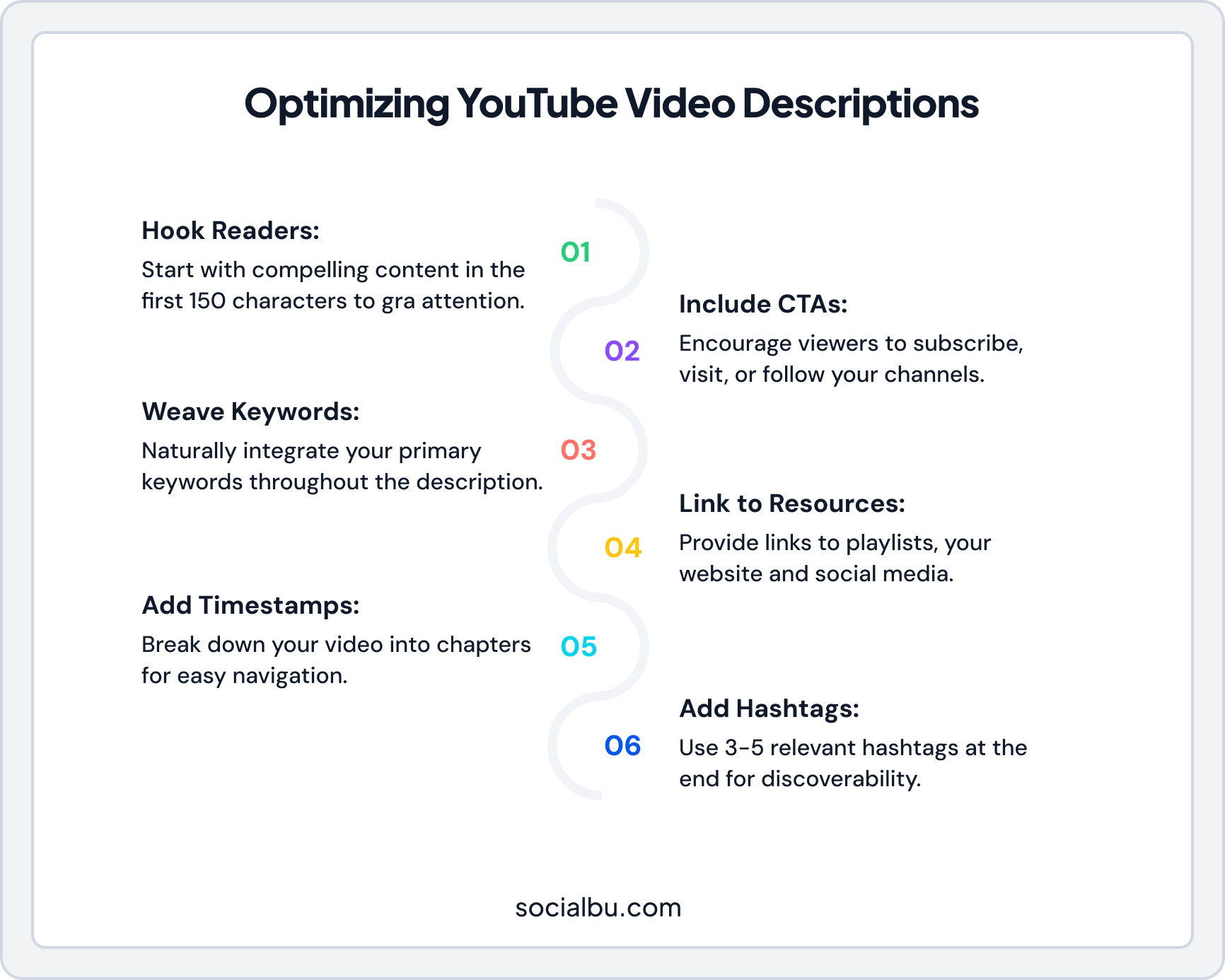
Your description is the prime SEO part. Use 200-300 words, place your top keywords early, and weave them in naturally. Add timestamps for navigation, include CTAs (subscribe, visit, follow), and link to playlists or your site.
Furthermore, incorporate timestamps to help viewers navigate your video, include clear calls to action, and link to relevant playlists, your website, and other social media profiles to drive further engagement.
Description Template
- First 150 Characters: Hook readers and include your primary keyword—this shows in search results.
- Timestamps: Break your video into chapters for easy navigation.
- Hashtags: Add 3-5 relevant hashtags at the end.
2. Create Compelling Titles
Your title is often the deciding factor in whether someone clicks on your video. Effective titles balance keyword optimization with curiosity-inducing elements.
Title Best Practices
- Front-Load Keywords: Place your primary keyword near the beginning of the title.
- Keep It Concise: Aim for 60 characters or fewer to avoid truncation in search results.
- Create Curiosity: Use power words, numbers, or questions to intrigue viewers.
- Be Accurate: Ensure your title accurately reflects your content to maintain trust.
- Test Variations: A/B test different title styles to see what resonates with your audience.
3. Design Click-Worthy Thumbnails
Thumbnails are your video’s first impression. A compelling thumbnail can dramatically increase your click-through rate, while a weak one can bury your great content.
Thumbnail Design Principles
- Use High Contrast: Bright colors and strong contrast stand out in crowded feeds.
- Include Faces: Human faces with expressive emotions draw attention and create a connection.
- Add Text Sparingly: Use 3-5 words maximum in large, readable fonts.
- Maintain Consistency: Develop a recognizable style that builds brand recognition.
- Test at Small Sizes: Ensure your thumbnail is clear even when displayed small on mobile.
- Avoid Clickbait: Misleading thumbnails hurt retention and algorithm performance.
4. Use Video Hashtags
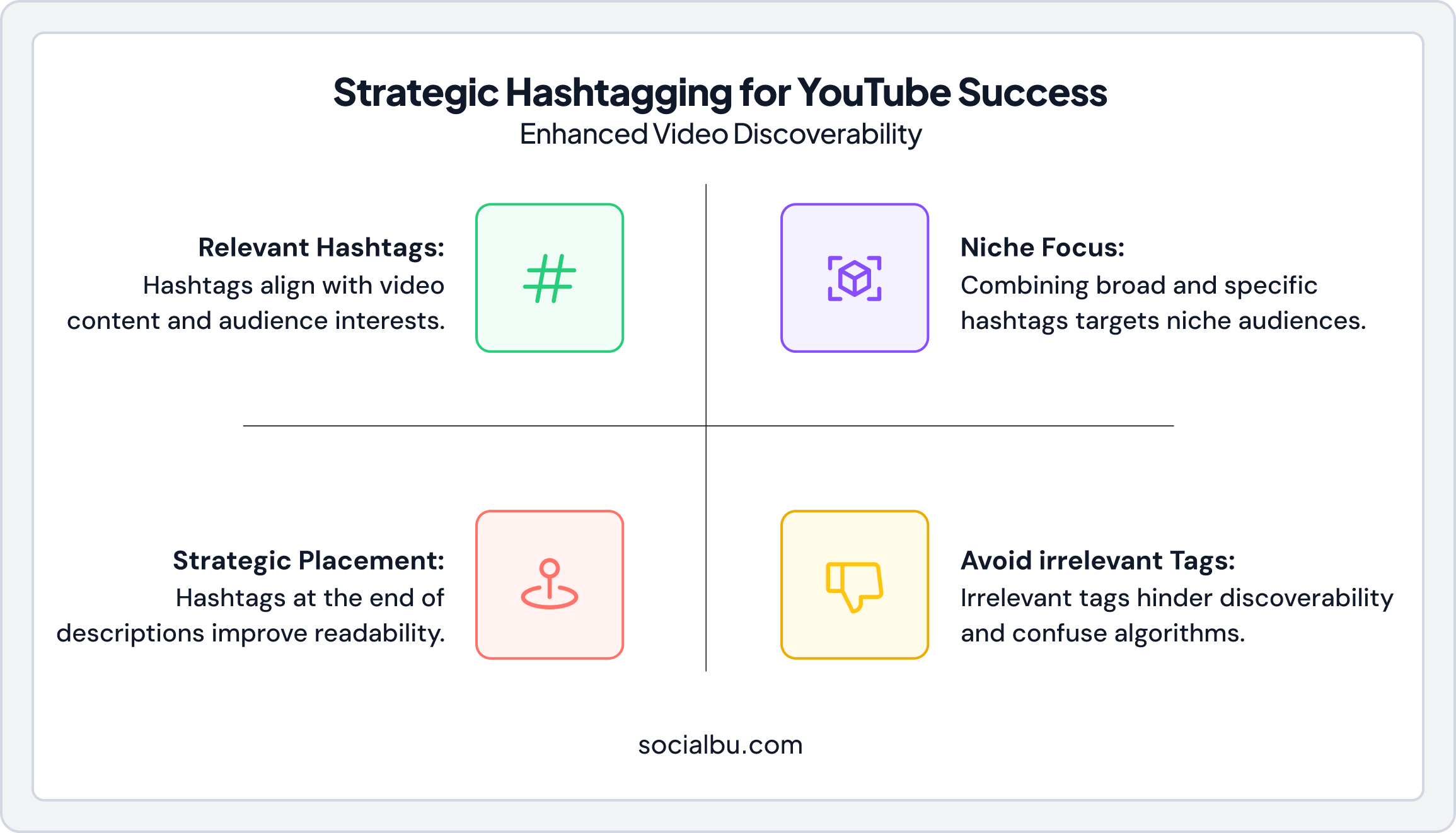
Strategic YouTube hashtags help YouTube classify your videos and expand discoverability across search, suggested videos, and hashtag feeds. When used correctly, hashtags reinforce your video’s topic and support overall SEO performance.
Avoid overloading your description with hashtags. YouTube prioritizes relevance and clarity over quantity, so a focused approach works best.
Best Practices for YouTube Hashtags
- Limit Hashtags: Use 3–5 highly relevant hashtags to keep your metadata clean and effective.
- Place Them Strategically: Add hashtags at the end of your video description to maintain readability.
- Match Search Intent: Choose hashtags your target audience is likely to search for or follow.
- Stay Niche-Focused: Combine broad (#YouTubeSEO) and specific hashtags (#YouTubeAnalyticsTips).
- Avoid Irrelevant Tags: Unrelated hashtags can hurt discoverability and confuse the algorithm.
5. Tracking YouTube Analytics
Before you can truly optimize, you need to understand performance. Regularly monitor your YouTube Analytics to gain deep insights into audience retention, watch time, traffic sources, and demographics.
This data is crucial for identifying what works and what doesn’t, allowing you to refine your content and optimization strategies iteratively for continuous improvement.
Key Metrics to Monitor
- Watch Time: Total minutes viewers spend watching your content—the most important metric for algorithm ranking.
- Average View Duration: How long viewers watch before leaving—indicates content quality.
- Click-Through Rate: Percentage of impressions that result in views—measures thumbnail/title effectiveness.
- Audience Retention: Moment-by-moment engagement showing where viewers drop off.
- Traffic Sources: Where viewers discover your videos (search, suggested, external, etc.).
- Subscriber Growth: Net new subscribers and which videos drive subscriptions.
How Do You Create Engaging YouTube Content?
All the optimization in the world won’t help if your content doesn’t resonate. Here’s how to create videos viewers actually want to watch.
Video Content Types That Perform Well
- Tutorials and How-To Videos: Step-by-step guides that solve specific problems. These have strong search intent and evergreen value.
- Product Reviews and Comparisons: Help viewers make purchasing decisions. Great for affiliate marketing and e-commerce.
- Behind-the-Scenes Content: Humanize your brand by showing the people and processes behind your products.
- Expert Interviews: Leverage others’ expertise and audiences to expand your reach.
- Case Studies and Success Stories: Demonstrate real-world results to build credibility and trust.
- Listicles and Compilations: “Top 10” and “Best of” videos perform well in search and suggested.
- Q&A and FAQ Videos: Address common questions your audience has.
- Vlogs and Day-in-the-Life: Build personal connection with your audience.
Structure Your Videos for Maximum Retention
How you structure your content directly impacts watch time and audience retention.
1. The Hook (First 30 Seconds)
Your opening determines whether viewers stay or leave. Start with:
- A compelling question or bold statement
- A preview of the value they’ll receive
- An attention-grabbing visual or moment
- A relatable problem statement
2. The Body (Main Content)
Deliver on your promise with:
- Clear, organized sections with visual variety
- Pattern interrupts every 30-60 seconds to maintain attention
- Examples, demonstrations, and storytelling
- Timestamps for easy navigation
3. The Call-to-Action (Closing)
End with clear next steps:
- Ask viewers to subscribe, like, and comment
- Recommend related videos to keep them watching
- Direct them to external resources when appropriate
Develop a Content Calendar for Consistent Posting
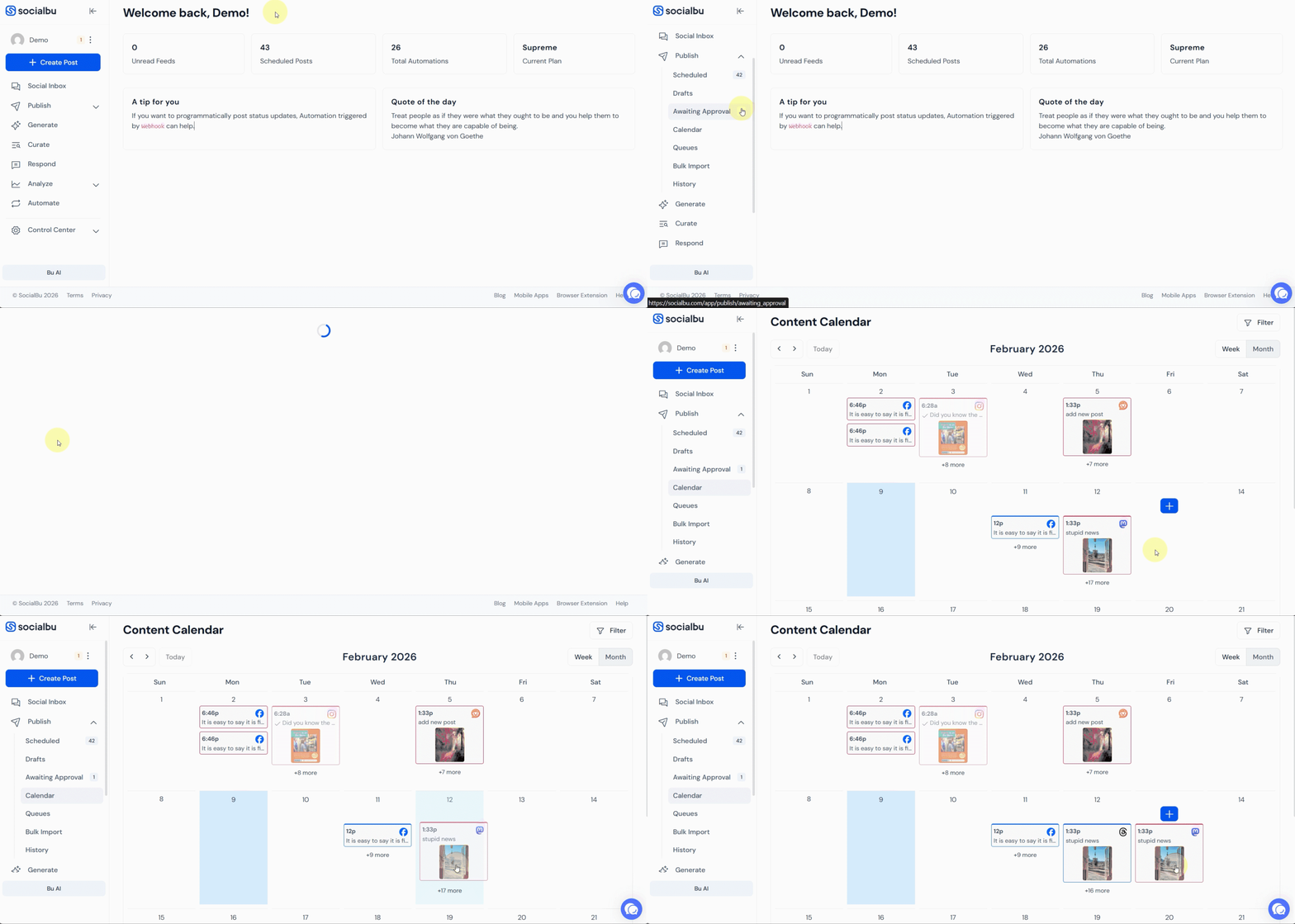
Consistency is the exposed secret of YouTube success. When you post irregularly, the YouTube algorithm forgets you exist. A content calendar transforms chaos into a predictable growth machine, keeping your channel active without burning out.
Why a Content Calendar Matters?
With AI tools making planning easier, brands that post 1-2 times a week see significantly higher engagement than those that post inconsistently. It aligns your content with trends, seasons, and audience needs, like holiday product unboxings for e-commerce or seasonal tips for affiliate marketers.
How to Build One
- Brainstorm Themes: Use your keyword research to map monthly pillars (e.g., “Beginner Tutorials” in January, “Advanced Strategies” in June). Incorporate hooks like “2026 YouTube Updates” to ensure timeliness.
- Schedule Strategically: Use Analytics to identify peak viewer times (evenings for most niches). Batch-create: Film 4 videos in one day, edit the next.
- Incorporate Variety: Mix long-form (10-15 mins) with Shorts (under 60 secs) and Lives. Tools like SocialBu let you drag-and-drop schedules across platforms.
- Plan for Trends: Leave flexibility for timely content responding to industry news or viral moments.
- Review and Adapt: End each month with a quick audit—what exploded? Adjust the next calendar accordingly.
Building and Engaging Your YouTube Community
A successful YouTube channel isn’t just about publishing videos. It’s about building a community of engaged viewers who return repeatedly and advocate for your brand.
Engagement Strategies
- Respond to Comments: Reply to comments, especially in the first few hours after publishing. This signals engagement to the algorithm and builds community.
- Ask Questions: End videos with questions that encourage comments. Pin the best responses.
- Use Community Posts: Share polls, images, and updates between video uploads to maintain audience connection.
- Feature Viewer Content: Highlight user comments, fan art, or success stories in your videos.
- Create Series: Recurring content gives viewers a reason to subscribe and return.
- Collaborate with Other Creators: Cross-promotion introduces your content to new audiences.
Growing Your Subscriber Base
- Deliver Consistent Value: Give viewers a clear reason to subscribe based on what they’ll receive.
- Use Subscribe CTAs: Ask viewers to subscribe at natural points in your video—not just at the end.
- Create Playlists: Organize content into bingeable playlists that keep viewers watching.
- Optimize End Screens: Use end screens to promote subscriptions and related videos.
- Cross-Promote: Share videos across your other social platforms and email list.
Top 3 Recent YouTube Marketing Campaign Examples
Looking for inspiration that reflects modern YouTube marketing trends? These campaigns serve as successful examples of YouTube marketing in recent years.
1. Corona: “Cheers, Corona” YouTube Shorts for Sunsets Festival
In 2024, Corona used YouTube Shorts to promote the Cape Town leg of its Sunsets Festival World Tour. Instead of relying only on long-form video, the team tested multiple YouTube ad formats and opted for a Shorts-first strategy supported by bumper and TrueView ads.
According to Google’s case study, the campaign reached 1.3 million views, 5.1 million impressions, and a 21.2% video completion rate in just one month.
What made it work:
- Shorts-first content that matched how festival-goers already browse YouTube.
- Multi-format funnel: bumper ads for awareness, TrueView for deeper storytelling, Shorts for conversions.
- Strong creative consistency: sunset visuals, festival artists, and a laid-back, feel-good vibe.
- Smart affinity targeting to reach music and festival lovers.
2. Apple: “Shot on iPhone 15 Pro” Global Creator Series
Apple continues its “Shot on iPhone” series into 2025 and 2026, taking a stronger push across YouTube by working with creators globally, musicians, filmmakers, and athletes, to showcase high-quality footage captured only with the latest iPhone.
What made it work:
- User-generated content at professional quality
- Diverse creator partnerships across niches
- Product demonstration through storytelling, not specs
- Aspirational content that inspires purchases
3. Urban Decay: Naked Palette Relaunch with YouTube Beauty Creators
For the return of its iconic Naked eyeshadow palette, Urban Decay partnered with YouTube beauty creators Kelly Strack and Ashley LaMarca. The brand used YouTube Shorts ads that felt like native creator content. They used quick tutorials, close-ups, and GRWM-style storytelling instead of polished TV-style spots.
YouTube/Google reports that this campaign generated a 3% increase in purchase intent and a 278% increase in searches for the palette, demonstrating just how powerful creator-led Shorts can be when they align with platform culture.
What made it work:
- Authentic creator integration, speaking directly to real beauty audiences.
- Vertical, creator-style Shorts that blended into the feed instead of interrupting it.
- Clear product focus (simple eye looks, before/after moments) that made the palette feel easy and desirable.
- Measurable lift in both brand demand (searches) and intent to buy.
How Do You Measure YouTube Marketing ROI?
Understanding the return on your YouTube investment helps justify resources and optimize strategy.
Key Performance Indicators (KPIs)
Awareness Metrics
- Views and impressions
- Reach and unique viewers
- Brand search volume increases
Engagement Metrics
- Watch time and average view duration
- Likes, comments, and shares
- Subscriber growth rate
Conversion Metrics
- Click-through rate to the website
- Leads generated
- Sales attributed to YouTube
- Revenue per video
Revenue Metrics
- Ad revenue (if monetized)
- Membership and Super Chat revenue
- Affiliate commissions
- Sponsorship income
How to Manage Your YouTube Marketing With SocialBu
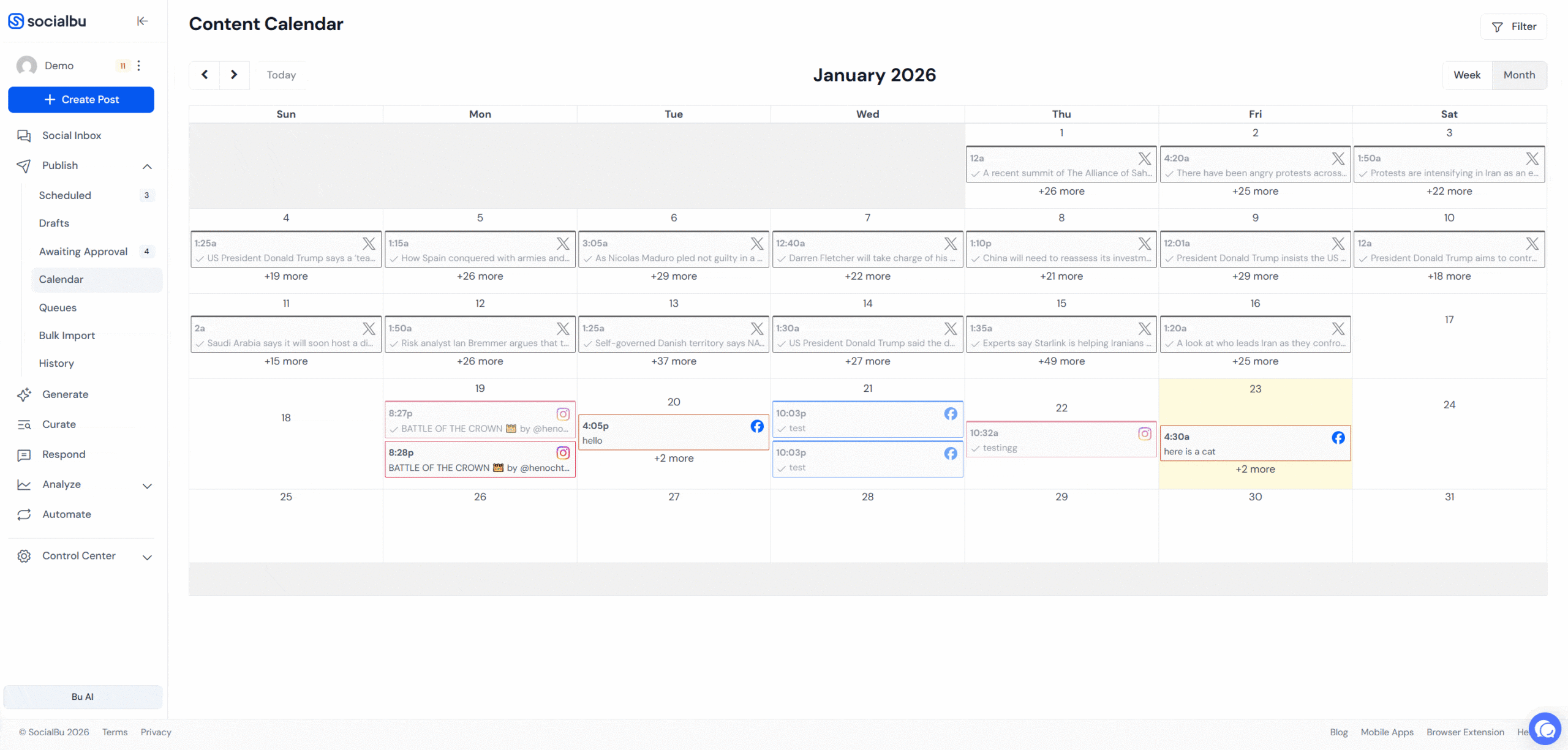
By now, you have seen the steps in the YouTube marketing guide. However, the reality is that managing a YouTube channel requires consistency. Posting regularly, monitoring analytics, and keeping your audience engaged can feel overwhelming.
That is exactly why smart marketers use SocialBu as part of their YouTube marketing tools and strategy.
1. Analytics: Unlock Data-Driven Insights
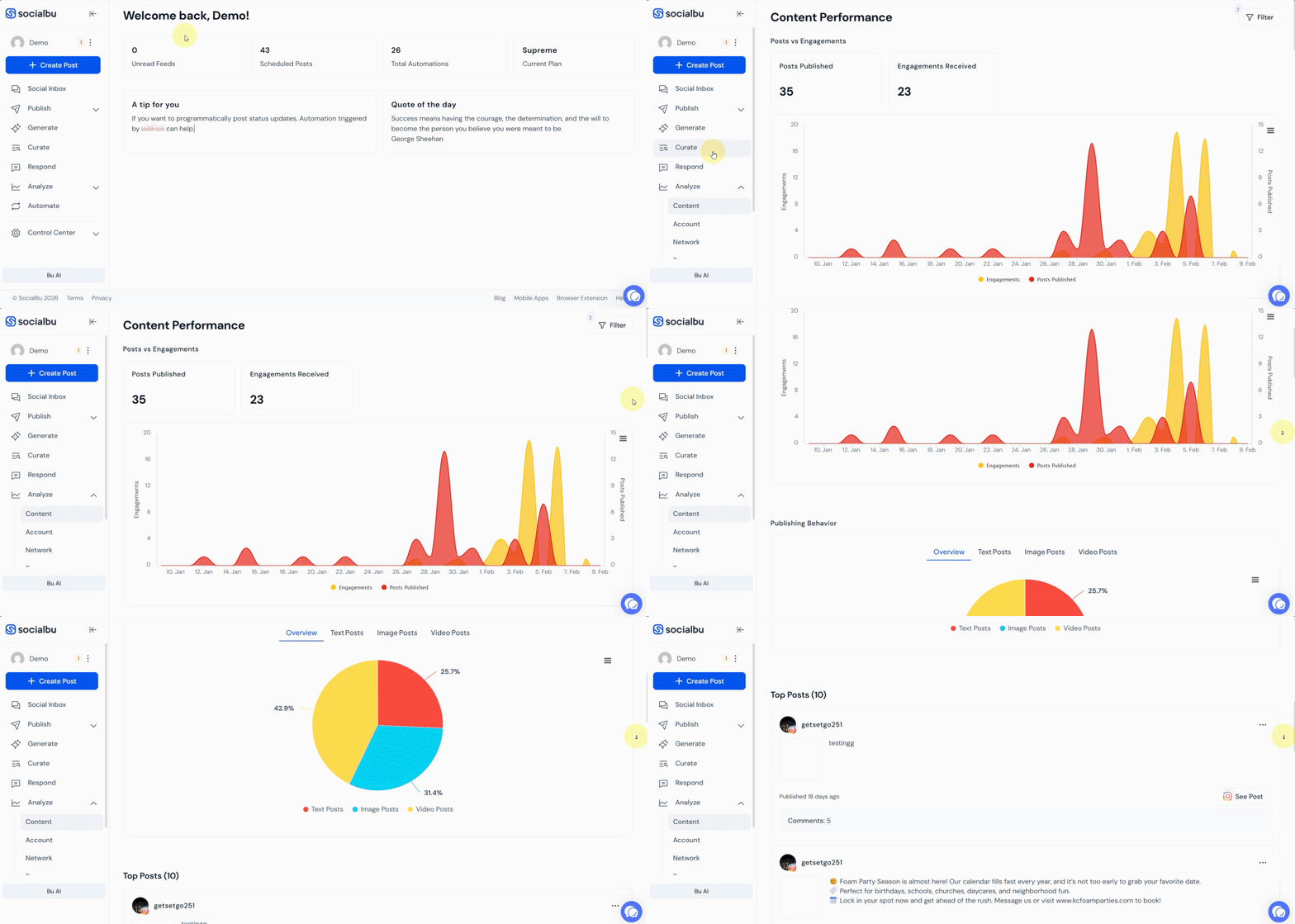
SocialBu’s analytics dashboard provides a clear view of your channel’s performance, from views to engagement rates, helping you make informed decisions. This means you can double down on the styles, topics, or formats your viewers love most.
Over time, these insights help you fine-tune your strategy so every video delivers more impact than the last.
2. Scheduling: Plan and Publish Seamlessly
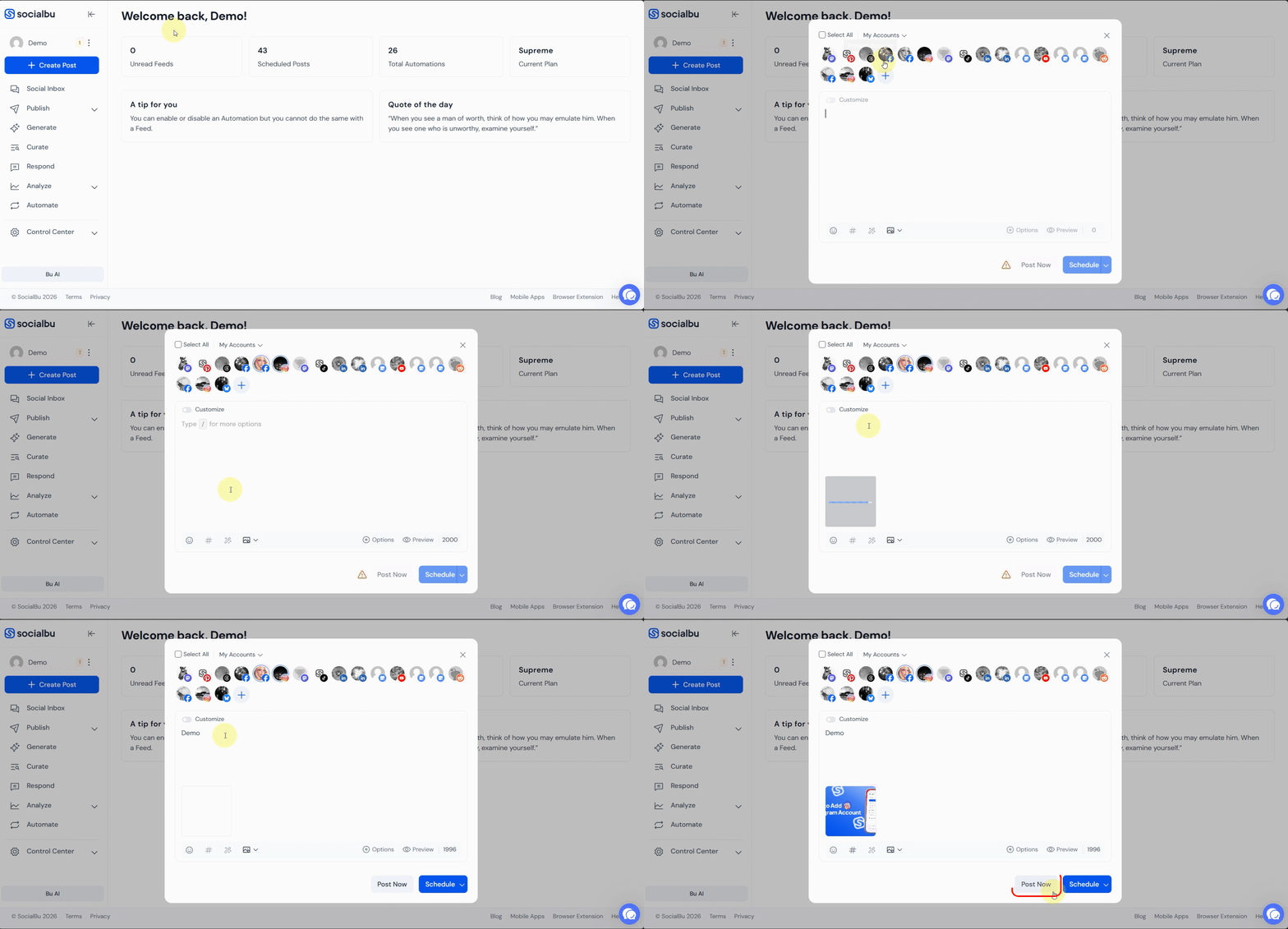
SocialBu makes planning videos and Shorts simple with its built-in scheduler. You can prepare everything ahead of time and eliminate the pressure of posting on the fly.
Consistency is one of the keys to growth on YouTube, and scheduling lets you stay ahead of the game while reducing the stress of always having to be “on.”
3. Automate: Keep Your Channel Active Effortlessly
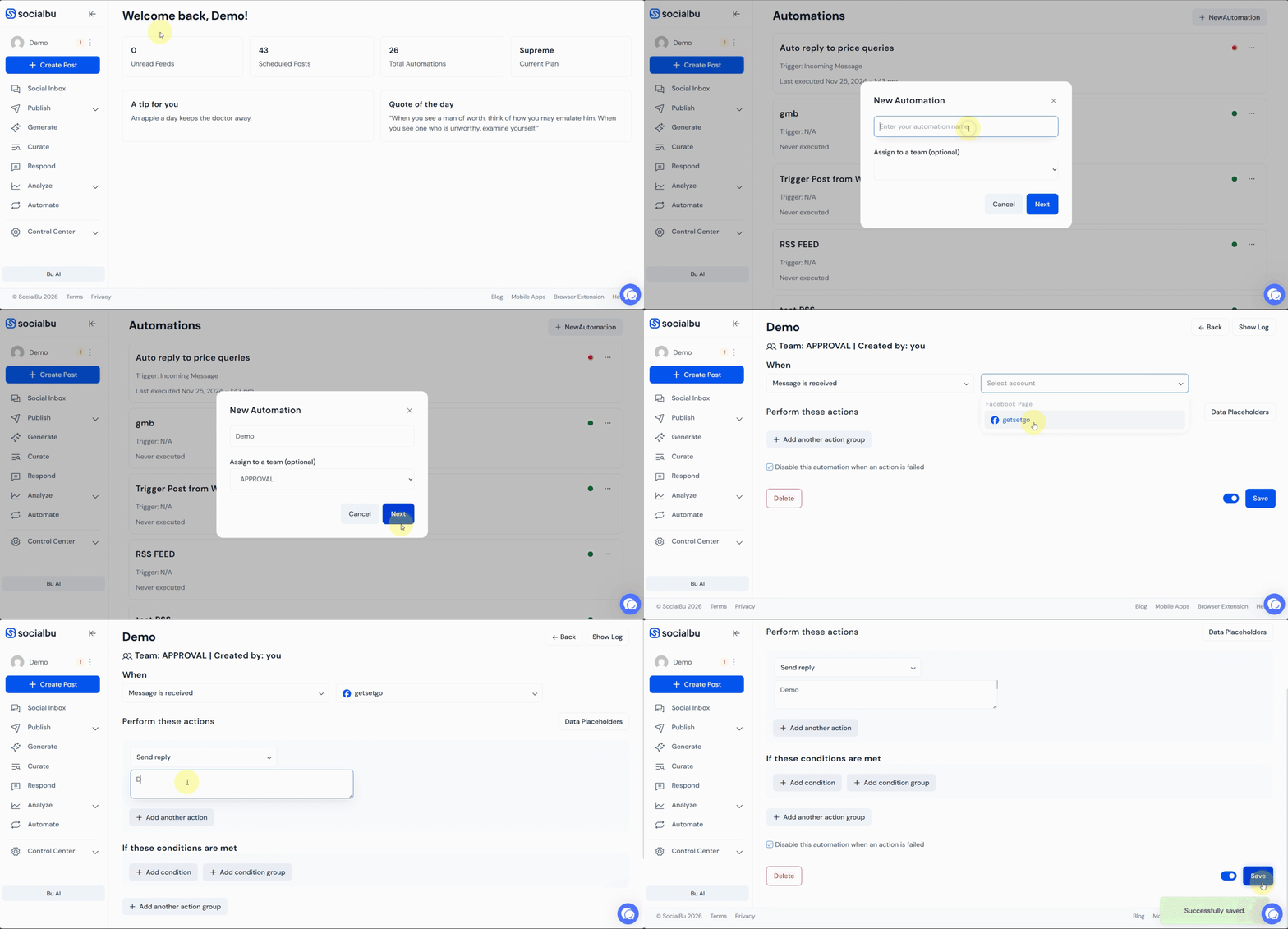
Automate repetitive tasks like posting community updates or responding to common comments, so you can focus on creating great content.
By automating the routine, you can allocate more of your energy to brainstorming fresh ideas, creating high-quality content, or experimenting with new YouTube features. It is like having a personal assistant dedicated to keeping your channel lively and responsive.
4. Unified Inbox to Manage All Responses Efficiently
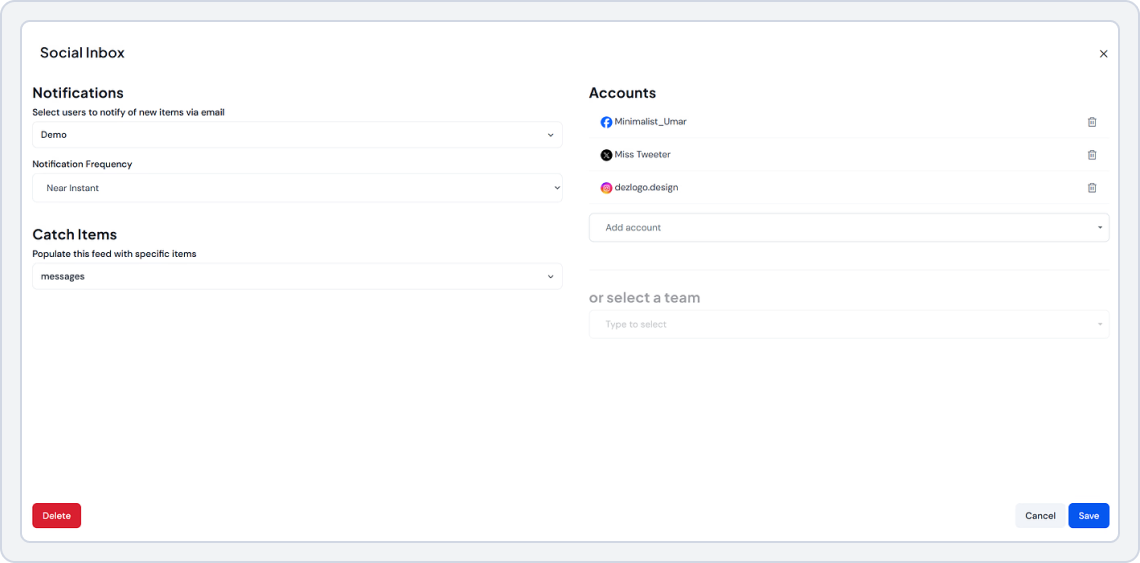
SocialBu’s Unified Inbox centralizes all interactions into a single, organized dashboard, making it easy to stay on top of conversations, respond promptly, and maintain consistent communication across every account.
Wrap-Up
YouTube marketing is about building a community, driving traffic, and growing your brand. As covered in The Complete Guide to YouTube Marketing in 2026, the platform’s latest features like AI dubbing, Shorts, and advanced analytics make it easier than ever to reach global audiences.
The key is consistency, optimization, and understanding your audience deeply.
But managing it all manually can cause burnout. That’s where tools like SocialBu can help you schedule, automate, analyze, and grow without the overwhelm. From content calendars to cross-platform management, SocialBu turns YouTube marketing from a full-time job into a streamlined, results-driven strategy.
Ready to take your YouTube channel to the next level? Start implementing these strategies today, and watch your brand visibility, engagement, and revenue multiply.
Take Your YouTube Strategy to the Next Level
Schedule, automate, and analyze your YouTube content with SocialBu — no hidden fees, no sales calls.
FAQs
Q: How often should I post on YouTube to grow my channel?
Consistently posting 1–2 times per week is ideal for growth. Most strategies shared in any solid YouTube marketing guide emphasize consistency over volume, so focus on creating high-quality content your audience genuinely enjoys.
Q: Can I manage multiple YouTube channels from one account?
Yes! You can create and manage multiple YouTube channels under a single Google account. Tools like SocialBu make managing multiple channels even easier with a unified dashboard.
Q: How do YouTube Shorts help with channel growth?
YouTube Shorts boost discoverability by reaching new audiences quickly. Many creators featured in a modern YouTube marketing guide recommend Shorts for viral exposure and for driving traffic to long-form videos.
Q. How to get 10,000 views on YouTube?
To hit the 10k mark, follow a proven YouTube marketing guide approach that combines SEO and promotion. Optimize video titles and descriptions with high-volume keywords, create eye-catching thumbnails to improve CTR, and promote your videos on Instagram, X (Twitter), and LinkedIn to drive external traffic.
Q: What are the most important metrics to track for marketing success?
While view count looks impressive, Watch Time and Click-Through Rate (CTR) matter far more. Any data-driven YouTube marketing guide will tell you these metrics signal strong engagement and help trigger YouTube’s recommendation engine.
Q: Can social media automation tools help with my YouTube strategy?
Absolutely. Tools like SocialBu allow you to schedule your video promotion posts across Facebook, Twitter, and LinkedIn in advance. This ensures that the moment your video goes live on YouTube, your social media audience is alerted immediately, driving that crucial early traffic spike.
Q: How important are YouTube tags for SEO in 2026?
Tags are less important than they used to be, but they still help. YouTube places much more weight on your Video Title, Description, and what you actually say in the video (via auto-captions). Use tags for common misspellings of your channel name or specific keywords, but focus your energy on writing a keyword-rich description.
Q: How do I monetize my YouTube channel?
To join the YouTube Partner Program (YPP) and earn ad revenue, you generally need 1,000 subscribers and 4,000 valid public watch hours in the last 12 months (or 10 million Shorts views in 90 days).