Statusbrew is a solid tool. It’s been around forever, has a loyal user base, and does the job. But “does the job” isn’t exactly what’s working in 2026, is it?
Because the bar has moved.
Users now want AI that actually saves time. Pricing that doesn’t punish growth. A mobile app that doesn’t feel like an afterthought. And an interface you can figure out in an afternoon, not after two weeks of YouTube tutorials.
Statusbrew? It starts at $69/user/month, has no free plan, and comes with a learning curve that can take one to two weeks to master. Add a few team members and suddenly you’re staring at a bill that made no one happy.
And the social media tool market? It’s exploding. We’re looking at a $39 billion industry in 2026, which means there are many alternatives competing hard for your business. Better AI. Affordable pricing. Better everything.
So whether you’re casually comparing options or already have one foot out the door, welcome. You’re in the right place.
Here are the 7 best Statusbrew alternatives to try in 2026.
Quick Answer: The best free Statusbrew alternative overall is SocialBu; it’s more affordable, offers stronger AI tools and a better mobile app, and includes native cross-posting that Statusbrew doesn’t.

How We Tested: We signed up for free trials of 15+ social media management tools and tested each one across real scheduling, inbox, AI content generation, mobile workflows, and multiple other metrics. We even had some users try the tools in real time for a few days and gathered their feedback to determine which tools best fit your needs. So, keep reading, and who knows, you might be able to find your next best fit here.
Table of Contents
- Why Look for Statusbrew Alternatives?
- How We Evaluated Each Tool
- Quick Comparison Table
- Alternative #1: SocialBu
- Alternative #2: Agorapulse
- Alternative #3: SocialBee
- Alternative #4: Social Rails
- Alternative #5: OnlySocial
- Alternative #6: Vista Social
- Alternative #7: Zoho Social
- How to Choose the Right Alternative
- Conclusion
- FAQs
Why Look for Statusbrew Alternatives?
Though Statusbrew is the first choice of multiple businesses even now, which we figured out through Statusbrew reviews, a lot of them have started looking for strong and cheap Statusbrew alternatives, and for all the right reasons.
In 2026, tools like Statusbrew that offer a broad range of features and try to impress users in multiple aspects don’t really do the job right. And though a one-size-fits-all tool is generally what users want, not everyone can manage it properly.
Here’s What Statusbrew Users Are Actually Complaining About
- High pricing: Users generally don’t mind paying large bucks if they get what they want. However, Statusbrew’s pricing plans have skyrocketed over the past few months.
- Steep learning curve: Statusbrew’s interface is complicated. Most users have complained about its steep learning curve and how navigating even a simple function took them a long time. [Zeynep, G2]
- Weak AI-powered capabilities: Multiple features of the tool, from caption generation to evergreen content recycling and smart content suggestions, are underdeveloped compared to platforms built with AI at their core.
- Weaker mobile app: Unlike the desktop app, Statusbrew reviews tell that its mobile app is limited and lacks many features. Moreover, the mobile app’s interface is cluttered, which affects the overall user experience. Users have also reported occasional bugs with the mobile app.
- No cross-platform posting: There’s no native way to publish the same post across multiple platforms simultaneously; a standard feature in most 2026 tools.
- Occasional delays in dashboard and bulk posting: Users report performance lags when managing high-volume content schedules or navigating during peak times. [Harsh M., G2]
- Too broad for specialized needs: Teams that need a focused automation tool, a deep analytics platform, or a visual scheduling system find Statusbrew’s generalist approach frustrating.
How We Evaluated and Picked Each Statusbrew Alternative?
We evaluated 15+ tools in total, testing each one on a free trial or free plan for at least two weeks across live social accounts. Rather than applying the same six-point checklist to every tool, we focused on the criteria most relevant to each tool’s primary strength and specifically how that strength compares to a Statusbrew pain point.
The six criteria we drew from:
- Pricing & Free Plan
- Ease of Use
- AI Capabilities
- Scheduling & Cross-Posting
- Analytics & Reporting
- Mobile App Quality
Best Statusbrew Alternatives at a Glance
Tool Name | Price | Best For |
SocialBu | $19/month | Small businesses, automation, and AI-powered content workflows |
Agorapulse | €59/month | Agencies needing advanced reporting and unified inbox |
SocialBee | $29/month | Content recycling and evergreen automation |
Social Rails | $29/month | Solopreneurs wanting AI content + fast cross-posting |
OnlySocial | $29/month | Unlimited scheduling and bulk posting at scale |
Vista Social | $39/month | Teams needing analytics, social listening, and engagement tools |
Zoho Social | $15/month | Budget users and Zoho ecosystem businesses |
Now look at each Statusbrew alternative in detail with side-by-side feature comparison to help you find your next best social media management tool that outgrows all Statusbrew’s flaws.
Statusbrew Alternative #1: SocialBu
Best For: All-in-one social media management, automation, and multi-client management
Starting Price: $19/month
Free Plan: ✅ Yes
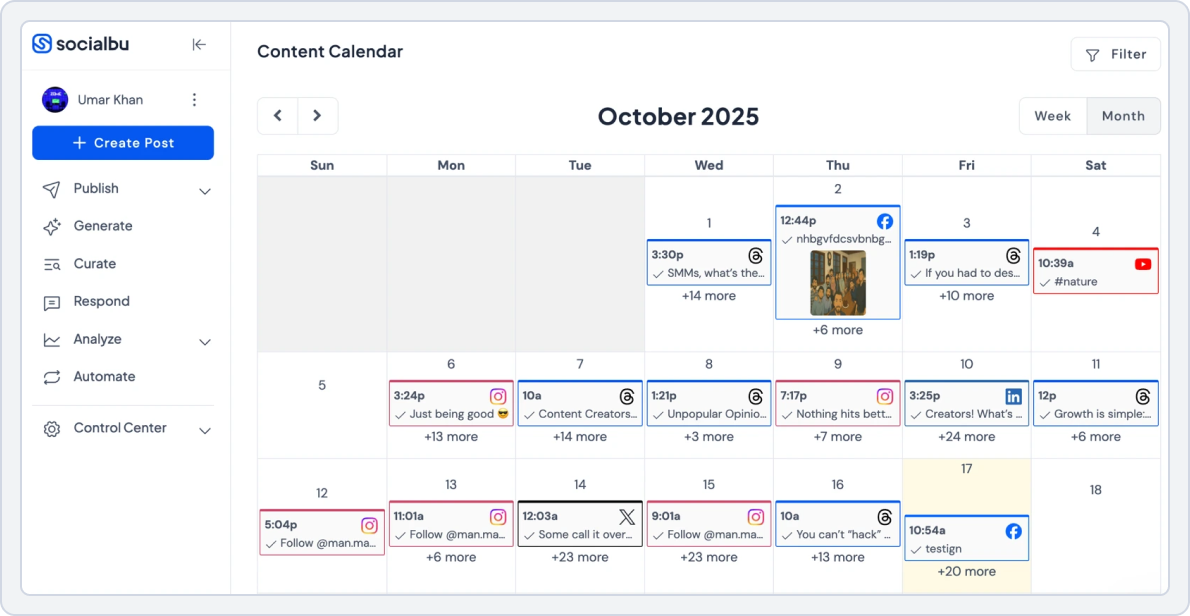
If there’s one tool on this list that directly answers every major complaint about Statusbrew, it’s SocialBu. The pricing is lower. The AI is more useful. The mobile app actually works. Cross-posting is built in natively. And the interface, while not the flashiest in the category, is clean enough that most users are fully operational within their first session.
One small business owner who switched from Hootsuite put it plainly:
“I used ChatGPT to analyze affordable social schedulers, and SocialBu was top-rated, and I have to agree. You are helping small businesses everywhere by remaining affordable.” [Capterra, Sep 2025]
That sentiment shows up repeatedly across reviews. It’s not trying to be everything to everyone. It’s trying to be the most complete, most affordable option for the users Statusbrew was supposed to serve, and for most of them, it succeeds.
What SocialBu Does That Statusbrew Can’t?
Two major drawbacks of Statusbrew that compel users to look for other free social media publishing tools are the inability to cross-post and the lack of advanced AI content-generation features.
The good news is that SocialBu does it all, and at a fraction of Statusbrew’s cost. SocialBu’s advanced AI capabilities enable users to generate captions, get hashtag suggestions, and create content variations directly within the scheduling workflow.
SocialBu vs. Statusbrew
To better understand what makes SocialBu the perfect Statusbrew alternative for small businesses and other users, let’s compare these two tools side-by-side.
1. AI Capabilities
SocialBu’s AI tools are built directly into the scheduling workflow, not added as an afterthought.
From the post composer, you can generate captions, create platform-specific variations, suggest hashtags, and produce content ideas without opening a separate tool.
One user described it as “the Swiss Army Knife of social media marketing,” with AI among the features that make the all-in-one approach genuinely work in practice. [G2, Sep 2023]
Statusbrew’s AI capabilities are limited to basic caption assistance. There’s no content strategy generation, no multi-variant creation, and no AI-driven scheduling intelligence.
2. Scheduling & Cross-Platform Posting
SocialBu’s scheduling and publishing suite covers bulk scheduling, queue-based posting, evergreen content, drag-and-drop calendar management, and native cross-posting across all connected platforms in a single action.
Users can customize the post for each platform individually within the same composer, so a LinkedIn post reads differently from the Instagram version without creating two separate drafts.
One agency user highlighted bulk uploads, specifically of this free social media publishing tool:
“Bulk uploading made my job SO much easier. If I ever changed my mind and wanted a post on another platform, it was very easy to integrate with the click of a button.” [G2, Dec 2024]
Statusbrew does not have native cross-posting; each platform requires a separate manual post. For teams publishing daily across multiple channels, that’s a significant time drain that SocialBu eliminates entirely.
3. Mobile App Quality
SocialBu’s mobile app is consistently described as functional and reliable, with strong feature parity to the desktop version. For teams that manage social media on the go, that reliability matters.
Statusbrew’s mobile experience is one of the platform’s most frequently cited weaknesses, with limited functionality, reduced features, and occasional bugs that make on-the-go management frustrating.
4. Ease of Use
SocialBu’s dashboard organizes everything, Publishing, Generating, Curating, Responding, Analyzing, and Automating, into clearly labeled sections that don’t require a learning investment to navigate.
Most users report being up and running within their first hour. One user who had tried Zoho, Hootsuite, and Loomly before switching described SocialBu’s simplicity as the deciding factor:
“The other platforms were overwhelming and had a lot of tools I just did not need. SocialBu made it incredibly easy to stick to my marketing strategy.” [G2, Dec 2024]
As per Statusbrew reviews, its learning curve is a consistent complaint across reviews; the interface takes significant time to navigate confidently, particularly for new users or small business owners without a dedicated social media team.
What Platforms Does SocialBu Integrate With?
Instagram, TikTok, YouTube, Facebook, X (Twitter), Threads, LinkedIn, Reddit, Mastodon, Pinterest, Bluesky, and Google Business Profile.
SocialBu | Statusbrew | |
Free Plan | Yes | No free plan |
Entry Pricing | $19/month | $89.00/month (pricing increases with users & features) |
For Small Business | $19/month - 12 social accounts - 800 monthly posts - Team collaboration included | $89.00/month - Higher cost for limited accounts - No native cross-posting - Features locked behind higher tiers |
For Agencies | $199/month - 150 social accounts - Unlimited posts - 25 team members | $299/month - 6 users: pricing scales per user - Costs increase significantly with team size |
Cross-Platform Posting | Native cross-platform posting across multiple platforms in one click | Not available - (Manual posting required per platform) |
Ease of Use | Beginner-friendly, fast onboarding | Steeper learning curve, takes time to navigate |
Final Verdict | Affordable, all-in-one tool with strong AI, automation, and cross-posting. Ideal for small businesses, freelancers, and agencies. | More expensive with key limitations (no cross-posting, weaker AI, usability issues). Better suited for specific use cases. |
Why SocialBu Is the Best Free Statusbrew Alternative?
SocialBu is the tool that addresses the full list of what users dislike about Statusbrew: pricing, AI, mobile experience, cross-posting, and ease of use, without asking you to compromise on features or upgrade to make it work. For small businesses, freelancers, and growing agencies, it’s the most complete switch available in 2026.
Try the All-In-One Statusbrew Alternative
Get cross-platform scheduling, workflow approvals, affordable pricing, analytics, and AI automation at just $19/month with team members included.
Statusbrew Alternative #2: Agorapulse
Starting Price: €59/month
Free Plan: No (30-day free trial)

Let’s be upfront about one thing: Agorapulse is not a free Statusbrew alternative, and it’s not trying to be a budget pick. But if your frustration with Statusbrew is less about cost and more about the inbox falling apart at scale, the reporting not being client-ready, or the approval workflows feeling incompetent, Agorapulse is one of the most direct upgrades you’ll find.
It’s been around since 2011, and the agencies that stick with it tend to really stick with it. Reviews like “I’ve been using it since 2015, and yes, there have been many changes, but this tool is robust, their customer service is top-notch, and their online community is fantastic.” [Trustpilot, Nov 2025] are common. That kind of long-term loyalty tells you something about what it does well.
It’s not perfect; more on that shortly. But for agencies managing multiple client accounts where reliability and reporting actually matter, this free social media publishing tool earns its price tag in a way Statusbrew often doesn’t.
What Agorapulse Does That Statusbrew Can’t?
Statusbrew’s inbox works at a basic level, but once you’re handling high message volumes across multiple brands, the cracks show. Agorapulse was built specifically for that environment.
Every comment, DM, and mention across all your connected accounts lands in one inbox, and you can filter, assign, annotate, and action each one without losing track.
One agency owner put it well: “Community management is a breeze with all comments and messages coming to one inbox.” [Trustpilot, Nov 2025]
Agorapulse vs. Statusbrew
Here is a side-by-side comparison of Agorapulse vs. Statusbrew:
1. Unified Inbox & Social Engagement
Agorapulse pulls every DM, comment, mention, and ad comment from all your connected platforms into one inbox. You can reply, like, assign conversations to team members, leave internal notes, and mark items as reviewed; all without switching tabs or losing context.
Statusbrew’s inbox gets the basics done, but user reviews consistently flag that it lacks flexibility for high-volume, multi-brand workflows.
2. Analytics & Reporting
This is where this free social media scheduler, like Statusbrew, really separates itself. Power Reports cover content performance, audience growth, competitor comparisons, team activity, and, uniquely, Google Analytics integration that shows the actual ROI of your social efforts.
One agency founder described it this way: “I already know Agorapulse’s data, charts, and reports are going to give us an absolute banger of a presentation. That level of confidence in a platform is rare.” [Trustpilot, Nov 2025]
Statusbrew’s analytics are functional but nowhere near this level of depth or presentation quality.
3. Agency & Multi-Client Support
Agorapulse handles multi-client management through its Shared Calendar. Agencies can create shareable calendar links for individual clients, assign team members to specific accounts, and run approval workflows without clients needing to log in to anything complicated.
Statusbrew offers some team features, but the implementation is more limited and less polished for genuine agency workflows.
4. Pricing
Here’s the honest picture: Agorapulse starts at €59/month per user, higher than Statusbrew pricing, and definitely not in the cheap Statusbrew alternatives category. It’s a premium product with premium pricing.
What Areas Does Agorapulse Fall Behind In?
- No free plan: Not the right pick if you’re looking for free tools for social media scheduling
- Video uploads can be unreliable: Some users report posts getting stuck at 0% or 99%, requiring a full restart
- Customer support wait times can be long during peak periods
- Power Reports cost extra on top of the monthly plan
What Platforms Does Agorapulse Integrate With?
Facebook, Instagram, LinkedIn, X (Twitter), Threads, Pinterest, TikTok, YouTube, Google Business Profile, Bluesky, Reddit, Instagram Shopping, Facebook Messenger, Google Analytics, Looker Studio, Salesforce, HubSpot, Slack, Google Drive, Canva, Bitly, Tenor, Microsoft Teams, and Zapier.
Why Agorapulse Is a Strong Alternative to Statusbrew?
If your primary frustration with Statusbrew is inbox limitations and reporting that doesn’t hold up in front of clients, this Statusbrew alternative for small businesses is the most direct upgrade on this list. It’s built for exactly the workflows where Statusbrew falls short, and years of agency users calling it irreplaceable back that up.
But if reliable reporting, structured inbox workflows, and client-ready deliverables are what you need, Agorapulse earns its spot.
Statusbrew Alternative #3: SocialBee
Starting Price: $29/month
Free Plan: No (14-day free trial)
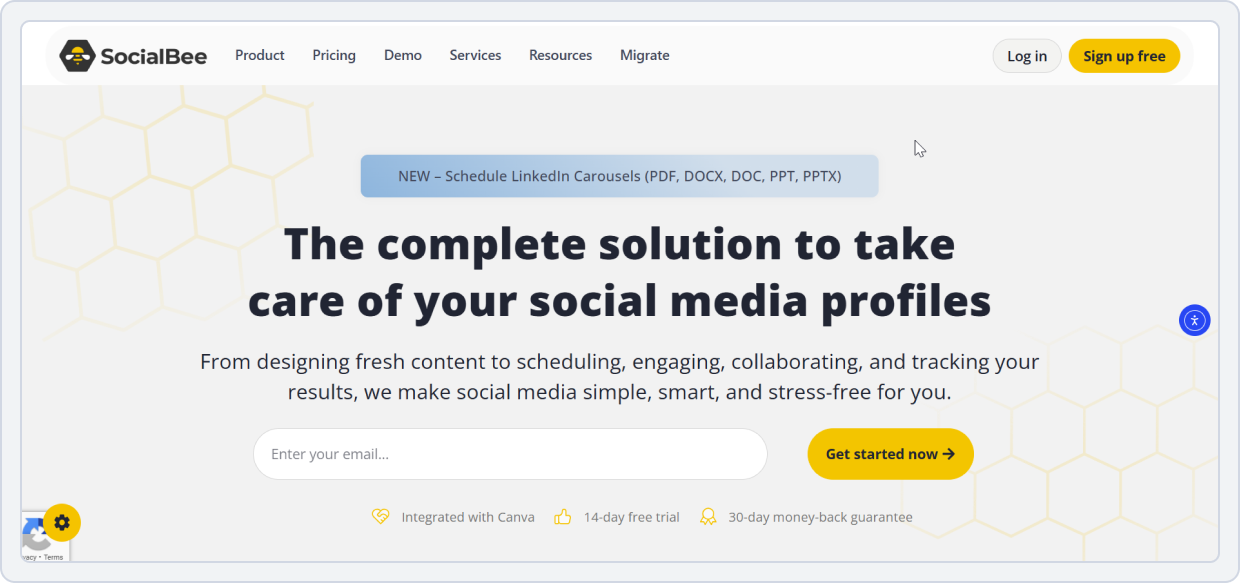
If you’ve been frustrated by Statusbrew’s weak AI tools and the lack of real content recycling, SocialBee is probably the most direct answer on this list. It was built specifically to address the problem of keeping social profiles consistently active without burning through new content every single day, and it does so better than almost any other tool at its price point.
What SocialBee Does That Statusbrew Can’t?
Category-based evergreen content recycling with a built-in AI Co-Pilot; the direct fix for Statusbrew’s two biggest content gaps.
Here’s how it works: you organize your posts into content categories: Promotional, Educational, Engaging, Blog Posts, whatever fits your brand. Each category gets its own posting schedule.
This free social media scheduler, like Statusbrew, then automatically rotates through those categories, recycling evergreen posts indefinitely so your calendar stays full without daily manual work. Statusbrew has nothing remotely close to this.
One user put it simply: “Turning content into evergreen — AMAZING. Taking past content and recycling into evergreen — EXCEPTIONAL.” [G2, July 2025]
On top of that, SocialBee’s AI Co-Pilot generates an entire content strategy, posting schedule, and actual social media posts based on a short questionnaire about your brand. It’s not just a caption helper, it’s a content engine.
SocialBee vs. Statusbrew
Here is a side-by-side comparison of both tools to help you decide which is the best one for your social media workflow needs:
1. AI Capabilities
SocialBee’s AI Co-Pilot goes well beyond what Statusbrew offers. It generates captions, rewrites posts for different platforms and tones, suggests hashtags, and creates multiple variants of the same post, so when a post comes back around in the recycling queue, it doesn’t look identical to its last run.
2. Evergreen Content Recycling
This is SocialBee’s signature feature and its clearest advantage over Statusbrew. Posts flagged as evergreen rotate back into the queue automatically after publishing. Seasonal content can be paused and reactivated. Low-performing posts can be removed from rotation. The whole system runs with minimal ongoing management once it’s set up
Statusbrew reviews suggest that once a post goes out, it’s gone. There’s no recycling, no rotation logic, and no way to keep evergreen content working for you over time without manually rescheduling it yourself.
3. Content Scheduling & Automation
Instead of manually building a calendar post by post, this Statusbrew alternative for small businesses lets you set rules for how often each content category should appear, and the platform builds the schedule around those rules. You can also import content via RSS, CSV, or browser extension, and set up separate editors for each platform so posts are optimized per channel, not just copy-pasted.
Statusbrew’s scheduling is more rigid; there are no category rules, no automatic queue rotation, and users have flagged bulk posting as occasionally unreliable.
What Areas Does SocialBee Fall Behind In?
- No free plan: 14-day trial only, which limits commitment-free testing
- Initial setup can feel overwhelming
- Queue stalling issues reported: If one post in a category has a problem, the entire category can stop posting without a clear alert
- No refunds on annual plans, which is worth knowing before committing
- Inbox and engagement management are not a core strength
What Platforms Does SocialBee Integrate With?
Facebook (profiles, pages, groups), Instagram (personal and business), X (Twitter), LinkedIn (profiles and company pages), Pinterest, TikTok, YouTube, Google Business Profile, and Bluesky. Integrates with Canva, Zapier, RSS feeds, Pocket, and browser extensions.
Why SocialBee Is a Strong Statusbrew Alternative?
SocialBee is the right switch as your next free social media scheduler, like Statusbrew, if Statusbrew’s weak AI and missing content recycling were your main frustrations. It doesn’t try to be everything; it goes deep on content automation and does it better than almost anything else at this price.
Just go in knowing the setup takes a bit of time, pay month-to-month first to make sure it fits your workflow, and take advantage of the onboarding support; it’s genuinely useful.
“The mix of daily usability, seamless integrations, and responsive support makes SocialBee a reliable long-term partner for any social media manager.” [G2, Sep 2025]
 Check out the best SocialBee alternative, ‘SocialBu’, and manage all your social media management workflow.
Statusbrew Alternative #4: Social Rails
Starting Price: $29/month
Free Plan: No (3-day free trial)
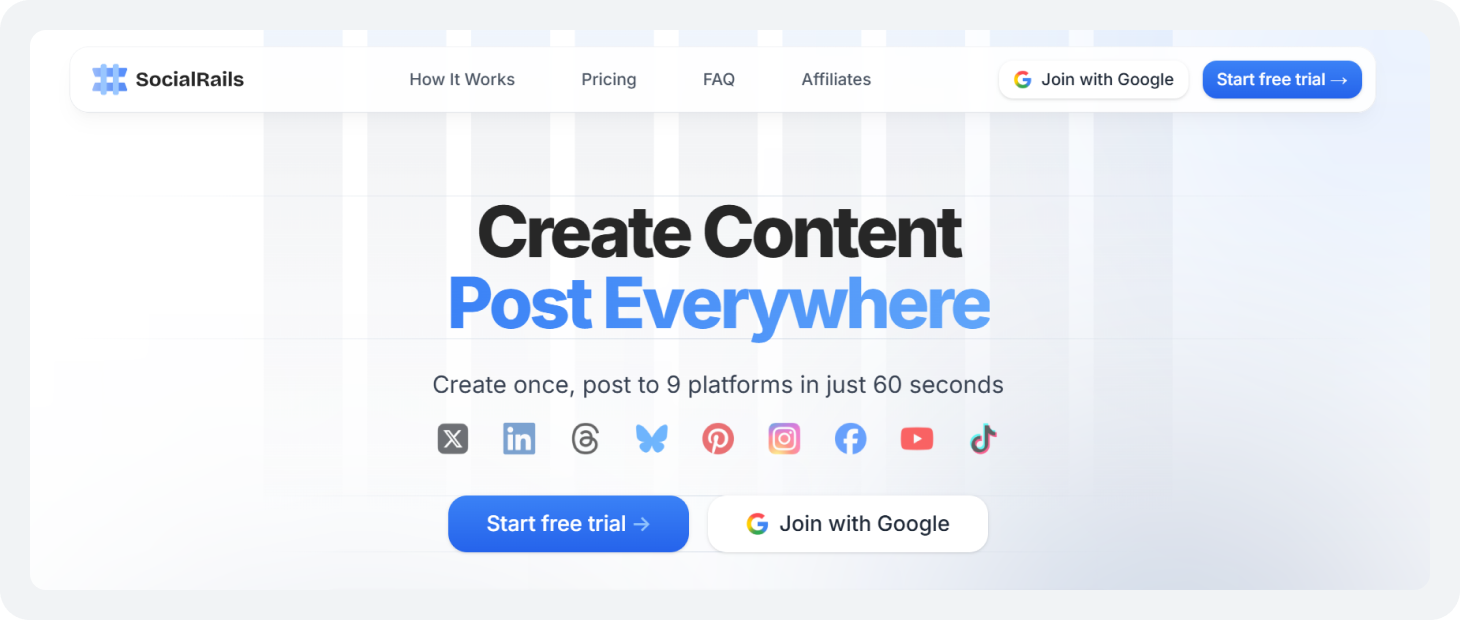
Social Rails is a newer name in the social media management software space, free of complexity, and it earns its place on this list with a genuinely simple pitch: connect once, create with AI, and post to 9 platforms in about 60 seconds.
No per-user fees and enterprise pricing. No switching between apps to copy and paste the same content across channels.
It’s not trying to replace Sprout Social or Hootsuite. It’s aimed squarely at the solopreneur, small team, or Statusbrew alternative for small businesses crowd who want a modern, affordable tool that actually handles content creation and scheduling in one place, something Statusbrew doesn’t do well on either front.
What Social Rails Does That Statusbrew Can’t?
Built-in AI content creation, captions, GPT-5 powered images, 350+ video templates, and Pinterest pin generation, combined with true “create once, post everywhere” cross-posting across 9 platforms, all from a single flat-rate plan.
Statusbrew reviews indicate that it doesn’t have cross-posting. It doesn’t have built-in AI image generation. It doesn’t have video templates. And it charges more as your team grows. Social Rails flips every one of those pain points on its head.
Social Rails vs. Statusbrew
Here is a side-by-side comparison of Social Rails vs. Statusbrew:
1. Cross-Posting & Multi-Platform Publishing
Social Rails connects to nine platforms through a single OAuth setup: Instagram, Facebook, X, LinkedIn, Threads, Bluesky, Pinterest, YouTube, and TikTok. Once connected, you create one post and choose which platforms it goes to.
Captions are automatically optimized for each platform, in your writing style, with a single click, and images are automatically resized to the correct aspect ratio for each network.
According to Statusbrew reviews, it has no native cross-posting. Every platform requires its own post. For teams publishing daily across multiple channels, that’s a significant time drain that Social Rails eliminates entirely.
2. AI Content Creation
Social Rails includes unlimited AI caption generation, GPT-5-powered image generation (40–180 images per month, depending on plan), 350+ short-form video templates for TikToks and Instagram Reels, and AI-generated Pinterest pins, all built directly into the post composer. You go from idea to scheduled, platform-optimized post without opening a single external tool.
Statusbrew’s AI capabilities are limited to basic caption assistance. There’s no image generation, no video templates, and no AI-driven content strategy. For creators and small teams who need a steady output of content without a dedicated designer or copywriter, that gap is substantial.
3. Content Scheduling & Automation
This is one such Statusbrew alternative for social media that gives you a drag-and-drop content calendar, timeslot-based scheduling, auto-recurring posts for evergreen content, and best-time-to-post suggestions, all in one view. You can plan an entire week in a single session and let the platform handle the rhythm from there.
For anyone who’s dealt with Statusbrew’s occasional dashboard delays and bulk posting limitations, this is a noticeably smoother experience.
4. Pricing
This is one of the clearest wins Social Rails has over Statusbrew. All three plans are flat-rate with no per-user fees: $29/month for Creator, $49/month for Business, and $99/month for Agency. A three-person team runs on the Business plan at $49/month.
When it comes to Statusbrew pricing, adding users quickly increases costs, and key features require plan upgrades to unlock.
For small teams and budget-conscious users looking for cheap Statusbrew alternatives that don’t compromise on capability, Social Rails’ pricing model is a meaningful structural advantage.
What Areas Do Social Rails Fall Behind In?
- No free plan: Only a 3-day trial, which is shorter than most tools on this list
- Social listening and sentiment analysis are limited
- Fewer third-party integrations than established platforms like Hootsuite or Sprout Social
- AI image and video generation are capped monthly by plan
- No white-label or API access on standard plans
Why Social Rails Is a Strong Statusbrew Alternative?
Social Rails is the right free social media scheduler like Statusbrew if your biggest frustrations are the lack of cross-posting, the weak AI tools, and pricing that rises as your team grows.
It’s not trying to be an enterprise platform; it’s a focused, modern, flat-rate tool that handles content creation and multi-platform publishing in one place, for a fraction of what Statusbrew charges for less. For solopreneurs and small businesses in particular, that’s a compelling case.
Statusbrew Alternative #5: OnlySocial
Starting Price: $29/month
Free Plan: No (7-day free trial)

OnlySocial is one of the more straightforward, affordable Statusbrew alternatives on this list, and it earns that description in the most literal sense.
Where Statusbrew ties your posting volume and platform access to escalating plan costs, OnlySocial gives you unlimited scheduling across 14+ platforms from its entry plan. No post caps and per-user fees. No being told to upgrade because you want to post more.
What OnlySocial Does That Statusbrew Can’t?
Statusbrew limits what you can post based on your plan tier and does not offer RSS autoposting. OnlySocial removes both of those restrictions entirely.
You connect your accounts, upload a CSV with a month’s worth of content in one go, and let RSS feeds run in the background automatically pulling and posting content from your blog or external sources, without any manual input.
OnlySocial vs. Statusbrew
Read on to know the side-by-side feature comparison of both tools:
1. Link-in-Bio tool
To facilitate users, OnlySocial features a link-in-bio tool. This allows brands to build a flexible landing page, consolidating multiple links and buttons behind a single bio URL.
Staubrew, on the contrary, doesn’t have a link-in-bio tool, which is a miss for brands that rely heavily on TikTok and Instagram as their primary traffic drivers.
2. Bulk Scheduling & RSS Autoposting
The bulk CSV uploader of this free social media publishing tool lets you schedule weeks or months of content in a single upload session.
One user managing 15 social accounts described it plainly: “With my 15 accounts, I’d probably pay $250 per month with other tools. With OnlySocial, everything works smoothly.” [Trustpilot, Sep 2024]
The RSS autoposting feature is arguably even more useful for content-heavy teams. Connect a blog RSS feed, and OnlySocial automatically pulls and posts new content on a schedule without any manual work. Statusbrew has no equivalent RSS automation.
3. Ease of Use
The v3 interface of this free social media scheduler, like Statusbrew, offers straightforward weekly and monthly calendar views. The post composer is clean, and most users report being productive within their first session.
One user put it simply: “Although it’s not a complicated tool, I do have questions sometimes. The customer support is good.” [Trustpilot, Jan 2025]
Statusbrew’s interface, by contrast, is consistently flagged as having a steep learning curve that takes significant time to get comfortable with. For small business owners who just need to get posts out without a learning investment, OnlySocial’s simpler approach has real appeal.
4. Pricing & Plan Structure
OnlySocial’s Freelancer plan starts at $29/month and includes unlimited scheduling, access to all modules, RSS autoposting, bulk CSV uploads, and the sales bot.
The Entrepreneur plan at $49/month adds more profiles per platform and storage, and the Professional plan at $69/month scales to 10 profiles per platform.
Statusbrew pricing climbs as you add users, accounts, and features, with key capabilities locked behind higher tiers.
For a Statusbrew alternative for small businesses managing multiple platforms on a fixed budget, OnlySocial’s flat-module approach is a meaningful structural difference.
What Areas Does OnlySocial Fall Behind In?
- No permanent free plan — 7-day trial only
- Analytics are limited and reported as glitchy
- TikTok scheduling has had reliability issues
- Support response times are inconsistent
- No white-label or advanced approval workflows for agencies
“The analytics are a JOKE! They do not exist. This will do in a pinch, but don’t expect all the features you will find in other, more fully functional platforms.” [Trustpilot, Dec 2024]
Why OnlySocial Is a Strong Statusbrew Alternative?
OnlySocial is the right pick among the top Statusbrew alternatives for social media if your primary frustrations with Statusbrew are post limits, platform coverage gaps, and pricing that doesn’t stay flat as your needs grow.
That said, go in with realistic expectations: the analytics are basic, TikTok reliability has been flagged by users, and support quality varies. Pay month-to-month first, test your key platforms thoroughly during the trial, and verify that scheduling is working reliably before committing long-term.
The platform has improved considerably since v3, but it rewards cautious onboarding more than blind trust.
Also Read: How you can Bulk Schedule Social Media Posts with SocialBu and free yourself from the last-minute posting hassle.Statusbrew Alternative #6: Vista Social
Starting Price: $39/month
Free Plan: No (14-day free trial)
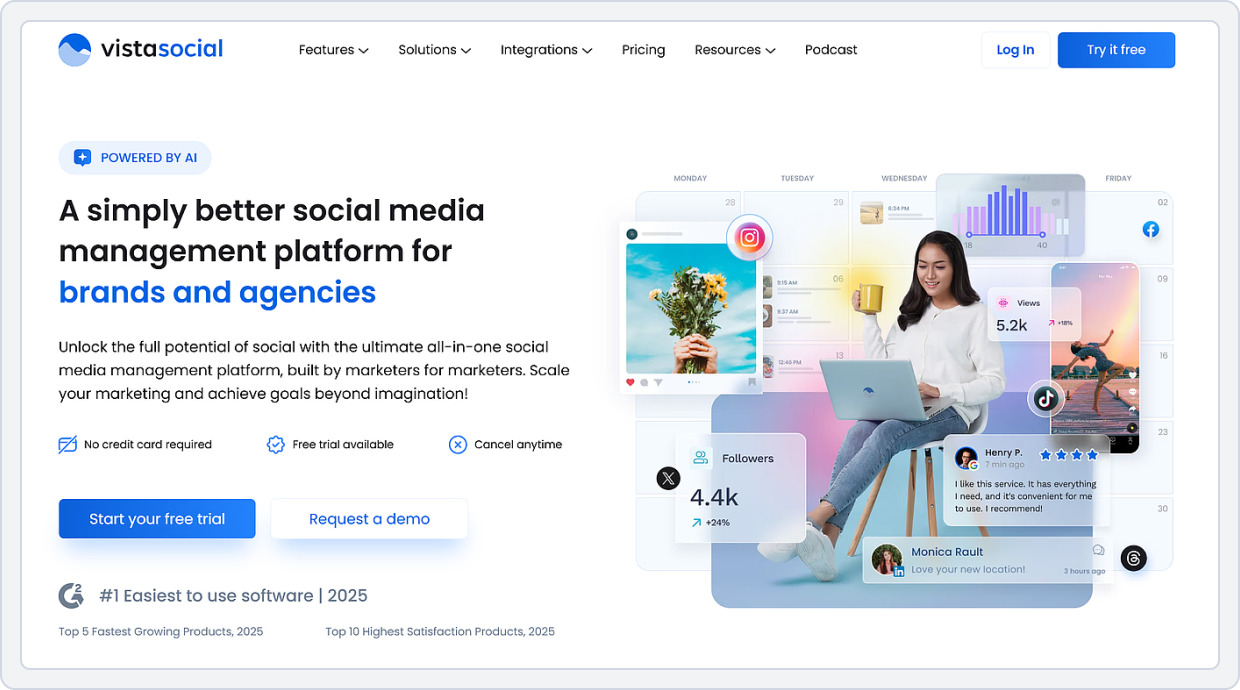
Here’s the honest case for this free social media publishing tool: it replaces three or four tools at once. Scheduling, unified inbox, DM automation, social listening, review management, competitor analysis, employee advocacy, it’s all in one platform, and it’s priced at a level that actually makes sense for agencies and small businesses.
One social media manager put it plainly: “Since I switched to Vista Social, I only have to have one tab open.” [Capterra, July 2025]
For Statusbrew users frustrated by weak analytics, a missing social listening feature, and an inbox that doesn’t hold up at scale, Vista Social is one of the most complete upgrades available, and it’s a genuinely strong social media management software free of the usual enterprise price tag that comes with this feature depth.
What Vista Social Does That Statusbrew Can’t?
A real-time unified inbox that pulls messages, comments, and mentions from every connected platform simultaneously, combined with native social listening, UGC management, review monitoring, and DM automation, all without needing separate tools.
Vista Social vs. Statusbrew
Here is a side-by-side feature comparison of Vista Social vs. Statusbrew:
1. Unified Inbox & Real-Time Engagement
This is one such Statusbrew alternatives free with its inbox as one of its most praised features, and for good reason. Every message, comment, mention, and review from all connected platforms appears in real time in a single feed.
You can reply directly, assign conversations to team members, tag and leave internal notes, filter by platform or message type, and set up DM automations that handle responses automatically when you’re offline.
Statusbrew’s inbox handles the basics, but users consistently note that it lacks the flexibility and real-time reliability needed for high-volume engagement. There’s no DM automation, no review management, and inbox filtering is limited compared to what Vista Social offers.
2. Social Listening
Vista Social includes social listening as part of its Professional plan, allowing teams to monitor brand mentions, competitor activity, and keyword conversations across platforms. You can set up multiple listeners, filter by language and location, and view mention volume over time to track brand awareness. Enterprise users also get automatic sentiment detection.
Statusbrew has no social listening capability of any kind. For brands where knowing what people are saying about them online matters, which is most brands, this is a fundamental gap.
As one social media manager noted, having listening tools at this price point “gives us a powerful edge — I can proactively jump into conversations, address a negative comment before it becomes a bigger issue, or get ideas for new content.” [Capterra, Sep 2025]
3. Social Media Analytics & Reporting
Vista Social’s reporting covers social media performance, post performance, competitor analysis, review performance, task performance, and sentiment analysis, with customizable dashboards, PDF and CSV exports, and white-label options on higher tiers.
Scheduled reports can be automatically delivered to clients or internal stakeholders on a set cadence.
Statusbrew’s analytics cover the basics: engagement, follower growth, and post performance, but lack the customization, competitor benchmarking, and depth that agencies need to demonstrate ROI to clients. Vista Social’s competitor analysis feature alone provides teams with insights that Statusbrew simply can’t.
4. Ease of Use
Vista Social has many features, and a few users note that the initial setup requires some orientation. But the consensus is that once you’re familiar with the layout, it’s intuitive and well-structured.
This is one such Statusbrew alternative for social media, which includes Quick Start guides, help center articles, YouTube videos, and 1-on-1 training. Most users report getting comfortable within a few days of use.
Statusbrew’s learning curve is consistently flagged as steeper and more persistent — even experienced social media managers report that navigating the platform takes longer than it should.
What Areas Does Vista Social Fall Behind In?
- No permanent free plan — trial only
- Employee advocacy beyond 3 employees requires a separate add-on
- The mobile app has been flagged for occasional slowness
- Image upload limit of 10 photos per post on the web interface f
- Some platform syncing delays are reported for TikTok and LinkedIn in the inbox
- UI in certain areas (image editor in particular) is functional but dated
Why Vista Social Is a Strong Statusbrew Alternative?
Vista Social is the right switch for teams whose frustration with Statusbrew centers on what’s missing: real-time inbox management, social listening, review monitoring, and analytics that actually help you prove ROI to clients.
It doesn’t just replace Statusbrew; it replaces the two or three additional tools most Statusbrew users have stitched together to cover those gaps.
The Professional plan at $79/month is where the real value kicks in, and for agencies and growing brands managing multiple accounts, it’s a price that’s easy to justify when you add up what you’re currently paying across separate tools.
Also Read: Top 17 Affordable Social Media Management Tools to find out the perfect tool for your social media management needs and workflow.Statusbrew Alternative #7: Zoho Social
Starting Price: $15/month
Free Plan: No (Free trial available)
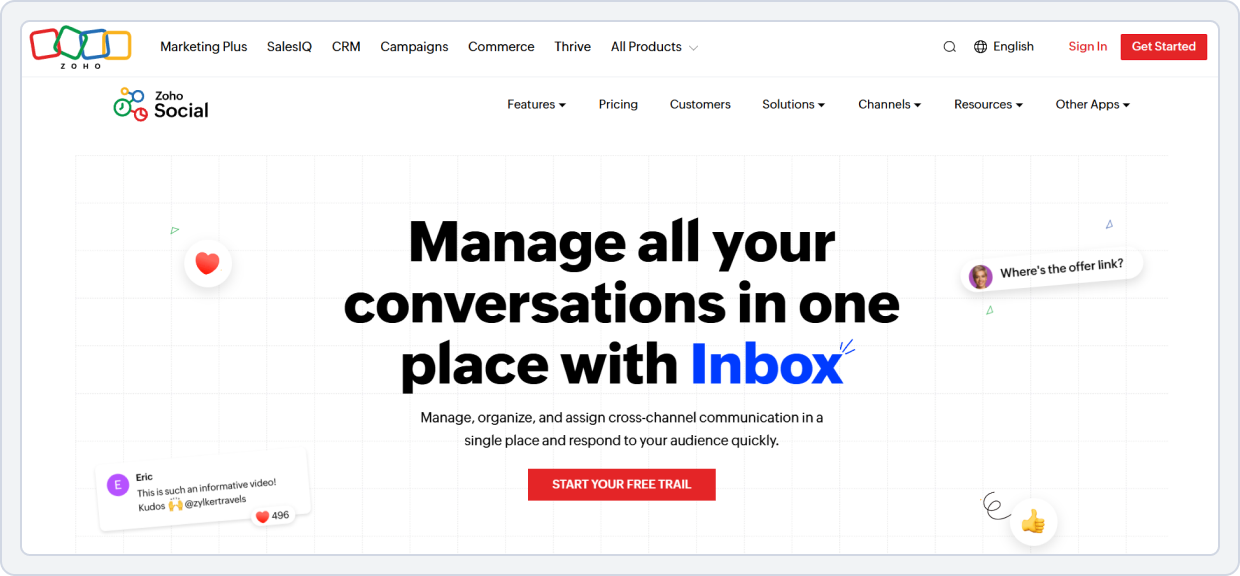
Zoho Social is a genuinely strong tool, but how strong depends significantly on whether you’re already using other Zoho products.
If you’re in the Zoho ecosystem, this is one of the most compelling picks on this entire list. If you’re not, it’s a solid, affordable scheduler that gets the job done without the flagship advantage.
For Statusbrew users looking for free social media publishing tools or just something more affordable and easier to learn, Zoho Social delivers both at $15/month, one of the lowest starting prices of any full-featured social media management tool in 2026.
One user who switched from Buffer after a 300% price hike described it simply: “It was a total game-changer. Everything was straightforward and easy to grasp.” [Trustpilot, Dec 2024]
What Zoho Social Does That Statusbrew Can’t?
Native Zoho CRM integration that automatically converts social interactions, comments, DMs, and mentions into trackable leads and enriched customer records in your sales pipeline.
Statusbrew has no CRM integration of this depth. For businesses where social media is a customer acquisition channel, this is the feature that changes everything.
Zoho Social vs. Statusbrew
Compare the Zoho Social vs. Statusbrew side-by-side and know which tool best fits your budget and helps you manage your social media workflow better:
1. CRM Integration
Zoho Social’s CRM integration works automatically; social interactions flow directly into Zoho CRM as contacts, leads, or enriched customer records without manual data entry. Your sales team gets real-time visibility into every social touchpoint, and you can see the full history of a lead’s social interactions alongside their CRM record.
Statusbrew operates as a standalone social media tool with no comparable CRM integration. For businesses where social is part of a sales funnel, that’s a gap that requires a separate integration or manual workflow to bridge.
2. SmartQ Scheduling
SmartQ analyzes when your audience is most active and automatically recommends optimal posting times for each platform. You can let SmartQ handle the timing entirely or use it as a guide and adjust manually. Either way, you’re making data-informed scheduling decisions rather than guessing.
Statusbrew’s scheduling is manual; there’s no equivalent intelligent timing recommendation built into the workflow. For users who want to maximize reach without spending time researching platform-specific best times, SmartQ is a practical time-saver that Statusbrew doesn’t offer.
3. Ease of Use
Zoho Social’s interface is consistently described as clean, intuitive, and fast to learn. Multiple users report connecting their accounts and scheduling their first posts within the same session.
“The initial setup was very easy. I connected my pages and started scheduling posts the same day.” [G2, March 2026] One dietician managing clinic social media described it as requiring no technical knowledge and fitting naturally into a busy clinical workflow.
Statusbrew’s learning curve is one of the most commonly cited frustrations in user reviews; the interface takes time and effort to navigate confidently.
For small business owners who don’t have hours to invest in learning a tool, Zoho Social’s approachability is a real competitive advantage.
4. Social Media Analytics
Zoho Social’s analytics dashboard provides a single view of engagement, reach, follower growth, and post performance across all connected platforms. Reports are easy to read and can be compared across channels, useful for small teams that need to understand what’s working without wading through complex dashboards.
“The analytics show which posts get the most engagement and reach, helping me focus on content that my audience likes.” [G2, March 2026]
Statusbrew’s analytics cover similar ground at a basic level, but users flag that reporting lacks depth and customization for anything beyond surface-level performance tracking.
Zoho Social’s analytics won’t replace enterprise reporting tools, but for most small businesses, they provide exactly what’s needed.
5. Pricing
At $15/month for the Standard plan, Zoho Social is one of the most affordable Statusbrew alternatives for social media management that still includes real features: scheduling across multiple platforms, a unified inbox, analytics, and SmartQ.
The Professional plan at $40/month unlocks CRM integration, and the Premium plan at $65/month adds ad management and deeper analytics.
Statusbrew pricing climbs significantly as you add users and accounts, with key features reserved for higher tiers. For small businesses and solo creators who need capable scheduling without a growing monthly bill, Zoho Social’s pricing structure is a meaningful advantage.
What Areas Does Zoho Social Fall Behind In?
- No permanent free plan
- Bulk scheduling is limited on the lower tiers
- AI caption tools are powered externally and feel less integrated
- Analytics can be slow to load when switching between multiple accounts
- Some platform syncing delays and occasional posting hangs have been reported
- No white-label reporting
- The refund process has been flagged as difficult by some users
- Missing Reddit support, which some social-first teams rely on
Why Zoho Social Is a Strong Statusbrew Alternative?
Zoho Social makes the most sense in two specific situations: you’re already using Zoho CRM and want social media connected to your sales pipeline, or you’re a small business or solo creator looking for a free social media scheduler like Statusbrew‘s entry tier, but at a lower price with a cleaner interface and smarter scheduling built in.
If neither of those describes you, if you need white-label reporting, deep social listening, or you’re managing a large agency with no Zoho investment, there are better Statusbrew alternatives free earlier in this list. But for the right user, Zoho Social at $15/month is one of the strongest value propositions in this entire comparison.
Also Read: 10 Zoho Social Alternatives and Competitors.How to Choose the Right Statusbrew Alternative?
The honest answer is that the best pick for Statusbrew alternatives free depends entirely on which part of Statusbrew has been letting you down. There’s no single right answer, but there is a right answer for you.
- If Statusbrew pricing was the main issue and you just need a capable, affordable tool that covers everything without escalating costs, SocialBu is a good option to start. It directly addresses the pricing, the weak AI, the missing cross-posting, and the mobile app in one switch.
- If the learning curve was the problem, and you want something you can use confidently on day one, Zoho Social or OnlySocial gets you there faster.
- If Statusbrew’s AI and content recycling left you frustrated, SocialBee solves this problem.
- If you’re an agency that needs white-label reporting and bulk scheduling at a sane price, SocialPilot is the most direct fix.
- If inbox management and client reporting are the gaps, Agorapulse is the clearest upgrade.
- If analytics, social listening, and UGC management are what’s missing, Vista Social fills all three.
- If your business runs on Zoho CRM, Zoho Social connects those dots in a way nothing else on this list can.
- If content automation via RSS is the core need, Social Rails is in a category of its own.
The best free tools for social media scheduling are the ones that solve your specific problem — not the ones with the longest feature list.
Conclusion
Statusbrew is a functional platform, but in 2026, functional isn’t enough when the pricing climbs fast, the AI barely scratches the surface, the mobile app consistently disappoints, and something as standard as cross-posting is missing entirely.
Those aren’t minor gaps. They’re the exact reasons people go looking for free Statusbrew alternatives in the first place.
Every tool on this list addresses at least one of those pain points better than Statusbrew does. But if you want one switch that covers all of them at once: pricing, AI, mobile experience, cross-posting, and ease of use, SocialBu is the answer.
It’s not just cheaper than Statusbrew. It’s more complete for the users Statusbrew was supposed to serve: small businesses, growing teams, and agencies that need professional-grade social media management software free of enterprise complexity and cost.
The rest of this list has strong, specialized picks for specific situations. But for most people reading this guide, SocialBu is where the search ends.
Switch to a Better Statusbrew Alternative
SocialBu helps you schedule faster, automate repetitive tasks, manage replies in a single inbox, and track performance – all from one dashboard.
FAQs
What is the best alternative to Statusbrew for agencies?
SocialBu is the strongest overall pick; it covers multi-client management, AI content creation, cross-posting, and team workflows from its base plan at a price that doesn’t escalate the way Statusbrew’s does. For agencies whose primary need is inbox management and white-label reporting specifically, Agorapulse is worth a look.
Does Statusbrew have AI features?
Yes, but they’re limited to basic caption suggestions with no real depth. SocialBu handles this significantly better; AI caption generation, hashtag suggestions, and content variations are built directly into the scheduling workflow without needing an upgrade. If AI-powered content creation matters to your process, SocialBu is the more complete tool.
What is the cheapest Statusbrew alternative?
SocialBu starts at $19/month with a free plan available, no post caps, no key features locked behind expensive tiers, and cross-posting included from day one. For most small businesses and freelancers, it’s the strongest, cheapest Statusbrew alternative that doesn’t ask you to compromise on the features that actually matter.
Can I switch from Statusbrew without losing data?
Your published posts, followers, and engagement history stay on the social platforms; switching tools doesn’t affect any of that. Before switching, export your Statusbrew reports, note your upcoming scheduled content, and recreate it in the new tools’ calendar. The onboarding is straightforward enough that most users are fully set up within a single session.
Which Statusbrew alternative has the best analytics?
SocialBu offers detailed analytics covering engagement, follower growth, post performance, and optimal posting times across all connected platforms, providing meaningful insights beyond Statusbrew’s basic reporting. Customizable dashboards make it easy for teams and agencies to track what matters without digging through cluttered data.
Which social media tools for marketing do you actually use daily?
Based on hands-on testing throughout this review, SocialBu is the tool that holds up best in real, daily workflows, scheduling, cross-posting, AI content creation, inbox management, and mobile use, all of which work reliably without needing additional tools to fill the gaps.