Zoho Social offers powerful features, but for many teams, it feels more complicated than productive. Simple actions like scheduling posts, checking analytics, or replying to comments often take longer than they should because of crowded menus, heavy workflows, and CRM integrations.
When a social media tool slows you down instead of speeding up your social media tasks, it’s time to explore better options. If you’re looking for faster publishing, deeper automation, cleaner dashboards, and pricing that fits small businesses and agencies, this post is for you.
In this blog, you’ll find the 10 best Zoho Social alternatives. Read to the end, and you’ll leave with the right Zoho Social alternatives that make your social media management quicker, cheaper, and easier.
Let’s get started!
Zoho Social Alternative #1: SocialBu
Best For: Small Businesses, Agencies, Creators, and Freelancers
Starting Price: $19/month
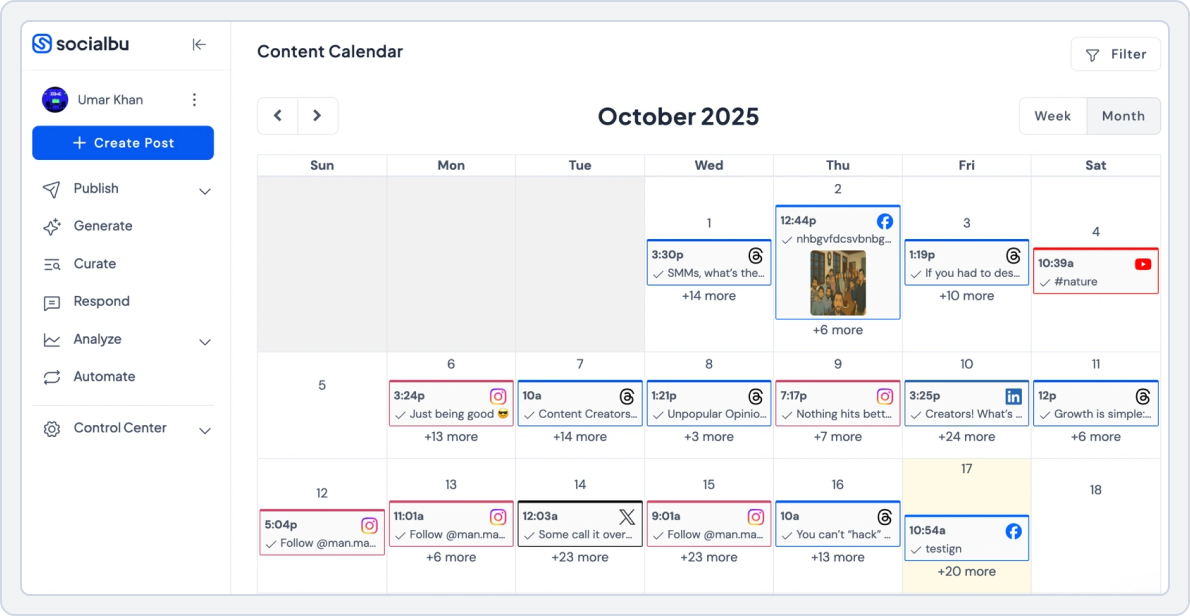
The number #1 tool on our list is SocialBu. It’s a powerful, easy-to-use social media scheduling platform and one of the best Zoho Social alternatives that simplifies social media management without locking users into a complex CRM ecosystem. It brings together publishing, analytics, social media engagement, automation, and AI-powered content creation into a single, clean dashboard.
Zoho Social works best when paired with other Zoho products, but SocialBu stands strong as a standalone tool. This makes it especially usable and a go-to social media marketing tool for small businesses and agencies.
SocialBu has been a great tool for managing and scheduling social media content. The interface is clean, easy to use, and saves a lot of time. Customer support is responsive and helpful. Highly recommended for individuals and small teams. (MB ViSign, TrustPilot)
Here is why SocialBu stands out as an all-rounder in the list of Zoho Social alternatives:
- Drag-and-drop content calendar to plan content visually and stay organized while scheduling posts across all social media platforms from one place.
- Bulk scheduling and evergreen recycling to publish faster in bulk and keep your content consistently active without daily manual effort.
- AI-powered content creation to create better posts in less time and get AI-generated captions, post ideas, and platform-specific optimizations.
- Unified social inbox to manage comments, messages, and mentions from one dashboard so you never miss an important interaction.
- Automation rules and workflows help you automate repetitive tasks such as reposting, RSS publishing, and engagement triggers, saving you hours each week.
- Team and client collaboration tools to work effectively with shared calendars, role-based access, and approval workflows that keep everyone aligned.
- A clean, user-friendly interface helps you get started quickly, with a layout that minimizes the learning curve for beginners and teams.
- Monitor brand conversations and trends in real time through mention, keyword, and hashtag tracking to stay proactive, responsive, and informed.
SocialBu vs Zoho Social
SocialBu and Zoho Social both help manage social media publishing and analytics, but they target different user needs. SocialBu focuses on automation, AI content assistance, and affordability, while Zoho Social is better suited for teams already invested in the Zoho CRM ecosystem. Here’s a detailed comparison;
1. Social Media Content Scheduling and Publishing
SocialBu’s publishing feature saves you time and reduces repetitive work. The platform offers a structured, visual workflow that makes planning content across multiple platforms simple and intuitive.
With SocialBu, you can:
- Schedule posts across all major platforms from one dashboard
- Use a drag-and-drop social calendar to plan content visually
- Recycle evergreen content automatically to stay consistent
- Set custom time slots based on your audience’s activity
- Bulk-schedule hundreds of posts at once using CSV uploads
- Preview posts before publishing to ensure formatting accuracy and how they’ll appear on your social media feed
SocialBu vs Zoho Social Key Takeaway: SocialBu focuses on speed, bulk actions, and evergreen automation, while Zoho Social leans more toward manual scheduling and CRM-aligned workflows.
2. Social Media Analytics and Reporting
SocialBu provides clear, actionable analytics without overwhelming users. It’s designed to help teams understand performance quickly and improve strategy without requiring enterprise-level setup.
SocialBu analytics allow you to:
- Track engagement, reach, clicks, and publishing behaviour
- Identify top-performing posts and repurpose them
- Analyze network performance and historical trends across platforms
- Identifying trends in your account’s audience growth and interaction
- Generate shareable reports for clients or internal reviews
SocialBu vs Zoho Social Key Takeaway: Zoho Social also offers analytics, but reports are not that in-depth and detailed, and require upgrading to higher plans
3. Social Media Automation and AI Support
Automation is one of SocialBu’s strongest advantages over Zoho Social. It reduces manual workload by intelligently automating repetitive tasks.
SocialBu’s automation feature helps you:
- Create automation rules for posting, engagement, and workflows
- Auto-publish from RSS feeds and curated content sources
- Set conditional actions (e.g., auto-replies, repost rules)
- Integrate and automate webhooks for your social media events and actions
- Use AI tools to generate captions, post ideas, content, and hashtag suggestions
SocialBu vs Zoho Social Key Takeaway: Zoho Social focuses more on scheduling optimization and CRM-driven insights, while SocialBu offers more hands-on automation and creative AI assistance.
4. Team Collaboration and Client Workflow
SocialBu is built for agencies and multi-client teams. It keeps collaboration simple and organized without unnecessary complexity.
You can:
- Invite team members and assign roles
- Manage multiple brands or clients from one dashboard
- Use shared calendars for visibility and approvals
- Maintain separate workflows for different clients
SocialBu vs Zoho Social Key Takeaway: Zoho Social supports collaboration, too, but advanced workflows are more tightly integrated with other Zoho products and are available only in higher-tier plans.
5. Platform Integrations
- SocialBu integrates with: Instagram, Facebook, LinkedIn, X (Twitter), TikTok, YouTube, Threads, Pinterest, Reddit, Mastodon, Bluesky, Google Business Profile, Canva, and Google Drive.
- Zoho Social integrates with: Facebook, Instagram, LinkedIn, X (Twitter), TikTok, YouTube, Pinterest, Google Business Profile, Threads, Mastodon, Zoho CRM, Zoho Desk, and Canva.
6. Pricing
SocialBu pricing is affordable and easily scalable for small businesses, teams, and agencies:
- Free Plan: 3 social accounts, up to 10 scheduled posts, 1 custom queue
- Standard Plan: $19/month – 12 social accounts, 800 posts, 2 teams, basic automation, analytics, and team collaboration
- Super Plan: $59/month – 30 social accounts, unlimited posts, advanced automation, analytics, team access, best for growing teams.
- Supreme Plan: $199/month – 150 social accounts, unlimited posts, 25 teams, advanced automation, analytics, and AI support
The free plan is available to all users. All paid plans offer a 7-day free trial.
Zoho Social starts at a lower entry-level price for small businesses. Still, it limits automation, analytics depth, and team features unless you upgrade to an agency-level plan and integrate with other Zoho products, which, in turn, raises the total cost.
Pros and Cons of SocialBu
Pros | Cons |
Full social media scheduling, automation, inbox, and analytics at affordable prices. | Users may experience a learning curve for setting up custom automations. |
Clean UI means fast onboarding for new hires and clients. | Advanced listening is basic. If you need deep brand listening and sentiment at enterprise scale, you’ll still want a dedicated listening suite. |
RSS automations, auto-replies, recurring queues, and post recycling remove repetitive work and save time. | Chat and email support are not very available on entry plans. |
Export shareable reports without manual efforts. | |
You get Canva inside the composer and open API to connect CRMs, sheets, and dashboards. | |
Support channels and response time are better suited to small teams than complex enterprise setups. |
SocialBu vs Zoho Social Final Takeaway
SocialBu is the stronger alternative for users who want powerful automation, AI content support, multi-client management, and transparent pricing without being locked into a larger CRM ecosystem. Zoho Social works well for Zoho-first businesses, but for flexibility, affordability, and everyday social media efficiency, SocialBu clearly stands out as the better all-in-one Zoho alternative.
Automate Your Social Media Growth with SocialBU
Automate posts, engage smarter, and grow faster – all with SocialBu. Simplify your workflow with SocialBu’s all-in-one automation tools.
Zoho Social Alternative #2: Publer
Best For: Professionals, Businesses, Agencies, and Enterprises
Starting Price: $5/month
Publer is a social media scheduling and management tool built for people who want things done without fuss. We chose Publer in this list of Zoho Social alternatives as it focuses on clean workflows, flexible scheduling, and automation that actually saves time. For small businesses that prefer simple setups and straightforward dashboards, Publer feels practical and easy to adopt.
Moreover, the tool keeps the experience simple while still offering the essential social media management features you need to grow your social channels. You get platform-specific scheduling, a clear calendar view, automated updates via RSS feeds, and AI support without forcing early upgrades. It works well for small teams that want control without paying for unused features.
Publer vs Zoho Social
Here’s a clear, feature-by-feature comparison of Publer vs Zoho Social to help you understand where each platform excels.
1. Social Media Scheduling and Calendar Planner
Publer makes scheduling and planning content simple and visual. It helps you:
- Schedule posts across multiple platforms from one dashboard
- Use a drag-and-drop calendar to plan daily, weekly, or monthly content
- Preview posts as they will appear on each platform
- Automate recurring posts to maintain consistent activity
Publer vs Zoho Social Key Takeaway: Publer wins for visual planning and ease of use. Zoho Social, in comparison, has a scheduler too, but users report occasional delays after publishing posts, and the recurring post automation is less intuitive.
2. In-Depth Social Media Analytics and Reporting
Publer provides actionable insights in a single dashboard. You can:
- Track engagement, clicks, and follower growth
- Analyze performance by post, platform, or campaign
- Export reports as PDF or CSV for sharing with clients or management
- Identify best-performing content and optimal posting times
Publer vs Zoho Social Key Takeaway: Publer delivers easy-to-read, actionable analytics for small teams. Zoho Social offers more advanced reporting options, but some features are gated behind higher-tier plans and Zoho CRM integrations.
3. Team Collaboration and Client Workflow
Publer’s workspaces make team collaboration and client approvals smooth:
- Invite team members with role-based permissions
- Create client-specific workspaces for approvals and feedback
- Add internal notes and comments for content review
- Manage multiple accounts without confusion
Publer vs Zoho Social Key Takeaway: Publer is better for small teams and agencies that need simple, transparent collaboration and client approvals. Zoho Social, on the other hand, also offers collaboration, but its deeper user permissions and advanced features are locked behind higher-tier plans.
4. Automation and AI Support
Publer integrates AI and automation to save time. With help you with:
- AI-assisted content suggestions and caption generation
- Schedule posts automatically from RSS feeds
- Auto-repeat high-performing content
- Smart suggestions for hashtags and posting times
Publer vs Zoho Social Key Takeaway: Publer provides practical AI and automation features for small businesses, while Zoho Social focuses on integrated automation (less advanced) within the larger Zoho suite.
5. Platform Integrations
- Publer integrates with: Facebook, Instagram, X (Twitter), LinkedIn, Pinterest, Google Business Profile, TikTok, YouTube, Threads, Bluesky.
- Zoho Social: Facebook, Instagram, LinkedIn, X (Twitter), TikTok, YouTube, Pinterest, Google Business Profile, Mastodon, Threads, Zoho CRM, Zoho Desk, Canva
6. Pricing
Here’s a clear look at Publer’s pricing plans.
- Free Plan: $0, free forever (1 user, 1 workspace, 3 social accounts (except 𝕏)
- Professional Plan: $5/month (Unlimited scheduled posts and drafts, Schedule 1st comments and threads)
- Business Plan: $10/month (Analytics insights and reports, Best times to post, Competitor analysis)
Publer cost per social account and member. The price increases as you add more accounts and members.
Pros and Cons of Publer
Pros | Cons |
Intuitive drag-and-drop calendar makes scheduling easy | Limited advanced analytics compared to enterprise tools |
Affordable pricing with solid feature coverage for small teams | Some users report that the UI design could be more modern |
Simple workspace collaboration increases team approval workflows |
Publer vs Zoho Social Final Takeaway
Publer is one of the strongest Zoho Social alternatives for small businesses and creators who value simplicity, automation, and fair pricing. Zoho Social is better suited for teams deeply invested in the Zoho ecosystem, but Publer offers greater flexibility, a faster setup, and better value for standalone social media needs.
 Deciding between SocialBu and Publer? Check the SocialBu vs Publer comparison to see which scheduler matches your workflow and budget.
Zoho Social Alternative #3: Vista Social
Best For: Brands, Agencies, Social Media Managers, and Freelancers
Starting Price: $79/month
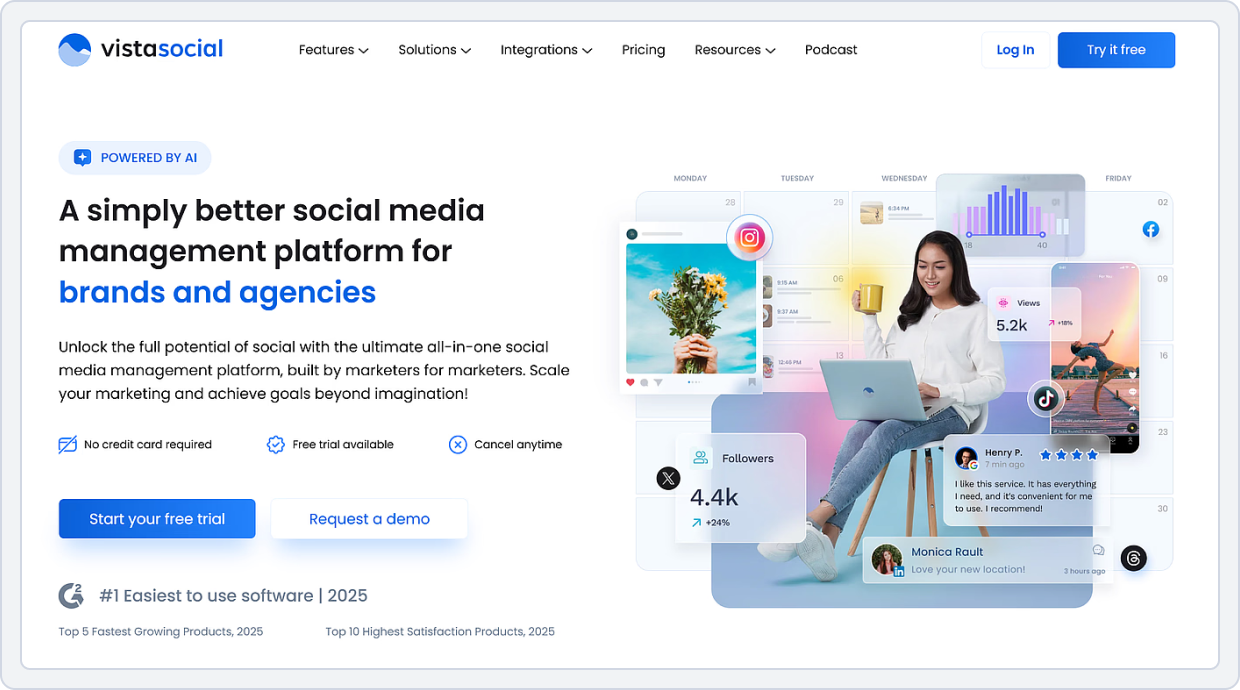
Vista Social is another social media management platform on our list of Zoho Social alternatives. It’s built for teams that manage multiple brands, locations, or clients. It combines publishing, engagement, social media analytics, and review management into a single, clean dashboard. Vista Social focuses heavily on performance tracking, automation, and collaboration, making it a strong option for small businesses and agencies.
Furthermore, Vista Social connects publishing with insights and engagement. You can schedule content, manage inbox conversations, track reviews, analyze competitors, and measure team performance without switching tools.
Vista Social vs Zoho Social
Let’s look at the feature-by-feature comparison of Vista Social vs Zoho:
1. Social Media Scheduling and Publishing
Vista Social offers a flexible and visual publishing experience designed for teams managing high volumes of content. It helps you:
- Schedule posts across all major platforms from one dashboard
- Use a unified content calendar to plan daily, weekly, or monthly posts
- Preview posts exactly as they will appear on each platform
- Schedule first comments, hashtags, and platform-specific variations
Vista Social vs Zoho Social Key Takeaway: Vista Social wins for flexible publishing and calendar clarity, especially for agencies and multi-brand teams. Zoho works well for single-brand teams already using Zoho products.
2. Social Media Analytics and Performance
Vista Social delivers deep performance insights beyond basic metrics. You can:
- Track engagement, reach, clicks, and follower growth across channels
- Analyze cross-channel performance from one reporting view
- Monitor competitor performance across social platforms
- Measure team activity and response efficiency
- Track and analyze social media reviews from platforms like Google and Facebook
Vista Social vs Zoho Social Key Takeaway: Vista Social leads in advanced analytics, competitor insights, and review tracking. Zoho Social’s analytics are more internally focused and work best when paired with Zoho CRM.
3. Engagement Automation and AI Support
Vista Social places strong emphasis on DM automation to reduce manual work. It allows you to:
- Automate direct message responses using rules
- Route messages to the right team members
- Manage inbox conversations across platforms from one place
- Improve response speed without losing message quality
Vista Social vs Zoho Social Key Takeaway: Vista Social is better for brands that receive high message volume and need automated engagement workflows. Zoho Social supports inbox management but lacks the same depth of automated engagement workflows.
4. Collaboration and Approval Workflow
Vista Social is designed with team operations in mind. It helps you:
- Assign roles and permissions to team members
- Set up approval workflows for posts and replies
- Collaborate internally with notes and task assignments
- Manage multiple clients or locations without confusion
Vista Social vs Zoho Social Key Takeaway: Vista Social offers smoother collaboration and approval flows for agencies and distributed teams. Zoho Social requires a plan upgrade to achieve a similar level of depth.
5. Platform Integrations
- Vista Social integrates with: Facebook, Instagram, X (Twitter), LinkedIn, TikTok, YouTube, Pinterest, Google Business Profile, Threads, Zapier, Make, Snapchat, Bluesky, Reddit, Tumblr,
- Zoho Social integrates with: Facebook, Instagram, LinkedIn, X (Twitter), TikTok, YouTube, Pinterest, Google Business Profile, Mastodon, Threads, Zoho CRM, Zoho Desk, and Canva.
6. Pricing
Vista Social offers the following pricing plans:
- Free Plan: No, it only offers a 14-day free trial on all the paid plans
- Professional Plan: $79/month (for small teams and professionals with 15 social profiles, 3 users, Basic engagement, reporting, and publishing tools).
- Advanced Plan $149/month (for teams and agencies, offering 30 social profiles, 6 users, Advanced scheduling, workflows, reporting, and DM automations).
- Scale Plan: $379/month (for large agencies and clients, offering 70 social profiles, 10 users, all the Advanced features, along with white label setup, client profile connect, and unlimited AI assistant).
Pros and Cons of Vista Social
Pros | Cons |
Affordable and has a free plan | Fewer integrations with third-party apps than Hootsuite |
Simple, clean, and easy-to-use interface | Not ideal for large agencies managing many clients |
Reliable post-scheduling with minimal bugs | Limited advanced analytics compared to enterprise tools |
Supports multiple platforms | |
Provides basic analytics without expensive upgrades |
Vista Social vs Zoho Social Final Takeaway
Vista Social is the better choice for agencies and growing teams that need advanced analytics, inbox automation, and review management on a single platform. Zoho Social remains a solid option for businesses already invested in the Zoho ecosystem, but Vista Social offers greater flexibility and operational depth for managing social media.
Zoho Social Alternative #4: RecurPost
Best For: Small Businesses, Agencies, Marketing Professionals, and Social Media Managers
Starting Price: $9/month
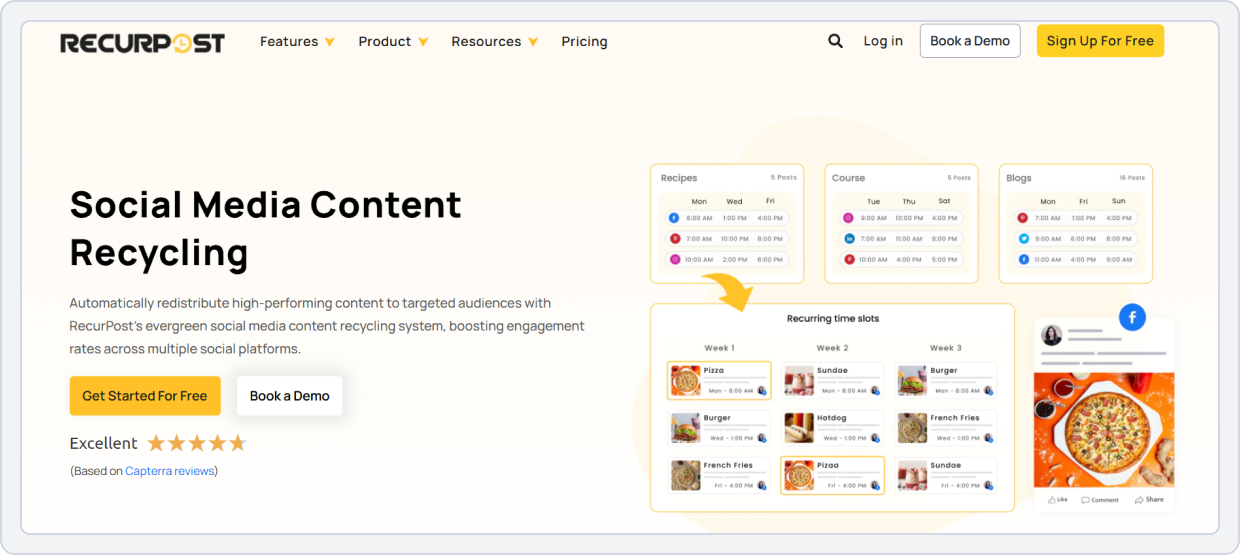
RecurPost is a social media scheduling and content recycling tool built for users who want to keep their social feeds active with minimal effort, making it one of the most practical Zoho Social alternatives for consistent posting. The tool lets you create content categories and automatically recycle your best posts. This means your evergreen content stays in rotation without repeated manual scheduling for more consistent posting and better long-term audience engagement.
Moreover, the platform provides collaborative workspaces for teams, performance analytics, a unified inbox, white-label reports, and unique automation features, such as Instagram DM automation. RecurPost’s best feature is its simplicity in handling repetitive tasks and giving small teams the tools they need to ease their social media struggles.
RecurPost vs Zoho Social
Here’s a feature-by-feature comparison of RecurPost vs Zoho Social to help you understand each tool better:
1. Social Media Performance Analytics and Reporting
RecurPost provides performance insights focused on what small teams need most. It helps you:
- Track engagement metrics such as likes, comments, and shares
- Monitor follower growth and identify top-performing content
- Compare performance across multiple platforms in one dashboard
- Export reports for review or client reporting
RecurPost vs Zoho Social Key Takeaway: RecurPost’s analytics are easy for small teams to understand, while Zoho Social requires higher plans for similar depth of reporting.
2. Team Collaboration and Client Approvals
RecurPost allows you to:
- Create shared workspaces for different teams or clients
- Use a shared content calendar to plan and view all posts
- Assign roles and access levels within workspaces
- Coordinate approvals before posts go live
RecurPost vs Zoho Social Key Takeaway: RecurPost offers simple, collaborative workflows that work well for small teams and agencies. Zoho Social also offers team collaboration, but advanced features are tied to higher pricing levels or broader Zoho platform integration.
3. Scheduling and Publishing
RecurPost’s calendar makes scheduling efficient. It helps you:
- Plan posts at specific times and slots using a visual calendar
- Bulk upload content for faster planning
- Automatically recycle high-performing evergreen posts
- Maintain consistent posting with minimal daily effort
RecurPost vs Zoho Social Key Takeaway: RecurPost excels at evergreen content recycling and automated posting, helping teams stay consistent. Zoho Social focuses on one-off scheduling, bulk uploads, and enterprise social media management.
4. Instagram DM Automation
RecurPost adds automation for Instagram direct messages, letting you:
- Set auto-replies with triggers for common queries or comments
- Speed up engagement with comment triggers
- Keep your campaigns running 24/7
- Apply your DM automation to every Instagram post and Reel
RecurPost vs Zoho Social Key Takeaway: RecurPost’s Instagram DM automation offers convenience for small teams that receive frequent inquiries on Instagram. Zoho Social’s engagement tools are solid but do not support automated DM triggers or chatbot flows.
5. Platform Integrations
- RecurPost integrates with: Facebook, Instagram, X (Twitter), LinkedIn, YouTube, Pinterest, Google Business Profile, TikTok, Bluesky, Meta Threads, Canva, and Zapier.
- Zoho Social integrates with: Facebook, Instagram, LinkedIn, X (Twitter), TikTok, YouTube, Pinterest, Google Business Profile, Mastodon, Threads, Zoho CRM, Zoho Desk, and Canva.
6. Pricing
Offer a 14-day free trial on all the paid plans.
- Starter Plan: $9/month (for individuals or non-business users and offers 2 Social Profiles, 10 Daily posts/social profile, 100 Stored Recurring Updates, and 10 Recurring Time Slots
- Personal Plan: $25/month (for small businesses with 5 social accounts, 10 recurring time slots, 20 daily posts per account, and 2 RSS feeds shared)
- Agency Plan: $79/month (for agencies managing multiple clients, offering 20 social profiles, 1000 stored recurring updates, 10 RSS feeds shared, 40 daily posts per account, Internal and external approval workflow, 10 AI features)
Note: RecurPost charges extra for each social account you add.
Pros and Cons of RecurPost
Pros | Cons |
Excellent AI-powered moderation and comment filtering | Pricing is higher than that of some other alternatives |
Analytics are flexible with customizable dashboards | Users find advanced moderation settings complex |
Strong team collaboration and approval features |
RecurPost vs Zoho Social Final Takeaway
RecurPost is an ideal choice for small businesses and content creators focused on automation, evergreen content recycling, and simplified team collaboration. While Zoho Social offers broader enterprise-level tools and CRM integrations, RecurPost delivers consistent posting, Instagram DM automation, and practical analytics at a lower entry cost.
Read the SocialBu vs RecurPost comparison to see which tool is better for automation and evergreen scheduling.Zoho Social Alternative #5: NapoleonCat
Overall Rating: ⭐⭐⭐⭐ 4.6/5 (Capterra)
Best For: Agencies, Marketing Teams, Customer Support Teams, and Enterprises
Starting Price: $89/month
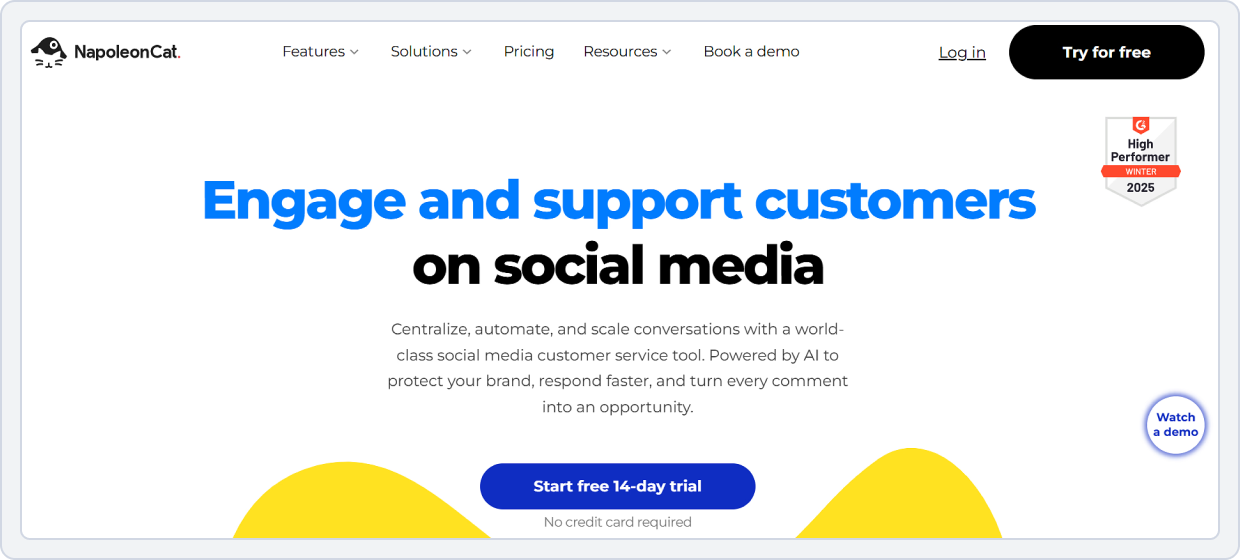
NapoleonCat is a social media management and engagement platform designed primarily for handling high volumes of comments, messages, and customer interactions, making it one of the strongest Zoho Social alternatives for moderation-focused teams. Instead of focusing only on publishing, it specializes in moderation, inbox automation, and customer support workflows.
Teams can manage conversations, monitor brand mentions, and moderate comments across multiple platforms from a single centralized dashboard. Moreover, the AI-powered moderation system automatically filters spam, hides inappropriate or repetitive comments, detects sentiment, and applies predefined rules to keep social profiles clean and responsive.
NapoleonCat vs Zoho Social
Here’s a feature-by-feature comparison of NapoleonCat vs Zoho Social to help you decide which tool is best for your social media management needs:
1. Social Media Auto-moderation and AI-Support
NapoleonCat includes AI tools that help manage engagement at scale. It helps you:
- Auto-moderate comments and messages based on rules you set
- Hide spam or negative interactions automatically
- Use AI suggestions or your own set of rules to respond faster
- Apply sentiment detection to sort important messages
NapoleonCat vs Zoho Social Key Takeaway: Zoho Social also offers inbox features and engagement tools, but its AI automation and automated moderation rules are less developed than NapoleonCat’s dedicated system.
2. Social Media Scheduling and Publishing
NapoleonCat offers a full publishing suite to help you plan and schedule content. It helps you:
- Schedule posts across multiple social profiles
- Use a visual calendar to plan daily or weekly content
- Reuse popular content with ease
- Preview posts before publishing
NapoleonCat vs Zoho Social Key Takeaway: Zoho Social also supports scheduling and planning, but many users find NapoleonCat’s calendar and publishing interface smoother and easier to navigate.
3. Advanced Social Media Analytics and Reporting
NapoleonCat makes analyzing performance easier with flexible reporting. You can:
- Track engagement, reach, hashtags, and audience growth metrics
- Customize dashboards to focus on what matters most
- Compare performance across different accounts or campaigns
- Gain insights into competitors’ profiles to stay updated
- Export professional reports in PDF format
NapoleonCat vs Zoho Social Key Takeaway: Zoho Social also offers analytics, but advanced reporting is only available on higher plans or requires deeper integration with Zoho’s ecosystem.
4. Team Collaboration and Approvals
NapoleonCat includes tools that allow teams to collaborate and streamline workflows. It helps you:
- Assign roles and permissions to team members
- Set approval workflows for content review
- Keep team tasks and content organized in shared workspaces
- Work on posts collaboratively without confusion
NapoleonCat vs Zoho Social Key Takeaway: NapoleonCat offers a clear structure for team collaboration and approvals that works well for multi-user teams and agencies.
5. Platform Integrations
- NapoleonCat integrates with: Facebook, Instagram, LinkedIn, Twitter, Messenger, TikTok, YouTube, Pinterest, Google Business Profile, App Store, Google Store, and Slack.
- Zoho Social integrates with: Facebook, Instagram, LinkedIn, X (Twitter), TikTok, YouTube, Pinterest, Google Business Profile, Mastodon, Threads, Zoho CRM, Zoho Desk, and Canva.
6. Pricing
The pricing plans of NapoleonCat are as follows:
- Standard Plan: $89/month (2 users, 5 profile slots, Unlimited post scheduling, Team collaboration, and Analytics for own profiles)
- Pro Plan: $109/month (2 users, 5 profile slots, 10K Inbox Capacity, Team performance reports, and Saved responses)
- Expert Plan: $139/month (2 users, 5 profile slots, Automatic moderation for popular questions, Advanced search)
- Enterprise Plan: $465/month (AI reply, API access, Custom reporting options, and Custom compliance solutions)
Pros and Cons of NapoleonCat
Pros | Cons |
Excellent AI-powered moderation and comment filtering | Pricing is higher than that of some other alternatives |
Analytics are flexible with customizable dashboards | Users find advanced moderation settings complex |
Strong team collaboration and approval features |
NapoleonCat vs Zoho Social Final Takeaway
NapoleonCat is a better fit for brands and agencies that handle high engagement volumes, comment moderation, and social media customer support. Zoho Social is stronger for businesses already invested in the Zoho ecosystem. However, NapoleonCat is the best Zoho alternative for fast response times, AI-driven moderation, and engagement control.
Need stronger engagement workflows? See the SocialBu vs NapoleonCat comparison to choose the right tool for scheduling, inbox management, and moderation.Zoho Social Alternative #6: MeetEdgar
Overall Rating: ⭐⭐⭐⭐ 4.6/5 (Capterra)
Best For: Freelancers, Entrepreneurs, Small Businesses, and Social Media Teams
Starting Price: $29.99/month
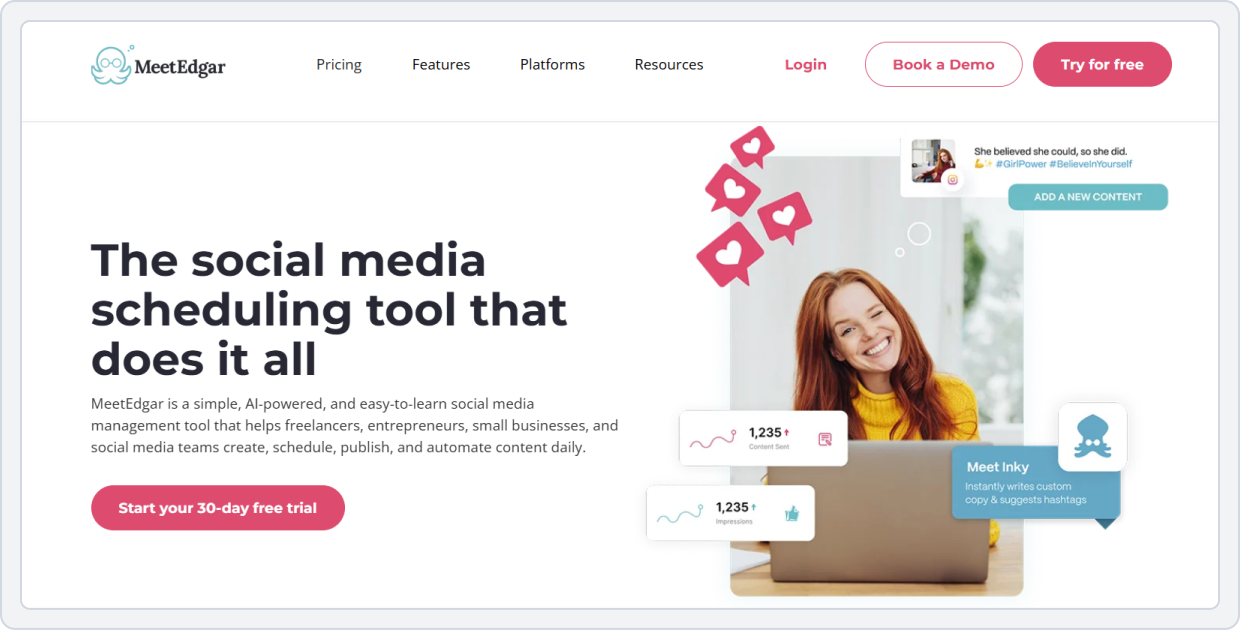
MeetEdgar is a simple, AI-powered social media scheduling and automation tool designed to take the manual work out of posting, making it one of the more hands-off Zoho Social alternatives for evergreen content. Its strength lies in how it organizes, stores, and recycles your content. Instead of posting once and forgetting it, MeetEdgar stores your content in categorized content libraries and automatically re-shares posts based on your publishing schedule. This keeps your best content in circulation without the need for constant manual rescheduling.
Furthermore, the tool features streamlined workflows for scheduling, analytics that show what’s working, and built-in content management to keep everything organized. You can add content to libraries, assign categories, and let MeetEdgar’s automation handle the rest.
MeetEdgar vs Zoho Social
Let’s look at the feature-by-feature comparison of MeetEdgar vs Zoho Social:
1. Social Media Content Scheduling and Automation
MeetEdgar’s scheduler is designed around automation and category-based posting. It helps you:
- Create schedules for specific days and times without manual posting
- Assign content to categories for automatic resharing
- Automatically queue evergreen content once initial posts go live
- Maintain a constant posting rhythm without manual effort
MeetEdgar vs Zoho Social Key Takeaway: MeetEdgar excels at evergreen posting automation, while Zoho Social focuses on standard scheduling without automated resharing/content recycling.
2. Social Media Analytics
MeetEdgar provides clear performance metrics that show what works. You can:
- Track engagement trends over time
- See clicks, likes, shares, and comments by post
- Compare performance across platforms
- Understand which categories of content perform best
MeetEdgar vs Zoho Social Key Takeaway: MeetEdgar delivers straightforward analytics ideal for small businesses, while Zoho Social provides more advanced, customizable reporting for larger teams, and that too in higher plans.
3. Efficient Content Management for Social Media
MeetEdgar’s content library keeps everything organized so you never lose track of posts. You can:
- Store media and text in categorized libraries for reuse
- Organize posts by campaign, topic, or content type
- Edit content in bulk and update libraries instantly
- Avoid rewriting evergreen content manually
MeetEdgar vs Zoho Social Key Takeaway: MeetEdgar’s content organization and library system help small teams reuse content efficiently, while Zoho Social requires more hands-on management.
4. AI Support
MeetEdgar uses built-in AI assistance to help with content creation and optimization. You can:
- Generate caption ideas for different platforms
- Get suggestions to improve post engagement
- Use AI suggestions for hashtags and post text refinement
MeetEdgar vs Zoho Social Key Takeaway: MeetEdgar’s AI tools help small teams create stronger posts faster. In contrast, Zoho Social’s automation is less structured and is deeply integrated into a broader business ecosystem.
5. Platform Integrations
- MeetEdgar integrates with: Facebook, Instagram, X (Twitter), LinkedIn, TikTok, Pinterest, Threads, Google Business Profile, Rebrandly, Zapier, Chrome Extension, Bitly, Canva, and Shopify
- Zoho Social integrates with: Facebook, Instagram, LinkedIn, X (Twitter), TikTok, YouTube, Pinterest, Google Business Profile, Mastodon, Threads, Zoho CRM, Zoho Desk, and Canva.
6. Pricing
Here are the pricing plans that MeetEdgar offers:
- Free Plan: No; it only provides a 30-day free trial.
- Eddie Plan: $29.99/month (Best for freelancers and entrepreneurs with 5 social accounts, unlimited scheduled posts, 20 team members, 10 weekly automations, and 4 content categories)
- EDGAR Plan: $49.99/month (Best for small businesses and social media teams and offers 25 social accounts, unlimited scheduled posts, 20 team members, 1,000 weekly automations, and unlimited content categories)
Note: Every additional social account you’ll need will cost you extra in each plan.
Pros and Cons of MeetEdgar
Pros | Cons |
Unlimited content recycling to keep feeds active | Limited advanced collaboration features |
Category queues reduce manual workload | Price jump between plans can feel steep for individual creators |
AI assistant for caption and hashtags |
MeetEdgar vs Zoho Social Final Takeaway
MeetEdgar is the perfect Zoho alternative for you if you rely heavily on evergreen content and automated posting. Zoho Social is better suited for businesses that need structured workflows, real-time engagement, and tight CRM integration, while MeetEdgar excels in hands-off content automation and reuse.
Choosing between automation styles? Check the SocialBu vs MeetEdgar comparison to see which platform fits your evergreen scheduling and content workflow.Zoho Social Alternative #7: Missinglettr
Best For: Bloggers, Website Owners, and Content Publishers
Starting Price: $15/month
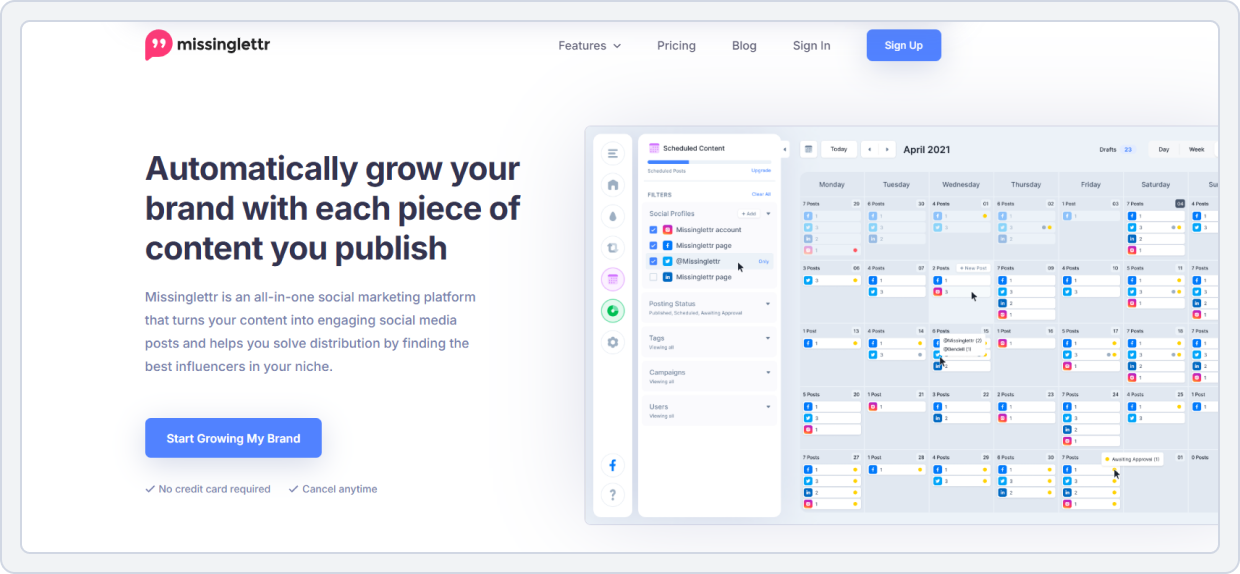
Missinglettr is an automation-first social media marketing platform that repurposes long-form content into ongoing social campaigns, making it one of the more content-led Zoho Social alternatives for repurposing workflows. Its strength lies in Drip Campaigns, where the tool automatically extracts quotes, snippets, and ideas from blog posts or articles and schedules them as social posts. These posts are then published over weeks or even months.
Beyond automation, Missinglettr includes a clean visual calendar, performance analytics, and lightweight collaboration tools. Users can review, edit, and approve AI-generated posts before they go live, maintaining brand control without heavy manual effort. For small businesses focused on content reuse, Missinglettr is among the smart Zoho Social alternatives and content assistants that keep channels active with minimal input.
Missinglettr vs Zoho Social
Here’s a feature-by-feature comparison of Missinglettr vs Zoho Social:
1. Social Media Content Calendar and Scheduling
Missinglettr’s content calendar helps you plan campaigns visually. It helps you:
- View scheduled drip campaigns by date and platform in a unified view
- Automatically create drip schedules from longer content
- Adjust posting times and campaign duration with simple drag and drop
- Add notes to all your scheduled/upcoming posts on the calendar
Missinglettr vs Zoho Social Key Takeaway: Missinglettr wins for automatic campaign creation and planning, while Zoho Social focuses on more full-featured, traditional social media management and content scheduling.
2. Social Media Analytics
Missinglettr provides analytics that help you measure campaign performance. You can:
- Track clicks, engagement, reach, and impressions
- See how each drip campaign performs over time
- Identify top-performing content campaigns and best times to post
- Track the specific engagement from different locations
Missinglettr vs Zoho Social Key Takeaway: Missinglettr provides clear, campaign-focused analytics ideal for content repurposing, whereas Zoho Social offers broader channel-level analytics.
3. Team Collaboration and Workflow
Missinglettr supports a basic team collaboration feature. You can:
- Invite team members to review content and campaigns
- Add notes or comments to content drafts
- Assign campaigns to specific team roles
Missinglettr vs Zoho Social Key Takeaway: Missinglettr offers lightweight collaboration ideal for small teams. On the contrary, Zoho Social provides more structured collaboration with role-based access and approval workflows.
4. AI-Powered Social Media Automation
One of Missinglettr’s standout features is its AI automation. The tool helps you:
- Automatically generate social media posts from long-form content
- Generate captions and hashtag suggestions
- Create multi-post drip campaigns that publish over time
- Reduce manual content creation effort
Missinglettr vs Zoho Social Key Takeaway: Missinglettr excels in AI-powered content automation, while Zoho Social focuses on rule-based scheduling and traditional publishing automation.
5. Platform Integrations
- Missinglettr integrates with: Facebook, Instagram, LinkedIn, X (Twitter), Google Business Profile, WordPress, Blogger, Wix, and Medium
- Zoho Social integrates with: Facebook, Instagram, LinkedIn, X (Twitter), TikTok, YouTube, Pinterest, Google Business Profile, Mastodon, Threads, Zoho CRM, Zoho Desk, and Canva.
6. Pricing
Missinglettr offers the following pricing plans:
- Free Plan: No free plan, only offers a 14-day free trial on all plans
- Solo Plan: $15/month (1 workspace, 1 user, 3 social profiles, 100 AI post generations, and image generation)
- Pro Plan: $39/month (3 workspaces, 10 social profiles, 500 AI post generations and images)
- Agency Plan: $147/month (25 social profiles, 10 AI post generations, advanced analytics, automatic repost to Medium, and curated content)
Pros and Cons of Missinglettr
Pros | Cons |
Saves time by turning long-form content into social campaigns | Analytics and reporting are limited in depth |
Simple interface for drip-campaign planning | Occasionally scheduling errors and tag limitations |
Excellent automation to keep profiles active long-term |
Missinglettr vs Zoho Social Final Takeaway
Missinglettr is best for content-led brands and bloggers who want to automatically turn long-form content into ongoing social campaigns. Zoho Social, in contrast, is better suited for businesses that need CRM-connected workflows and hands-on social media management rather than content repurposing automation.
Prefer drip campaigns or full social management? Read the SocialBu vs Missinglettr comparison to see which approach fits your content and scheduling needs.Zoho Social Alternative #8: SocialOomph
Overall Rating: ⭐⭐⭐⭐ 4.3/5 (Capterra)
Best For: Individuals and Teams
Starting Price: $15/month
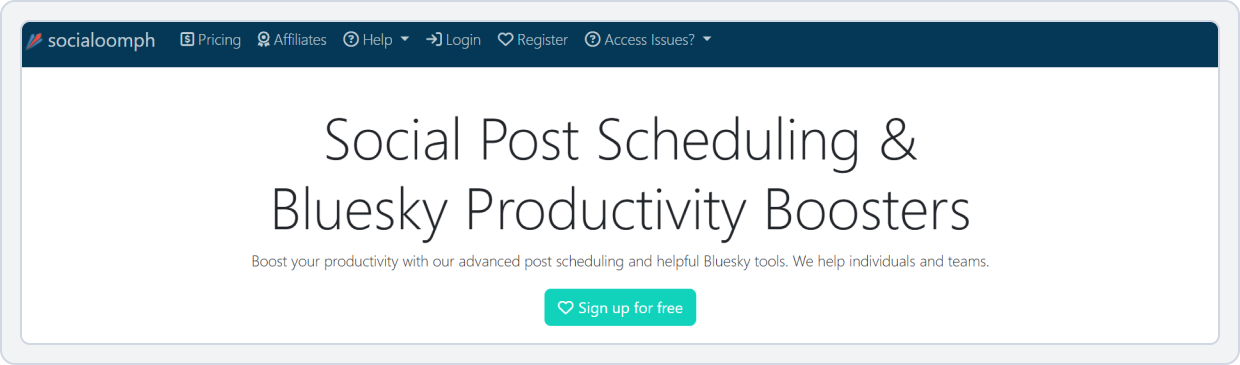
SocialOomph is a social media management tool best known for its advanced post scheduling, automation, and productivity-focused workflows. It’s one of the more automation-heavy Zoho Social alternatives for high-volume publishing. It’s best for X (Twitter) and Bluesky users. It allows users to schedule posts far in advance, manage evergreen content through queues, and automate publishing across multiple accounts with time-zone–specific, optimized scheduling.
One of SocialOomph’s biggest strengths is its automation-first approach with post queues. From bulk uploads and post tagging to RSS-based auto-posting and webhook integrations. The platform is best for publishing content continuously with minimal manual input. Moreover, it offers AI-powered post generation and tagging for team collaboration, making it easier to find posts.
SocialOomph vs Zoho Social
Here’s a feature-by-feature comparison of SocialOomph vs Zoho Social:
1. Social Media Post Scheduling and Publishing
SocialOomph offers powerful, flexible scheduling tools for high-volume posting. It allows you to:
- Schedule posts across multiple social profiles and blogs
- Upload posts in bulk using CSV files for queues
- Control publishing times based on specific time zones
- Use post tags to organize, filter, and reuse content efficiently
- Set fixed or variable posting schedules for maximum reach
SocialOomph vs Zoho Social Key Takeaway: SocialOomph excels at bulk scheduling, tagging, and time-zone control. And Zoho Social focuses more on visual planning and CRM-connected publishing workflows.
2. Social Media Automation
SocialOomph helps you:
- Create evergreen post queues that recycle content automatically
- Maintain always-on posting schedules with optional seasonal windows
- Automatically publish posts from RSS feeds with keyword filtering
- Auto-create posts using IFTTT, custom apps, or the Webhooks API
- Use ChatGPT API to generate social media posts for your queues
SocialOomph vs Zoho Social Key Takeaway: SocialOomph is ideal for hands-off, evergreen automation, while Zoho Social emphasizes integrated planning and analytics-driven publishing.
3. Bluesky Productivity Boosters
SocialOomph is best known for its dedicated Bluesky productivity features. It helps users:
- Schedule and manage Bluesky posts efficiently
- Maintain consistent posting without manual repetition
- Handle multiple Bluesky accounts from one dashboard
- When someone follows you, automatically follow the person who follows you
- Automatically send a welcome DM to new followers.
- View your monthly profile statistics on various metrics.
SocialOomph vs Zoho Social Key Takeaway: SocialOomph is a clear winner for Bluesky users, offering native, dedicated tools that Zoho Social lacks.
5. Platform Integrations
- SocialOomph integrates with: X (Twitter), Bluesky, Facebook, LinkedIn, Pinterest, WordPress, and blogs via RSS, and IFTTT and custom apps via Webhooks API.
- Zoho Social integrates with: Facebook, Instagram, LinkedIn, X (Twitter), TikTok, YouTube, Pinterest, Google Business Profile, Mastodon, Threads, Zoho CRM, Zoho Desk, and Canva.
6. Pricing
SocialOomph pricing includes:
- Personal Suite: Free (One social profile, basic posting features, Unlimited scheduled posts, 3 posts per hour
- Advanced Suite: $15/month (One social profile, One blog, One RSS feed for post sourcing, One queue, Access to all Bluesky features, and AI social post generation)
- Professional Suite: $25/month (Ten social profiles, Unlimited scheduled posts, sixty posts per hour per social profile/blog, 5 blogs, 5 RSS feeds for post sourcing, 5 queues, and AI social post generation)
- Business Suite: $55/month (Twenty social profiles, 10 blogs, 10 RSS feeds for post sourcing, 10 queues, One webhook, unlimited scheduling, and access to personal and team areas)
Pros and Cons of SocialOomph
Pros | Cons |
Strong support for scheduling across multiple networks | The interface and UX feel outdated |
Easy setup and scheduling, especially for X (Twitter) & blogs | Not ideal for complex multi-client workflows |
Automatically generate content streams from RSS feeds |
SocialOomph vs Zoho Social Final Takeaway
SocialOomph is ideal for creators and teams who want powerful, low-maintenance content automation, evergreen queues, and RSS publishing. On the other side, Zoho Social is better suited for businesses that need analytics-heavy reporting and deep integration with a broader CRM ecosystem.
Need queues and hands-off automation? See the SocialBu vs SocialOomph comparison to pick the better tool for bulk scheduling and evergreen posting.Zoho Social Alternative #9: PromoRepublic
Overall Rating: ⭐⭐⭐⭐ 4.6 (Capterra)
Best For: Multi-Location Brands and Franchise Brands
Starting Price: Custom (quote-based)
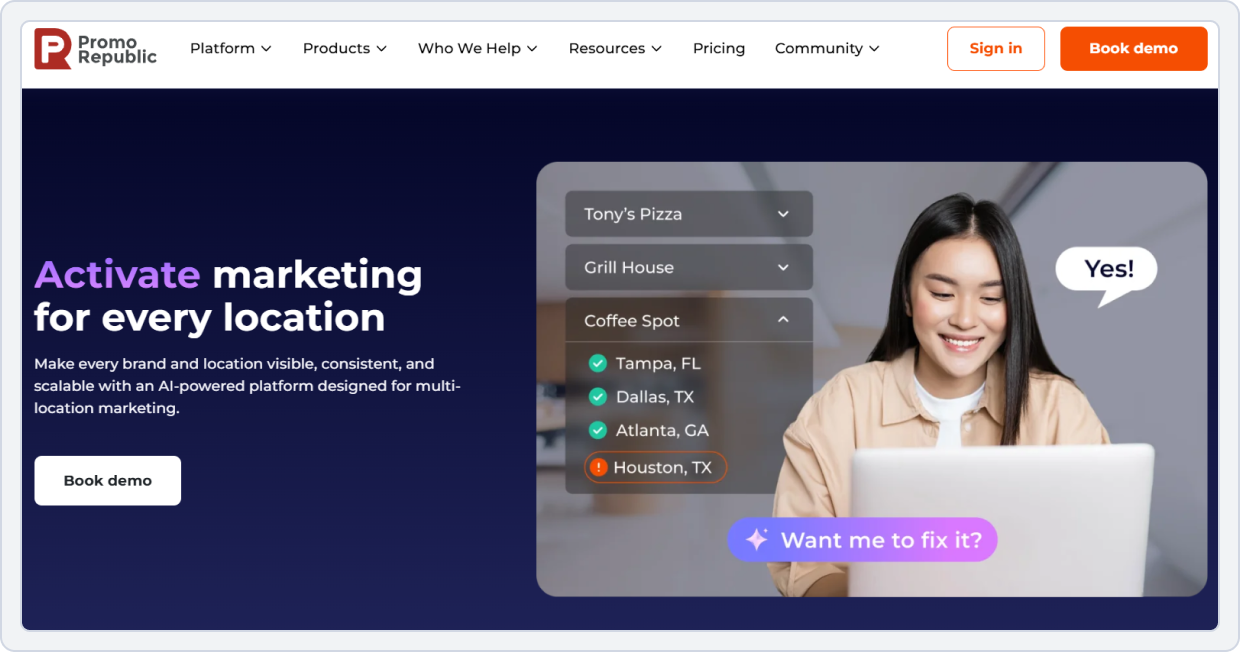
The second last tool on our list of Zoho Social alternatives is PromoRepublic. It is a social media and local marketing platform built specifically for multi-location brands, franchises, and distributed teams. It helps brands maintain local relevance without losing brand consistency. It combines social media scheduling, content creation, review and listing management, and performance analytics into one centralized dashboard.
Moreover, PromoRepublic excels in a template-driven content system and location-level control. You can create approved templates and assets at the HQ level, while local teams customize and publish content within set brand guidelines. With AI-powered content suggestions, built-in design tools, and multi-location analytics, PromoRepublic simplifies managing hundreds or thousands of locations across social and local platforms.
PromoRepublic vs Zoho Social
Here’s a feature-by-feature comparison of PromoRepublic vs Zoho Social:
1. Social Media Content Scheduling and Publishing
PromoRepublic offers a user-friendly scheduler with a visual calendar that makes it easy for teams to plan posts. It helps you:
- Schedule posts across multiple social networks from one dashboard
- Plan weekly or monthly content using a visual drag-and-drop calendar
- Use pre-approved templates to maintain brand consistency
- Preview posts before publishing to ensure quality
PromoRepublic vs Zoho Social Key Takeaway: PromoRepublic wins for combining scheduling with built-in design and template tools, while Zoho Social focuses more on traditional posting workflows.
2. Team Collaboration Workflows and Approvals
PromoRepublic is designed for structured collaboration across locations. You can:
- Invite team members with defined roles
- Leave internal notes for feedback and revisions
- Set approval workflows for branded and localized content
- Manage multiple brands or locations from one workspace
PromoRepublic vs Zoho Social: Key Takeaway: PromoRepublic provides straightforward collaboration tools for approvals and teamwork. On the other hand, Zoho Social offers more permission controls in its higher plans.
3. Social Media Analytics
PromoRepublic’s analytics focus on performance across locations and channels. It helps you:
- Track engagement, reach, and follower growth
- Compare performance across different platforms and locations
- Get visual reports for social activity and trends
- Examine post-performance to refine strategy
PromoRepublic vs Zoho Social Key Takeaway: PromoRepublic delivers precise analytics that help teams understand performance. At the same time, Zoho Social offers more advanced reporting in higher pricing tiers or through integration with broader Zoho CRM tools.
4. AI Support
PromoRepublic’s AI is centered on content creation rather than solely on automation. You can:
- Generate caption ideas and post copy
- Adapt content tone for different platforms
- Generate hashtag recommendations to boost reach
PromoRepublic vs Zoho Social Key Takeaway: PromoRepublic’s AI support is more content-creation focused, while Zoho Social centers on automation and scheduled suggestions.
5. Platform Integrations
- PromoRepublic integrates with: Facebook, Instagram, LinkedIn, TikTok, Pinterest, Google Business Profile, X (Twitter), YouTube, Apple Maps, Google Drive, Canva, Google Analytics, Power BI, Looker, TripAdvisor, and Foursquare.
- Zoho Social integrates with: Facebook, Instagram, LinkedIn, X (Twitter), TikTok, YouTube, Pinterest, Google Business Profile, Mastodon, Threads, Zoho CRM, Zoho Desk, and Canva.
6. Pricing
PromoRepublic does not publish public pricing. Plans are quote-based and typically include:
- Build Plan: (Social, Reviews and Inbox, DAM (digital asset management), and Built-in Analytics)
- Grow Plan: (Listings, Advanced Analytics with Leaderboards, Scoring, Benchmarks, and Automated Adoption Program)
- Enterprise Plan: (White-label Mobile App, White-glove Adoption Program, AI Agents, and Executive Dashboards and Adoption Analytics)
Pros and Cons of PromoRepublic
Pros | Cons |
Advanced analytics and reporting | No free plan |
Bulk scheduling and client management | Can be complex for solo users |
Supports all major social platforms |
PromoRepublic vs Zoho Social Final Takeaway
PromoRepublic is a stronger choice for franchises and multi-location brands that need localized content control, brand governance, and location-level insights at scale, making it one of the more specialized alternatives to Zoho Social for distributed teams. Zoho Social remains a better fit for businesses already invested in the Zoho ecosystem and managing fewer brands or locations.
Managing multiple locations or brands? Check the SocialBu vs PromoRepublic comparison to see which platform fits your publishing and governance needs.Zoho Social Alternative #10: Pallyy
Best For: Solo Creators, Teams, and Agencies
Starting Price: $15/month
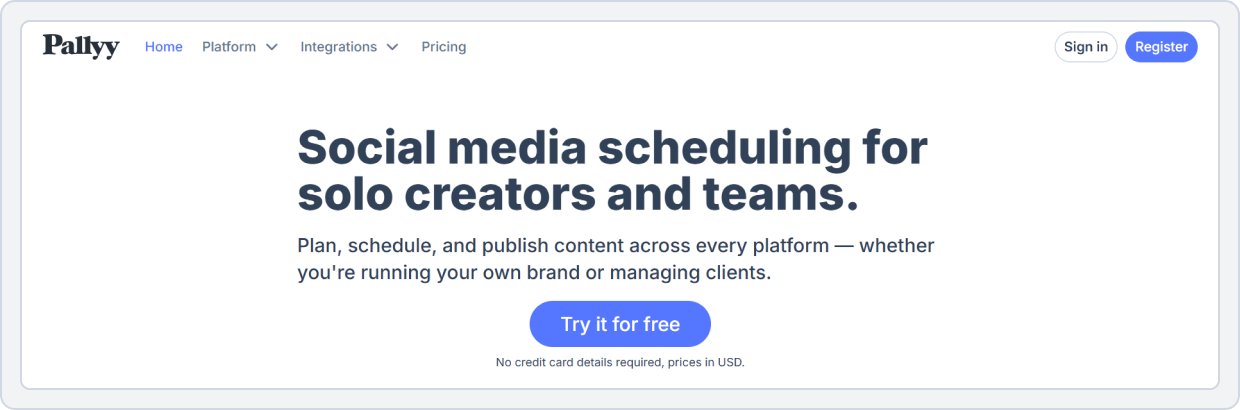
Pallyy is a user-friendly social media management platform built to make publishing, visual planning, and engagement easier for teams of all sizes, making it one of the simpler Zoho Social alternatives for day-to-day scheduling. It combines a visual content calendar, social inbox, analytics, and collaboration tools in a clean, easy-to-use dashboard. Pallyy handles multi-platform scheduling and reporting without overwhelming users with complex menus or confusing settings.
Pallyy offers flexible pricing plans based on social sets (a group of social profiles for one brand) and provides a visual grid maker for Instagram to design your feed. Moreover, it offers useful AI tools for content creation, such as Tweet, caption, and Bio generators, as well as a link-in-bio builder to help boost social engagement and overall workflow efficiency.
Pallyy vs Zoho Social
Let’s have a look at the feature-by-feature comparison of Pallyy vs Zoho Social:
1. Social Media Content Scheduling and Publishing
Pallyy makes scheduling posts and managing content simple and visual. It helps you:
- Plan and schedule posts across platforms like Instagram, Facebook, LinkedIn, Pinterest, TikTok, and Google Business Profile
- Use a shared visual calendar with drag-and-drop capabilities
- Preview the Instagram grid layout before publishing and re-arrange your posts
- Create queues and publish content at the best times with ease
Pallyy vs Zoho Social Key Takeaway: Pallyy wins for visual calendar planning and multi-format content publishing. Zoho Social focuses more on CRM-connected workflows and algorithm-optimized scheduling.
2. Social Media Analytics
Pallyy includes built-in analytics that help you measure performance without complexity. You can:
- Track engagement, likes, comments, demographics, and historical data
- See analytics for Instagram, Facebook, and LinkedIn (with deeper metrics tied to paid plans)
- Export visual reports as PDFs for review and strategy
- Track up to 10 Instagram competitors to see what’s happening in the industry
Pallyy vs Zoho Social Key Takeaway: Pallyy provides solid analytics that are easier for small teams to use. In comparison, Zoho Social’s analytics are broader and include deeper reporting tied to its CRM integration, which is available only in higher-tier plans.
3. Team Collaboration and Workflow
Pallyy supports collaborative posting and approvals via the Feedback tool. It helps you:
- Invite team members to collaborate on schedules and calendar edits
- Use shared content calendars visible to the whole team
- Leave feedback, set approvals for posts, and tag team members
- Manage roles and simple workflows for teams and clients
Pallyy vs Zoho Social Key Takeaway: Pallyy makes collaboration easy and visible, especially for small teams. Zoho Social also offers team workflows, role permissions, and approval paths, but these are more tightly integrated with the Zoho suite and are available in higher-tier plans.
4. AI Support
Pallyy includes AI-assisted features that help with content creation and optimization. You can:
- Generate post captions, Tweets, and Bio names suggestions using built-in AI tools
- Create bio link pages with AI-friendly templates
- Use AI to make minor text improvements or suggestions for engagement
Zoho Social’s AI capabilities are focused more on scheduling optimization and CRM insights than on creative support.
Pallyy vs Zoho Social Key Takeaway: Pallyy’s AI tools help small teams with caption and content ideas. Zoho Social uses AI more for scheduling, business operations, and CRM-oriented suggestions.
5. Platform Integrations
- Pallyy integrates with: Instagram, Facebook, LinkedIn, Pinterest, TikTok, Google Business Profile, X (Twitter), Threads, YouTube, and Canva.
- Zoho Social integrates with: Facebook, Instagram, LinkedIn, X (Twitter), TikTok, YouTube, Pinterest, Google Business Profile, Mastodon, Threads, Zoho CRM, Zoho Desk, and Canva.
6. Pricing
- A 14-day free trial on all paid plans
- Starter Plan: $15/month (1 social set, 1 user, and 20 posts)
- Pro Plan: $25/month (1 social set, 1 user, and unlimited posts)
- Agency Plan: $99/month (10 social sets, 3 users, and unlimited posts)
- Scale Plan: $199/month (30 social sets, 10 users, and unlimited posts)
Pros and Cons of Pallyy
Pros | Cons |
Advanced analytics and reporting | No free plan |
Bulk scheduling and client management | Can be complex for solo users |
Supports all major social platforms |
Pallyy vs Zoho Social Final Takeaway
Pallyy is a strong Zoho Social alternative for small businesses and Instagram-focused brands. For visual planning and lightweight workflows, Zoho Social alternatives such as Pallyy are typically compared based on calendar usability, posting flexibility, and reporting clarity. Zoho Social remains better suited for businesses that rely on CRM integrations and enterprise-level workflows, while Pallyy keeps social media management lightweight, visual, and cost-effective.
Conclusion
Zoho Social is a solid tool, but it is not built for everyone. Many small businesses, creators, and agencies outgrow it or feel limited by pricing, feature access, or workflow complexity. That is why we have provided the list of top Zoho Social alternatives in this guide.
Each of these Zoho Social alternatives solves a different problem. From clean scheduling and visual planning to automation, analytics, approvals workflows, and scalability, every tool provides the features you need for your social media management. However, the key is to choose a social media platform that matches what your team and social channels actually need, not one that looks powerful on paper.
If your priority is a single social media workflow (rather than a broader suite), focus on tools that reduce the number of steps for planning, publishing, and the repeatable execution of social media posts.
For teams that want one platform to schedule and bulk-schedule posts, recycle evergreen content, automate repetitive workflows (including RSS posting), and use an AI assistant for post creation and planning, SocialBu explicitly supports these capabilities.
Start a 7-day free trial of SocialBu to test scheduling, automation, and AI workflows end-to-end before choosing a plan.
Try SocialBu for Free
Join over 20,000 businesses that trust SocialBu to elevate their social media presence every month.
FAQs
What are the best all-in-one business platforms besides Zoho?
Top all-in-one business platforms include HubSpot, Salesforce, Freshworks, and Odoo. These suites combine CRM, marketing, sales, support, and reporting into unified dashboards, making them solid alternatives for businesses that need a broader range of integrated capabilities than Zoho offers.
Which alternatives offer better CRM integration?
HubSpot and Salesforce are widely regarded as best-in-class CRM platforms, with deep integrations across sales pipelines, automation, reporting, and third-party apps. Both platforms make CRM the core of business workflows rather than an add-on, giving richer insights and stronger cross-team collaboration.
Are there more affordable Zoho Social alternatives for small businesses?
Yes. Tools like SocialBu, Pallyy, Publer, and RecurPost offer affordable pricing for core business needs, including social media scheduling, automation, and analytics. These social media management tools often have lower entry costs than Zoho Social and are easier to use for small teams.
What are the top alternatives for integrated marketing?
HubSpot, Mailchimp (with All-In-One Marketing CRM), and ActiveCampaign are among the best for integrated marketing. They combine email, automation, landing pages, CRM, and performance analytics into a single platform.
Which tools provide better business automation?
HubSpot, Salesforce, and ActiveCampaign lead in business automation with strong triggers, workflows, and cross-channel capabilities. They help reduce repetitive tasks across sales, marketing, support, and customer outreach.
Do any competitors offer better customer support?
Yes, SocialBu, Vista Social, NapoleonCat, and Publer are praised for their timely support and helpful onboarding resources. This makes it easier for small businesses to get unstuck more quickly than in some Zoho Social tiers.
What are the best Zoho Social alternatives for social media management?
Top alternatives for social media management include SocialBu, Publer, Pallyy, Vista Social, RecurPost, and Missinglettr. These tools often offer easier scheduling, automation, collaboration, and analytics than Zoho Social.
Which tools have better user interfaces?
Tools like SocialBu, Pallyy, and Publer are known for clean, intuitive UIs that reduce learning curves. They focus on clean design and ease of navigation, especially for non-technical teams.
Are there alternatives with better mobile apps?
Yes. Tools such as SocialBu, Pallyy, and Publer offer strong mobile-friendly experiences with complete scheduling, automation, social inbox, and reporting capabilities.
What competitors offer better scalability options?
For scalability across teams and functions, SocialBu, Vista Social, MeetEdgar, Publer, and Pallyy top the list, offering affordable pricing and covering every social media management and marketing need from small businesses to agency-grade workflows.