
Many SocialPilot users feel stuck paying higher prices for limited features. Lower-tier plans restrict workflows, analytics, and collaboration tools, making it hard for social media managers to scale campaigns, serve clients effectively, or stay productive.
If this sounds familiar, you’re in the right place. To help you choose the right tool, we’ve compiled this guide of the best SocialPilot alternatives in 2026.
Each tool on the list offers advanced scheduling, stronger collaboration, and more affordable pricing. This guide will help you find a platform that genuinely supports your growth and stays within your budget.
Why Consider SocialPilot Alternatives in 2026?
SocialPilot is a well-known social media management and scheduling tool. It offers a centralized dashboard from which you can connect multiple social networks (Facebook, Instagram, Twitter, LinkedIn, Pinterest, and others) and plan, publish, and analyze posts across them.
It brings together key features such as a visual content calendar, bulk scheduling (via CSV Upload), multi-account and client management, analytics and reporting dashboard, content curation, RSS feed integration, and third-party tool integrations.
However, many users are now exploring SocialPilot alternatives. SocialPilot covers the essential features mentioned above. But growing teams, creators, and agencies increasingly expect deeper automation, unified team collaboration tools, advanced analytics, and smoother scalability.
Users on platforms like G2, Capterra, and Reddit highlighted gaps in SocialPilot’s features, prompting them to consider SocialPilot’s alternatives.
Pain Points That Make Users Look for SocialPilot Alternatives
If you want to know “what are SocialPilot’s limitations?”, here are the ones real users have faced and encountered with this client management platform.
- Team Collaboration and Workflow Approval Challenges: Many users encountered issues with SocialPilot’s unified workspace (co-edit, review, and approve content). Moreover, advanced collaboration (role-based approvals, white-label, multi-client workspaces) is available only on higher plans, which can be expensive for small teams. (G2)
- Pricing and Scalability Challenges: While SocialPilot’s pricing $30/mo (billed monthly) appears affordable, scaling quickly becomes expensive. A Reddit reviewer mentioned that, for them, a $200/month cost for 50 profiles represents a 4,000% increase over the price for the same profiles they already have. That is totally unexpected. (Reddit)
- Brand Monitoring: SocialPilot doesn’t track off-profile mentions across the broader web, and its ‘brand monitoring’ is limited mainly to reviews and interactions on your connected profiles (via the social inbox). As one user said, “It would be useful to have a listening dashboard like other advanced social media management tools.” (G2)
- Limited Automation, Posting Insights, and UI Issues: Although SocialPilot offers “AI Pilot” for copy and caption generation, users note that it lacks AI-powered tools for generating content tailored to each social media platform and offers less automation. The interface feels outdated compared to other tools, especially for Instagram Reels and Stories. (Capterra)
If you’re looking for team social media management software that offers multi-account management, a client approval workflow, and enhanced reporting and social listening, stick with this guide. We are going to provide you with the best SocialPilot alternatives that offer team collaboration and deeper social media reporting tools.
But before that, let’s look at how we selected and evaluated the top SocialPilot alternatives for 2026.
Comparison Criteria: How We Selected Each SocialPilot Alternative
We analyzed each tool using a practical, user-centered approach based on verified reviews, platform testing, and feedback from marketing professionals.
Here’s the criteria on which we have evaluated and finalized each SocialPilot alternative:
- Team Collaboration & Approval Workflow: You will find social media management tools that make teamwork easier with real-time editing, in-app feedback, and smooth approval processes.
- Deeper Analytics and Reporting: We selected platforms that offer deeper cross-platform analytics and customizable reports, ideal for teams that rely on actionable insights.
- Affordable Pricing and Scalability: Because SocialPilot’s pricing can get steep as teams grow (due to extra add-ons), we compared how well each alternative balances affordability with scalability.
- Automation, Smart Scheduling & AI Tools: Given the user experience with manual workflows, we have enlisted social media management tools that offer AI-powered scheduling, automation for repetitive tasks, and content generation.
- User Interface (UI) & Experience (UX): We selected social media scheduling platforms that are modern, clean, and user-friendly, avoiding clunky, complex navigation.
In short, our evaluation process focused on addressing the exact pain points that drive users to seek SocialPilot alternatives. We have ensured that every tool we have listed offers features to improve your social media management workflow, provide stronger analytics, and smoother team collaboration.
Below are the 9 best SocialPilot alternatives for 2026 that deliver real value for teams, agencies, and creators alike. Each tool offers unique features to fit your social media management needs.
SocialPilot Alternative#1: SocialBu
Overall Rating:  4.7/5 (Trustpilot)
Best For: Social media managers, SMBs, and agencies needing AI-powered automation, scheduling, and easy collaboration.
Starting Price: $19/month
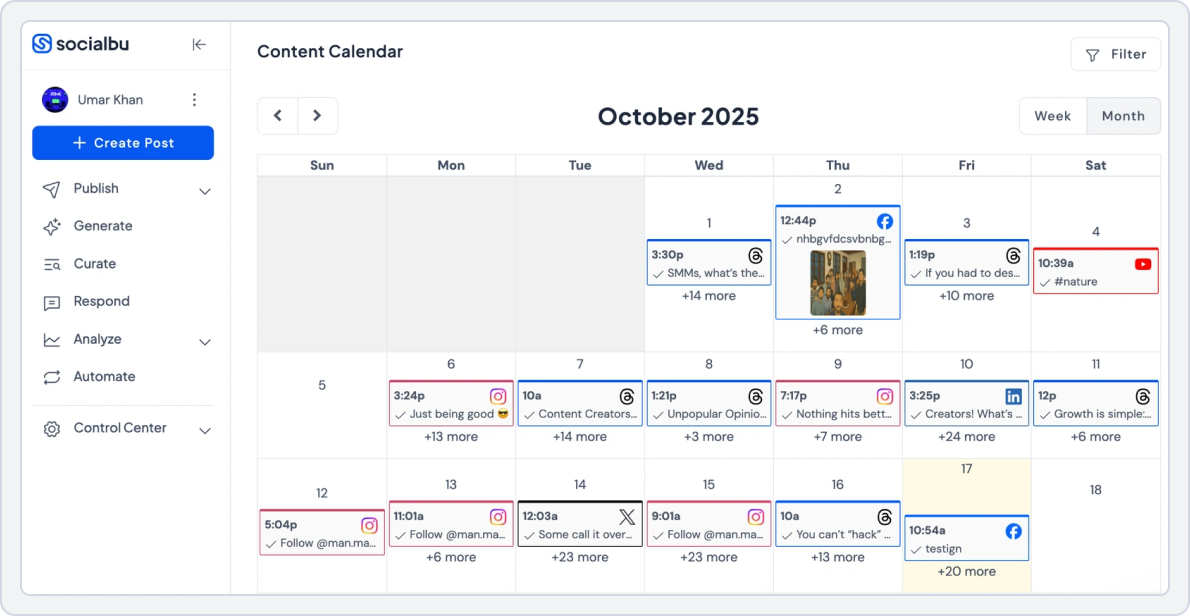
The number one tool on our list as the best SocialPilot alternative is SocialBu. It’s an all-in-one social media management platform designed to simplify content scheduling via a drag-and-drop calendar, automate repetitive tasks, and improve team collaboration. It stands out as a feature-rich and budget-friendly SocialPilot alternative. It offers bulk scheduling, social media analytics, engagement tracking, and AI-generated content in a single, user-friendly dashboard.
SocialBu has been a game-changer for managing multiple business accounts. It makes switching between a high volume of profiles effortless, and the ability to plan content ahead saves me both time and stress. It’s simple to use, efficient, and delivers great value for money. (Kiandra T. Capterra)
Here’s why SocialBu stands out as one of the best SocialPilot alternatives:
- Clean, easy-to-use interface designed to increase user experience and speed up daily work, so teams can plan, schedule, and manage content without getting lost in cluttered menus or complex layouts.
- Centralized message and comment management that pulls conversations from all connected platforms into one inbox, making it easier to respond faster, capture leads, and stay on top of engagement.
- Built-in content creation tools help you write platform-ready captions, generate post ideas, and adapt messaging for different networks in seconds.
- Clear, actionable performance insights that show what’s working, what’s not, and where to improve, in the form of easy and understandable graphs and charts.
- Drag-and-drop content calendar workspace lets you organize, preview, and schedule posts across platforms in one place, making long-term planning simpler and more structured.
- Intelligent automation that keeps your accounts active by handling repetitive tasks like recurring posts, automated replies, and workflow triggers, so you spend less time on manual work.
- Real-time monitoring of brand mentions, hashtags, and keywords across platforms to help you stay aware of conversations, trends, and opportunities.
SocialBu vs. SocialPilot
When you compare SocialBu and SocialPilot side-by-side, SocialBu stands out as the best social media management tool. It’s ideal for creators, marketers, and SMBs who want to manage multiple social profiles, collaborate smoothly, have predictable pricing, and save time through AI-driven workflows.
Unlike SocialPilot, which feels rigid in workflow and costly as you scale, SocialBu focuses on automation and simplicity.
SocialBu is a workhorse of a platform and a stellar value for money at its very reasonable price point. It’s super easy to use and is especially useful for small businesses and solo creative projects like the podcast I just launched. I am really impressed with all of the platforms it can be paired with as well. (Amy W. Capterra)
Here’s how SocialBu and SocialPilot differ in key features such as analytics and reporting, team collaboration and approval workflows, Advanced automation, content scheduling, and affordable pricing.
1. Team Collaboration and Approval Workflows
When multiple people work on content and a project, having a tool that handles collaboration effortlessly is a win. SocialBu wins here as it is designed for smooth team collaboration and communication, letting you assign roles, create approval steps, and share workspaces without relying on external apps or email threads.
With SocialBu, teams can:
- Use role-based permissions to control who drafts, edits, or publishes posts
- Build approval workflows for clients or managers to review content before publishing
- Collaborate inside shared workspaces with comments, internal notes, and tagging
- Review content visually in the shared calendar so everyone stays aligned
- Track changes or revisions directly inside the platform
SocialPilot supports team roles, but its approval workflows and workspace collaboration are less detailed and less interactive. On the other hand, SocialBu is more convenient because it centralizes discussion directly on posts, making the collaboration process smoother.
SocialBu vs SocialPilot Key Takeaway: SocialBu wins for collaboration, offering real teamwork features that simplify reviews, approvals, and communication.
2. Advanced AI-Powered Automation
A significant reason people search for SocialPilot alternatives is to find more innovative social media automation that reduces repetitive tasks. SocialBu provides one of the most advanced automation systems for your social media tasks, allowing you to set up workflows that run independently.
With SocialBu’s automation, you can:
- Create rules that automate posting, reposting, or content recycling
- Set up recurring posts that loop automatically, ideal for evergreen content
- Use RSS feed automation to publish content from blogs, news sources, or podcasts
- Respond automatically to messages or comments with simple rule-based triggers
- Connect external apps via webhooks for expanded automation
- Use “set once, run forever” workflows that reduce manual scheduling
SocialPilot offers basic automation options, but they are not as customizable, and many workflows still require manual input. If you want to build a long-term automated posting system, SocialBu is the powerful SocialPilot you can choose.
SocialBu vs SocialPilot Key Takeaway: SocialBu offers more flexible, time-saving social media automation, especially for teams managing high-volume content or recurring workflows.
3. Powerful Content Scheduling and Publishing
When choosing a SocialPilot alternative, users want a platform that makes scheduling effortless. SocialBu stands out with a clean drag-and-drop content calendar, multiple scheduling options, and visual previews that simplify planning.
SocialBu’s scheduling and publishing feature helps you schedule:
- One-time posts for all platforms
- Recurring content with automated looping
- Evergreen queues that keep your schedule full at all times
- Bulk upload posts with CSV + media support
- AI-assisted captions for faster publishing
- Multi-platform posts adjusted for formatting differences
- Visual previews to see how posts will appear once published
SocialPilot offers strong scheduling options, too, but its calendar feels less intuitive and lacks the visual flexibility SocialBu provides. If you manage multiple brands or large volumes of content, SocialBu offers a cleaner interface and a more structured workflow.
SocialBu vs SocialPilot Key Takeaway: SocialBu wins for scheduling speed, visual planning, and flexible publishing options suitable for creators, teams, and agencies.
4. Analytics and Reporting
One of the most common things users look for when exploring SocialPilot alternatives is deeper, easier-to-understand analytics. SocialBu offers a clean, real-time analytics dashboard that helps you understand exactly how your social accounts are performing.
With SocialBu, you can monitor:
- Cross-platform performance for Instagram, TikTok, YouTube, Facebook, LinkedIn, X, and more
- Audience growth patterns to see what type of content attracts or retains followers
- Engagement rates, impressions, clicks, and post reach for every social platform
- Best-performing content with filters for format, time, and platform
- Optimal posting times based on real engagement data
- Exportable reports for clients, teammates, or monthly reviews
- Historical comparisons to measure progress over weeks, months, or specific campaigns
SocialPilot does offer analytics, but they often feel more rigid, with limited customization and fewer insights into content behavior and audience patterns.
SocialBu vs SocialPilot Key Takeaway: SocialBu wins for deeper insights, more transparent reporting, and easy-to-share analytics that help teams and agencies make better decisions.
5. Platform Integrations
SocialBu supports a wide range of networks, including:
- Facebook, X, Instagram, LinkedIn, TikTok, YouTube, Reddit, Pinterest, Mastodon, Threads, Bluesky, and Google Business Profile.
It also offers webhooks and RSS feeds support for publishing. These integrations make it easy to run multi-platform campaigns from one dashboard.
SocialPilot integrates with:
- Facebook, Instagram, X (Twitter), LinkedIn, TikTok, YouTube, Pinterest, Google Business Profile, Threads, Bluesky, Tumblr
6. Pricing
Here is a price comparison of SocialBu and SocialPilot. This will help you decide which tool best suits your budget needs and provide more powerful content scheduling, monitoring, and AI-powered automation tools without the high monthly cost.
SocialBu | SocialPilot | |
Platforms Supported | Instagram, TikTok, YouTube, Facebook, X (Twitter), Threads, LinkedIn, Reddit, Mastodon, Pinterest, Bluesky, Google Business Profile | Instagram, Facebook, LinkedIn, X (Twitter), Pinterest, TikTok, Google Business Profile |
Free Plan | Yes • Social accounts: 2 • Social Platforms: 3 | No Only a 14-day free trial on paid plans |
Entry Plan (Individuals & Small Businesses) | Standard – $19/month • 12 social accounts • 800 posts/month • 2 teams • 16 automations • 100 AI credits • Feeds & custom queues | Essentials – $30/month • 7 social accounts • 1 user • 500 AI credits • Content library & tags |
Mid-Tier Plan (Growing Teams) | Super – $59/month • 30 social accounts • Unlimited posts • 6 teams • 60 automations • 250 AI credits • Advanced queues & feeds | Standard – $50/month • 15 social accounts • 3 users • 1000 AI credits • Inbox, analytics • Team collaboration & approvals |
Agency / Large Team Plan | Supreme – $199/month • 150 social accounts • Unlimited posts • 25 teams • 400 automations • 600 AI credits • High-volume queues & feeds | Ultimate – $200/month • 50 social accounts • Unlimited users • Unlimited AI credits • Advanced security & white-labeling • Dedicated account manager |
Verdict | Pricing is highly flexible. You can scale accounts, teams, and automation without updragig to plans unnecessarily and extra add-ons. | Pricing is high and rigid; extra add-ons. You have to upgrade to higher tiers plans to access more advanced feature. |
SocialBu’s pricing is more predictable, stable, and affordable than SocialPilot’s, which charges extra for add-ons for more users and accounts.
SocialBu vs. SocialPilot Final Takeaway
SocialBu is a better fit when your priorities are automation, content recycling, keyword and brand mentions, a single inbox for messages and mentions, and predictable pricing for creators and small teams.
It combines scheduling, monitoring, analytics, and content creation in a single interface, so teams spend less time switching apps and more time creating.
In contrast, SocialPilot still leads in large-agency needs, white labeling, and some enterprise reporting features. Still, for most creators and SMB marketing teams, SocialBu delivers more value.
Say Goodbye to Extra Add-ons and Expensive Plans!
Try SocialBu, which combines scheduling, automation, collaboration, and analytics under one roof: no hidden fees, no sales calls.
SocialPilot Alternative#2: ContentStudio
Overall Rating: 4.7/5 (Capterra)
Best For: Agencies, marketers, and brands that want an all-in-one platform for content discovery, creation, scheduling, and analytics.
Starting Price: $29/month
ContentStudio is a social media and content marketing platform designed. It helps teams discover trending topics, curate content, collaborate, and publish across multiple channels, including social media, blogs, and YouTube.
It bridges the gap between content creation, discovery, and distribution. While SocialPilot is strong at social scheduling, ContentStudio extends the workflow to content strategy and cross-channel marketing, making it ideal for growing agencies and marketing teams.
ContentStudio vs SocialPilot
Here’s a clear, feature-by-feature comparison of ContentStudio vs SocialPilot to help you understand where each platform excels.
1. Content Scheduling and Discovery
ContentStudio excels in helping users find and share trending content efficiently. It helps you:
- Discover articles, blog posts, and videos across multiple niches
- Pull content directly from RSS feeds for seamless curation
- Automate curated post sharing to keep social media pages active with fresh, relevant content
- Fill publishing queues automatically without manually creating content.
SocialPilot, in comparison, focuses primarily on scheduling, and its content curation is not that advanced.
ContentStudio vs SocialPilot Key Takeaway: ContentStudio wins for content discovery, curation, and automated sourcing, while SocialPilot focuses mainly on manual scheduling.
2. Multi-Channel Publishing
ContentStudio stands out by allowing publishing beyond social media:
- Schedule and post content to social platforms as well as WordPress, Medium, Tumblr, and Webflow
- Manage social posts, blog articles, and website updates from a single unified dashboard
SocialPilot, on the other hand, focuses solely on social media publishing and does not support long-form CMS platforms.
ContentStudio vs SocialPilot Key Takeaway: ContentStudio wins for multi-channel publishing, especially for teams managing both blogs and social media in a single workflow.
3. Team Collaboration and Approval Workflows
ContentStudio provides strong collaboration features designed for teams and agencies. It allows:
- Role-based permissions, client-specific workspaces, and shared content calendars
- Seamless commenting, editing, reviewing, and approval processes for smooth multi-step workflows
SocialPilot does offer team features, but ContentStudio delivers a more intuitive system tailored for complex approval workflows and larger content teams.
ContentStudio vs SocialPilot Key Takeaway: ContentStudio leads for collaboration, offering smoother approvals and better team roles for agencies and internal marketing teams.
4. AI Support & Automation
ContentStudio integrates AI across its platform to simplify content creation and management. You can:
- Generate captions, blog content, and images automatically
- Identify the best posting times for maximum engagement
- Automate recycling of high-performing posts with pre-set workflows
While SocialPilot offers automation, it does not provide the same level of AI-powered content generation and intelligent automation as ContentStudio.
ContentStudio vs SocialPilot Key Takeaway: ContentStudio wins for AI-powered workflows, delivering smarter automation, better recommendations, and more intelligent publishing.
5. Platform Integrations
ContentStudio:
Facebook, Instagram, X (Twitter), LinkedIn, TikTok, YouTube, Pinterest, Google My Business (Google Business Profile), Tumblr, Threads, Bluesky
Moreover, it also connects with Canva, Zapier, Unsplash, Feedly, and Bitly for creative and automation workflows.
SocialPilot:
Facebook, Instagram, X (Twitter), LinkedIn, TikTok, YouTube, Pinterest, Google Business Profile, Threads, Bluesky, Tumblr
6. Pricing
Let’s look at the monthly price comparison of ContentStudio with ScialPilot and see what each tool has to offer in each plan:
ContentStudio | SocialPilot | |
Pricing Model | Per workspace | Per plan |
Free Plan | No free plan Free trial available | No free plan14-day free trial available |
Typical Entry Plan | Standard – $29/mo • 5 social accounts • 1 workspace • 1 user | Standard – $50/mo • 15 social media accounts • 3 users • 1000 AI credits |
Mid-Tier Plan | Advanced – $69/mo • 10 social accounts • 2 workspaces • 2 users | Premium – $100/mo • 25 social media accounts • 6 users • 5000 AI credits |
Final Takeaway | It offers better value for content-driven teams that need discovery and multi-channel publishing at a lower entry price. | It's priced higher but better suited for agencies that need client management, approvals, and white-label reporting. |
ContentStudio vs. SocialPilot Final Takeaway
ContentStudio is a stronger all-in-one platform for content discovery, creation, and multi-channel publishing. For teams that require an integrated content marketing workflow, from ideation to distribution, ContentStudio is the best SocialPilot alternative.
 Compare ContentStudio with SocialBu and 64 social media tools to see which tool gives better automation, scheduling, and ROI.
SocialPilot Alternative#3: FeedHive
Overall Rating: 4.9/5 (Capterra)
Best For: Content creators, social media managers, and teams that want AI-powered content optimization and automation.
Starting Price: €19 /month
FeedHive is an AI-driven social media management platform that helps creators and marketers predict performance, automate posting, and manage multiple channels more intelligently. It uses machine learning and automated sequences to help users understand what to post and when to maximize reach.
Its standout features are smart automation, predictive AI-powered analytics, auto-reposting, automated triggers, post conditions, and multi-platform publishing capabilities. It’s especially valuable for creators, solopreneurs, and growing brands who post high volumes of content or experiment with emerging networks like Threads, TikTok, and X.
FeedHive vs SocialPilot
FeedHive’s content creation, AI support, and easy workflow approvals make it the best SocialPilot alternative. Here’s how it compares directly with SocialPilot.
1. AI Content Creation
FeedHive provides advanced AI tools to streamline content creation and help creators produce more engaging content quickly. With its help, you can:
- Generate captions, post ideas, and variations automatically
- Rewrite content and adjust tone for different audiences
- Use AI templates for hooks, threads, and platform-specific formats
SocialPilot also offers AI assistance through AI-Pilot, but FeedHive’s AI is more creator-focused and versatile, enabling faster, more engaging content generation.
FeedHive vs SocialPilot Key Takeaway: FeedHive wins for its advanced, creator-friendly AI tools that offer deeper content-generation capabilities.
2. Smart Scheduling and Publishing
FeedHive helps users schedule posts intelligently with features like:
- Recommended posting times based on engagement predictions
- One-click scheduling across multiple platforms
- Content queues and recurring post options for consistent multi-platform publishing
SocialPilot also supports cross-platform scheduling and provides AI-suggested times, but FeedHive offers more advanced prediction and automation to help creators effortlessly optimize engagement.
FeedHive vs SocialPilot Key Takeaway: FeedHive and SocialPilot offer features to enable AI-powered scheduling.
3. Team Collaboration and Content Management
FeedHive makes teamwork easy with features like:
- Shared workspaces for multiple team members
- Co-authoring and collaborative content editing
- Built-in feedback and approval tools
- Multi-workspace support for managing different clients or brands
It’s simple and ideal for creators, small teams, and consultants.
SocialPilot, however, provides more advanced agency-level collaboration, including client account grouping, white labeling, multi-layered approvals, and complex workflow management, making it better suited for larger teams and agencies.
FeedHive vs SocialPilot: Key Takeaway: SocialPilot is better suited to teams and agencies; FeedHive is ideal for creators and small teams that need streamlined collaboration.
4. Automation and Workflow
FeedHive helps creators stay consistent with advanced automation features, including:
- Recurring posts and automatic reposting
- Custom posting sequences and drip campaigns
- Post condition rules for smarter content delivery
- Automated content repurposing across platforms
SocialPilot provides automation tools, too, but it lacks the creator-focused, customizable workflow recipes that make FeedHive ideal for saving time and maintaining consistent publishing.
FeedHive vs SocialPilot Key Takeaway: FeedHive wins for intelligent automation, especially for creators who want to repurpose and reuse content efficiently.
5. Platform Integrations
FeedHive:
Facebook, Instagram, LinkedIn, X (Twitter), TikTok, Threads, Discord, and YouTube Shorts.
It also connects with Zapier and Google Drive for workflow automation and content syncing.
SocialPilot:
Facebook, Instagram, X (Twitter), LinkedIn, TikTok, YouTube, Pinterest, Google Business Profile, Threads, Bluesky, Tumblr.
6. Pricing
Let’s compare FeedHive and SocialPilot’s pricing plans to see which tool offers more value for less:
FeedHive | SocialPilot | |
Pricing Model | Per plan | Per plan |
Free Plan | No free plan Free trial available | No free plan 14-day free trial available |
Typical Entry Plan | Creator – $19/mo • 4 social accounts • Posting plan • FeedHive AI | Essentials – $30/mo • 7 social media accounts • 1 user • 500 AI credits • Content library |
Mid-Tier Plan | Brand – $29/mo • 10 social accounts • 5 workspaces • FeedHive AI | Standard – $50/mo • 15 social media accounts • 3 users • 1000 AI credits • Social inbox |
Verdict | FeedHive proves to be an affordable option (especially in entry-level plans) and provides an AI-rich experience for creators. | It costs more but delivers broader agency-ready features like client approvals, white-label reporting, and scalable team management. |
FeedHive vs. SocialPilot Final Takeaway
FeedHive stands out for teams and creators who prioritize automation, speed, and scheduling. It eliminates the guesswork from posting and helps users grow across multiple platforms without constant manual effort.
So, if your goal is to simplify workflows and increase your workflow productivity, FeedHive is one of the best SocialPilot alternatives in 2026 for automation-driven content management.
SocialPilot Alternative#4: Publer
Overall Rating: 4.8/5 (Capterra)
Best For: Solo creators, freelancers, and small businesses for affordable scheduling and content repurposing
Starting Price: $5/month
Publer is designed for individuals and small teams who want to schedule social media posts efficiently without the complexity of larger platforms. It includes built-in copywriting assistance, trending posts suggestions, industry news, plus evergreen content queuing, reducing repetitive tasks.
The interface is simple, clean, and easy to use, making onboarding fast. With Publer, smaller teams can handle multi-platform scheduling, recycle content, and maintain a consistent posting schedule without the overhead of enterprise-level features.
Publer vs SocialPilot
Publer is a lightweight, creator-friendly social media management tool known for its affordability and simple publishing workflows. Here’s how it compares to SocialPilot across key features.
1. Team Collaboration and Approvals
Publer enables teams to work together efficiently with features like:
- Role assignments and permission controls
- Approval management and content review
- Internal comments and shared workspace access
While Publer’s collaboration tools work well for small teams and individual creators, SocialPilot, in comparison, offers more advanced agency-level capabilities, including white-labeling, client management workflows, and multi-layered approval systems.
Publer vs SocialPilot Key Takeaway: Publer works well for small teams, but SocialPilot remains stronger for agencies that need advanced approval workflows.
2. Content Scheduling and Publishing
Publer makes content scheduling extremely simple with features like:
- Cross-platform post publishing
- Evergreen content queues and post recycling
- Customizable posting queues and bulk uploads
You can tailor posting times, reuse past content, or automate posting sequences without complexity.
While SocialPilot supports social media scheduling effectively, it does not offer the same fast, visually intuitive, and lightweight workflow that makes Publer particularly easy and efficient for high-volume content management.
Publer vs SocialPilot Key Takeaway: Publer is faster and simpler for managing multi-platform content, especially for creators and SMBs who want quick scheduling.
3. In-Depth Analytics
Publer provides detailed performance insights, including:
- Engagement metrics
- Audience and demographic breakdowns
- Best times to post
- Hashtag insights and suggestions
- Competitor analysis
- Post-level performance tracking
These are sufficient for creators and small businesses who need actionable insights without complex reporting. However, SocialPilot’s analytics are more agency-oriented, offering deeper reports, longer data histories, white-label reporting, and more professionalized metrics for clients.
Publer vs SocialPilot: Key Takeaway: Publer is ideal for creators who need clean, essential insights.
4. Affordability for Small Teams
Publer offers highly affordable plans starting at $5/month, providing access to scheduling, post recycling, link-in-bio, media library, and basic analytics.
SocialPilot’s entry-level plan starts at $30/month, and costs rise quickly as you add more team members or social accounts, making Publer a more budget-friendly choice for small teams and individual creators.
Publer vs SocialPilot Key Takeaway: Publer offers exceptional value for solo creators and small teams, making it a budget-friendly alternative to SocialPilot.
5. Platform Integrations
Publer:
Facebook, Instagram, LinkedIn, X, Google Business Profile, and YouTube.
It also connects with Canva for visual content creation.
SocialPilot:
Facebook, Instagram, X (Twitter), LinkedIn, TikTok, YouTube, Pinterest, Google Business Profile, Threads, Bluesky, Tumblr.
6. Pricing
Here’s a comparison of pricing and plans for Publer and SocialPilot. Have a closer look and choose the tool that best suits your social media management needs:
Publer | SocialPilot | |
Pricing Model | Per plan | Per plan |
Free Plan | Yes • 1 user • 1 workspace • 3 social accounts • 10 scheduled posts per account • 25 saved drafts | No • No forever-free plan • 14-day free trial on all paid plans |
Typical Entry Plan | Professional – $5/mo • Unlimited scheduled posts & drafts • Thread & first-comment scheduling • Unlimited workspaces & media Trending posts & news discovery | Essentials – $30/mo • 7 social media accounts • 1 user • 500 AI credits • Content library • Tags |
Mid-Tier Plan | Business – $10/mo • Everything in Professional • Unlimited AI prompts Best times to post • Competitor analysis • Hashtag suggestions & analytics | Standard – $50/mo • 15 social media accounts • 3 users • 1000 AI credits • Manager approval |
Verdict | Offers core scheduling, automation, and content tools at a much lower and affordable price; ideal for small teams and creators. | SocialPilot suits larger agencies that need more advanced analytics and client management workflows. |
Note: Both tools have add-ons for adding more profiles and users.
Publer vs. SocialPilot Final Takeaway
Publer is ideal for solo creators and small teams who want a simple, affordable, and efficient social media scheduler. Its content suggestions, evergreen post recycling, and easy multi-platform management make it a strong SocialPilot alternative without unnecessary complexity.
Also Read: Explore the detailed Post Planner vs. Publer comparison to choose the right tool for your workflow.SocialPilot Alternative#5: Pallyy

Overall Rating: 4.7/5 (Capterra)
Best For: Solo creators, freelancers, and small teams who focus on visually planned content for Instagram, TikTok, and other visual-first platforms.
Starting Price: $15/month
Pallyy is a creator-friendly social media scheduler built around visual planning, content inspiration, and post templates. Pallyy offers a feed preview, media library, and drag-and-drop calendar, making it perfect for content creators, influencers, and small teams.
The Instagram grid maker, comment and reviews management, and analytics dashboard make daily social media scheduling and engagement smoother. However, Pallyy doesn’t target agencies like SocialPilot. Its simplicity, design focus, and affordability make it a standout choice if you prioritize creativity and workflow clarity.
Pallyy vs SocialPilot
Pallyy offers clean workflows, strong visual planning, and simple scheduling tools. Here’s how it compares to SocialPilot.
1. Content Scheduling and Publishing
Pallyy offers a visual and intuitive scheduling system with:
- Drag-and-drop post planning
- Grid previews for Instagram and other platforms
- Flexible calendars for multi-platform content management
- Easy media organization and post rearrangement
SocialPilot also provides robust scheduling capabilities, but it focuses more on complex workflows for teams and agencies rather than a visually driven, creator-friendly planning experience like Pallyy.
Pallyy vs SocialPilot Key Takeaway: Pallyy wins for simple, visual scheduling, while SocialPilot is better for complex, high-volume publishing.
2. Collaboration and Workflow Management
Pallyy provides collaboration tools such as:
- Shared visual boards
- Team feeds for content discussion
- Content review and approval options
These features are ideal for freelancers and small creative teams who need simple, visual collaboration without complex workflows.
SocialPilot, in comparison, offers advanced collaboration for agencies and larger teams, including multi-client management, structured approval workflows, team roles, and white-label reporting.
Pallyy vs SocialPilot Key Takeaway: SocialPilot wins for larger teams and agencies needing structured workflows, while Pallyy remains ideal for simple, visual collaboration.
3. Ease of Use for Teams
Pallyy is praised for its minimal, intuitive interface. It’s:
- Clean, fast, and easy to navigate
- Designed for creators and small teams
- Requires little to no onboarding or training
SocialPilot, while offering more features and advanced capabilities, can feel heavier and more complex, making it better suited for teams managing multiple clients rather than solo users.
Pallyy vs SocialPilot Key Takeaway: Pallyy wins for affordability and simplicity, while SocialPilot wins for scalability and advanced team management.
4. Analytics and Reporting
Pallyy offers clear, easy-to-analyze analytics:
- Engagement metrics, follower growth, and audience behavior
- Top-performing content insights and platform-specific performance
- Visually clean reports are ideal for freelancers and small teams
SocialPilot, on the other hand, offers more advanced analytics tailored for agencies, including deeper data, white-label report exports, and comprehensive insights for multi-client management and strategic planning.
Pallyy vs SocialPilot Key Takeaway: SocialPilot wins for deeper analytics, while Pallyy is ideal for creators who prefer quick, simple reporting for teams.
5. Platform Integrations
Pallyy:
Instagram, TikTok, Facebook, LinkedIn, Twitter, Google My Business, Threads, and Pinterest.
SocialPilot:
Facebook, Instagram, X (Twitter), LinkedIn, TikTok, YouTube, Pinterest, Google Business Profile, Threads, Bluesky, Tumblr.
6. Pricing
Let’s compare Pallyy and SocialPilot’s pricing to see which tool offers more value for less and proves to be an affordable social media management tool:
Pallyy | SocialPilot | |
Pricing Model | Per social set/plan | Per plan |
Free Plan | No • Only 14-day free trial | No • Only 14-day free trial |
Starter / Entry Plan | Starter – $15/mo • 1 social set (2 accounts per set) • 20 posts/month • 1 user | Essentials – $30/mo • 7 social media accounts • 1 user • 500 AI credits • Content library |
Mid-Tier Plan | Pro – $25/mo • 1 social set (10 accounts per set) • Unlimited posts • 1 user | Standard – $50/mo • 15 social media accounts • 3 users • 1000 AI credits |
Verdict | Pallyy is a more budget-friendly option for creators and small teams who want simple, visual scheduling with unlimited posts. | SocialPilot is better suited for agencies that need multi-user access, and more advanced featuresat a higher price point. |
Pallyy vs. SocialPilot Final Takeaway
For creators and freelancers looking for a simpler, visually driven social media scheduling tool, Pallyy outshines SocialPilot in both usability and design. It eliminates unnecessary complexity, delivers fast post scheduling, and offers creative freedom with visual feed previews.
It skips the enterprise-heavy features. However, its ease of use, aesthetics, affordability, and creator-first features make it one of the best SocialPilot alternatives for small teams and content creators in 2026.
SocialPilot Alternative #6: Nuelink
Overall Rating: 4.7/5 (Capterra)
Best For: Creators, small teams, and content marketers who want to automate social media posts directly from their blogs, podcasts, or eCommerce stores.
Starting Price: $18/month
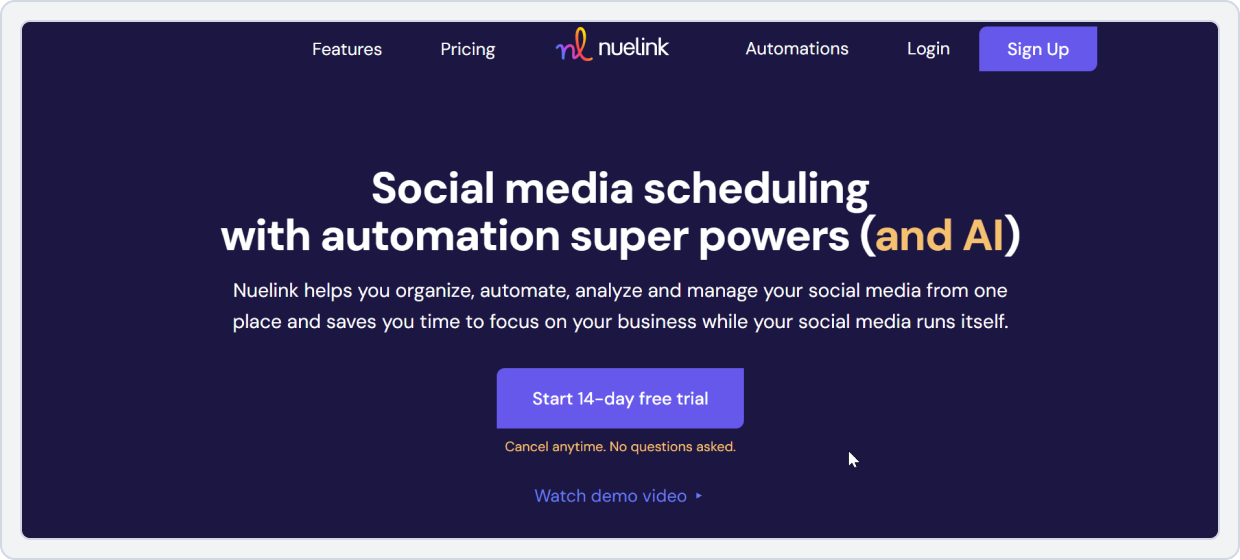
Nuelink is an automation-first social media management tool built for creators and small teams who prefer “set it and forget it” workflows. Unlike other social media scheduling tools, it connects directly to multiple content sources such as blogs, RSS feeds, podcasts, and product pages to automatically repurpose and publish posts over time.
Its standout features include the Nue.bio link-in-bio integration, a pre-made content library, content collections, an AI caption writer (NueAI), evergreen content recycling, an Auto-queue system, and many AI tools. All these features make it stand out among SocialPilot alternatives for users who want to simplify repetitive posting tasks and automate distribution, reducing the need for daily manual scheduling.
Nuelink vs. SocialPilot
Nuelink is best for e-commerce brands that rely heavily on automation and want their social media to run on autopilot. It emphasizes automated pipelines, content recycling, and hands-free publishing. Let’s look at how it stands in comparison to SocialPilot:
1. Content Scheduling and Content Sources
Nuelink excels at automating content sourcing and scheduling. It:
- Automatically pulls fresh content from blogs, YouTube channels, Shopify stores, RSS feeds, and podcasts
- Schedules and republishes posts using automated workflows
- Supports bulk scheduling of hundreds of posts through spreadsheets and content queues
SocialPilot, while offering strong scheduling options and automated pipelines via its RSS Feed Automation feature, is less focused on broad content-source integration and bulk automation. This makes it better suited for teams that need reliable social scheduling rather than extensive content recycling from multiple sources.
Nuelink vs SocialPilot Key Takeaway: Nuelink wins for automation flexibility and content recycling efficiency.
2. Content Collections and Workflow
Nuelink makes evergreen content management effortless:
- Organize posts into content collections by themes or series
- Automatically rotate posts to keep content evergreen
- Minimizes manual scheduling and ongoing maintenance
SocialPilot, while offering queue-based scheduling, requires continuous attention and management, making it less hands-free for long-term content rotation.
Nuelink vs SocialPilot Key Takeaway: Nuelink wins for long-term, hands-free content management.
3. Ease of Use and Automation Setup
Nuelink offers a streamlined, automation-focused interface:
- Quick setup and minimal ongoing management
- Designed for solo creators, small businesses, or teams
- Supports “set it and forget it” content workflows
SocialPilot, while comprehensive and feature-rich, can feel heavier and demands more manual oversight, making it better suited for teams managing multiple clients.
Nuelink vs SocialPilot Key Takeaway: Nuelink wins for simplicity and time-saving automation setup.
4. Analytics and Reporting
Nuelink provides clear, essential analytics:
- Tracks engagement, performance, and audience insights
- Focused on straightforward, actionable data
- Ideal for creators and small teams needing quick insights
SocialPilot, on the other hand, delivers more advanced analytics, including deeper historical comparisons and white-label reporting, making it better suited for agencies and larger teams.
Nuelink vs SocialPilot Key Takeaway: SocialPilot wins for in-depth analytics, but Nuelink provides enough insights for creators and small teams.
5. Platform Integrations
Neulink:
Instagram, Facebook, LinkedIn, X (Twitter), TikTok, Pinterest, WordPress, Shopify, YouTube, Medium, Etsy, Zapier, and Substack.
SocialPilot:
Facebook, Instagram, X (Twitter), LinkedIn, TikTok, YouTube, Pinterest, Google Business Profile, Threads, Bluesky, Tumblr.
6. Pricing
Have a look at Nuelink and SocialPilot’s pricing plans in detail and see which tool wins for affordability, automation, scheduling, and other features:
Nuelink | SocialPilot | |
Pricing Model | Per brand/plan | Per plan |
Free Plan | No | No |
Starter / Entry Plan | $18/mo – Standard • 1 brand • 1 member • 7 social channels • 7 automations | $50/mo – Standard • 15 social media accounts • 3 users • 1000 AI credits |
Mid-Tier Plan | Premium – $48/mo • 2 brands • 2 members • 20 social channels • 20 automations | Premium – $100/mo • 25 social media accounts • 6 users • 5000 AI credits • Bulk schedule |
Verdict | Nuelink is more cost-effective for solo creators and small businesses that want automation-first, evergreen content workflows with minimal setup. | SocialPilot is better if you need multi-user collaboration, client approvals, analytics, and white-label reporting at higher tiers. |
Nuelink vs. SocialPilot Final Takeaway
Nuelink is a better alternative for content creators, podcasters, and small brands who want to automate their publishing pipeline from multiple sources without daily scheduling.
Its content collections, automated republishing, and built-in link-in-bio feature make it a more hands-off, efficient solution than SocialPilot’s more manual workflow, especially for solo entrepreneurs and small teams.
SocialPilot Alternative#7: SocialBee
Overall Rating: 4.5/5 (Capterra)
Best For: Small to mid-sized teams that want to manage content efficiently through content ideation and categories.
Starting Price: $29/month
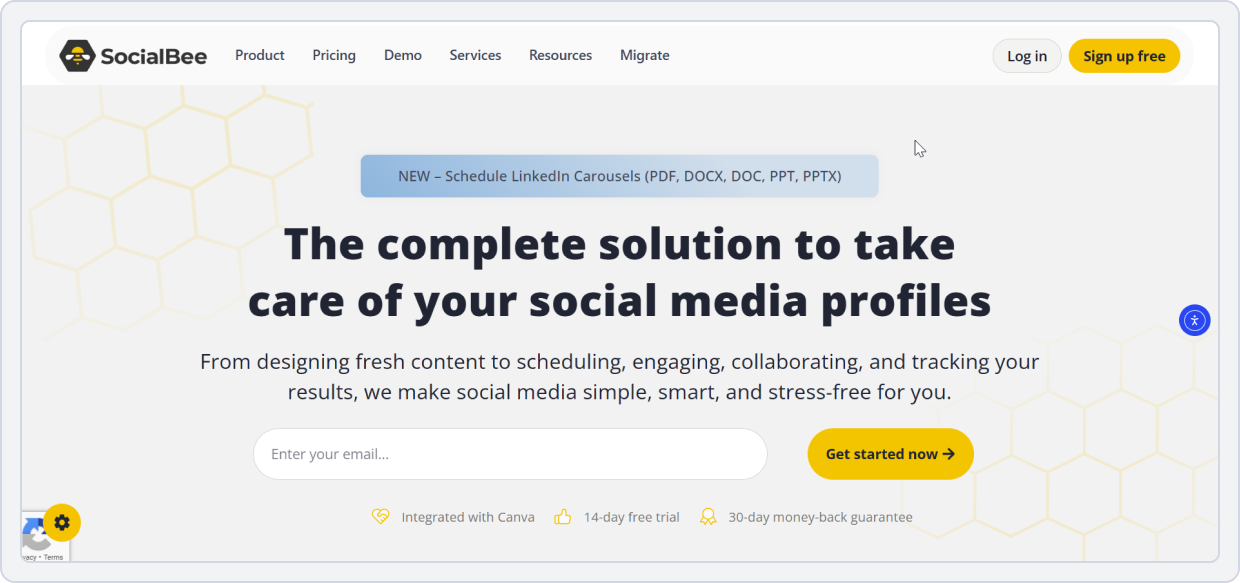
This social media management tool simplifies content scheduling, automates content recycling, and keeps your posting consistent across platforms. It’s particularly effective for small businesses, freelancers, and marketers who want a content categorization system and evergreen automation without the complexity of large agency tools like SocialPilot.
Its user-friendly interface makes it easier to manage diverse content types while saving time on repetitive tasks ike planning and recycling.
SocialBee vs SocialPilot
Understanding how SocialBee and SocialPilot differ in scheduling, automation, analytics, and collaboration can help you choose the right tool for your workflow.
1. Content Scheduling and Categorization
SocialBee is recognized for its category-based content scheduling. It helps you:
- Organizes posts into buckets such as promos, blogs, quotes, or educational content
- Allows each category to have its own posting schedule
- Keeps your content calendar balanced automatically without manual weekly planning
SocialPilot also provides robust scheduling capabilities, but it lacks the category-based queue system that makes SocialBee’s planning more automated and organized.
SocialBee vs SocialPilot Key Takeaway: SocialBee wins for smart content organization and automated category scheduling, while SocialPilot remains strong for traditional content scheduling without the advanced categorization system.
2. Evergreen Automation
SocialBee excels with its evergreen content automation:
- Automatically recycles top-performing posts
- Keeps your schedule full even when new content is limited
- Ideal for creators who need consistent posting without manual effort
SocialPilot also supports standard queue scheduling, but it doesn’t offer the same advanced automated evergreen recycling system as SocialBee.
SocialBee vs SocialPilot Key Takeaway: SocialBee clearly leads in evergreen automation, while SocialPilot is better suited for teams that rely on fresh, one-time scheduled content.
3. Analytics and Reporting
SocialBee provides essential analytics. It allows you:
- Tracks reach, engagement, audience growth, and top-performing posts
- Covers the core metrics needed to monitor performance without complexity
This makes it ideal for freelancers and small-to-medium businesses
SocialPilot, in contrast, delivers advanced analytics with cross-platform insights, white-label reporting, client-ready dashboards, and deeper audience analysis, making it better suited for agencies and larger teams.
SocialBee vs SocialPilot Key Takeaway: SocialPilot wins for deeper analytics and agency reporting, while SocialBee offers solid, essential insights for smaller teams.
4. Team Collaboration and Workflow
SocialBee supports collaboration with features like workspace roles, content review, and shared calendars, but it doesn’t offer advanced approval workflows or white-label collaboration environments. This makes it ideal for small teams or solo marketers who need lightweight collaboration.
SocialPilot, on the other hand, offers multi-level approvals, client collaboration tools, content review workflows, and white-label options, making it better suited for agencies and growing teams.
SocialBee vs SocialPilot Key Takeaway: SocialPilot is better suited to large teams and agency-grade workflows, while SocialBee is ideal for freelancers or small teams with minimal collaboration needs.
5. Platform Integrations
SocialBee:
Facebook, Instagram, LinkedIn, TikTok, Pinterest, Google Business, and X (Twitter).
Moreover, it also supports Canva, Unsplash, GIPHY, and URL shorteners like Bitly for creative workflows.
SocialPilot:
Facebook, Instagram, X (Twitter), LinkedIn, TikTok, YouTube, Pinterest, Google Business Profile, Threads, Bluesky, Tumblr.
6. Pricing
Here’s a monthly price comparison of SocialBee with ScialPilot to help you choose the right cost-effective tool:
SocialBee | SocialPilot | |
Pricing Model | Per workspace | Per plan |
Free Plan | No free plan7-day free trial available | No free plan14-day free trial available |
Typical Entry Plan | Bootstrap – $29/mo • 5 social profiles • 1 user, 1 workspace • Analytics up to 3 months | Essentials – $30/mo • 7 social accounts • 1 user • 500 AI credits • Content library & tags |
Mid-Tier Plan | Accelerate – $49/mo • 10 social profiles • 1 user, 1 workspace • Analytics up to 2 years | Standard – $50/mo • 15 social accounts • 3 users • 1000 AI credits • Inbox, analytics, collaboration |
Verdict | SocialBee delivers better value for solo marketers and small teams that want automated, category-based, evergreen scheduling. | SocialPilot is a stronger fit for agencies that need multi-user collaboration, inbox management, and client-ready reporting. |
Note: SocialBee offers two main plans: Standard and Agency. The above-mentioned pricing plans are for the Standard plan. You can explore more on their website.
SocialBee vs. SocialPilot Final Takeaway
SocialBee outperforms SocialPilot in content recycling, automation, and usability, making it ideal for marketers focused on efficiency and long-term consistency rather than complex client management. Its smart queues and evergreen posting make it a go-to alternative for creators and SMBs who want automation done right.
Also Read: Want a better SocialBee alternative? Check out the best SocialBee alternative: SocialBu, which offers more value for growing brands.SocialPilot Alternative#8: Metricool
Overall Rating: 4.4/5 (Capterra)
Best For: Marketers, agencies, and brands who prioritize deep analytics, competitor tracking, and cross-channel performance measurement.
Starting Price: $22/month
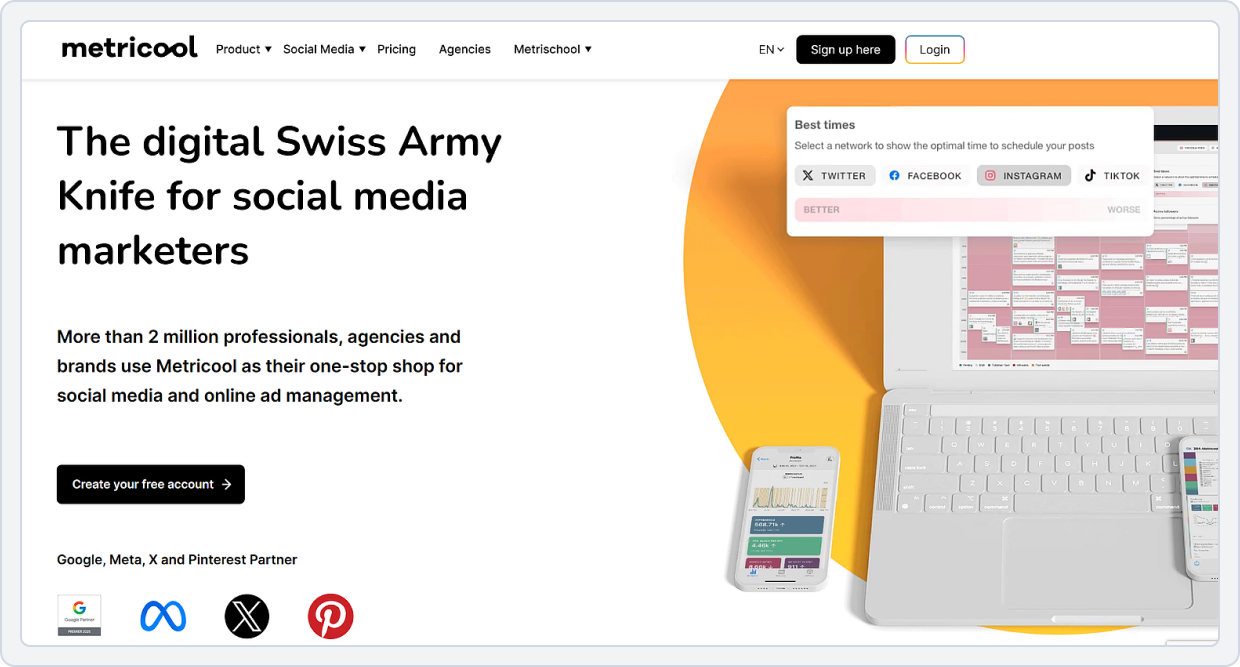
Metricool is an all-in-one analytics and social media management platform designed for data-driven marketers. Along with content scheduling, it helps users track, analyze, and optimize their overall digital presence across social networks, websites, and paid ads.
Its strength lies in providing comprehensive analytics dashboards, competitor tracking, and optimal posting time recommendations, making it ideal for brands that depend heavily on performance data. Moreover, Metricool integrates with tools such as Adobe Express and Google Ads, as well as major social media platforms.
Metricool vs. SocialPilot
Here’s what Metricool offers to stand as a SocialPilot alternative:
1. Social Media Analytics and Reporting
Metricool provides advanced analytics that let you:
- Tracks audience growth, engagement trends, impressions, and post-performance
- Monitors ad campaigns across multiple platforms
- Measure competitor benchmarking for data-driven decision-making
SocialPilot, by comparison, offers analytics focused on post-level performance, engagement, and reach, which is suitable for small businesses or solo marketers but less comprehensive than Metricool’s insights.
Metricool vs SocialPilot Key Takeaway: Metricool wins for advanced analytics, competitor tracking, and deep data visualization.
2. Content Scheduling and Planning
Metricool streamlines content scheduling. It:
- Supports all major platforms with a unified calendar for posts, ads, and competitor activity
- Offers innovative suggestions for optimal posting times based on past performance
- Enables bulk scheduling, recurring posts, and unified campaign views for easier multi-platform management
SocialPilot also provides robust scheduling capabilities, including multi-platform posting, recurring content, and queue management, making it well-suited for agencies handling multiple clients.
Metricool vs SocialPilot Key Takeaway: Metricool wins for smarter, data-backed scheduling insights, while SocialPilot covers the essentials for scheduling across multiple accounts.
3. Competitor and Ad Tracking
Metricool excels at competitor and ad tracking. It can help you:
- Monitor competitor accounts and benchmark engagement metrics
- Track paid campaigns on Facebook, Instagram, TikTok, and Google Ads alongside organic posts
- Gain a unified view to analyze trends, refine campaigns, and respond to competitor strategies in real time
Though SocialPilot simplifies social media management, marketers require additional tools to access the same depth of competitor insights.
Metricool vs SocialPilot Key Takeaway: Metricool wins for multi-channel performance tracking, competitor monitoring, and paid campaign insights.
4. Content Approval Workflow
Metricool offers streamlined content approval workflows that are ideal for agencies managing multiple clients or recurring campaigns:
- Team members can submit posts, receive feedback, and approve content efficiently
- Helps save time and maintain consistency across posts
SocialPilot also offers collaboration features, team roles, and client approvals, but these are limited to higher-tier plans, and users sometimes encounter challenges with co-editing and content review.
Metricool vs SocialPilot Key Takeaway: Metricool slightly edges out the competition for streamlined approval workflows, especially for teams managing multiple clients or recurring campaigns.
5. Ease of Use and Dashboard Experience
Metricool features a modern, visually rich, and insight-driven interface:
- Dashboards combine analytics, scheduling, and competitor insights in one place
- Perfect for marketers who rely on data to guide strategy
- Supports strategic decision-making with clear, actionable visuals
SocialPilot, in contrast, offers a simpler and user-friendly layout that is easier for beginners and small businesses to navigate.
Metricool vs SocialPilot Key Takeaway: Metricool wins for insight-heavy dashboards; SocialPilot wins for simplicity and ease of onboarding.
6. Platforms Integration
Metricool:
Facebook, Instagram, X (Twitter), LinkedIn, TikTok, Pinterest, YouTube, Twitch, Google Business Profile, Threads, Bluesky
SocialPilot:
Facebook, Instagram, X (Twitter), LinkedIn, TikTok, YouTube, Pinterest, Google Business Profile, Threads, Bluesky, Tumblr.
7. Pricing
Here’s a pricing comparison of Metricool and SocialPilot to help you look at each tool’s offers in detail and decide which one to choose:
Metricool | SocialPilot | |
Pricing Model | Per plan | Per plan |
Free Plan | Yes • Manage all brand accounts (except LinkedIn and Twitter) • Schedule up to 50 posts/month | No free plan • Only 14-day free trial available |
Starter / Entry Plan | Starter – $22/mo • Manage all brand accounts (excluding Twitter) • Unlimited scheduling • LinkedIn connection + Twitter/X add-on | Essentials – $30/mo • 7 social media accounts • 1 user • 500 AI credits • Content library • Tags |
Mid-Tier Pla | Advanced – $54/mo • Unlimited teams and clients • Customizable report templates | Standard – $50/mo • 15 social media accounts • 3 users • 1000 AI credits |
Verdict | It offers greater value to data-driven users by combining analytics, competitor benchmarking, and scheduling into a single plan. | SocialPilot focuses more on content management at a slightly higher cost. |
Metricool vs. SocialPilot Final Takeaway
This platform stands out as a better alternative for marketers and agencies who prioritize analytics, competitor tracking, and ad insights. SocialPilot excels in content management and collaboration.
Furthermore, Metricool offers a data-first experience, combining scheduling, reporting, and audience intelligence into a single, powerful platform. It’s the go-to tool for brands that want actionable insights rather than just content posting.
Check out: Check out the full Metricool pricing breakdown—free vs. premium features explained clearly to decide which plan to choose.SocialPilot Alternative#9: Brandwatch

Overall Rating: 4.2/5 (Capterra)
Best For: Large brands, agencies, and enterprise teams needing powerful social listening, real-time brand monitoring, and competitor intelligence.
Starting Price: $800+/month
Brandwatch is a top SocialPilot alternative on our list for its social media management suite, which offers social listening, intelligence publishing, analytics, and advanced brand monitoring. It excels at capturing conversations across more than 100 million sources, including social media, blogs, forums, news sites, and review platforms.
With Brandwatch, teams can build custom and shared dashboards, run deep sentiment analysis (emotions, emotion topics), and set up alerts for real-time mention tracking. Its advanced AI (called Iris) helps you identify the most valuable insights in your dataset.
Moreover, the platform offers a high level of competitor and trend benchmarking, enabling brands to stay ahead with insights into competitors’ activities.
It’s a strong SocialPilot alternative when you want not just scheduling but also social media analytics, social listening, brand reputation, engagement trends, and meaningful business intelligence.
Brandwatch vs SocialPilot
Let’s look at the feature comparison of Brandwatch vs SocialPilot:
1. Social Insights and Analytics
Brandwatch delivers advanced analytics:
- Provides share-of-voice reports, sentiment tracking, and trend detection
- Offers real-time insights into audience behavior and engagement patterns
- Helps brands make strategic, data-driven decisions
SocialPilot, on the other hand, provides more basic analytics, focusing primarily on engagement metrics, audience demographics, hashtag performance, and post-level reporting.
Brandwatch vs SocialPilot Key Takeaway: Brandwatch wins for analytics complexity and strategic insight.
2. Advanced Social Listening and Benchmarking
Brandwatch’s listening engine tracks data from over 100 million online sources, monitors real-time mentions, and uses its AI assistant Iris to detect spikes, patterns, and anomalies. SocialPilot does not offer social listening or competitive benchmarking at all.
Brandwatch excels in social listening, it:
- Monitors over 100 million online sources in real time
- Tracks brand mentions, hashtags, and keywords across platforms
- Uses AI (Iris) to detect patterns, anomalies, and trends for a proactive strategy
SocialPilot, in contrast, does not provide social listening features and limited monitoring capabilities.
Brandwatch vs SocialPilot Key Takeaway: Brandwatch wins for full-scale brand monitoring and listening.
3. Content Scheduling and Publishing
Brandwatch provides a comprehensive social media publishing suite. It offers:
- Centralized content calendars and automated scheduling
- Approval workflows and role-based access
- Asset libraries with channel-specific previews
- Enterprise-grade planning for multi-platform campaigns
SocialPilot also supports scheduling and posting across platforms, but it does not offer the same depth and lacks Brandwatch’s advanced planning, asset management, and enterprise-grade publishing workflows.
Brandwatch vs SocialPilot Key Takeaway: Brandwatch wins for depth of content publishing and enterprise-ready workflows.
4. Team Collaboration and Workflow Approvals
Brandwatch delivers robust collaboration tools:
- Role-based permissions and multi-team workspaces
- Controlled approval workflows and task assignments
- Content tagging and compliance management
SocialPilot also supports team collaboration, but its features are better suited to small to mid-sized teams and agencies. However, it also offers a customizable Enterprise plan for larger organizations and teams.
Brandwatch vs SocialPilot Key Takeaway: Brandwatch wins for enterprise-level collaboration and structured workflow management.
5. Platforms Integration
Brandwatch:
Facebook, Instagram, X (Twitter), LinkedIn, TikTok, YouTube, Reddit, WhatsApp.
It also integrates with PR and analytics tools via API, and supports dashboard sharing and team collaboration.
SocialPilot:
Facebook, Instagram, X (Twitter), LinkedIn, TikTok, YouTube, Pinterest, Google Business Profile, Threads, Bluesky, Tumblr.
6. Pricing
Key Note: Brandwatch does not disclose its pricing publicly; to learn more, you have to contact a salesperson. But it does require a significant investment, making it more suited to enterprises and large teams who prioritize social listening, monitoring, and in-depth analytics.
On the contrary, SocialPilot clearly lists the costs of its pricing plans, including all add-ons for extra accounts and additional users.
Also Read: Curious to know Brandwatch pricing? Get a transparent look at Brandwatch pricing and understand what you’ll really pay.Brandwatch vs. SocialPilot Final Takeaway
Brandwatch is a better alternative to SocialPilot for brand monitoring, social listening, competitor benchmarking, and deep analytics.
While SocialPilot is excellent for planning and publishing social media content, Brandwatch offers strategic insight into how your brand is perceived, what your competitors are doing, and where engagement is shifting. For enterprise teams valuing data-driven social intelligence, Brandwatch is a powerful choice.
Conclusion
Here’s your guide to the best SocialPilot alternatives. Now it’s your turn to choose the one that meets your workflow-specific needs.
Remember, the right tool for your agency comes down to what matters most, whether that’s team collaboration, deeper analytics, easier client approvals, or more affordable pricing.
On this list, there are plenty of SocialPilot alternatives to explore, each with its unique capabilities and features.
However, if you want a tool that’s budget-friendly and feature-rich, SocialBu is your best fit for all your social media management needs. It offers automation, bulk scheduling, workflow approvals, analytics, and multi-platform publishing at a better value than SocialPilot and most competitors.
Now, your next steps are:
- Identify your needs and what you need in a tool
- Choose a social media scheduling tool that aligns with them
- Sign up for a free trial and test the features
- Lock the one you’re satisfied with
Tired of Hidden Pricing?
SocialPilot too pricey? Try SocialBu, a smart alternative offering content scheduling, social listening, and analytics just under $20/month.
FAQs
What are the best team collaboration tools for social media besides SocialPilot?
Some of the best team collaboration tools are SocialBu, ContentStudio, Publer, and SocialBee. These platforms offer shared workspaces, team roles, comments, and approval features, giving smoother teamwork than SocialPilot’s limited collaboration setup.
Which alternatives offer better client approval workflows?
ContentStudio, Publer, SocialBu, and SocialBee offer cleaner, faster client approval workflows with comments, draft reviews, and controlled publishing access. These tools make the approval process easier for agencies and teams handling multiple brands.
Are there more affordable SocialPilot competitors?
Yes, tools like SocialBu, Pallyy, Publer, and Nuelink offer budget-friendly plans that include scheduling, automation, and analytics. They’re ideal for freelancers, creators, small teams, and startups looking for cheaper alternatives to SocialPilot.
What are the top alternatives for bulk scheduling?
For high-volume content, SocialBu and Publer offer robust bulk scheduling with CSV uploads, content queues, and evergreen recycling. They allow teams to manage large posting schedules with less manual work.
Which tools provide better analytics than SocialPilot?
If analytics matter most, Metricool clearly stands out with competitor tracking, web analytics, and deeper performance insights. ContentStudio also offers rich reporting suited for agencies managing multiple clients.
Do any competitors offer better calendar views?
Yes, SocialBu, Pallyy, and ContentStudio include more modern, visually organized calendars with drag-and-drop scheduling. Their standout layouts make content planning easier.
Which tools have better client management features?
Tools like SocialBu and ContentStudio provide cleaner multi-brand management with client workspaces, role-based access, and organized content libraries. These options are well-suited for agencies handling multiple brands.
Are there alternatives with better customer support?
Many users report better support experiences with SocialBu, Publer, and Nuelink, which offer faster responses and more hands-on help. These platforms often resolve issues more quickly.
What competitors offer better integration options?
ContentStudio leads in integration depth with connections to CMS tools, blogging platforms, and content discovery engines. SocialBu also offers robust integrations, including webhooks, RSS, and support for all major platforms, enabling a flexible automation setup.