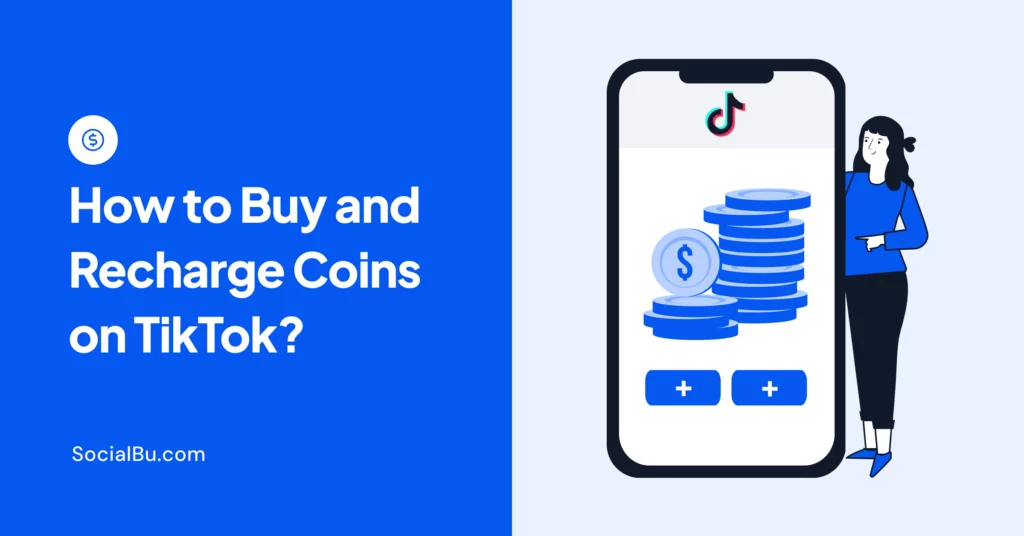
Buying and recharging TikTok coins in 2026 is simple. You can use the in-app purchase flow or official payment methods to top up instantly.
TikTok Coins are used to send gifts and support creators. The platform has made this easy, but costs and steps can vary by region.
This guide shows how to buy coins, recharge safely, and avoid scams.
What is the Fastest Way to Buy TikTok Coins?
Here’s the fastest way to buy TikTok Coins:
- Open TikTok
- Go to Profile and click the ‘Menu.’
- Tap on Balance from the menu
- Click on Get Coins
Pick a bundle, choose a payment method, and click on Tap Recharge. That’s the whole process.
Can You Get Free TikTok Coins?
Yes. There are very few authentic ways to get free TikTok coins. TikTok occasionally runs promotional events where users can earn small amounts of coins. Other ways are rewards through challenges, creator programs, or regional programs.
That’s where the authentic options end.
What Are the Safe Places to Buy TikTok Coins?
The only safe place to buy TikTok coins is: the TikTok app itself, TikTok.com/coin, or reseller platforms listed by TikTok’s official help pages.
Anything else is either fake or a risk and, most important loss.
Keep reading to understand how to buy TikTok Coins through the app.
Step-by-Step Guide to Buying TikTok Coins
Here’s a step-by-step guide to TikTok recharge using the mobile app so you don’t get stuck anywhere:
Method 1: In-App Recharge (Mobile)

Step 1: Open the TikTok app on your phone, and make sure you are logged in. Tap the Profile icon in the bottom-right corner of the screen. In the top-right corner
Step 2: Tap the three Horizontal lines.
Step 3: Select ‘Balance’ from the menu. This section shows your current Coin balance and transaction history.

Step 4: Inside the Balance section, tap ‘Get Coins’.
Step 5: Choose the bundle that fits your needs. Larger packages usually give better value per coin, so they’re ideal if you plan to send gifts frequently.

Step 6: Pick your preferred payment option (varies by region), such as:
- Credit/Debit Card
- Google Pay / Apple Pay
- PayPal
- Mobile carrier billing
Step 7: Review your purchase details, then tap ‘Recharge’ to complete the TikTok recharge. Your Coins will be added to your account instantly.
Method 2: Recharge During LIVE
This is the quickest way to complete a TikTok recharge when you’re already watching a LIVE and want to send a gift immediately.
Step 1: Scroll through your feed or tap on a creator who is currently LIVE. Once you enter the stream, you’ll see comments, reactions, and gifting options on the screen.
Step 2: Look for the Gift icon, usually located at the bottom of the LIVE screen. Tapping it opens the gifting panel, where you can see all available virtual gifts and their Coin values.
Step 3: Browse through the gift options and tap on the one you want to send. Each gift has a different Coin cost-some are small (for quick interaction), while others are premium (for higher visibility).
Step 4: If your balance is low or empty, TikTok will prompt you to recharge instantly. This allows you to buy Coins without leaving the LIVE stream, so you don’t miss the moment.
Step 5: Choose your payment method and confirm the purchase. Your Coins will be added instantly, and the selected gift will be sent right away.
Why This Method Is So Popular?
- Real-time interaction: You can send gifts at the perfect moment
- Better visibility: Timely gifts are more likely to get noticed
- Smooth experience: No need to leave the LIVE or open settings
This makes LIVE recharge the fastest and most engaging way to use TikTok recharge, especially during high-energy streams where timing matters.
TikTok Coin Prices in 2026 (By Country)
These prices vary slightly due to exchange rates and taxes.
United States (USD)
Coins | Price | Cost per Coin |
65 | $0.99 | $0.015 |
330 | $4.99 | $0.015 |
660 | $9.99 | $0.015 |
1321 | $19.99 | $0.015 |
3,303 | $49.99 | $0.015 |
6,607 | $99.99 | $0.015 |
16,500 | $249.99 | $0.015 |
33,000 | $499.99 | $0.015 |
These prices show approximate 2026 web pricing. In-app iOS purchases can run 20-30% higher due to Apple’s App Store fees.
Pakistan (PKR)
Coins | Price | Cost per Coin |
100 | Rs. 450 | Rs. 4.50 |
200 | Rs. 800 | Rs. 4.00 |
300 | Rs. 1,150 | Rs. 3.83 |
500 | Rs. 1850 | Rs. 3.70 |
1,000 | Rs. 3,600 | Rs. 3.60 |
2,000 | Rs. 6,800 | Rs. 3.40 |
3,000 | Rs. 10,000 | Rs. 3.33 |
5,000 | Rs. 17,500 | Rs. 3.50 |
10,000 | Custom | Lowest Rate |
Prices may shift slightly with exchange rate fluctuations.
India (INR)
India also receives a regional discount of around 15%.
Coins | Price | Cost per Coin |
100 coins | ₹118 | ₹1 |
500 coins | ₹590 | ₹1 |
1000 coins | ₹1,180 | ₹1 |
2500 coins | ₹2,950 | ₹1 |
5000 coins | ₹5,900 | ₹1 |
10,000 coins | ₹11,800 | ₹1 |
United Kingdom (GBP)
Coins | Price | Cost per Coin |
65 Coins | £0.79 | £0.012 |
330 Coins | £3.99 | £0.012 |
660 Coins | £7.99 | £0.012 |
1,321 Coins | £15.99 | £0.012 |
What TikTok Recharge Really Does? (And What It Doesn’t)
TikTok recharge is the simple process of buying coins to send gifts during LIVE streams. Creators can later cash them out by converting them into diamonds. That’s how the system works.
- You buy coins
- You send a gift
- Creator receives diamonds
- Diamonds convert into cash
What Happens When You Send TikTok Coins?
When you send a gift, at once these things happen:
- An animation appears on screen
- Your username gets visibility for some time
- The receiver gets a signal to notice you
But here’s what doesn’t happen:
- No follower boost
- No algorithm ranking
- No guaranteed reply
Coins don’t increase your visibility, followers, or algorithm ranking. They only create monetary attention inside the live stream.
TikTok Gift Prices: What Each TikTok Gift Actually Costs?
You spend coins on gifts. There are many available on TikTok, from a single coin to more than most people’s monthly expenses. Shocking.
Here’s a breakdown to help you understand completely.
Budget Friendly TikTok Gifts (1-100 coins)
Gift | Coin | USD Value |
Rose | 1 | $0.01 |
Heart | 1 | $0.01 |
Finger Heart | 5 | $0.05 |
Cute Sausage | 5 | $0.05 |
Bunny | 10 | $0.12 |
Coffee Time | 15 | $0.19 |
Sign Love Language | 49 | $0.61 |
Birthday Crown | 99 | $1.22 |
Self-care Mask | 99 | $1.22 |
Fist Bump | 90 | $1.11 |
These gifts are perfect if you want to show your support and love for creators. Sending more gifts makes you get noticed more than you’d expect.
Mid-Tier TikTok Gifts (199-1,000 coins)
Gift | Coin | USD Value |
Sending Positivity | 199 | $1.81 |
Boxing Glove | 299 | $2.71 |
TikTok Crown | 299 | $2.71 |
Mic Check | 399 | $3.62 |
Hands Up | 499 | $4.53 |
Claw Machine | 800 | $10.37 |
Picnic Basket | 1000 | $12.97 |
This is the most used Gift tier, which is expensive enough to feel meaningful. Once you send this gift in LIVE, everyone sees it.
Premium TikTok Gifts (2,000+ Coins)
Gift | Coins | USD Value |
Concert | 2888 | $39.23 |
Big Ben | 15,000 | $196.50 |
Interstellar | 10,000 | $142.02 |
TikTok Shuttle | 20,000 | $275.10 |
Lion | 29,999 | $412.64 |
Gaming Keyboard | 4000 | $54.34 |
DJ Alien | 5000 | $67.93 |
These gifts aren’t for sending every day. They’re for moments like birthdays, important events, or when you want to make an impact.
 Also Read: Best Time to Post on TikTok to get your posts live on the best times for maximum engagement.
Why TikTok Gifts Matter in the Creator Economy?

TikTok LIVE gifting is part of a growing creator monetization system. TikTok has over 1.5+ billion active users globally.
Live features are among the fastest-growing engagement formats on the platform. A significant portion of creator income now comes from virtual gifting during livestreams.
What Happens When You Send a Big Gift at the Wrong Time?
This is one of the most expensive mistakes. Someone joins a LIVE, sees many viewers, and thinks:
‘I need a big gift to stand out.’
But what happens instead:
- Animation plays
- It keeps moving
- Creator misses it or gives a cold ‘thankyou.’
No interaction. No real connection.
How to Make Your TikTok Coins Actually Count?
People think buying TikTok coins is a waste of money, but it isn’t. The real mistake is sending gifts at the wrong time.
Always send Galaxy when:
- The creator is sharing about any milestones
- Any birthday topic creator is discussing
- When a creator asks a question, and the engagement is hot
- Right at the start of the stream, when there are fewer people and gifts
These all can fix most wasted spending.
What’s the Real Secret to TikTok Growth?
TikTok coins are short bursts of attention. If your goal is to grow on TikTok, you hit a limit very quickly.
Growth comes from consistency, not visibility alone. Mean:
- Posting regularly
- Showing up at the right time
- Staying active with your audience
And if you can’t do this all manually. That’s where an affordable social media scheduler like SocialBu comes in handy. You can:
- Plan content in advance
- Schedule TikTok posts in advance – stay active without being glued to your phone
- Generate captions and content ideas with AI – never stare at a blank screen again
- Manage engagement across all platforms from one dashboard
- Track what’s actually working – so you stop guessing and start growing
- Automate responses to keep your audience warm between live sessions
Coins might get you noticed, but consistency gets you remembered.
Spending Coins? But Are You Actually Growing?
Stay visible 24/7 with SocialBu. Schedule, create, automate, and track in one place.
What Factors Affect TikTok Coin Prices?
Not everyone pays the same price for TikTok Coins, and that’s because of several factors.
1. Country and Region
TikTok sets different coin prices depending on your country or region. These adjustments are based on local purchasing power, economic conditions, and regional market strategies.
For example, users in countries like the United States or the UK may see higher prices than users in markets such as India, Indonesia, or parts of Southeast Asia. Their prices are set to remain affordable for a broader audience.
2. Exchange Rates
If your TikTok account or payment method uses a currency different from your local one, exchange rate fluctuations can affect the final amount you pay.
3. Bundle Size Discounts
TikTok offers different coin bundles, and larger packs usually offer more value per coin. Buying in bulk lowers the cost per coin, making it a better option if you send gifts often.
With time, larger bundles can help you save more than buying small packs repeatedly.
What are TikTok Coins Recharge Options? (Availability Varies by Country)
TikTok has made it easier for people around the world to buy coins and support creators. Recharge options depend on where you live. Web purchases work only in some countries, and gift cards aren’t available everywhere.

1. In-App Wallet Recharge
The most common way to top up your TikTok wallet is to do so directly in the app. You can purchase coins instantly using your preferred payment method. It can be a credit card or other supported options. This is to support creators who earn through gifts alongside programs like the TikTok Creator Fund.
This method is easy because it keeps you in the app.
2. Web-Based TikTok Recharge
For people who prefer to use TikTok on a computer, this method is best for recharging TikTok coins. All you need to do is log in to your account, access the wallet settings, and you can easily add coins and manage transactions on a larger screen.
3. Live Stream Instant Recharge
Another way to recharge your TikTok coins is during LIVE streams. This instant recharge feature ensures you never miss a chance to send gifts.
4. Region-Specific Payment Options (Cards, Wallets, Carrier Billing)
TikTok supports a variety of payment methods depending on your country or region, making recharge easier. These methods include credit card, debit card, popular digital wallets such as Paytm, GCash, or Dana, and carrier billing through your mobile network provider.
In some markets, vouchers and prepaid cards are also available. This is flexibility for people who may not have access to traditional online payment methods.
Final Takeaway
The TikTok recharge system is simple, but using it well isn’t. If you can take one thing from this guide, make it this: Coins don’t create attention.
If you hit the right moment, even a small gift works. But if you miss it, even the biggest gifts fail. So, before you recharge again, don’t ask:
‘How much should I spend?’
Ask:
‘Is this the right moment to be seen?’
And if your goal goes beyond just being seen. If you actually want to grow. Consistency, timing, and content strategy matter more. That’s where social media scheduling tools like SocialBu quietly do the heavy lifting. Because in the end, Coins might get you noticed. Systems get you growth.
FAQs
Q: Are TikTok coins worth it?
A. Yes. But only if used during high engagement LIVE moments.
Q: Can you get free TikTok coins?
A. Occasionally, TikTok runs promotions or reward events, but there is no permanent or guaranteed method to earn free coins.
Q: Do TikTok gifts increase followers?
A. No. Gifts only create a temporary, visible effect in LIVE streams. They do not directly influence follower growth.
Q: Why are TikTok coins cheaper on Desktop?
A. Because desktop purchases avoid Apple/Google app store fees, which often add 20-30% extra cost.