2025 was a “make it easier” year at SocialBu.
This 2025 recap covers the biggest workflow improvements we shipped across social media scheduling, bulk posting, social Inbox engagement, and social media automation. So you can publish, reply, and stay consistent.
If you’re running an agency, you don’t need more tabs, more dashboards, or more back-and-forth. You need a system that helps you publish faster, stay consistent, and never miss a message.
If you’re a busy business owner, you want the same outcome: Stay active, respond quickly, and keep leads moving without living inside social apps all day.
And that workflow starts the second you log in. One place where you can check performance, see what’s scheduled next, and spot what needs your attention, such as posts, conversations, approvals, and automations.
So this year, we focused on one thing: turning chaotic social media work into a simple, reliable workflow.
2025 in One Line
Fewer hurdles. More flow.
From a cleaner composer and mobile-friendly web app to bulk uploads to grow, Reels support, Google Drive media imports, and new ways to create faster, this 2025 recap covers the practical improvements we shipped at SocialBu.
The Big Wins of 2025!
Let’s take a look at some major changes we made to make your social media management a little easier and smoother.
1. Publishing Got Faster and Smoother
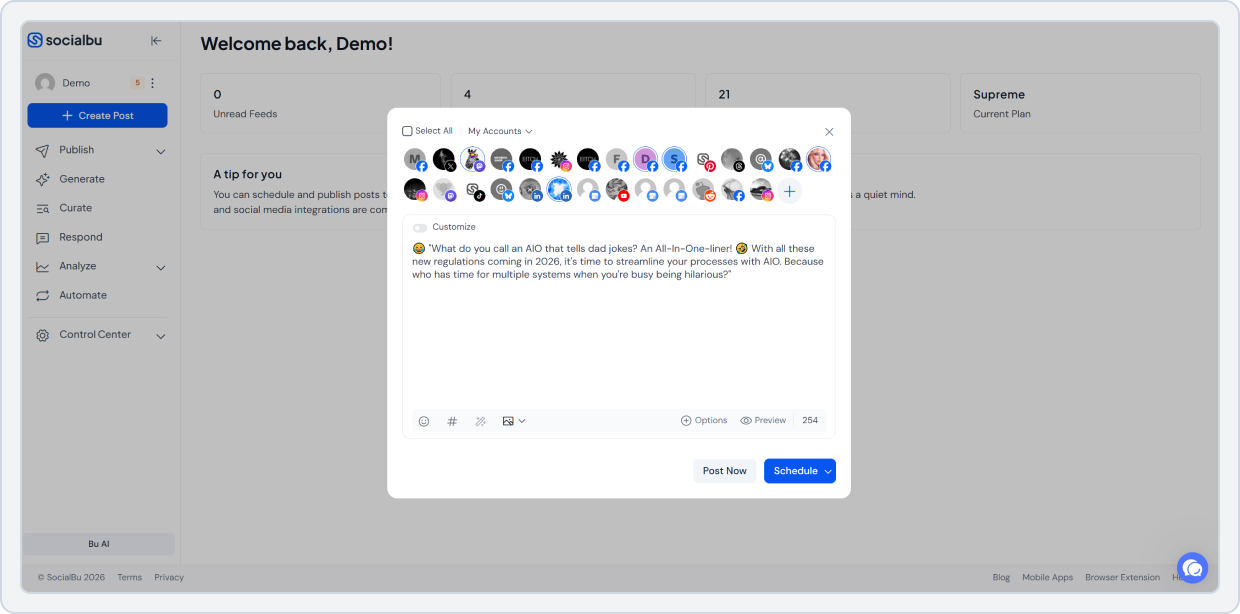
We gave the Post Composer a cleaner look, so writing and scheduling feel easier and less complex, since you do them every day. Writing and scheduling social media posts is faster and smoother.
And we made the WebApp mobile-friendly so you can manage content from your phone or tablet when life happens.
What changed? Fewer clicks, less fiddling, faster posting.
2. Bulk Scheduling Got Even Better!
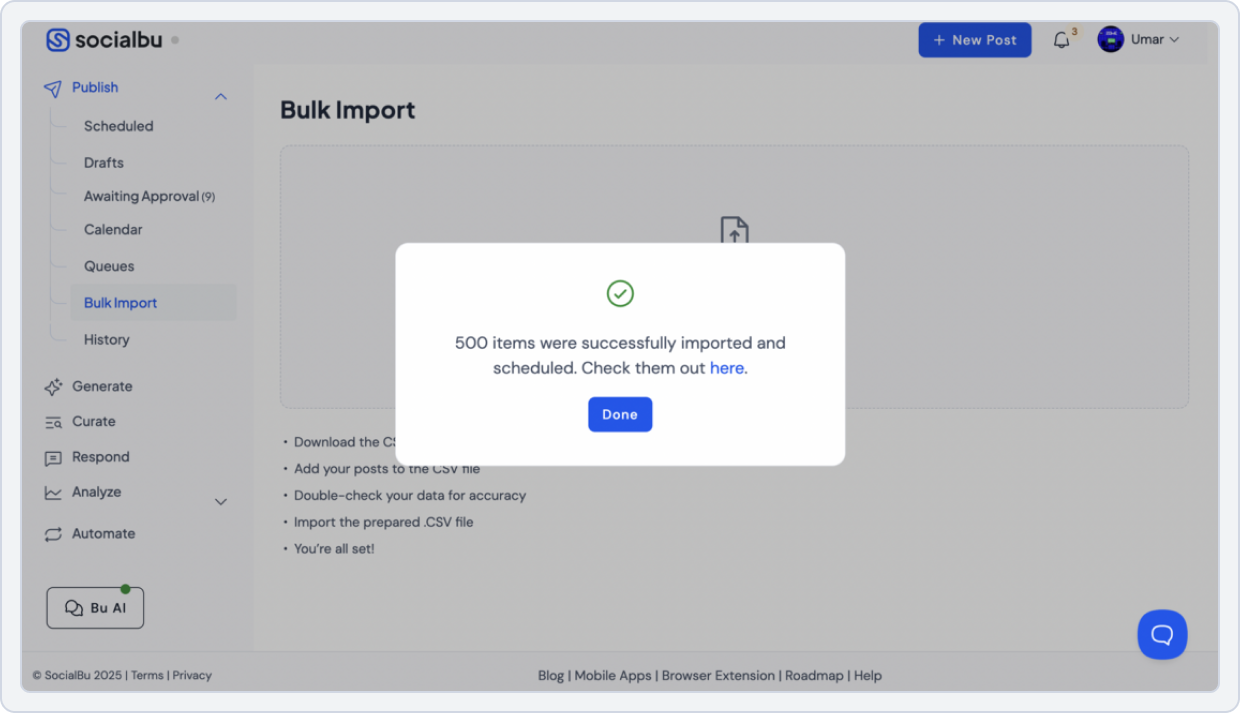
Bulk scheduling and uploading got even more agency-friendly:
- Custom thumbnails via bulk import
- Thumbnail handling fixed for bulk video uploads
- Higher bulk upload limits (so teams can schedule in batches, not tiny bursts)
In this 2025 recap, bulk scheduling is one of the biggest wins for agencies managing multiple brands.
What changed? If your workflow includes “schedule a month for 10+ brands,” this was your year.
3. Video-First Workflows Got Stronger
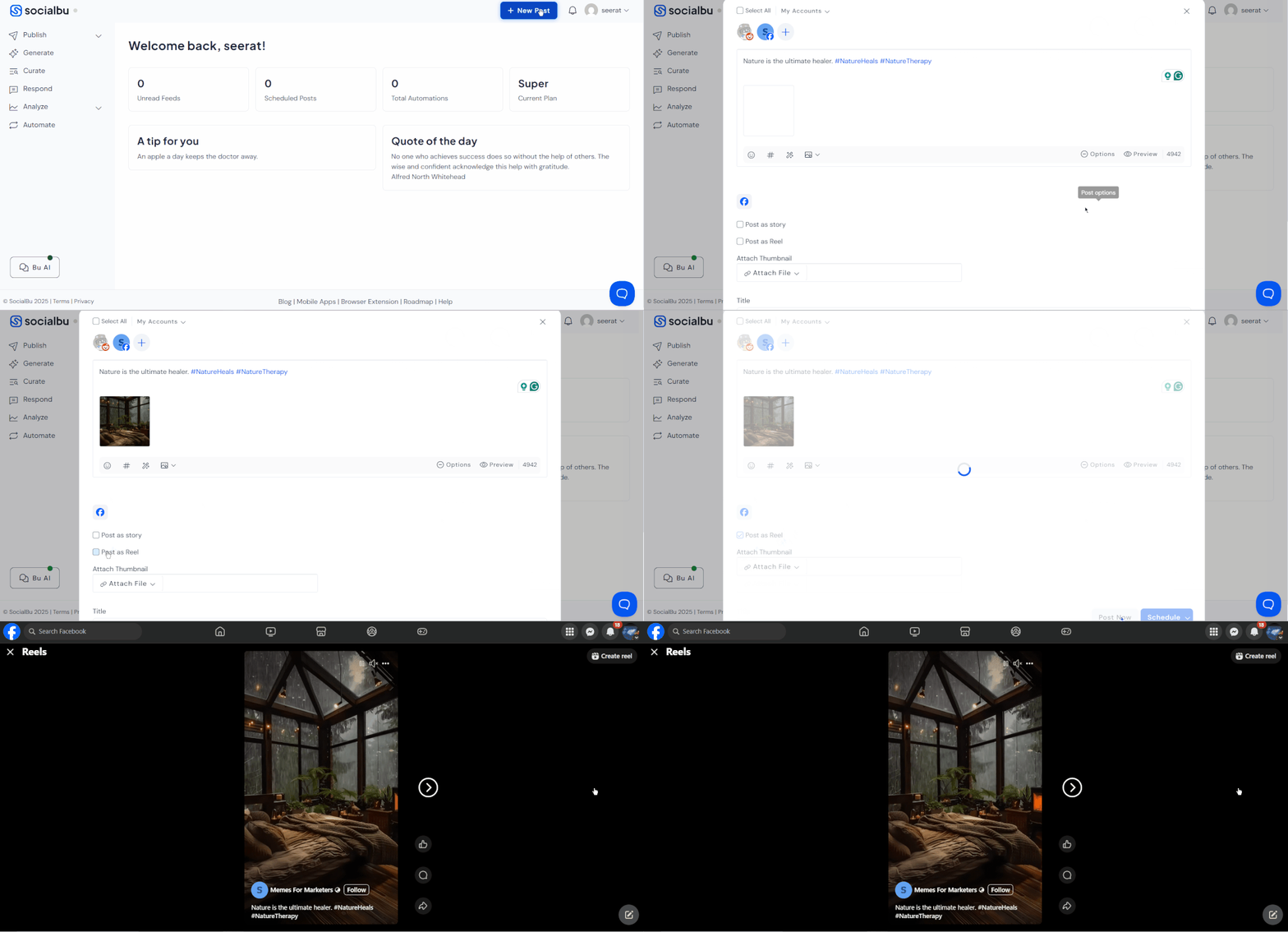
Social media is so video-heavy, and your tool needs to keep up. In 2025, we made improvements that make video publishing more dependable across multiple platforms, including Reels support and smoother Reels uploads.
What changed? Less stress when posting videos and more reliable uploads, fewer failed attempts, and smoother Reels publishing.
4. A Cleaner Workspace
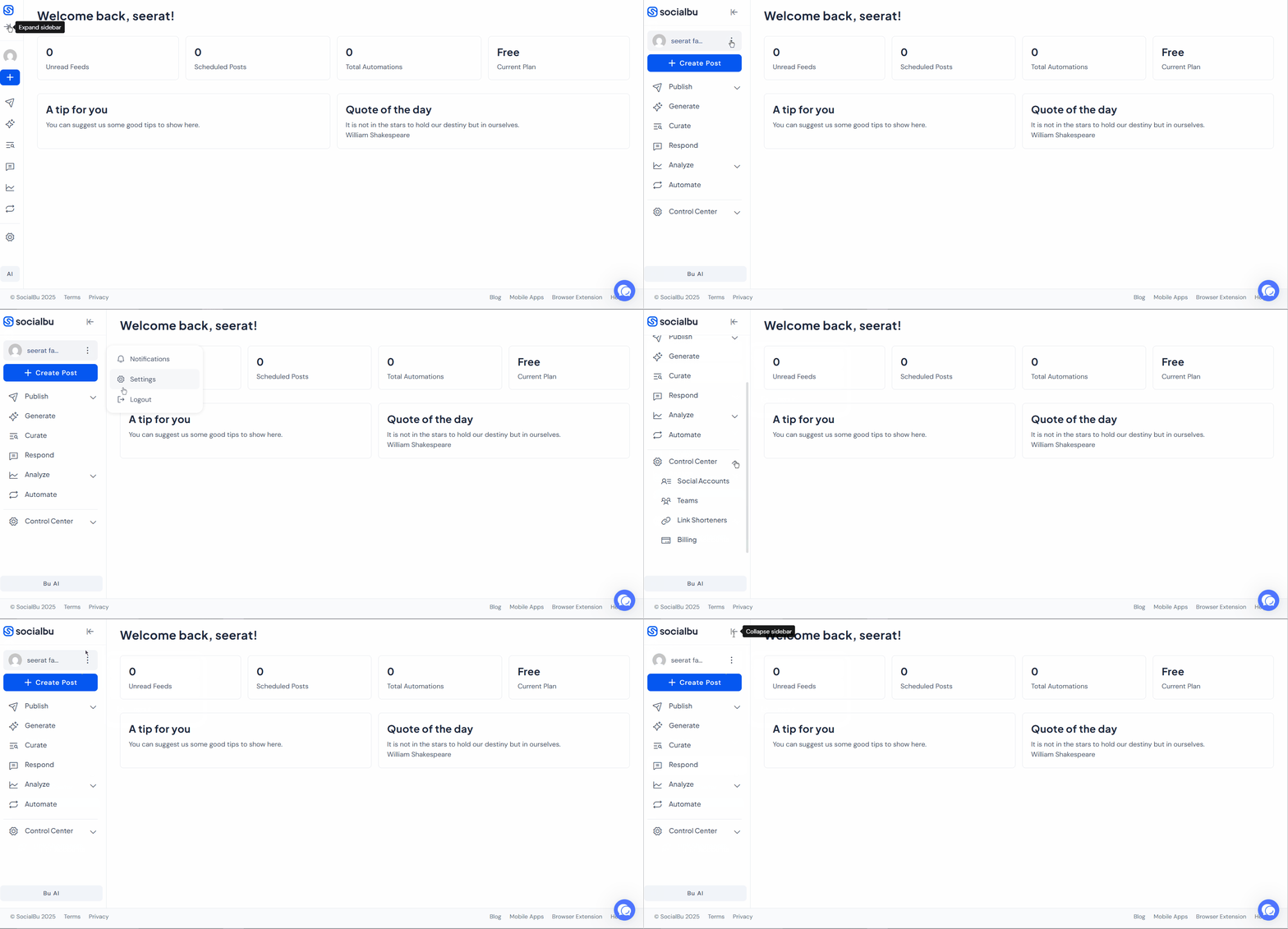
We introduced a collapsible sidebar to free up space and make navigation easier because a calmer workspace makes content planning easier.
What changed? More room to work, less clutter on screen, and faster navigation while you plan and schedule.
5. Media Organization Got Easier With Google Drive
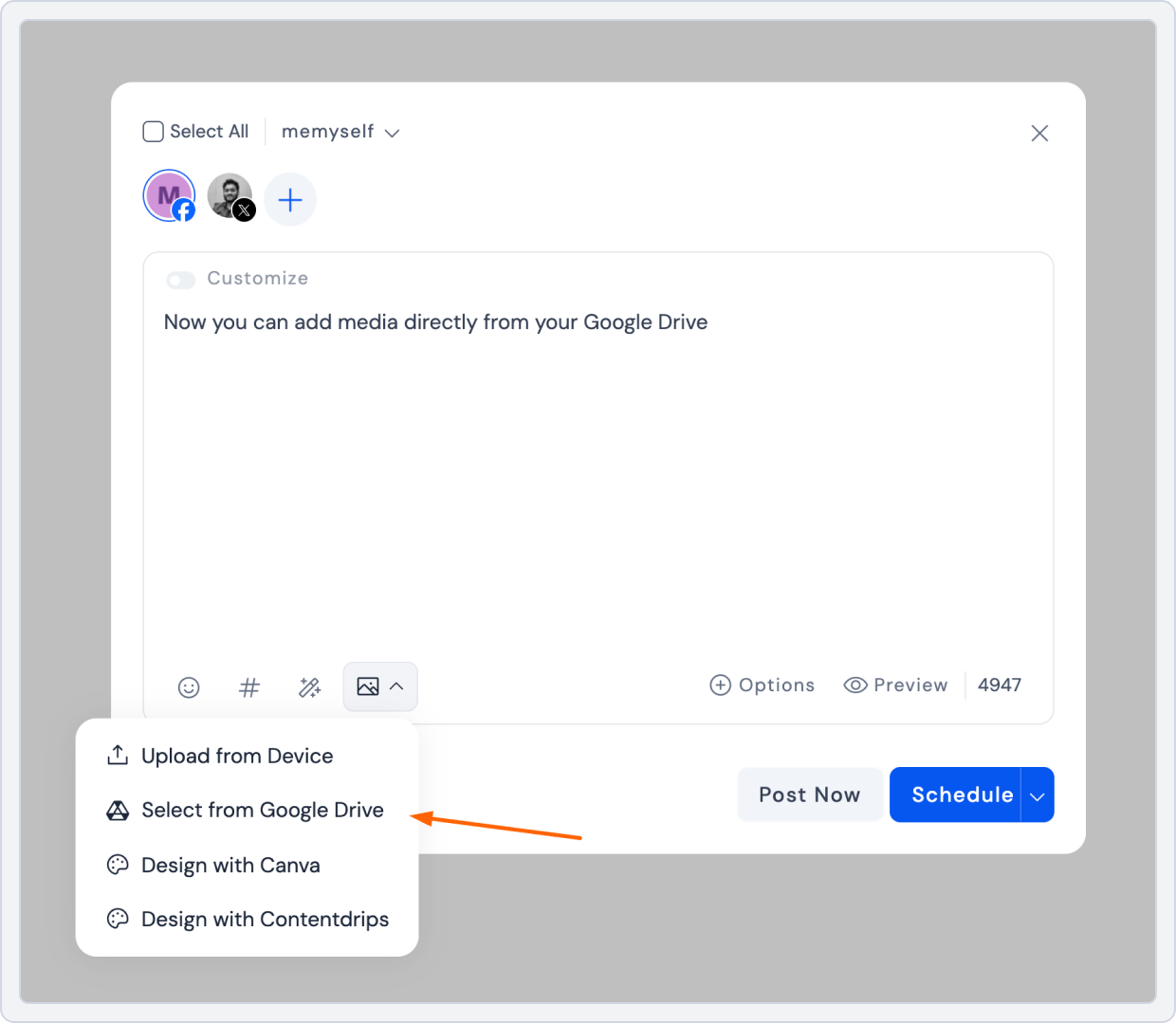
Now you can pull media directly from Google Drive into SocialBu. So, your assets stay organized, and publishing gets faster.
What changed? No more downloading, re-uploading, or looking for files. Just choose the right media and schedule it.
6. Engagement Became Easier: One Inbox for Comments, Mentions, and Reviews
No one wants to switch between platforms just to keep up with replies.
With SocialBu’s improved Social Media Inbox, you can respond to messages, comments, post replies, mentions, and reviews from one place. You don’t need a pile of tabs open to stay responsive.
What changed? Faster engagement, fewer missed conversations, and a cleaner way to manage community work.
7. Automation Got More Practical: Reply Faster, Trigger Actions, Keep Work Moving
Gone are the days when you had to reply to everything manually.
This 2025 recap highlights automations because they save the most daily time, especially when replies and follow-ups pile up.”
With SocialBu social media automations, you can set rules that respond automatically to common messages or comments, and you can also build conditional workflows (like sending different replies based on keywords or applying time-based conditions).
And when something gets published, you can trigger actions like:
- Auto-publish a related post to other channels
- Send an email alert
- Add a post to a queue
- Send an HTTP request (for custom integrations)
What changed? Less repetitive work, quicker responses, and more consistent follow-through.
8. SocialBu on the Go: Mobile Apps for Social Media Managers
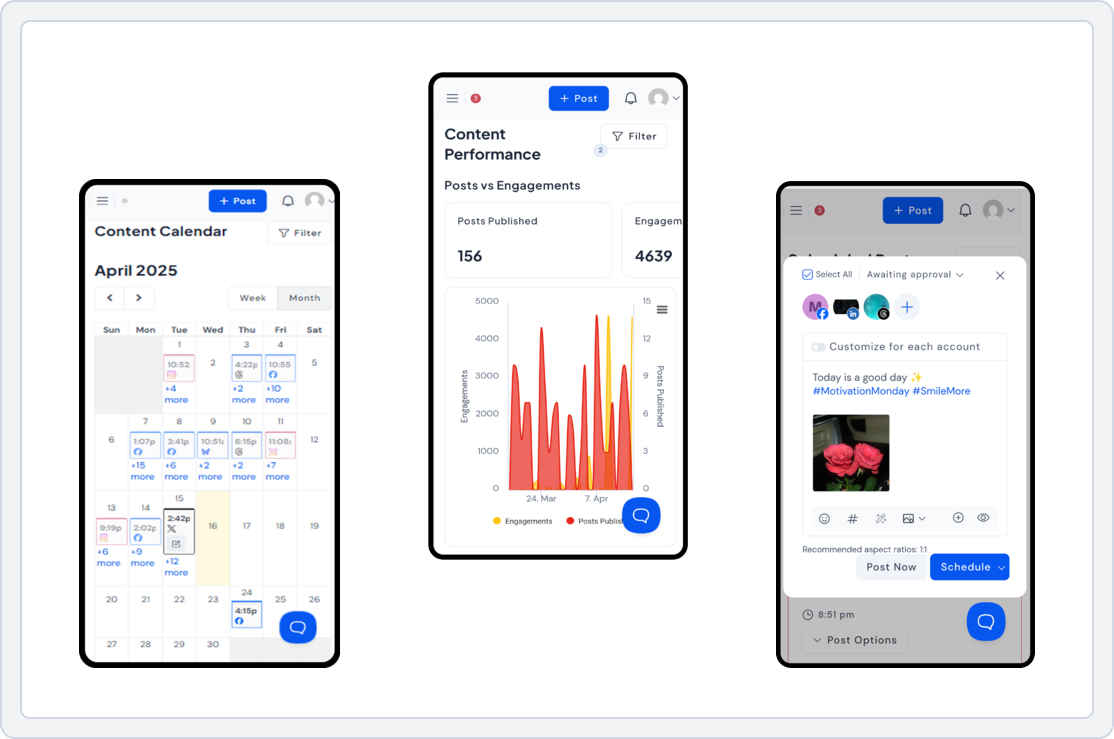
A lot of social media work happens on mobile, such as collecting ideas, reviewing drafts, coordinating approvals, and keeping publishing on track.
SocialBu’s mobile apps help you stay active from your phone, using a calendar view to plan and review scheduled content, and keep an eye on posts even when you’re away from your desk.
What changed? You can manage your workflow from anywhere without rushing back to a laptop.
9. When You’re Stuck, You Can Create Without Switching Tools
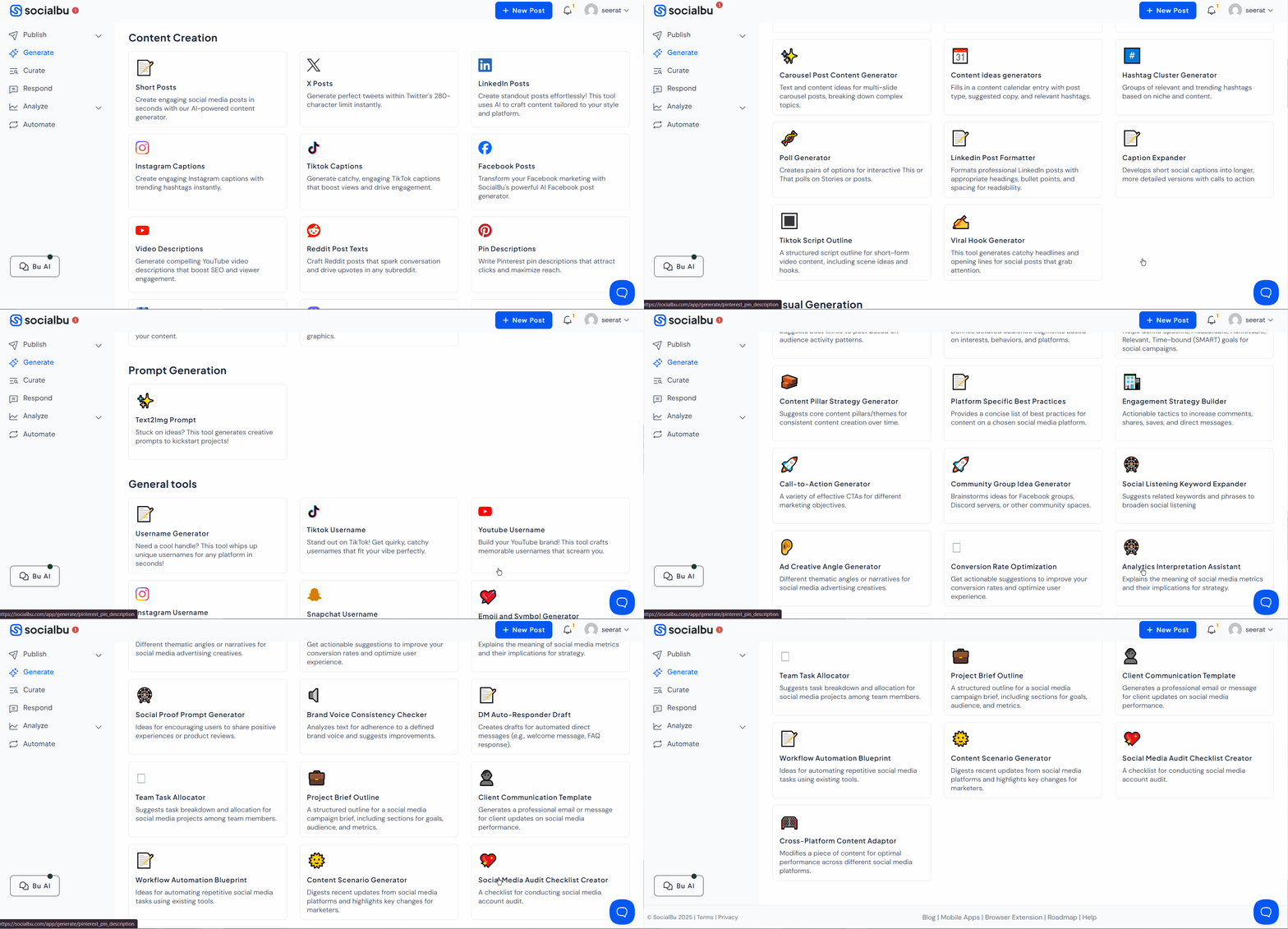
We brought 50+ free tools into SocialBu so you can brainstorm, write, and plan in one place without having to search a dozen apps.
What changed? Faster content creation when you’re out of ideas. You can turn a “blank page” into “ready-to-schedule posts” in minutes, inside SocialBu.
2025 Timeline: Every Update (Jan – Dec)
Here’s the full 2025 recap in a timeline format, so you can quickly scan what changed month to month. So, you can spot the features that match your workflow.
| What Got an Update? | Why Does It Matter? |
|---|---|
| Up to 3 Instagram collaborators | More flexible collaborative posts without extra steps. |
| Bulk import: Custom thumbnails for video posts | Better-looking video posts. |
| Optimized automation performance | Faster automation execution behind the scenes. |
| Connect to Instagram without Facebook | Cleaner IG onboarding, fewer blockers. |
| ContentDrips Integration | Bring content creation and scheduling closer together. |
| Schedule longer X posts (Premium) | Long-form posting support for premium X users. |
| Post Composer redesign | Cleaner writing experience, faster scheduling. |
| WebApp is mobile-friendly | Publish and manage content from phone and tablet. |
| Bulk upload thumbnails fixed | Video thumbnails upload correctly in bulk flows. |
| Mark YouTube videos as “Made for Kids.” | Less manual work and safer publishing for creators. |
| Reddit connection fix | Smoother linking of profiles and subreddits. |
| One post into many queues or accounts at different times | Reuse content intelligently across schedules. |
| Upload up to 1 hour video on X (Premium) | Longer videos without trimming content into clips. |
| Facebook Reels support | Publish Reels from one place. No extra steps needed now. |
| Bulk upload up to 500 posts (Super) / 2000 posts (Supreme) | Batch scheduling at an agency level. |
| Improved Instagram Reels uploads | More reliable video processing and retries. |
| Collapsible sidebar | Cleaner workspace, easier navigation. |
| Add media directly from Google Drive | Faster publishing with organized assets. |
If You’re an Agency. How Can You Use These Updates?
- Batch your scheduling: Bulk upload your month, then refine inside the calendar.
- Standardize client workflows: Review content before it goes live and keep internal notes for your team.
- Keep engagement under control: Use one inbox to reply to messages, comments, and reviews without switching apps.
- Automate the repeat questions: Reduce “admin time” with rules that handle simple replies and review actions.
Goal: A workflow that scales without your team burning out.
If You’re a Small Business. How to Grow With Less Effort?
- Plan once: Schedule a week (or month) in one sitting using the social calendar.
- Stay consistent: Recycle evergreen posts to keep your feed from going quiet.
- Don’t miss leads: Keep every conversation in one inbox.
- Save time daily: Let automations handle repetitive replies and review actions.
Goal: Show up consistently without living on your phone.
If this 2025 recap matches what you need, such as faster scheduling, a cleaner inbox, and smarter automations, SocialBu is ready for your 2026 workflow.
Level Up Your 2026 Strategy With SocialBu
Plan and schedule faster, reply from one social inbox, and use automations to keep posting and engagement consistent without switching tabs.
Let’s Start 2026 Strong
If you want a simpler system for publishing, responding, and staying consistent, SocialBu is built for that.
Start your free trial (cancel anytime), or book a demo if you’re managing multiple brands and want help setting up a workflow.
High five for being part of the SocialBu journey in 2025. 💙
Quick FAQs
Which platforms does SocialBu support?
SocialBu supports major platforms, including Facebook, X (Twitter), Instagram, LinkedIn, TikTok, YouTube, Reddit, Pinterest, Mastodon, Threads, Bluesky, and Google Business Profile.
Does SocialBu have a free trial?
Yes. SocialBu offers a free plan and a free trial of every paid plan, so you can test the workflow before subscribing.
Can I manage multiple brands?
Yes. SocialBu is built to manage multiple brands and collaborate with teams.