
Facebook post generators help you create engaging Facebook posts in minutes instead of spending hours writing from scratch.
Creating Facebook content daily is a task in its own. You need fresh ideas, consistent posting, and content that actually gets engagement. This becomes even harder when you are handling multiple pages or trying to grow a business.
Here comes a reliable Facebook post generator that gives you instant ideas, ready-to-use captions, and a faster way to create engaging content without the daily struggle.
In this guide, you will find the best Facebook post generator tools and learn how to use them with practical examples to create better Facebook posts within minutes.
Our Quick Recommendation:
Not sure ‘Which is the best Facebook post generator?’. After testing the 7 Facebook post generators, we suggest you start with SocialBu or Anyword Facebook post generators. These tools stand out because of their performance-focused features and ease of use.
- SocialBu is the best all-in-one tool to create, schedule, and analyze Facebook posts from a single dashboard.
- Anyword is ideal for AI-powered Facebook post generation, offering multiple modes built for different goals and audiences.

What Is a Facebook Post Generator?
A Facebook post generator is an AI-powered tool that helps you create captions, posts, and content for Facebook in seconds. With the help of Facebook post generator tools, you can create content with just a few clicks and no manual effort using AI. This way, you cut down your hours of thinking about what to write and how to write.
These Facebook AI post creators are designed to help you stay consistent, save time, and create posts that hook your audience and keep them connected.
Here are the types of Facebook posts you can create using AI Facebook content generators:
- Captions: Short, clear text for your posts that align with your brand voice and message.
- Promotional posts: Content focused on promoting/selling a product, announcing an offer, or driving traffic to your website.
- Engagement posts: Posts that spark likes, comments, and shares. For example, relatable content or trending topics.
- Questions and polls: Simple questions with your own experience that encourage your audience to interact. These are great for increasing your reach and starting conversations.
Why You Should Use AI Facebook Post Generators?
If you’re managing Facebook content regularly, you already know how time-consuming it can get.
You are multitasking, coming up with ideas, trying to write content in various tones and styles, and staying consistent, and everything piles up quickly. But you can now automate your social media content creation via AI.
Here is how Facebook post generators help you with your content production requirements for the platform:
1. Save Time Without Compromising Quality
Creating content manually every day isn’t practical, especially if you’re managing multiple pages and clients. A Facebook post writer tool helps you generate content in seconds, so you can focus on strategy instead of writing everything from scratch.
For example, instead of spending 20 minutes on one post, you can generate 3 to 5 options in under a minute and pick the best one to post on Facebook.
2. Stay Consistent With Continuous Posting
Having a consistent social media posting schedule is key to growing on Facebook, but it’s also one of the hardest things to maintain. A social media post generator for Facebook helps you generate multiple posts with just a few clicks and keep your posting schedule on track without last-minute stress.
This is especially useful for:
- Social media managers handling multiple clients
- Agencies managing content calendars and struggling to post continuously
- Small businesses trying to stay active online
3. Improve Engagement With Better Content
You post content regularly, but after publishing, you realize it doesn’t connect with your audience as well as it should. A good Facebook content generator helps you create more engaging posts, whether it’s an awareness message, a relatable caption, or a promotional message.
You can also test different styles and see what works best for your audience.
4. Generate Fresh Ideas Instantly
When you are constantly under pressure to produce content, running out of ideas is a common problem. A Facebook post ideas generator helps you overcome creative blocks by giving you new angles and content ideas instantly.
Instead of repeating the same type of posts, you can keep your content fresh and relevant.
 Also Read: How to Use AI to Batch Create a Month of Social Media Posts and save unlimited time.
7 Best Facebook Post Generators To Create Engaging Facebook Posts
Your search for how to generate Facebook posts with AI and scale your content ends here.
Before we go into the details of Facebook content creation tools, here is a preview of the tools:
Tools | Features | Pricing | Best For |
SocialBu’s Facebook Post Generator | Content creation, Scheduling, Automation, Content curation | Free+ Paid | Agencies and social media managers |
Rytr | Multiple tone selection, Templates, Multiple languages selection | Free+ Paid | Freelancers and quick content generation |
Gravity Writes | Marketing copy, Hashtag recommendations, 4A writing formula | Free | Marketers and content teams |
LogicBalls | Quick content ideas, Easy to use UI, Anti-hallucination outputs | Free+ Paid | Small businesses and beginners |
Mention | Content generation Performance tracking, hashtags suggestions | Free+ Paid | Brands and data-driven teams |
Hyperwrite AI | Smart writing, Auto suggestions, Content customization options | Free+ Paid | Content creators |
Anyword | A/B testing, Copy variations, Audience targeting | Free+ Paid | Performance-focused marketers |
Now, let’s look at the 7 Facebook post generator tools to help you with your Facebook content creation in detail, with a practical demonstration:
1. SocialBu’s Facebook Post Generator
SocialBu is an affordable social media scheduler tool. It offers a free Facebook post generator to help you create Facebook posts that get 3x more engagement. With a single click, this tool uses artificial intelligence to generate engaging Facebook content.
You describe your post or what is on your mind, and the AI generates a unique post built around that topic.
This Facebook content generator is the best fit for social media managers and agencies handling multiple accounts. After the content creation, you can edit, schedule, and automate posts without switching tools. This makes it ideal if you are serious about automating Facebook posts and saving time daily.
Everything in one place. Easy peasy, right?
Moreover, SocialBu offers a dedicated Facebook Caption Generator to help you create custom captions for your Facebook posts.
Check out all the Free Social media tools SocialBu offers to help you grow on your social media; no sign-up required.
Key Features
- Powerful AI to understand the context and generate personalized content.
- Built-in scheduling, automation, curation, and analysis tools
- Multiple tones and variant options
- Clean and easy interface
- Ideal for teams and agencies
How to Use SocialBu’s Facebook Post Generator
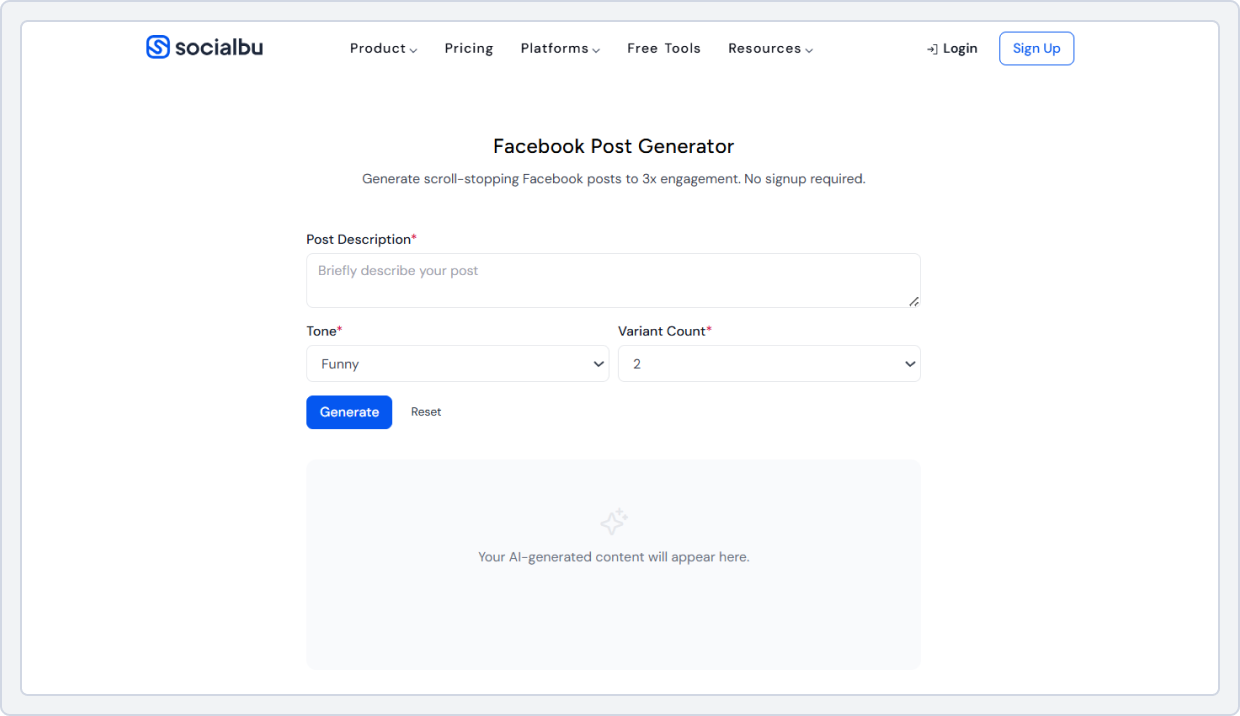
Here is how you can use SocialBu’s AI Facebook post generator to create content that perfectly aligns with your brand voice and keeps your audience hooked:
- Go to SocialBu’s Facebook post generator page.
- Now describe your post or what it is about. It could be about your recent product update, company news, or any idea you have to engage your community.
- Select your tone from the provided menu: professional, funny, aesthetic, or cool.
- Select how many post variations you want to create from the ‘Variant Count.’ This helps you compare different varieties and choose the best one for your campaign goals.
- Click ‘Generate.’
- Edit the output if needed.
- Schedule or publish directly from the SocialBu dashboard.
Example Output
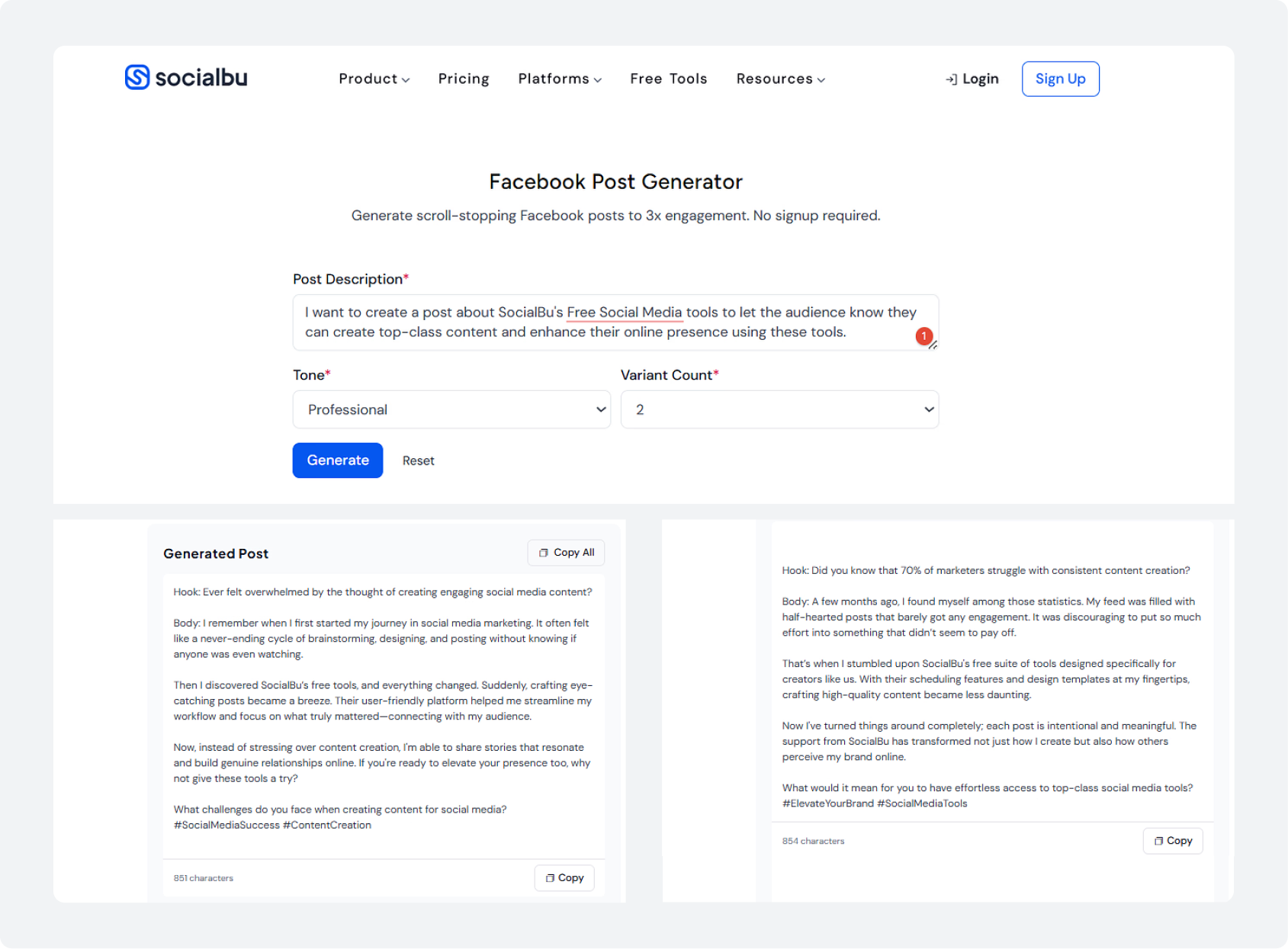
I used SocialBu’s Facebook Post Generator to generate a Facebook post about SocialBu’s Free Social media tools. Here is what it generated:
Try Our Free AI-powered Facebook Post Generator
Turn your ideas into Facebook posts in one click. Simple, quick, and free to use.
2. Rytr
Rytr is a simple AI Facebook Post Generator you can rely on for quick content. It’s a great option when you need ready-to-use Facebook captions or posts without spending too much time editing or rewriting.
Rytr quickly turns your basic idea into multiple content variations. You don’t have to overthink prompts. Just add a brief input about the post type, pick a tone, and you get usable outputs within seconds. This is especially helpful for freelancers and social media managers who work with different brands and need to adjust tone frequently.
Key Features
- Multiple tones (casual, thoughtful, assertive, etc.)
- Generates multiple variations in one click
- Supports multiple languages
- Clean and beginner-friendly interface
- Works well for quick captions and ideas
How It Works
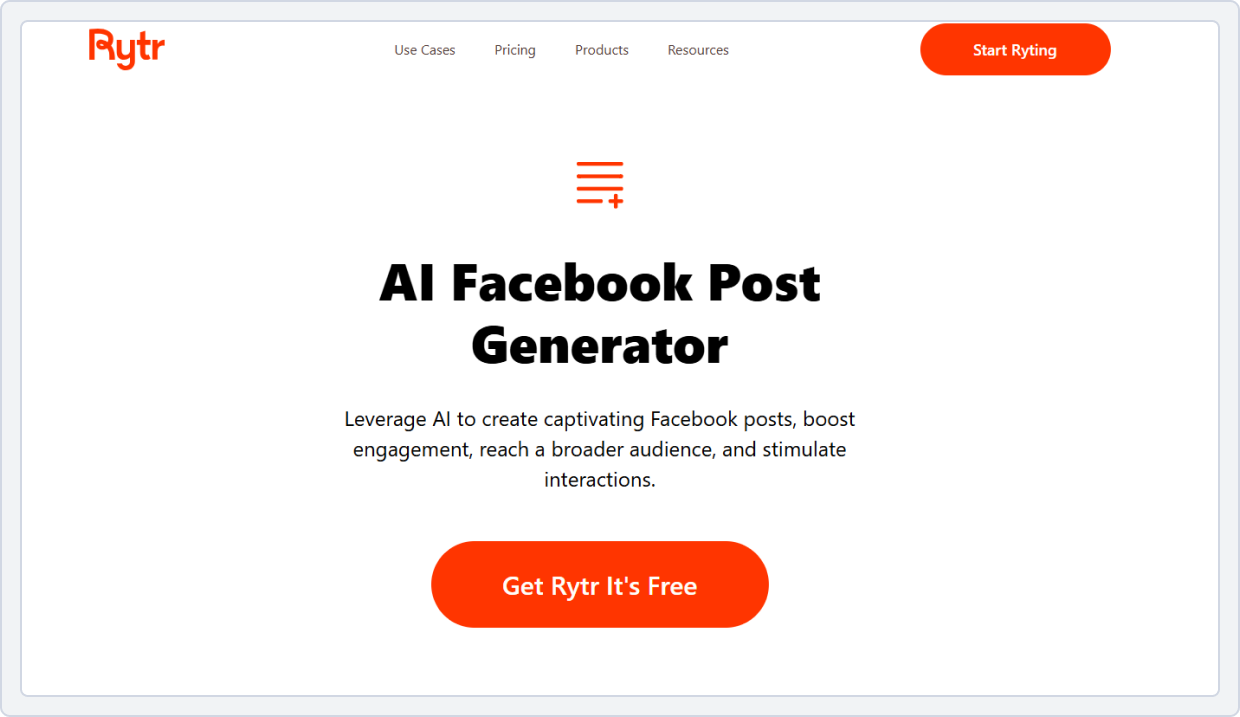
Here is how you can use Rytr’s Facebook post writer tool to generate engaging Facebook posts:
- Sign up for the Rytr Facebook post generator for free.
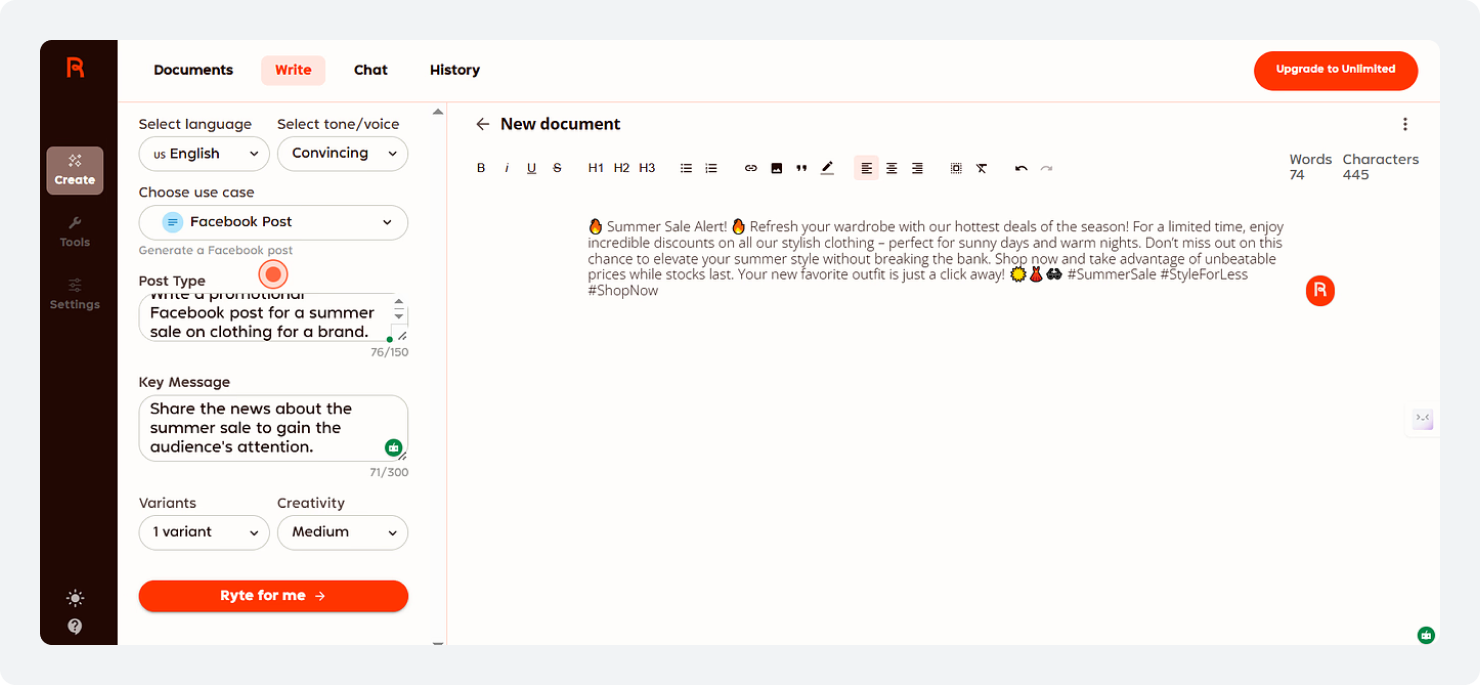
- Go to the top of the dashboard and select the ‘Write’ mode.
- Select your preferred ‘Language’ and ‘Tone of voice’.
- From the use cases menu, choose the ‘Facebook Post’ option.
- Enter your topic or describe your post type.
- Select ‘Variants’ for your Facebook post and select the ‘Creativity’ level.
- Click ‘Ryte for me’ to generate your personalized Facebook post.
- Review and copy the output to publish on the platform.
Example Output
Here is what the tool’s output looks like:
3. Gravity Writes
Gravity Writes offers a free AI-powered Facebook post generator that uses the 4A writing formula (Attention, Appeal, Ask, Act) to craft engaging, conversion-driven content. This free Facebook post generator can generate headlines, compelling descriptions, product promotions, calls to action, and even user engagement suggestions.
You can also include links and hashtags to make your posts even more engaging. Provide a topic and click the “create content” button to use it.
Key Features
- Free AI Facebook post tool
- Uses 4A writing formula
- Focuses on in-depth content generation
- Relevant Hashtag recommendations for wider reach.
- Limited scheduling and visual options
How It Works
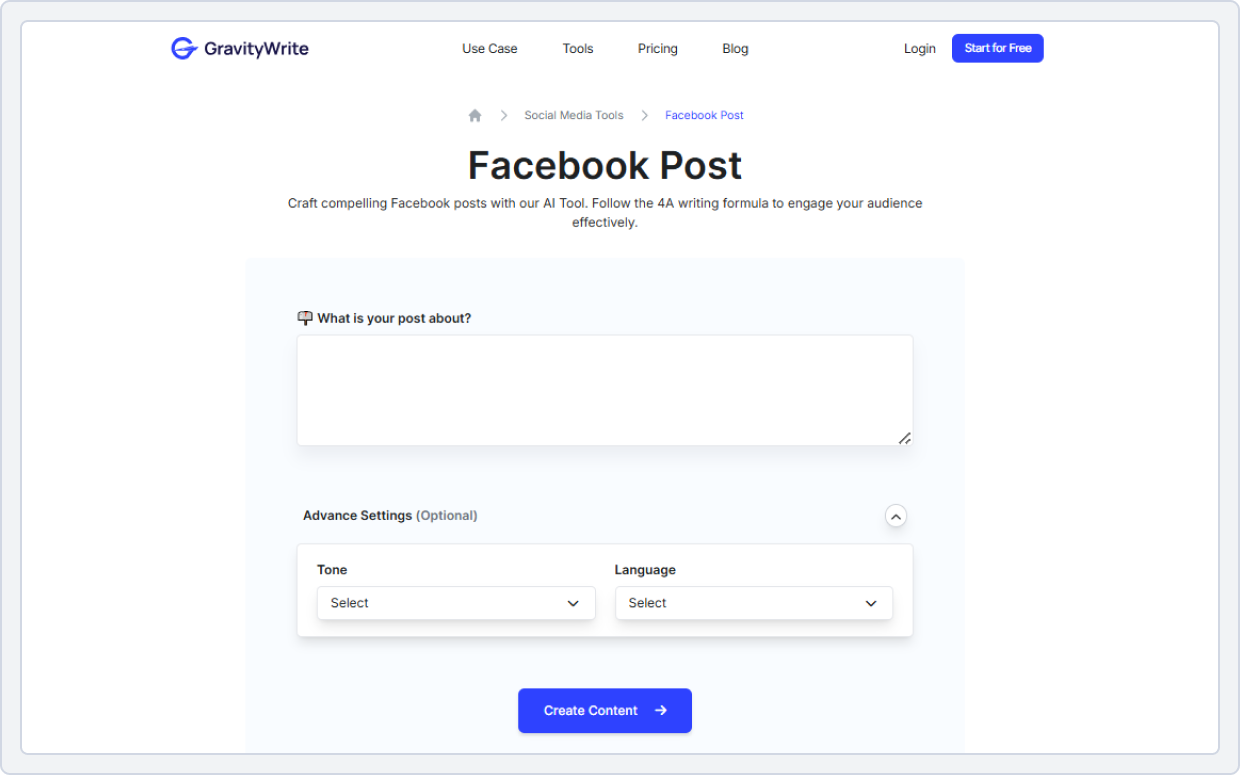
Here is how you can use Gravity Writes’s Facebook Post Generator:
- Go to the GravityWrite Social Media Tools page and select the ‘Facebook post tool.’
- Add what your post is about in the given bar.
- Select your tone of voice and preferred language.
- Click the ‘Create content’ button, and your engaging Facebook post is ready to post on the platform.
Example Output
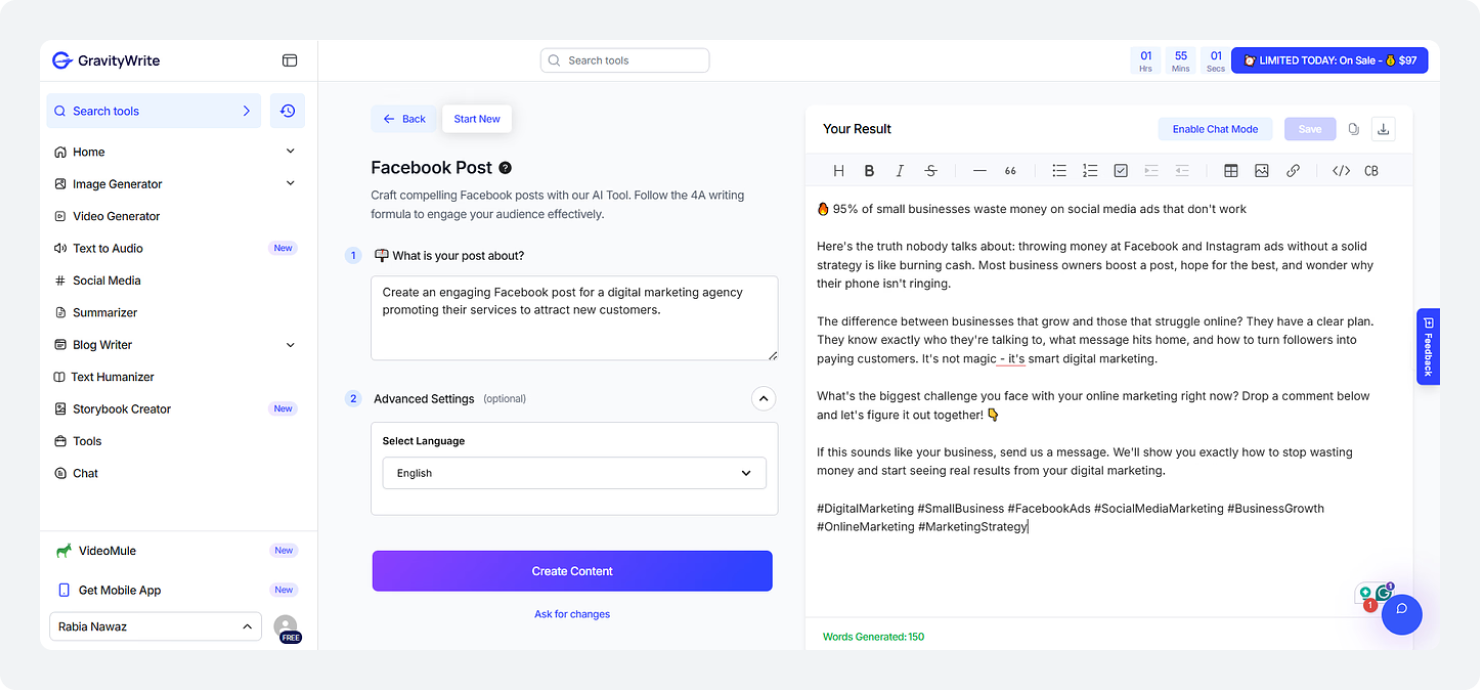
Here is what this free Facebook post generator online provided on asking about generating a Facebook post for a digital marketing agency:
4. LogicBalls
LogicBalls is an online, beginner-friendly post generator that works well for quick, engaging Facebook post creation. It’s simple, fast, and doesn’t overwhelm you with too many options.
Enter your post’s topic, select the tone, word limit, number of hashtags, and preferred language, and click generate. The AI Facebook caption generator will create a compelling post from your input. Customize the posts to match your brand’s voice and content strategy.
This tool is perfect for small business owners who want to generate Facebook post ideas without investing time in learning a complex interface.
Key Features
- Uses a verification-first approach
- Asks clarifying questions related to your post
- Produce AI-powered anti-hallucination outputs
- It is free to use and doesn’t require you to sign up for an account
- Easy-to-use interface
How It Works
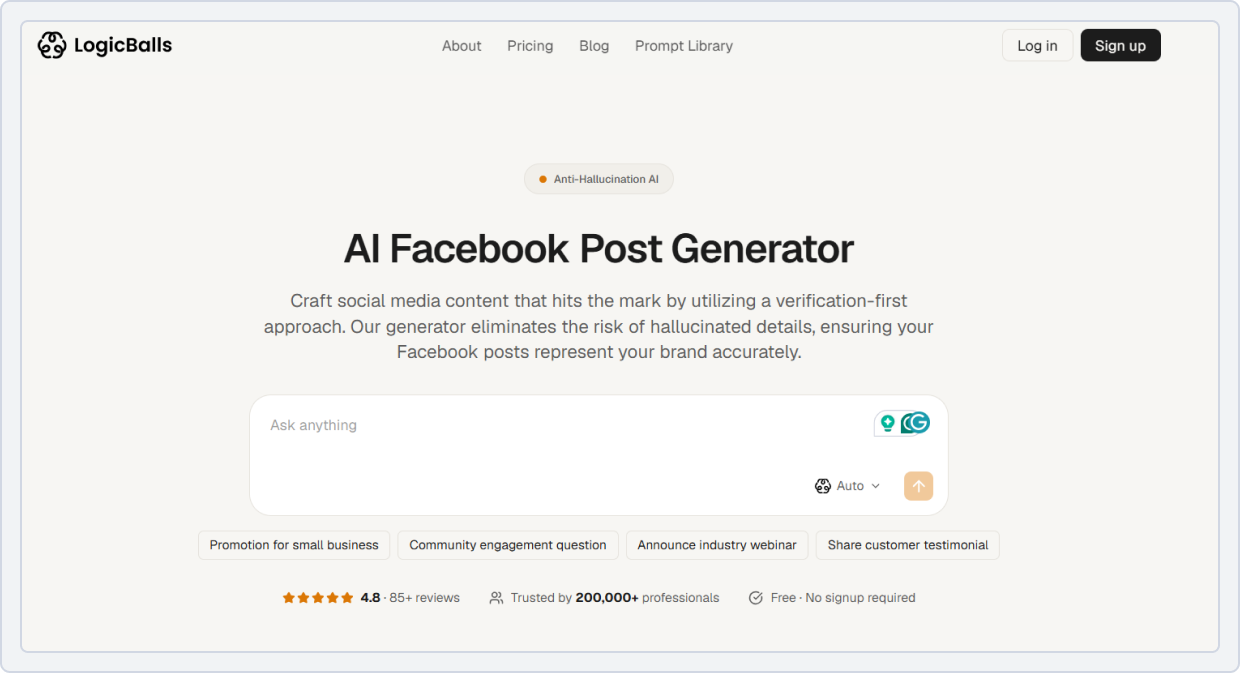
Here is how the tool works:
- Go to LogicBalls’ AI Facebook post generator.
- Enter your topic or idea about what you want to post.
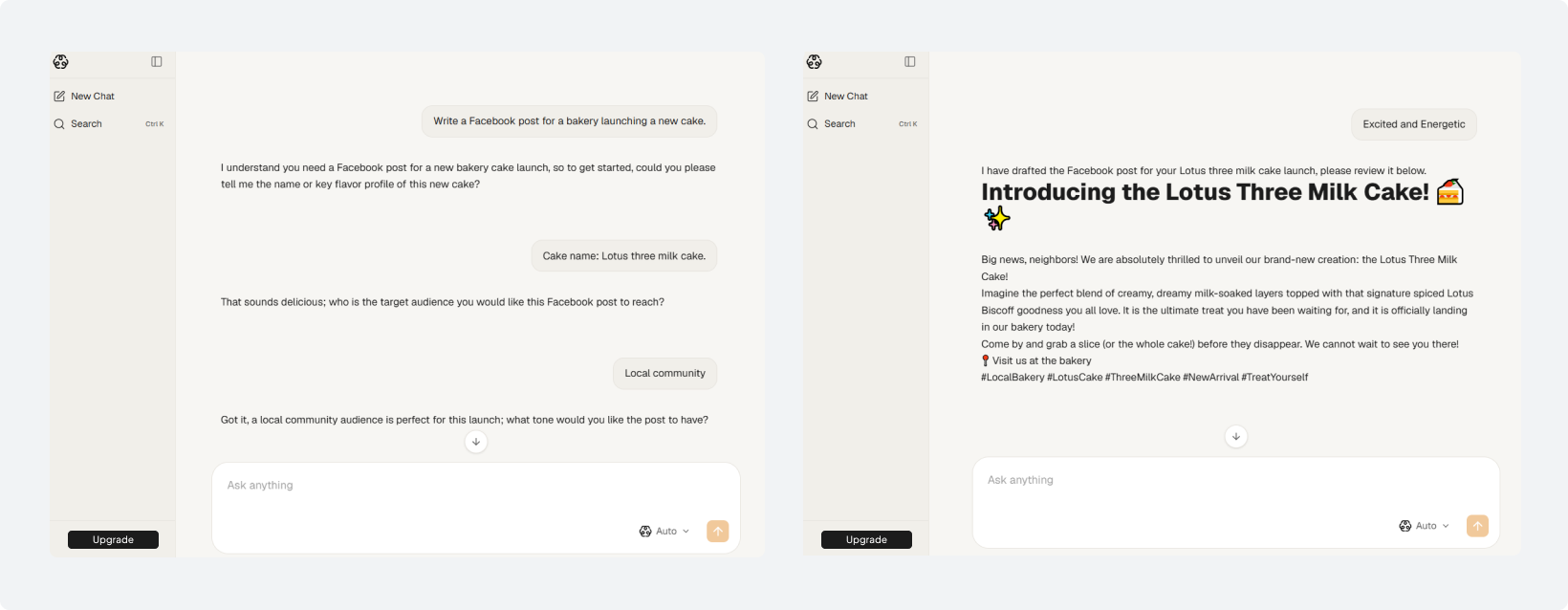
- The tool will then ask clarifying questions to fully understand your intent, and it will take you to the main interface where you can chat with the tool.
- Here, now answer the counterquestions so AI can understand your target audience, your brand voice, and tone.
- And after it, it will provide you with a personalized Facebook post.
Example Output
I asked the tool to create a post about a bakery launching a new cake. Here is what it generated after asking a few clarifying questions for better understanding and less hallucination:
5. Mention
Mention’s Facebook Post Generator is a free tool that uses AI to create engaging content for your page. You can choose the desired tone of voice for your post, and with a single click, the tool generates a Facebook post customized for your needs.
This saves time and helps you develop creative ideas for your Facebook content. This makes it a strong Facebook marketing AI tool for brands that rely on trends and audience data.
Key Features
- AI-powered content suggestions and caption writing
- Content calendar and scheduling features
- Performance tracking and analytics
- Free to use
- Suggest relevant hashtags
How It Works
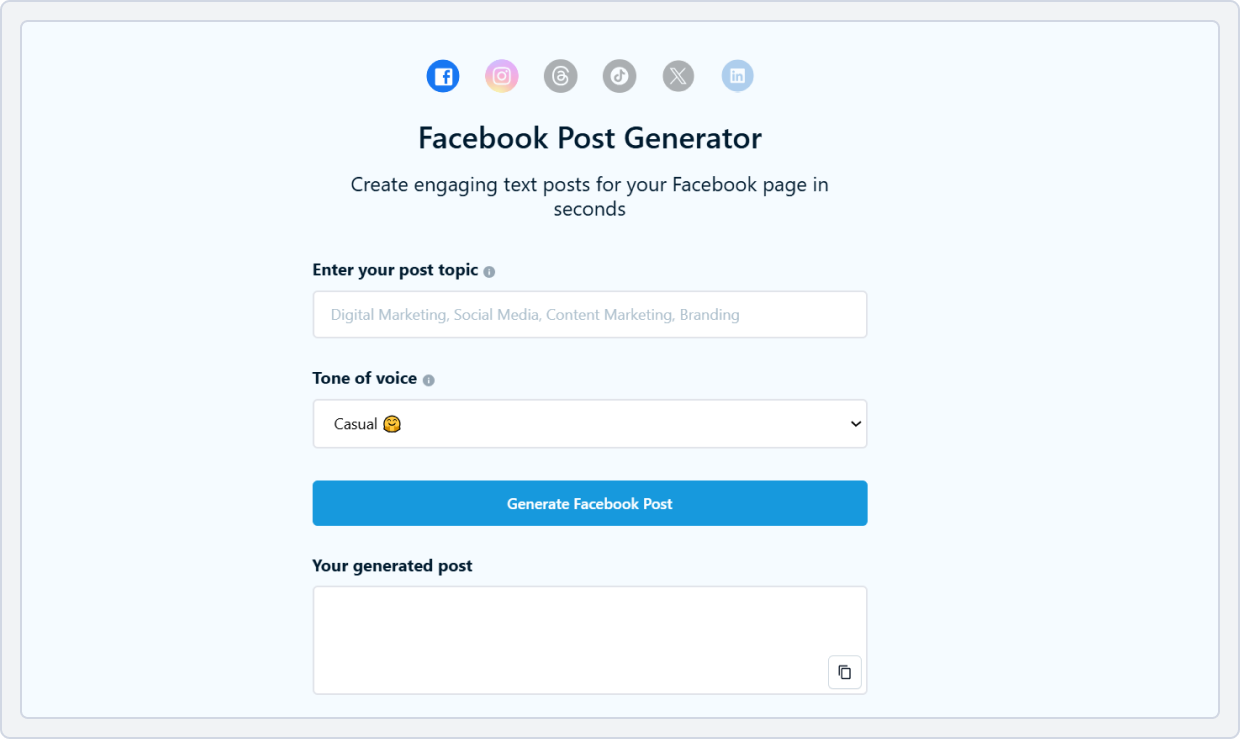
Here is how Mention’s Facebook Post generator works:
- Go to the main Facebook post tool’s page.
- Enter your post topic or keyword for what you want your Facebook post to be about.
- Add context (brand, audience, goal) in your prompt as well.
- Select your preferred tone of voice from the list.
- Click on ‘Generate Facebook Post’ to generate your final content.
6. Hyperwrite AI
Hyperwrite’s free Facebook post generator uses AI to craft creative captions and headlines based on keywords for busy social media managers and small business owners.
You can use this free Facebook post generator tool to craft posts for various purposes, including product promotions, company updates, news sharing, and sales announcements. Furthermore, it offers a simple interface and is a good choice for those who want a free AI solution for basic Facebook post ideas.
Key Features
- Intelligent AI-powered tool to generate engaging Facebook posts
- Limited scheduling and customization options
- Tone and style suggestions
- Turn a short description into an interesting Facebook post
- Increases creativity and saves a lot of time
How It Works
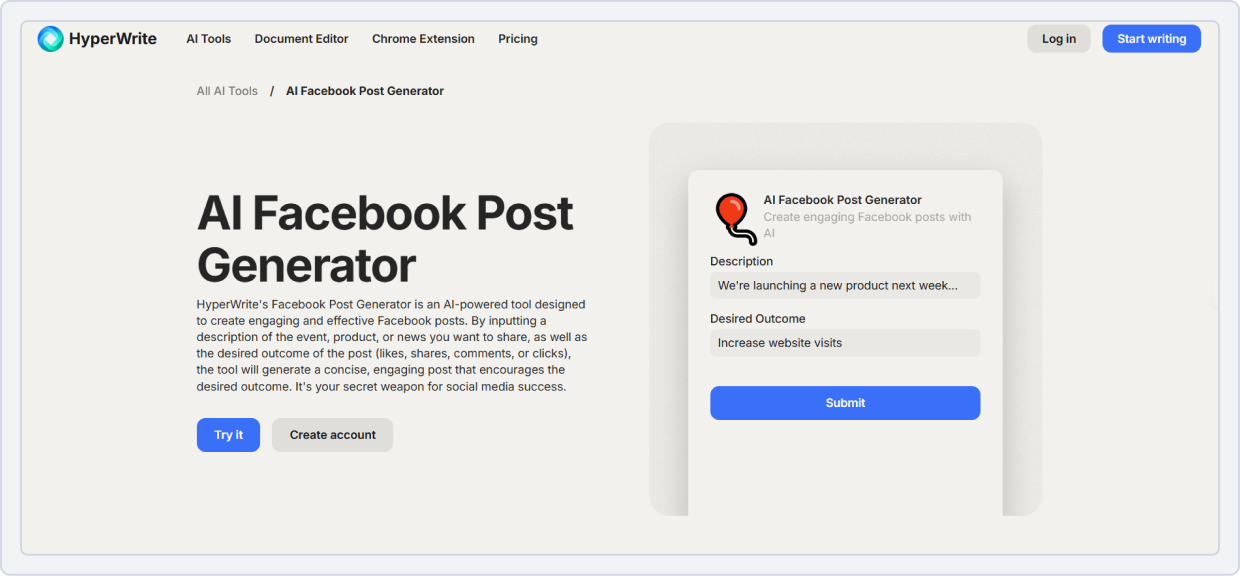
Here is how the tool works:
- Go to the Hyperwrite’s free Facebook post generator tool page.
- Enter your topic or description about what you want your post to be t about: event, product, or news.
- Enter the desired outcome of your Facebook post.
- Click on the ‘Submit’ button to generate your post.
- And your Facebook post has been generated; now edit it to make the necessary changes.
- Now, copy it and paste it into the Facebook status update box and click on the’ Post’ button.
Example Output
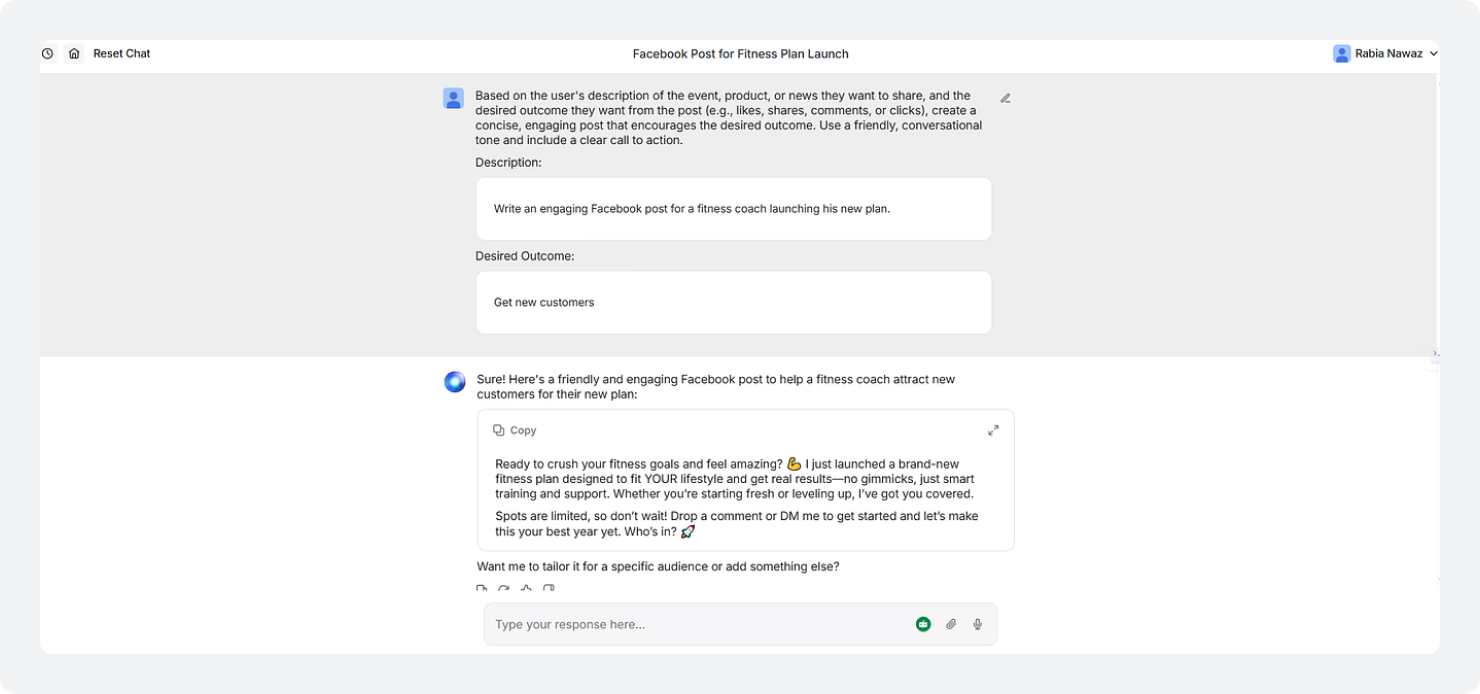
Here is the output the Hyperwrite tool gave me when I asked it to generate a Facebook post for a fitness coach:
7. Anyword
Anyword’s Facebook post generator helps you create high-performing posts in just a few clicks. It’s designed for marketers who want data-backed, tailored content for specific purposes.
It offers multiple Facebook writing modes to suit your needs: use the ‘Prompt’ mode to create engaging Facebook copy, the ‘Event Announcement’ to announce your upcoming event, the ‘Product Announcement’ to share exciting new product updates, and the ‘Seasonal/Themed’ mode to share content related to seasonal occasions.
You can define your audience, adjust the tone, and run A/B tests, making it a powerful free Facebook post generator marketers can rely on for better results.
What makes it different is its performance prediction feature. It analyzes your content and suggests which version is more likely to perform well.
Key Features
- Various customizable Facebook post templates
- Advanced AI content generation
- A/B testing for captions (paid plans)
- Target the right demographics with age and gender analytics.
- Image design integration
How It Works
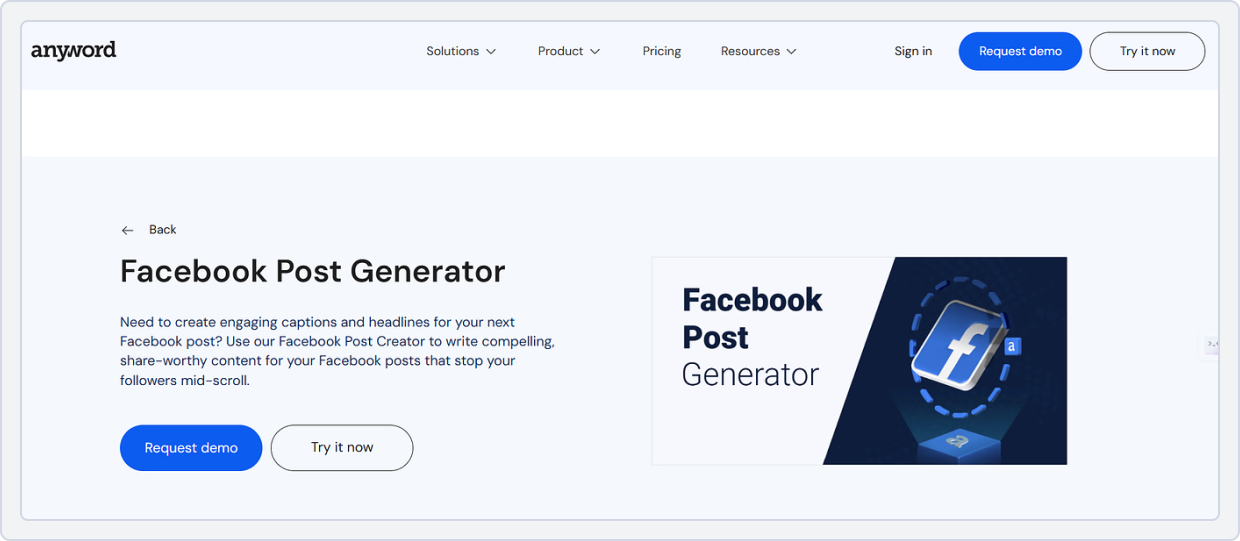
Here is how the Anyword free Facebook post generator works:
- Log in to your Anyword account, select the “Facebook Post” tool under the “Social” feature.
- Now you will see various modes for the Facebook post tool; select the one that best fits your post.
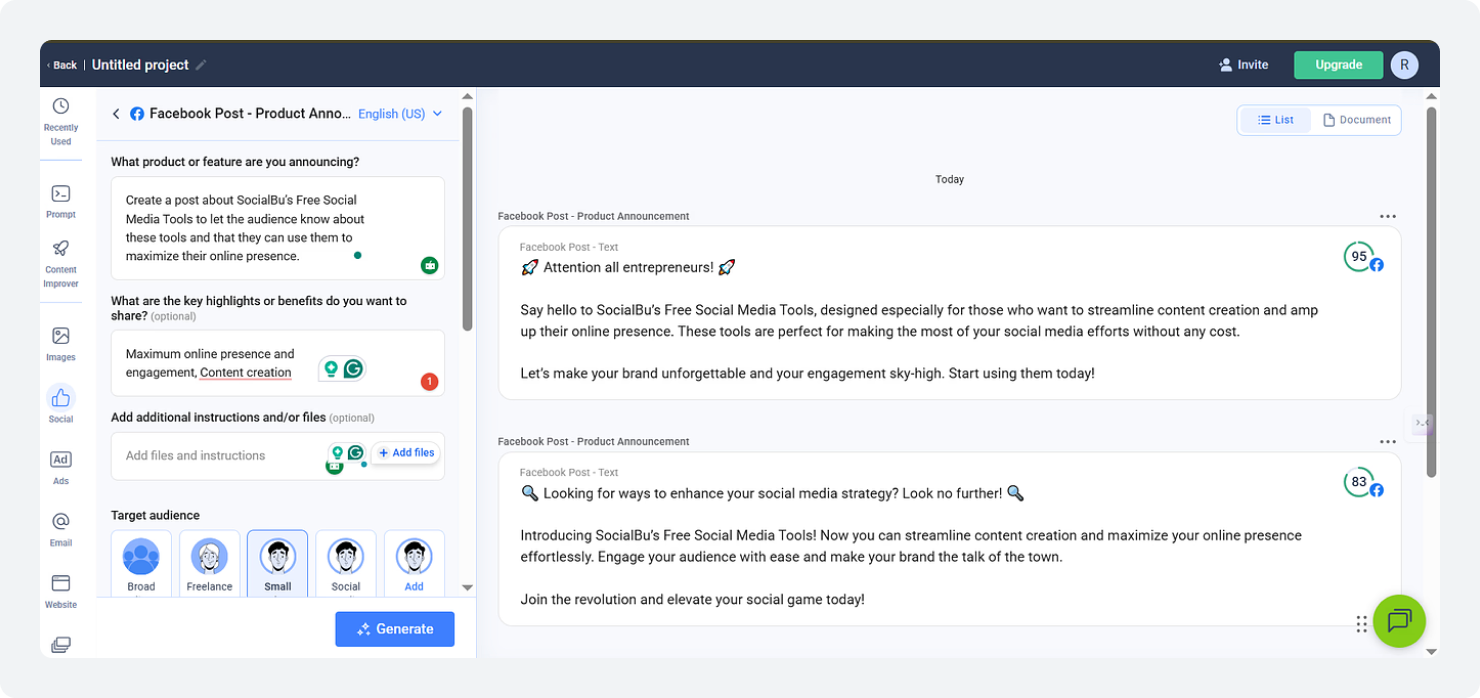
- I selected the ‘Facebook Post – Product Announcement’ mode.
- Describe your post or the product feature you want the announcement/post about.
- Provide the additional information asked.
- Select your target audience based on the suggestions or add your own.
- Choose or set your preferred tone of voice.
- Choose A/B tested talking points.
- Click on ‘Generate’.
- Review performance scores via Anyword’s Performance Prediction scores.
Example Output
I used the Anyword ‘Facebook Post – Product Announcement’ mode to create a post about SocialBu’s Free Social Media Tools, and here is what it provided:
Also Read: 10+ AI-Powered Content Creation Tools to meet your every content creation need.Best Practices to Use Facebook Post Generators
Now, you have the best Facebook post generator tools at your side, along with a demonstration. Here are some of the best practices you can implement to get the maximum output from these Facebook content generators:
1. Use Clear Prompts
The better your input, the better the output. Instead of writing “write a post for my Facebook page,” be specific about what your post is about, your target audience, and tone of voice. Provide as much information as you can to get a personalized, brand-specific Facebook post.
For example: “Write a Facebook post promoting a weekend sale for a clothing brand in a friendly tone.”
2. Match the Audience Tone
Every brand has a different voice. Make sure your prompt reflects that. The more specific you are about tone, the better the output will match your brand style.
For example, a corporate brand must sound professional and polished. At the same time, a local cafe or small business can adopt a more casual, friendly, and conversational tone to better connect with its audience.
3. Personalize the Output
Do not just copy and paste the output from the Facebook post generators. Take your time to tweak the content by adding your brand voice, product details, or even a local reference to make it feel more authentic and personalized.
Small edits, such as adjusting the tone of voice, messaging, audience, or a specific offer, can make the post feel more real and relatable.
4. Add Hashtags and CTAs
The above Facebook content generators generate engaging, scroll-stopping captions or content for your Facebook, but you should always refine them before posting.
Add relevant hashtags to increase reach and visibility, especially if you are targeting a specific niche or audience.
Moreover, include a clear call to action, like;
- Shop now
- Learn more
- Or comment below,
so your audience knows exactly what to do next.
Though these Facebook post generators help automate your posts, relying on them too much can hurt your content engagement. You still need to interact with your audience, reply to comments, and stay active.
Wrap Up!
Continuously creating Facebook content should not slow you down or drain your creativity. With the right Facebook post generators, you can turn a simple idea into an engaging post within minutes. With these tools, you can stay consistent and save time without compromising quality.
The key takeaway is simple. Do not rely on these Facebook post writer tools to replace your voice. Use them to support it. The best results come when you combine AI speed with your brand’s personality.
If you want an easy way to create, manage, and automate your content in one place, give SocialBu a try. It helps you generate posts, schedule them, and stay consistent without the daily hassle.
Take Your Facebook Growth to the Next Level!
Automate posts, engage smarter, grow faster, and simplify your workflow with SocialBu’s all-in-one automation tools.
FAQs
Q. Is there a free Facebook post generator available?
A. Yes, SocialBu offers a Facebook post generator to help you generate content with just a few clicks. Moreover, Rytr, Anyword, and LogicBalls offer free versions for generating captions and post ideas, though advanced features may require a paid plan.
Q. Can you use ChatGPT for Facebook posts?
A. Yes, you can use ChatGPT to generate Facebook posts. However, give clear prompts about your topic, audience, and tone. It works well for creating captions, ideas, and even full posts, but edit the output to match your brand voice.
Q. Are there free AI Facebook post generators?
A. Yes, there are several free AI Facebook post generators available online, such as SocialBu’s Facebook post generator, Rytr, and Gravity Writes. These tools help you quickly generate Facebook posts and captions, making them useful for small businesses, freelancers, and content creators.